
Scan Receipts in Seconds. AI Categorizes for Taxes.
The receipt scanner built for small businesses. Snap a photo, and AI extracts the vendor, amount, date, and tax — then categorizes everything automatically.
Stop typing receipts into spreadsheets. SparkReceipt's AI scans any receipt — crumpled, faded, handwritten, or in any of 150+ currencies — and turns it into organized, tax-ready data in seconds. Generate expense reports in one click. Start for free. No credit card required.





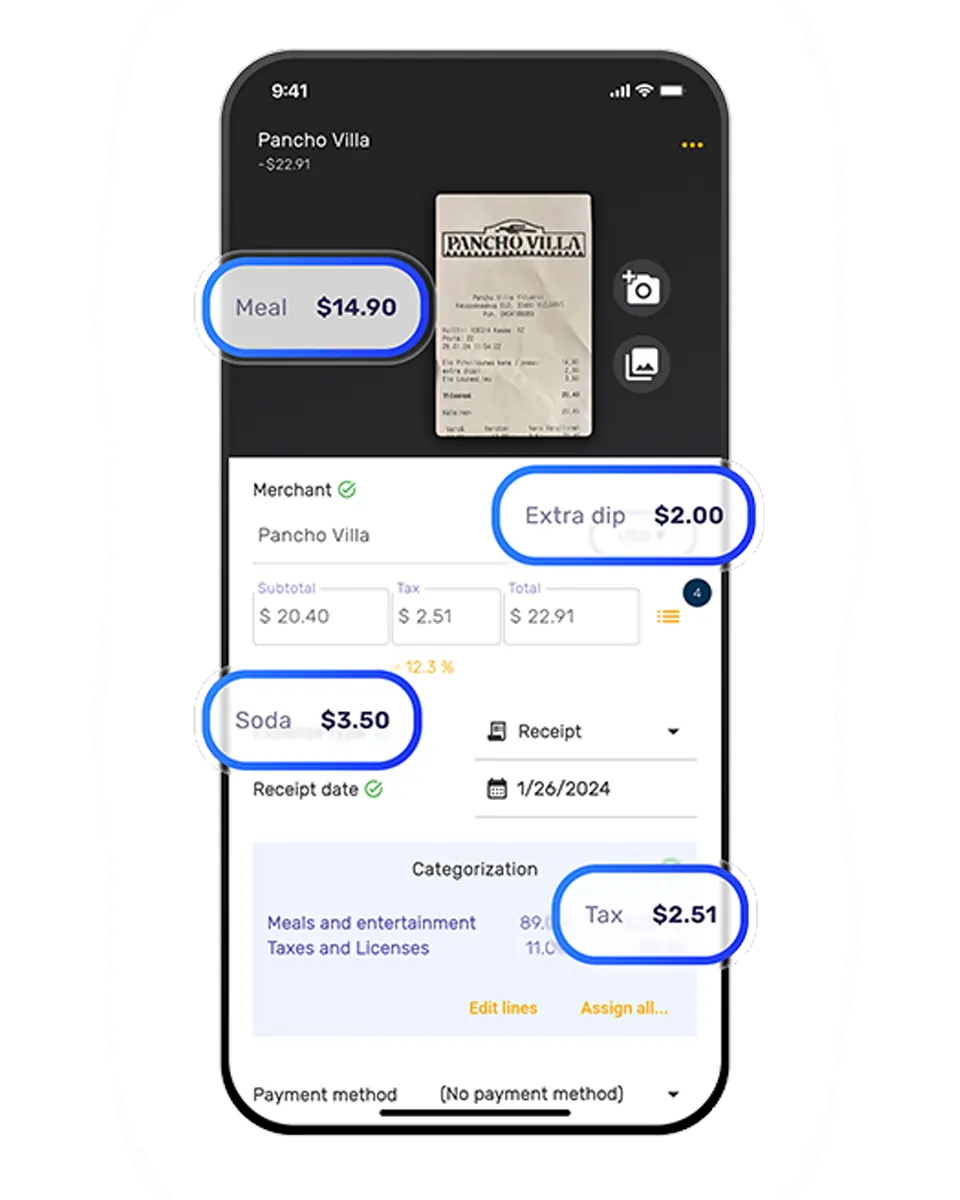
Stop Manual Receipt Entry
See what changes when AI handles your receipt scanning

Without a Receipt Scanner
- Receipts piling up in drawers, wallets, and glove boxes
- Manually typing amounts into spreadsheets or accounting software
- Missing tax deductions because receipts get lost or forgotten
- Tax time panic — scrambling to find a year's worth of receipts
- Paying your accountant to sort through bags of paper

With SparkReceipt
- Snap a photo — AI extracts vendor, amount, date, and tax instantly
- Expenses categorized automatically into tax-ready categories
- Every receipt stored digitally — never lose a deduction again
- One-click expense reports ready for your accountant or tax filing
- Free accountant access — they see organized data, not shoeboxes
How AI Receipt Scanning Works
Three steps. Under two minutes to set up.
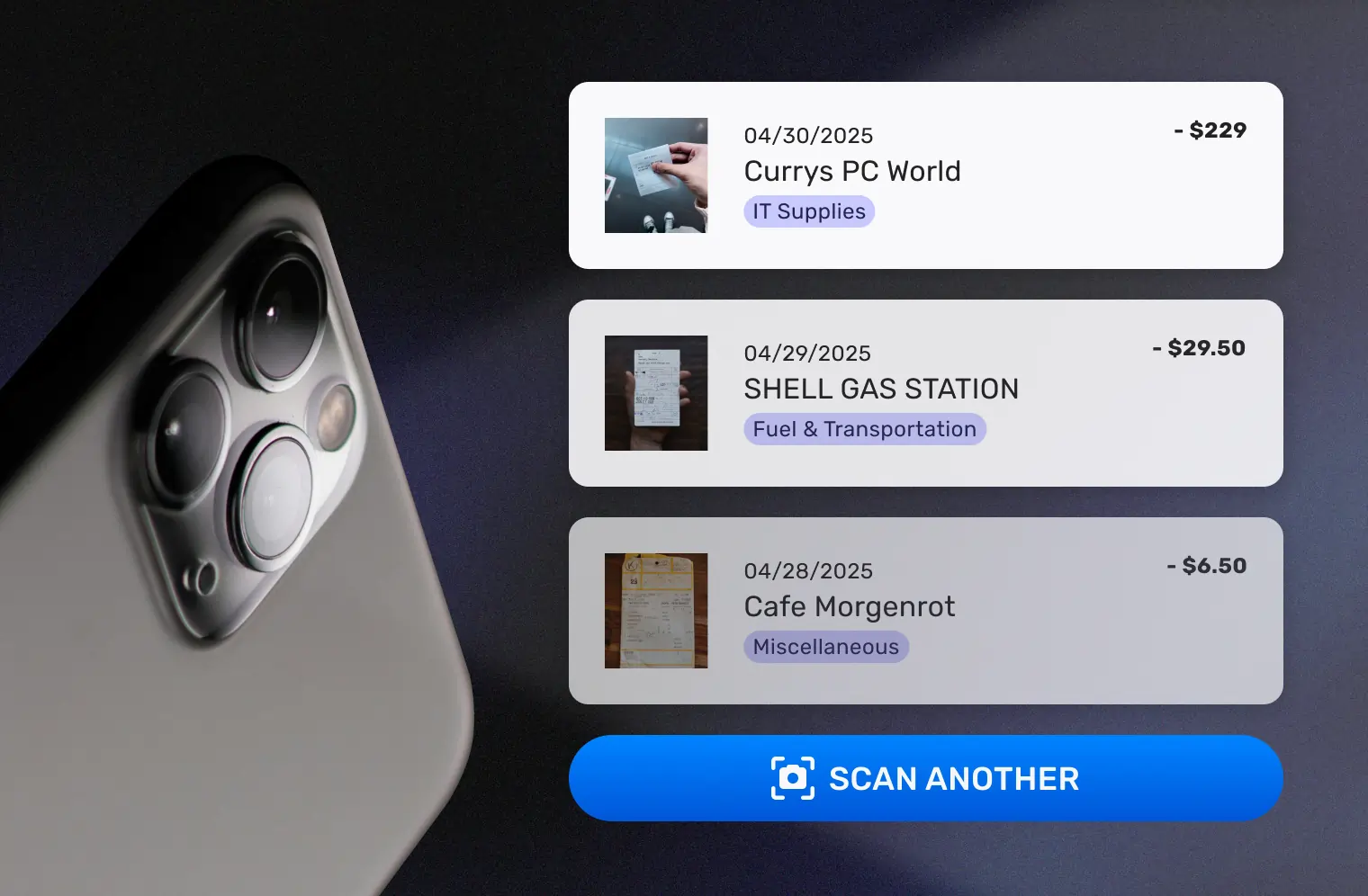
Snap a Photo or Forward an Email
Use your phone camera to scan any paper receipt — even crumpled, faded, or handwritten ones. Upload PDFs or images from your computer. Forward email receipts from vendors and suppliers. SparkReceipt handles receipts in any language and 150+ currencies with automatic exchange rate conversion.
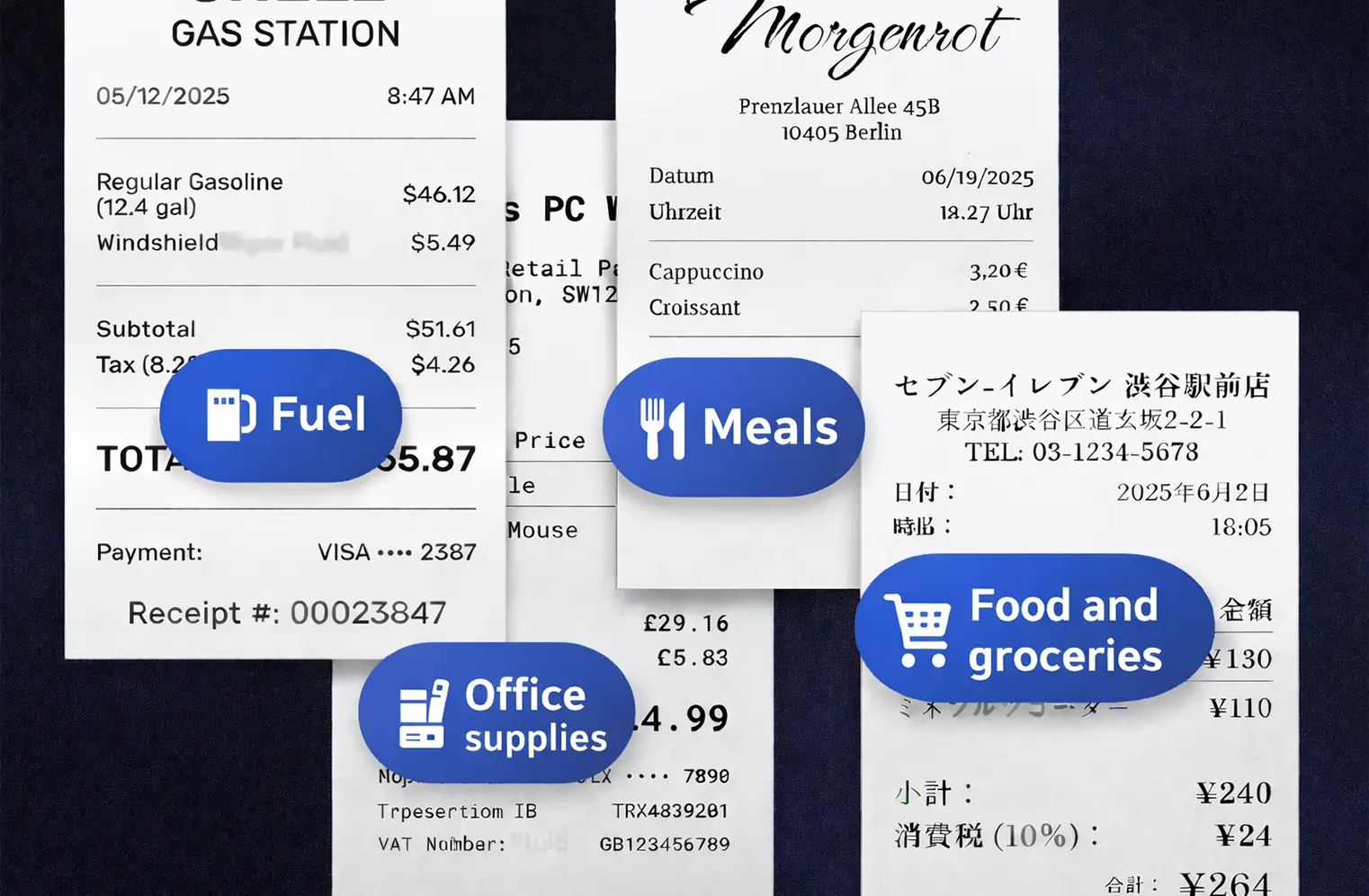
AI Extracts and Categorizes Automatically
SparkReceipt’s AI reads every receipt and extracts the vendor name, total amount, date, tax breakdown, payment method, and individual line items. Expenses are automatically categorized into tax-relevant groups: meals, travel, office supplies, software, professional services, and more. No manual tagging. No templates. Just accurate data from every receipt.
Turn Receipts Into Tax-Ready Reports
Generate clean expense reports in PDF, Excel, or CSV — with category breakdowns, tax summaries, and receipt images attached. Share with your accountant through free guest access. Or sync directly to QuickBooks Online. Everything your accountant needs, organized and ready — no chasing you for missing receipts.
Built for Small Businesses, Not Enterprises
Powerful receipt scanning at a fraction of the cost
Most receipt scanner apps charge enterprise prices for features small businesses don’t need. SparkReceipt gives you AI-powered scanning, automatic categorization, and tax-ready reports — without the complexity or the price tag.
How SparkReceipt compares:
- SparkReceipt: $6.58/month — lifetime price lock, unlimited scanning
- Dext: $30+/month — designed for accountants, complex workflows
- Shoeboxed: $9–$179/month — limited categories, no free plan
- Expensify: $5/user/month — per-user pricing adds up fast
One flat price. No per-user fees. Your price never increases — guaranteed.

Lock in Your Price For Life
We never raise prices for existing customers
Pro
For small businesses and freelancers
$0 / user / year · billed at $0/yr
- 50 Document Scans / mo
- 100 Consumable Credits / mo
- 20 Spark Messages / mo
- Multiple Users (pay per seat)
- Mass Upload Documents
- Unlimited Linked Sub-Accounts
- Automatic Email Receipt Fetching
- Line-item Categorization for Expenses
- AI Automations
No Credit Card Required
Elite
For growing teams and power users
$0 / user / year · billed at $0/yr
- ∞ Document Scans / mo
- 200 Consumable Credits / mo
- 100 Spark Messages / mo
- Multiple Users (pay per seat)
- Mass Upload Documents
- Unlimited Linked Sub-Accounts
- Automatic Email Receipt Fetching
- Line-item Categorization for Expenses
- AI Automations
No Credit Card Required
Trusted by Small Business Owners in 80+ Countries
4.8 stars from 2,000+ reviews

Excellent start and amazing team. Looking forward to making SparkReceipt my default expense management and accounting platform.
I needed a solution to organize and process my personal and business receipts. I'm thrilled I found SparkReceipt. It saves me a lot of time!

Thanks to you, I’m actually looking forward to my year end FOR THE FIRST TIME EVER, when I can surprise my accountant with my completed accounts with a week or so off the end of the year!

The scan accuracy is the most precise out there. Just try it!
Thanks to SparkReceipt I have a quick look to my business accounts status in a glance. It is really impressive.

SparkReceipt takes care of the busy work, allowing me to quickly save receipts and create expense reports.
Receipt Scanner FAQ
How does the receipt scanner work?
Snap a photo of any receipt with your phone, upload a PDF or image from your computer, or connect your inbox for email receipts. SparkReceipt’s AI extracts the vendor name, amount, date, tax, and payment method in 2-3 seconds. Expenses are automatically categorized into tax-relevant groups — no manual entry needed.
Is SparkReceipt really free?
Yes. SparkReceipt has a free plan with 15 document scans per month — no credit card required, no time limit. Paid plans start from $6.58/month with a lifetime price lock, meaning your price never increases. There are no per-user fees and no hidden charges.
Can it scan crumpled, faded, or handwritten receipts?
Yes. SparkReceipt’s AI is designed to read receipts in any condition — crumpled, faded, water-damaged, thermal, or handwritten. It also processes receipts in any language and 150+ currencies with automatic exchange rate conversion.
Can I use it for taxes?
Absolutely. SparkReceipt automatically categorizes your scanned receipts into tax-relevant categories and generates expense reports in PDF or Excel format — ready for your accountant or tax filing. Digital receipts are accepted by tax authorities worldwide, including the IRS, CRA, ATO, and HMRC.
Does SparkReceipt work with QuickBooks or Xero?
Yes. SparkReceipt integrates directly with QuickBooks Online — your categorized expenses and receipt images sync automatically. Xero integration is coming soon. You can also export data in CSV or Excel for import into any accounting software.
Can my accountant access my receipts?
Yes. SparkReceipt includes free guest access for your accountant or bookkeeper. They can view all your scanned receipts, expense categories, and reports — no extra subscription needed. No more emailing PDFs or mailing shoeboxes.
Early Bird Deal
Lock in our best deal ever – only $6.58 USD per month (*billed annually at $79 USD/year). Stay subscribed, and your price will never go up, even as SparkReceipt gets better. This lifetime pricing is limited to the first 15,000 users. With our 30-day money-back guarantee, there’s no risk in trying.
Do Not Miss Out on Our Limited-Time Offer