
Export Your Receipts and Expenses — Any Format, Any Time
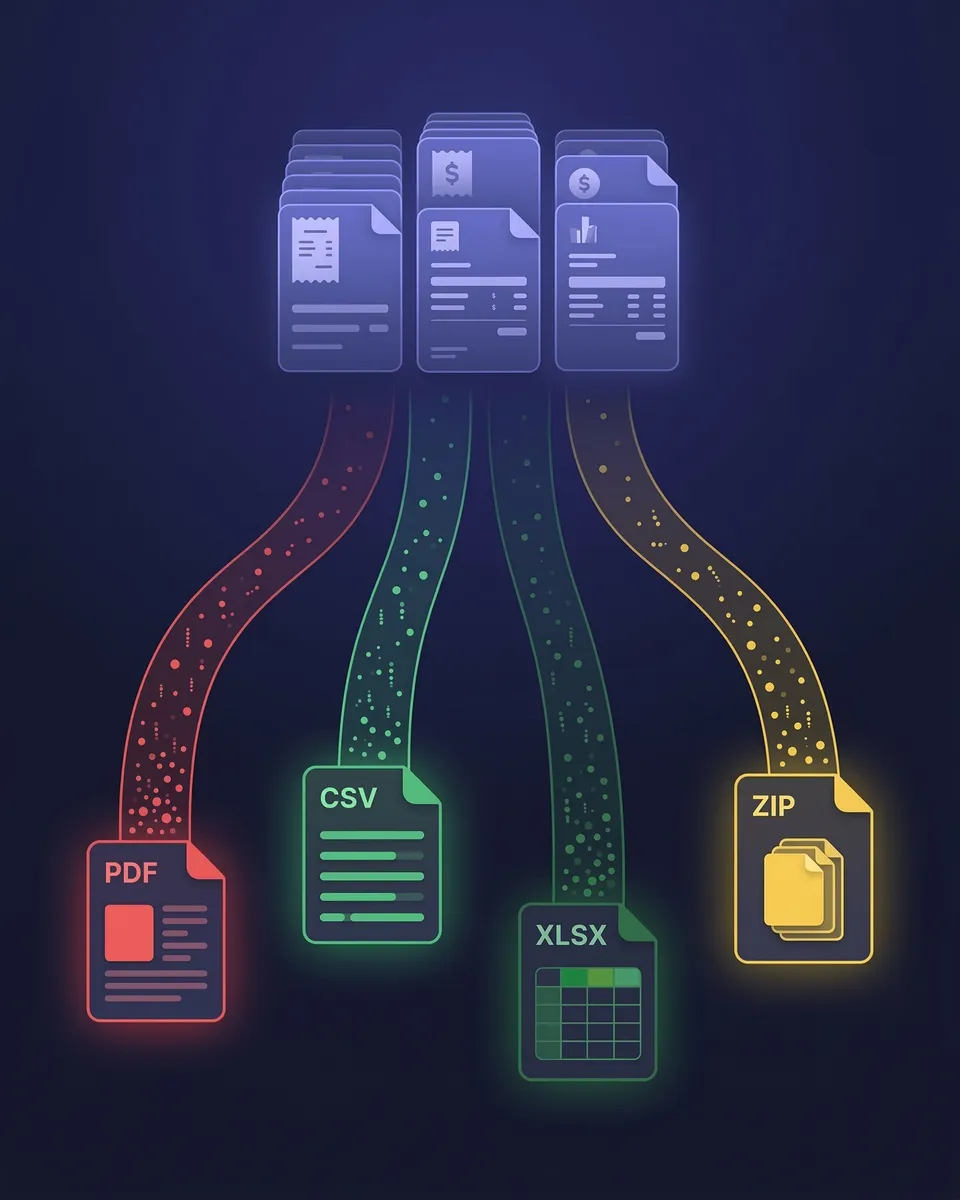
PDF, Excel, CSV, or ZIP — your data, your way. Filtered exactly how you want.
Your financial data should never be trapped inside a tool. SparkReceipt lets you export everything — receipts, invoices, expenses, income, and transaction data — in the format you need, filtered exactly how you want.
Business Owners in 175 Countries Trust SparkReceipt


Data Exports Before and After SparkReceipt
See what changes when AI organizes your data before export

Without SparkReceipt
- Exports full of inconsistent vendor names and missing data
- Hours spent cleaning up spreadsheets after every download
- No link between exported numbers and source documents
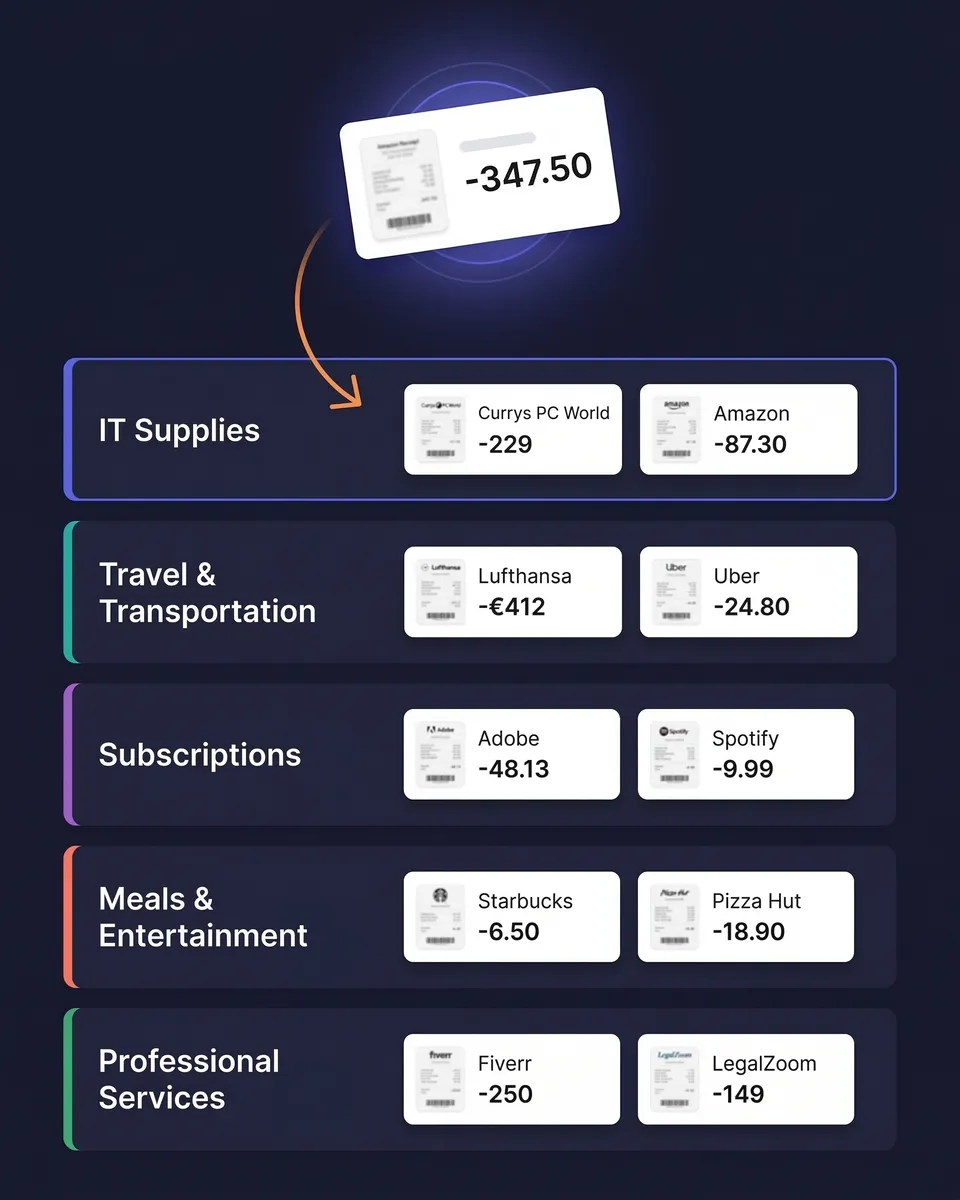
- Manual category assignments that are never consistent
- Accountant asks for data in a different format every time

With SparkReceipt
- One-click exports in multiple formats ready in seconds
- Every row links directly to original receipt/invoice images
- Full filtering options available
- AI-organized data ready for immediate accountant use
- Transparent pricing at $16.65/month (billed annually)
Choose the Format That Fits Your Workflow
Excel (.xlsx) — Full Financial Detail
Every row includes vendor name, date, amount, tax breakdown, currency, category, and a direct clickable link to the original receipt image. Perfect for pivot tables, deep analysis, or handing a complete expense file to your accountant.
CSV — Lightweight and Universal
Clean, structured data that imports into virtually any software — accounting tools, databases, Google Sheets, custom scripts, or ERP systems. Same fields as Excel. Ideal for pushing data into other tools or archiving long-term.
PDF — Professional Visual Reports
Print-ready expense reports with category breakdowns, tax summaries, and totals. Optionally embed receipt images directly in the document — creating a self-contained report for your accountant or client.
ZIP — All Original Documents
Download every original receipt and invoice file in one compressed archive. Each file is named and organized by date, vendor, and category. Perfect for full backups, audit preparation, or migrating to another tool.
Export exactly what you need — nothing more, nothing less
SparkReceipt doesn't just dump everything into a file. Before exporting, you control exactly what's included. Filter by document type, date range, expense category, tags, currency, vendor name, submitting user, or review status.
Need just Q1 software subscriptions in EUR? Three clicks. Need a full-year expense report across all categories? One click. Your exports are always clean, relevant, and ready to use.
Every number links back to its source document
Every row in your Excel and CSV exports includes a direct link to the original receipt or invoice image — one click and you're looking at the source document. This matters during audits, tax reviews, and accountant handoffs.
Vendor names, dates, amounts, tax breakdowns, currency conversions, and AI-assigned categories are all preserved in every export — nothing is lost.

AI-organized before you even hit export
Every receipt is scanned by AI, categorized automatically, and verified before it reaches your export file. Vendor names are standardized. Tax amounts are extracted and separated. Currencies are detected and converted.
Because everything is synced in real time across web and mobile, you're always exporting the most current, accurate version of your records.

Send your data anywhere — automatically
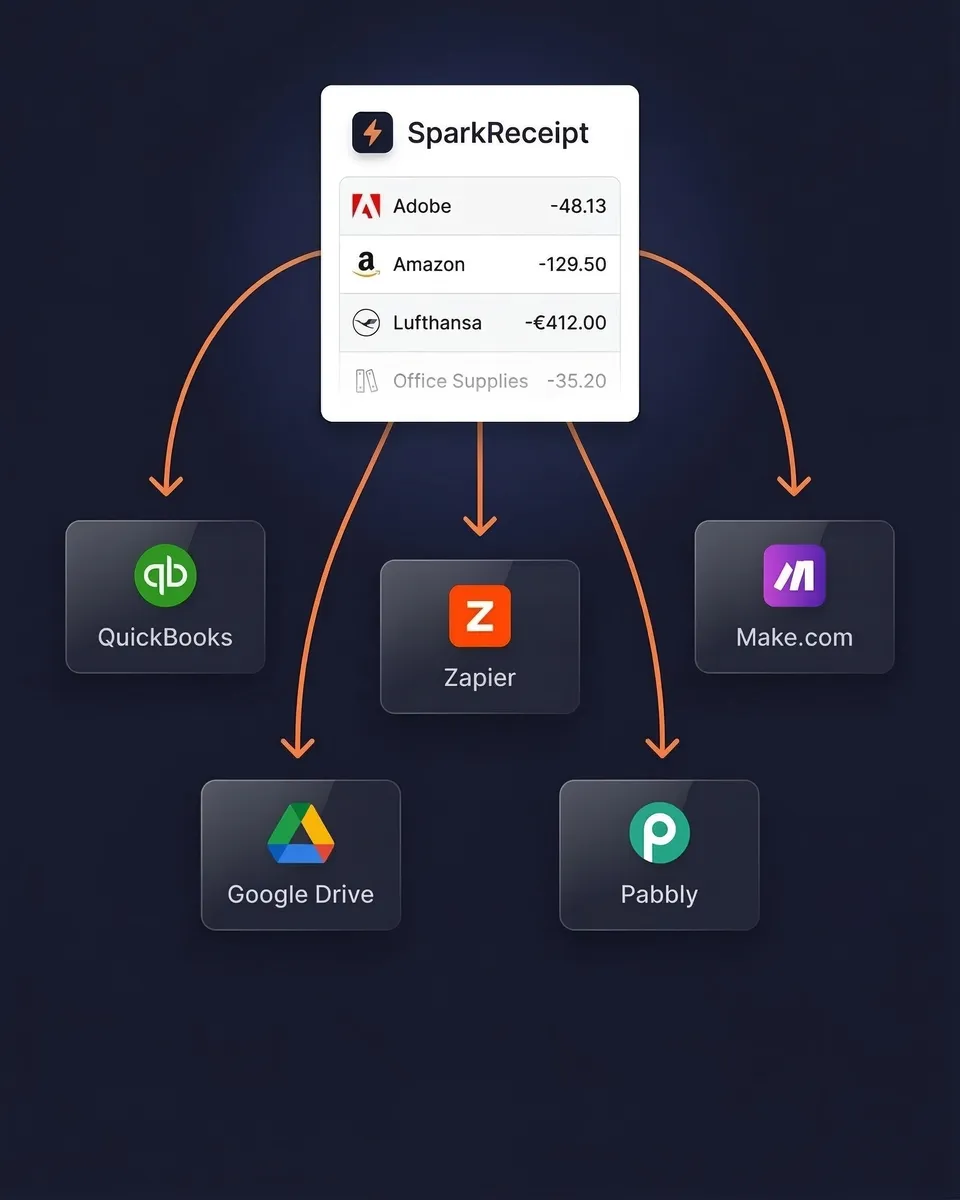
Sync your expense data directly to QuickBooks Online and keep your books updated without manual imports. Or use webhooks with Zapier, Make.com, or Pabbly to trigger custom workflows.
Need to send just one document? Share a single receipt or invoice as a secure link — optionally password-protected and set to expire — so the recipient can view it without a SparkReceipt account.
Invite your accountant or bookkeeper to your account at any time. Your clients organize their receipts. You export the clean data. No more chasing clients for missing documents.
Export Your Data, Your Way
Simple, transparent pricing. No hidden fees.
Loved by Small Business Owners
“SparkReceipt has been a game-changer for me! It's made organising my expenses and accounts effortless, saving me loads of time.”

Tracy Duggan
Business Coach · United Kingdom
“Excellent start and amazing team. Looking forward to making SparkReceipt my default expense management and accounting platform.”

Jon Aron
Logic Enterprises · Switzerland
“Excellent software to manage income and expenses, and have the relevant info at your fingertips at any given time.”

Melvin Hoods
MJD Brokers · South Africa
Join 37,021 businesses that chose SparkReceipt — 4,319,868 receipts processed and counting.
Start Free TrialFrequently Asked Questions
SparkReceipt supports four export formats: Excel (.xlsx) with full financial details and receipt links, CSV for importing into other tools, PDF for professionally formatted visual reports with optional receipt images, and ZIP for downloading all original source documents in one archive. Every format includes vendor names, dates, amounts, tax breakdowns, currencies, and categories.
Yes. You have full control over every export. Filter by document type (expenses, income, or both), date range, expense category, tags, currency, vendor, submitting user, or review status. Only the data that matches your filters is included in the export — no manual cleanup needed.
Yes. Excel and CSV exports include a direct clickable link to the original receipt or invoice image for every row. This gives you complete traceability — one click from any line item and you're viewing the source document. PDF exports can optionally embed the receipt images directly in the report.
Absolutely. SparkReceipt supports unlimited sub-accounts, so you can organize expenses by client, project, property, or business unit. Exports can be generated for any individual sub-account or for your entire account — and you can filter further by date, category, or any other criteria.
Yes. Generate a secure share link for any individual receipt or invoice — optionally password-protected and set to expire — and the recipient can view it in their browser without a SparkReceipt account. It's the quickest way to send one document to a client or accountant without emailing files.
No limits. Export your data as often as you need — daily, weekly, monthly, quarterly, or on demand. There are no export caps, no cooldown periods, and no extra charges for exports on any plan.
Yes. Invite your accountant or bookkeeper to your account at any time. They can log in, filter your organized expense data, and export exactly what they need for tax filing or bookkeeping — in their preferred format. No need to email spreadsheets or share login credentials.
Yes. SparkReceipt integrates directly with QuickBooks Online, syncing your categorized expenses and receipt images automatically. For other tools, use webhooks with Zapier, Make.com, or Pabbly to push data to Google Drive, Xero, FreshBooks, or any platform that accepts CSV or webhook triggers.
SparkReceipt's AI processes every document before it reaches your export file. Vendor names are standardized, tax amounts are extracted and separated, currencies are detected and converted, and expenses are categorized automatically. This means your exports are clean, consistent, and accurate — no manual reformatting or data cleanup required.
Yes. If you use SparkReceipt's bank statement extractor, extracted transactions are included in your exports alongside your scanned receipts and invoices. Matched transactions link to their corresponding receipts, giving you a complete picture of expenses with both bank data and source documents in one export.
SparkReceipt's Elite plan is $16.65/month, billed annually ($199.98/year), with unlimited document scanning included. Try it with a 7-day free trial.
Stop Fighting With Exports. Start Downloading Clean Data.
Get StartedExplore More Features
Receipt Scanner
AI-powered receipt scanning in seconds
Expense Tracker
Track every business expense automatically
Expense Reports
Generate reports in PDF, Excel, or CSV
Bank Statement Extractor
Extract and match bank transactions
Credit Card Receipts
Scan and match credit card receipts
Receipt Organizer
AI-powered receipt organization