
Webhooks
Automate your workflow with custom webhooks
Turn every action in SparkReceipt — like scanning a receipt or updating an invoice — into an instant trigger in your favorite tools. With webhooks, your workflows run in real time, with no polling or delays. Connect to Zapier, Make.com, Pabbly, or your own custom system, and put your data in motion automatically.
The bridge between SparkReceipt and your tech stack
What Are Webhooks?
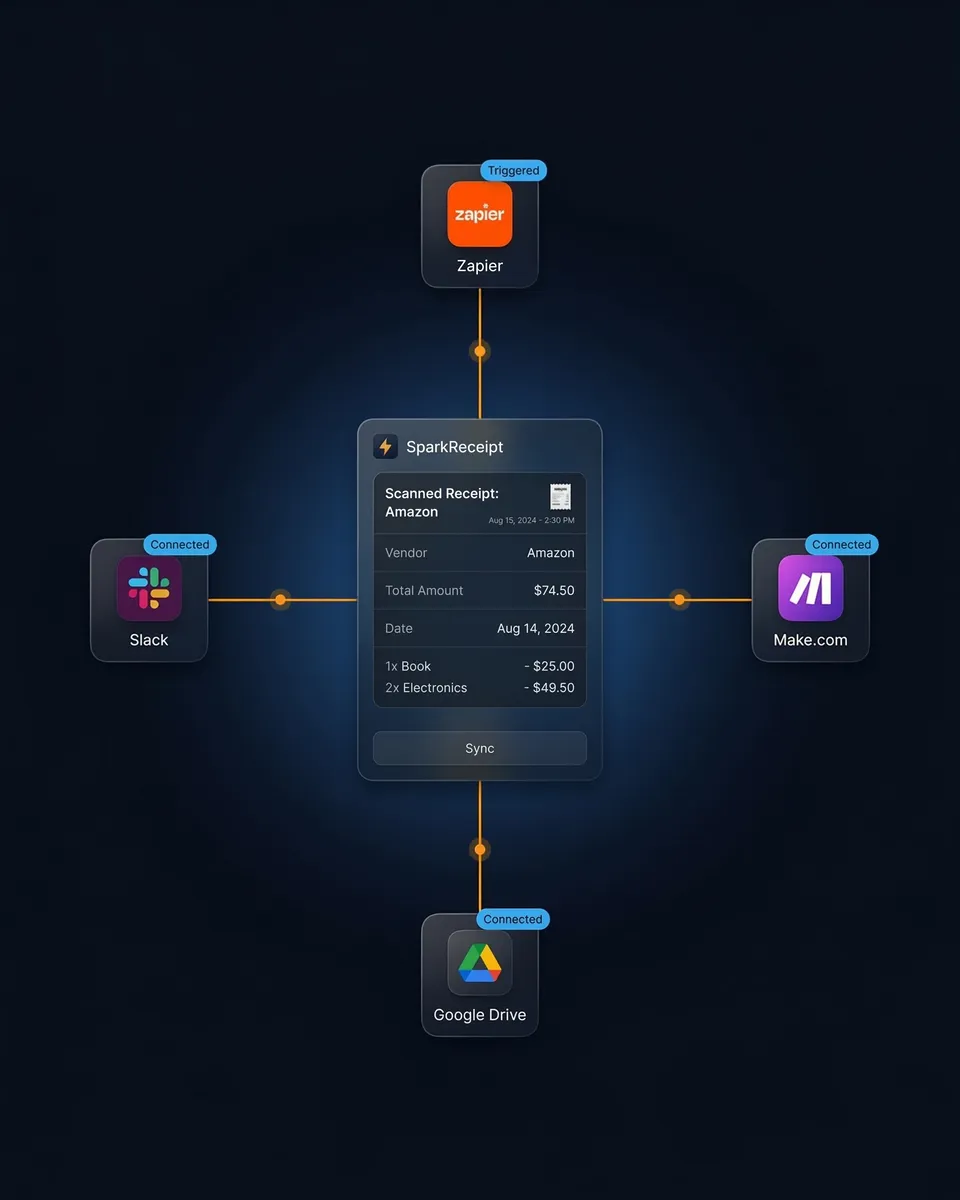
Webhooks are the automation bridge between SparkReceipt and the rest of your tech stack. Whenever something happens in SparkReceipt — like a document is created, updated, or deleted — we can instantly notify another app. Think of it as a digital "if this, then that" trigger. Whether you're using Zapier, Make.com, Pabbly, or building your own custom system, SparkReceipt's webhook support puts your data in motion.
What Can You Do With Webhooks?
Upload to Cloud Storage
Send every new receipt or invoice directly to Google Drive or Dropbox, organized and backed up without lifting a finger.
Automate Accounting
Create bills in QuickBooks Online the moment a document is scanned. Match vendors, map data, and stay audit-ready.
Sync with Business Tools
Push expense data to Airtable, Notion, or custom dashboards to keep reports and internal systems up to date.
Get Instant Notifications
Trigger Slack messages, emails, or in-app alerts whenever key documents are added or updated in SparkReceipt.
Real-time automation that fits your workflow
Why SparkReceipt Webhooks?
Your workflows trigger the instant a document is created, updated, or deleted — no hourly syncs, no manual exports, no polling. Connect SparkReceipt to thousands of apps through no-code platforms like Zapier, Make.com, and Pabbly Connect, and build automations tailored to your business — from sending receipts to Slack to pushing expenses into Notion. With built-in event logs and filters, you control exactly what gets triggered and when, so you always know which automations ran and why.
Simple, Transparent Pricing
1 user included, add more at a per-user rate. No hidden costs.




Loved by Small Business Owners
Join 38,283 businesses that chose SparkReceipt — 4,620,044 receipts processed and counting.
Start Free Trial