


Business Owners in 80+ Countries Trust SparkReceipt
Canadian businesses save hours every week with SparkReceipt's AI
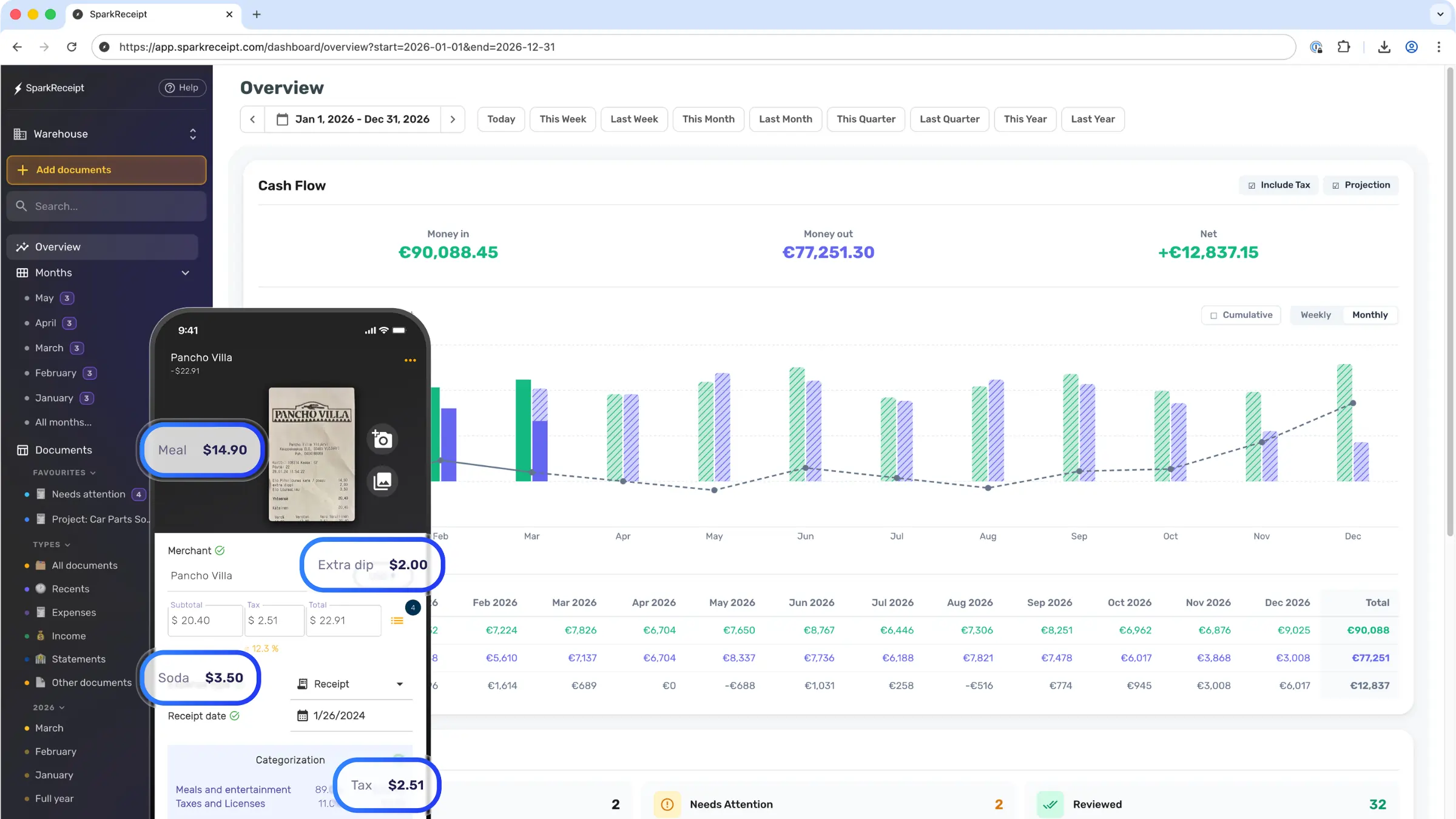
Auto-capture receipts and invoices from Gmail, Outlook and other email inboxes, scan and extract data with 99.9% AI accuracy, and auto-categorize every expense into your chart of accounts. Connect QuickBooks Online, Xero, and many others. Use on web, Android and iOS, in any currency.

Connect SparkReceipt to Your Existing Workflow
SparkReceipt plugs into the apps you already use — capture receipts from email, sync expenses to your accounting software, or build custom workflows.
Gmail, Outlook & IMAP
Automatic email receipt capture
Connect your email account and SparkReceipt automatically finds receipts and invoices in your inbox. No forwarding, no manual uploads.
- Works with Gmail, Outlook, Microsoft 365, and any IMAP/POP provider
- Continuously scans for new receipts and invoices in the background
- AI extracts vendor, amount, date, and tax from attachments and email bodies
Learn more →
QuickBooks Online
Accounting sync
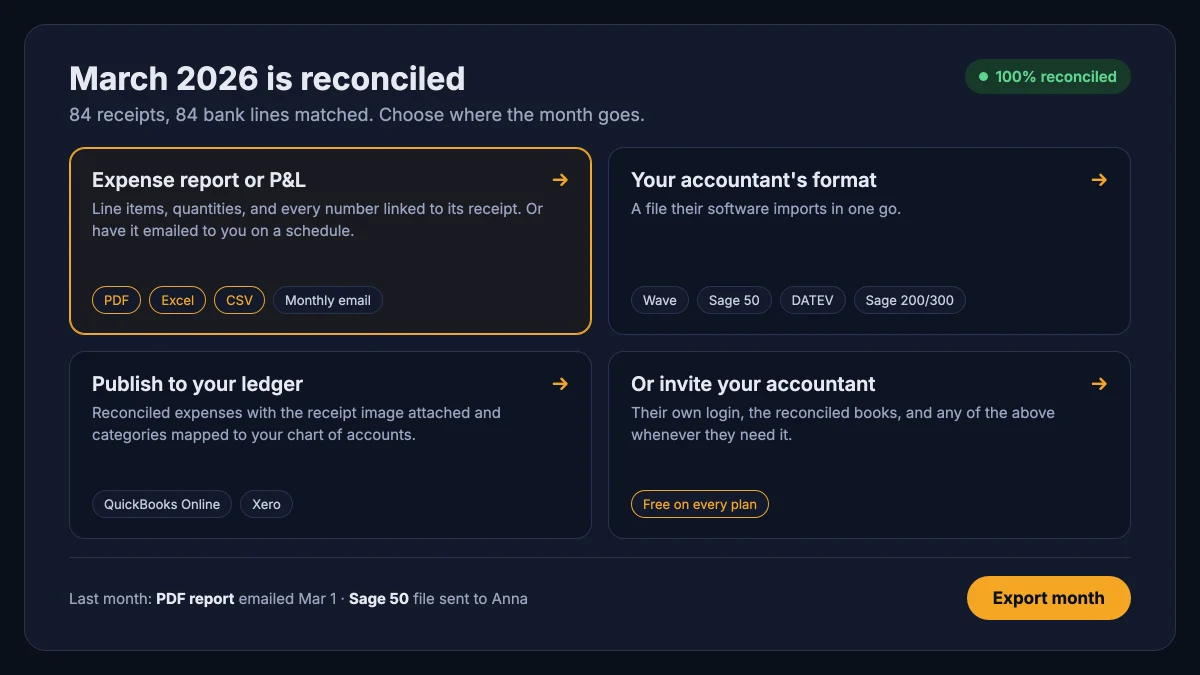
Sync categorized expenses directly to QuickBooks Online. Receipts match to your chart of accounts automatically — no double entry.
- Map SparkReceipt categories to your QuickBooks chart of accounts
- Receipt images attach to each transaction automatically
- Sync runs on demand — you stay in control of what gets pushed
Xero
Accounting sync
Push expenses and receipt images to Xero with one click. Categories, tax codes, and attachments carry over to your accountant.
- Map SparkReceipt categories to your Xero chart of accounts
- Receipt images attach so your accountant sees the source document
- Expenses land in Xero with the right category and tax code
Loved by Small Business Owners
Automatic Tracking or Tax-Season Panic?
One choice saves time all year. The other costs you at tax time.

Tax-Season Panic
- Receipts scattered across emails, wallets and drawers
- Hours spent searching for missing receipts
- Missed deductions because receipts got lost or faded
- Scrambling to find documentation before your T2125 deadline
- Paying your accountant to sort through shoe boxes

Automatic Tracking
- Snap receipts as you get them (seconds)
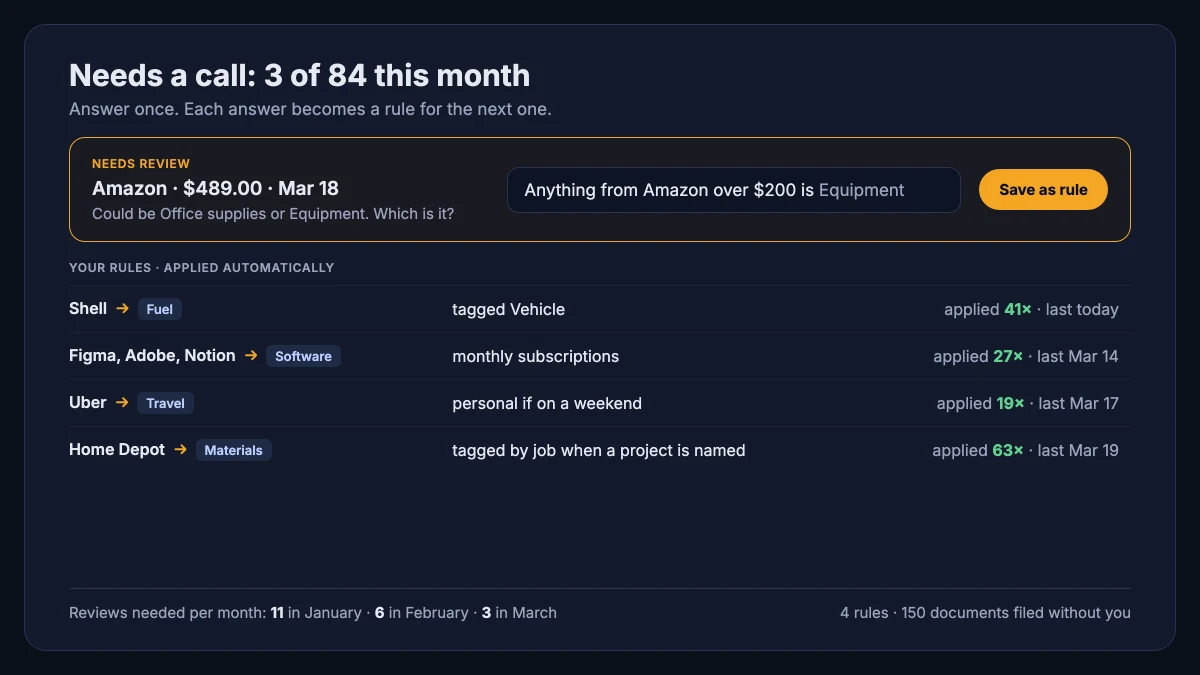
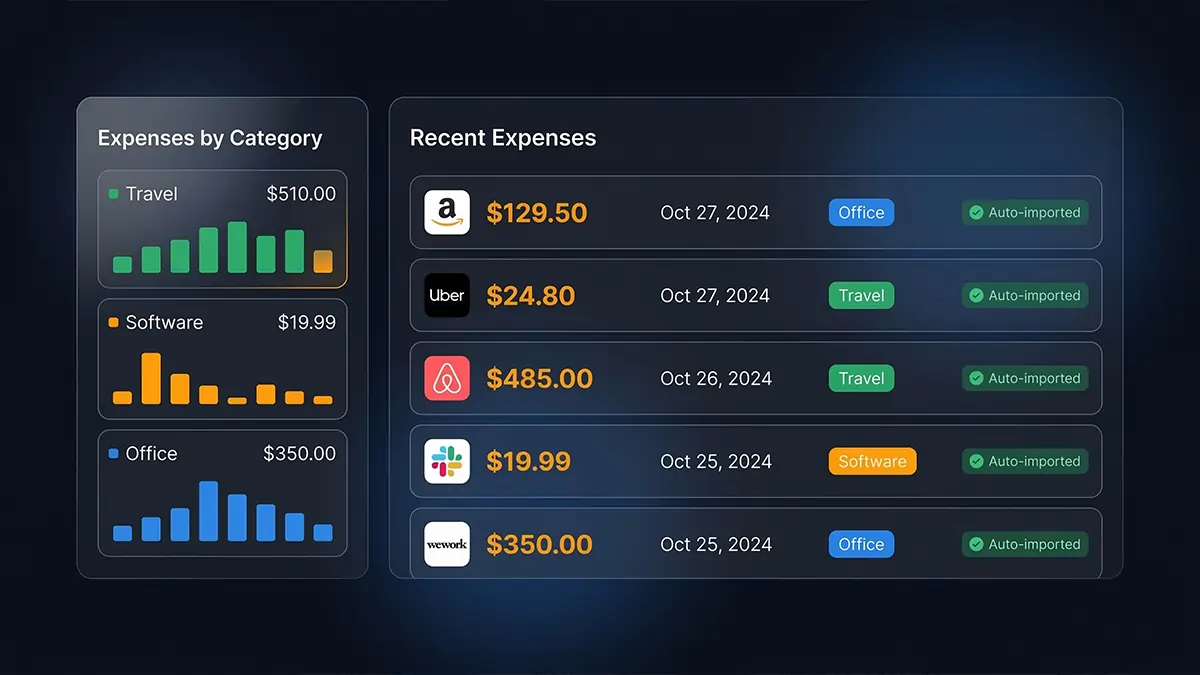
- AI extracts and categorizes automatically
- Never miss a deduction — every expense is tracked
- Tax-ready reports generated in one click
- Invite your accountant — they get everything organized
Tax-Ready in 4 Simple Steps
Scan or Email Receipts in Seconds
Snap a photo, forward an email, or upload a PDF. SparkReceipt captures receipts the moment you get them.
AI Organizes Your Expenses
AI extracts vendor, date, total, GST/HST, and more — then categorizes every expense without lifting a finger.
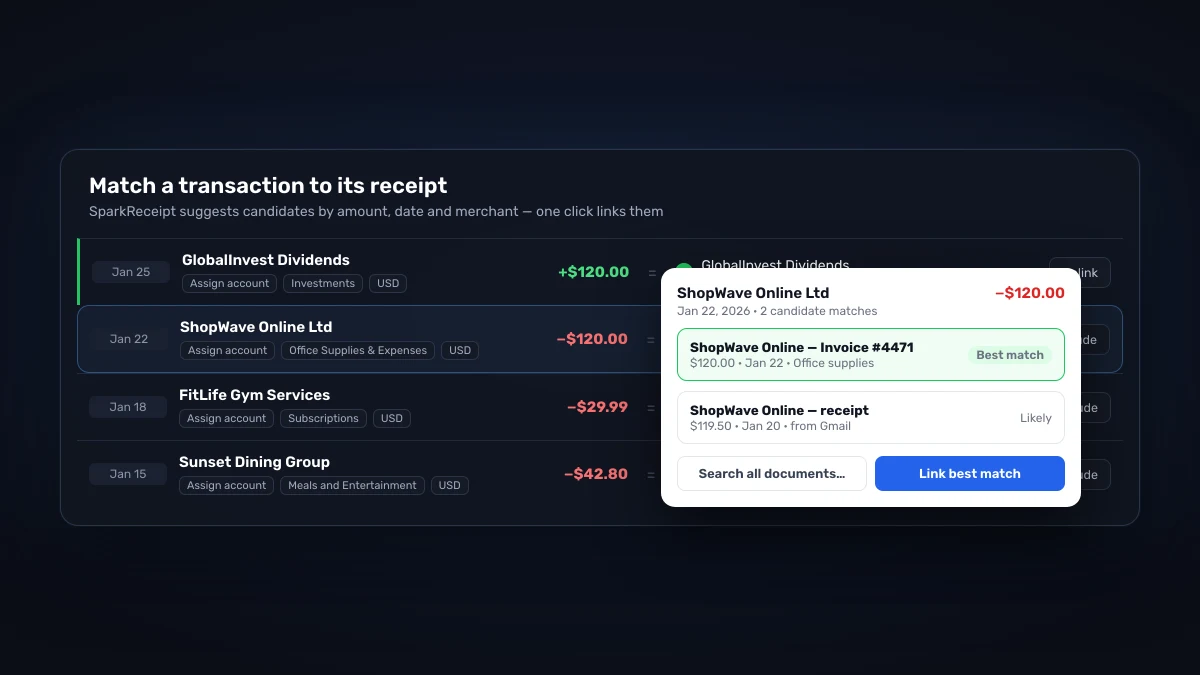
Match To Bank or Credit Card Statements
Import bank statements and reconcile against captured receipts. Spot missing deductions before you file your return.
Create Reports and Invite Your Accountant
Export tidy reports for your accountant — CSV, PDF, or direct to QuickBooks and Xero.
Receipt scanning
Scan any receipt in seconds
Snap a photo with your phone, forward an email, or upload a PDF. SparkReceipt auto-extracts vendor, date, total, GST/HST, and line items — ready to export to your accountant.

Expense tracking
All your expenses, automatically organized
Categorize, tag, and split receipts for projects or clients. Filter by date, category, or status — and reconcile against credit card statements in a click.

Bank statements
Match transactions to receipts automatically
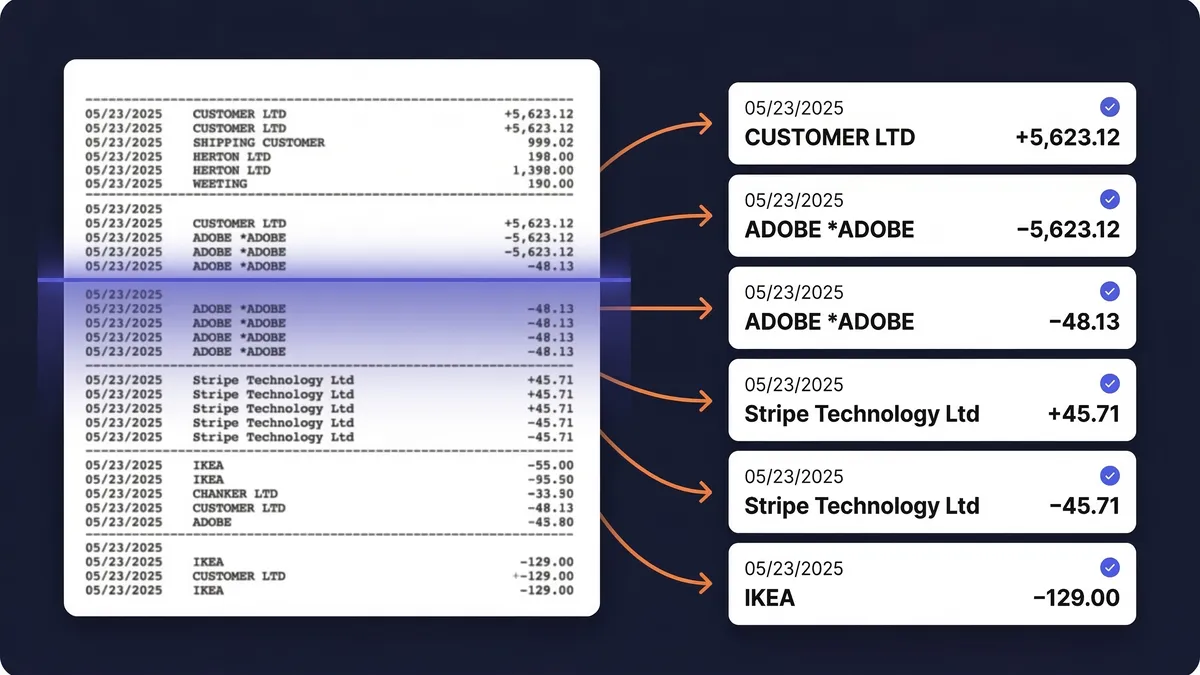
Upload bank or credit card statements in PDF, CSV, or Excel. AI extracts every transaction and matches it to receipts already in your account.

Reports
Tax season without the shoebox
Every receipt is stored, searchable, and export-ready. Hand your accountant a tidy CSV, PDF, or QuickBooks/Xero file — not a drawer full of thermal paper.

Meet Joel, one of the founders — here to help
Get support directly from the founders. We're a small team that actually uses the product every day. When you write to us, you get a real answer from someone who knows the product inside out — usually within a few hours.

One Subscription
You, your accountant, your partner — all in one place.
Frequently Asked Questions
The AI extracts merchant names, dates, totals, taxes, currencies, and line items with high accuracy — typically processing each receipt in 2–3 seconds. It reads receipts in virtually any language and supports over 150 currencies.
Yes. You can create multiple linked sub-accounts (workspaces) under your main account to completely separate expenses between different businesses or personal accounts. Each paid plan includes unlimited workspaces.
Yes. Connect Google, Microsoft, or any IMAP provider, and the app automatically fetches digital receipts from email. It processes them identically to scanned receipts — extracting data, categorizing expenses, and storing documents.
Yes. Upload bank or credit card statements in PDF, Excel, or CSV format, and the app extracts every transaction. It matches those transactions to receipts already in the account, helping identify missing receipts and duplicates before you file your return.
Yes. The app offers direct QuickBooks Online integration that syncs categorized expenses automatically. You can also export to Excel, CSV, or PDF, and connect with hundreds of other apps through Zapier, Make, and Pabbly.
Yes. Every plan includes 3 users — invite your accountant as one of them. They get live access to all receipts, expenses, and reports. You can also generate shareable links or export reports directly.
SparkReceipt delivers AI-powered scanning and categorization at a lower price point — starting at $22.99/month versus $22+/month for competitors. It's purpose-built for sole proprietors and small businesses — every plan includes 3 users so you can invite your accountant and partner.
Yes. Data is encrypted in transit and at rest using industry-standard security. The app is fully GDPR compliant, stores data in EU data centers, and retains receipts for at least 10 years — well beyond the CRA's 6-year retention requirement. You can export or delete data anytime.
Yes. SparkReceipt's AI extracts tax breakdowns from every receipt, including GST, HST, and PST. Expenses are categorized and tax amounts are preserved in your reports — ready for your accountant or your T2125.