
Export Your Receipts and Expenses — Any Format, Any Time
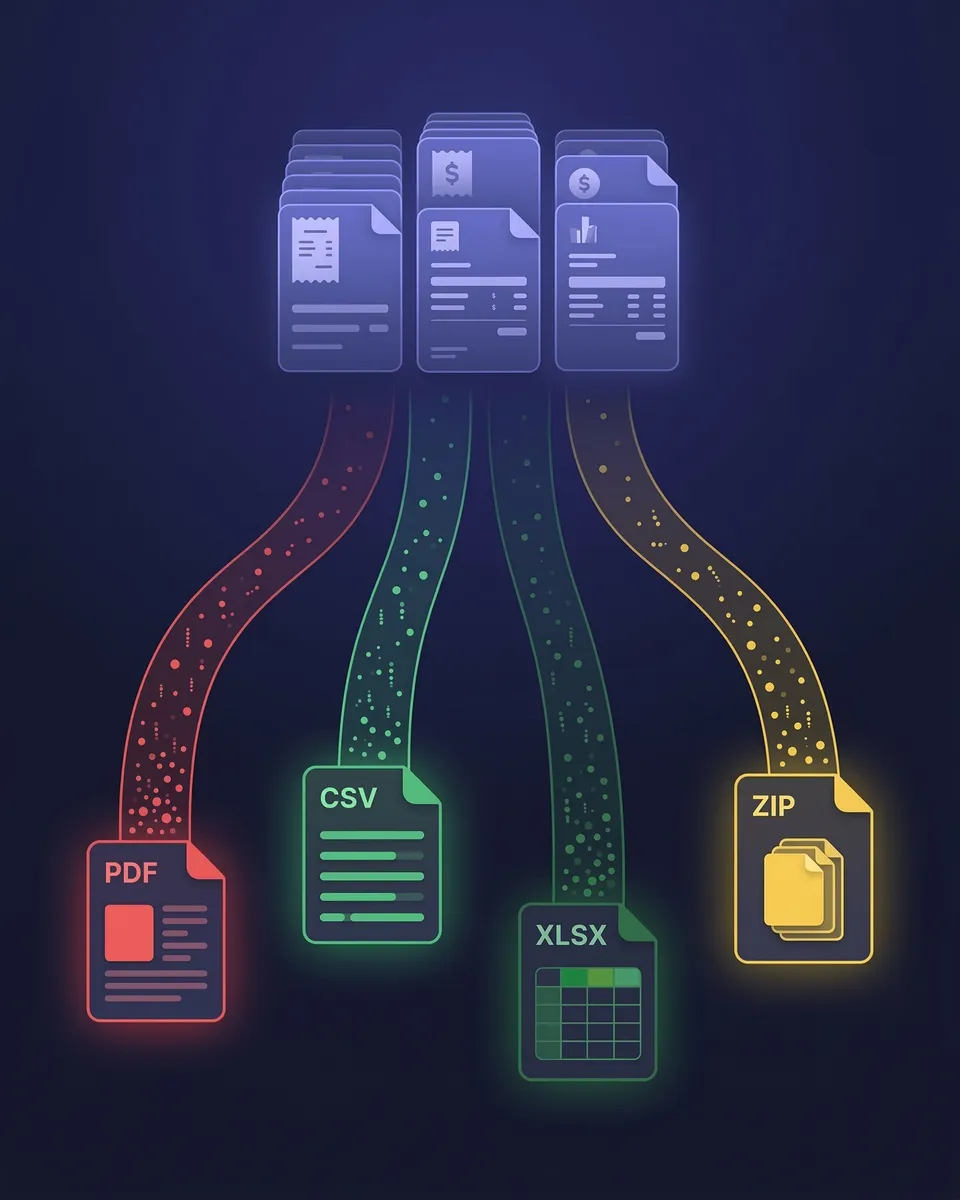
PDF, Excel, CSV, or ZIP — your data, your way. Filtered exactly how you want.
Your financial data should never be trapped inside a tool. SparkReceipt lets you export everything — receipts, invoices, expenses, income, and transaction data — in the format you need, filtered exactly how you want.
Business Owners in 175 Countries Trust SparkReceipt


Data Exports Before and After SparkReceipt
See what changes when AI organizes your data before export

Without SparkReceipt
- Exports full of inconsistent supplier names and missing data
- Hours spent cleaning up spreadsheets after every download
- No link between exported numbers and source documents
- Manual category assignments that are never consistent
- Accountant asks for data in a different format every time

With SparkReceipt
- One-click exports in multiple formats ready in seconds
- Every row links directly to the original receipt or invoice image
- Full filtering by date, category, supplier, currency, or tag
- AI-organized data ready for immediate accountant use
- GST/HST extracted and separated on every line, not bundled into the total
Choose the Format That Fits Your Workflow
Excel (.xlsx) — Full Financial Detail
Every row includes supplier name, date, amount, GST/HST breakdown, currency, category, and a direct clickable link to the original receipt image. Ideal for pivot tables, deep analysis, or handing a complete expense file to your accountant.
CSV — Lightweight and Universal
Clean, structured data that imports into virtually any software — accounting tools, databases, Google Sheets, custom scripts, or ERP systems. Same fields as Excel. Ideal for pushing data into other tools or archiving long-term.
PDF — Professional Visual Reports
Print-ready expense reports with category breakdowns, GST/HST summaries, and totals. Optionally embed receipt images directly in the document, creating a self-contained report for your accountant or client.
ZIP — All Original Documents
Download every original receipt and invoice file in one compressed archive. Each file is named and organized by date, supplier, and category. Ideal for full backups, CRA review preparation, or migrating to another tool.
Export exactly what you need — nothing more, nothing less
SparkReceipt doesn't just dump everything into a file. Before exporting, you control exactly what's included. Filter by document type, date range, expense category, tags, currency, supplier name, submitting user, or review status.
Need just Q1 software subscriptions in USD? Three clicks. Need a full tax-year expense report across all categories, running January 1 to December 31? One click. Your exports are always clean, relevant, and ready to use.
Every number links back to its source document
Every row in your Excel and CSV exports includes a direct link to the original receipt or invoice image — one click and you're looking at the source document. That matters during a CRA review, at tax time, and at accountant handover.
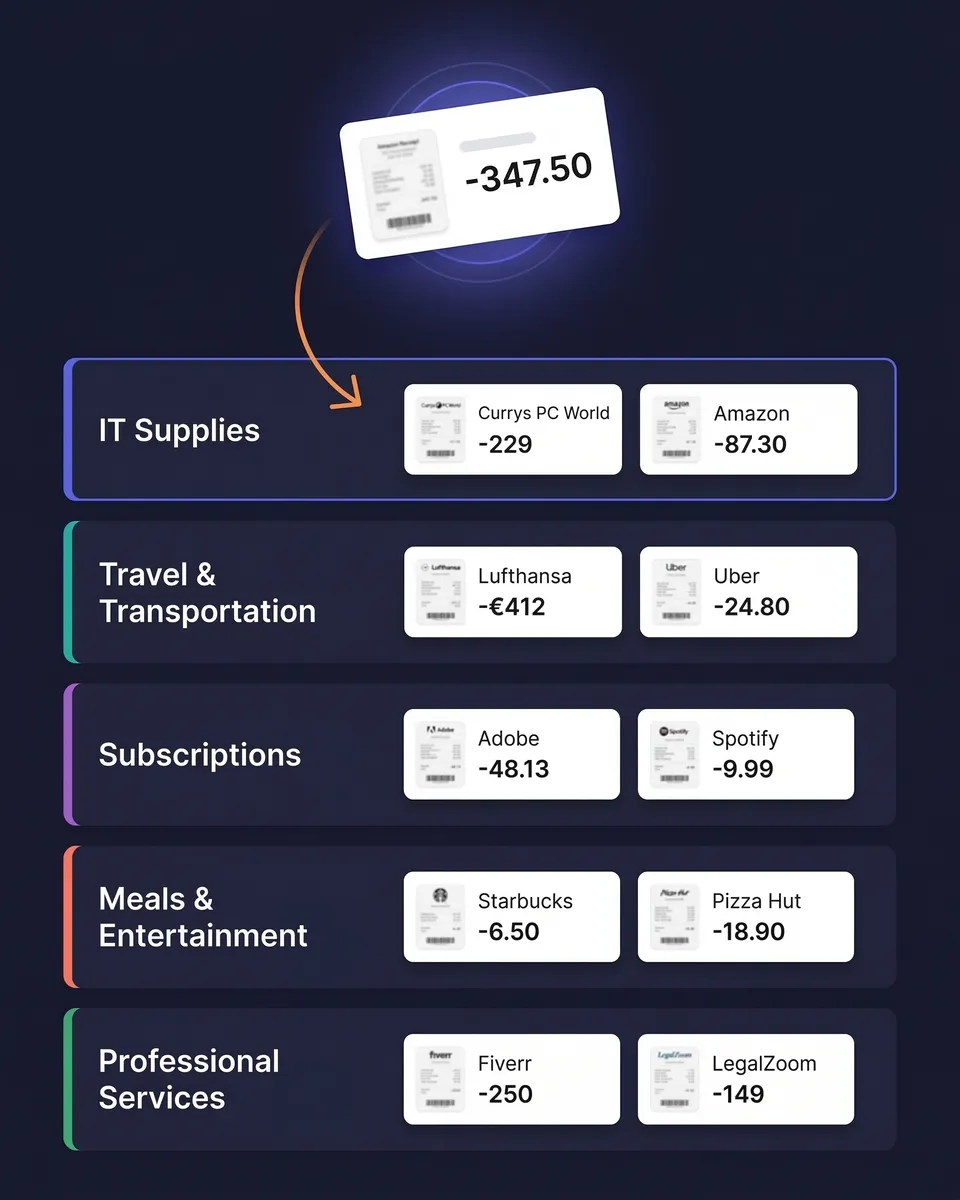
Supplier names, dates, amounts, GST/HST breakdowns, currency conversions, and AI-assigned categories are all preserved in every export. Nothing is lost, and nothing has to be reconstructed later. Set the row format to “One row per line item” and each line on the receipt gets its own row, still linked to the image. For receipts scanned since September 2026, those rows also include the quantity and unit price where the receipt shows them. If you're keeping digital records for the CRA, the link between the figure and the document behind it is the part that matters most.

AI-organized before you even hit export
Every receipt is scanned by AI, categorized automatically, and verified before it reaches your export file. Supplier names are standardized. GST/HST is extracted and separated rather than left inside the gross figure. Currencies are detected and converted at the purchase-date rate.
Because everything syncs in real time across web and mobile, you're always exporting the most current, accurate version of your records.

Send your data anywhere — automatically
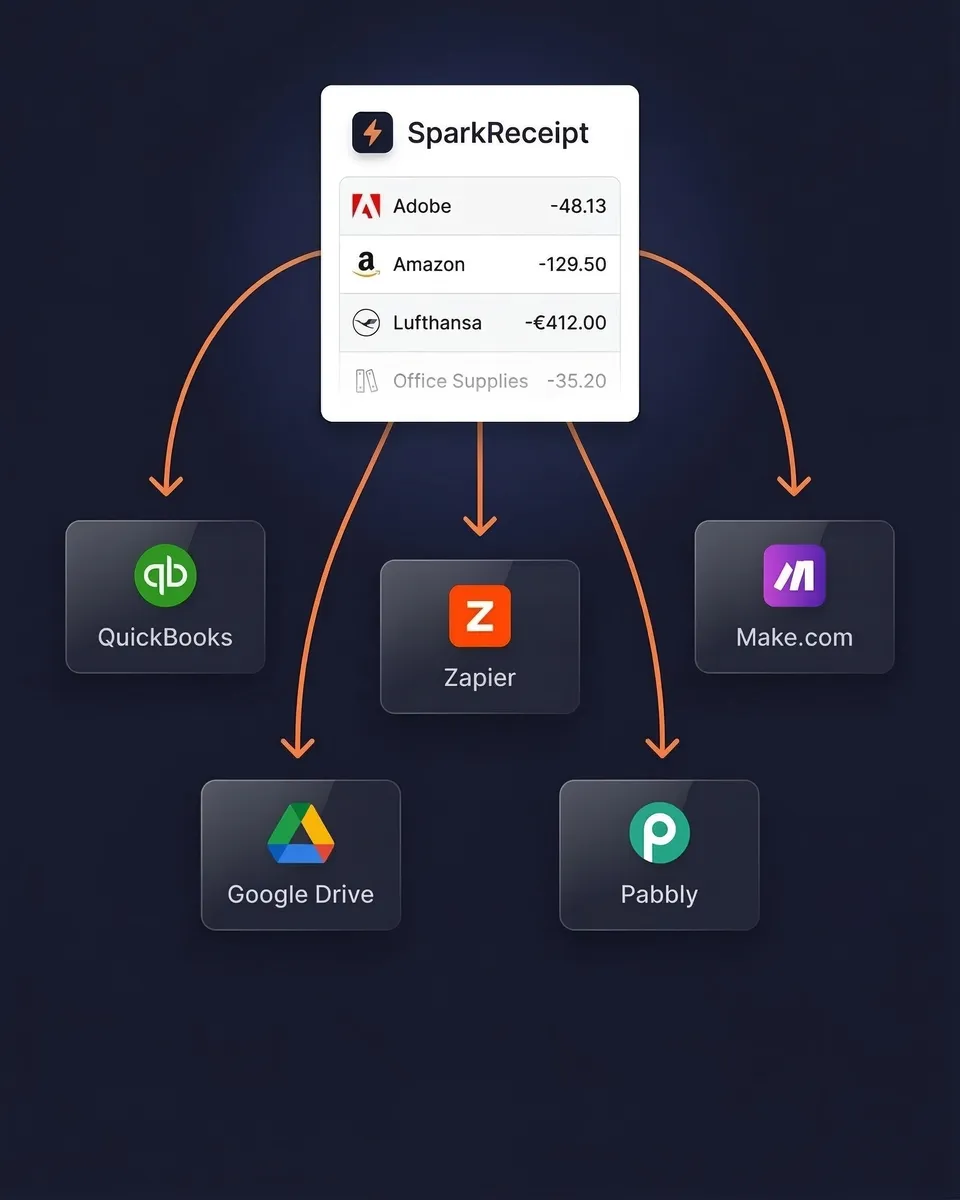
Sync your expense data directly to QuickBooks Online or Xero and keep your books updated without manual imports. Or use webhooks with Zapier, Make.com, or Pabbly to trigger custom workflows.
Your Elite plan includes 1 user, with more at a per-user rate and your accountant always free, so your accountant or bookkeeper can work in the same account rather than waiting on emailed spreadsheets. They filter and export exactly what they need, in the format they prefer.
Export Your Data, Your Way
Simple, transparent pricing. No hidden fees.
Loved by Small Business Owners
“I needed a solution to organize and process my personal and business receipts. I'm thrilled I found SparkReceipt. It saves me a lot of time!”

Frédéric Thériault
Productions Locavores · Canada
“SparkReceipt is one of the very few software purchased that exceeded my expectations. Great product, great features, great value.”

Robert Connolly
The Internet Design Co. · Scotland
“Excellent start and amazing team. Looking forward to making SparkReceipt my default expense management and accounting platform.”

Jon Aron
Logic Enterprises · Switzerland
Join 38,283 businesses that chose SparkReceipt — 4,620,044 receipts processed and counting.
Start Free TrialFrequently Asked Questions
SparkReceipt supports four export formats: Excel (.xlsx) with full financial detail and receipt links, CSV for importing into other tools, PDF for professionally formatted visual reports with optional receipt images, and ZIP for downloading all original source documents in one archive. Every format includes supplier names, dates, amounts, GST/HST breakdowns, currencies, and categories.
Yes. You have full control over every export. Filter by document type (expenses, income, or both), date range, expense category, tags, currency, supplier, submitting user, or review status. Only data matching your filters is included — no manual cleanup needed afterwards.
Yes. Excel and CSV exports include a direct clickable link to the original receipt or invoice image for every row, giving you complete traceability from any line item back to the source document. PDF exports can optionally embed the receipt images directly in the report.
The CRA accepts digital records provided they are legible, complete, and retrievable, and requires electronic records to be kept in a readable format. Scanning a receipt and keeping the digital copy is fine — you don't have to keep the paper. Business records and their supporting documents generally need to be kept for six years from the end of the last tax year they relate to. SparkReceipt stores documents for 10 years, which covers it comfortably.
Yes. GST/HST is extracted from each document and shown as its own field rather than left inside the gross amount, and line-item extraction means mixed invoices are broken down line by line rather than reduced to one total. That's the difference between an export your accountant can work from and one they have to re-key.
Yes. SparkReceipt supports unlimited linked accounts, so you can organize expenses by client, project, property, or business unit. Exports can be generated for any individual linked account or across your entire account, then filtered further by date, category, or any other criteria.
No limits. Export as often as you need — daily, weekly, quarterly, or on demand. There are no export caps, no cooldown periods, and no extra charges for exports.
Yes. Every plan includes 1 user, and you can add teammates any time at a per-user rate; your accountant or bookkeeper joins free on top and never uses a paid seat. They log in, filter your organized expense data, and export exactly what they need, with no emailed spreadsheets and no shared credentials.
Yes, both directly — categorized expenses and receipt images sync across automatically. For other tools, use webhooks with Zapier, Make.com, or Pabbly to push data to Google Drive, FreshBooks, or any platform that accepts CSV or webhook triggers.
Yes. If you use SparkReceipt's bank statement extractor, extracted transactions are included in your exports alongside your scanned receipts and invoices. Matched transactions link to their corresponding receipts, giving you a complete picture with both bank data and source documents in one file.
Stop Fighting With Exports. Start Downloading Clean Data.
Get StartedExplore More Features
Receipt Scanner
AI-powered receipt scanning in seconds
Expense Tracker
Track every business expense automatically
Expense Reports
Generate reports in PDF, Excel, or CSV
Bank Statement Extractor
Extract and match bank transactions
Credit Card Receipts
Scan and match credit card receipts
Email Receipts
Auto-import receipts from your inbox