
Never Lose a Credit Card Receipt Again
Scan, organize, and match card receipts automatically — so your records hold up whenever they're asked for.
Card receipts pile up fast — in wallets, inboxes, and desk drawers. By the time you file, half are lost and the rest have faded off the thermal paper. SparkReceipt uses AI to scan, categorize, and match every card receipt to your statements, with the GST/HST pulled out separately on each one.
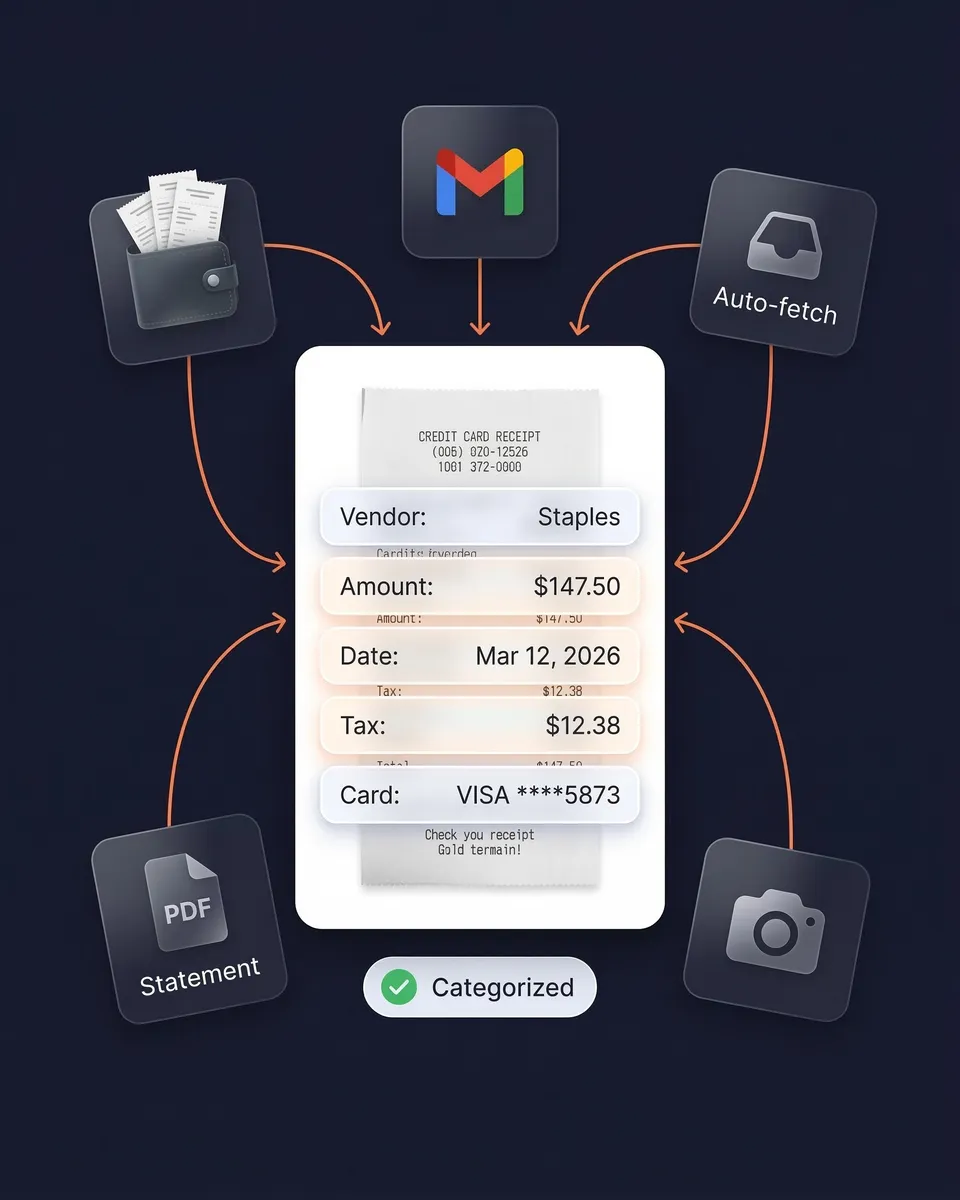
Business Owners in 175 Countries Trust SparkReceipt


Credit Card Receipts Before and After SparkReceipt
See what changes when AI handles your card receipts

Without SparkReceipt
- Paper receipts crumpled in wallets, fading on thermal paper
- Email receipts buried across multiple inboxes
- Hours matching card charges to receipts at tax time
- Missing receipts mean missed deductions and unclaimable input tax credits
- No idea which card charges have receipts and which don't

With SparkReceipt
- Every receipt scanned and stored digitally — never fades, never lost
- Email receipts fetched automatically from Gmail, Outlook, and IMAP
- AI matches receipts to card statement transactions instantly
- GST/HST extracted per document so input tax credits are actually claimable
- Clear view of which charges have documentation and which need attention
How Credit Card Receipt Scanning Works
Scan Paper Card Receipts
Snap a photo with your phone or upload PDFs and images. AI extracts supplier, amount, date, GST/HST, payment method, and line items — even from crumpled or faded receipts. Supports 190 currencies and virtually any language.
Capture Email Receipts Automatically
Connect Gmail, Outlook, Microsoft, or any IMAP inbox and SparkReceipt finds and processes email receipts on its own. No forwarding required. Every digital card receipt is scanned and categorized as it arrives.
Match Receipts to Card Statements
Upload your credit card statement as a PDF, CSV, or Excel file. AI extracts every transaction, cross-references it against your receipts, and flags any charge missing documentation.
Do you need to keep card receipts, or is the statement enough?
The statement is not enough on its own. It shows you paid $150 at a stationery retailer. It doesn't show what you bought, and it doesn't carry the supplier's GST/HST registration number or a tax breakdown — so it can't support an input tax credit claim.
To claim an input tax credit the CRA generally wants a receipt or invoice showing the supplier's GST/HST number and the tax charged, with more detail required as the amount rises — the card slip alone usually doesn't carry it. Our guide to GST/HST input tax credit documentation covers what you need at each threshold, and what the CRA actually requires on a receipt goes into the distinction in more depth.

AI categorizes every card expense
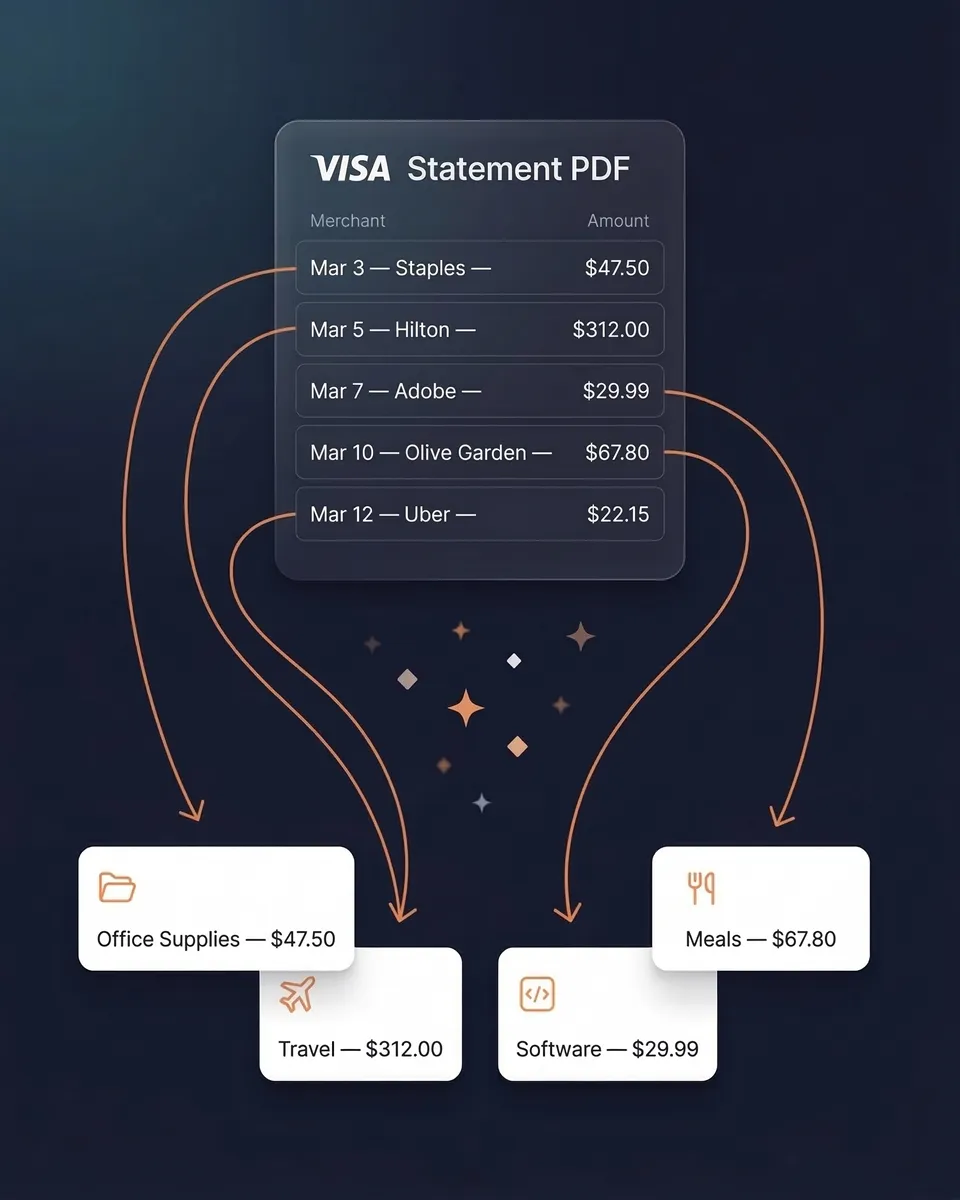
Every card receipt is automatically categorized into useful groups: office supplies, meals, travel, software subscriptions, fuel, and more — the same CRA expense categories that map to your T2125. The AI extracts supplier name, amount, date, GST/HST, currency, and individual line items. Each line item keeps the quantity and unit price printed on the receipt.
Need custom rules? AI Automations let you set instructions in plain English — like "categorize all Amazon purchases as Office Supplies." Set it once and it applies from then on.
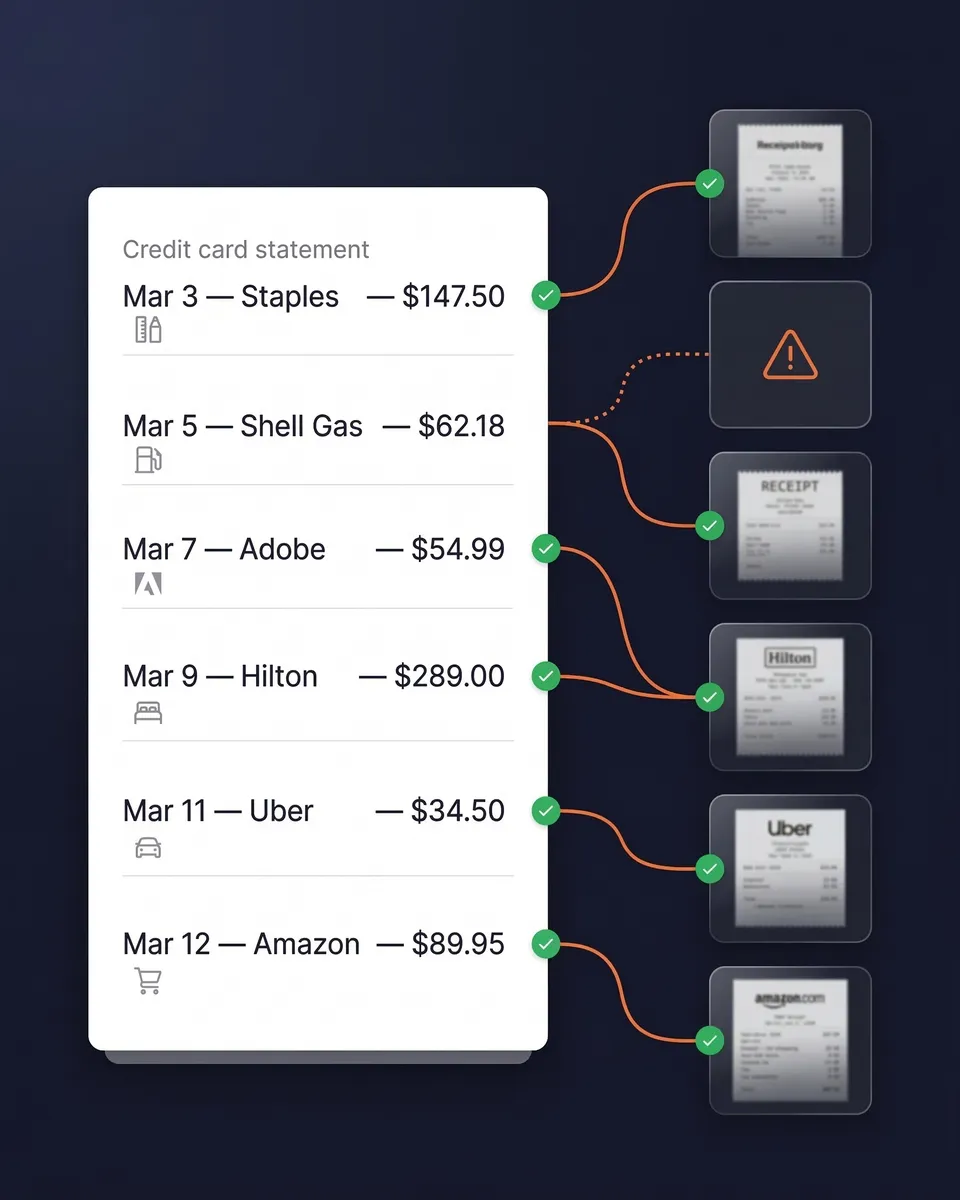
Match receipts to your card statement
Upload any card statement as a PDF, CSV, or Excel file. AI extracts every transaction and cross-references it against your scanned receipts. You instantly see which charges have matching documentation and which are missing.
That turns hours of manual reconciliation into a couple of minutes. No spreadsheets, no stapling receipts to printed statements.
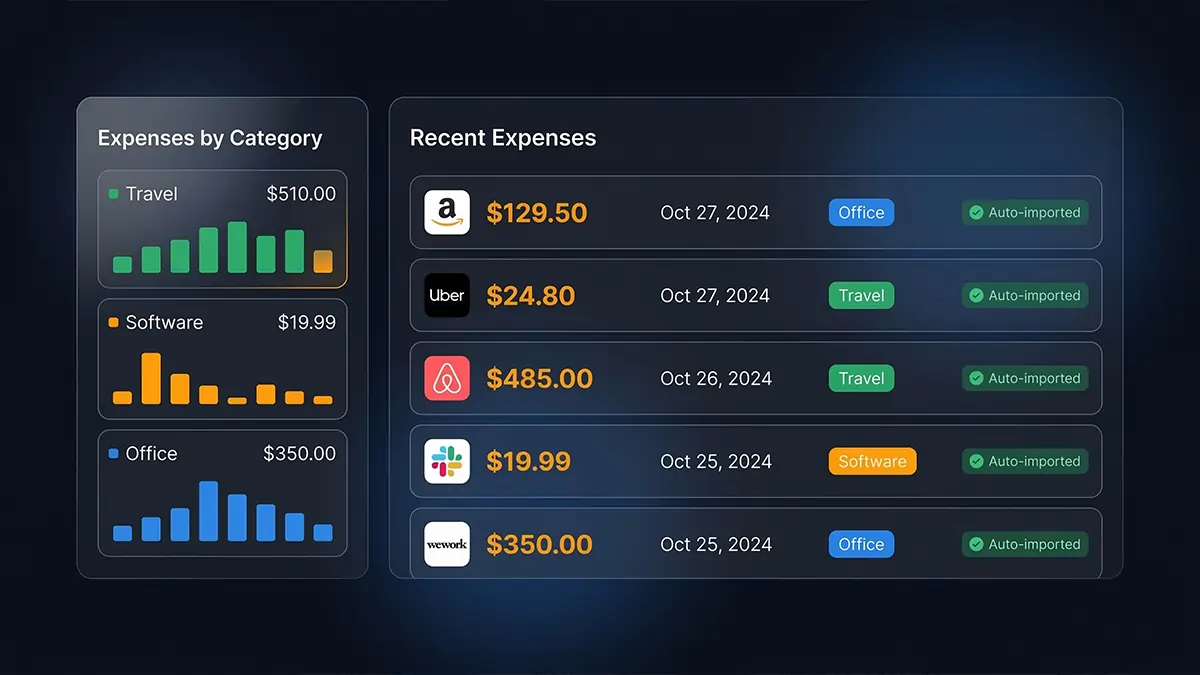
Email receipts captured without lifting a finger
Software subscriptions, Amazon orders, flight tickets, hotel bookings — most card spending already has a digital receipt sitting in an inbox. SparkReceipt connects to Gmail, Outlook, Microsoft, or any IMAP inbox and finds, imports, and processes those receipts automatically. No forwarding required.
Combined with phone scanning for paper receipts and statement matching, that gives you complete coverage across both digital and physical.
Foreign card charges? Handled.
SparkReceipt reads receipts in virtually any language and supports 150+ currencies with automatic exchange rate conversion at the purchase-date rate. Local tax treatment is detected and applied rather than assumed.
Whether it's a dinner receipt in US dollars from New York, a taxi receipt in yen from Tokyo, or a hotel bill in euros from Paris, every card charge is captured, converted, and categorized without manual entry.

Ready-to-file expense reports in one click
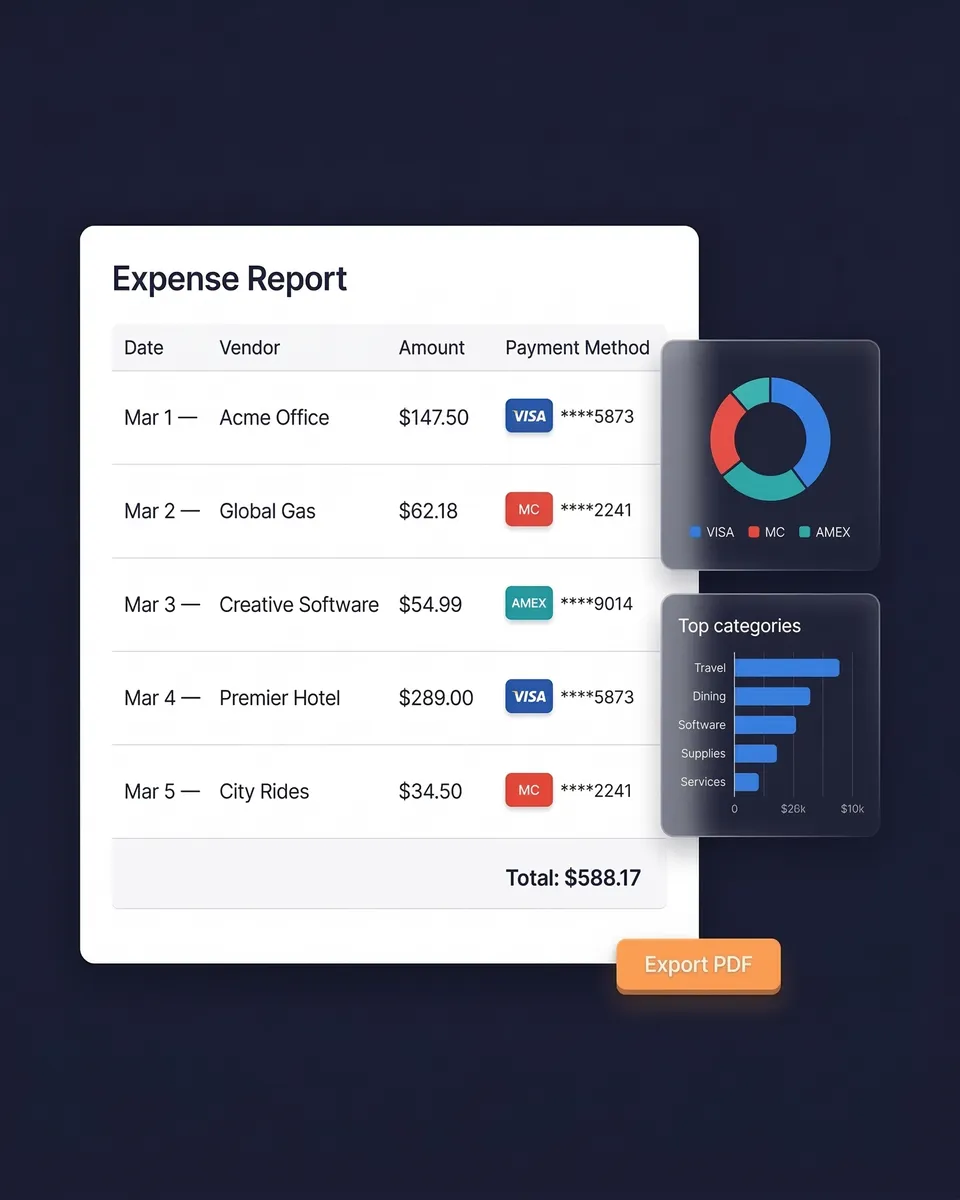
Select a date range and generate a complete expense report — totals by category, GST/HST summaries, and links to every original receipt image. Export as PDF, Excel, or CSV.
Sync directly with QuickBooks Online or Xero. Your Elite plan includes 1 user, with more at a per-user rate and your accountant always free, so your accountant or bookkeeper works in the same account and can view, download, and manage the data themselves.
Credit Card Receipt Tracking
Simple, transparent pricing. No hidden fees.
Loved by Small Business Owners
“I needed a solution to organize and process my personal and business receipts. I'm thrilled I found SparkReceipt. It saves me a lot of time!”

Frédéric Thériault
Productions Locavores · Canada
“SparkReceipt is one of the very few software purchased that exceeded my expectations. Great product, great features, great value.”

Robert Connolly
The Internet Design Co. · Scotland
“With SparkReceipt, organizing and tracking expenses has never been easier. The detailed categorization and expense tracking features make financial management a breeze.”

Jean-Pierre Michael
Artist · France
Join 38,283 businesses that chose SparkReceipt — 4,620,044 receipts processed and counting.
Start Free TrialFrequently Asked Questions
The CRA requires you to keep your business records and their supporting documents for six years from the end of the last tax year they relate to. That covers receipts, invoices, and the statements behind your return. Many business owners simply keep everything for six years to keep it simple. SparkReceipt stores documents for 10 years, which covers it comfortably.
Not on its own. A statement is evidence that a payment was made, but it doesn't show what was purchased and carries no GST/HST breakdown or supplier registration number — so it can't support an input tax credit claim. A line reading "$150 at a stationery retailer" doesn't distinguish deductible office supplies from something that isn't. Keep the receipt or invoice; the statement is supporting evidence alongside it, not a replacement.
To claim an input tax credit you need documentation showing the supplier's GST/HST registration number and the tax paid, and the CRA asks for more detail as the purchase amount rises. A card terminal slip on its own generally isn't sufficient because it shows neither. If you're unsure what your receipt needs to show, our GST/HST input tax credit documentation guide walks through the requirements at each threshold.
Yes. The CRA accepts digital records as long as they're legible, complete, and can be produced when asked — and it requires electronic records to be kept in a readable format. Scanning a receipt and keeping the digital copy is fine; you don't need to keep the paper. Digital is arguably safer, since thermal card receipts fade badly and are often unreadable within a year or two.
Typically the merchant name, transaction date, items or services purchased on itemized receipts, subtotal and total, GST/HST charged, the last four digits of the card, and an authorization code. For an input tax credit claim you also need the supplier's GST/HST registration number, which appears on a proper receipt or invoice but often not on the card slip. SparkReceipt extracts all of the available fields automatically.
SparkReceipt suits sole proprietors and small businesses well. It combines AI scanning with automatic email fetching, card statement matching, 190 currencies, and AI categorization, all at $14.92/month billed annually with 1 user included; add more at a per-user rate. There's a 7-day free trial with full access.
Manually matching receipts to statement lines is one of the most tedious bookkeeping jobs there is. SparkReceipt automates it: upload the card statement as PDF, CSV, or Excel, and the statement extractor pulls every transaction. AI then cross-references each charge against your scanned receipts and flags anything missing documentation.
Digitize immediately and let AI do the sorting. Snap a photo of paper receipts as you get them, connect your email so digital receipts arrive automatically, and upload statements for matching. Everything is categorized, stored, and searchable — no filing cabinets, no spreadsheets, no shoeboxes at year end.
Only after you've digitized them. Card receipts can show the last four digits of your card and sometimes more, so careless disposal carries a real identity theft risk. Scan first, creating a durable digital copy the CRA will accept, then shred the paper. SparkReceipt keeps the digital record for 10 years, so you retain access long after the paper is gone.
Yes. SparkReceipt supports 190 currencies with automatic conversion at the exchange rate that applied on the purchase date rather than today's rate, and reads receipts in virtually any language. Local tax treatment is detected from the document instead of assumed.
Stop Losing Card Receipts. Start Claiming What You're Owed.
Get StartedExplore More Features
Receipt Scanner
AI-powered receipt scanning in seconds
Expense Tracker
Track every business expense automatically
Email Receipts
Auto-import receipts from your inbox
Bank Statement Extractor
Extract and match bank transactions
Expense Reports
Generate reports in PDF, Excel, or CSV
Data Exports
Export in CSV, PDF, Excel, or ZIP