
Never Lose a Credit Card Receipt Again
Scan, organize, and match credit card receipts automatically — so you're always tax-ready and audit-proof.
Credit card receipts pile up fast — in wallets, email inboxes, and desk drawers. By tax time, half are lost and the rest have faded. SparkReceipt uses AI to scan, categorize, and match every credit card receipt to your bank statements — so you're always tax-ready and audit-proof.
Business Owners in 175 Countries Trust SparkReceipt


Credit Card Receipts Before and After SparkReceipt
See what changes when AI handles your credit card receipts

Without SparkReceipt
- Paper receipts crumpled in wallets, fading on thermal paper
- Email receipts buried across multiple inboxes
- Hours matching credit card charges to receipts at tax time
- Missing receipts = missed tax deductions and audit risk
- No idea which credit card charges have receipts and which don't

With SparkReceipt
- Every receipt scanned and stored digitally — never fades, never lost
- Email receipts fetched automatically from Gmail and IMAP inboxes
- AI matches receipts to credit card statement transactions instantly
- Every deduction captured and categorized for tax season
- Clear view of which charges have documentation and which need attention
How Credit Card Receipt Scanning Works
Scan Paper Credit Card Receipts
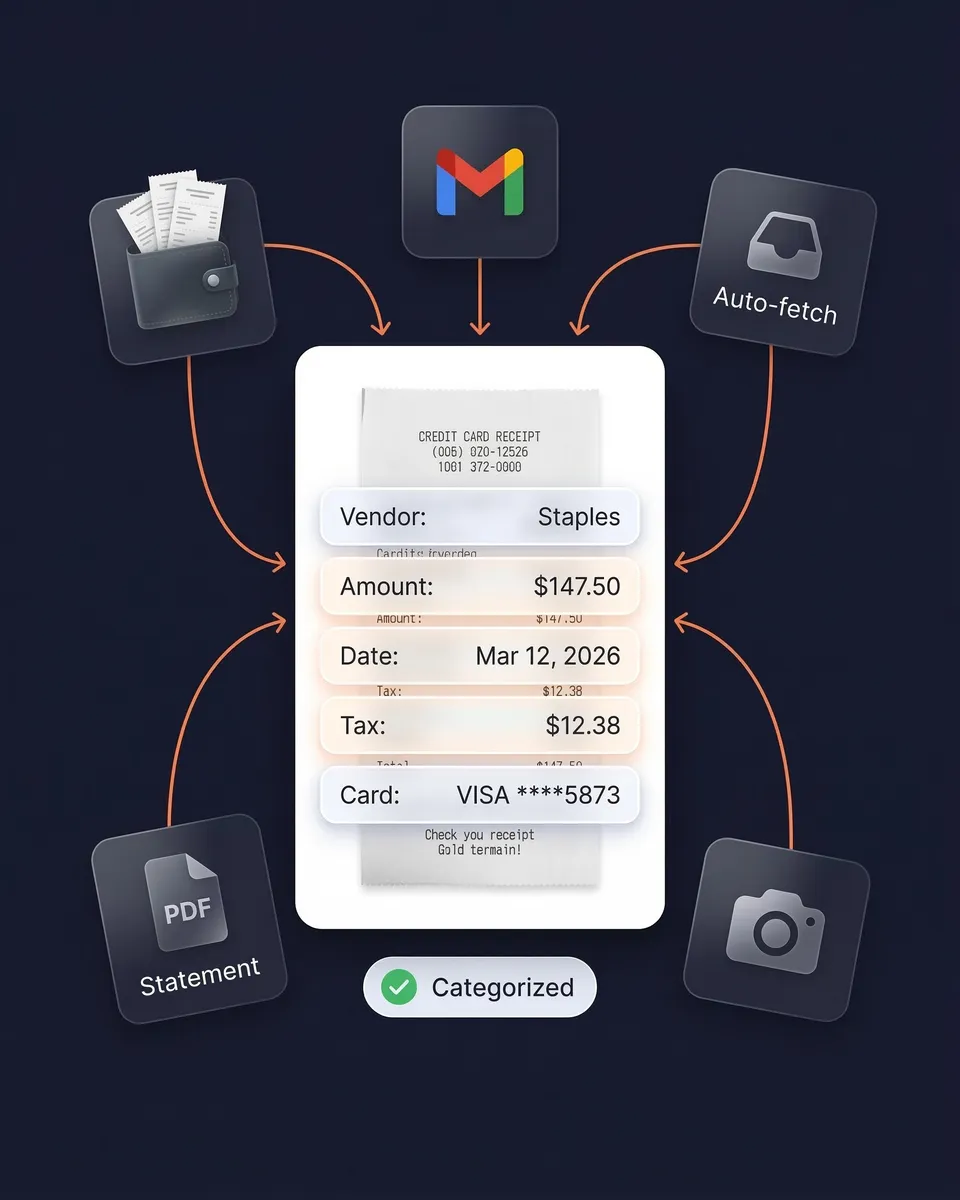
Snap a photo with your phone or upload PDFs and images. AI extracts vendor, amount, date, tax, payment method, and line items — even from crumpled or faded receipts. Supports 190 currencies and virtually any language.
Capture Email Receipts Automatically
Connect your Gmail or any IMAP inbox and SparkReceipt automatically finds and processes email receipts. No forwarding required. Every digital credit card receipt is scanned and categorized.
Match Receipts to Credit Card Statements
Upload your credit card statement as a PDF. AI extracts every transaction, cross-references it against your receipts, and flags any charges missing documentation.
Do you need to keep credit card receipts?
Yes — and credit card statements aren't enough. A statement shows you paid $150 at Staples, but it doesn't prove whether you bought office supplies (deductible) or gift cards (not deductible).
The IRS requires both a record of payment AND proof of what was purchased, including the business purpose. SparkReceipt stores your receipts securely for 10 years — exceeding even the strictest retention requirements.

AI categorizes every credit card expense
Every credit card receipt is automatically categorized into tax-relevant groups: office supplies, meals, travel, software subscriptions, fuel, and more. The AI extracts vendor name, amount, date, tax, currency, and individual line items.
Need custom rules? AI Automations let you set instructions in plain English — like "Categorize all Amazon purchases as Office Supplies." Set it once and it applies forever.
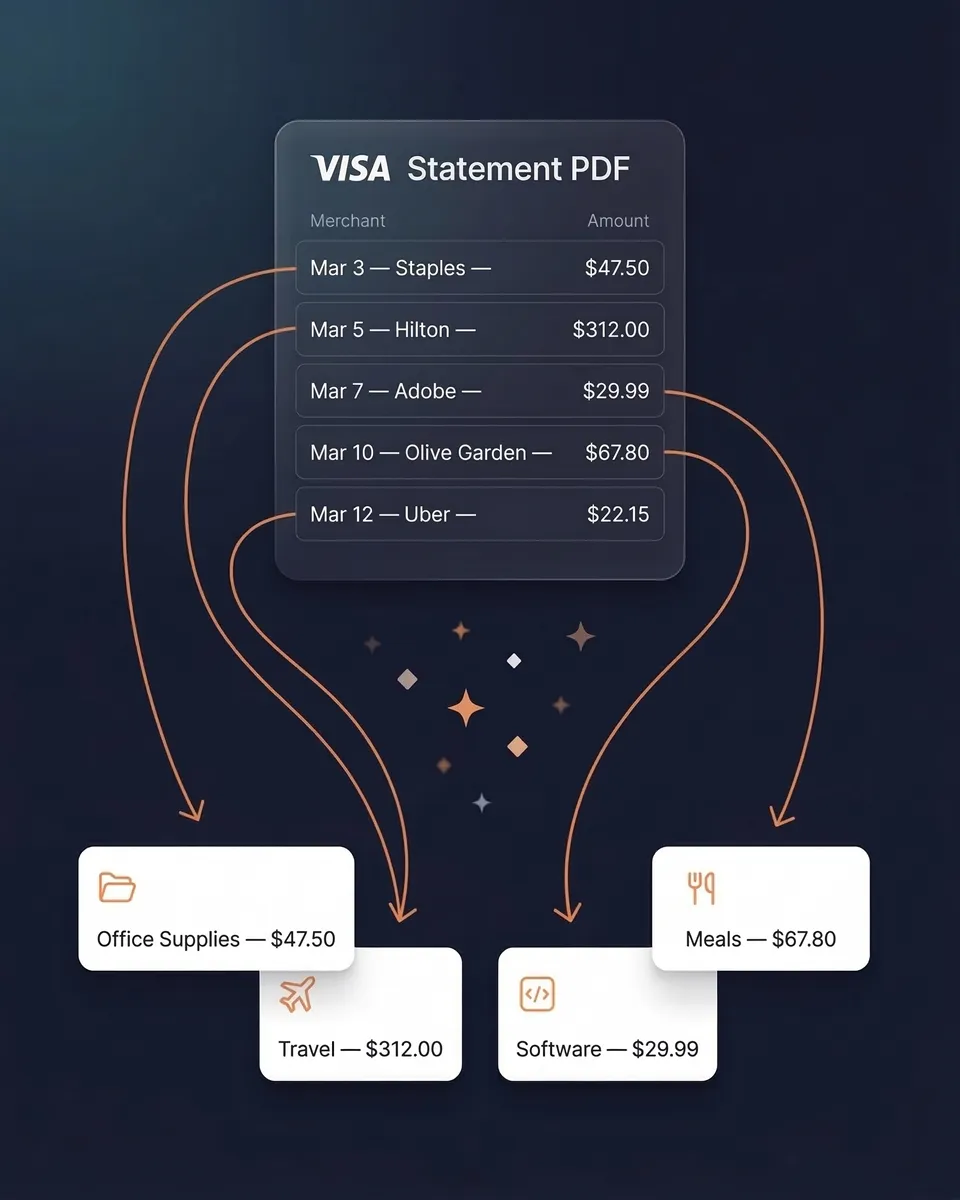
Match receipts to your credit card statement
Upload any credit card statement as a PDF. AI extracts every transaction and cross-references it against your scanned receipts. You instantly see which charges have matching documentation and which are missing receipts.
This turns hours of manual reconciliation into a 2-minute automated process. No spreadsheets. No stapling receipts to statements.
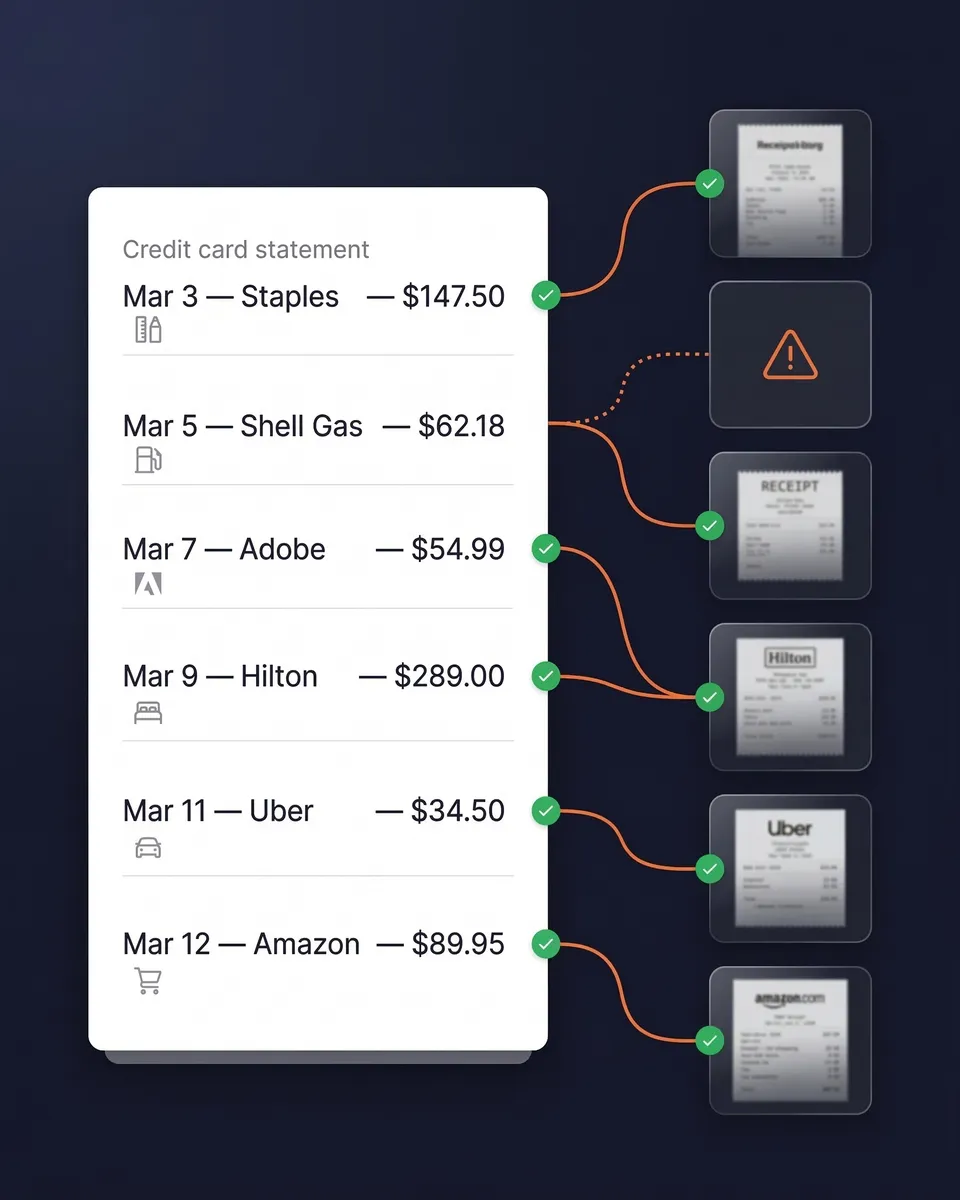
Email receipts captured without lifting a finger
SaaS subscriptions, Amazon orders, Uber rides, airline tickets — most credit card spending already has a digital receipt sitting in your inbox. SparkReceipt connects to your Gmail or any IMAP inbox and automatically finds, imports, and processes these email receipts. No forwarding required.
Combined with phone scanning for paper receipts and bank statement matching, you get complete credit card receipt coverage — digital and physical.
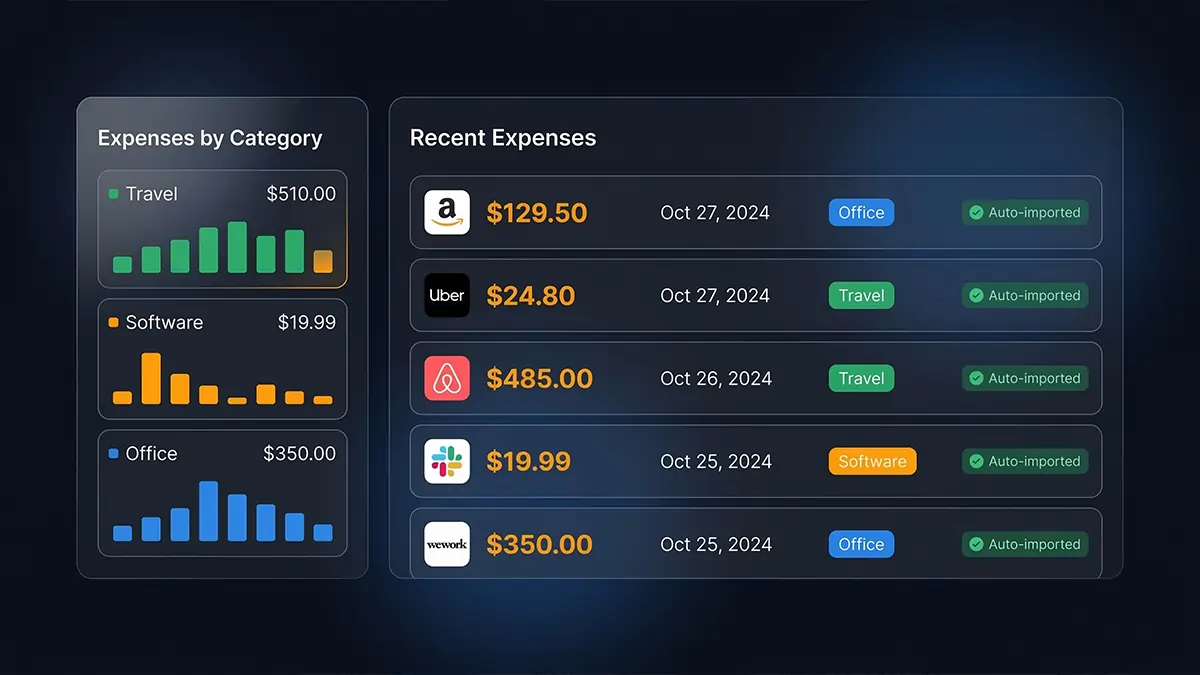
International credit card charges? Handled.
SparkReceipt reads receipts in virtually any language and supports over 150 currencies with automatic live exchange rate conversion. Local tax rules — including VAT, GST, HST, and PST — are detected and applied automatically.
Whether it's a dinner receipt in euros from Paris, a taxi receipt in yen from Tokyo, or a hotel bill in pounds from London — every credit card charge is captured, converted, and categorized without manual entry.

Tax-ready expense reports in one click
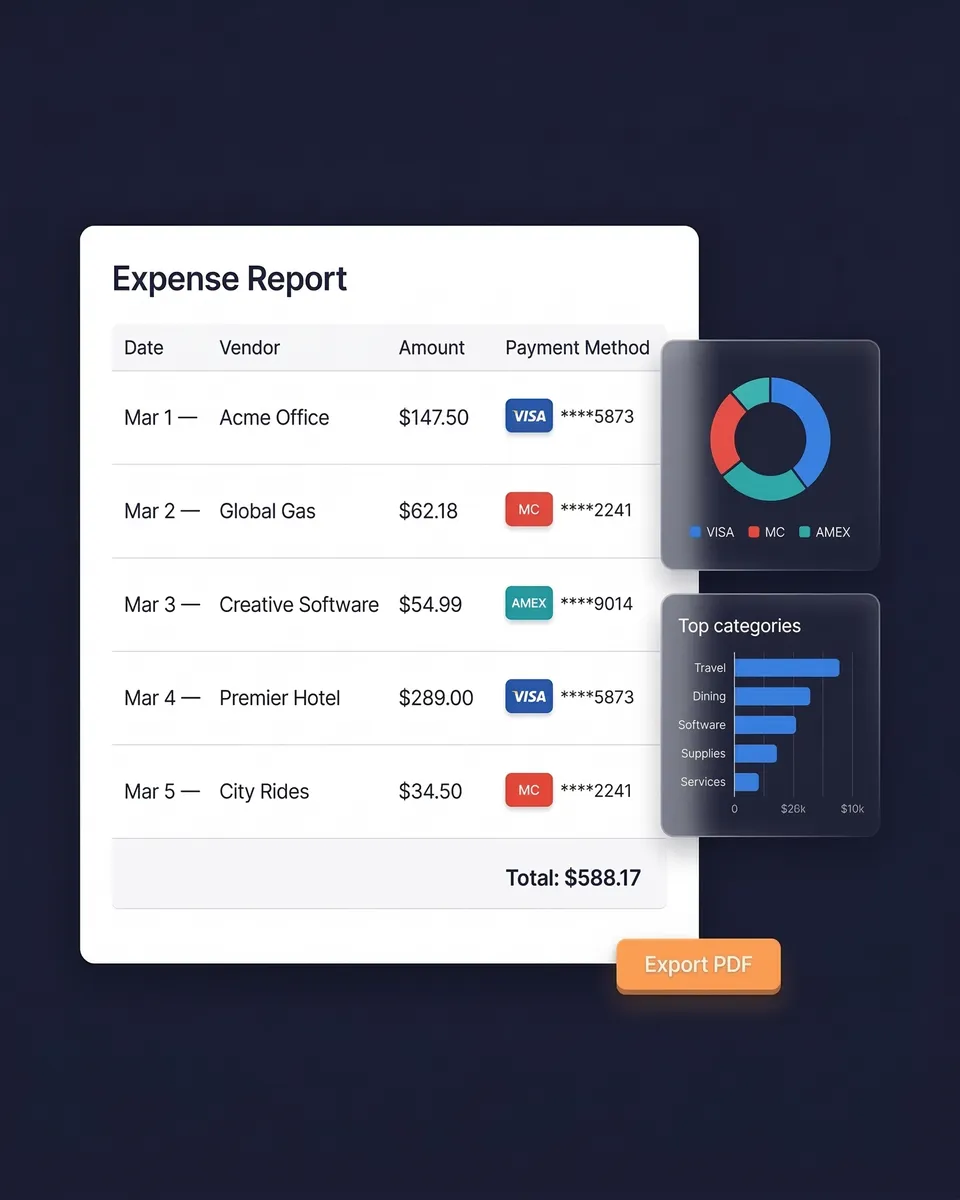
Select a date range and generate a complete expense report — totals by category, tax summaries, and links to every original receipt image. Export as PDF, Excel, or CSV.
Sync directly with QuickBooks Online. Invite your accountant or bookkeeper to your account at any time — they can view, download, and manage your expense data.
Credit Card Receipt Tracking
Simple, transparent pricing. No hidden fees.
Loved by Small Business Owners
“Excellent software to manage income and expenses, and have the relevant info at your fingertips at any given time.”

Melvin Hoods
MJD Brokers · South Africa
“SparkReceipt is an excellent alternative to full-fledged accounting software, saving you time and money!”

Pierce Mooney
Legal Services · United States
“With SparkReceipt, organizing and tracking expenses has never been easier. The detailed categorization and expense tracking features make financial management a breeze.”

Jean-Pierre Michael
Artist · France
Frequently Asked Questions
The IRS recommends keeping credit card receipts for at least 3 years from your filing date, but most tax professionals advise 7 years to cover all potential audit scenarios. If you claimed unreported income over 25% of gross income, keep records for 6 years. If you didn't file or filed fraudulently, keep records indefinitely. SparkReceipt stores your receipts securely for 10 years — exceeding even the strictest requirements. In Canada, the minimum is 6 years. In the UK, 5–6 years. In Australia, 5 years.
No — a credit card statement alone is not sufficient for the IRS. A credit card statement is a record of payment, but the IRS requires proof of what was purchased and its business purpose. A statement showing "$150 at Staples" doesn't prove whether you bought deductible office supplies or non-deductible gift cards. You need the actual itemized receipt. Credit card statements can serve as supplementary evidence alongside receipts, calendar entries, and contracts — but they cannot replace receipts entirely.
A credit card receipt typically includes: the merchant/vendor name, transaction date, items or services purchased (on itemized receipts), subtotal and total amounts, tax charged, last four digits of the card number, authorization code, and sometimes the cardholder name. For tax purposes, the IRS requires the vendor name, date, amount, specific items purchased, and the business purpose (which you can note yourself). SparkReceipt extracts all of this automatically using AI.
The $75 rule is often misunderstood. It applies only to certain travel-related expenses — not all business expenses. For qualifying travel expenses under $75, you don't need a detailed receipt, but you still need a written record of the amount, date, location, and business purpose. Lodging always requires a receipt regardless of amount. For non-travel business expenses, there is no $75 threshold — you should keep receipts for all amounts. The safest approach is to scan and save every credit card receipt.
Yes. The IRS accepts digital receipts — including scanned photos, screenshots, and emailed copies — as long as they are legible, accurate, and easy to retrieve. This means scanning your paper credit card receipts with SparkReceipt creates an IRS-compliant digital record. The same applies in Canada (CRA), the UK (HMRC), and Australia (ATO). Digital receipts are actually more reliable than paper because thermal paper fades over time.
SparkReceipt suits freelancers and small businesses well. It combines AI scanning with unique features: automatic email fetching, credit card statement matching, 190 currencies, and AI categorization — all at $16.65/month (billed annually). Try the 7-day free trial.
The best way is to digitize immediately and let AI organize for you. With SparkReceipt, you snap a photo of paper receipts (AI extracts all data), connect your email for automatic digital receipt capture, and upload credit card statements for transaction matching. Every receipt is automatically categorized by expense type, stored securely for 10 years, and instantly searchable. No filing cabinets, no spreadsheets, no shoeboxes.
Manually matching receipts to credit card statement lines is one of the most tedious bookkeeping tasks. SparkReceipt automates this entirely: upload your credit card statement as a PDF, and the bank statement extractor pulls every transaction. AI then cross-references each charge against your scanned receipts and flags any transactions missing documentation. What used to take hours now takes minutes.
Yes — but only after you've digitized them. Credit card receipts can contain the last four digits of your card number and sometimes more personal information, creating identity theft risk if disposed of carelessly. Scan your receipts with SparkReceipt first (creating a permanent, IRS-accepted digital copy), then shred the paper originals. SparkReceipt stores your digital receipts securely for 10 years, so you'll always have access even after the paper is gone.
Yes. SparkReceipt supports 190 currencies with automatic live exchange rate conversion. It reads receipts in virtually any language and detects local tax rules (VAT, GST, HST, PST) automatically. If you travel internationally or pay suppliers in foreign currencies, every credit card charge is captured, converted to your home currency, and categorized — without manual data entry.
Stop Losing Credit Card Receipts. Start Saving on Taxes.
Get StartedExplore More Features
Receipt Scanner
AI-powered receipt scanning in seconds
Expense Tracker
Track every business expense automatically
Email Receipts
Auto-import receipts from your inbox
Bank Statement Extractor
Extract and match bank transactions
Expense Reports
Generate reports in PDF, Excel, or CSV
Data Exports
Export in CSV, PDF, Excel, or ZIP