


Business Owners in 80+ Countries Trust SparkReceipt

Tracy DugganRobert ConnollyRafael RoaFrΓ©dΓ©ric ThΓ©riaultPierce Mooney
4.8based on 2000+ reviews in app stores

Businesses like yours save hours every week with SparkReceipt's AI

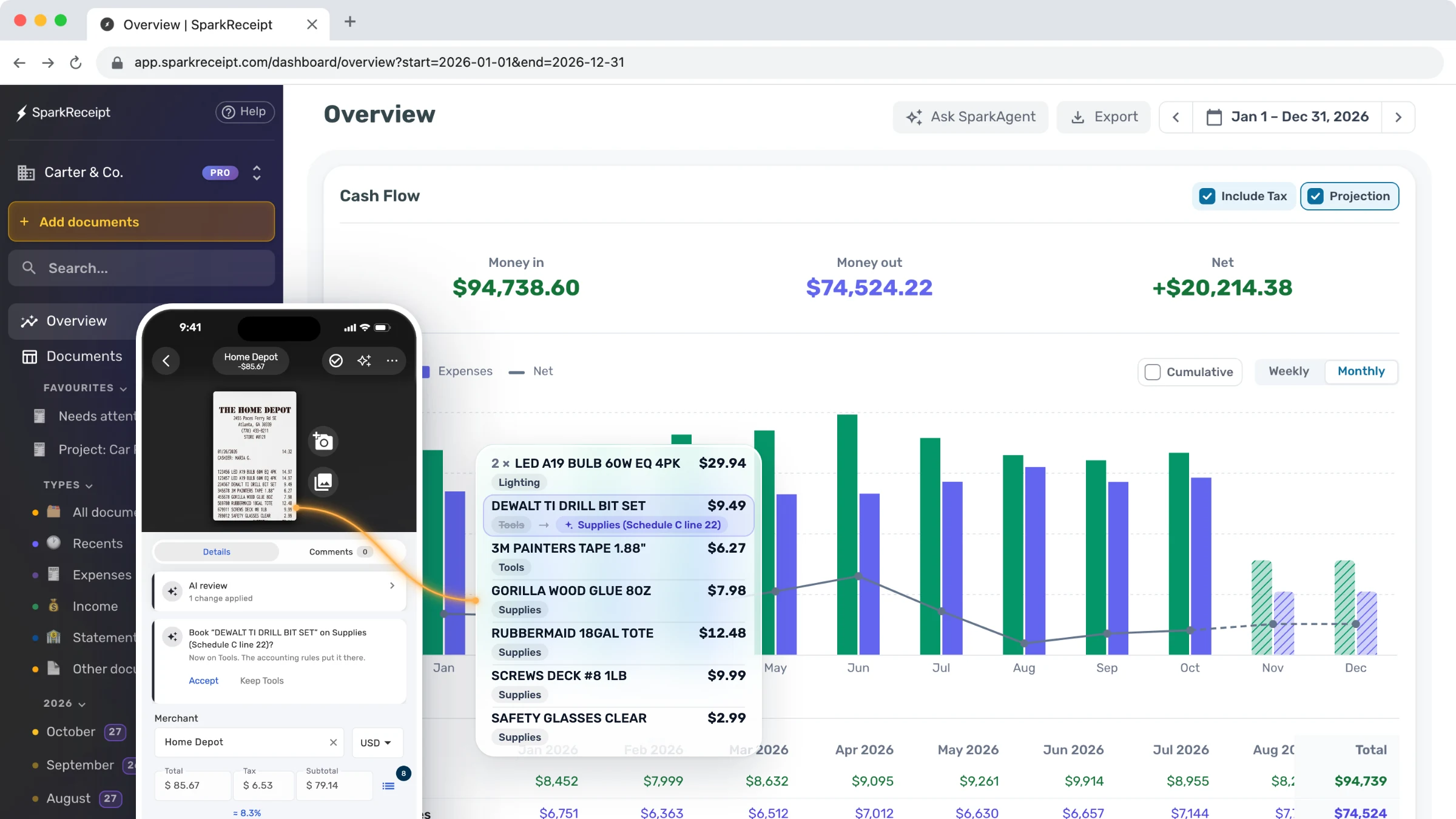
Auto-capture receipts and invoices from Gmail, Outlook and other email inboxes, scan and extract data with 99.9% AI accuracy, and auto-categorize every expense into your chart of accounts. Connect QuickBooks Online, Xero, and many others. Use on web, Android and iOS, in any currency.

7-day free trial
SparkReceipt expense tracker and receipt scanner

Loved by Small Business Owners

β€œSparkReceipt is an excellent alternative to full-fledged accounting software, saving you time and money!”
Pierce Mooney

Pierce Mooney

Legal Services Β· United States

β€œThe scan accuracy is the most precise out there. Just try it!”
Christina Sust

Christina Sust

INMIZE Β· Spain

β€œExcellent software to manage income and expenses, and have the relevant info at your fingertips at any given time.”
Melvin Hoods

Melvin Hoods

MJD Brokers Β· South Africa

β€œExcellent start and amazing team. Looking forward to making SparkReceipt my default expense management and accounting platform.”
Jon Aron

Jon Aron

Logic Enterprises Β· Switzerland

β€œSparkReceipt takes care of the busy work, allowing me to quickly save receipts and create expense reports.”
Tim Heller

Tim Heller

HellerWeather Β· United States

β€œThanks to you, I'm actually looking forward to my year end FOR THE FIRST TIME EVER, when I can surprise my accountant with my completed accounts with a week or so off the end of the year!”
Abigail Dombey

Abigail Dombey

Net Zero Associates Ltd Β· United Kingdom

Automatic Tracking or Tax-Time Panic?

One choice saves time all year. The other costs you at tax time.

Woman stressed about receipts

Tax-Time Panic

  • Receipts scattered across emails, wallets & drawers
  • Hours spent searching for missing receipts
  • Missed deductions because receipts got lost or faded
  • Scrambling to find documentation at tax time
  • Paying your accountant to sort through shoe boxes
Woman happy after using SparkReceipt

Automatic Tracking

  • Snap receipts as you get them (seconds)
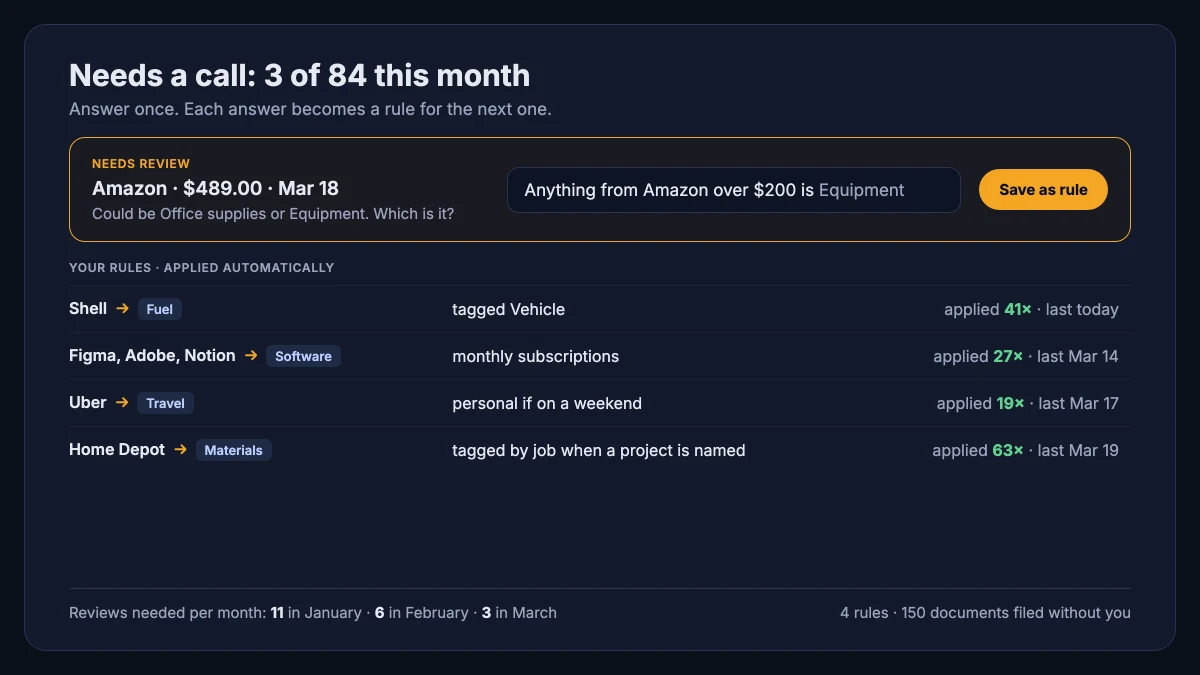
  • AI extracts and categorizes automatically
  • Never miss a deduction β€” every expense is tracked
  • Tax-ready reports generated in one click
  • Free accountant access β€” they get everything organized

Tax-Ready in 4 Simple Steps

1

Scan or Email Receipts in Seconds

Snap a photo, forward an email, or upload a PDF. SparkReceipt captures receipts the moment you get them.

2

AI Organizes Your Expenses

AI extracts vendor, date, total, and tax β€” then categorizes every expense without lifting a finger.

3

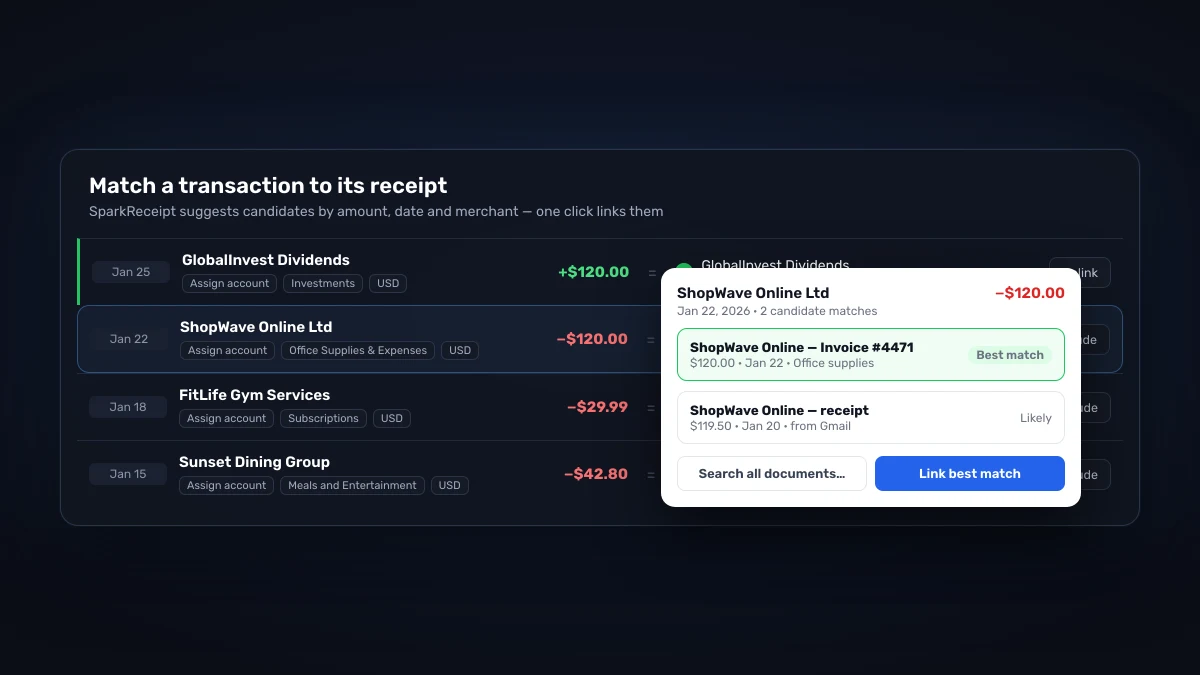
Match To Bank Or Credit Card Statements

Import bank statements and reconcile against captured receipts. Spot missing deductions before tax time.

4

Create Reports and Invite Your Accountant

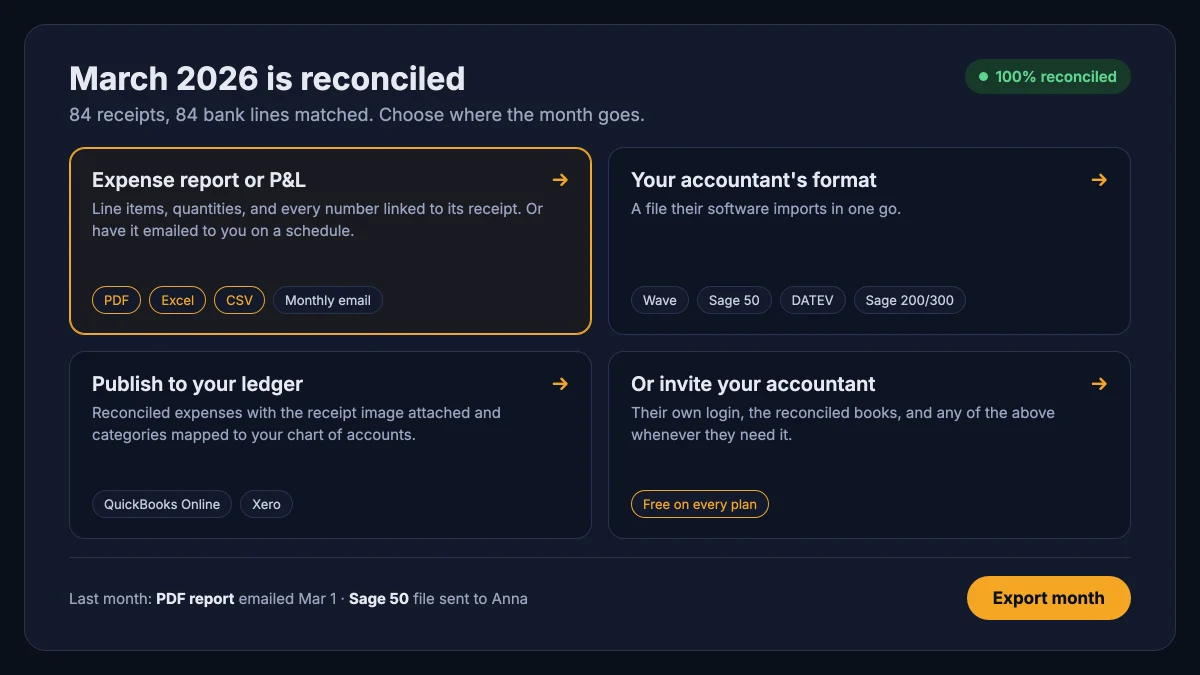
Export tidy reports for your accountant β€” CSV, PDF, or direct to Xero and QuickBooks.

Receipt scanning

Scan any receipt in seconds

Snap a photo with your phone, forward an email, or upload a PDF. SparkReceipt auto-extracts vendor, date, total, VAT, and line items β€” ready to export to your accountant.

Scan receipts and expenses in seconds

Expense tracking

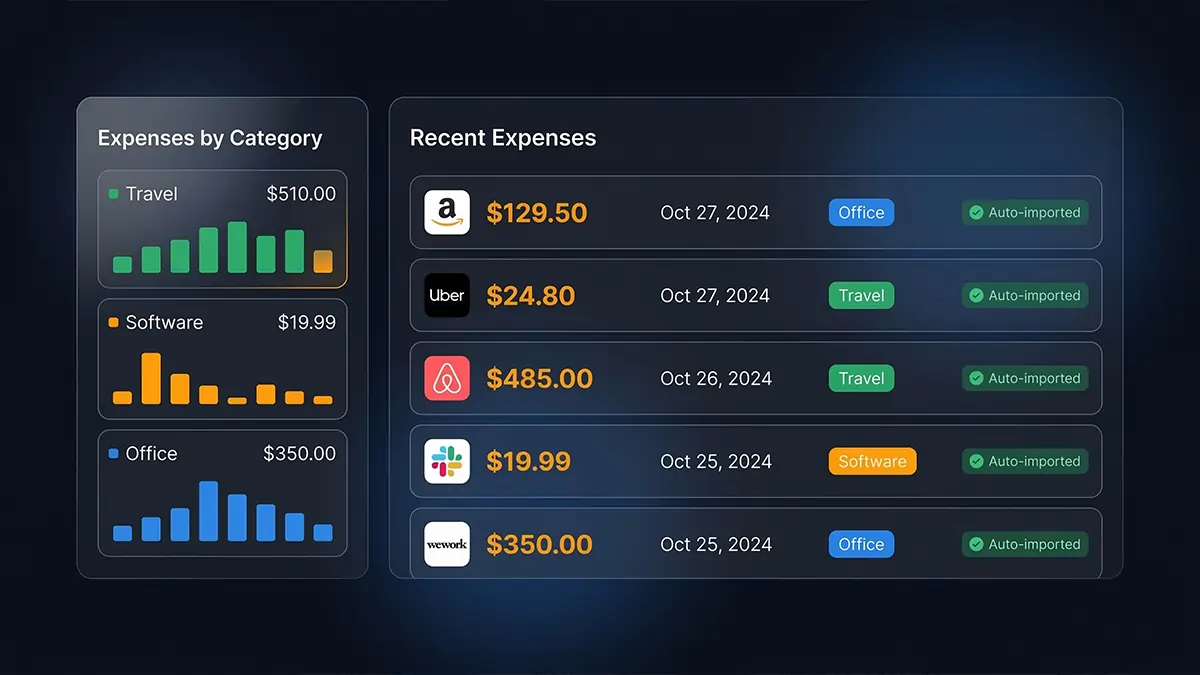
All your expenses, automatically organized

Categorize, tag, and split receipts for projects or clients. Filter by date, category, or status β€” and reconcile against credit card statements in a click.

AI categorizes expenses automatically

Bank statements

Match transactions to receipts automatically

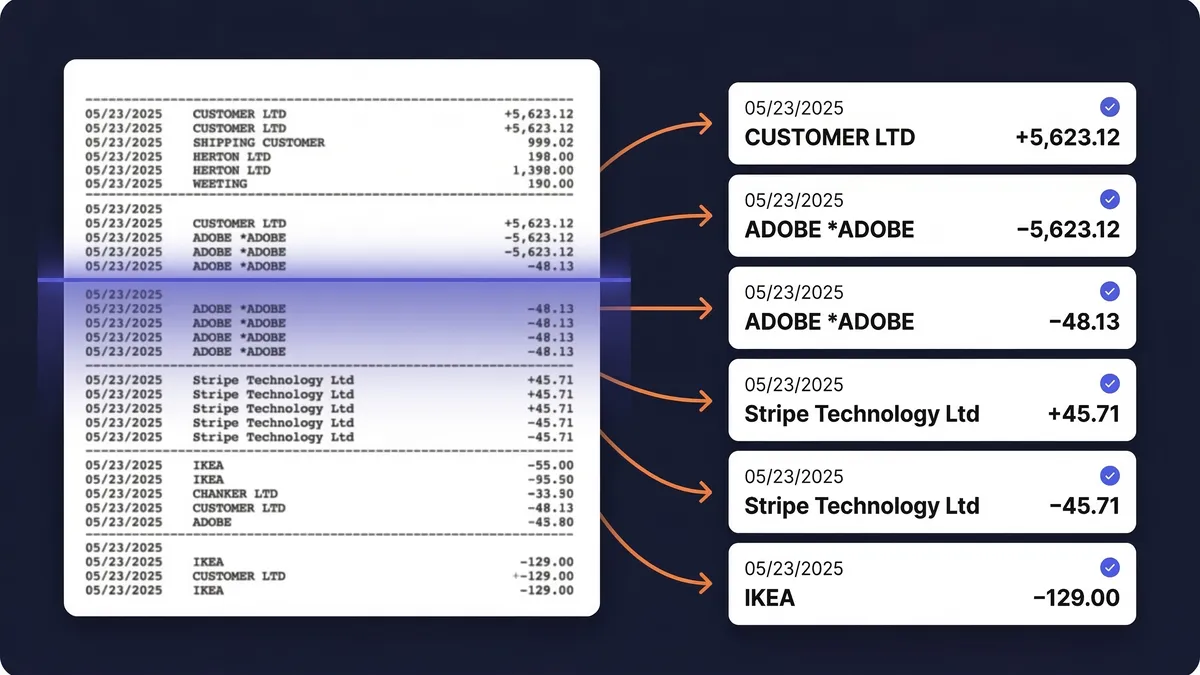
Upload bank or credit card statements in PDF, CSV, or Excel. AI extracts every transaction and matches it to receipts already in your account.

Extract transactions from bank and credit card statements

Reports

Tax time without the shoebox

Every receipt is stored, searchable, and export-ready. Hand your accountant a tidy CSV, PDF, or Xero/QuickBooks file β€” not a drawer full of thermal paper.

Create expense reports in Excel, CSV and PDF

Meet Joel, one of the founders - here to help

Get support directly from the founders. We're a small team that actually uses the product every day. When you write to us, you get a real answer from someone who knows the product inside out β€” usually within a few hours.

Joel Ojala, one of the founders of SparkReceipt

One Subscription

You, your accountant, your partner β€” all in one place.

Elite
$16.65/mo

$199.98/year, billed annually

$58/year per additional user

  • Unlimited documents
  • Automatic email receipt fetching (Gmail, Outlook, IMAP)
  • Mass upload (up to 100 documents at once)
  • Bank statement extraction
  • Expense reports (PDF, Excel, CSV)
  • AI Automations
  • Integrations (QuickBooks Online, Zapier, Make)
  • Invite your accountant and partner
  • Unlimited linked sub-accounts
Start Your Free Trial

7-day free trial

Frequently Asked Questions

The AI extracts merchant names, dates, totals, taxes, currencies, and line items with high accuracy β€” typically processing each receipt in 2–3 seconds. It reads receipts in virtually any language and supports over 150 currencies.

Yes. You can create multiple linked subaccounts (workspaces) under your main account to completely separate expenses between different businesses or personal accounts. Each paid plan includes unlimited workspaces.

Yes. Connect Google, Microsoft, or any IMAP provider, and the app automatically fetches digital receipts from email. It processes them identically to scanned receipts β€” extracting data, categorizing expenses, and storing documents.

Yes. Upload bank or credit card statements in PDF, Excel, or CSV format, and the app extracts every transaction. It matches those transactions to receipts already in the account, helping identify missing receipts and duplicates before tax time.

Yes. The app offers direct QuickBooks Online integration that syncs categorized expenses automatically. You can also export to Excel, CSV, or PDF, and connect with hundreds of other apps through Zapier, Make, and Pabbly.

Yes. Every plan includes free guest access for accountants β€” no extra seat fee. Accountants get live access to all receipts, expenses, and reports, or you can generate shareable links or export reports directly.

SparkReceipt delivers AI-powered scanning and categorization at a lower price point β€” starting at $16.65/month versus $24+/month for competitors. It's purpose-built for freelancers and small businesses with no forced user minimums and free accountant access.

Yes. Data is encrypted in transit and at rest using industry-standard security. The app is fully GDPR compliant, stores data in EU data centers, and retains receipts for at least 10 years. You can export or delete data anytime.

Yes. SparkReceipt is used in over 80 countries, supports 150+ currencies with automatic exchange rates, reads receipts in virtually any language, and works with any tax system worldwide.