




Every Mile. Every Receipt. One App.

Track business mileage by GPS or by hand — right inside the expense app you already use.

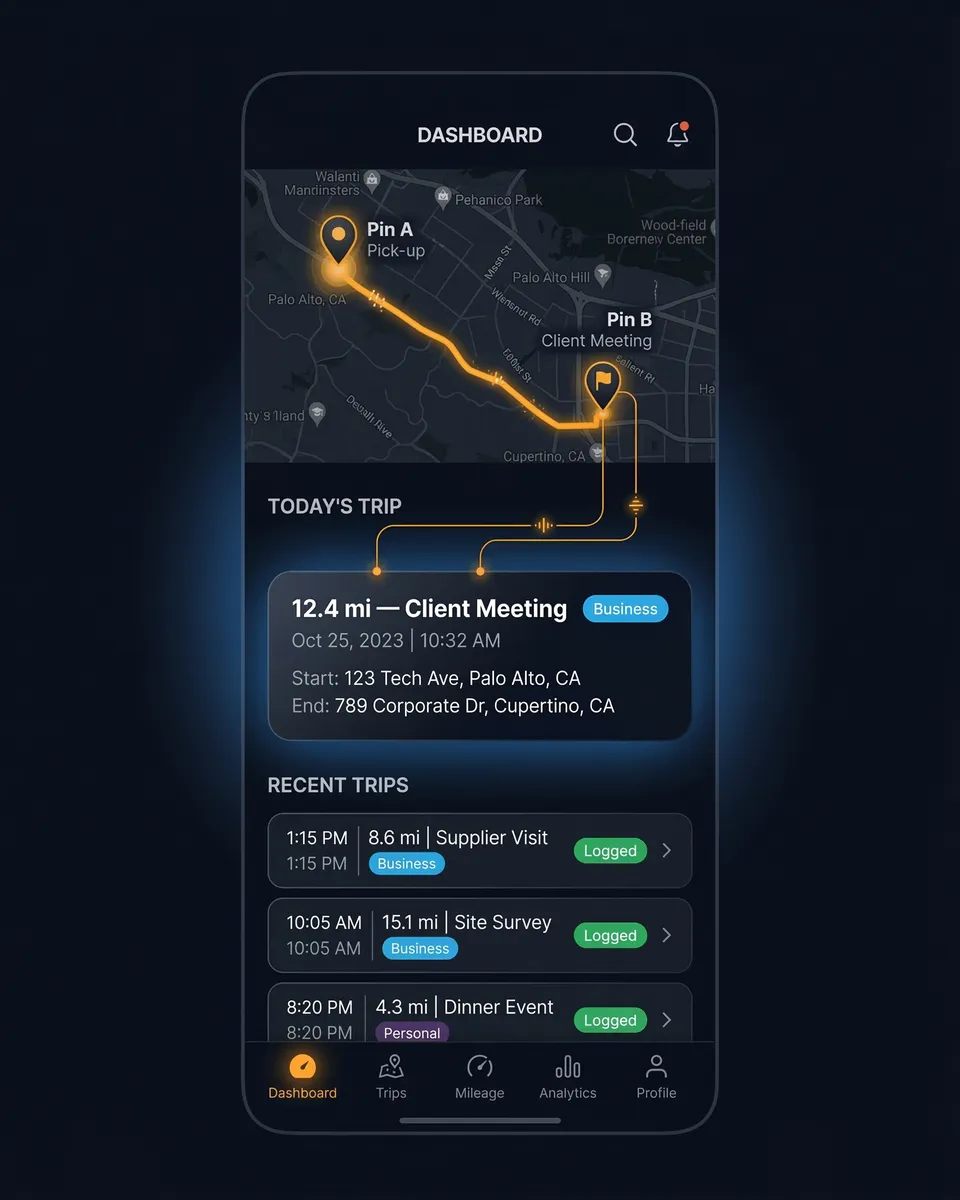
Record trips automatically with GPS, or add them by hand. Classify each drive as business or personal, set a rate per vehicle, and SparkReceipt works out the reimbursement. It's live on iPhone, Android, and the web — in the same app that already scans your gas, parking, and toll receipts.

7-day free trial

Business Owners in 175 Countries Trust SparkReceipt

Tracy DugganRobert ConnollyRafael RoaFrédéric ThériaultPierce Mooney
4.8on the App Store · 4.6 on Google Play · 2,700+ ratings
72.5¢2026 IRS Rate Per Mile
$7,250Deduction at 10K Miles
$870Lost Missing 100 Mi/Month
GPS + ManualTwo Ways to Log a Trip

Mileage Tracking Before and After SparkReceipt

See what changes when your mileage tracker lives in the same app as your receipts

Woman stressed about juggling separate mileage and expense apps

Separate Apps

  • One app for mileage, another for receipts, a spreadsheet to combine them
  • Gas, parking, and toll receipts tracked separately from trips
  • Scrambling to reconstruct trip logs at tax time
  • Vehicle expenses and trips scattered across different tools
  • Paying for two or three apps that don't talk to each other
Woman happy with combined mileage and expense tracking

SparkReceipt

  • Miles, receipts, gas, parking, and tolls in one app
  • GPS records every trip — classify each as business or personal
  • Trips captured as you drive: date, route, distance, and purpose
  • Reimbursement worked out from a rate you set per vehicle
  • AI receipt scanning and mileage tracking, side by side

How SparkReceipt Mileage Tracking Works

1

Record Trips by GPS or by Hand

Start, pause, resume, and stop a trip from the app — SparkReceipt uses your phone's GPS to record the route and distance. Pause for a coffee and the recorded route shows a real gap, not a phantom straight line across the break. On Android it keeps recording in the background, trips are saved even without a signal and sync when you're back online, and it picks up where it left off if your phone restarts mid-trip. Prefer manual control? Add a trip by hand after the fact.

2

Classify Business or Personal

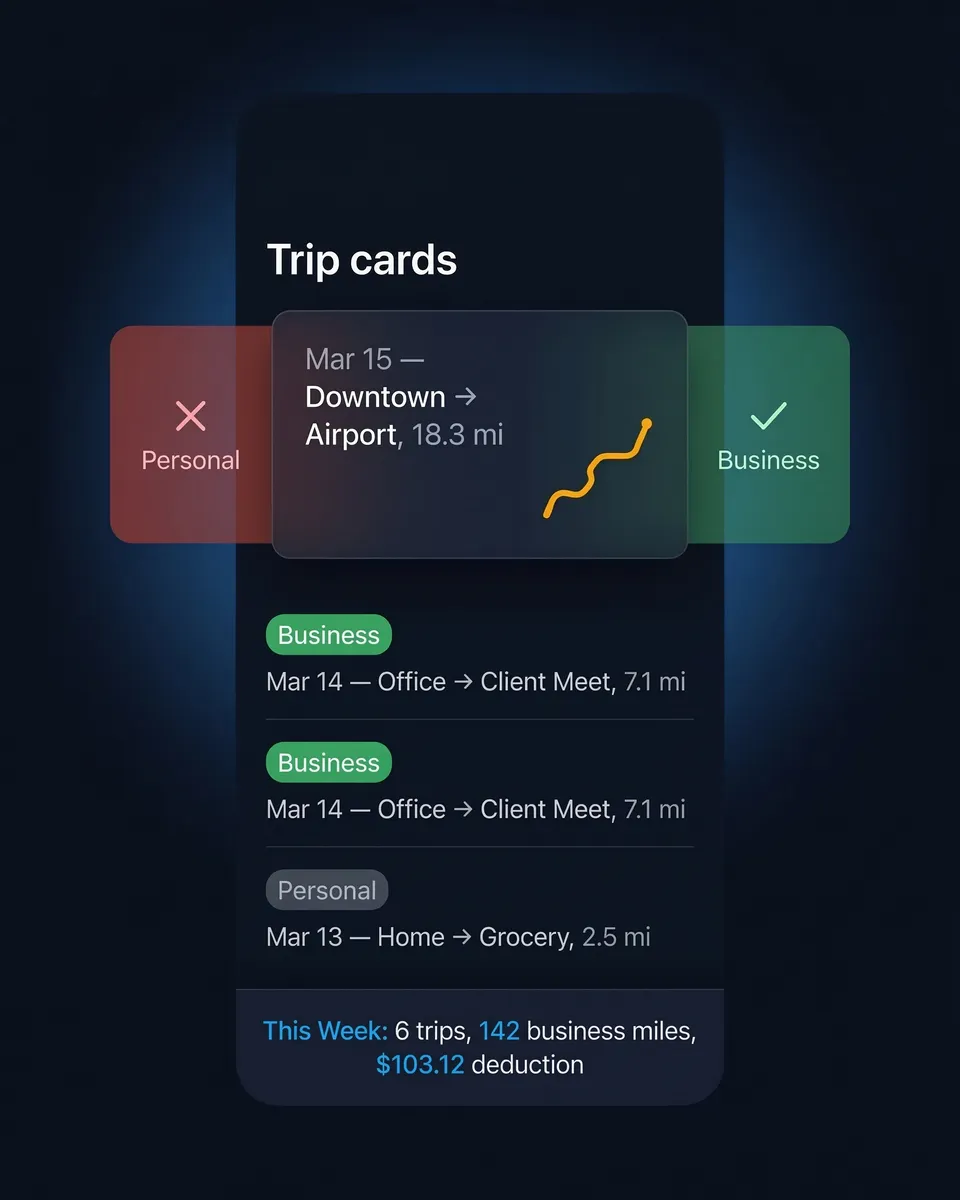
Mark each trip as business or personal — one at a time or in a batch. SparkReceipt geocodes your route and stops and can suggest a trip purpose for you; edit any of it if the map got something wrong. Every trip is fully editable afterwards — GPS-recorded ones too — so you can fix the vehicle, toggle round-trip, or correct the details. Driving there and back? Turn on round-trip to double the distance in one tap.

3

See Your Reimbursement

Give each vehicle a rate, or set a default for your account. SparkReceipt multiplies each trip's distance by that rate — falling back to your account default when a vehicle has none — so every trip shows what it's worth, in a real currency you set for the account. Carpooling? Add a passenger count and an account passenger rate, and SparkReceipt adds a passenger reimbursement on top of the mileage. Distances appear in kilometers or miles, set automatically for your region.

Why Your Mileage Tracker Should Live With Your Receipts

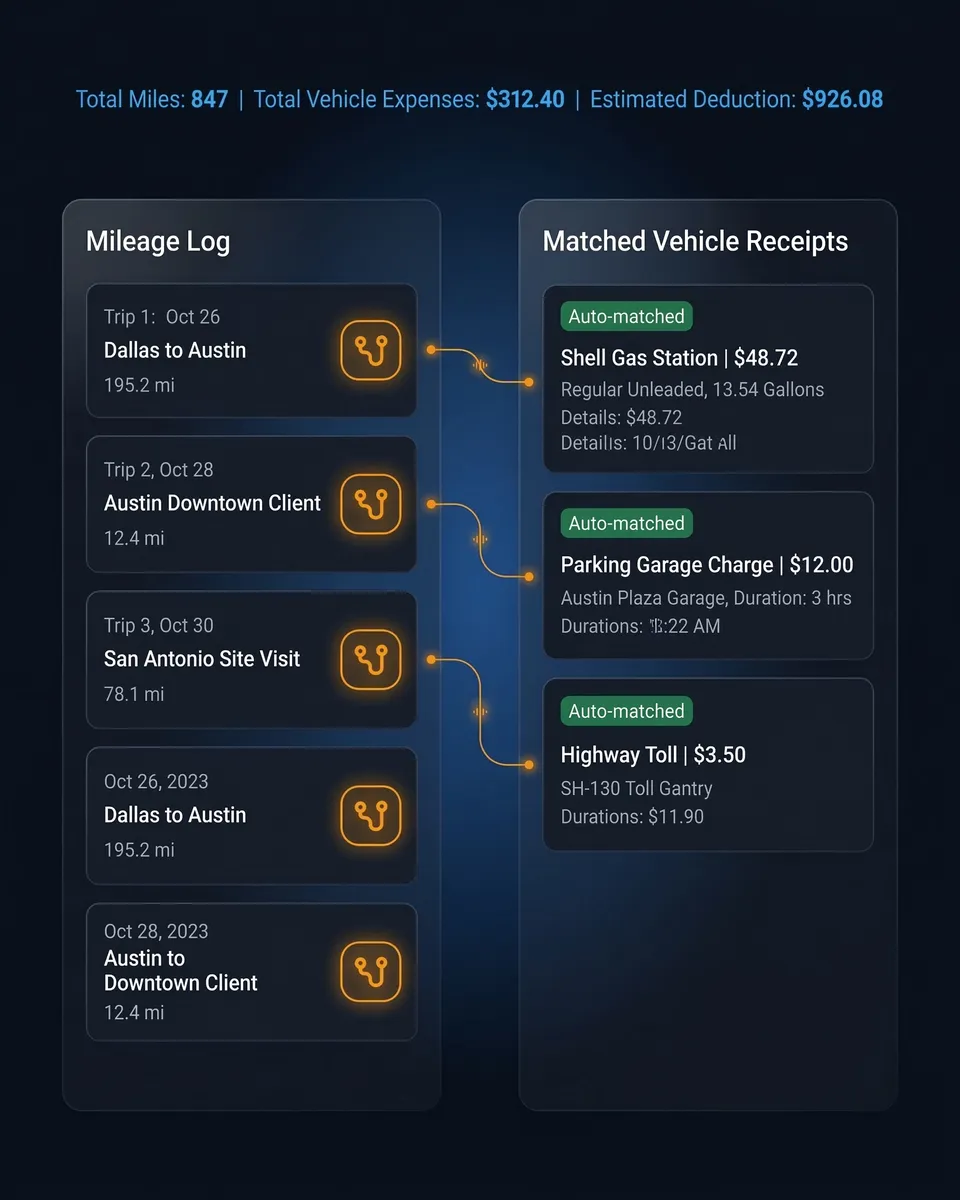
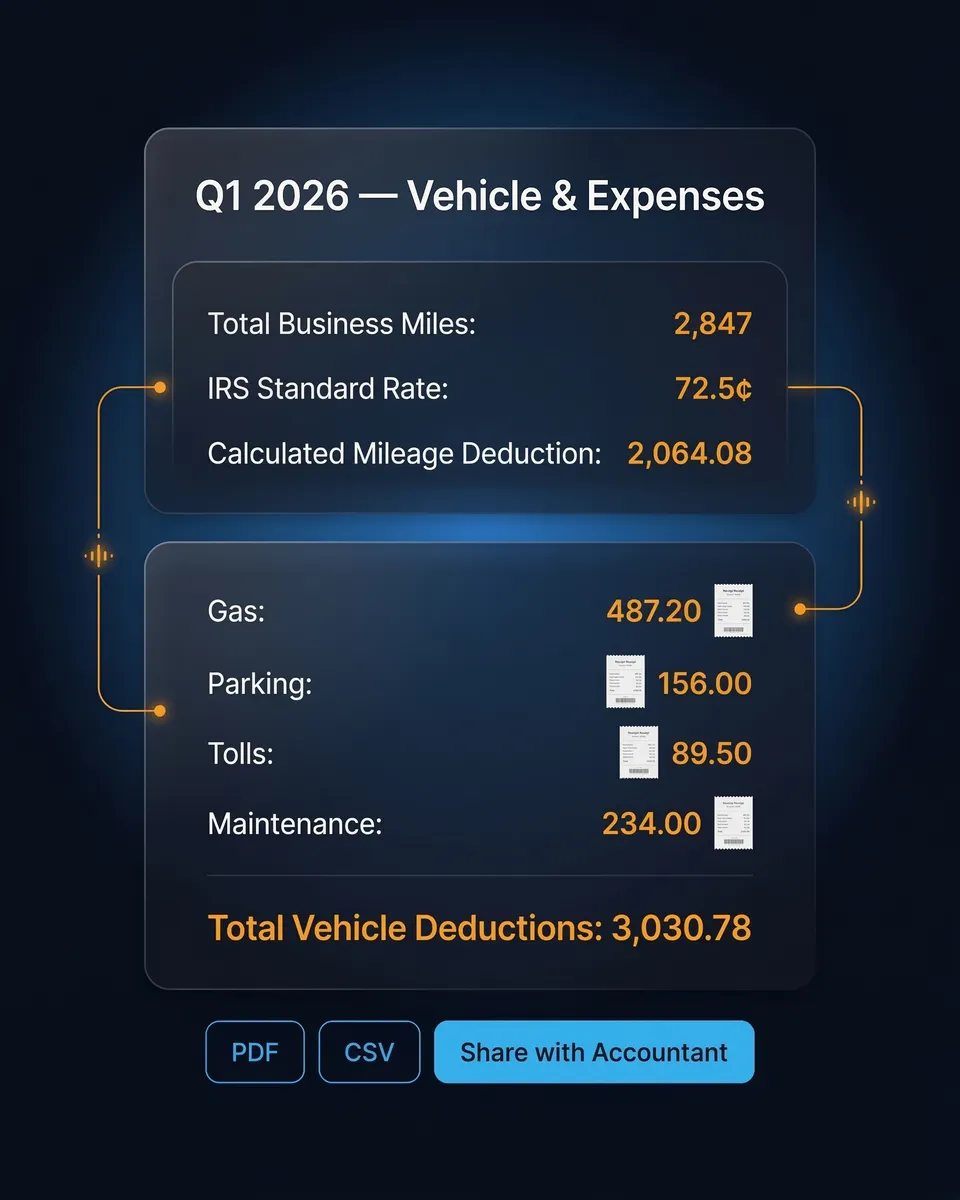
Most mileage tracker apps do one thing well: they log your miles. But miles are only part of the picture. Every business trip generates more than just mileage — there's the gas station fill-up, the parking garage downtown, the highway toll, the car wash before picking up a prospect, the oil change receipt in the glove compartment.

SparkReceipt keeps your trips and those receipts in one app — so every vehicle-related cost is in the same place when it's time to add up your deductions. Weighing a dedicated tracker? See how SparkReceipt compares to MileIQ.

Trips and receipts in the same SparkReceipt account

2026 IRS Mileage Deduction: The Numbers That Matter

The 2026 IRS standard mileage rate is 72.5 cents per mile for business driving. At 10,000 business miles, that's a $7,250 deduction. Missing just 100 miles per month costs you over $870 per year in lost deductions.

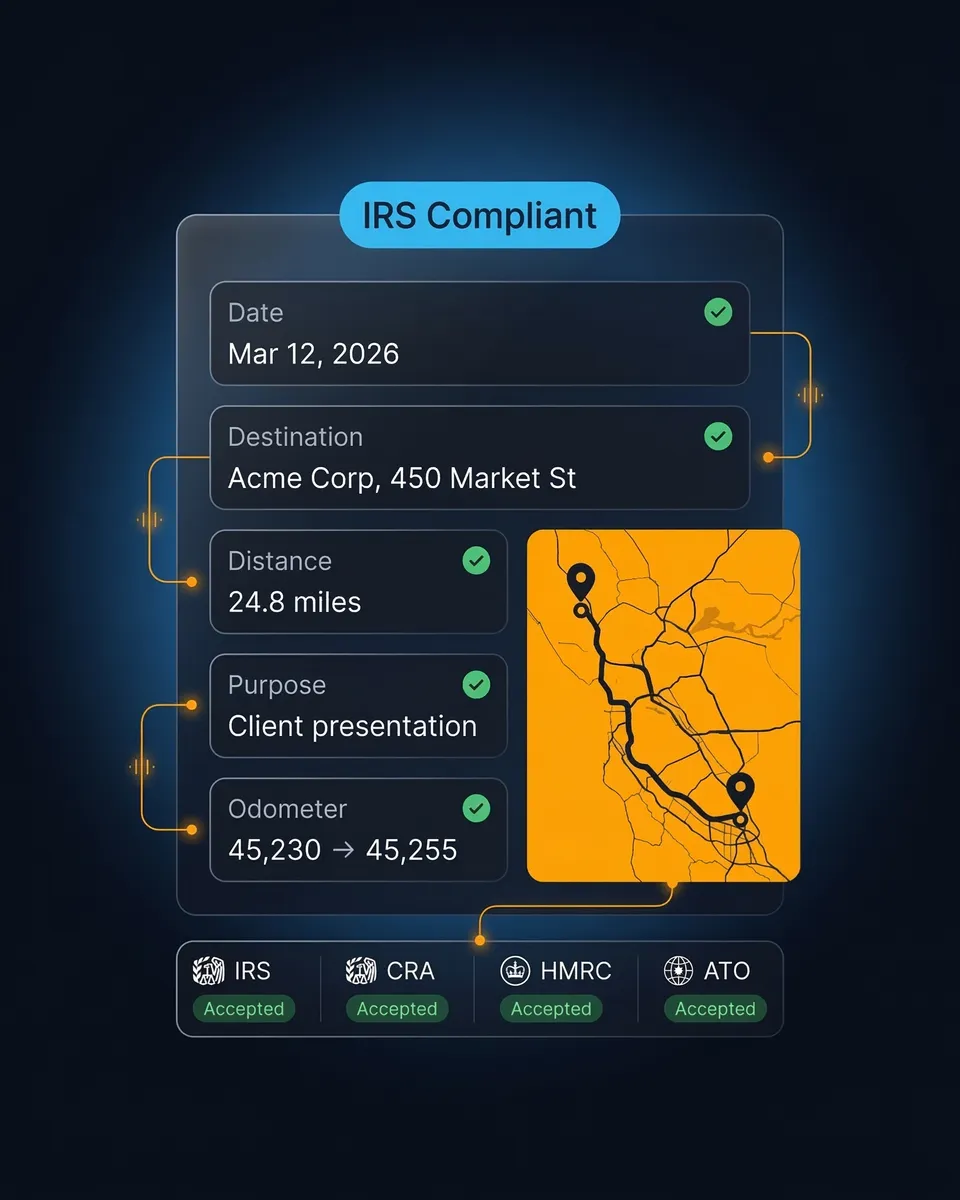
Whichever method you use, you need a record of each business trip made close to when you drove it. SparkReceipt logs the date, route, distance, and purpose of every trip automatically with GPS — so the details are captured while they're fresh, not reconstructed months later.

Trip details with route, distance, and business purpose

Trip Details Captured as You Drive

Every trip is timestamped, mapped, and saved with the business purpose you set — one trip at a time or a whole batch at once. It all lives in the same account as your scanned receipts, on your phone and on the web.

Set a rate per vehicle and each trip shows its reimbursement; leave the rate blank and SparkReceipt falls back to your account default. Missing just 100 miles per month costs you over $870 per year in lost deductions at the 2026 rate — recording every trip, by GPS or by hand, means nothing slips through.

Categorize trips as business or personal

Passengers, real currency, and a trip PDF

Reimbursements That Add Up the Way You Work

Reimbursement amounts show in a real currency you set for the account — it starts from the account owner's preferred currency, so the numbers read the way your books do.

Carpooling counts too. Record how many passengers rode along, set an account passenger rate, and SparkReceipt adds a passenger reimbursement on top of the base mileage — with the mileage, passenger, and total amounts broken out so nothing is guesswork. Need it on paper? Download any trip as a PDF, on the web or your phone: it lays out the route, distance, purpose, vehicle, passenger count, and the full reimbursement breakdown, ready to file or hand to whoever signs off.

Trip PDF showing the mileage, passenger, and total reimbursement in a real currency

More Than a Mileage Tracker

SparkReceipt does more than track mileage. AI receipt scanner snaps and extracts data in seconds. Email receipt capture connects your inbox automatically. Bank statement extractor matches transactions to receipts. Automatic categorization sorts expenses into tax categories. 190 currencies with automatic exchange rate conversion. Invite your accountant or bookkeeper to review your reports.

Your receipts, expenses, income, and now your trips all live in one account — on iPhone, Android, and the web.

Hand holding a phone with the SparkReceipt dashboard showing expenses, income, and documents next to a cup of coffee

Built for Freelancers and Self-Employed

The One Big Beautiful Bill Act (OBBBA) permanently eliminated mileage deductions for W-2 employees. If you're self-employed, a freelancer, an independent contractor, or a gig worker — you're one of the few who can still claim the 72.5 cents per mile deduction on Schedule C.

At 10,000 business miles per year, the mileage deduction alone saves you $7,250. Add in gas station receipts, parking charges, tolls, and maintenance costs that SparkReceipt's AI receipt scanner captures automatically — and your total vehicle deduction could be significantly higher.

Smiling self-employed professional outdoors on a city street between client visits

Loved by Small Business Owners

SparkReceipt takes care of the busy work, allowing me to quickly save receipts and create expense reports.
Tim Heller

Tim Heller

HellerWeather · United States

SparkReceipt has been a game-changer for me! It's made organising my expenses and accounts effortless, saving me loads of time.
Tracy Duggan

Tracy Duggan

Business Coach · United Kingdom

Thanks to you, I'm actually looking forward to my year end FOR THE FIRST TIME EVER, when I can surprise my accountant with my completed accounts.
Abigail Dombey

Abigail Dombey

Net Zero Associates Ltd · United Kingdom

Join 38,283 businesses that chose SparkReceipt — 4,620,044 receipts processed and counting.

Start Free Trial

Frequently Asked Questions

Yes. Mileage tracking is live for every account on iPhone, Android, and the web — there's nothing to join or switch on. Free accounts can log 3 trips a month; Pro and Elite accounts get unlimited trips. There's no limit on the number of vehicles.

SparkReceipt uses your phone's GPS to record a trip from start to finish — you can pause, resume, and stop it, and on Android it keeps recording in the background. Trips are saved even without a signal and sync when you're back online. You can also add a trip by hand. Then classify each trip as business or personal, one at a time or in a batch.

SparkReceipt records the details of each business trip — the date, route, distance, and the purpose you set — captured as you drive rather than reconstructed later. You set your own mileage rate (per vehicle, or a default for your account), and each trip shows the reimbursement at that rate in a currency you set. You can download any individual trip as a PDF with its route, distance, purpose, vehicle, passenger count, and reimbursement breakdown. It doesn't include a built-in government rate table, and trips aren't rolled into the main expense-report or QuickBooks/Xero exports, so check your local rules (IRS, CRA, HMRC, ATO) for exactly what your claim needs.

Each trip's reimbursement is its distance multiplied by a rate you choose. Set a rate per vehicle, or an account-wide default; if a vehicle has no rate of its own, SparkReceipt uses the default. Amounts show in a currency you set for the account, which starts from the owner's preferred currency. Add a passenger count and an account passenger rate and SparkReceipt adds a passenger reimbursement on top, showing the mileage, passenger, and total amounts separately. Distances show in kilometers or miles, set automatically for your region. Set no rate at all and the trip still logs — it just won't show a reimbursement amount until you add one.

The IRS standard mileage rate for 2026 is 72.5 cents per mile for business driving (up from 70 cents in 2025). Medical and moving mileage (military only) is 20.5 cents per mile. Charitable driving is 14 cents per mile. At 10,000 business miles, the standard mileage deduction equals $7,250.

Self-employed individuals, freelancers, independent contractors, gig workers (Uber, Lyft, DoorDash), and sole proprietors can deduct business mileage on Schedule C. The One Big Beautiful Bill Act (OBBBA) permanently eliminated mileage deductions for most W-2 employees — making this exclusively a self-employed benefit.

Because mileage is only one part of your vehicle deductions. Gas station fill-ups, parking charges, tolls, car washes, and maintenance are all separately deductible expenses that require receipts. Most mileage tracker apps don't capture these. SparkReceipt combines mileage tracking with AI receipt scanning — so every vehicle-related deduction is captured in one app.

The standard mileage rate (72.5 cents/mile in 2026) is simpler — just multiply business miles by the rate. The actual expense method requires tracking all vehicle costs (gas, insurance, repairs, depreciation) and applying your business-use percentage. Standard mileage works best for high-mileage, low-cost vehicles. Actual expenses work best for low-mileage, expensive vehicles. Important: if you choose actual expenses first, you can never switch back to standard mileage for that vehicle.

Track Your Miles and Expenses in One App

Get Started
Start Free Trial