
Receipt Scanner & Expense Tracker for Nonprofits
Track grant expenses, program costs, and donor-funded spending — organized for boards and auditors.
Nonprofits must account for every dollar — especially grant-funded expenses. But most organizations still rely on spreadsheets, shoeboxes of receipts, and manual data entry. SparkReceipt's AI scans receipts in seconds, categorizes expenses by program or fund, and generates audit-ready reports.

Business Owners in 175 Countries Trust SparkReceipt


Audit-ready documentation for every expense — captured in seconds
Document Every Grant Dollar with Receipt Images
Grant compliance requires documentation for every expense. Missing a single receipt can trigger audit findings or jeopardize future funding. SparkReceipt's AI scans any receipt or invoice in seconds — extracting vendor, amount, date, and category automatically. Every expense is stored with its original receipt image, giving you audit-ready documentation without the filing cabinets.
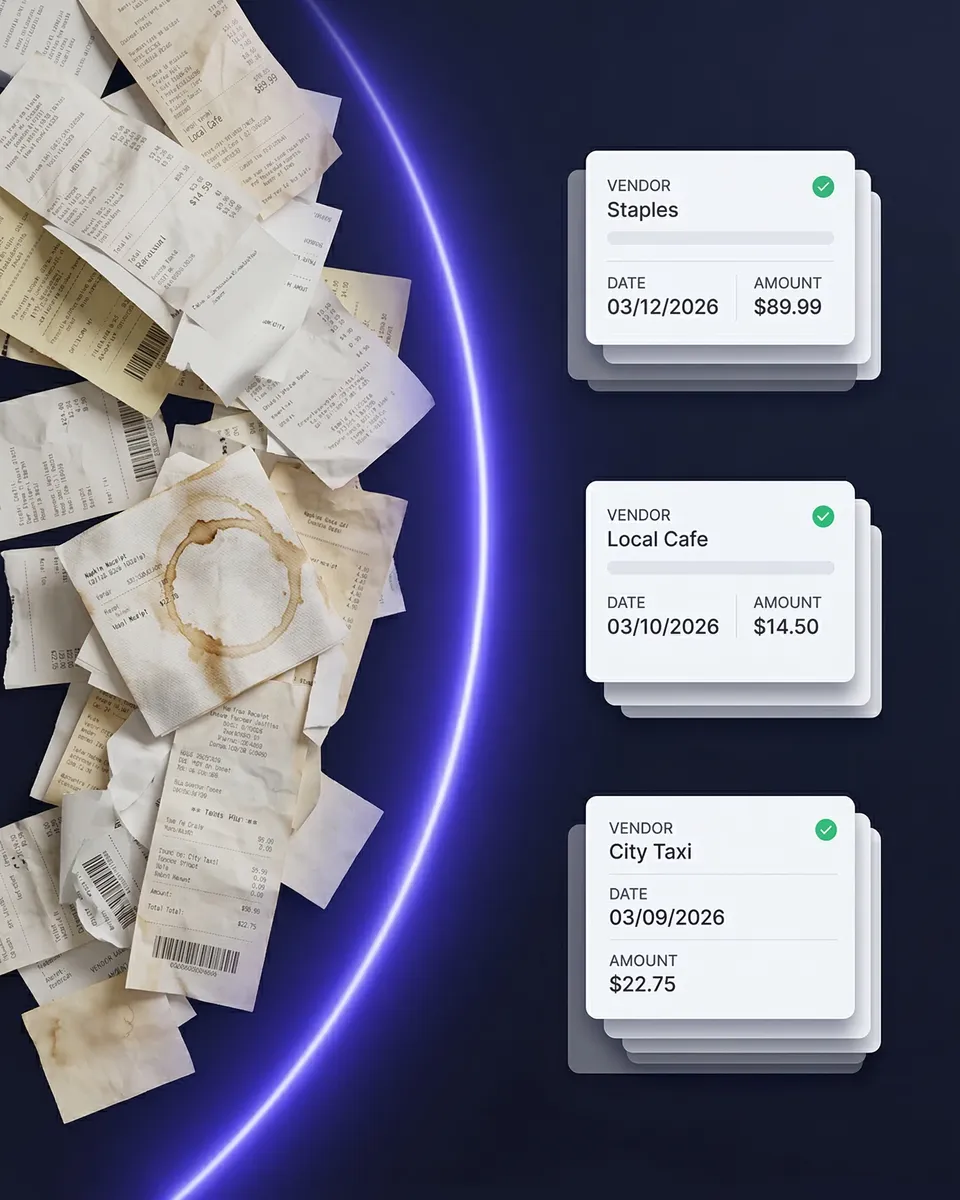
Know exactly how every dollar is spent — by fund source and category
Track Spending by Program, Grant, or Fund
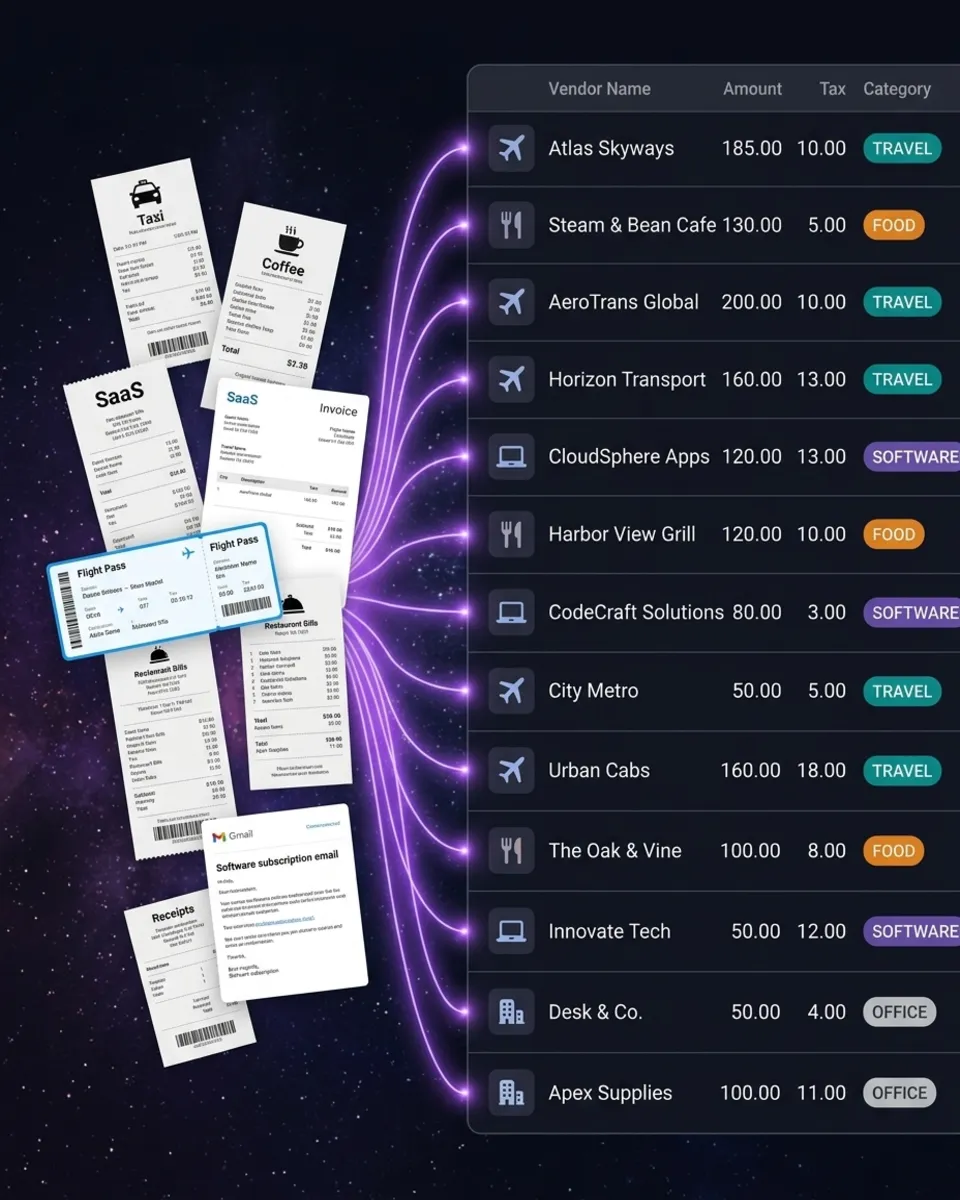
Nonprofits don't just need to track expenses — they need to track which fund paid for what. SparkReceipt lets you tag every expense by program, grant, or fund source using linked accounts and tags. See exactly how much each program costs, which grants are on budget, and where unrestricted funds are going. No more cross-referencing spreadsheets at the end of the quarter.
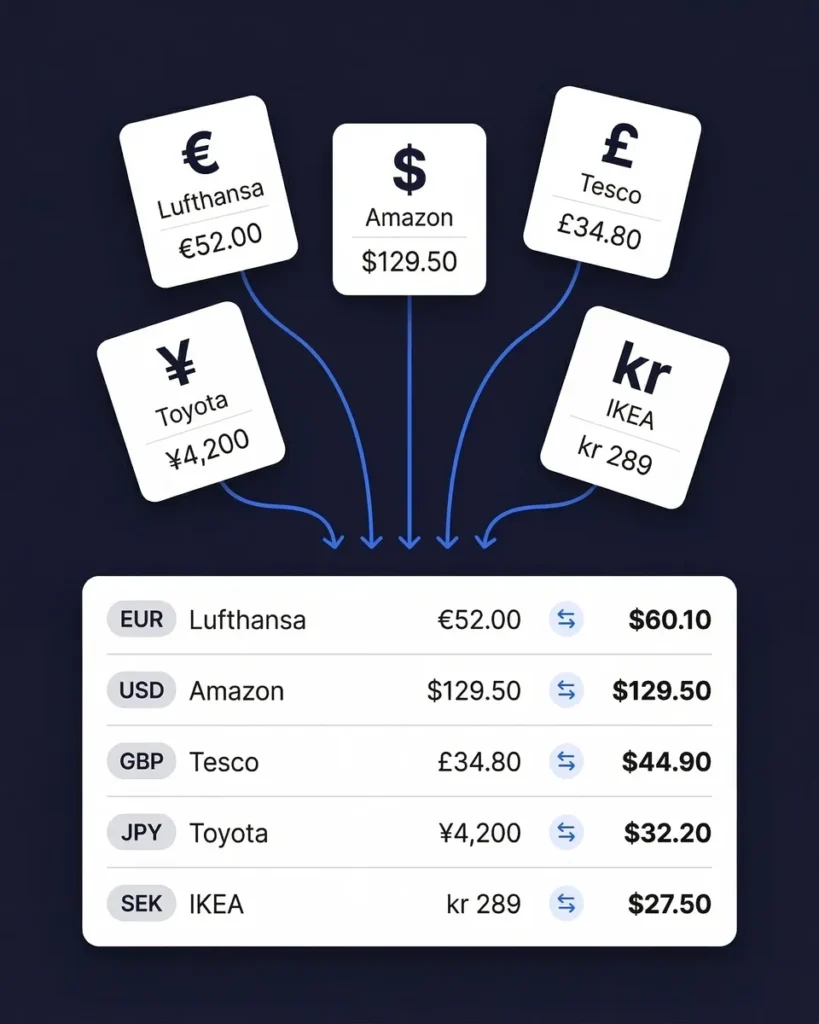
Receipts in 190 currencies — converted and organized automatically
International Missions and Aid Work? No Problem.
International nonprofits deal with receipts in Kenyan shillings, Haitian gourdes, Indian rupees, and dozens of other currencies. SparkReceipt reads receipts in 190 currencies and converts them automatically. Whether your team is buying supplies in Nairobi or paying contractors in Port-au-Prince, every expense is captured, converted, and organized — no manual currency math required.
How It Works for Nonprofits
Capture Every Receipt and Invoice
Snap a photo of any receipt or invoice — office supplies, program materials, travel, vendor payments. SparkReceipt's AI extracts vendor, amount, date, and category in seconds.
AI Categorizes by Program and Expense Type
Every expense is automatically categorized and can be tagged by program, grant, or fund source. No manual sorting — just scan and go.
Generate Reports for Boards and Auditors
One click generates a complete expense report with totals, breakdowns by program or fund, and attached receipt images. Export to PDF, Excel, or CSV. Share with your board treasurer or auditors directly.
Loved by Small Business Owners
“SparkReceipt makes expense tracking simple and stress-free. Everything is organized and easy to find when you need it.”

Robert Connolly
The Internet Design Co. · Scotland
“I love how SparkReceipt takes the hassle out of tracking receipts. It's saved me so much time and kept everything in order.”

Tracy Duggan
Business Coach · United Kingdom
“SparkReceipt is exactly what I needed to keep my business expenses organized. The AI scanning is fast and accurate.”

Jon Aron
Logic Enterprises · Switzerland
Join 38,283 businesses that chose SparkReceipt — 4,620,044 receipts processed and counting.
Start Free TrialStill Managing Nonprofit Receipts Manually?
See what changes when AI handles your organization's expenses
Without SparkReceipt
- Receipts in envelopes, folders, and desk drawers
- Manual spreadsheets tracking expenses by grant and program
- Hours preparing expense documentation for auditors
- Staff and volunteers with no easy way to submit receipts
- Board treasurers creating reports from incomplete data
With SparkReceipt
- Every receipt scanned and stored with searchable data
- Expenses automatically categorized by program, grant, and type
- Audit-ready reports generated in one click with receipt images
- Staff and volunteers scan receipts from their phones in seconds
- Invite your board and auditors — they see clean, organized data
Frequently Asked Questions
Yes. SparkReceipt lets you tag every expense by program, grant, or fund source using linked accounts and tags. You can filter and generate reports by any combination — making grant compliance reporting straightforward.
Yes. Every expense is stored with its original receipt image, vendor name, amount, date, and category. You can generate complete expense reports with attached receipt images in one click — exactly what auditors need to see.
Yes. You can invite board members, treasurers, auditors, and staff to your SparkReceipt account. Each person gets access to organized, categorized expense data and can view or export reports.
Yes. SparkReceipt costs $199.98/year with all features included, with 3 users and no per-receipt charges or hidden costs. That's less than the cost of a single hour of bookkeeping help each month.
Yes. Volunteers can scan receipts directly from their phones using the SparkReceipt mobile app. The receipts are instantly digitized and added to your organization's account, making reimbursement tracking simple.
Yes. Churches, mosques, synagogues, and other religious organizations use SparkReceipt to track facility expenses, event costs, mission trip spending, and administrative expenses — all organized for your treasurer and accountant.
Yes. SparkReceipt lets you filter expenses by program, grant, fund source, category, date range, or any combination. Generate reports with totals and attached receipt images — export to PDF, Excel, or CSV.
SparkReceipt costs $199.98/year with all features included. There are no per-receipt charges and no hidden costs; your plan includes 3 users, and you can add more anytime. Start with a 7-day free trial.
Simple, Transparent Pricing
One flat price. 3 users included. No hidden costs.
Doing it by hand
Shoebox + spreadsheet
60+ hours a year
Flattening, reading and typing each receipt into a spreadsheet, filing the paper, matching it to the bank statement, and hunting for the ones that went missing.
$1,000+ for the cleanup
What a bookkeeper charges to turn a year of shoebox records into books a return can be filed from, before the return itself.
Deductions you can't prove
A faded thermal receipt or a lost email is an expense you pay for twice: once at the counter, once at tax time.
Total per year
Your evenings, a cleanup bill, and the deductions you couldn't prove.
Basis: about 40 receipts a month at six minutes each by hand, plus a weekend reconstructing the year before the return. Bookkeeper rates and cleanup fees from NerdWallet's 2026 bookkeeping price guide (freelance average $43 per hour; cleanup from $1,000).