Never Miss a Tax Deduction — Track Every Receipt Automatically
AI-Powered Receipt Tracker for Tax Deductions
Every lost receipt is a tax deduction you'll never claim. SparkReceipt captures every business receipt the moment you get it — paper, email, or digital. AI extracts the vendor, amount, date, tax, and currency, then categorizes everything into tax-ready expense categories. Generate IRS-compliant reports in one click. Stop scrambling at tax time. Start tracking receipts year-round.





Receipt Tracking at Tax Time
See what changes when you stop losing receipts

Without SparkReceipt
- Receipts crumpled in drawers, wallets, and car glove compartments
- Faded thermal paper receipts that are unreadable by tax time
- Email receipts buried across multiple inboxes and never found
- Scrambling to organize a year's worth of receipts in April
- Missing $2,000–$5,000 in tax deductions every year

With SparkReceipt
- Every receipt scanned and stored digitally the moment you get it
- AI extracts all details — even from crumpled and faded receipts
- Email receipts captured automatically from your inbox
- Tax-ready expense reports generated in one click, any time
- Every deduction accounted for — invite your accountant or bookkeeper
How Tax-Ready Receipt Tracking Works
Capture receipts in seconds. Stay audit-ready year-round.
Scan or Capture Every Business Receipt
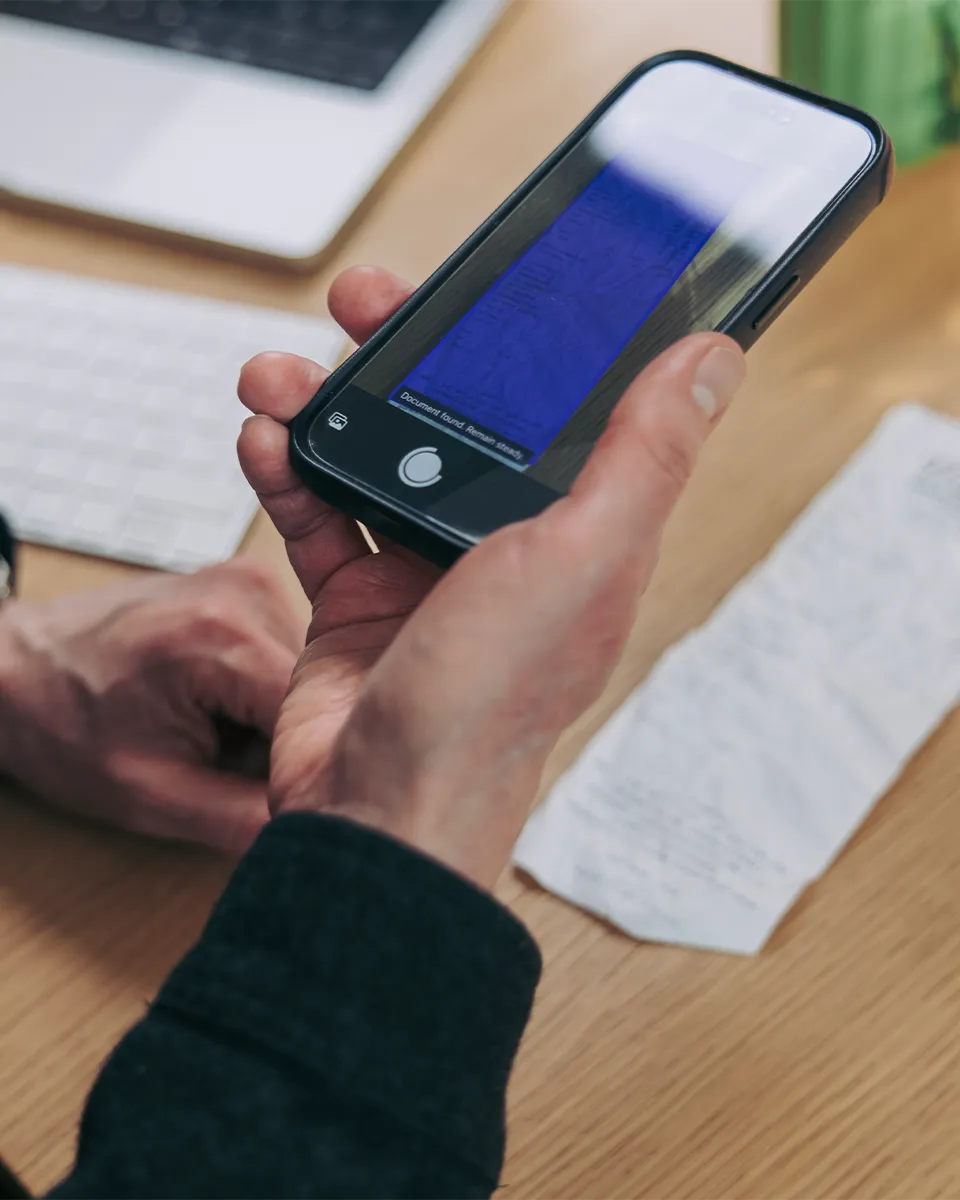
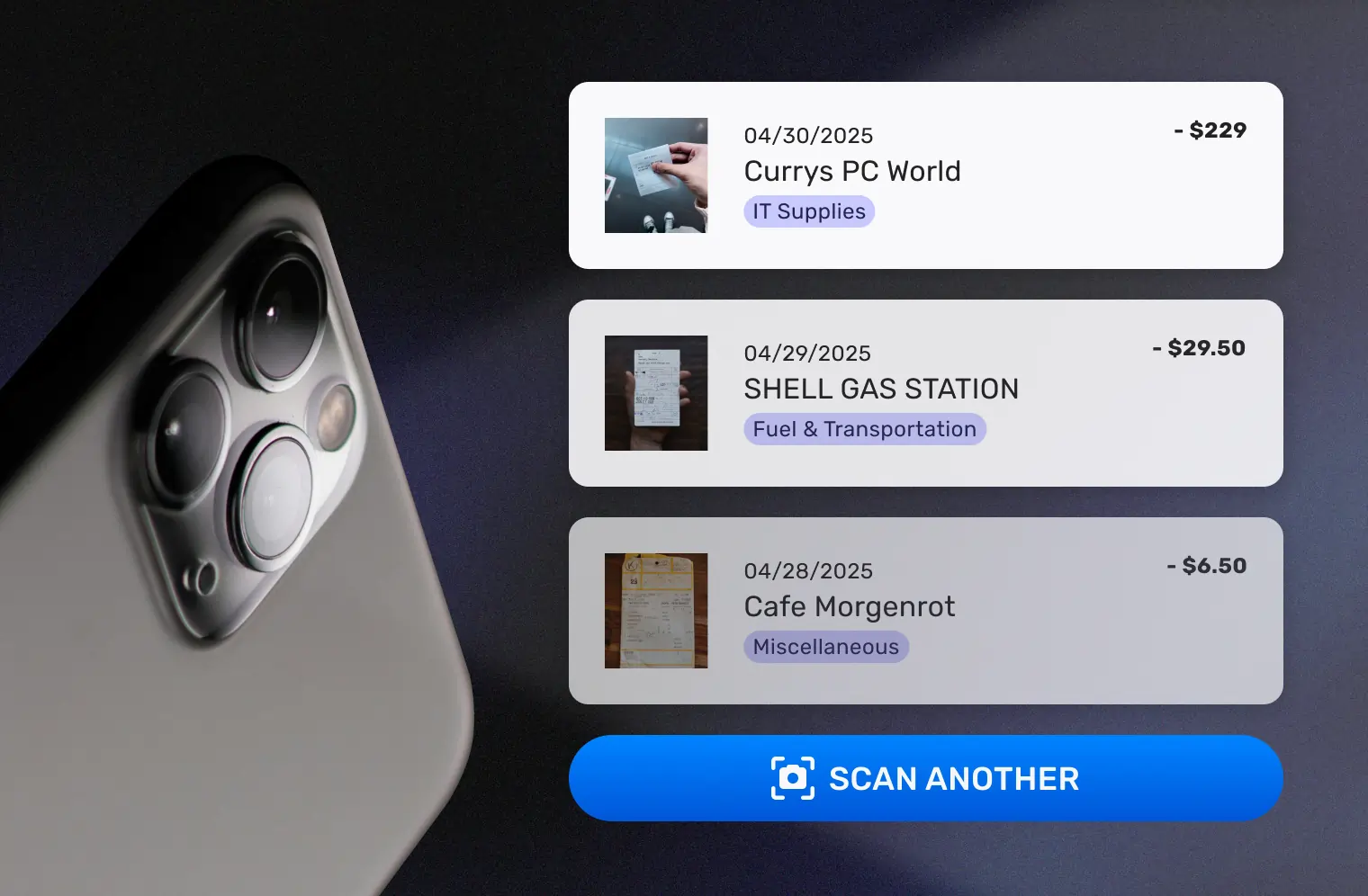
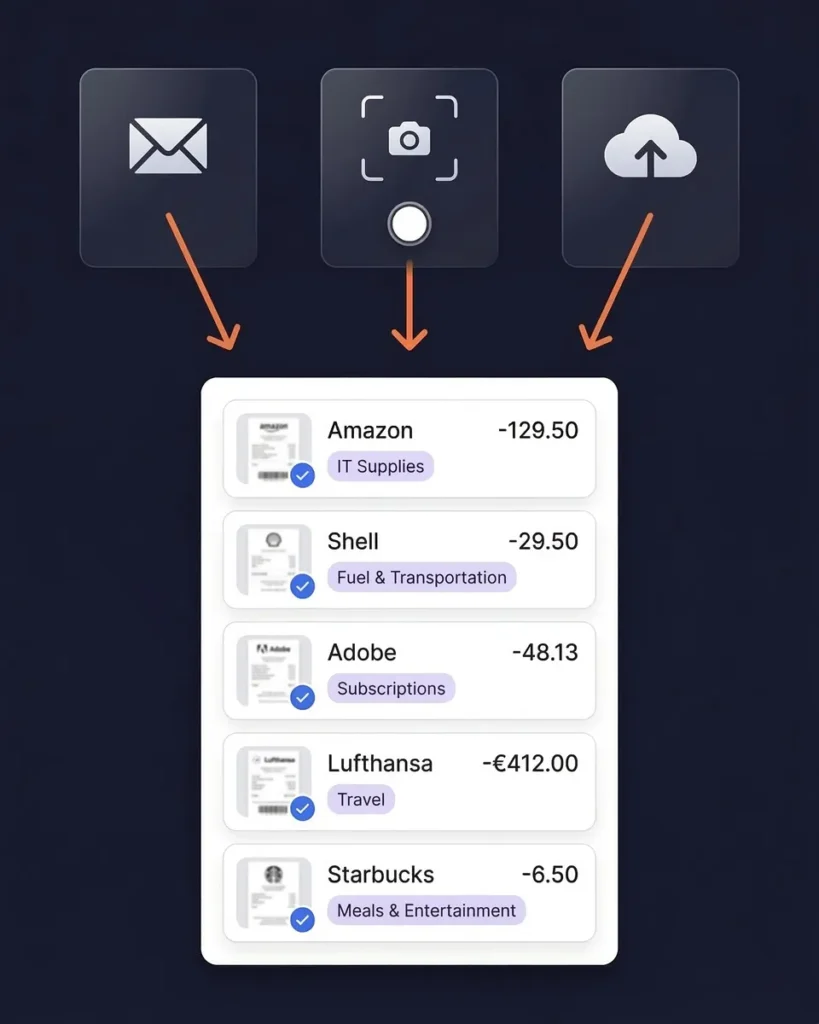
Snap a photo of paper receipts with your phone — the AI receipt scanner extracts vendor, amount, date, tax, and currency instantly. Works with crumpled receipts, faded thermal paper, and handwritten notes. The OCR reads receipts in almost any language.
For digital receipts, connect your Google (Gmail), Microsoft (Outlook, Hotmail, Live), or any IMAP provider (Yahoo, iCloud, ProtonMail, and more) and SparkReceipt captures email receipts automatically — both new and historical emails. Use date filters to target specific periods. You can also forward receipts manually or upload bank statements to match transactions with receipts.
AI Categorizes Receipts Into Tax-Ready Categories
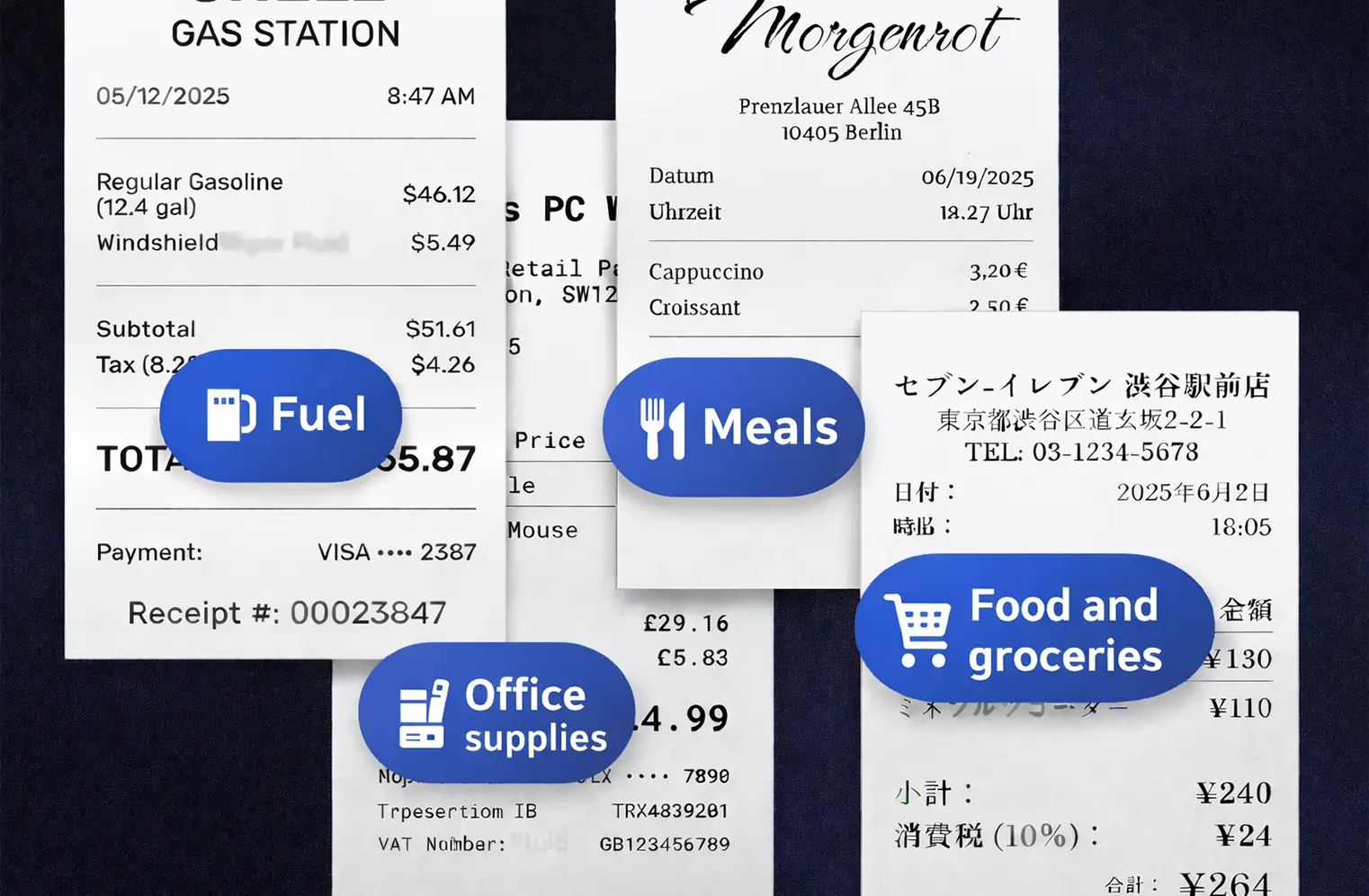
SparkReceipt’s AI automatically assigns every receipt to the right expense category — office supplies, travel, meals, software subscriptions, professional services, and more. Categories align with standard tax-filing requirements, so your records are organized the way your accountant expects them.
The AI handles 150+ currencies and applies local tax rules including VAT, GST, and PST automatically. Wrong category? Tap to change it and the AI learns your preferences over time.
Generate Tax-Ready Reports and Claim Every Deduction
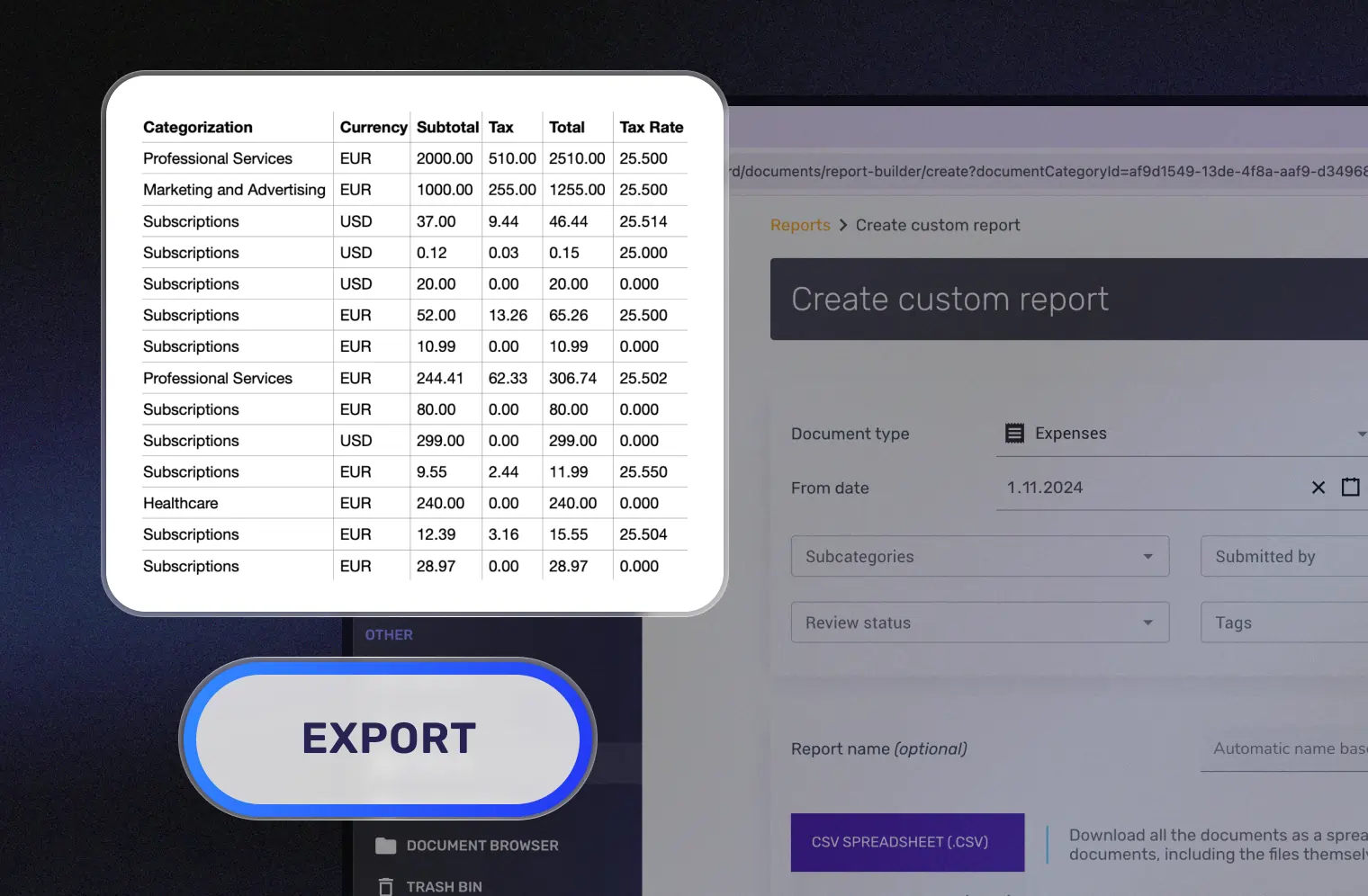
Select any date range and generate a complete expense report — categorized totals, individual receipt images, and tax-relevant breakdowns. Export as PDF or CSV for your tax return. Sync directly to QuickBooks Online.
Invite your accountant or bookkeeper to your account at any time so they can view, download, and manage your receipt data. No more emailing spreadsheets or mailing boxes of paper.
Your Digital Receipts Meet IRS Standards
Audit-ready records, stored securely
The IRS has accepted digital receipts as valid tax documentation since 1997 under Revenue Procedure 97-22. Photos, scans, and digital copies are legally equivalent to paper originals — provided they’re legible, accurate, and accessible.
SparkReceipt creates IRS-compliant digital records of every receipt. Each entry includes the original receipt image, AI-extracted data (vendor, amount, date, tax, currency), and the assigned expense category. Everything is stored with bank-level encryption and accessible from any device.
The IRS requires you to keep tax records for a minimum of 3 years — and up to 7 years in some cases. With SparkReceipt’s Elite plan at $16.65/month, billed annually, your receipt archive stays protected for as long as you need it.
Stop Losing Digital Receipts in Your Inbox
SaaS subscriptions, online purchases, and travel bookings — captured automatically
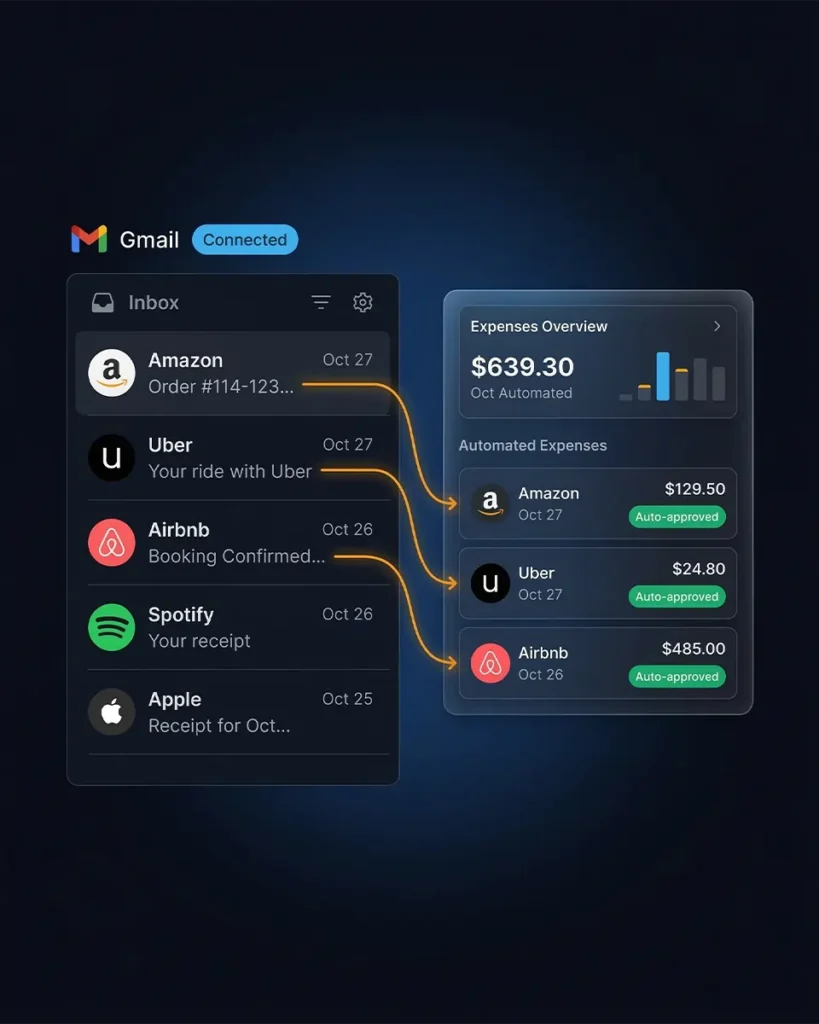
Most freelancers and small business owners receive dozens of email receipts every month — software subscriptions, cloud services, online purchases, travel bookings. At tax time, they’re buried under thousands of other emails.
Connect your Google (Gmail), Microsoft (Outlook, Hotmail, Live), or any IMAP provider (Yahoo, iCloud, ProtonMail, and more), and SparkReceipt scans every incoming email automatically. Receipts and invoices are imported and processed by AI. Everything else is ignored. You can also scan historical emails with date filters to capture past receipts from specific periods, or forward receipts manually and set up auto-forwarding rules for specific vendors.
Every email receipt is scanned, categorized, and stored before it disappears into your inbox. No more searching for that AWS invoice from March or the Zoom subscription renewal from July.
Track Receipts, Income, and Expenses — All in One Place
Everything your accountant needs for tax filing
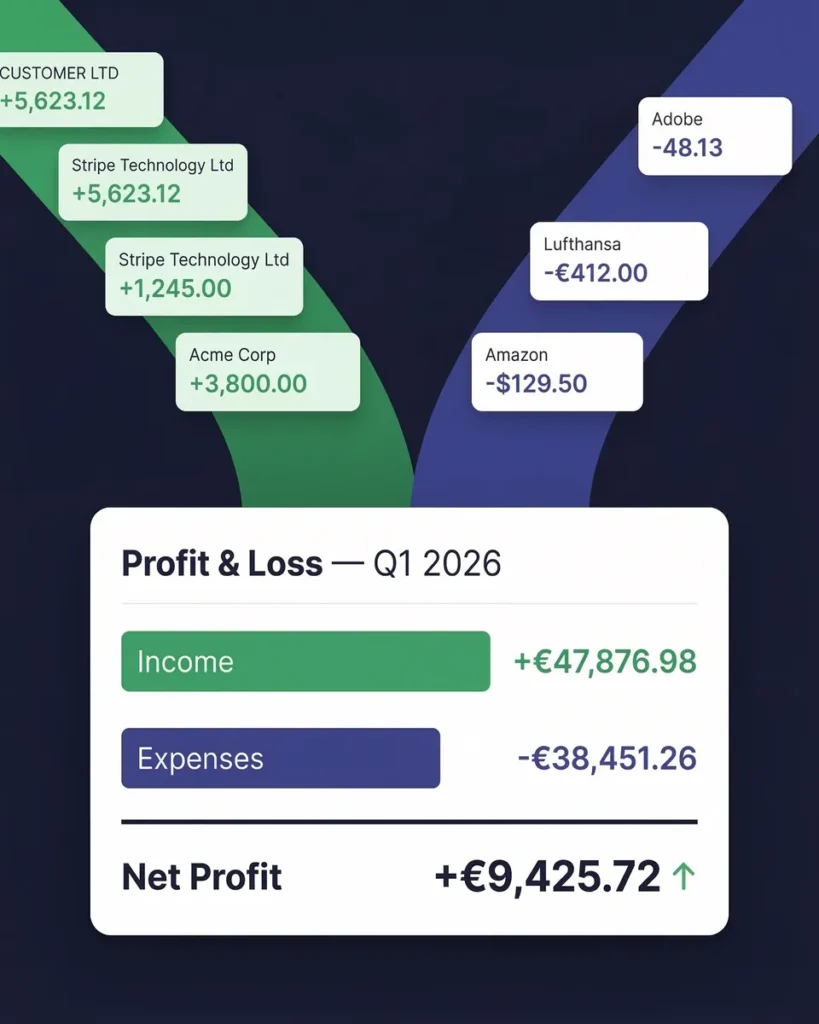
Tax preparation isn’t just about receipts. You need to track income too. SparkReceipt’s income tracker captures revenue from invoices, payment confirmations, and bank statements — alongside your expenses.
Your monthly P&L report shows total income, total expenses, and net profit — exactly what you need for quarterly estimated taxes and annual tax filing. Upload bank statements to reconcile receipts with actual transactions.
This is the pre-accounting layer that saves your accountant hours of work — and saves you money on their bill. Invite your accountant or bookkeeper to your account at any time.
Receipt Tracking for Taxes From $199/Year
One missed deduction costs more than a year of SparkReceipt
Most freelancers miss $2,000–$5,000 in tax deductions every year because receipts are lost, forgotten, or disorganized. That’s money you’re paying in taxes that you don’t owe.
SparkReceipt’s Elite plan is $16.65/month, billed annually ($199/year). A single recovered tax deduction of $200 — at a 30% tax rate — saves you $60 in taxes. That’s nearly a third of a year of SparkReceipt paid for by one receipt you would have lost.
Dext charges $27–$80/month. Neat requires an annual commitment at $200+/year. Shoeboxed charges overage fees. SparkReceipt gives you AI receipt scanning, automatic categorization, email capture, bank statement extraction, expense reports, and QuickBooks integration — all for $16.65/month with simple, transparent pricing and a 7-day free trial.

There's no risk in trying it
Try it for free for 7 days
Elite
For you, your accountant, and your partner.
$199.98/year
- Unlimited documents
- Automatic email receipt fetching (Gmail, Outlook, IMAP)
- Mass upload (up to 100 documents at once)
- Upload documents from anywhere
- Bank statement extraction
- Line-item categorization
- Expense reports (PDF, Excel, CSV)
- AI Automations
- Integrations (QuickBooks Online, Zapier, Make)
- Invite your accountant and partner
- Unlimited linked sub-accounts
7-Day Free Trial
- You Included
- Your accountant Included
- Your partner / co-founder / team member Included
Each additional user: $58/year
How Much Are Lost Receipts Costing You in Taxes?
Most freelancers miss $2,000–$5,000 in tax deductions every year
Tip: Keep this conservative. Even a small loss adds up.
Save yourself from losing money on missed deductions.
Start 7-day free trialWhat Freelancers and Business Owners Say
Join thousands who stopped losing receipts at tax time

I used to send my accountant a bag of slips every month hoping they capture everything in order for me to be refunded for business expenses. With Sparkreceipt I now have a realtime view of how much the business owes me and I have a clear picture for what business expenses I pay for.
SparkReceipt is one of the very few software purchased that I have made that exceeded my expectations. It does much more than keeps copies of your business receipts, it provides great reports, with easy edit options - it is going to save me a lot of work when I do my annual tax returns - a great product.

SparkReceipt takes care of the busy work, allowing me to quickly save receipts and create expense reports.
Receipt Tracker for Taxes FAQ
Does the IRS accept digital receipts for tax deductions?
Yes. The IRS has accepted digital receipts as valid tax documentation since 1997 under Revenue Procedure 97-22. Digital records — including scanned images, photos, email receipts, and PDFs — are legally equivalent to paper originals, provided they are legible, accurate, and accessible. SparkReceipt creates IRS-compliant digital copies of every receipt you scan, stored securely with bank-level encryption.
How long should I keep receipts for tax purposes?
The IRS requires you to keep receipts and supporting tax documents for a minimum of 3 years from the date you filed your return. Some situations require longer retention: 6 years if you underreported income by more than 25%, and 7 years for worthless securities or bad debt deductions. SparkReceipt stores your receipts digitally in the cloud with no storage limits, so your records remain accessible for as long as you need them.
What receipts should I keep for my small business taxes?
Keep receipts for all business-related purchases, including office supplies, equipment, software subscriptions, travel expenses, meals (with business purpose noted), vehicle expenses, professional services, insurance premiums, rent, utilities, marketing costs, and contractor payments. The IRS expects documentation showing the amount paid, date, vendor, and business purpose. SparkReceipt’s AI automatically extracts and categorizes this information from every receipt you scan.
Can a credit card statement replace a receipt for taxes?
A credit card statement proves payment was made, but it typically does not show what was purchased. The IRS may accept statements for routine business expenses, but for travel, meals, charitable donations over $250, and expenses requiring detailed substantiation, you need the itemized receipt. SparkReceipt captures and stores the full receipt image alongside the extracted data, giving you both the detailed record and searchable expense data.
What is the $75 receipt rule for the IRS?
For business travel, transportation, and entertainment expenses under $75, the IRS does not require a receipt — a written log noting the amount, date, location, and business purpose is sufficient. However, lodging receipts are required regardless of amount. Best practice is to capture every receipt. SparkReceipt makes this effortless — snap a photo in seconds, and the AI handles the rest.
What happens if I get audited and don't have receipts?
Without receipts, the IRS can disallow the deductions you claimed, resulting in additional taxes owed, penalties (typically 20% of the underpayment), and interest charges. You may be able to use bank statements or cancelled checks as alternative documentation, but these are weaker evidence than original receipts. SparkReceipt prevents this by giving you a searchable, organized digital archive of every business receipt — always accessible, always audit-ready.
Are photos of receipts acceptable for tax purposes?
Yes. The IRS accepts photographs and scanned images of receipts as valid documentation, provided they are legible and accurately represent the original transaction details. SparkReceipt’s AI-powered receipt scanner captures high-quality images and automatically extracts key data, creating a comprehensive digital record that exceeds basic photo documentation.
What receipts are tax deductible for freelancers?
Common tax-deductible expenses for freelancers include: home office costs, equipment and supplies, software subscriptions, professional development, health insurance premiums, retirement contributions, business travel and meals (50% deductible), vehicle expenses, marketing and advertising, professional services, and payment processing fees. SparkReceipt helps you track all deductible categories and generates reports that align with Schedule C tax filing requirements.
How much does SparkReceipt cost for receipt tracking?
SparkReceipt’s Elite plan is $16.65/month, billed annually ($199/year), with a 7-day free trial. Compare this to Dext ($27–$80/month), Neat ($200+/year with annual commitment), and Shoeboxed (with overage charges). SparkReceipt includes AI receipt scanning, automatic categorization, email receipt capture, bank statement extraction, expense reports, and QuickBooks integration. See pricing →
Can my accountant access my receipt records in SparkReceipt?
Yes. Invite your accountant or bookkeeper to your account at any time so they can view your organized receipts, categorized expenses, and expense reports. This makes tax preparation faster, as your accountant spends less billable time organizing your records.
Stop Losing Receipts. Start Claiming Every Deduction.
Start with a 7-day free trial. Audit-ready in 2 minutes.
Every receipt you lose is a tax deduction you’ll never claim. SparkReceipt’s AI captures, categorizes, and stores every business receipt automatically — paper, email, and digital. Your records are IRS-compliant, your reports are one click away, and you can invite your accountant to your account at any time.
Join thousands of freelancers and small business owners who stopped scrambling at tax time. Simple, transparent pricing with no hidden fees.