


Receipt Scanner for Real Estate & Property Management

Track maintenance costs, tenant expenses, and renovation receipts — organized by property.

Managing multiple properties means managing hundreds of receipts. SparkReceipt's AI scans every maintenance bill, repair receipt, and vendor invoice — then organizes them by property automatically. Generate Schedule E-ready reports in one click.

Real estate agent showing a home to a couple
30% Of Rental Income Is Deductible
150+ Currencies Supported
$199 Per Year
2 min Setup Time

Every Property, Every Receipt, One Place

Stop sorting receipts by property at tax time — AI does it for you

Landlords and property managers deal with a constant stream of receipts — plumbing repairs, HVAC maintenance, landscaping, cleaning services, appliance purchases. SparkReceipt’s receipt organizer lets you tag every expense to a specific property automatically.

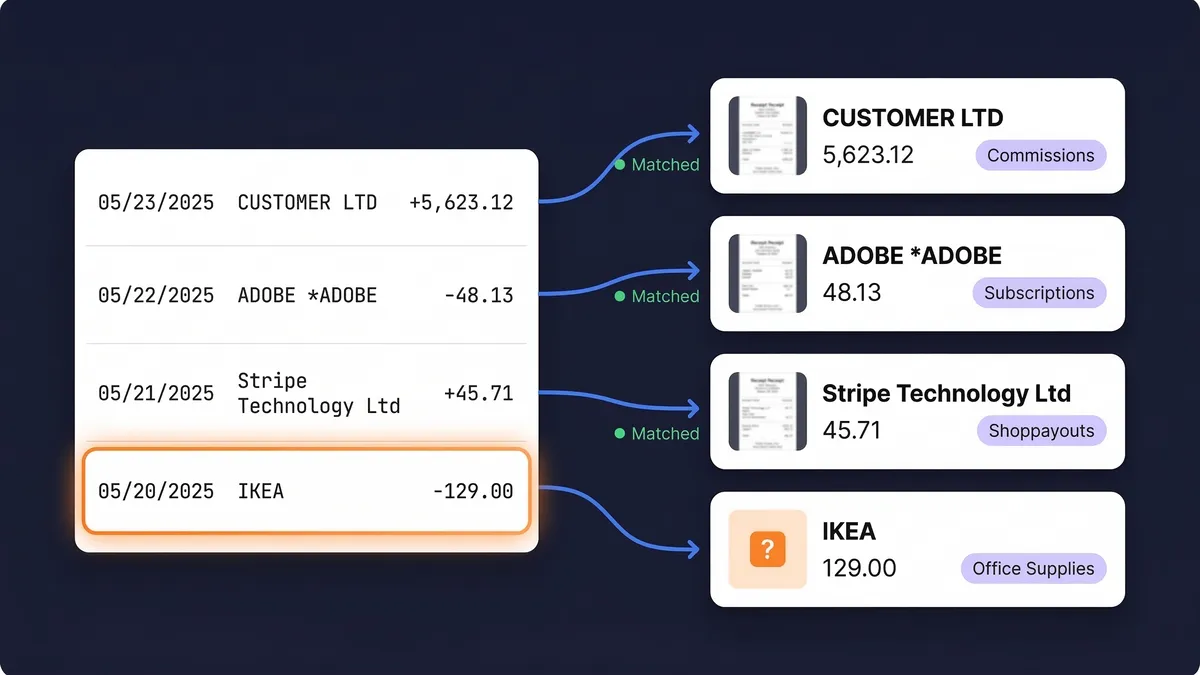
Snap a photo of any receipt, upload contractor invoices, or forward email receipts from property management vendors. AI extracts the details and files them under the right property — no manual sorting required.

See Your True Profit and Loss Per Property

Know which properties make money and which ones drain it

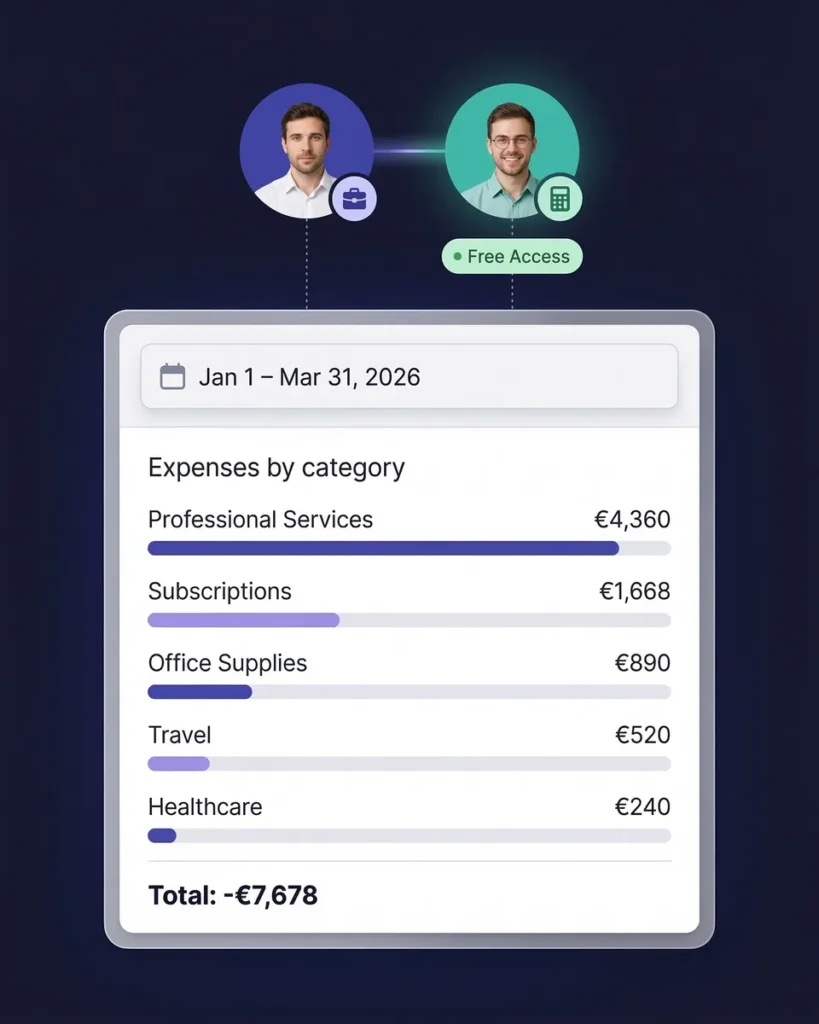
SparkReceipt doesn’t just track expenses — it gives you a clear picture of per-property profitability. Generate expense reports that show total costs by category for each property: repairs, maintenance, insurance, utilities, management fees, and more.

When tax season arrives, your Schedule E data is already organized. Export per-property reports in PDF or Excel and hand them to your accountant — or sync directly to QuickBooks Online.

Profit loss reports

How It Works for Property Managers

From maintenance call to tax filing in three steps

Scan Maintenance and Repair Receipts

Snap a photo of any receipt — from plumbers, electricians, landscapers, hardware stores, or cleaning services. Upload PDF invoices from contractors, or forward email receipts from property management vendors. SparkReceipt handles receipts in 6 languages and 150+ currencies.

Trusted by Landlords and Property Managers

See why real estate professionals choose SparkReceipt

Tim Heller

SparkReceipt takes care of the busy work, allowing me to quickly save receipts and create expense reports.

Tim Heller United States · HellerWeather
Jon Aron

Excellent start and amazing team. Looking forward to making SparkReceipt my default expense management and accounting platform.

Jon Aron Switzerland · Logic Enterprises
Pierce Mooney

SparkReceipt is an excellent alternative to full-fledged accounting software, saving you time and money!

Pierce Mooney United States · Legal Services

Still Sorting Property Receipts Manually?

See what changes when AI handles your rental expenses

Without SparkReceipt

  • Receipts from multiple properties mixed together in folders
  • Scrambling to sort expenses by property at tax time
  • Missed deductions on repairs, maintenance, and improvements
  • No clear picture of per-property profitability
  • Paying your accountant to organize a year's worth of receipts

With SparkReceipt

  • Every receipt automatically tagged to the right property
  • AI extracts vendor, amount, date, and category instantly
  • Never miss a deduction on repairs, insurance, or maintenance
  • Per-property expense reports show true profitability
  • Invite your accountant — Schedule E data ready in one click

Real Estate Expense Tracking FAQ

Can I track expenses per property?

Yes. SparkReceipt lets you create separate sub-accounts for each property address. Every receipt you scan can be tagged to a specific property, and you can generate per-property expense reports with full category breakdowns.

Does it handle expenses for multiple properties?

Absolutely. SparkReceipt includes unlimited sub-accounts at no extra cost. Whether you manage 2 rental units or 20, every property gets its own expense tracking — all under one account.

Can I generate Schedule E reports for tax filing?

Yes. SparkReceipt automatically categorizes your rental expenses into tax-relevant categories that align with Schedule E line items — advertising, insurance, repairs, taxes, utilities, and more. Export per-property reports in PDF or Excel format.

Consult a qualified tax professional for advice specific to your situation.

What rental property expenses are tax deductible?

Common deductible rental expenses include mortgage interest, property taxes, insurance, repairs and maintenance, property management fees, utilities, advertising costs, travel to properties, and depreciation. SparkReceipt helps you capture and categorize all of these automatically.

Consult a qualified tax professional for advice specific to your situation.

Does SparkReceipt integrate with QuickBooks?

Yes. SparkReceipt integrates directly with QuickBooks Online. Your categorized property expenses and receipt images sync automatically, eliminating double entry.

Can my property manager or accountant access the data?

Invite your accountant, bookkeeper, or property manager to your account at any time. They can view all receipts, categories, and reports.

Can I scan contractor invoices and PDF bills?

Yes. Upload PDF invoices, contractor bills, and utility statements directly from your computer. SparkReceipt’s AI extracts vendor, amount, date, and line items automatically — just like it does with paper receipts scanned via your phone camera.

How much does SparkReceipt cost?

The Elite plan is $199/year (includes 3 users), with unlimited document scanning. Try it free for 7 days. See pricing