
Try the Expense Tracker Free for 7 Days
Track business expenses with AI. Scan receipts, categorize automatically, and stay tax-ready.
Expense tracking shouldn't take hours of your time. SparkReceipt gives you AI-powered receipt scanning, automatic expense categorization, and tax-ready reports. No spreadsheets. No manual entry. Try every feature with a 7-day free trial.
Business Owners in 175 Countries Trust SparkReceipt


More Than a Spreadsheet — Less Than Enterprise Software
Spreadsheets miss receipts. Enterprise tools like Expensify or Ramp charge per user and require corporate cards. SparkReceipt sits in the sweet spot — powerful enough for real business expense tracking, simple enough to use from day one, and easy to try with a 7-day free trial.
AI Does the Work You Hate
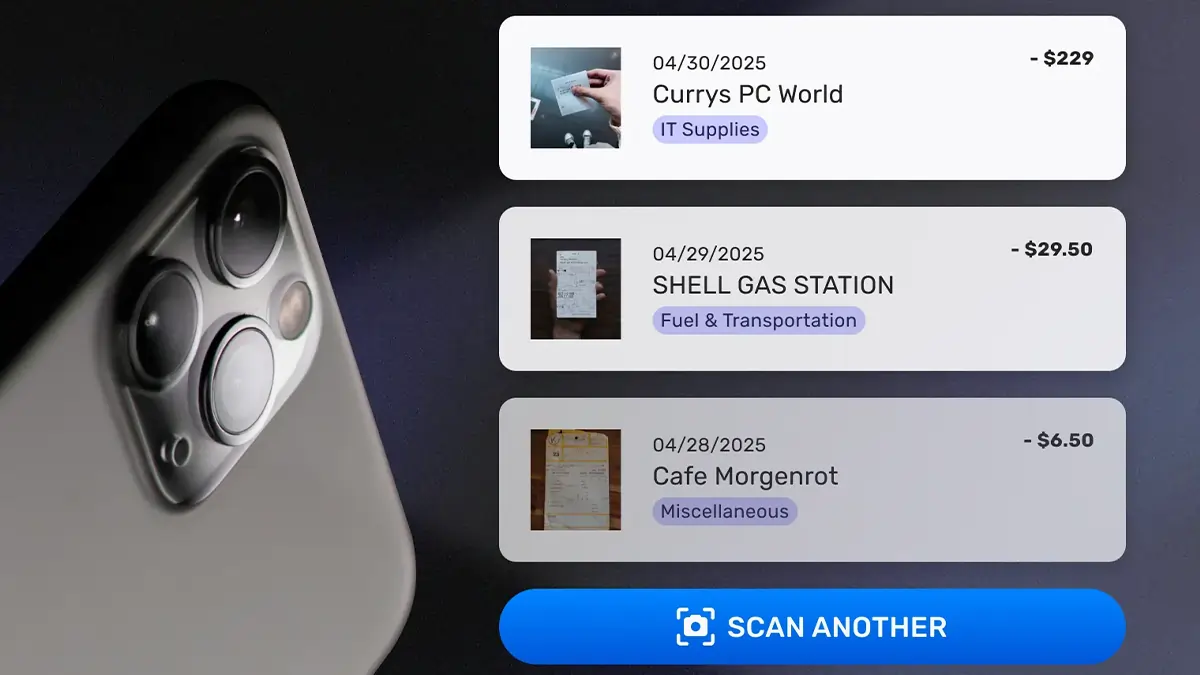
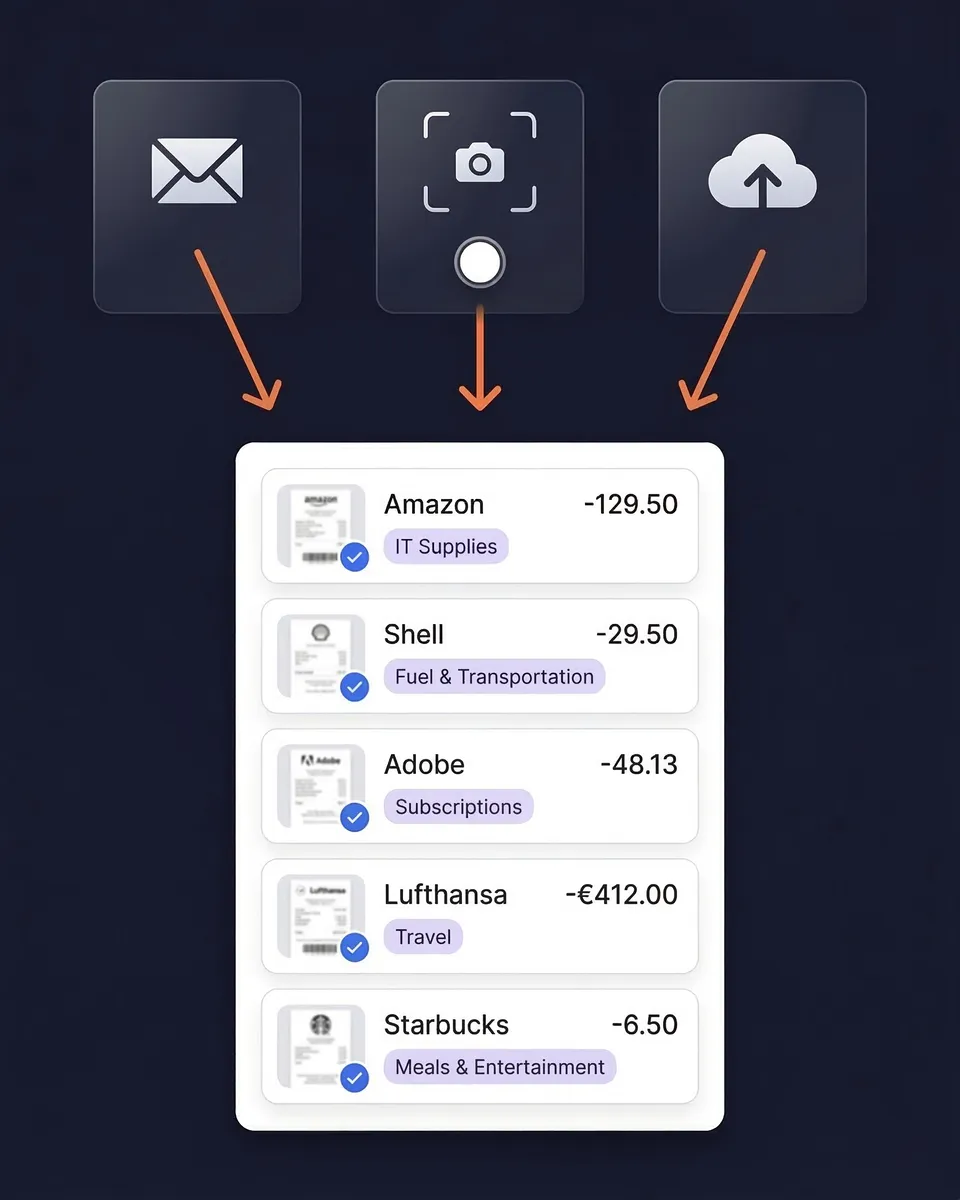
Scan a receipt. AI handles the rest. Every expense tracker asks you to type in data. SparkReceipt doesn't. Snap a photo of a receipt and AI extracts the vendor, amount, date, tax, and category.
Built for Freelancers and Small Businesses
- Simple, transparent pricing — $16.65/month, billed annually
- No corporate card required — works with any bank, any card
- Invite your accountant or bookkeeper at any time
- One-click reports — PDF or Excel expense reports ready for taxes
- 190 currencies — for businesses that work internationally

Loved by Small Business Owners
“SparkReceipt takes care of the busy work, allowing me to quickly save receipts and create expense reports.”

Tim Heller
HellerWeather · United States
“SparkReceipt has been a game-changer for me! It's made organising my expenses and accounts effortless, saving me loads of time.”

Tracy Duggan
Business Coach · United Kingdom
“I needed a solution to organize and process my personal and business receipts. I'm thrilled I found SparkReceipt. It saves me a lot of time!”

Frédéric Thériault
Productions Locavores · Canada
Join 38,283 businesses that chose SparkReceipt — 4,620,044 receipts processed and counting.
Start Free TrialStill Tracking Expenses Manually?
See the difference when AI handles your expenses

Without SparkReceipt
- Typing receipt data into spreadsheets manually
- Receipts piling up because data entry takes too long
- No idea which expenses are deductible
- Tax-time scramble to reconstruct a year of spending
- Paying for expensive software you don't fully use

With SparkReceipt
- AI scans receipts and extracts data — no typing
- Every receipt captured the moment you get it
- Expenses auto-categorized into tax-relevant categories
- Tax-ready reports generated in one click, all year
- 7-day free trial — try every feature before you commit
Frequently Asked Questions
The 7-day free trial gives you full access to the Elite plan: AI receipt scanning, automatic expense categorization, cloud storage, unlimited document scanning, bank statement extraction, automatic email receipt fetching, and data exports (CSV, PDF, Excel). Cancel anytime before the trial ends.
Budget apps like Mint or YNAB track bank transactions after the fact. SparkReceipt captures the actual receipt — with vendor details, line items, and tax amounts — at the point of purchase. This gives you IRS-grade documentation for tax deductions, not just transaction summaries.
Yes. Use linked accounts and tags to separate business from personal expenses. Generate reports for business expenses only — perfect for freelancers who use one card for everything.
Yes. SparkReceipt integrates with QuickBooks Online and Xero. Categorized expenses sync directly to your accounting software.
If you keep the subscription, you continue with the Elite plan at $16.65/month, billed annually ($199.98/year). Cancel any time before the trial ends and you won't be charged.
The Elite plan is $16.65/month, billed annually ($199.98/year). Simple, transparent pricing with no hidden fees.
Explore More Features
Expense Tracker
AI-powered business expense tracking
Receipt Scanner
Scan any receipt with AI in seconds
Email Receipts
Auto-import receipts from your inbox
Expense Reports
Generate reports in PDF, Excel, or CSV
Receipt Organizer
AI-powered receipt organization
Income Tracker
Track every dollar of business income