Looking for a Simpler Alternative to FreshBooks?

If you just need receipt scanning and expense tracking, SparkReceipt does it better and faster.

FreshBooks starts at $23/month and includes invoicing, time tracking, and full accounting. But many freelancers and small business owners sign up when all they really need is receipt scanning and expense tracking. They end up paying for features they never use. SparkReceipt is purpose-built for capturing, organizing, and reporting on receipts and expenses.

FreshBooks vs SparkReceipt

See where each tool wins

FreshBooks

  • Starting at $23/month (Lite) up to $70/month (Premium)
  • No free plan - only a 30-day trial
  • Basic receipt capture - upload photos or forward emails manually
  • No automatic email inbox scanning for receipts
  • No bank statement extraction or receipt matching
  • Multi-currency only on Plus plan ($43/mo) and above
  • Additional team members cost $11/month each, including accountants
  • English-focused OCR
  • Bank feeds available but no receipt-to-transaction matching
  • Full accounting features many freelancers never use

SparkReceipt

  • Plans from $6.58/month - up to 70% less than FreshBooks
  • Free plan with 15 scans/month, no credit card required
  • Advanced AI receipt scanning with instant data extraction
  • Automatic email receipt capture from Gmail, Outlook, and IMAP inboxes
  • Bank statement extraction with automatic receipt matching
  • 150+ currencies with live exchange rates on all plans
  • Free accountant access - never billed as a user
  • Multi-language OCR reads receipts in any language
  • Upload bank statements and match transactions to receipts instantly
  • Purpose-built for receipt scanning and expense tracking

What Makes SparkReceipt Different?

FreshBooks is a full accounting suite. SparkReceipt is the best way to capture and organize receipts.

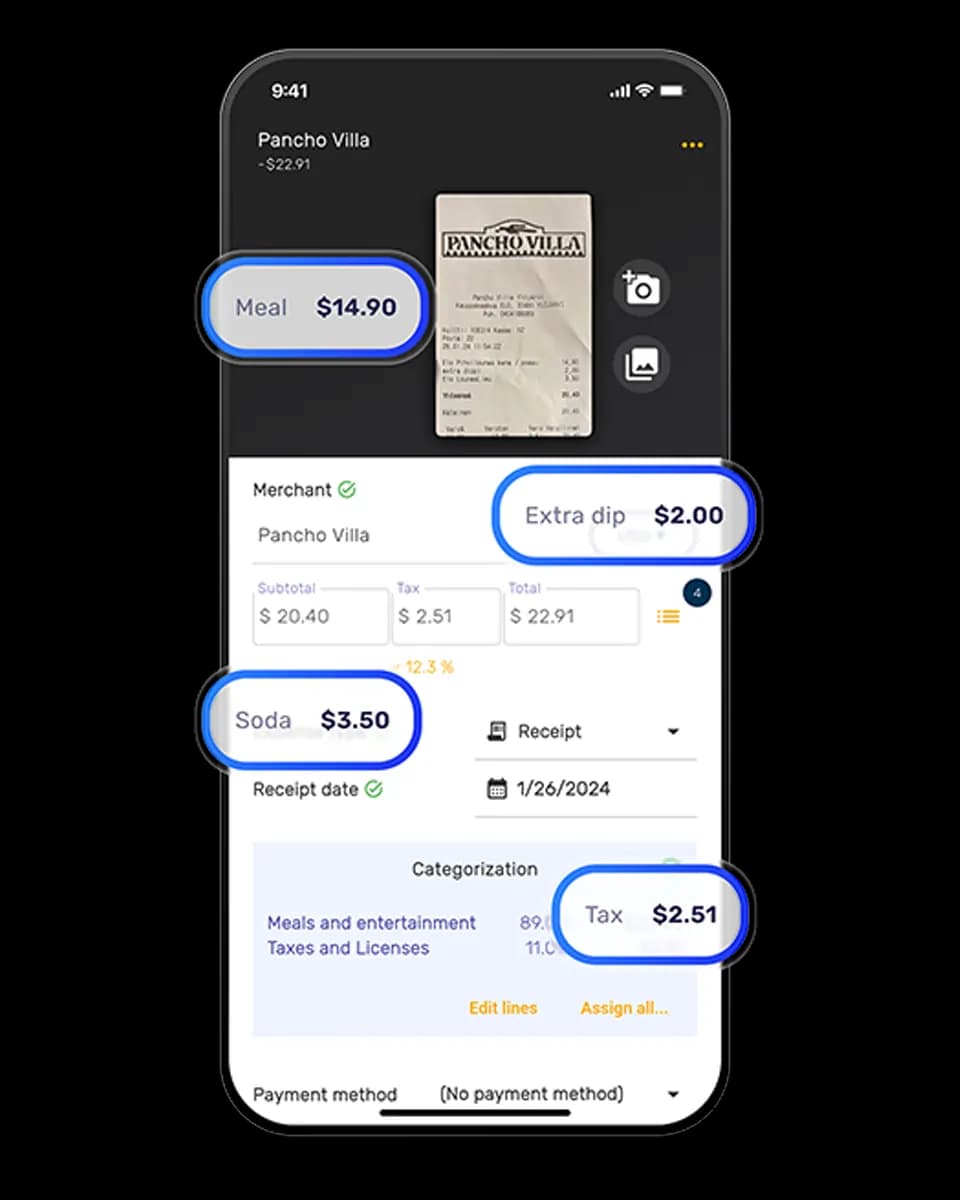
AI-powered scanning – SparkReceipt extracts vendor, amount, date, tax, and currency from any receipt in seconds. FreshBooks has basic receipt capture but lacks the same level of AI accuracy and speed.

Automatic email receipts – Connect your Gmail, Outlook, or IMAP inbox and SparkReceipt finds and processes email receipts automatically. No forwarding rules needed. FreshBooks requires manual forwarding.

Bank statement matching – Upload a statement and SparkReceipt matches transactions to your scanned receipts, showing exactly which expenses are missing documentation. FreshBooks has bank feeds but not receipt-to-statement matching.

Free accountant access – Invite your accountant at no extra cost. FreshBooks charges $11/month per additional team member. 150+ currencies – Mix any currencies in one workspace with automatic conversion. FreshBooks restricts multi-currency to higher-tier plans.

Feature Comparison

A detailed look at receipt scanning and expense tracking capabilities

Feature FreshBooks SparkReceipt
AI receipt scanning Basic receipt capture via photo upload. Limited AI extraction compared to dedicated receipt scanners. Advanced AI extracts vendor, amount, date, tax, currency, and line items in seconds. Works in any language.
Email receipt capture Manual forwarding only. No automatic inbox scanning. Automatic Gmail, Outlook, and IMAP inbox scanning. SparkReceipt finds and processes email receipts without forwarding.
Auto-categorization Basic expense categories tied to chart of accounts. AI-powered categorization that learns your patterns. Fully customizable categories with codes.
Line-item categorization Not available. Categorize individual line items on each receipt automatically (Elite plan).
Bank statement extraction Bank feeds for transaction import. No receipt matching. Upload PDF, Excel, or CSV statements. AI extracts transactions and matches them to scanned receipts.
Multi-currency Available on Plus ($43/mo) and Premium ($70/mo) plans only. 150+ currencies with live exchange rates on all plans. Mix currencies freely in one workspace.
Multi-language OCR English-focused. Reads receipts in any language. App translated into 6 languages.
Accountant access $11/month per additional team member, including accountants. Free accountant access. Never billed as a user.
Expense reports Basic expense reporting within accounting reports. One-click reports in PDF, Excel, CSV, or ZIP with receipt images attached.
Invoicing Yes - full invoicing with recurring billing and online payments. No. SparkReceipt focuses on receipt scanning and expense tracking.
Time tracking Yes - track billable hours and attach to invoices. No.
Full accounting Yes - double-entry accounting, P&L, balance sheet. No. SparkReceipt is pre-accounting. Syncs to QuickBooks for full accounting needs.
Free plan No. 30-day free trial only. Yes. 15 scans/month, no credit card required.
Starting price $23/month (Lite), $43/month (Plus), $70/month (Premium). $6.58/month (Pro), $9.08/month (Elite). 30-day money-back guarantee.
Mass upload Upload receipts one at a time. Upload up to 100 documents at once with instant AI processing.

This comparison is based on information publicly available from FreshBooks' website and other online sources as of April 2026. Features, pricing, and details may change over time. SparkReceipt is not affiliated with or endorsed by FreshBooks.

Simple Pricing That Scales With You

No hidden fees, no surprise charges. Plans from $6.58/month with a 30-day money-back guarantee.

Seats
1

Pro

For small businesses and freelancers

USD / month

$0 / user / month $0 / user / year · billed at $0/yr

  • 50 Document Scans / mo
  • Multiple Users (pay per seat)
  • Mass Upload Documents
  • Unlimited Linked Sub-Accounts
  • Automatic Email Receipt Fetching
  • Line-item Categorization for Expenses
  • AI Automations
Get Started Free

No Credit Card Required

Elite

For growing teams and power users

USD / month

$0 / user / month $0 / user / year · billed at $0/yr

  • Unlimited Document Scans / mo
  • Multiple Users (pay per seat)
  • Mass Upload Documents
  • Unlimited Linked Sub-Accounts
  • Automatic Email Receipt Fetching
  • Line-item Categorization for Expenses
  • AI Automations
Get Started Free

No Credit Card Required

Why Thousands Choose SparkReceipt

Hear from freelancers and business owners who track receipts with SparkReceipt

Productions Locavores

I needed a solution to organize and process my personal and business receipts. I'm thrilled I found SparkReceipt. It saves me a lot of time!

Frédéric Thériault Canada · Productions Locavores
Esterhuizen Consulting

I used to send my accountant a bag of slips every month hoping they capture everything in order for me to be refunded for business expenses. With Sparkreceipt I now have a realtime view of how much the business owes me and I have a clear picture for what business expenses I pay for.

Daniel Esterhuizen South Africa · Esterhuizen Consulting
Tracy Duggan

SparkReceipt has been a game-changer for me! It’s made organising my expenses and accounts effortless, saving me loads of time.

Tracy Duggan United Kingdom · Business Coach

Frequently Asked Questions

Is SparkReceipt a full replacement for FreshBooks?

Not entirely. SparkReceipt replaces FreshBooks for receipt scanning and expense tracking, and does it better with AI-powered extraction, automatic email capture, and bank statement matching. But SparkReceipt does not handle invoicing, time tracking, or full accounting. If those are important to your business, you may need an accounting tool alongside SparkReceipt.

How much cheaper is SparkReceipt than FreshBooks?

SparkReceipt plans start at $6.58/month, compared to FreshBooks starting at $23/month (Lite plan). That’s roughly 70% less. SparkReceipt also offers a free plan with 15 scans per month, while FreshBooks only offers a 30-day trial.

Can I use SparkReceipt and FreshBooks together?

Yes. Many users use SparkReceipt as their receipt capture and expense tracking layer, then export categorized data to their accounting software. SparkReceipt exports in PDF, Excel, CSV, and ZIP formats. A direct FreshBooks integration is coming soon.

Does SparkReceipt integrate with FreshBooks?

A direct FreshBooks integration is coming soon. In the meantime, you can export your categorized expenses from SparkReceipt as CSV or Excel and import them into FreshBooks. SparkReceipt also integrates directly with QuickBooks Online.

Can my accountant access SparkReceipt for free?

Yes. SparkReceipt offers free guest access for accountants and bookkeepers. They can view, edit, review, and download all your documents without counting toward your seat limit. FreshBooks charges $11/month per additional team member.

Does SparkReceipt support multiple currencies?

Yes. SparkReceipt supports over 150 currencies with automatic daily and historical exchange rate conversion on all plans. FreshBooks multi-currency support is only available on Plus ($43/mo) and Premium ($70/mo) plans.

What if I need invoicing too?

SparkReceipt does not include invoicing. If you need both receipt tracking and invoicing, you can use SparkReceipt for receipts and expenses (at $6.58/mo) alongside a dedicated invoicing tool. This often costs less than FreshBooks alone while giving you better receipt scanning capabilities.

Early Bird Deal

$6.58 USD/MONTH*

Get our best deal ever – only $6.58 USD per month (*billed annually at $79 USD/year). This pricing is limited to the first 15,000 users. With our 30-day money-back guarantee, there’s no risk in trying.

USERS/15,000 90%

30-day money-back guarantee