
Receipt Scanner App for iPhone
Scan any receipt with your iPhone camera. AI extracts every detail in seconds.
Turn your iPhone into a powerful receipt scanner. SparkReceipt's AI reads any receipt you photograph — extracting vendor, amount, date, tax, and category automatically. Works with crumpled receipts, faded thermal paper, and handwritten notes. Supports 190 currencies. Start with a 7-day free trial.
Business Owners in 175 Countries Trust SparkReceipt


Why iPhone Users Choose SparkReceipt
Your iPhone camera can scan documents, but it doesn't know what a receipt is. SparkReceipt is different — it's an AI receipt scanner built specifically for expense tracking.
When you scan a receipt with SparkReceipt on your iPhone, the AI doesn't just save an image. It reads the receipt — extracting the vendor name, total amount, date, tax, currency, and individual line items. It also records each item's quantity and unit price where the receipt shows them. Then it categorizes the expense automatically. No typing. No manual entry.
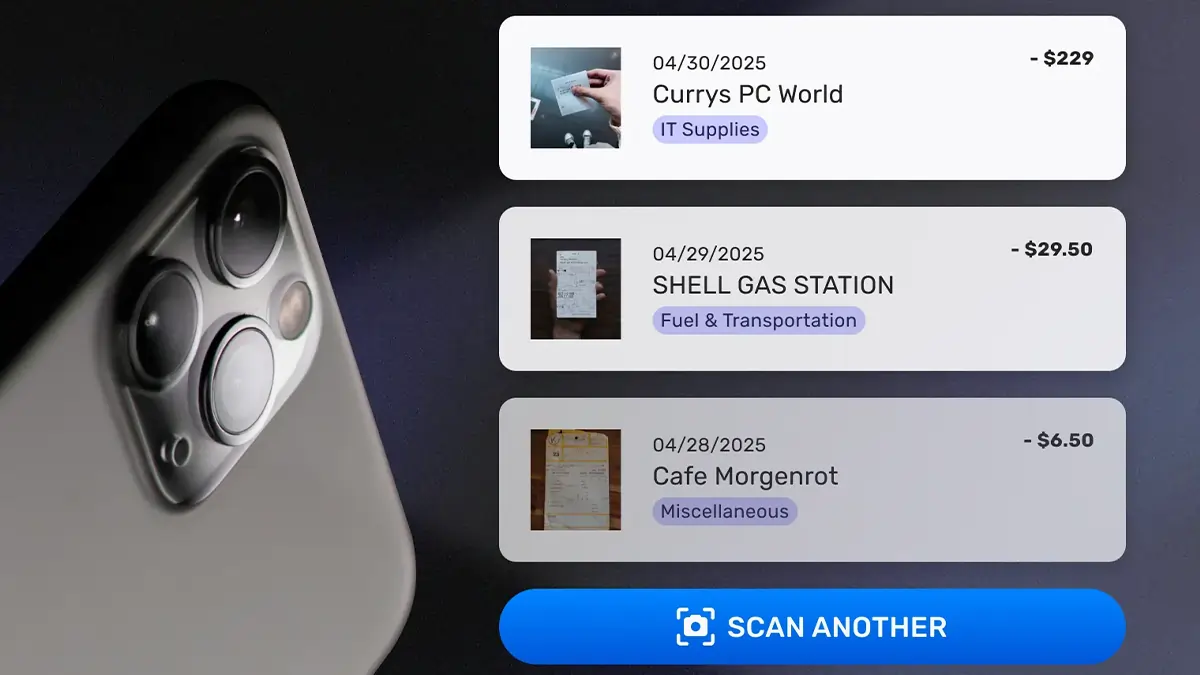
Scan Receipts Anywhere — Even Offline
SparkReceipt works on your iPhone even without cell signal or Wi-Fi. Snap a photo of your receipt on a job site, at a restaurant, or on the road — the receipt is stored locally and processed automatically when you're back online.
Every receipt is backed up to the cloud, so switching phones or losing your device never means losing your expense records.

Beyond Scanning: A Complete Expense System
Receipt scanning is just the start. SparkReceipt on iPhone does more than scan receipts:
- Email receipt capture — connect your Gmail, Outlook, Microsoft, or any IMAP inbox and digital receipts are imported automatically, including historical emails
- Expense tracking — every receipt is categorized and tracked in real-time
- Expense reports — generate PDF or Excel reports in one tap
- QuickBooks sync — categorized expenses flow into your accounting software
- Invite your accountant or bookkeeper to your account at any time
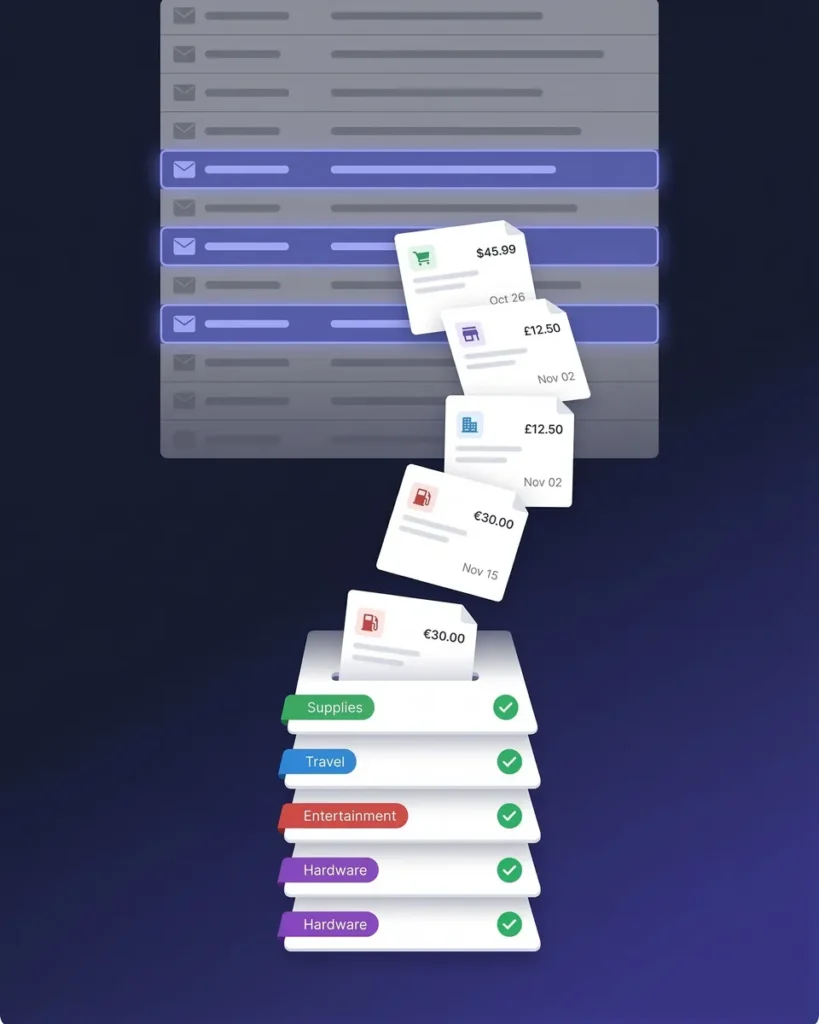
How It Works on iPhone
Open the App and Snap a Photo
Open SparkReceipt on your iPhone and point your camera at any receipt. The app captures a clear image automatically — no need to align edges or adjust lighting. Works with any receipt type: store receipts, restaurant bills, gas station slips, invoices, and handwritten notes.
AI Reads and Categorizes Instantly
In 2–3 seconds, SparkReceipt's AI extracts the vendor name, total amount, date, tax, currency, and line items. The expense is automatically categorized — meals, transportation, office supplies, or whatever it is. No typing required.
Everything Searchable and Tax-Ready
Your scanned receipts are stored in a searchable cloud archive. Find any receipt by vendor, date, or amount. When tax time comes, generate a complete expense report in one tap — categorized, totaled, and ready for your accountant.
Loved by Small Business Owners
“SparkReceipt is an excellent alternative to full-fledged accounting software, saving you time and money!”

Pierce Mooney
Legal Services · United States
“SparkReceipt is one of the very few software purchased that I have made that exceeded my expectations. It does much more than keeps copies of your business receipts, it provides great reports, with easy edit options - it is going to save me a lot of work when I do my annual tax returns - a great product.”

Robert Connolly
The Internet Design Co. · Scotland
“The scan accuracy is the most precise out there. Just try it!”

Christina Sust
INMIZE · Spain
Join 38,283 businesses that chose SparkReceipt — 4,620,044 receipts processed and counting.
Get StartedFrequently Asked Questions
Yes. SparkReceipt is available as a free download on the App Store. It works on iPhone and iPad running iOS 15 or later.
Apple's Notes app can scan documents, but it just saves an image. SparkReceipt's AI actually reads the receipt — extracting vendor, amount, date, tax, and category automatically. It also categorizes expenses, generates reports, and syncs with accounting software like QuickBooks.
Yes. You can scan receipts without an internet connection. SparkReceipt stores them locally on your iPhone and processes them automatically when you reconnect to Wi-Fi or cellular data.
Yes. SparkReceipt reads receipts in multiple languages and supports 190 currencies with automatic conversion. Scan a receipt in euros, yen, or pounds — the AI handles the rest.
SparkReceipt's Elite plan is $10.75/month, billed annually ($129.00/year), with a 7-day free trial.
Explore More Features
Receipt Scanner
AI-powered receipt scanning for any receipt
Android Receipt Scanner
Receipt scanner built for Android
Free Receipt Scanner
Scan receipts free
Expense Tracker
Track every business expense automatically
Expense Reports
Generate reports in PDF, Excel, or CSV
Receipt Organizer
AI-powered receipt organization