
Never Lose a Credit Card Receipt Again
Scan, organise, and match card receipts automatically — so your records hold up whenever they're asked for.
Card receipts pile up fast — in wallets, inboxes, and ute consoles. By the time you lodge, half are lost and the rest have faded off the thermal paper. SparkReceipt uses AI to scan, categorise, and match every card receipt to your statements, with the GST pulled out separately on each one.
Business Owners in 175 Countries Trust SparkReceipt


Credit Card Receipts Before and After SparkReceipt
See what changes when AI handles your card receipts

Without SparkReceipt
- Paper dockets crumpled in wallets, fading on thermal paper
- Email receipts buried across multiple inboxes
- Hours matching card charges to receipts before every BAS
- Missing tax invoices mean GST credits you can't claim
- No idea which card charges have receipts and which don't

With SparkReceipt
- Every receipt scanned and stored digitally — never fades, never lost
- Email receipts fetched automatically from Gmail, Outlook, and IMAP
- AI matches receipts to card statement transactions instantly
- GST read from the document so credits are properly substantiated
- Clear view of which charges have documentation and which need attention
How Credit Card Receipt Scanning Works
Scan Paper Card Receipts
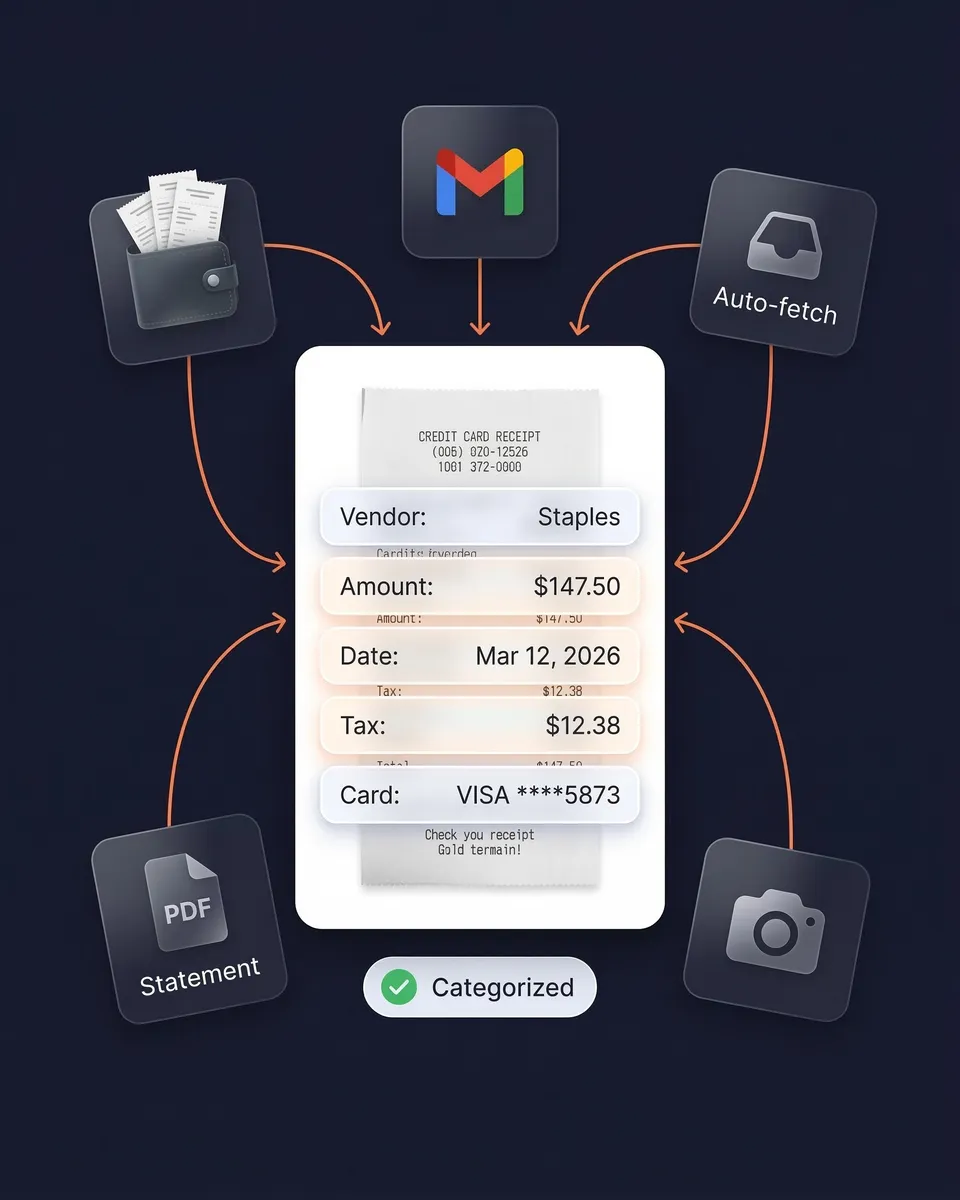
Snap a photo with your phone or upload PDFs and images. AI extracts supplier, amount, date, GST, payment method, and line items — even from crumpled or faded dockets. Supports 190 currencies and virtually any language.
Capture Email Receipts Automatically
Connect Gmail, Outlook, Microsoft, or any IMAP inbox and SparkReceipt finds and processes email receipts on its own. No forwarding required. Every digital card receipt is scanned and categorised as it arrives.
Match Receipts to Card Statements
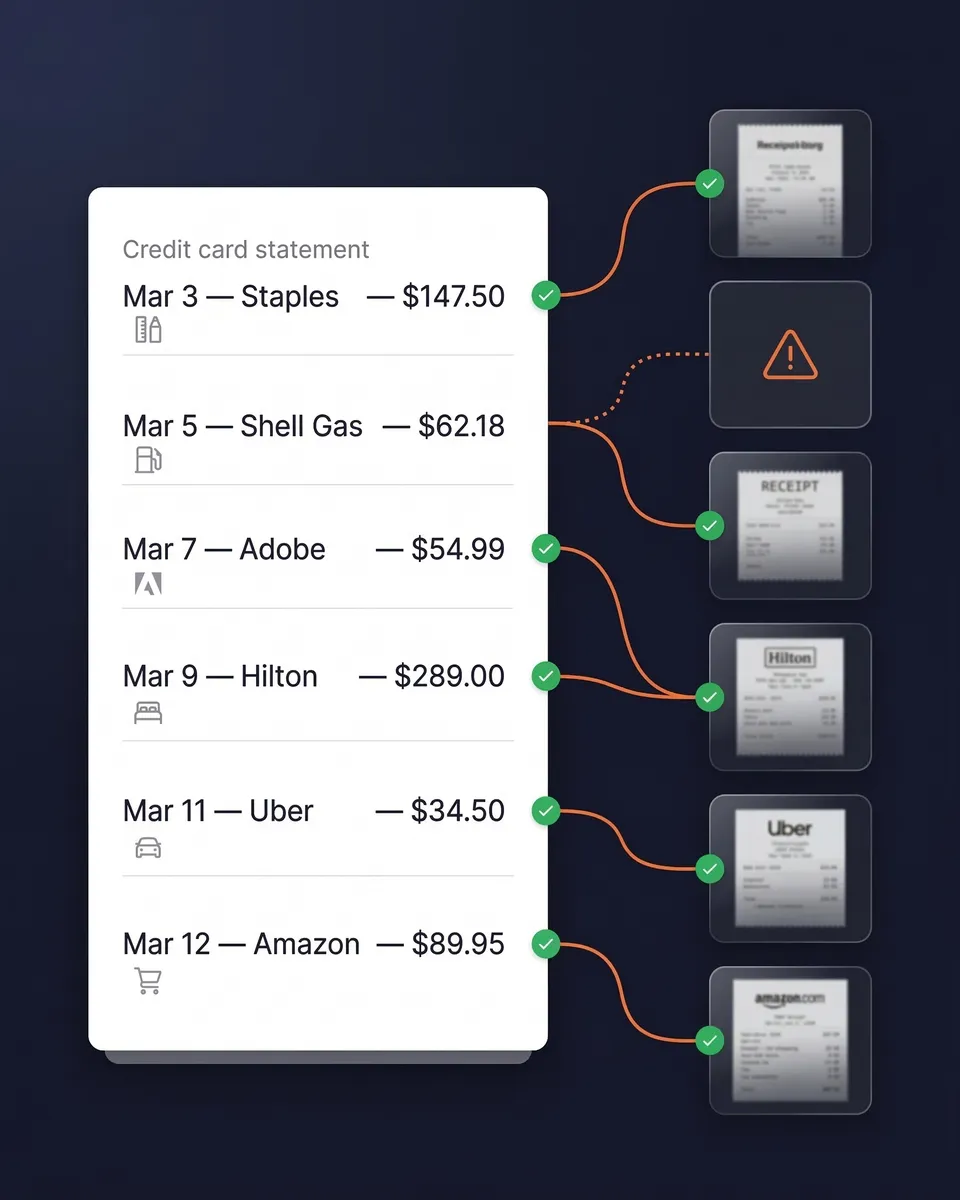
Upload your credit card statement as a PDF, CSV, or Excel file. AI extracts every transaction, cross-references it against your receipts, and flags any charge missing documentation.
Do you need to keep card receipts, or is the statement enough?
The statement is not enough on its own. It shows you paid $150 at a hardware chain. It doesn't show what you bought, and it carries no ABN or GST breakdown — so it can't substantiate a GST credit.
For purchases of more than $82.50 including GST, the ATO requires you to hold a valid tax invoice to claim the GST credit. Below that threshold you can claim on other records such as a cash register docket or receipt, but you still need to keep something. Separately, for 2025-26 and earlier years, if your total work-related expense claims exceed $300, you need written evidence for the whole amount, not just the part above $300. From 2026-27 the $300 exception is gone, so the work-related expenses you claim generally need written evidence. Our guide to ATO record keeping requirements covers the detail, and claiming deductions without receipts explains where the limited exceptions actually apply.

AI categorises every card expense
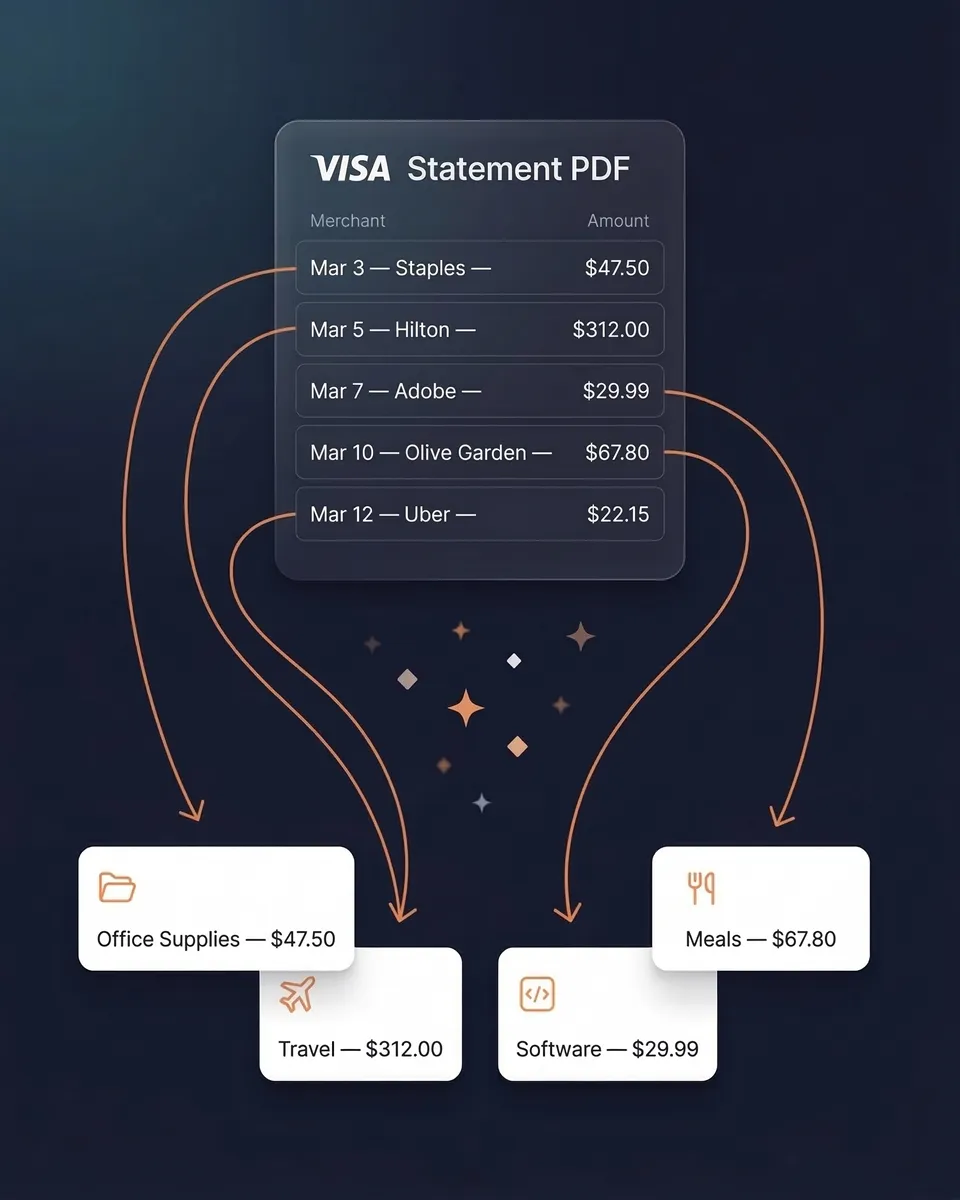
Every card receipt is automatically categorised into useful groups: office supplies, meals and entertainment, travel, software subscriptions, fuel, tools, and more. The AI extracts supplier name, amount, date, GST, currency, and individual line items.
Need custom rules? AI Automations let you set instructions in plain English — like "categorise all Bunnings purchases as Tools and Equipment." Set it once and it applies from then on.
Match receipts to your card statement
Upload any card statement as a PDF, CSV, or Excel file. AI extracts every transaction and cross-references it against your scanned receipts. You instantly see which charges have matching documentation and which are missing.
That turns hours of manual reconciliation into a couple of minutes — and it means you find the gaps before you lodge, not after.
Email receipts captured without lifting a finger
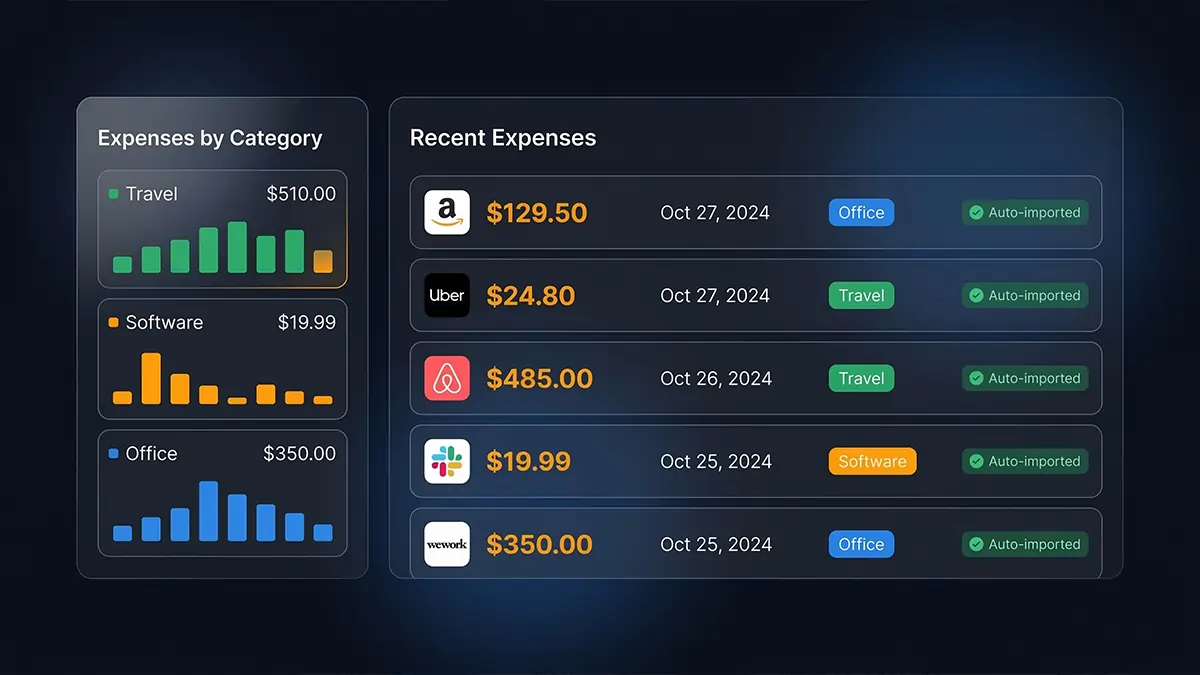
Software subscriptions, online orders, flights, hotel bookings — most card spending already has a digital receipt sitting in an inbox. SparkReceipt connects to Gmail, Outlook, Microsoft, or any IMAP inbox and finds, imports, and processes those receipts automatically. No forwarding required.
Combined with phone scanning for paper dockets and statement matching, that gives you complete coverage across both digital and physical.
Overseas card charges? Handled.
SparkReceipt reads receipts in virtually any language and supports 150+ currencies with automatic exchange rate conversion at the purchase-date rate. Tax treatment is read from the document rather than assumed — which matters because overseas purchases generally carry no GST to claim.
Whether it's a dinner receipt in euros from Paris, a taxi receipt in yen from Tokyo, or a software invoice in US dollars, every card charge is captured, converted, and categorised without manual entry.

Ready-to-lodge expense reports in one click
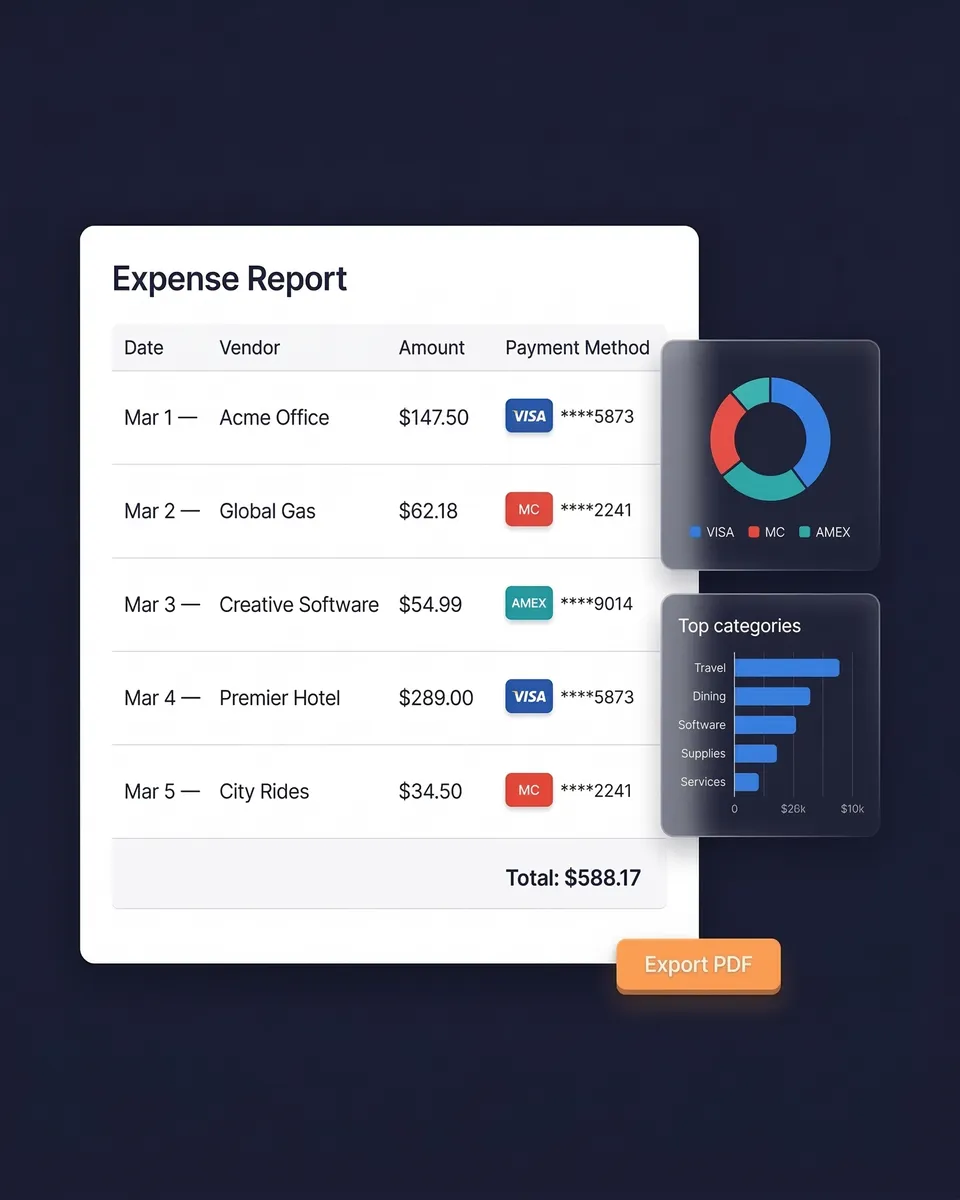
Select a date range and generate a complete expense report — totals by category, GST summaries, and links to every original receipt image. Export as PDF, Excel, or CSV.
Sync directly with Xero or QuickBooks Online. Your Elite plan includes 1 user, with more at a per-user rate, and your accountant or bookkeeper joins free on top to work in the same account, viewing, downloading, and managing the data themselves.
Credit Card Receipt Tracking
Simple, transparent pricing. No hidden fees.
Loved by Small Business Owners
“Excellent software to manage income and expenses, and have the relevant info at your fingertips at any given time.”

Melvin Hoods
MJD Brokers · South Africa
“SparkReceipt is an excellent alternative to full-fledged accounting software, saving you time and money!”

Pierce Mooney
Legal Services · United States
“SparkReceipt has been a game-changer for me! It's made organising my expenses and accounts effortless, saving me loads of time.”

Tracy Duggan
Business Coach · United Kingdom
Join 38,283 businesses that chose SparkReceipt — 4,620,044 receipts processed and counting.
Start Free TrialFrequently Asked Questions
The ATO requires business records to be kept for five years from when they were prepared or obtained, or the transaction was completed, whichever is later. BAS records are kept five years from the lodgement date. If a record relates to something with a longer life — a depreciating asset, for instance — the five years runs from the last time it was used in a return, so effectively longer. SparkReceipt stores documents for 10 years, which covers all of these comfortably.
Not for GST credits on larger purchases. For a purchase of more than $82.50 including GST, the ATO requires a valid tax invoice showing the supplier's ABN and the GST amount — a card statement shows neither. For $82.50 or less you can claim on other records such as a cash register docket or receipt. For income tax deductions the statement is supporting evidence, not proof of what was bought, so keep the receipt.
It's the GST tax invoice threshold. To claim a GST credit on a business purchase of more than $82.50 (GST inclusive), you must hold a valid tax invoice from the supplier. For purchases of $82.50 or less you can claim without a tax invoice provided you keep records supporting the claim — a receipt or cash register docket, for example. Either way you need to keep something; the threshold only changes what form it takes.
For 2025-26 and earlier years, if your total work-related expense claims come to more than $300, you must hold written evidence for the entire amount, not just the portion above $300. From 2026-27 the $300 exception no longer applies, so the work-related expenses you claim generally need written evidence. The threshold excludes car expenses, meal allowance expenses, award transport payment expenses, and travel allowance expenses, which have their own substantiation rules. It's a lower bar than people assume, and it applies to the total, not per item.
Yes. The ATO accepts digital copies provided they are a true and clear reproduction of the original and remain accessible for the retention period. Scanning a docket and keeping the digital copy is fine — you don't need to keep the paper. Digital is arguably safer, since thermal receipts commonly fade to blank well inside five years.
SparkReceipt suits sole traders and small businesses well. It combines AI scanning with automatic email fetching, card statement matching, 190 currencies, and AI categorisation, all at $16.58/month billed annually with 1 user included, more at a per-user rate. There's a 7-day free trial with full access.
Manually matching receipts to statement lines is one of the most tedious bookkeeping jobs there is. SparkReceipt automates it: upload the card statement as PDF, CSV, or Excel, and the statement extractor pulls every transaction. AI then cross-references each charge against your scanned receipts and flags anything missing documentation — ideally before you lodge, not after.
Digitise immediately and let AI do the sorting. Snap a photo of dockets as you get them, connect your email so digital receipts arrive automatically, and upload statements for matching. Everything is categorised, stored, and searchable — no shoebox, no spreadsheet reconstruction at year end.
Only after you've digitised them. Card dockets can show the last four digits of your card and sometimes more, so careless disposal carries a real identity theft risk. Scan first, creating a durable digital copy the ATO will accept, then shred the paper. SparkReceipt keeps the digital record for 10 years.
Yes. SparkReceipt supports 190 currencies with automatic conversion at the exchange rate that applied on the purchase date rather than today's rate, and reads receipts in virtually any language. Tax treatment is read from the document, so overseas purchases aren't incorrectly assigned GST.
Stop Losing Card Receipts. Start Claiming What You're Owed.
Get StartedExplore More Features
Receipt Scanner
AI-powered receipt scanning in seconds
Expense Tracker
Track every business expense automatically
Email Receipts
Auto-import receipts from your inbox
Bank Statement Extractor
Extract and match bank transactions
Expense Reports
Generate reports in PDF, Excel, or CSV
Data Exports
Export in CSV, PDF, Excel, or ZIP