
Extract Bank Statements and Match Every Transaction to a Receipt
Upload your PDF, CSV, or Excel bank statement. AI extracts every transaction and matches it to your receipts automatically.
Bank statements tell you what you spent. Receipts prove why. SparkReceipt is the only bank statement extractor that does both — upload your PDF, CSV, or Excel bank statement, and AI extracts every transaction automatically. Then it matches each one to the right receipt or invoice from your archive.
Business Owners in 175 Countries Trust SparkReceipt


Bank Statement Reconciliation
See what changes when AI handles your bank statements

Without SparkReceipt
- Manually typing transactions from bank statements into spreadsheets
- Cross-referencing receipts one by one against bank transactions
- Missing receipts discovered only at BAS or tax time
- Paying your accountant to sort through unmatched transactions
- No clear view of which transactions have proof of purchase

With SparkReceipt
- Every transaction extracted automatically from any bank statement
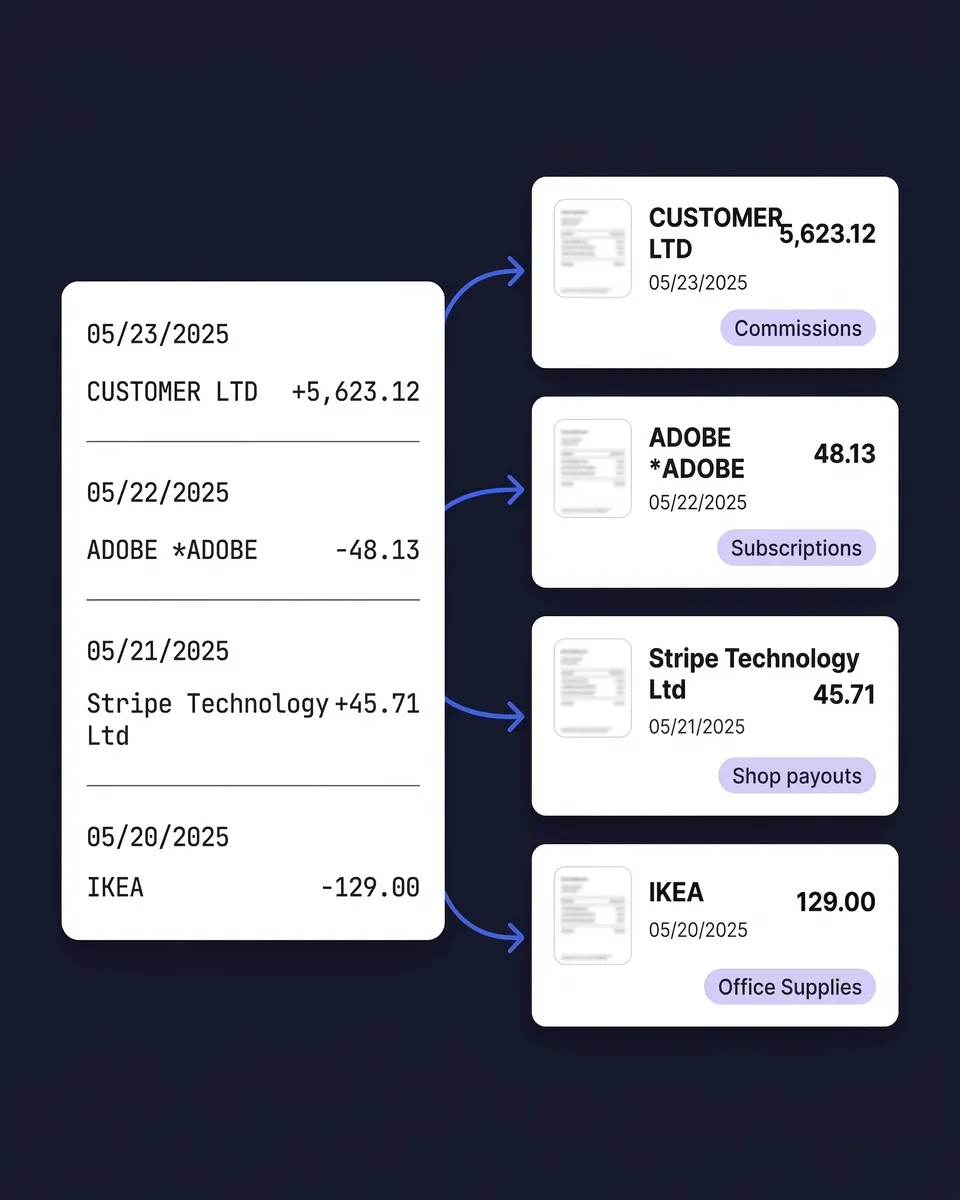
- AI matches each transaction to the right receipt or invoice
- Unmatched transactions flagged so you know what's missing
- Bring your accountant into the account to review matched and unmatched data
- Complete reconciliation in minutes instead of hours
How Bank Statement Extraction and Matching Works
Upload Your Bank or Credit Card Statement
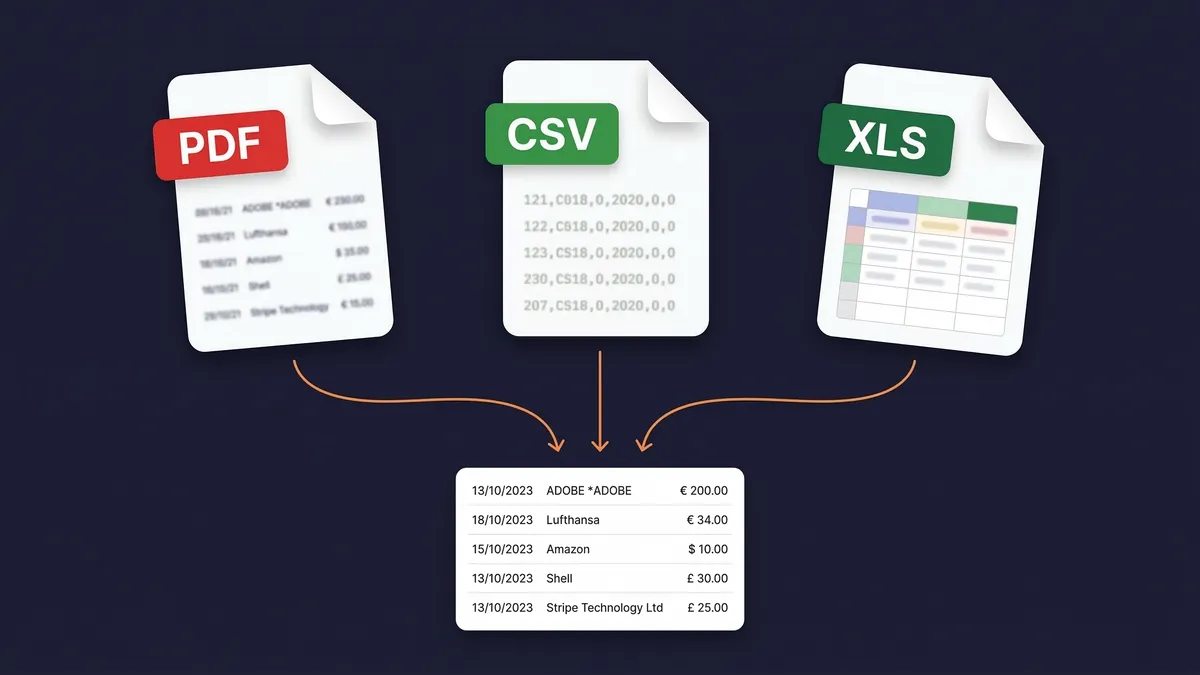
Upload your statement as a PDF, CSV, or Excel file. SparkReceipt handles digital PDFs, scanned paper statements, and exported spreadsheets from any bank — CommBank, Westpac, NAB, ANZ, Macquarie, Bendigo, Up, or any other. The AI reads statements in any language and processes 190 currencies.
AI Extracts Every Transaction Automatically
SparkReceipt's AI reads your bank statement and extracts every transaction — dates, amounts, payees, descriptions, and running balances. Each transaction becomes a structured, searchable record. No manual data entry.
Transactions Matched to Receipts Instantly
The AI compares each transaction against every receipt and invoice in your archive — matching by amount, date, and vendor name. Matched transactions link to their source documents. Unmatched transactions are flagged so you can see exactly which receipts are missing.
Not Just Extraction — Full Receipt Matching
Most bank statement tools stop at conversion. They turn your PDF into a spreadsheet and hand it back to you. The transactions sit there with no proof attached to any of them.
SparkReceipt does both halves. Upload your bank statement and your receipts — the AI connects them automatically. Every matched transaction links directly to its proof of purchase. Every unmatched transaction tells you exactly what's missing from your records.
The missing receipts are usually still in your inbox. Email history extraction pulls past email receipts in, as far back as you choose, so they can be matched to the statement too.
That matters at BAS time and at year end. A bank line on its own doesn't tell you what the spend was for or how much GST was in it. Matching the receipt to the transaction is what turns a bank feed into a substantiated expense record.

Upload PDF, CSV, or Excel — Any Bank, Any Format
Most bank statement extractors only accept PDF files. That means OCR processing, potential errors, and no support for the CSV or Excel exports your bank already provides.
SparkReceipt accepts all three formats. Upload a scanned PDF statement and the AI-powered OCR extracts every transaction. Upload a CSV or Excel export from your internet banking and get perfect, instant extraction — no OCR needed. Upload credit card statements, business transaction account statements, or savings account statements.
The OCR works in any language, so statements from overseas banks are processed just as accurately as Australian ones — useful if you buy stock or software from suppliers abroad.
Extract Bank Statements in 190 Currencies
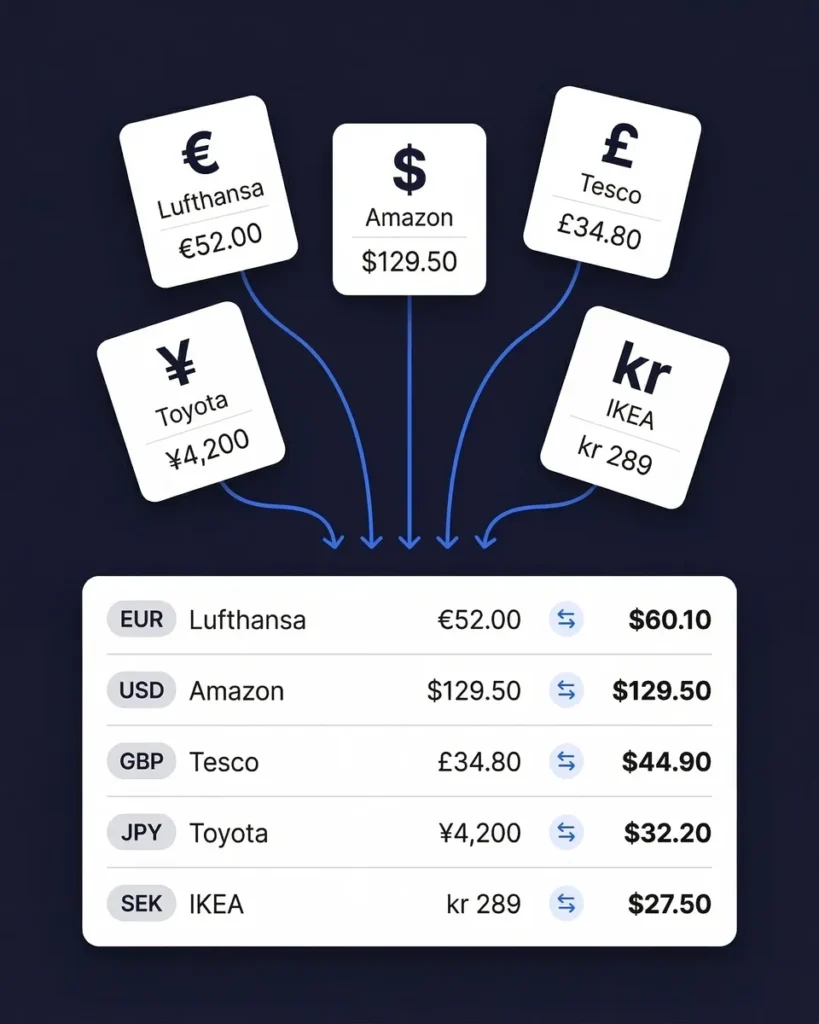
If your business operates across borders — billing in US dollars, paying suppliers in yuan, subscribing to software priced in euros — you need a bank statement extractor that handles multiple currencies natively.
SparkReceipt processes statements in 190 currencies. Each transaction is extracted with its original currency intact. Exchange rates are applied using the transaction date, so amounts convert to Australian dollars at the rate that applied on the day rather than today's rate.
Upload statements from different banks in different countries and see everything unified in one view. This is particularly valuable for income tracking across international clients and for expense tracking with overseas suppliers.
Bank Statement Extraction
Extract, match, and categorise — all in one tool.
Loved by Small Business Owners
“SparkReceipt is one of the very few software purchased that exceeded my expectations. Great product, great features, great value.”

Robert Connolly
The Internet Design Co. · Scotland
“With SparkReceipt, organizing and tracking expenses has never been easier. The detailed categorization and expense tracking features make financial management a breeze.”

Jean-Pierre Michael
Artist · France
“Excellent software to manage income and expenses, and have the relevant info at your fingertips at any given time.”

Melvin Hoods
MJD Brokers · South Africa
Join 38,283 businesses that chose SparkReceipt — 4,620,044 receipts processed and counting.
Start Free TrialFrequently Asked Questions
A bank statement extractor reads your bank or credit card statements and automatically pulls out every transaction — dates, amounts, payee names, descriptions, and balances — into structured, searchable data. Instead of manually typing transactions into a spreadsheet, you upload the statement file and get organised data in seconds. SparkReceipt goes further than most extractors by also matching each extracted transaction to your receipts and invoices automatically.
SparkReceipt accepts bank and credit card statements in PDF, CSV, and Excel (XLSX) formats. This is more flexible than most competitors, which only handle PDFs. If your bank provides a CSV or Excel export from internet banking, you can upload that directly for instant, perfect extraction — no OCR processing needed. For paper statements, scan them to PDF and upload the scanned file. The AI-powered OCR handles both digital and scanned PDFs.
Yes. SparkReceipt processes statements from the major Australian banks and neobanks alike — CommBank, Westpac, NAB, ANZ, Macquarie, Bendigo, Up and others — as well as banks worldwide. The AI adapts to different statement layouts automatically, so there are no bank-specific templates to configure and no waiting for your bank to be added.
After SparkReceipt extracts transactions from your bank statement, the AI compares each transaction against every receipt and invoice stored in your account. It matches based on amount, date, and vendor name. Matched transactions are linked directly to the source document — one click to view the original receipt. Unmatched transactions are flagged, so you know exactly which receipts are missing. Upload the missing receipt later and it's matched automatically.
It helps you substantiate them. SparkReceipt extracts each transaction and links it to the underlying receipt or tax invoice, and it reads the tax shown on the document rather than assuming a flat rate. That gives you a clear view of which expenses have a valid tax invoice behind them before you lodge. SparkReceipt is not lodgement software — your accountant or your accounting package handles the actual BAS lodgement.
SparkReceipt's AI delivers high accuracy across all supported formats. For CSV and Excel uploads, extraction is essentially perfect since the data is already structured. For PDF statements, the AI-powered OCR handles both digital PDFs (near-perfect accuracy) and scanned paper statements (which depend on scan quality). You can always review, edit, or add notes to any extracted transaction for complete control.
Yes. SparkReceipt handles both bank statements and credit card statements in the same way. Upload your credit card statement as a PDF, CSV, or Excel file, and the AI extracts every transaction. Credit card transactions are then matched to receipts just like bank transactions. This is particularly useful for businesses that put most purchases on a card — you can quickly identify which charges have receipts attached and which don't.
It's included in the Elite plan at $16.58/month billed annually, along with receipt scanning, line-item categorisation, and expense reports. Some competitors sell statement extraction separately — Dext, for example, charges for its Bank Statement Extraction add-on on top of the base subscription. With SparkReceipt there is no separate line item for it.
Yes. Inviting your accountant or bookkeeper is always free, so it never uses a paid seat. Your Elite plan includes 1 user, with more available at a per-user rate. They can view your extracted transactions, matched receipts, categorised expenses, and reports directly within the app. This makes month-end reconciliation and tax time significantly faster, because your accountant sees organised, matched data instead of a shoebox.
Yes. SparkReceipt integrates with both Xero and QuickBooks Online for direct data transfer. You can also export your extracted and matched transaction data as CSV, Excel, or PDF reports. Whether you need the data in your accounting software, in a spreadsheet for your accountant, or as a formatted report, SparkReceipt supports your workflow.
Stop Typing Transactions Into Spreadsheets. Upload and Match Automatically.
Get StartedExplore More Features
Receipt Scanner
Scan receipts with AI in seconds
Expense Tracker
Track every business expense automatically
Email Receipts
Auto-import receipts from your inbox
Expense Reports
Generate reports in PDF, Excel, or CSV
Mileage Tracker
Log business kilometres automatically
SparkAgent
Hand your bookkeeping to an AI agent