
FreeAgent Integration
Scan receipts with AI — publish to FreeAgent as Bills and Invoices.
FreeAgent is a UK accounting platform for sole traders, freelancers, and limited companies — free with a NatWest, Royal Bank of Scotland, Ulster Bank, or Mettle business account. SparkReceipt connects to your UK FreeAgent account and handles the part FreeAgent doesn't: reading every receipt, supplier bill, and sales invoice with AI, then publishing it into FreeAgent with the original image attached. Snap a photo, forward an email, or upload a PDF, and it lands in your books as a Bill or Invoice, categorized and ready to reconcile.
Business Owners in 175 Countries Trust SparkReceipt


Built for UK FreeAgent accounts — sole traders, partnerships, and limited companies
Receipt Scanning That Feeds FreeAgent
FreeAgent keeps your books, raises your invoices, and files your VAT returns and Self Assessment with HMRC. Its built-in capture is fine for a photo of one receipt. SparkReceipt does the capture at volume: snap a receipt on your phone, upload a PDF, or let SparkReceipt fetch receipts from your Gmail, Microsoft, or IMAP inbox automatically.
The AI reads the whole document rather than matching it against a template. It extracts vendor, total, date, VAT, currency, and individual line items, then files each line under one of your own FreeAgent categories, imported when you connect. Publish in one click, or turn on auto-publish and let every new expense go through the moment it's scanned.
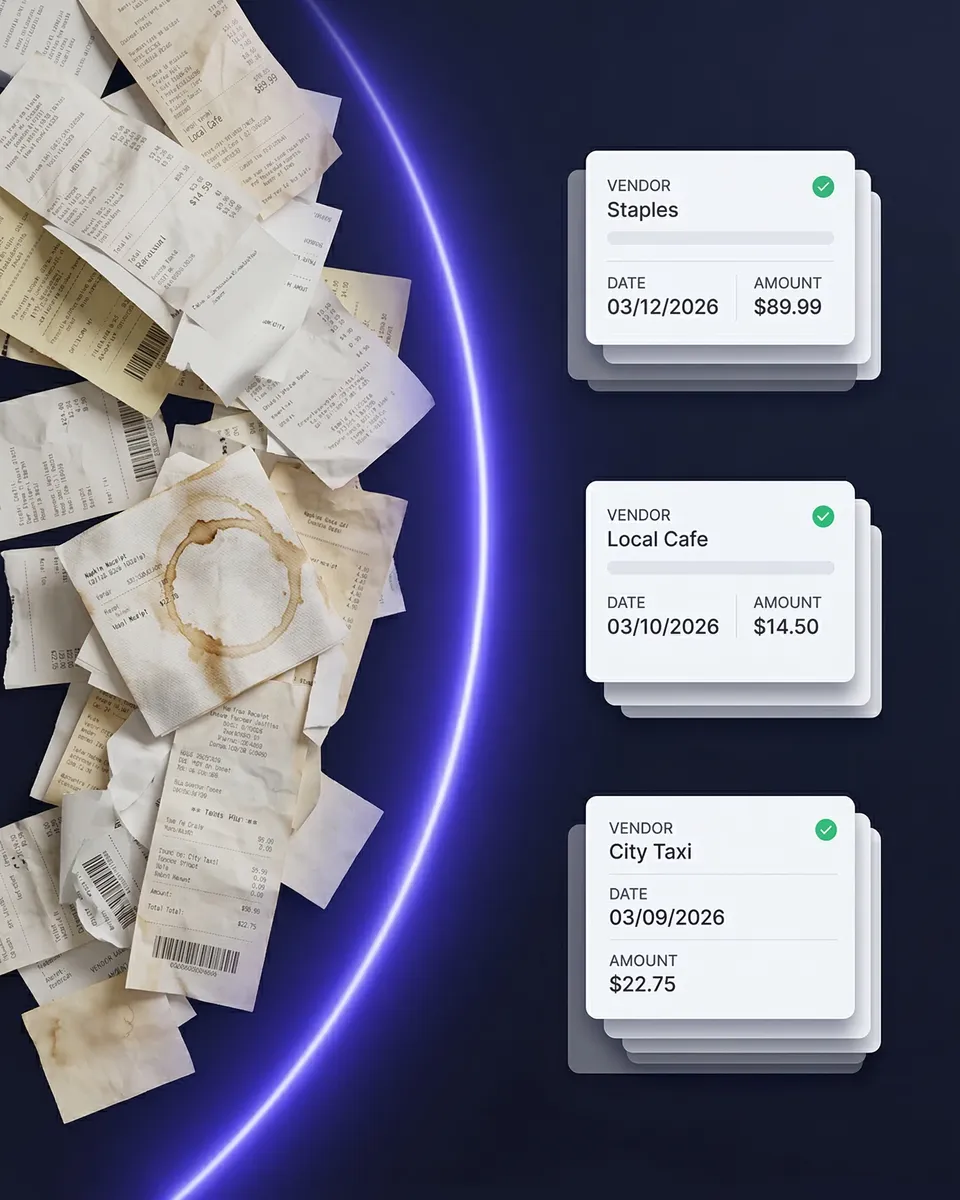
Bills, Invoices, and bank explanations — the right FreeAgent record every time
Publish Receipts to FreeAgent — No Manual Entry
When you connect, SparkReceipt imports your FreeAgent categories, VAT rates, bank accounts, and contacts. Expenses publish as Bills, one line per line item, each booked to the right category with the VAT rate read from the document, and the receipt image attached. Refunds go through as negative bills, so FreeAgent shows them as refunded.
Mark an expense as paid and pick a bank account, and SparkReceipt also records a bank transaction explanation on that account — the bill shows as paid in FreeAgent without you touching it. Income publishes as an Invoice, marked as sent, with the payment recorded the same way when it's paid. Change a document later and republish; the FreeAgent record updates rather than duplicating.
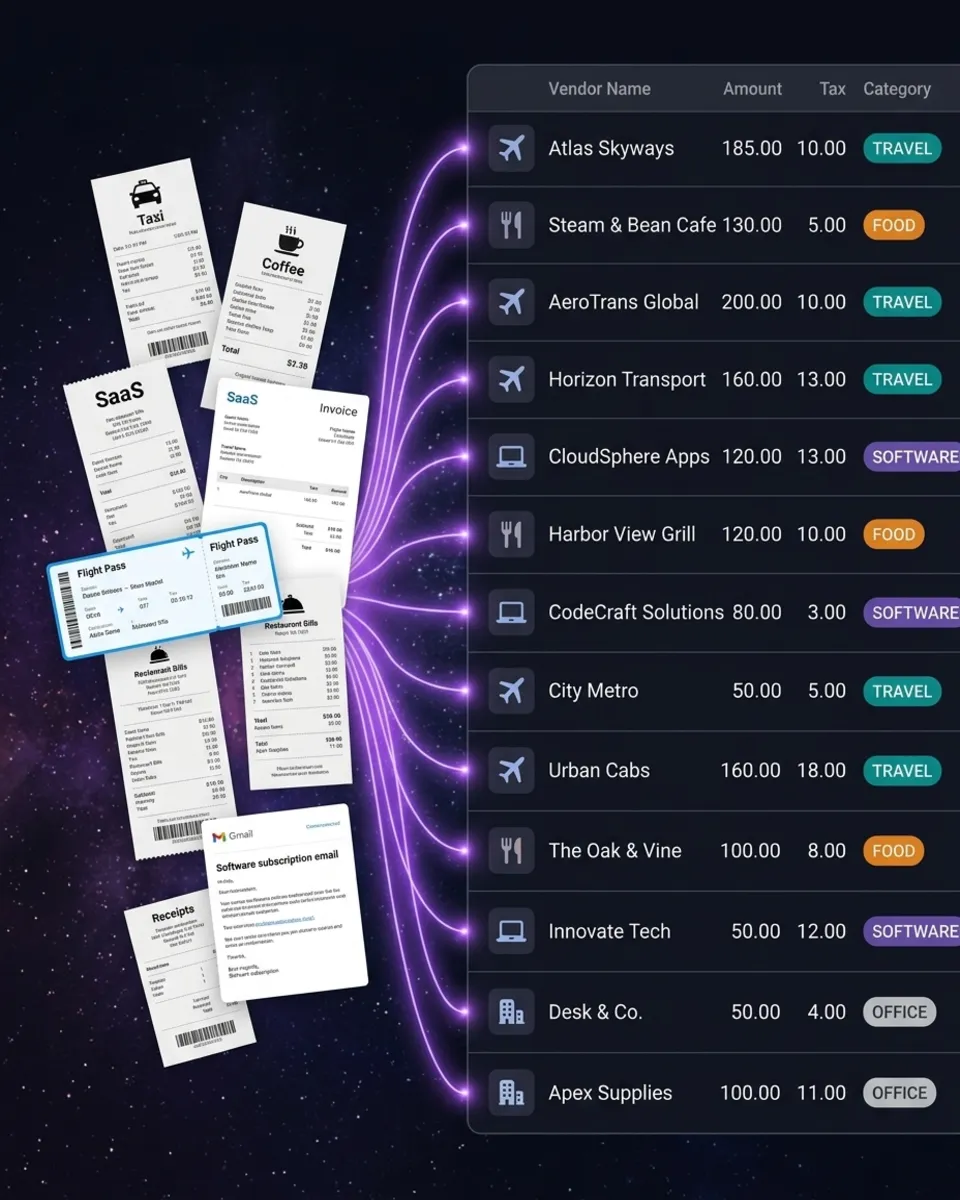
Bank statements extracted and matched to the receipts that prove them
Match Transactions to Receipts Before They Reach FreeAgent
Your FreeAgent bank feed tells you money left the account. It doesn't tell you what for, or whether you can evidence it.
Upload a bank or credit card statement to SparkReceipt as a PDF, CSV, or Excel file and the AI extracts every transaction, then matches each one against the receipts in your archive by amount, date, and vendor. Matched transactions link to their source document. Unmatched ones are flagged, so you can see exactly which spends have proof behind them and which don't — before anything is published to FreeAgent.
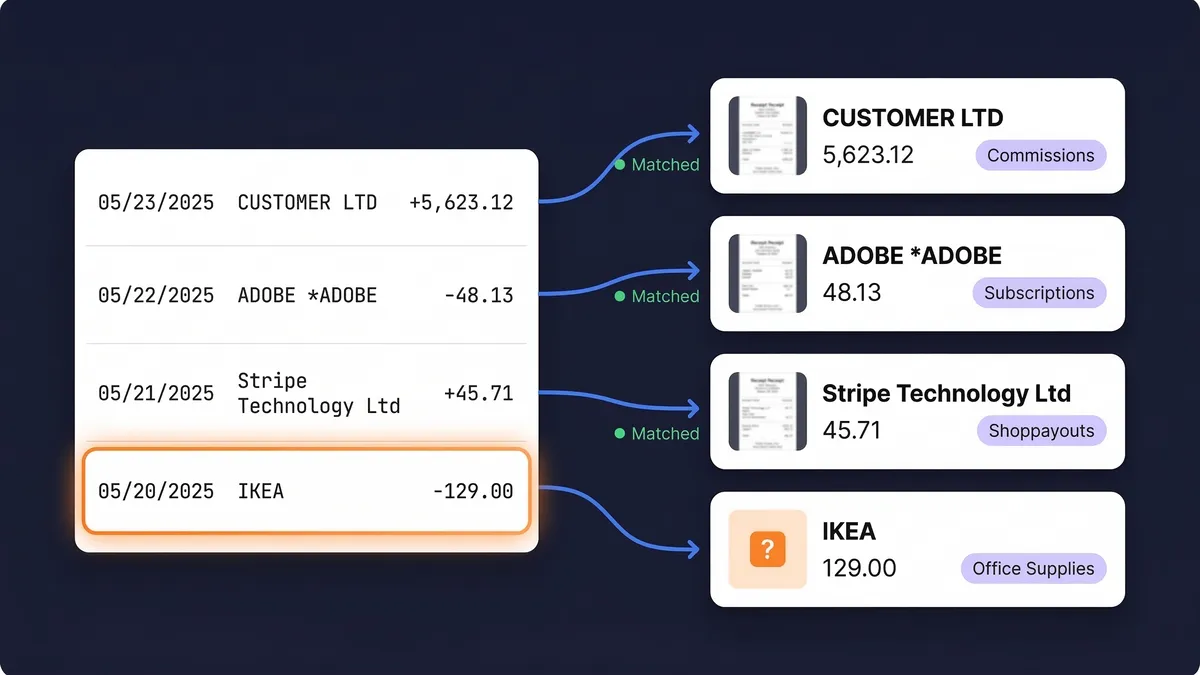
Receipts in 190 currencies, published in the currency you paid in
Multi-Currency Receipts, Handled
Our AI reads receipts in any language and 190 currencies. A supplier invoice in euros, a SaaS subscription in US dollars, or a hotel bill in Swiss francs is captured in its original currency and published to FreeAgent as a bill in that currency, with the exchange-rate conversion shown in your SparkReceipt reports at the rate that applied on the purchase date.
One honest limit: the paid marking is only recorded when the bank account you choose uses the same currency as the receipt. A foreign-currency bill still publishes with the image attached — you explain the payment from your bank feed in FreeAgent as you normally would.
How Receipt Scanning to FreeAgent Works
Capture Any Receipt or Invoice
Snap a photo with your iPhone or Android. Upload PDFs, images, or documents from your computer. Let SparkReceipt fetch receipts from your inbox automatically. The AI reads printed, handwritten, crumpled, and faded documents, in any language and 190 currencies.
AI Extracts and Categorizes
Vendor, total, date, VAT, currency, and line items are extracted in seconds. Each line is categorized against your own FreeAgent categories, and the VAT rate is read from the document rather than assumed. SparkReceipt learns your regular vendors, so repeat purchases land in the right category without correction.
Publish to FreeAgent
Publish one document, a whole batch, or turn on auto-publish. Expenses become Bills and income becomes Invoices, with the receipt image attached and a bank transaction explanation recorded for paid documents so they show as paid in FreeAgent.
Loved by Small Business Owners
“Thanks to you, I'm actually looking forward to my year end FOR THE FIRST TIME EVER, when I can surprise my accountant with my completed accounts with a week or so off the end of the year!”

Abigail Dombey
Net Zero Associates Ltd · United Kingdom
“SparkReceipt is one of the very few software purchased that exceeded my expectations. Great product, great features, great value.”

Robert Connolly
The Internet Design Co. · Scotland
“SparkReceipt takes care of the busy work, allowing me to quickly save receipts and create expense reports.”

Tim Heller
HellerWeather · United States
Join 38,283 businesses that chose SparkReceipt — 4,620,044 receipts processed and counting.
Get StartedStill Entering Receipts Into FreeAgent By Hand?
See what changes when AI handles the capture
Without SparkReceipt
- Typing receipts into FreeAgent one bill at a time
- Receipts piling up in inboxes, wallets, and glove boxes
- Bank feed lines with no receipt attached to them
- Guessing the VAT split on mixed supplier invoices
- Hunting for documents when your accountant asks at year end
With SparkReceipt
- AI scans receipts and publishes to FreeAgent in seconds — no typing
- Every receipt captured the moment you get it — phone, email, or upload
- Receipt images attached to every published FreeAgent bill
- VAT read from the document, line by line
- Bank statement transactions matched to receipts, with gaps flagged
Frequently Asked Questions
The FreeAgent integration is available on every account today. Sign up for SparkReceipt, open Integrations from the sidebar in the web app, and click Connect to FreeAgent. Sign in to FreeAgent, approve the connection, and SparkReceipt imports your categories, VAT rates, bank accounts, and contacts right away. If anything doesn't look right, message us in the in-app chat and a founder will answer.
Not yet. SparkReceipt connects to FreeAgent companies set up as UK businesses — sole traders, partnerships, LLPs, and limited companies. FreeAgent accounts set up as US or universal companies aren't supported at the moment. The FreeAgent user who makes the connection also needs at least the Banking permission level in FreeAgent, because recording payments needs access to your bank accounts.
When you connect, SparkReceipt imports your FreeAgent categories, VAT rates (for VAT-registered companies), bank accounts, and contacts. When you publish, expenses become Bills, refunds become negative bills, and income becomes Invoices marked as sent. Paid documents also record a bank transaction explanation on the bank account you choose, and the original receipt image is attached. Change a document and republish, and the FreeAgent record is updated rather than duplicated.
Yes. When an expense is marked as paid in SparkReceipt and a bank account is chosen — per document or as a default — SparkReceipt records a bank transaction explanation on that account in FreeAgent, so the bill shows as paid. It appears as a manual bank transaction on that account. Unpaid bills stay open for you to explain from your bank feed as usual, and the paid marking is only recorded when the bank account uses the same currency as the receipt.
Yes. FreeAgent accepts one file per bill — an image or PDF up to 5 MB — and SparkReceipt attaches the receipt image there, compressing large photos to fit. If a document has several files, the extra ones are attached to the payment explanation once the expense is paid. FreeAgent invoices don't accept attachments, so for income the files are attached to the payment explanation when the invoice is paid.
It's your choice. Publish documents one at a time or in bulk from the SparkReceipt web app, or turn on auto-publish so every new expense is sent to FreeAgent as soon as it's scanned. You can switch auto-publish on or off at any time in the integration's preferences.
Yes. Our AI reads receipts in 190 currencies, and each document is published to FreeAgent as a bill or invoice in its original currency. The paid marking is recorded only when the chosen bank account uses the same currency as the document; a foreign-currency bill still publishes with the image attached, and you explain the payment in FreeAgent as you normally would.
It helps with the record-keeping side. FreeAgent is HMRC-recognized software and handles your VAT returns and MTD submissions. SparkReceipt makes sure the records behind those figures are complete: every expense is published as a bill with the receipt image attached and the VAT read from the document, line by line. SparkReceipt does not submit anything to HMRC itself.
Yes. Invite your accountant to your account at any time. The Accountant role is free and doesn't use one of your included seats. They can see scanned receipts, categories, and reports directly in SparkReceipt, alongside whatever has been published to FreeAgent.
The FreeAgent integration is included at no extra cost with SparkReceipt Elite at $10.75/month billed annually ($129.00/year), which includes 1 user, with more at a per-user rate, unlimited document scanning, and a 7-day free trial.
Yes. SparkReceipt also integrates directly with QuickBooks Online, Xero, FreshBooks, and Zoho Books, and connects with Zapier, Make.com, and Pabbly via webhooks. One accounting integration can be connected per account at a time.
Simple, Transparent Pricing
1 user included, add more at a per-user rate. No hidden costs.
Explore More Integrations






Ready to Automate Your FreeAgent Receipts?
Get StartedSparkReceipt integrates with FreeAgent as an independent, third-party app. FreeAgent is a trademark of FreeAgent Central Limited. SparkReceipt is not affiliated with, endorsed by or sponsored by FreeAgent.