
Receipt Scanner for Zoho Books
Scan receipts with AI — publish to Zoho Books in one click.
Stop typing receipts into Zoho Books by hand. SparkReceipt's AI reads every receipt, supplier bill, and sales invoice — then publishes the extracted data straight into Zoho Books through a direct integration, mapped to your own chart of accounts. No CSV exports, no copy-pasting, no missed transactions. Snap a photo, forward an email, or upload a document, and it lands in Zoho Books with the original image attached.
Business Owners in 175 Countries Trust SparkReceipt


AI captures every detail — vendor, amount, date, tax, category
The Best Receipt Scanner App for Zoho Books
Zoho Books is a solid accounting platform, especially if you already live in the Zoho ecosystem — but a dedicated receipt scanner captures far more, far faster. Snap a photo with your phone, upload a PDF, or let SparkReceipt fetch receipts from your Gmail, Microsoft, or IMAP inbox automatically. The AI extracts vendor, amount, date, tax, currency, and line items, and files each line under one of your Zoho Books accounts. Publish in one click — or turn on auto-publish and let every new expense go through the moment it's scanned.
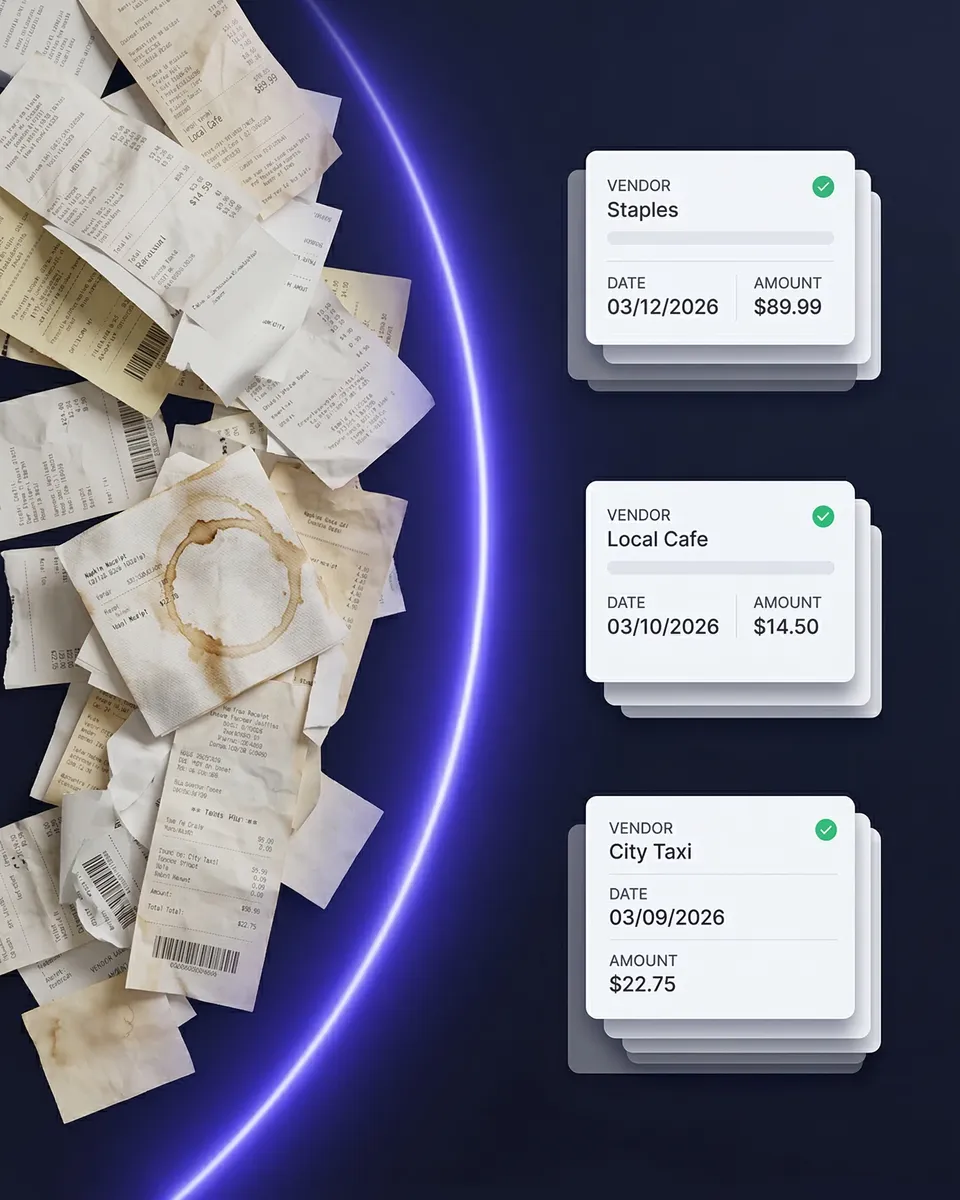
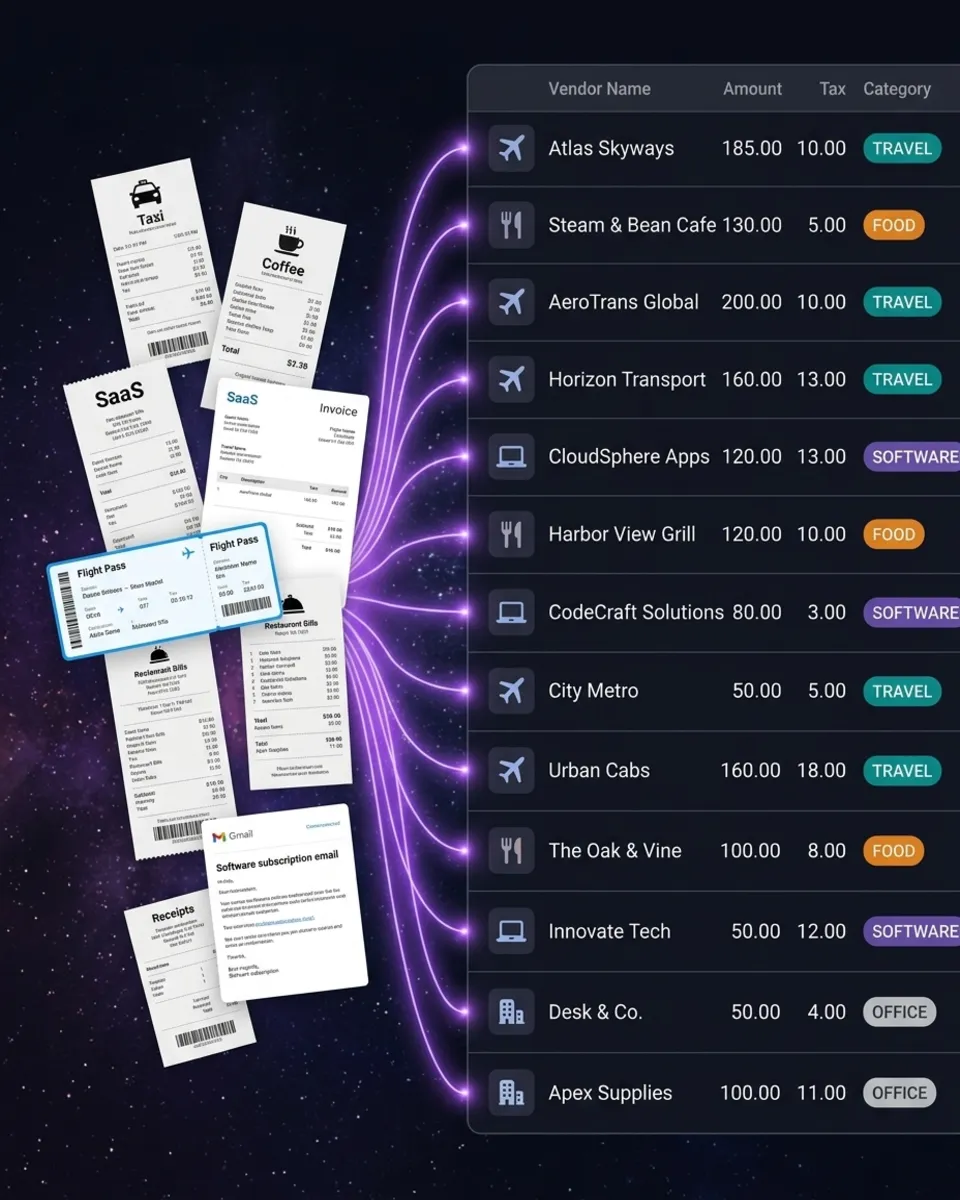
Expenses, Bills, Vendor Credits, Invoices, and payments — mapped to your chart of accounts
Publish Receipts to Zoho Books — No Manual Entry
SparkReceipt imports your Zoho Books chart of accounts, vendors, customers, bank accounts, and taxes when you connect. Paid expenses become an Expense in Zoho Books, unpaid supplier invoices become a Bill, and refunds become a Vendor Credit (which needs the Professional plan or higher) — one line per line item, each booked to the right account with the matching Zoho tax or tax group; EU reverse charge is not set on any of these. Income becomes an Invoice with a customer payment when paid. The original receipt image is attached to every record.
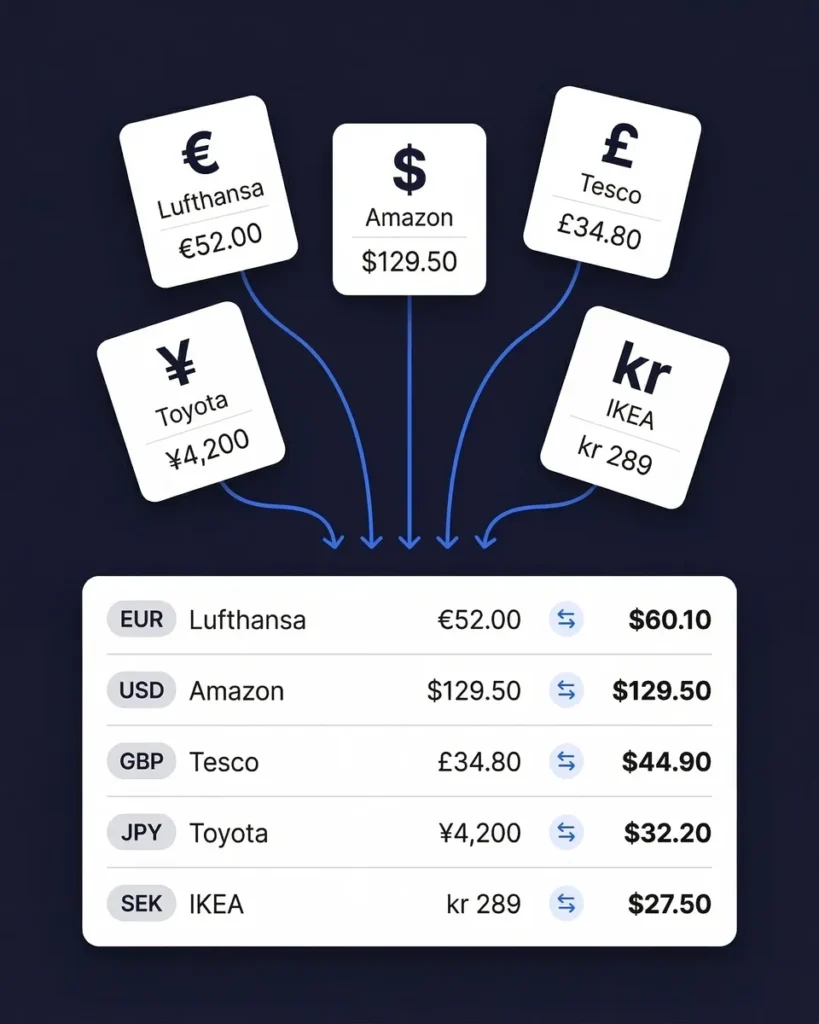
Receipts in 190 currencies, with the exchange rate included
Built for Multi-Currency — Perfect for Zoho Books Users
Our AI reads receipts in any language and 190 currencies. Scan a supplier invoice in euros, a taxi receipt in Indian rupees, or a SaaS subscription in US dollars — each one is captured in its original currency and published to Zoho Books with the exchange rate for that day when your organization uses multi-currency, or converted to your base currency when it doesn't. No manual currency lookups, no conversion spreadsheets.
Works with every Zoho data center
Connect From Any Region
Zoho hosts accounts in regional data centers — United States, Europe, India, Australia, Japan, the United Kingdom, Canada, and more. SparkReceipt lets you pick your region when you connect, or detects it automatically, and keeps every sync and publish on the right regional endpoint from then on. Wherever your Zoho Books organization lives, the integration just works.
How Receipt Scanning to Zoho Books Works
Capture Any Receipt or Invoice
Snap a photo with your iPhone or Android. Upload PDFs, images, or documents from your computer. Let SparkReceipt fetch receipts from your inbox automatically. The AI reads any format — printed, handwritten, crumpled, faded, or in a foreign language.
AI Extracts and Categorizes
Vendor, amount, date, tax, currency, and line items are extracted in seconds. Each line is categorized against your own Zoho Books chart of accounts, which SparkReceipt imports when you connect.
Publish to Zoho Books
Publish one document, a whole batch, or turn on auto-publish. Paid expenses become Expenses, unpaid supplier invoices become Bills, refunds become Vendor Credits, and income becomes Invoices — with the spend or payment recorded and the original image attached.
Before and After SparkReceipt
Without SparkReceipt
- Typing every receipt into Zoho Books by hand
- Receipts lost in inboxes, wallets, and glove boxes
- Foreign-currency receipts converted in a spreadsheet
- No receipt images attached to Zoho Books bills
- Accountant asking you to find receipts at tax time
With SparkReceipt
- AI scans receipts and publishes to Zoho Books in seconds — no typing
- Every receipt captured the moment you get it — phone, email, or upload
- 190 currencies published with the exchange rate — no manual lookups
- Original receipt images attached to every Zoho Books record
- Invite your accountant to your account at any time
Frequently Asked Questions
Sign up for SparkReceipt, open Integrations in the web app, and click Connect to Zoho Books. Pick your Zoho data center (or let SparkReceipt detect it), sign in to Zoho, choose the Zoho Books organization to connect, and SparkReceipt imports your chart of accounts, contacts, bank accounts, and taxes. The integration is currently in beta.
When you connect, SparkReceipt imports your Zoho Books chart of accounts, vendors, customers, bank and cash accounts, and taxes including tax groups. When you publish, paid expenses become Expenses, unpaid supplier invoices become Bills, refunds become Vendor Credits (which need the Professional plan or higher), and income becomes Invoices. Paid documents also record a payment, and the original receipt image is attached.
It's your choice. Publish documents one at a time or in bulk from the SparkReceipt web app, or turn on auto-publish so every new expense is sent to Zoho Books as soon as it's scanned. You can switch auto-publish on or off at any time in the integration's preferences.
All of them. SparkReceipt connects to Zoho Books organizations hosted in the United States, Europe, India, Australia, Japan, the United Kingdom, Canada, Saudi Arabia, China, Singapore, and the United Arab Emirates. You pick your region when you connect, or let SparkReceipt detect it.
Zoho Expense is Zoho's own expense tool and works best inside the Zoho suite. SparkReceipt is a standalone AI receipt scanner that publishes into Zoho Books but isn't tied to it: more advanced AI scanning, automatic email receipt capture, bank statement matching, 190 currencies, and 1 user included in the plan price, with more at a per-user rate.
Yes. Our AI reads receipts in 190 currencies. If your Zoho Books organization uses multi-currency, documents are published in their original currency with the exchange rate for the document date. Otherwise they're converted to your base currency before publishing.
Yes. Invite your accountant or bookkeeper to your account at any time. They can view all your scanned receipts, expense categories, and reports directly in SparkReceipt — in addition to the data that lands in Zoho Books.
SparkReceipt Elite is $10.75/month billed annually ($129.00/year), includes 1 user, with more at a per-user rate, and comes with a 7-day free trial. Unlimited document scanning is included.
Yes. SparkReceipt also integrates directly with QuickBooks Online, Xero, and FreshBooks, and connects with Zapier, Make.com, and Pabbly via webhooks. One accounting integration can be connected per account at a time.
Simple, Transparent Pricing
1 user included, add more at a per-user rate. No hidden costs.
Explore More Integrations





Loved by Small Business Owners
“Excellent start and amazing team. Looking forward to making SparkReceipt my default expense management and accounting platform.”

Jon Aron
Logic Enterprises · Switzerland
“Thanks to you, I'm actually looking forward to my year end FOR THE FIRST TIME EVER, when I can surprise my accountant with my completed accounts with a week or so off the end of the year!”

Abigail Dombey
Net Zero Associates Ltd · United Kingdom
“SparkReceipt takes care of the busy work, allowing me to quickly save receipts and create expense reports.”

Tim Heller
HellerWeather · United States
Join 38,283 businesses that chose SparkReceipt — 4,620,044 receipts processed and counting.
Start Free TrialReady to Automate Your Zoho Books Expenses?
Get StartedSparkReceipt integrates with Zoho Books as an independent, third-party app. Zoho and Zoho Books are trademarks of Zoho Corporation Private Limited and/or its affiliates. SparkReceipt is not affiliated with, endorsed by or sponsored by Zoho.