SimplBooks Integration

Scan receipts with AI and publish them to SimplBooks.

SimplBooks is online bookkeeping for small businesses in Estonia, Finland, Latvia and Poland. SparkReceipt reads every receipt and invoice with AI, books each line to your SimplBooks accounts with the right VAT type, and publishes expenses as purchases and income as invoices, with the original files attached.

7-day free trial

Chart of accounts, VAT types and bank accounts from SimplBooks

Purchases and Invoices, Ready in SimplBooks

When you connect, SparkReceipt imports your SimplBooks chart of accounts, your VAT types and your bank and cash accounts. Each expense is published as a purchase, one row per line item, and each income document as an invoice marked as sent. Refunds go through as purchases with negative amounts.

Mark a document as paid and SparkReceipt records the payment on the bank or cash account you choose, so SimplBooks shows it as paid. All the images and PDFs on a document are merged into one PDF attachment. Suppliers and customers are matched by name, and created in SimplBooks when they are new.

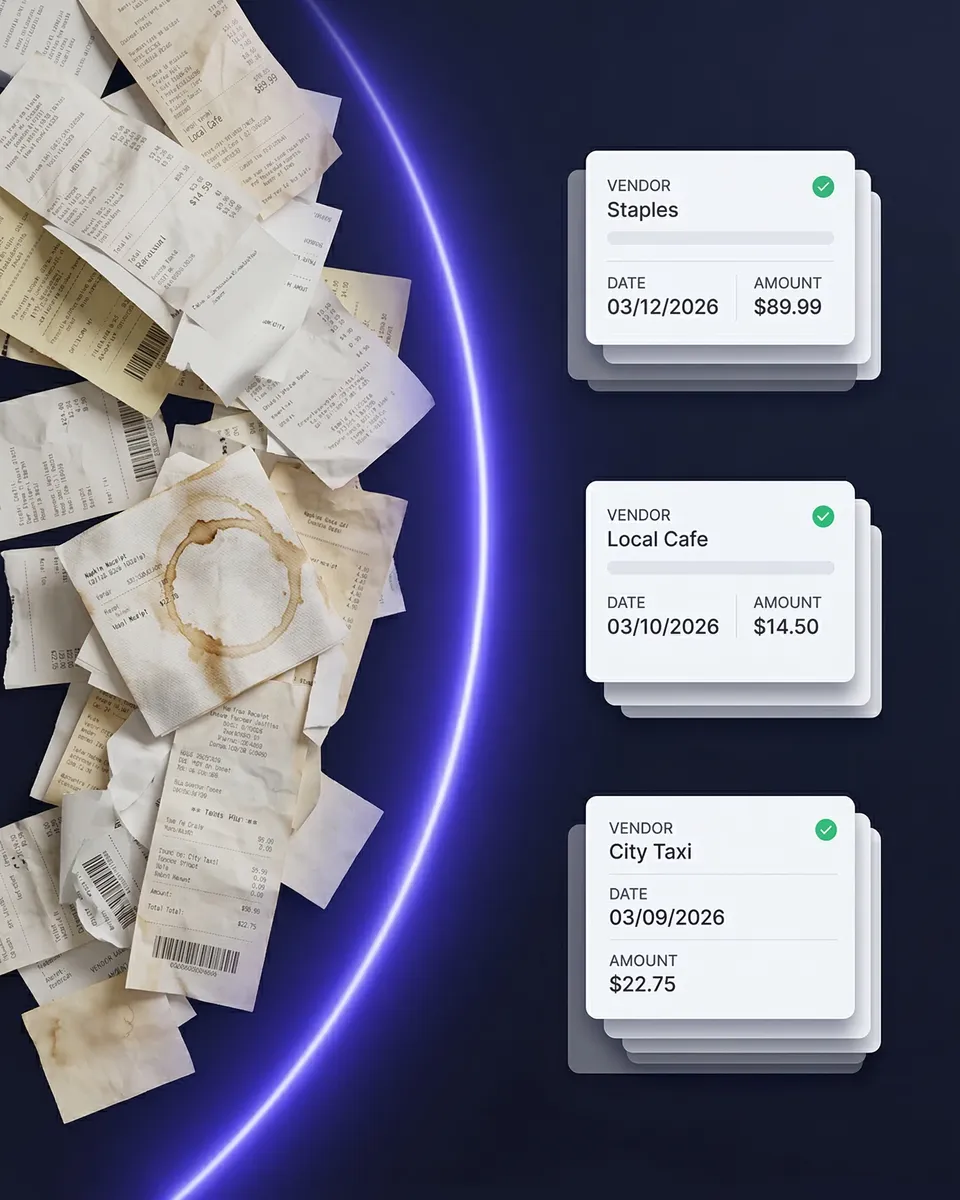
Scanned receipts categorized against the SimplBooks chart of accounts

Emailed receipts, bank statements and foreign currencies

Every Receipt in One Place Before It Reaches the Books

Snap a receipt with your phone, upload a PDF, or let SparkReceipt pick up emailed receipts from Gmail, Outlook or an IMAP inbox. Foreign purchases are read in their original currency. They go to SimplBooks with the exchange rate, or converted to your home currency first, whichever your settings say.

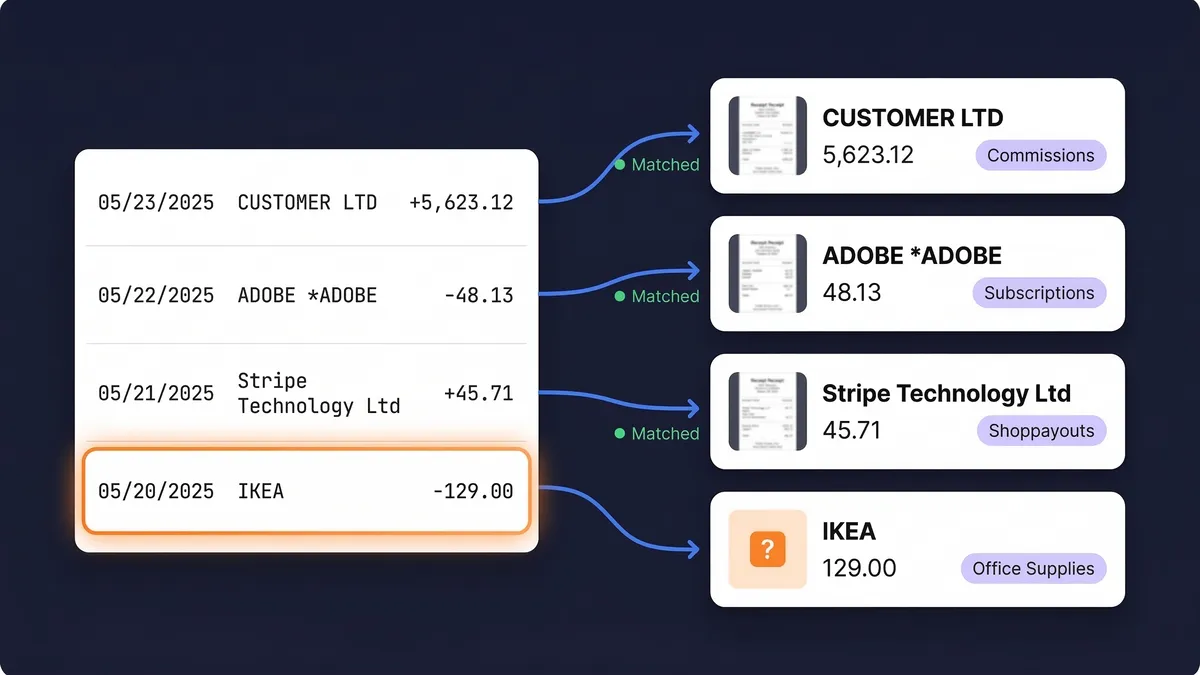
Upload a bank statement as a PDF, Excel or CSV file and the AI pulls out the transactions and matches them to your receipts. Before you publish, you see which purchases still have no receipt.

Bank statement transactions matched to receipts

How to Connect SimplBooks

1

Create an API user in SimplBooks

Your SimplBooks plan needs API access. In Finland that is a paid add-on on every plan except Mini, and in Estonia it comes with Premium. Add an API user under Settings, Users, and generate an API token. Your Company ID is the part of the address right after app.simplbooks.com/.

2

Paste them into SparkReceipt

Open Integrations in the SparkReceipt web app, choose SimplBooks, and paste the Company ID and API token. SparkReceipt checks them straight away and imports your accounts, VAT types and bank accounts.

3

Publish

Publish one document, a batch, or turn on auto-publish so every new expense goes to SimplBooks as soon as it is scanned. Publishing also works from the mobile app.

Frequently Asked Questions

A SimplBooks plan with API access, plus an API user and its token. In Finland the API is a paid add-on on every SimplBooks plan except Mini; in Estonia it is included in Premium. In SparkReceipt, an admin or accountant on the account connects it from Integrations in the web app. Step-by-step instructions are in our help article.

Lines are sent net, and SimplBooks adds VAT from each row's VAT type. Purchase and sales VAT types are kept apart, so a purchase type does not land on an invoice, and reverse-charge purchases use SimplBooks' reverse-charge type. A line with VAT but no matching SimplBooks VAT type stops the publish and names the line. If your business is not VAT registered, choose Do not track tax in the settings and lines go as tax-inclusive totals.

Yes. A document is published in its own currency with the exchange rate to your home currency, or converted to your home currency first if you choose that in the settings. A payment is only recorded when the bank account uses the same currency as the document.

Yes, when the document has a bank or cash account, or you set a default one. Receipts count as paid, and an invoice counts once you mark it paid. Without an account, or when its currency differs from the document's, the document goes over unpaid with a warning, and you record the payment in SimplBooks yourself.

Yes. All the images and PDFs on a document are merged into one PDF and attached to the purchase, or as the invoice's copy. A merged file over 10 MB is left off, and the document is published with a warning.

Publishing again updates the same record in SimplBooks. SimplBooks locks paid records, so SparkReceipt removes the payment first, updates the record and records the payment again. Remove from SimplBooks deletes the record there.

Not yet. Export an expense claim as a PDF, Excel or CSV report instead. Single expenses and income documents publish to SimplBooks directly.

SparkReceipt deletes its copy of the API token. The token itself stays valid in SimplBooks until you regenerate it or remove the API user, so do that if you want to close access completely. Documents already published stay in SimplBooks.

Yes. SparkReceipt also integrates directly with Procountor, QuickBooks Online, Xero, FreeAgent, Sage Accounting, FreshBooks and Zoho Books, and connects with Zapier, Make.com and Pabbly via webhooks. One accounting integration can be connected per account at a time.

Your accountant joins free

Your first user is included. Each extra user: $1.00/month, billed $12 annually.

Your accountant joins free

Pro

For side hustles.

$5.75/mo

Total for 1 user · $69.00 billed annually

+ VAT/GST where applicable

Get Started

7-day free trial

50 documents / month

For receipts and invoices

  • AI scanning and categorization
  • One connected email inbox
  • One live bank feed connection
  • Bank statement extraction and matching
  • Mileage tracking and expense reports
  • QuickBooks Online, Xero and more
Recommended

Elite

For small businesses with 1 to 40 people.

$10.75/mo

Total for 1 user · $129.00 billed annually

+ VAT/GST where applicable

Get Started

7-day free trial

Unlimited documents*

Everything in Pro, plus:

  • Line-item extraction on every receipt
  • Several connected email inboxes
  • Several live bank feed connections
  • AI Fields for the details you need
  • AI rules for categorizing and filing
  • Schedule C and accounting templates

Founder-led setup

Joel Ojala

Joel Ojala, co-founder, sets up SparkReceipt with you, tailored to how you work.

$400one-time setup

+ Elite for 1 user: $10.75/mo, billed annually

$529.00 today, then $129.00 a year

+ VAT/GST where applicable

Get set up with Joel

Annual plan only · No free trial

Everything in Elite

Plus a 60-minute session with Joel and one follow-up. In the session:

  • Your process, mapped at a high level
  • Logins for your team, and any extra users you need
  • Set up inbox scanning for receipts and invoices
  • Connect bank / upload your first statement
  • The phone app for paper receipts
  • Expense categories and your accounting integration
  • Anything else you'd like to go through

Unlimited linked accounts on every plan.

Compare all features

Pro

  • 1 user included. Add teammates any time for a flat fee per user, your accountant joins free on top, unlimited linked accounts
  • 50 documents per month (receipts and invoices, mass upload up to 100 at once)
  • AI scanning and categorization
  • Automatic email receipt scanning from one connected inbox (Gmail, Outlook, IMAP)
  • Bank statement extraction and receipt matching (PDF, CSV, Excel)
  • 100 credits a month per user. Bank statements use 1 credit per transaction
  • One live bank feed connection
  • Mileage tracker: GPS or manual trips
  • SparkAgent AI assistant, or connect your own AI over MCP
  • Integrations: QuickBooks Online, Xero, Zapier, Make, Pabbly, plus webhooks and API
  • Expense reports and exports: PDF, Excel, CSV, ZIP; 190 currencies

Elite

  • Everything in Pro, plus:
  • Unlimited documents: receipts and invoices, mass upload up to 100 at once
  • 200 credits a month per user. Bank statements use 1 credit per transaction
  • Line-item extraction on every receipt
  • Several connected email inboxes with automatic scanning
  • Several live bank feed connections
  • AI Fields: tell the AI exactly what to pull from every document
  • Plain-English AI rules: tell the AI how to categorize and file automatically
  • Schedule C export for US tax filing
  • Export templates for Sage 50, DATEV, Wave, and Sage 200

Founder-led setup

  • A 60-minute setup session with Joel, co-founder, plus one follow-up session
  • Together we set up your process, team logins, inboxes, bank statements, categories and integrations
  • Everything in Elite, billed annually
  • 1 user included. Add teammates any time for a flat fee per user

Unlimited document scanning on Elite is subject to fair use. Bank statement extraction uses monthly renewable credits. Historical email imports include a free allowance; larger imports use credits, with the cost shown before you start.

Ready to Send Your Receipts to SimplBooks?

Get Started

SparkReceipt integrates with SimplBooks as an independent, third-party app. SimplBooks is a trademark of its respective owner. SparkReceipt is not affiliated with, endorsed by or sponsored by SimplBooks.

Start Free Trial