Procountor Integration

Scan receipts with AI and publish them to Procountor.

Procountor is a Finnish financial management suite used by businesses and accounting firms. SparkReceipt reads every receipt and invoice with AI, books each line to your Procountor chart of accounts with the right VAT code, and publishes it to Procountor with the original image attached. You connect with your company's own Procountor API add-on.

7-day free trial

Your chart of accounts, VAT codes, bank accounts and partners

Receipts Booked to Your Own Accounts

When you connect, SparkReceipt imports your active Procountor accounts with their headings, your VAT codes (including EU, reverse charge and import statuses), your bank accounts, and your suppliers and customers. Account names can show in Finnish, Swedish or English.

A paid expense is published as a journal receipt on the account it was paid from. An unpaid purchase invoice becomes a purchase invoice, linked to the same invoice if it already arrived in Procountor as an e-invoice. An unpaid sales invoice becomes a sales invoice. Journal receipts wait for your accountant's approval by default.

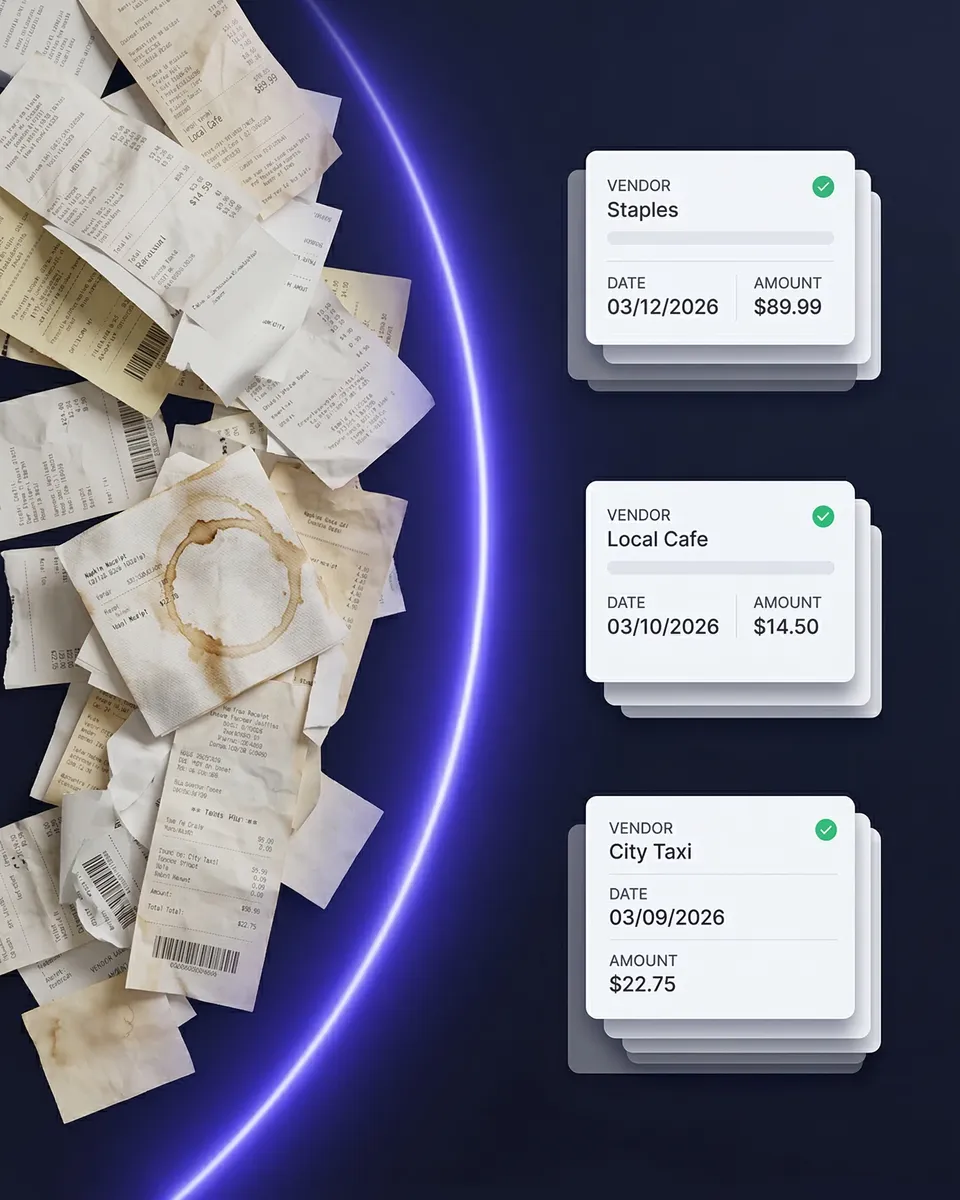
Scanned receipts categorized against the Procountor chart of accounts

Purchase invoices and bank statements, the other way

Bring Procountor Data Into SparkReceipt Too

Turn on the purchase invoice import and SparkReceipt brings the purchase invoices and e-invoices in Procountor into your account as expenses every three hours, without using your scan allowance. Turn on the bank statement import and your Procountor bank statements arrive as a bank feed, matched against your receipts.

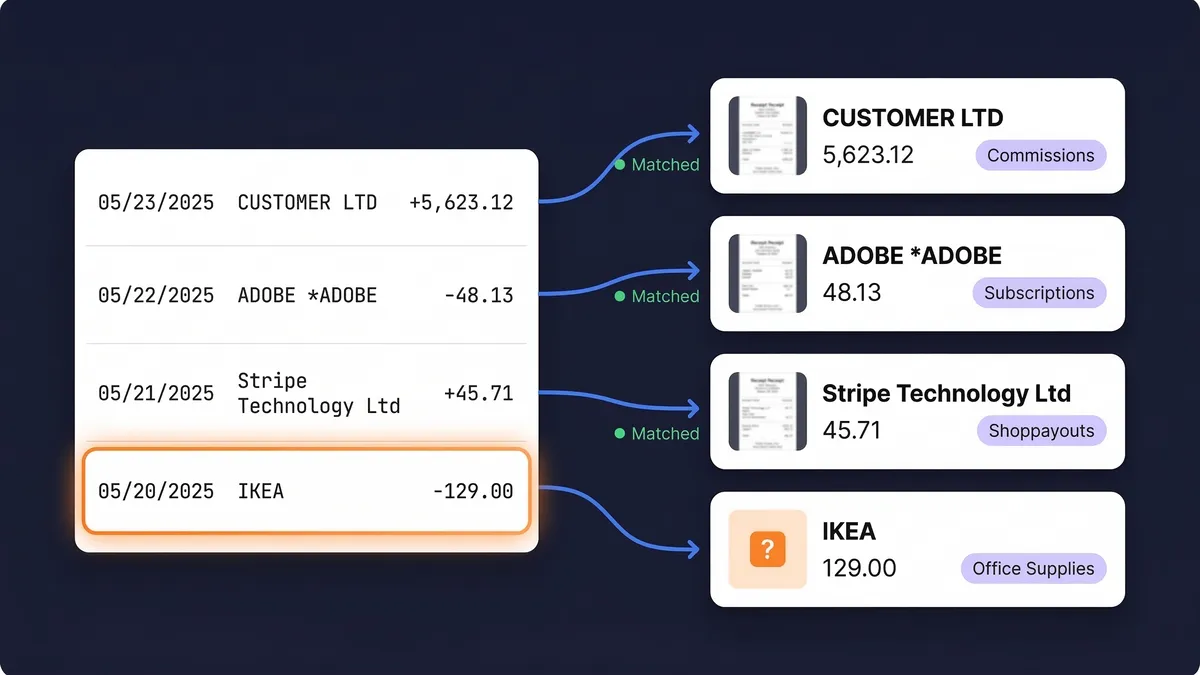
Bank statement transactions matched to receipts

How to Connect Procountor

1

Get the Procountor API add-on

Order the API add-on (Procountor API - asiakaskohtainen integraatio) from Finago, which gives your company its own client ID and client secret. Then create an API key for that client ID in Procountor, under Basics > API client keys.

2

Paste the credentials into SparkReceipt

Open Integrations in the SparkReceipt web app, choose Procountor, and paste the client ID, client secret and API key. Your chart of accounts, VAT codes, bank accounts and partners are imported right away.

3

Publish

Publish one document, a batch, or turn on auto-publish so every new expense goes to Procountor as soon as it is scanned. Publishing also works from the mobile app.

Frequently Asked Questions

Your company needs the Procountor API add-on, which comes with its own client ID and client secret, and an API key created for that client ID. In SparkReceipt, an admin or accountant on the account connects it from Integrations in the web app. Procountor also needs an open fiscal year for the date a document is booked to. Step-by-step instructions are in our help article.

Paid expenses and paid income as journal receipts on the payment account, unpaid purchase invoices as purchase invoices, and unpaid sales invoices as sales invoices, each with the original file attached. Refunds are published with negative amounts. Open invoices are paid in Procountor as usual.

Yes. Journal receipts are left unfinished in Procountor by default, so your accountant approves them there. To approve them on publish instead, change Approve journal receipts in the connection settings. Your accountant can also join your SparkReceipt account free of charge and review documents before anything is published.

SparkReceipt looks for the same invoice in Procountor first and links the document to it, so the invoice is not entered twice. If all your supplier invoices reach Procountor as e-invoices, set Unpaid supplier invoices to Only link to existing invoices. SparkReceipt then creates no new purchase invoices.

Yes. Turn on Book company card bills, and a card bill received in Procountor comes into SparkReceipt as a credit card statement, so its purchases are not counted twice. With Book to card accounts, each row is booked to the account linked to its card.

Purchase and sales invoices are published in the document's own currency and Procountor converts them. Journal receipts are booked in euros, at the amount your bank charged, Procountor's accounting rate, or the rate shown in SparkReceipt, whichever you choose in the settings.

SparkReceipt removes the connection and its copy of the key. The API key itself stays active in Procountor until you deactivate it there under your API client keys. Documents already published stay in Procountor.

Yes. SparkReceipt also integrates directly with SimplBooks, QuickBooks Online, Xero, FreeAgent, Sage Accounting, FreshBooks and Zoho Books, and connects with Zapier, Make.com and Pabbly via webhooks. One accounting integration can be connected per account at a time, and one connection covers one Procountor company. An accounting firm can create a linked account for each client, each with its own Procountor connection.

Your accountant joins free

Your first user is included. Each extra user: $1.00/month, billed $12 annually.

Your accountant joins free

Pro

For side hustles.

$5.75/mo

Total for 1 user · $69.00 billed annually

+ VAT/GST where applicable

Get Started

7-day free trial

50 documents / month

For receipts and invoices

  • AI scanning and categorization
  • One connected email inbox
  • One live bank feed connection
  • Bank statement extraction and matching
  • Mileage tracking and expense reports
  • QuickBooks Online, Xero and more
Recommended

Elite

For small businesses with 1 to 40 people.

$10.75/mo

Total for 1 user · $129.00 billed annually

+ VAT/GST where applicable

Get Started

7-day free trial

Unlimited documents*

Everything in Pro, plus:

  • Line-item extraction on every receipt
  • Several connected email inboxes
  • Several live bank feed connections
  • AI Fields for the details you need
  • AI rules for categorizing and filing
  • Schedule C and accounting templates

Founder-led setup

Joel Ojala

Joel Ojala, co-founder, sets up SparkReceipt with you, tailored to how you work.

$400one-time setup

+ Elite for 1 user: $10.75/mo, billed annually

$529.00 today, then $129.00 a year

+ VAT/GST where applicable

Get set up with Joel

Annual plan only · No free trial

Everything in Elite

Plus a 60-minute session with Joel and one follow-up. In the session:

  • Your process, mapped at a high level
  • Logins for your team, and any extra users you need
  • Set up inbox scanning for receipts and invoices
  • Connect bank / upload your first statement
  • The phone app for paper receipts
  • Expense categories and your accounting integration
  • Anything else you'd like to go through

Unlimited linked accounts on every plan.

Compare all features

Pro

  • 1 user included. Add teammates any time for a flat fee per user, your accountant joins free on top, unlimited linked accounts
  • 50 documents per month (receipts and invoices, mass upload up to 100 at once)
  • AI scanning and categorization
  • Automatic email receipt scanning from one connected inbox (Gmail, Outlook, IMAP)
  • Bank statement extraction and receipt matching (PDF, CSV, Excel)
  • 100 credits a month per user. Bank statements use 1 credit per transaction
  • One live bank feed connection
  • Mileage tracker: GPS or manual trips
  • SparkAgent AI assistant, or connect your own AI over MCP
  • Integrations: QuickBooks Online, Xero, Zapier, Make, Pabbly, plus webhooks and API
  • Expense reports and exports: PDF, Excel, CSV, ZIP; 190 currencies

Elite

  • Everything in Pro, plus:
  • Unlimited documents: receipts and invoices, mass upload up to 100 at once
  • 200 credits a month per user. Bank statements use 1 credit per transaction
  • Line-item extraction on every receipt
  • Several connected email inboxes with automatic scanning
  • Several live bank feed connections
  • AI Fields: tell the AI exactly what to pull from every document
  • Plain-English AI rules: tell the AI how to categorize and file automatically
  • Schedule C export for US tax filing
  • Export templates for Sage 50, DATEV, Wave, and Sage 200

Founder-led setup

  • A 60-minute setup session with Joel, co-founder, plus one follow-up session
  • Together we set up your process, team logins, inboxes, bank statements, categories and integrations
  • Everything in Elite, billed annually
  • 1 user included. Add teammates any time for a flat fee per user

Unlimited document scanning on Elite is subject to fair use. Bank statement extraction uses monthly renewable credits. Historical email imports include a free allowance; larger imports use credits, with the cost shown before you start.

Ready to Send Your Receipts to Procountor?

Get Started

SparkReceipt integrates with Procountor as an independent, third-party app. Procountor is a trademark of Finago Oy. SparkReceipt is not affiliated with, endorsed by or sponsored by Finago. More about Procountor at procountor.fi.

Start Free Trial