
The Receipt Scanner App That Actually Saves You Money
Scan receipts in seconds. AI categorises expenses automatically. Tax-ready reports in one click.
Stop losing receipts and missing tax deductions. SparkReceipt uses AI to scan, extract, and organise your receipts — so you spend less time on paperwork and more time on your business. Start with a 7-day free trial.
Business Owners in 175 Countries Trust SparkReceipt


Still Tracking Receipts Manually?
See what changes when AI handles your receipts

Without a Receipt Scanner
- Receipts stuffed in drawers, wallets, and cubby holes
- Hours spent entering data into spreadsheets
- Missed deductions because receipts got lost or faded
- Scrambling to find documentation before your tax return deadline
- Paying your accountant to sort through shoe boxes

With SparkReceipt
- Every receipt scanned and stored digitally in seconds
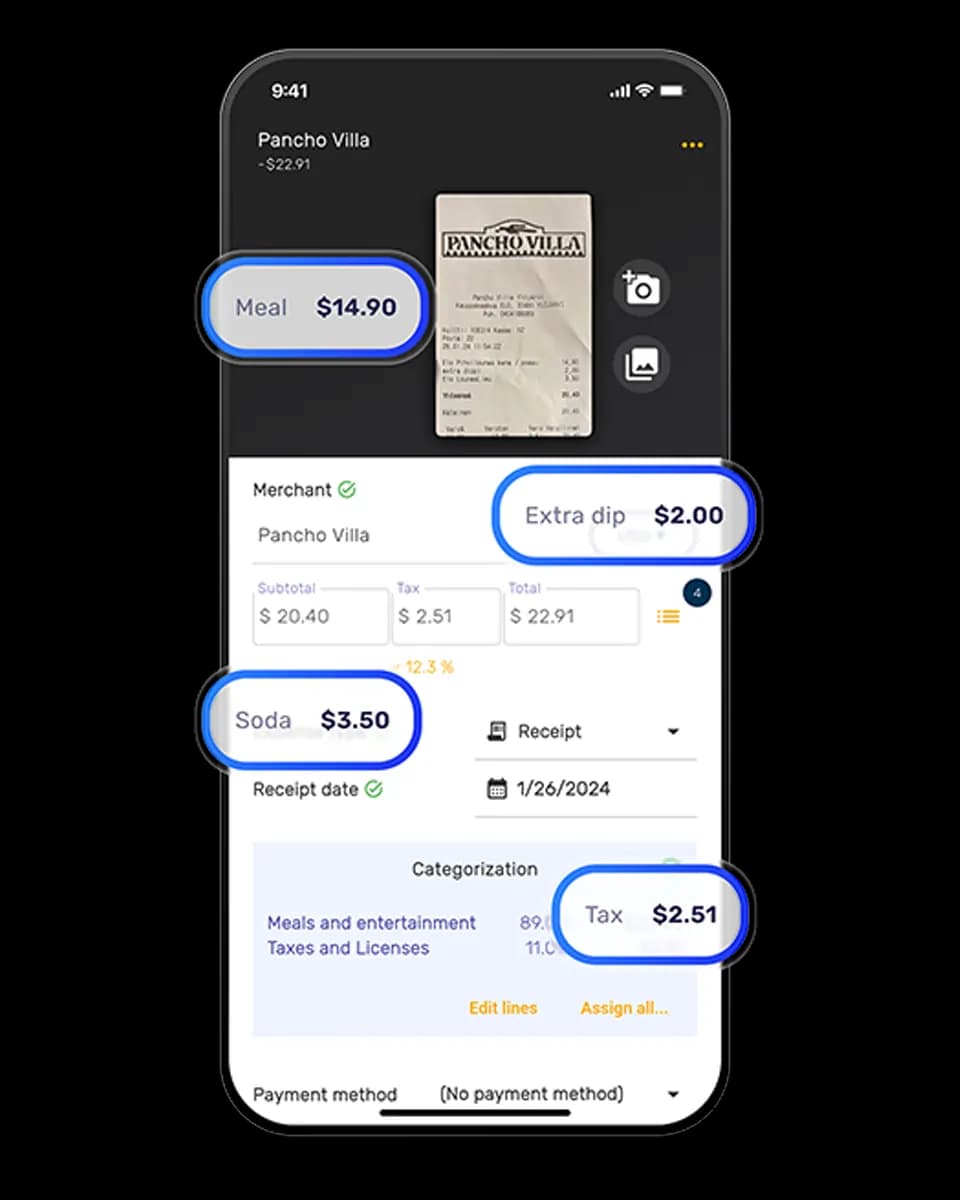
- AI extracts vendor, amount, date, VAT, and category
- Never miss a deduction — every expense is tracked
- Tax-ready reports generated in one click
- Invite your accountant or bookkeeper to your account at any time
How AI Receipt Scanning Works
Snap a Photo or Upload Your Receipt
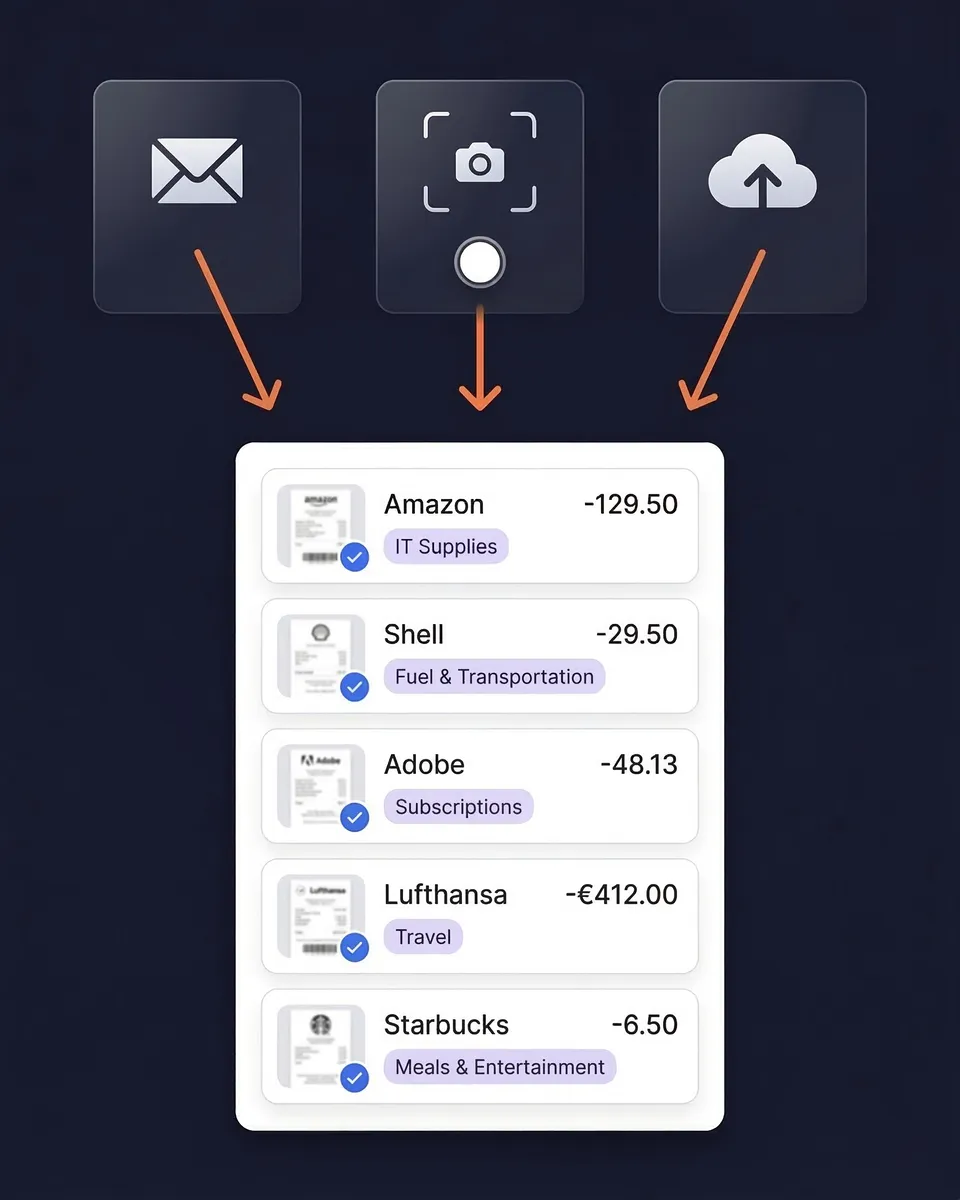
Use your phone camera to scan any paper receipt — even crumpled or faded ones. Upload PDFs, images, or screenshots from your computer. Forward email receipts to your dedicated SparkReceipt address, or connect your inbox for automatic capture. Handles receipts in almost any language and 190 currencies with automatic exchange rate conversion.
AI Reads and Categorises Every Detail
SparkReceipt's AI extracts the vendor name, amount, date, tax breakdown, payment method, and line items from your receipt. No manual data entry needed. Expenses are automatically sorted into tax-relevant categories — meals, travel, office supplies, software subscriptions, and more. The AI learns your patterns and gets smarter over time.
Generate Tax-Ready Reports Instantly
Create clean expense reports in PDF, Excel, or CSV format with one click. Reports include totals, category breakdowns, tax summaries, and links to original receipt images. Sync directly with QuickBooks Online or Xero to eliminate double entry. Or invite your accountant or bookkeeper directly to your account at any time.
Scan any receipt, anywhere
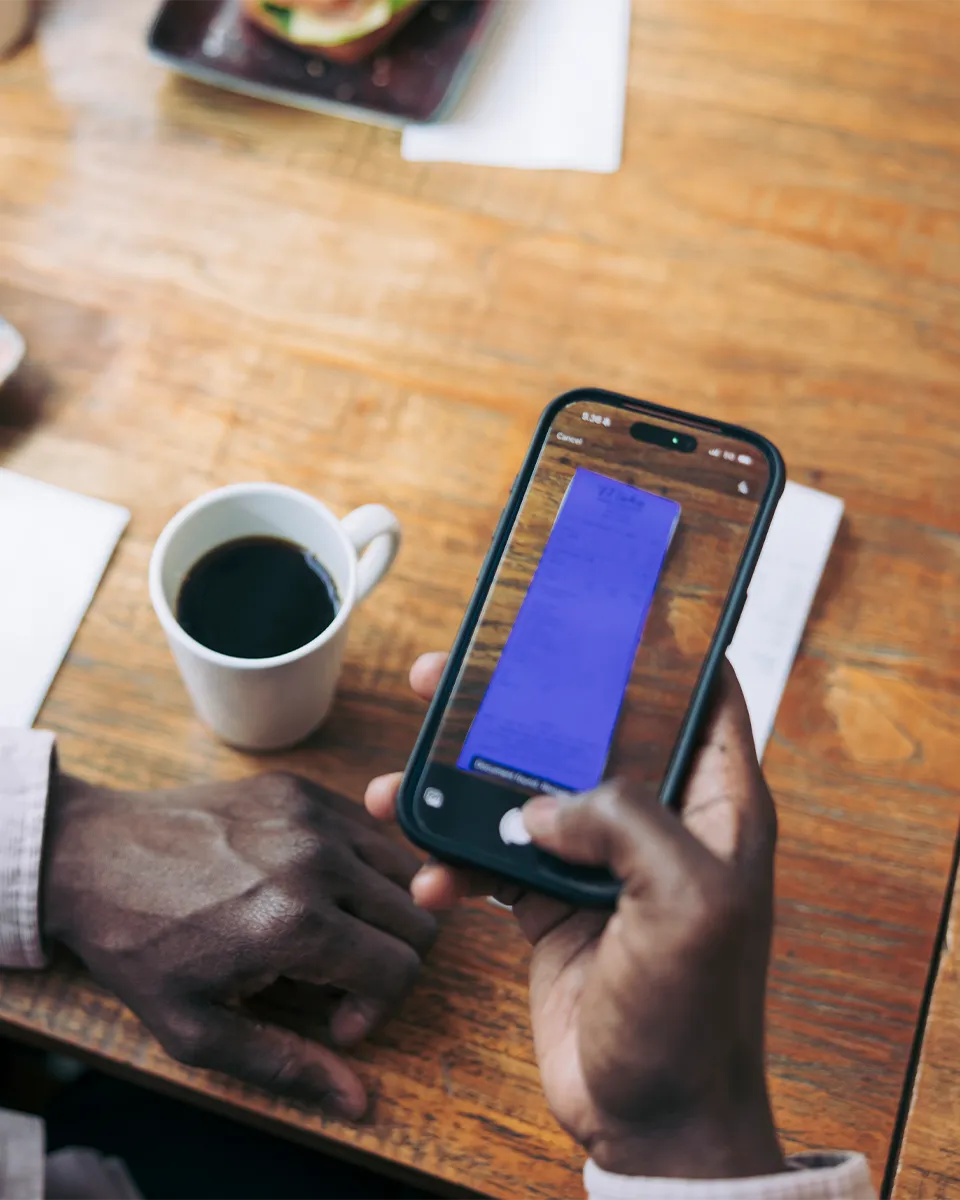
SparkReceipt works on iPhone and Android. Snap a photo of any paper receipt and AI extracts the data in seconds — even from crumpled, faded, or poorly printed till slips.
Got email receipts? Connect your Gmail, Outlook, Microsoft, or any IMAP inbox and SparkReceipt finds and imports receipts automatically. It works backward too: email history extraction pulls receipts out of the mail you already have, as far back as you choose — paper goes forward, your inbox goes backward.
AI that actually understands your receipts
SparkReceipt's AI doesn't just scan — it reads. Every receipt is analysed to extract the vendor name, total amount, date, tax breakdown, payment method, and individual line items.
Expenses are automatically categorised into tax-relevant groups: meals and entertainment, travel, office supplies, software, professional services, and more. The AI applies local tax rules based on your country and adapts to your spending patterns.

Beyond receipts: bank statement extraction
Upload PDF bank statements and automatically extract every transaction. AI categorises each transaction and matches it against your scanned receipts — giving you a complete picture of your expenses without entering a single line of data manually.
Built for Sole Traders, Not Corporations
Simple, transparent pricing. No hidden fees, no surprise charges.
Loved by Small Business Owners
“The scan accuracy is the most precise out there. Just try it!”

Christina Sust
INMIZE · Spain
“SparkReceipt is one of the very few software purchases that exceeded my expectations.”

Robert Connolly
The Internet Design Co. · Scotland
“I used to send my accountant a bag of slips every month. With SparkReceipt I now have a realtime view of how much the business owes me.”

Daniel Esterhuizen
Esterhuizen Consulting · South Africa
Join 38 283 businesses that chose SparkReceipt — 4 620 044 receipts processed and counting.
Start Free TrialScanning receipts for SARS and VAT
SARS can ask for the document behind any deduction you claim, and under the VAT Act you keep those records for five years from the end of the tax period. SARS accepts a clear digital copy, so a scan is both your evidence and your archive: a faded till slip or a lost email is a deduction you can no longer prove.
If you are registered for VAT, the bar is higher, and the receipt has to match the size of the purchase. For a purchase over R5,000 you need a full tax invoice showing the supplier's and your own VAT numbers; between R50 and R5,000 an abridged tax invoice is enough; at R50 or less the till slip will do, as long as it shows that VAT was charged. Whichever tier applies, you claim the input VAT from the tax invoice itself, not from the bank line, so keeping a readable copy is what protects the deduction on your VAT201 return.
SparkReceipt reads each receipt in seconds, pulling out the vendor, amount, date, and VAT, and stores the image against the expense so it is ready when SARS asks. Reconstructing from bank data instead? The bank statement extractor runs the same OCR on a PDF statement from any South African bank.
Frequently Asked Questions
A receipt scanner app uses your phone camera or file uploads to capture receipt images, then extracts key data like vendor name, amount, date, and tax using AI-powered OCR technology. The best receipt scanner apps — like SparkReceipt — automatically categorise expenses and generate tax-ready reports.
SparkReceipt's AI accurately extracts vendor names, amounts, dates, tax breakdowns, and currencies from receipts. It supports six languages (English, French, German, Spanish, Japanese, Finnish) and handles 190 currencies with automatic exchange rate conversion.
Absolutely. SparkReceipt automatically categorises your scanned receipts into tax-relevant categories. Generate clean expense reports in PDF or Excel format — ready for your accountant or your tax return. SARS accepts digital records as long as they are a true and readable copy of the original. Consult a qualified tax professional for advice specific to your situation.
Yes. SARS accepts electronic copies of your receipts and tax invoices, and under the VAT Act you keep them for five years from the end of the tax period. A clear scan stored in SparkReceipt is a valid record, so you can recycle the paper slip once it is captured. For a purchase over R5,000 keep the full tax invoice; between R50 and R5,000 an abridged tax invoice is enough.
Yes. SparkReceipt works on both iPhone and Android devices. Snap a photo of any receipt with your phone camera, and AI extracts the details in seconds. You can also upload receipts from your computer or forward email receipts.
SparkReceipt offers AI-powered receipt scanning at R 274,92/month, billed annually — a lower price point than FreshBooks. SparkReceipt is built specifically for sole traders and small businesses — not enterprise teams.
Yes. Connect your Google (Gmail), Microsoft (Outlook, Hotmail, Live), or any IMAP provider (Yahoo, iCloud, ProtonMail, and more), and SparkReceipt automatically finds and processes email receipts — no forwarding required. You can also scan historical emails using date filters to capture past receipts. Email receipt scanning is included in the Elite plan.
SparkReceipt exports your expense data in PDF, Excel, CSV, or ZIP formats. Generate one-click expense reports complete with totals, categories, tax summaries, and links to original receipt images.
Yes. SparkReceipt integrates directly with QuickBooks Online. Your categorised expenses and receipt images sync automatically, eliminating double entry between your receipt scanner and accounting software.
Yes. The AI extracts tax breakdowns from every receipt, including 15% VAT amounts. Tax data is preserved in your reports — ready for input VAT deductions on your VAT201 return or your income tax return.
SparkReceipt offers simple, transparent pricing with no hidden fees or surprise charges. Try the Elite plan with a 7-day free trial.