You Probably Don't Need to Replace QuickBooks

You might need to replace the part of it that scans your receipts.

QuickBooks Online is proper accounting software — invoicing, GST, payroll, BAS preparation. SparkReceipt is none of those things and does not try to be. What it replaces is the receipt-capture layer, for the businesses where that is the part that keeps breaking. Then it syncs the clean data back into QuickBooks.

7-day free trial

Business Owners in 175 Countries Trust SparkReceipt

Tracy DugganRobert ConnollyRafael RoaFrédéric ThériaultPierce Mooney
4.8based on 2000+ reviews in app stores

Where each one earns its keep

QuickBooks is the ledger. This is about how the evidence gets into it.

The Seat Maths Is the Real Story

QuickBooks Online Australia starts at A$33/month (Simple Start) for one user plus accountant access. The tier that includes 3 users is Essentials at A$60/month.

SparkReceipt Elite is $22.99/month billed annually with 3 users included.

That said, they are not the same product. QuickBooks raises invoices, tracks GST, runs payroll, and prepares your BAS. SparkReceipt does none of that. If QuickBooks' built-in receipt capture handles your volume and your document quality, use it — you do not need us.

The case for adding SparkReceipt is about what happens when it doesn't.

When the Built-In Capture Stops Being Enough

Receipt capture is a feature inside QuickBooks, not the thing it was designed around. That shows up in specific places:

Bank statements you cannot feed it. QuickBooks works from live bank feeds. If your bank is not supported, if a feed breaks, or if you need to work backwards from a PDF statement for a quarter already closed, there is no upload route. SparkReceipt takes PDF, CSV, or Excel statements, extracts every transaction, and matches each one to the receipt that proves it — flagging the lines with no tax invoice attached before you lodge.

Documents that are not clean. Faded thermal dockets, handwritten invoices from tradies, multi-line supplier invoices where GST-free items sit alongside taxable ones. SparkReceipt's extraction reasons about the whole document in context rather than matching against merchant templates, and reads the GST actually shown rather than assuming a flat 10%.

Receipts scattered across inboxes. SparkReceipt connects Gmail, Outlook, Microsoft, or any IMAP inbox and pulls receipts automatically, with historical scanning for catching up.

Volume. Mass upload takes 100 documents at once, split and categorised automatically — which is what catching up a neglected quarter before BAS actually looks like.

You Do Not Have to Choose

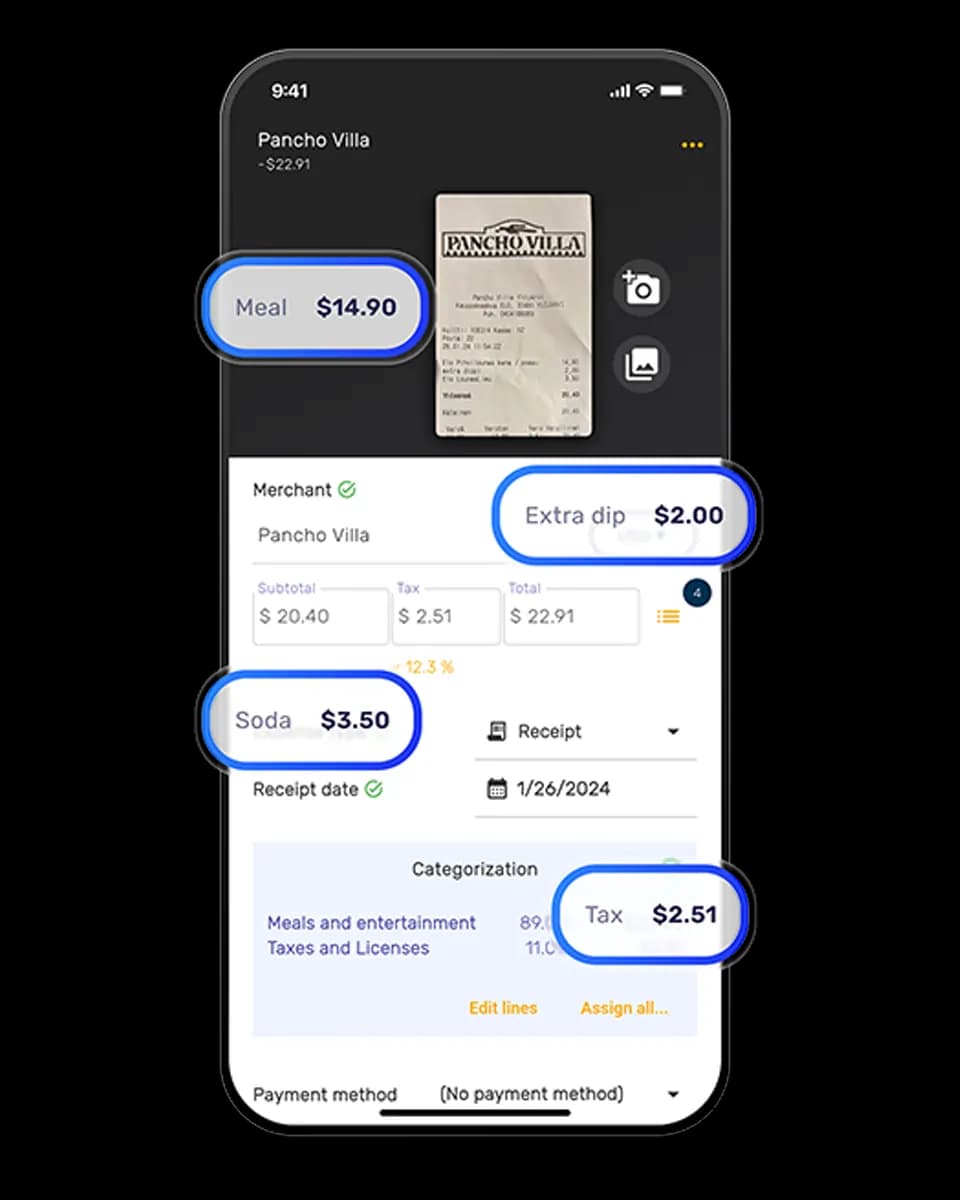
SparkReceipt has a direct QuickBooks Online integration. Receipts are captured, extracted, categorised, and matched in SparkReceipt, then synced into QuickBooks with the image attached to each transaction — ready to reconcile against your bank feed.

That is the setup most people who find this page end up with: QuickBooks for the accounting, SparkReceipt for getting the evidence into it.

QuickBooks OnlineSparkReceipt Elite
Entry priceA$33/month (Simple Start)$22.99/month billed annually
Users at entry1, plus accountant access3
3-user tierA$60/month (Essentials)Included
Invoicing, payroll, BAS prepYesNo
Receipt captureIncludedPurpose-built, AI extraction with line items
Bank statement uploadBank feeds onlyPDF, CSV, or Excel
Receipt-to-transaction matchingNot offeredIncluded
Email receipt captureLimitedGmail, Outlook, Microsoft, any IMAP
Mass uploadNot offeredUp to 100 at once
CurrenciesHigher tiers150+ on Elite
Free trialYes7 days, full access

QuickBooks pricing is taken from QuickBooks' Australian pricing page as of August 2026. Promotional discounts were running at the time of checking and headline prices change frequently — verify at quickbooks.intuit.com. SparkReceipt is not affiliated with or endorsed by QuickBooks or Intuit.

Elite
Back to Business — 50% off

$22.99/mo

$11.50/mo

$137.50/year, billed annually

+ VAT/GST where applicable

  • Unlimited documents
  • Automatic email receipt fetching (Gmail, Outlook, IMAP)
  • Mass upload (up to 100 documents at once)
  • Bank statement extraction
  • Line-item categorization
  • Expense reports (PDF, Excel, CSV)
  • AI Automations
  • Integrations (QuickBooks Online, Zapier, Make)
  • Invite your accountant and partner
Start Your Free Trial

7-day free trial

Loved by Small Business Owners

SparkReceipt takes care of the busy work, allowing me to quickly save receipts and create expense reports.
Tim Heller

Tim Heller

HellerWeather · United States

Excellent software to manage income and expenses, and have the relevant info at your fingertips at any given time.
Melvin Hoods

Melvin Hoods

MJD Brokers · South Africa

Thanks to you, I'm actually looking forward to my year end FOR THE FIRST TIME EVER, when I can surprise my accountant with my completed accounts with a week or so off the end of the year!
Abigail Dombey

Abigail Dombey

Net Zero Associates Ltd · United Kingdom

Join 37,021 businesses that chose SparkReceipt — 4,319,868 receipts processed and counting.

Start Free Trial

Frequently Asked Questions

No. SparkReceipt is a pre-accounting tool — it captures, extracts, categorises, and reconciles receipts and statements. It does not raise invoices, run payroll, produce financial statements, or lodge your BAS. If you need accounting software, you still need QuickBooks or an equivalent.

On a like-for-like seat basis, yes. QuickBooks Simple Start is A$33/month for one user; its 3-user tier, Essentials, is A$60/month. SparkReceipt Elite is $22.99/month billed annually with 3 users included. But they are not the same product — QuickBooks does invoicing, payroll, and BAS preparation, and SparkReceipt does not.

Because they do different jobs. QuickBooks is the ledger; SparkReceipt is how the evidence gets into it accurately. Businesses that add SparkReceipt usually have high receipt volume, a lot of paper, supplier invoices with mixed GST treatment, or bank lines they need to reconcile against tax invoices before lodging.

Yes, through a direct integration. Categorised expenses sync across with the receipt image attached to each transaction, ready to match against your bank feed.

Upload bank and credit card statements as PDF, CSV, or Excel and extract every transaction — QuickBooks works from live bank feeds only. Match each extracted transaction to the receipt that supports it, flagging the ones with nothing attached. Pull receipts automatically from any IMAP inbox. Mass upload up to 100 documents at once. Read GST line by line on mixed invoices instead of assuming a flat rate.

It helps you substantiate it. SparkReceipt links each transaction to the tax invoice behind it and reads the GST shown on the document, so you can see which spends have valid evidence before you lodge. The lodgement itself happens in QuickBooks or through your accountant.

SparkReceipt Elite includes 3 users, intended to cover you, a partner or colleague, and your accountant or bookkeeper. QuickBooks Simple Start includes one user plus free accountant access; three users requires Essentials.

Yes. SparkReceipt has a 7-day free trial with full access. Connect it to your QuickBooks account, run a couple of weeks of receipts through it, and see whether the capture and matching are worth the second subscription for your volume.

Keep QuickBooks. Fix the Receipts.

Get Started
Start Free Trial