You Probably Don't Need to Replace QuickBooks

You might need to replace the part of it that scans your receipts.

QuickBooks Online is proper accounting software: invoicing, sales tax, payroll, financial reporting, GST/HST filing. SparkReceipt is none of those things and does not try to be. What it replaces is the receipt-capture layer, for the businesses where that is the part that keeps breaking. Then it syncs the clean data back into QuickBooks.

7-day free trial

Business Owners in 175 Countries Trust SparkReceipt

Tracy DugganRobert ConnollyRafael RoaFrédéric ThériaultPierce Mooney
4.8on the App Store · 4.6 on Google Play · 2,700+ ratings

Being straight about this one

QuickBooks does more than we do, and during its introductory offers it costs less. Here is when it still makes sense to add SparkReceipt.

On Price, It's Close, and That's Fine

QuickBooks Online's entry plan in Canada is EasyStart at C$30/month. It includes receipt capture, mileage tracking, invoicing, and GST/HST tracking, for one user plus accountant access. For solo businesses, QuickBooks Lite starts at C$20/month.

SparkReceipt Pro starts at $8.25/month billed annually and Elite is $14.92/month billed annually, so at list price both cost less than QuickBooks' entry tiers. During Intuit's introductory offers (90% off for the first six months in October 2026) QuickBooks costs less for those months. And QuickBooks does categories of work we do not: we raise no invoices, run no payroll, and file nothing with the CRA.

So this is not a "save money by switching" page. If QuickBooks' built-in capture handles your volume and your document quality, use it and stop reading.

The case for adding SparkReceipt is about what happens when it doesn't.

When the Built-In Capture Stops Being Enough

Receipt capture is a feature inside QuickBooks, not the thing it was designed around. That shows up in specific places:

Statements that only exist as PDFs. QuickBooks is built around bank feeds and transaction file imports. If your bank is not supported, a feed breaks, or you need to work backwards from a PDF statement for a period already closed, the bank statement extractor takes PDF, CSV, or Excel statements, extracts every transaction, and matches each one to the receipt that proves it, flagging the lines with no evidence attached.

Documents that are not clean. Faded thermal receipts, handwritten invoices from tradespeople, multi-page supplier invoices where taxable and zero-rated items sit on the same page. SparkReceipt's extraction reasons about the whole document in context rather than matching against merchant templates, and reads the GST/HST off each line rather than applying an assumed rate.

Receipts scattered across inboxes. SparkReceipt connects Gmail, Outlook, Microsoft, or any IMAP inbox and pulls receipts automatically, with historical scanning for catching up.

More than one person handling paperwork. QuickBooks' EasyStart tier is one user plus accountant access; you move up to Essentials to add users. SparkReceipt Elite includes 1 user at $14.92/month, with more added any time at a per-user rate and your accountant always free.

Volume. Mass upload takes 100 documents at once, split and categorized automatically, which is what catching up a neglected quarter looks like.

You Do Not Have to Choose

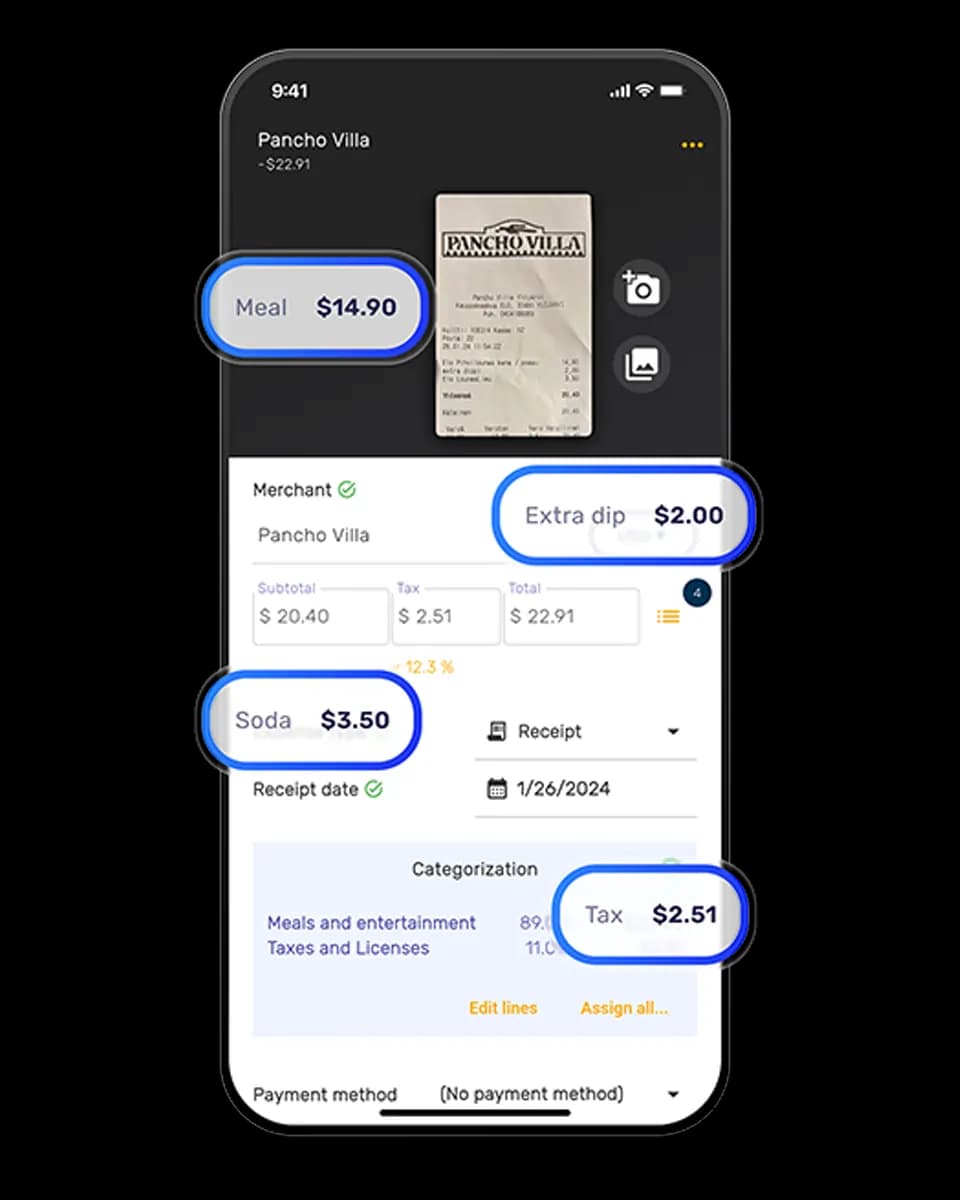
SparkReceipt has a direct QuickBooks Online integration. Receipts are captured, extracted, categorized, and matched in SparkReceipt, then synced into QuickBooks with the image attached to each transaction.

That is the setup most people who find this page end up with: QuickBooks for the accounting, SparkReceipt for getting the evidence into it. The CRA accepts electronic records, and a direct integration keeps the handoff digital rather than re-typed, with every figure still linked to the receipt that supports the deduction.

QuickBooks OnlineSparkReceipt
Entry priceC$30/month (EasyStart); Lite from C$20/month; 90% off for 6 months on offerPro from $8.25/month billed annually; Elite $14.92/month
Users at entry1, plus accountant access1, plus free accountant access, more at a per-user rate
Invoicing, payroll, GST/HST returnsYesNo
Filing to the CRAYesNo
Receipt captureIncludedPurpose-built AI extraction; line items on Elite
Bank statementsBank feeds and transaction file importsPDF, CSV, or Excel statements extracted and matched to receipts
Email receipt captureEmail forwardingConnected Gmail, Outlook, Microsoft or IMAP inboxes, plus past emails
Mass uploadSee QuickBooksUp to 100 at once
CurrenciesSee QuickBooks plan details190, converted at the purchase-date rate
Free trial30 days7 days, full access

QuickBooks pricing is taken from QuickBooks' Canada pricing page as of October 2026 (checked 5 October; regular prices, before tax). A 90%-off-for-six-months promotion was running at the time of checking, and headline prices change often, so verify at quickbooks.intuit.com/ca. SparkReceipt is not affiliated with or endorsed by QuickBooks or Intuit.

1 user included
Accountant access is free.

Each extra user: $1.17/month, billed $14 annually. Accountant access is free.

Pro

The essentials for keeping your receipts and expenses organized.

$8.25/mo

Total for 1 user · $99.00 billed annually

+ VAT/GST where applicable

Get Started

7-day free trial

50 documents / month

For receipts and invoices

  • AI scanning and categorization
  • One connected email inbox
  • One live bank feed connection
  • Bank statement extraction and matching
  • Mileage tracking and expense reports
  • QuickBooks Online, Xero and more
Recommended

Elite

More receipts, more automation. Less to do yourself.

$14.92/mo

Total for 1 user · $179.00 billed annually

+ VAT/GST where applicable

Get Started

7-day free trial

Unlimited documents*

Everything in Pro, plus:

  • Line-item extraction on every receipt
  • Several connected email inboxes
  • Several live bank feed connections
  • AI Fields for the details you need
  • AI rules for categorizing and filing
  • Accounting export templates

Founder pack

Elite, with hands-on setup from a SparkReceipt founder.

$729first year

$550 one-time setup + $179.00/year Elite for 1 user

+ VAT/GST where applicable

Get the Founder pack

Annual plan only · No free trial

Everything in Elite

Plus a working session with a founder:

  • Personal walkthrough of your account
  • Connect your email inboxes together
  • Set up your expense categories
  • Configure your integrations
  • Get answers as you work through setup
  • Go live in one working session

Unlimited linked accounts on every plan.

Compare all features

Pro

  • 1 user included. Add teammates any time for a flat fee per user, your accountant joins free on top, unlimited linked accounts
  • 50 documents per month (receipts and invoices, mass upload up to 100 at once)
  • AI scanning and categorization
  • Automatic email receipt scanning from one connected inbox (Gmail, Outlook, IMAP)
  • Bank statement extraction and receipt matching (PDF, CSV, Excel)
  • One live bank feed connection
  • Mileage tracker: GPS or manual trips
  • SparkAgent AI assistant, or connect your own AI over MCP
  • Integrations: QuickBooks Online, Xero, Zapier, Make, Pabbly, plus webhooks and API
  • Expense reports and exports: PDF, Excel, CSV, ZIP; 190 currencies

Elite

  • Everything in Pro, plus:
  • Unlimited documents: receipts and invoices, mass upload up to 100 at once
  • Line-item extraction on every receipt
  • Several connected email inboxes with automatic scanning
  • Several live bank feed connections
  • AI Fields: tell the AI exactly what to pull from every document
  • Plain-English AI rules: tell the AI how to categorize and file automatically
  • Export templates for Sage 50, DATEV, Wave, and Sage 200

Founder pack

  • Hands-on onboarding with a founder: together we set up your account, inboxes, categories and integrations
  • Everything in Elite, billed annually
  • 1 user included. Add teammates any time for a flat fee per user
  • Skip the learning curve and go live in one working session

Unlimited document scanning on Elite is subject to fair use. Bank statement extraction uses monthly renewable credits. Historical email imports include a free allowance; larger imports use credits, with the cost shown before you start.

Loved by Small Business Owners

“I needed a solution to organize and process my personal and business receipts. I'm thrilled I found SparkReceipt. It saves me a lot of time!”
Frédéric Thériault

Frédéric Thériault

Productions Locavores · Canada

“SparkReceipt is an excellent alternative to full-fledged accounting software, saving you time and money!”
Pierce Mooney

Pierce Mooney

Legal Services · United States

“SparkReceipt is one of the very few software purchased that exceeded my expectations. Great product, great features, great value.”
Robert Connolly

Robert Connolly

The Internet Design Co. · Scotland

Join 38,283 businesses that chose SparkReceipt — 4,620,044 receipts processed and counting.

Start Free Trial

Frequently Asked Questions

No. SparkReceipt is a pre-accounting tool: it captures, extracts, categorizes, and reconciles receipts and statements. It does not raise invoices, run payroll, produce financial statements, or file anything with the CRA. If you need accounting software, you still need QuickBooks or an equivalent.

At list price, yes. QuickBooks EasyStart is C$30/month in Canada and includes receipt capture, invoicing, and GST/HST tracking, and QuickBooks Lite starts at C$20/month. SparkReceipt Pro is $8.25/month billed annually and Elite $14.92/month. During Intuit's introductory offers QuickBooks costs less for the first months. The comparison that makes sense is on seats and capability rather than headline price. Elite includes 1 user (add more at a per-user rate, with your accountant always free), unlimited documents, bank statement extraction with receipt matching, and email capture across any IMAP inbox.

Because they do different jobs. QuickBooks is the ledger; SparkReceipt is how the evidence gets into it accurately. Businesses that add SparkReceipt usually have high receipt volume, a lot of paper, supplier invoices with mixed GST/HST treatment, or bank lines they need to reconcile against documents. If none of that describes you, QuickBooks alone is the right answer.

Yes, through a direct integration. Categorized expenses sync across with the receipt image attached to each transaction, so anything can be verified without coming back to you.

Upload bank and credit card statements as PDF, CSV, or Excel and extract every transaction, including PDF statements that a bank feed or file import can't take. Match each extracted transaction to the receipt that supports it, flagging the ones with nothing attached. Pull receipts automatically from any IMAP inbox. Mass upload up to 100 documents at once. Read GST/HST line by line on mixed invoices.

With the record-keeping half. SparkReceipt keeps digital records of income and expenses linked to the underlying documents, then hands them to QuickBooks. The CRA requires you to keep receipts and supporting documents for six years, and to hold source documents in a readable format, which is exactly what a digital archive of matched receipts gives you. SparkReceipt does not file anything with the CRA.

SparkReceipt Elite includes 1 user, and you can add teammates any time at a per-user rate; your accountant or bookkeeper joins free on top and never uses a paid seat. QuickBooks' EasyStart tier includes one user plus accountant access; you move up to Essentials to add users.

Yes. SparkReceipt has a 7-day free trial with full access. Connect it to your QuickBooks account, run a week of receipts through it, and see whether the capture and matching are worth the second subscription for your volume.

Keep QuickBooks. Fix the Receipts.

Get Started
Start Free Trial