Expensify Reimburses Employees. SparkReceipt Keeps Your Books.

Two different jobs. Pick the tool built for the one you actually have.

Expensify is a strong product for what it was designed to do: employees submit expenses, managers approve them, finance reimburses them. If you're a sole trader, a contractor, or a small business owner, you don't have that problem. You have receipts, a bank account, and a BAS to lodge. That's the job SparkReceipt is built for.

7-day free trial

Business Owners in 175 Countries Trust SparkReceipt

Tracy DugganRobert ConnollyRafael RoaFrédéric ThériaultPierce Mooney
4.8on the App Store · 4.6 on Google Play · 2,700+ ratings

Expensify vs SparkReceipt

An honest look at where each one fits.

On Price, They're Close. That Isn't the Point

At three people, the sticker prices are almost identical. Expensify Collect is A$8 per member per month, so three members is around A$24/month. SparkReceipt Elite is $16.58/month billed annually with 1 user included, more at a per-user rate.

So don't switch to save a couple of dollars. The differences that matter are structural.

Expensify charges per member, so cost tracks headcount. Bring in a fourth and fifth person and Collect scales with them. Move up to Control for approval flows, custom rules, or ERP integration pricing is custom, from as low as A$30 per active member a month on Expensify's AUD pricing, with discounts for an annual commitment and the Expensify Card. SparkReceipt's plan includes 1 user, with more at a flat per-user rate.

Expensify's free plan is for submitting, not bookkeeping. The free Submit plan comes with a monthly allowance of free SmartScans, while the QuickBooks and Xero integrations sit on Collect and above. Worth knowing before you build a workflow on the free plan.

ExpensifySparkReceipt Elite
Built forEmployee expense reimbursementOwners and sole traders keeping their own records
Pricing modelPer member, per month (Collect A$8; Control custom, as low as A$30)Flat base, 1 user included, more at a per-user rate
Receipt scanningSmartScanAI extraction with line items
Bank statement extractionNot offered; focused on card transaction importsIncluded, each line matched to a receipt
Income trackingExpense and reimbursement focusedAuto-detects expense vs income
Approval workflowsExtensive, multi-stageNot the focus
Corporate cardsExpensify CardNot offered
Travel bookingBuilt inNot offered
Accounting syncQuickBooks, Xero, NetSuite, Sage IntacctXero, QuickBooks Online, Zapier, Make
AIAI and human supportSparkAgent, an AI agent that acts on your records
Free trialFree Submit plan7 days, full access

Choose Expensify If

  • You reimburse employees and need submission, approval, and payment in one flow
  • You want corporate cards with spend controls
  • You need travel booking inside the expense tool
  • You're on NetSuite or Sage Intacct and need a deep ERP integration
  • Your team is large enough that per-seat pricing is simply the cost of doing business

That's a real product for a real problem, and if it describes you, Expensify is the better fit. We'd rather tell you that than sell you the wrong thing.

Choose SparkReceipt If

  • You're the one keeping the books, not approving someone else's claims
  • You want your bank statement and your receipts reconciled against each other
  • You track money coming in as well as going out
  • You import stock or pay for software priced overseas and need currency handled properly
  • You want your accountant in the same account without a separate seat negotiation

Bank statement extraction and matching. Upload a PDF, CSV, or Excel statement and the bank statement extractor pulls out every transaction, then matches each one against the receipts in your archive. Unmatched transactions are flagged. Expensify imports card transactions but doesn't extract bank statements, and this is the step that turns a pile of receipts into books that reconcile before BAS.

Income, not just expenses. SparkReceipt works out whether a document is money in or money out and files it accordingly. Sales invoices and purchase receipts live together. Expensify is oriented around spend.

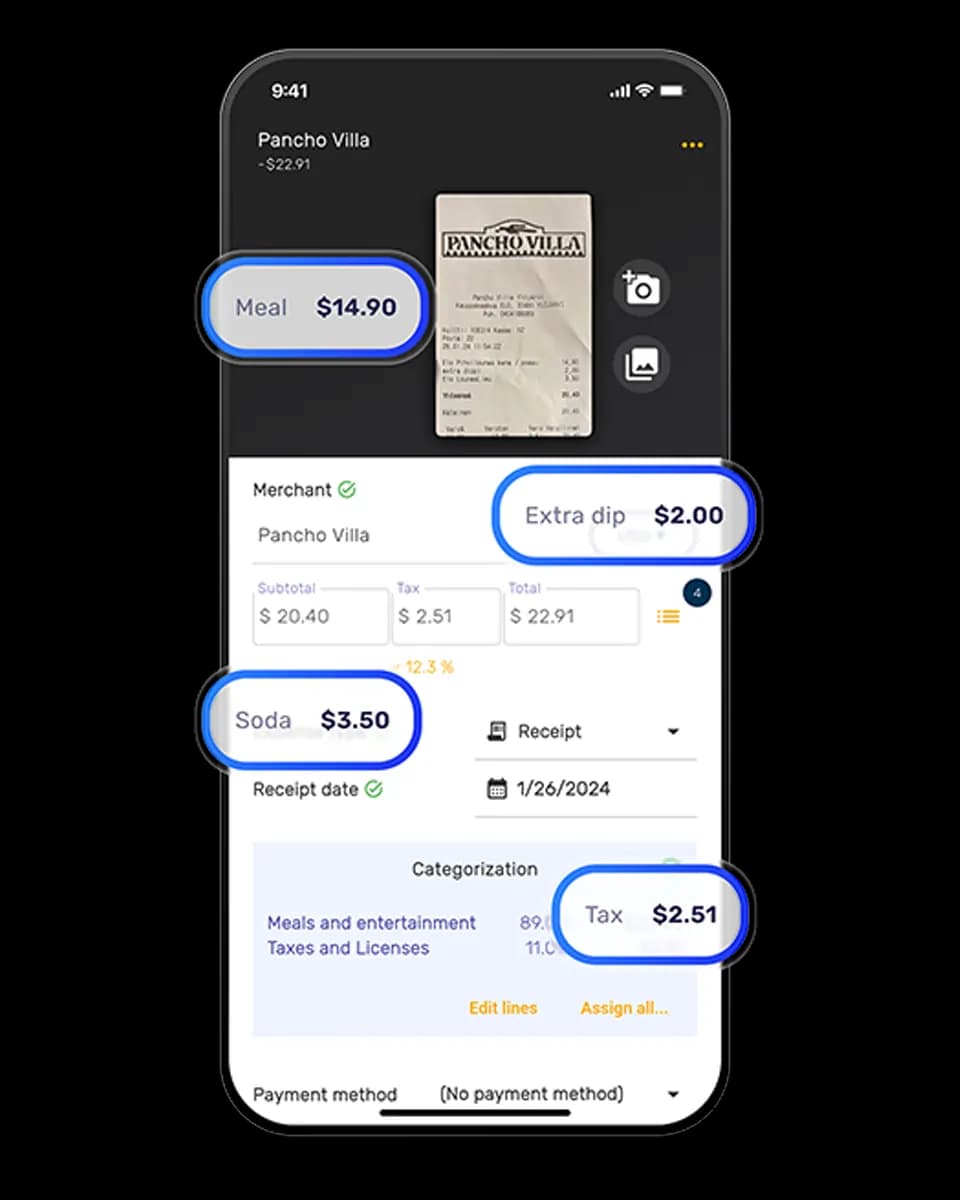
Extraction that reasons about the document. The receipt scanner reads the whole receipt in context: language, currency, the country it came from and how tax applies there, and the individual line items. It reads the GST shown on the document rather than assuming a flat rate, which matters on mixed invoices with GST-free items.

190 currencies. Each receipt is processed in its original currency and converted at the rate that applied on the purchase date.

SparkAgent. A built-in AI agent you can hand work to in plain language: search, categorise a batch, summarise a period, update records.

Expensify pricing above is taken from Expensify's pricing page in AUD as of September 2026. Plans and pricing change, so check expensify.com for current figures. SparkReceipt is not affiliated with or endorsed by Expensify.

1 user included
Accountant access is free.

Each extra user: $1.25/month, billed $15 annually. Accountant access is free.

Pro

The essentials for keeping your receipts and expenses organised.

$9.08/mo

Total for 1 user · $109.00 billed annually

+ VAT/GST where applicable

Get Started

7-day free trial

50 documents / month

For receipts and invoices

  • AI scanning and categorisation
  • One connected email inbox
  • Bank statement extraction and matching
  • Mileage tracking and expense reports
  • QuickBooks Online, Xero and more
Recommended

Elite

More receipts, more automation. Less to do yourself.

$16.58/mo

Total for 1 user · $199.00 billed annually

+ VAT/GST where applicable

Get Started

7-day free trial

Unlimited documents*

Everything in Pro, plus:

  • Line-item extraction on every receipt
  • Several connected email inboxes
  • AI Fields for the details you need
  • AI rules for categorising and filing
  • Accounting export templates

Founder pack

Elite, with hands-on setup from a SparkReceipt founder.

$799first year

$600 one-time setup + $199.00/year Elite for 1 user

+ VAT/GST where applicable

Get the Founder pack

Annual plan only · No free trial

Everything in Elite

Plus a working session with a founder:

  • Personal walkthrough of your account
  • Connect your email inboxes together
  • Set up your expense categories
  • Configure your integrations
  • Get answers as you work through setup
  • Go live in one working session

Unlimited linked accounts on every plan.

Compare all features

Pro

  • 1 user included. Add teammates any time for a flat fee per user, your accountant joins free on top, unlimited linked accounts
  • 50 documents per month (receipts and invoices, mass upload up to 100 at once)
  • AI scanning and categorisation
  • Automatic email receipt scanning from one connected inbox (Gmail, Outlook, IMAP)
  • Bank statement extraction and receipt matching (PDF, CSV, Excel)
  • Mileage tracker: GPS or manual trips
  • SparkAgent AI assistant, or connect your own AI over MCP
  • Integrations: QuickBooks Online, Xero, Zapier, Make, Pabbly, plus webhooks and API
  • Expense reports and exports: PDF, Excel, CSV, ZIP; 190 currencies

Elite

  • Everything in Pro, plus:
  • Unlimited documents: receipts and invoices, mass upload up to 100 at once
  • Line-item extraction on every receipt
  • Several connected email inboxes with automatic scanning
  • AI Fields: tell the AI exactly what to pull from every document
  • Plain-English AI rules: tell the AI how to categorise and file automatically
  • Export templates for Sage 50, DATEV, Wave, and Sage 200

Founder pack

  • Hands-on onboarding with a founder: together we set up your account, inboxes, categories and integrations
  • Everything in Elite, billed annually
  • 1 user included. Add teammates any time for a flat fee per user
  • Skip the learning curve and go live in one working session

Unlimited document scanning on Elite is subject to fair use. Bank statement extraction uses monthly renewable credits. Historical email imports include a free allowance; larger imports use credits, with the cost shown before you start.

Loved by Small Business Owners

“SparkReceipt takes care of the busy work, allowing me to quickly save receipts and create expense reports.”
Tim Heller

Tim Heller

HellerWeather · United States

“I needed a solution to organize and process my personal and business receipts. I'm thrilled I found SparkReceipt. It saves me a lot of time!”
Frédéric Thériault

Frédéric Thériault

Productions Locavores · Canada

“Excellent software to manage income and expenses, and have the relevant info at your fingertips at any given time.”
Melvin Hoods

Melvin Hoods

MJD Brokers · South Africa

Join 38,283 businesses that chose SparkReceipt — 4,620,044 receipts processed and counting.

Start Free Trial

Frequently Asked Questions

Their prices are close. Expensify Collect is A$8 per member per month, so roughly A$24/month for three. SparkReceipt Elite is $16.58/month billed annually with 1 user included, more at a per-user rate. The difference shows up as your team grows, because Expensify scales per member and Control pricing starts from A$30 per active member per month. It also shows up in what's included, particularly bank statement extraction and matching.

SparkReceipt, if the job is keeping your own records rather than reimbursing staff. Expensify's core strength is the submit–approve–reimburse cycle, which sole traders don't have. SparkReceipt focuses on capturing receipts, extracting bank statements, matching the two, and producing records you or your accountant can work from at BAS and tax time.

No. Expensify handles receipt capture, card feeds, and reimbursement. Uploading a PDF, CSV, or Excel bank statement and extracting every transaction from it, then matching those transactions to your receipts, is a SparkReceipt capability that Expensify does not offer.

Yes, for submitting expenses. Expensify's free Submit plan comes with a monthly allowance of free SmartScans. Collect, at A$8 per member per month, adds company features such as approvals, reimbursements and the QuickBooks and Xero integrations. Check the free plan against your workflow before building on it.

No, and deliberately so. Multi-stage approvals, expense policies, and reimbursement runs are Expensify's territory and it does them well. SparkReceipt is built for the owner or sole trader recording their own spending, with an accountant alongside them rather than an approval chain.

Yes, directly, along with QuickBooks Online, Zapier, Make, and Google Drive. Expenses sync across with the receipt image attached, ready to match against your bank feed. Expensify additionally integrates with NetSuite and Sage Intacct, so if you're on either of those ERPs that's a genuine point in its favour.

Yes. Inviting your accountant is always free, so it never uses a paid seat. The Elite plan includes 1 user, and you can add a partner or colleague at a per-user rate. They work in the same account rather than receiving exports.

Yes. SparkReceipt reads receipts in virtually any language and processes 190 currencies, converting each at the exchange rate that applied on the purchase date rather than today's rate.

Yes. It detects whether a document is an expense or income and categorises accordingly, so sales invoices sit alongside purchase receipts in one archive. Expensify is oriented around spend and reimbursement.

Keeping Your Own Books? Start Here.

Get Started
Start Free Trial