
Every Receipt. Scanned, Organised, and Tax-Ready in Seconds
Stop chasing receipts. SparkReceipt's AI scans every receipt — paper, email, or PDF — extracts the vendor, amount, date, tax, and currency, and categorises it automatically.
Snap a photo, forward an email, or connect your inbox. Receipts organise themselves. Generate tax-ready expense reports in one click.
Business Owners in 175 Countries Trust SparkReceipt


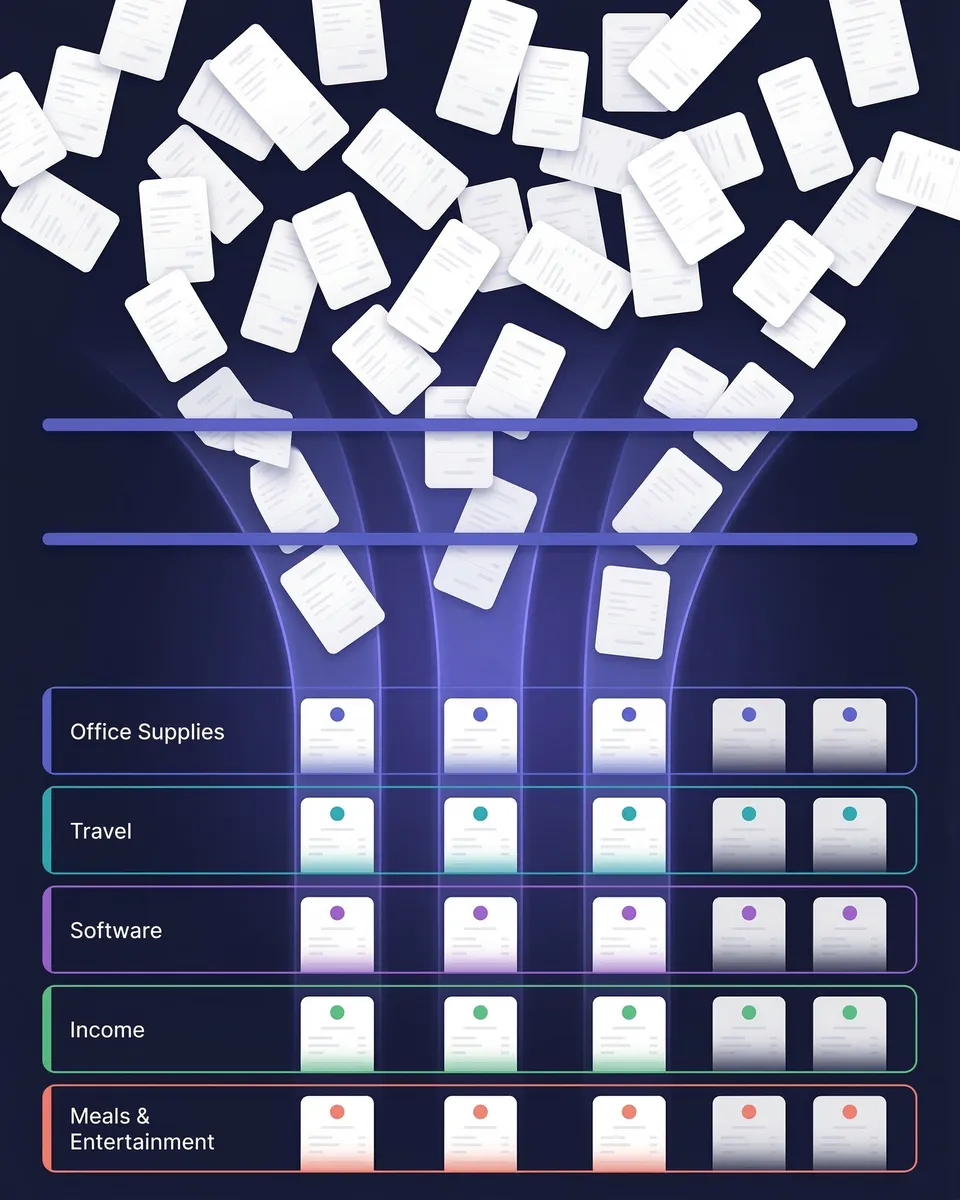
Receipt Organisation Before and After SparkReceipt
See what changes when AI handles your receipts

Without SparkReceipt
- Receipts stuffed in drawers, wallets, and email inboxes
- Hours spent sorting and typing data into spreadsheets
- Faded thermal receipts that are impossible to read
- Tax deductions missed because receipts are lost or forgotten
- Accountant receives a shoebox of unsorted papers at year-end

With SparkReceipt
- Every receipt scanned, extracted, and stored in seconds
- AI categorises each expense automatically — no typing
- Digital copies stored permanently in the cloud — nothing fades
- Every deduction captured and ready for tax season
- Invite your accountant or bookkeeper to your account at any time
How AI Receipt Organisation Works
Capture Receipts Instantly
Snap a photo of any paper receipt with your phone — crumpled, faded, or handwritten. Forward email receipts to your dedicated SparkReceipt address. Or connect your Gmail or IMAP inbox and SparkReceipt finds receipts automatically as they arrive. You can also upload bank statements — SparkReceipt's bank statement extractor pulls every transaction and flags receipts you haven't captured yet.
AI Sorts and Categorises Everything
SparkReceipt's AI receipt scanner reads every receipt and extracts the vendor name, amount, date, tax breakdown, currency, and line items. Then it assigns the right expense category automatically — office supplies, travel, meals, software, professional services, and more. The AI handles 190 currencies, reads receipts in any language, and applies local tax rules including VAT.
Export Reports or Share with Your Accountant
Generate a complete expense report in one click. Reports include itemised expenses, category totals, tax summaries, and links to original receipt images. Export as PDF, Excel, or CSV. Or invite your accountant or bookkeeper to your account at any time so they can view, download, and manage your organised receipts directly. Sync to QuickBooks Online for a seamless handoff.
AI receipt scanning that handles anything
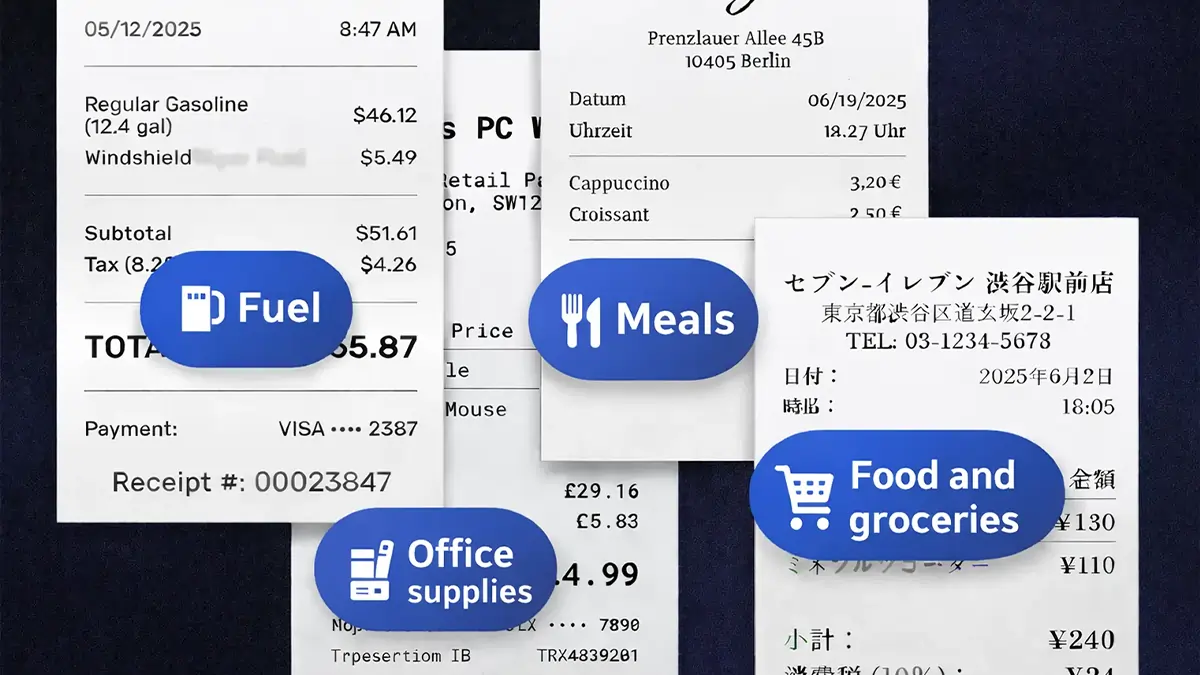
Most receipt organiser apps require you to type in the details yourself. SparkReceipt's AI does it for you — in seconds. Point your camera at any receipt. The AI extracts vendor name, line items, amounts, tax breakdowns, currency, and date instantly. Each line item keeps the quantity and unit price printed on the receipt.
The OCR works in any language. It handles crumpled receipts, faded thermal paper, handwritten notes, and even partial receipts. Email receipts from SaaS subscriptions, online purchases, and travel bookings are captured automatically when you connect your inbox.
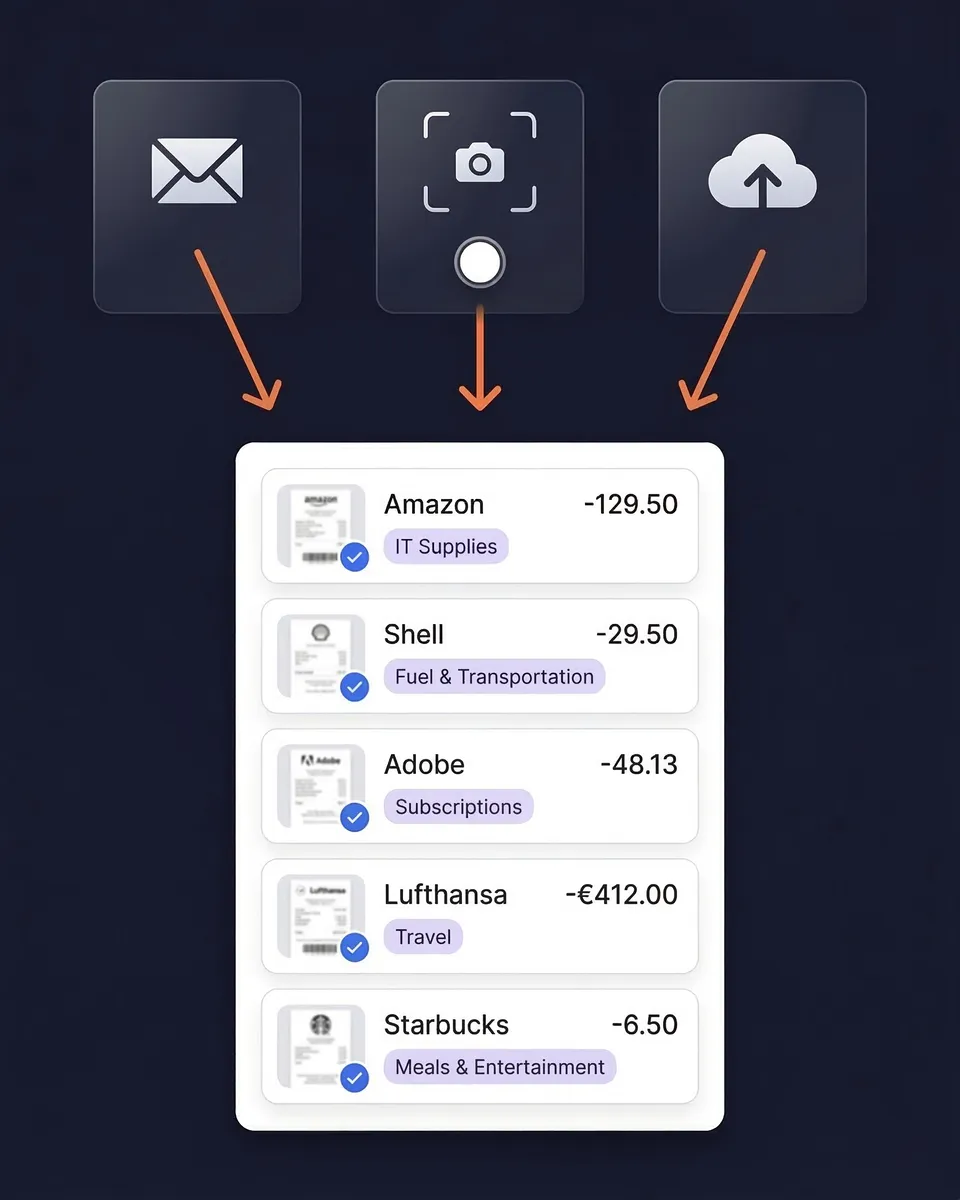
Automatic expense categorisation
SparkReceipt doesn't just scan receipts — it organises them. Every receipt is automatically categorised based on the vendor, line items, and context: office supplies, travel, meals, software, professional services, vehicle expenses, and more.
Categories align with the expense categories on your Self Assessment, so your organised receipts are already structured for tax preparation. Create custom categories to match your accountant's chart of accounts. The AI learns your corrections and improves over time.
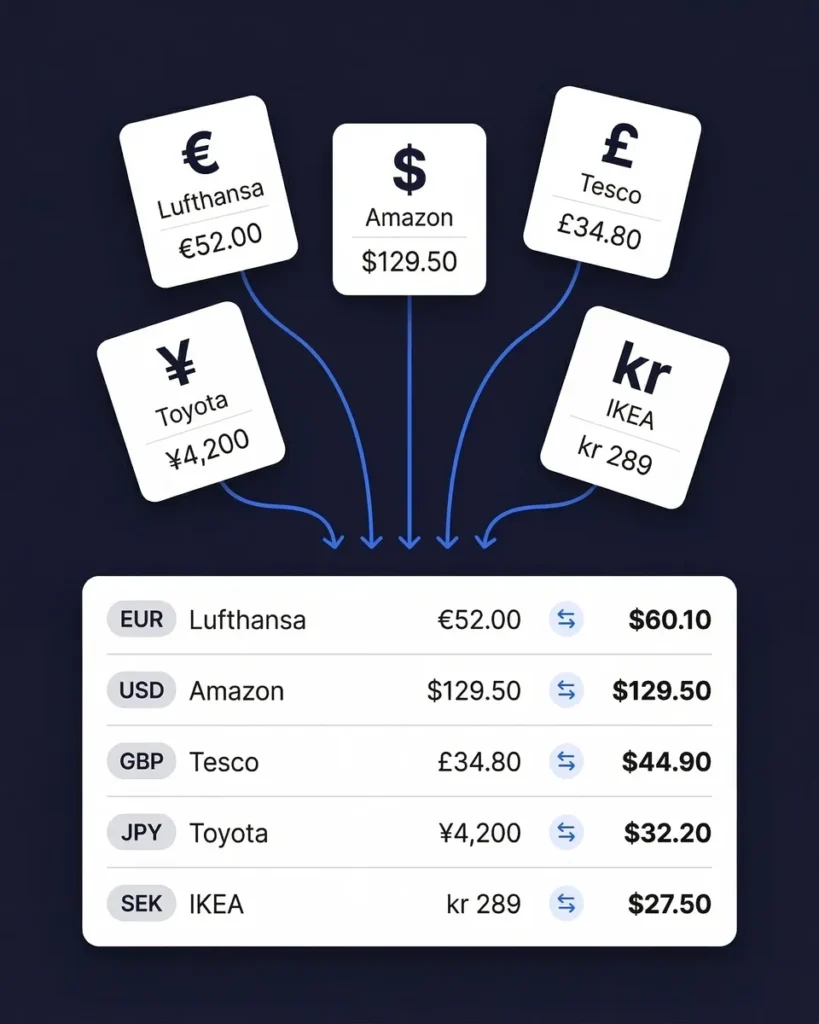
Organise receipts in 190 currencies
Few receipt organisers support 190 currencies with automatic exchange rate conversion. The AI detects the currency on every receipt and converts amounts using the purchase-date exchange rate.
Local tax rules — including VAT — are applied based on the receipt's country of origin. Whether you're a freelancer billing clients in euros, a consultant travelling across Asia, or a small business buying inventory from overseas, every receipt is organised and converted without manual entry.
Find receipts you forgot to scan
Even the most organised person misses a receipt now and then. SparkReceipt's bank statement extractor catches what you missed. Upload your bank or credit card statement. SparkReceipt's AI extracts every transaction and matches them to your existing scanned receipts.
Unmatched transactions are flagged so you can find and scan the missing receipts before tax time. It's the completeness check that ensures your receipt organisation covers every business expense.
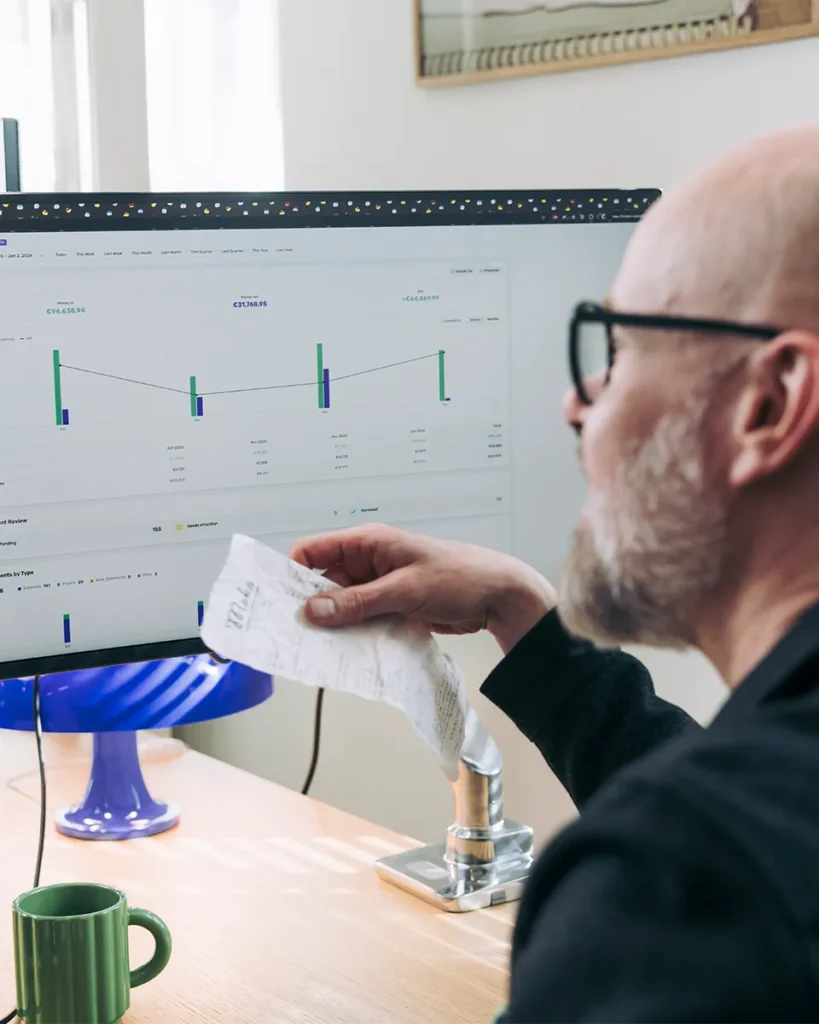
Share Organised Receipts With Your Accountant
The whole point of organising receipts is so someone can use them — your accountant, your bookkeeper, or you at tax time. SparkReceipt makes the handoff effortless.
Invite your accountant or bookkeeper to your account at any time. They get their own login to view all your organised receipts, download receipt images, generate expense reports, and export data in PDF, Excel, CSV, or ZIP — whatever format they prefer. Accountants count toward your seat count, just like any other team member.

Professional Receipt Organisation
Simple, transparent pricing. No hidden fees.
Loved by Small Business Owners
“SparkReceipt is one of the very few software purchased that exceeded my expectations. Great product, great features, great value.”

Robert Connolly
The Internet Design Co. · Scotland
“I used to send my accountant a bag of slips every month hoping they capture everything. With SparkReceipt I now have a realtime view of how much the business owes me.”

Daniel Esterhuizen
Esterhuizen Consulting · South Africa
“Excellent software to manage income and expenses, and have the relevant info at your fingertips at any given time.”

Melvin Hoods
MJD Brokers · South Africa
Join 38,283 businesses that chose SparkReceipt — 4,620,044 receipts processed and counting.
Start Free TrialFrequently Asked Questions
For freelancers and small businesses, SparkReceipt stands out with AI-powered scanning that extracts vendor, amount, date, tax, and category in seconds. It supports 190 currencies and any language, starting at £4.92/month, billed annually, with a 7-day free trial. Unlike competitors that charge $18–30/month, SparkReceipt delivers professional-grade receipt organisation at a fraction of the cost.
The most efficient way to organise small business receipts is to go digital with a receipt organiser app. Snap photos of paper receipts, forward email receipts to a dedicated address, and let AI categorise everything automatically. Set up categories that match your business expenses (travel, supplies, meals, software) and export reports for your accountant quarterly. SparkReceipt automates this entire workflow — scan, categorise, and export in one place.
SparkReceipt's Elite plan is £9.08/month, billed annually (£109.00/year), and includes a 7-day free trial so you can try every feature — AI receipt scanning, bank statement extraction, QuickBooks integration, and unlimited document scanning — before you commit.
AI receipt organisation uses Optical Character Recognition (OCR) and machine learning to read your receipts and extract key data — vendor name, amount, date, tax breakdown, and currency. The AI then automatically categorises the expense based on the vendor and context. With SparkReceipt, this process takes seconds per receipt and works in any language across 190 currencies.
Digital receipts are accepted by HMRC and most tax authorities worldwide. Going digital is safer (no fading, no loss), more organised (searchable and categorised), and saves physical storage space. Scan your paper receipts with an app like SparkReceipt, which stores them securely in the cloud with encrypted backup. Keep originals for 30 days as a safety net, then recycle them.
HMRC requires self-employed people to keep their business records for at least five years after the 31 January Self Assessment submission deadline. A digital receipt organiser like SparkReceipt stores your receipts for 10 years — so you never have to worry about how long to keep them.
The best approach is to organise receipts throughout the year, not just at tax time. Use a receipt organiser app to scan and categorise expenses as they happen. Create categories that align with your Self Assessment (home office, vehicle, travel, professional development, supplies). At tax time, generate a clean expense report sorted by category and share it with your accountant. SparkReceipt does all of this automatically.
Yes. A receipt organiser with automatic categorisation helps ensure every business expense is captured and properly categorised. Many self-employed people in the UK miss deductions because receipts get lost or expenses go untracked. SparkReceipt's AI categorises expenses automatically and generates category reports that make it easy to identify every deductible expense.
Yes. SparkReceipt supports 190 currencies with automatic exchange rate conversion using the purchase-date rate. The AI reads receipts in any language and applies local tax rules including VAT and multi-rate tax systems. This makes it ideal for freelancers and businesses that travel internationally or work with global clients.
Invite your accountant or bookkeeper to your account at any time so they can view, download, and manage your categorised expense data directly. You can also export organised receipt reports in PDF, Excel, CSV, or ZIP format, or sync directly to QuickBooks Online for a seamless handoff.
Stop Chasing Receipts. Let AI Organise Them for You.
Get StartedExplore More Features
Receipt Scanner
Scan receipts with AI in seconds
Expense Tracker
Track every business expense automatically
Email Receipts
Auto-import receipts from your inbox
Expense Reports
Generate reports in PDF, Excel, or CSV
Bank Statement Extractor
Extract and match bank transactions
Credit Card Receipts
Scan and match credit card receipts