
Smart Expense Tracking & Accounting Tips
Expense management is more than just saving receipts – it’s about tracking every cost, keeping your books clean, and making sure you’re tax-ready year-round. SparkReceipt automates the process, giving you clarity, control, and peace of mind.
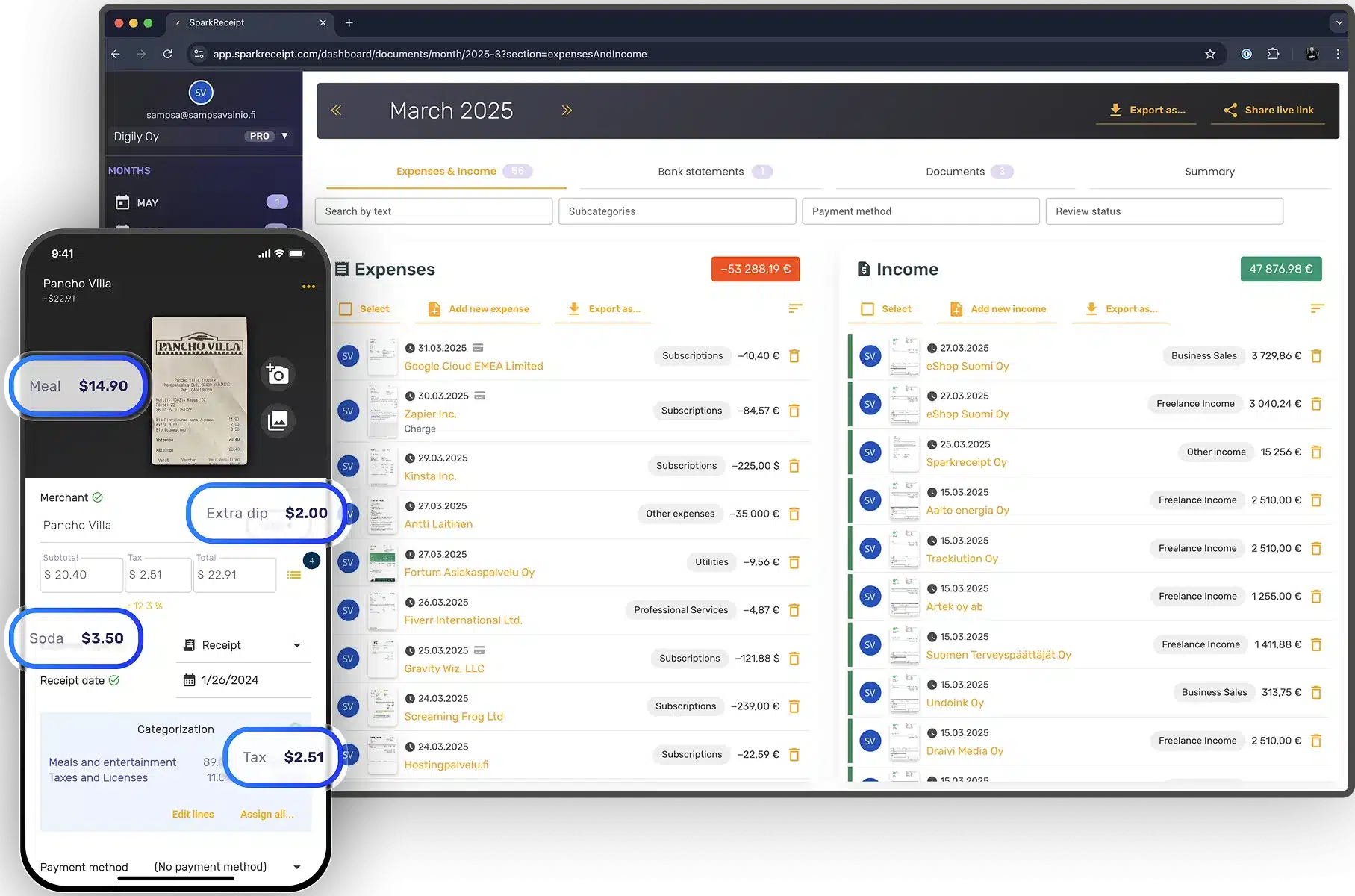
Expense management is the process of tracking, controlling, and reporting all your business expenses – from receipts and invoices to bank transactions. For freelancers, entrepreneurs, and small business owners, it’s the difference between flying blind with your cash flow or running your business with confidence and control.

Lock in our best deal ever – only $6.58 USD per month (*billed annually at $79 USD/year). Stay subscribed, and your price will never go up, even as SparkReceipt gets better. This lifetime pricing is limited to the first 15,000 users. With our 60-day money-back guarantee, there’s no risk in trying.
Know exactly where your money goes.
Capture deductible expenses automatically.
Spot trends and avoid overspending.
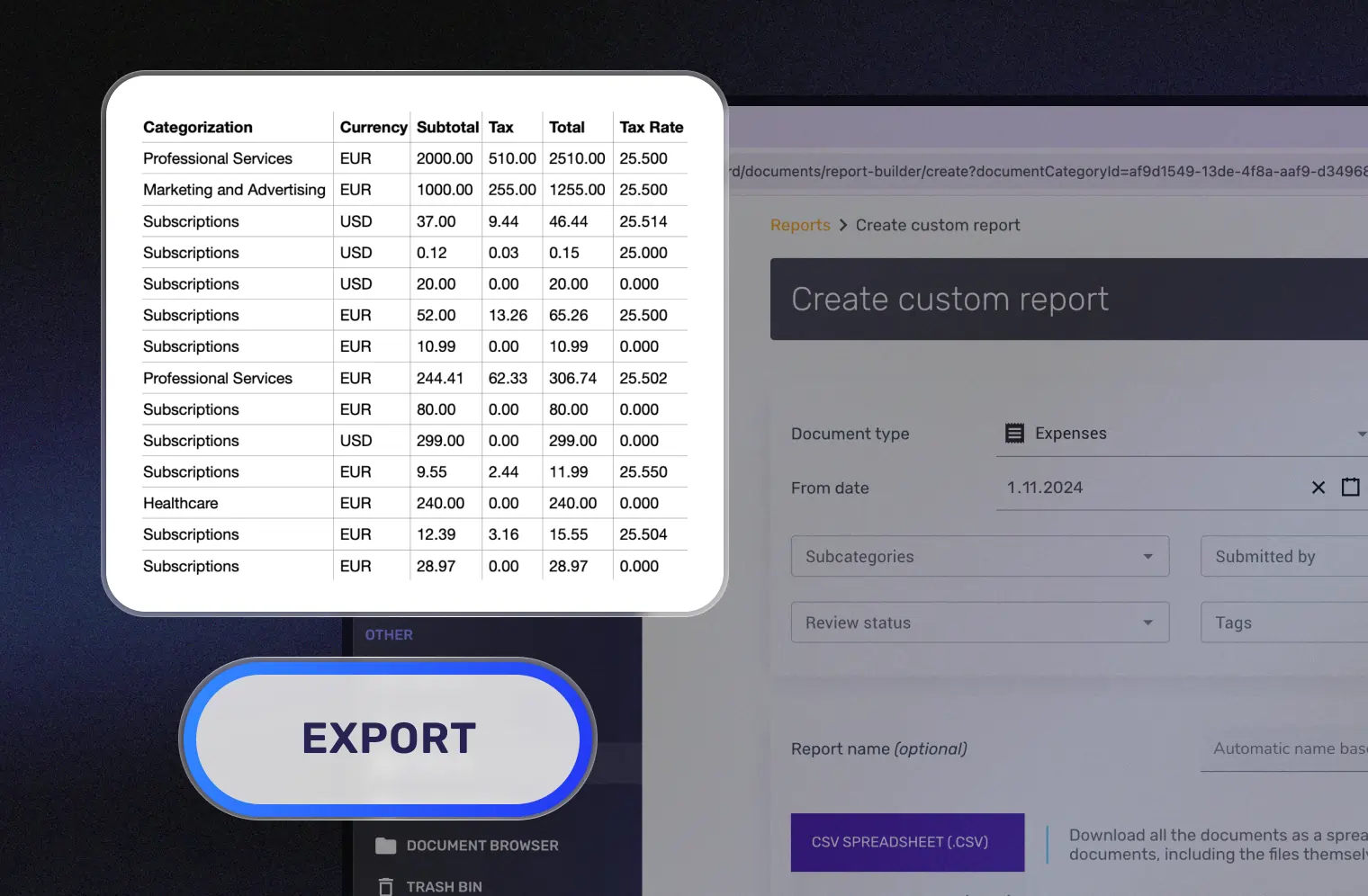
Export clean, tax-ready reports in seconds.
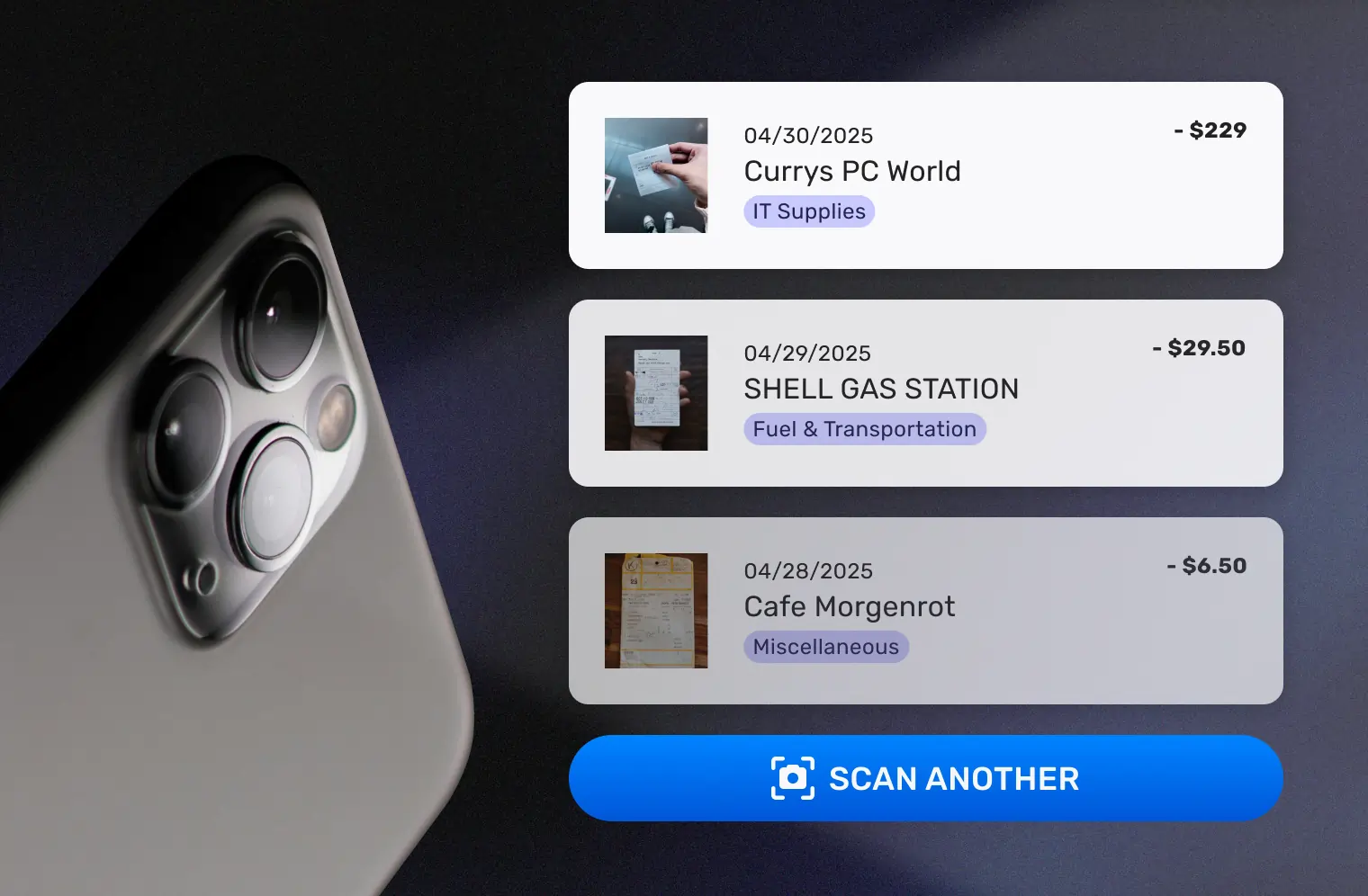
Tracking expenses starts with capturing them all—receipts, invoices, and even bank transactions. With SparkReceipt, you can snap a photo of a paper receipt, forward digital invoices from your email, or upload entire bank or credit card statements. Our AI extracts every detail in seconds, including amounts, vendors, dates, categories, and taxes.
No expense slips through the cracks—whether it’s a client dinner, monthly subscription, or recurring rent payment. SparkReceipt ensures every cost is documented and digitized from the start, building the foundation for accurate and stress-free expense management.
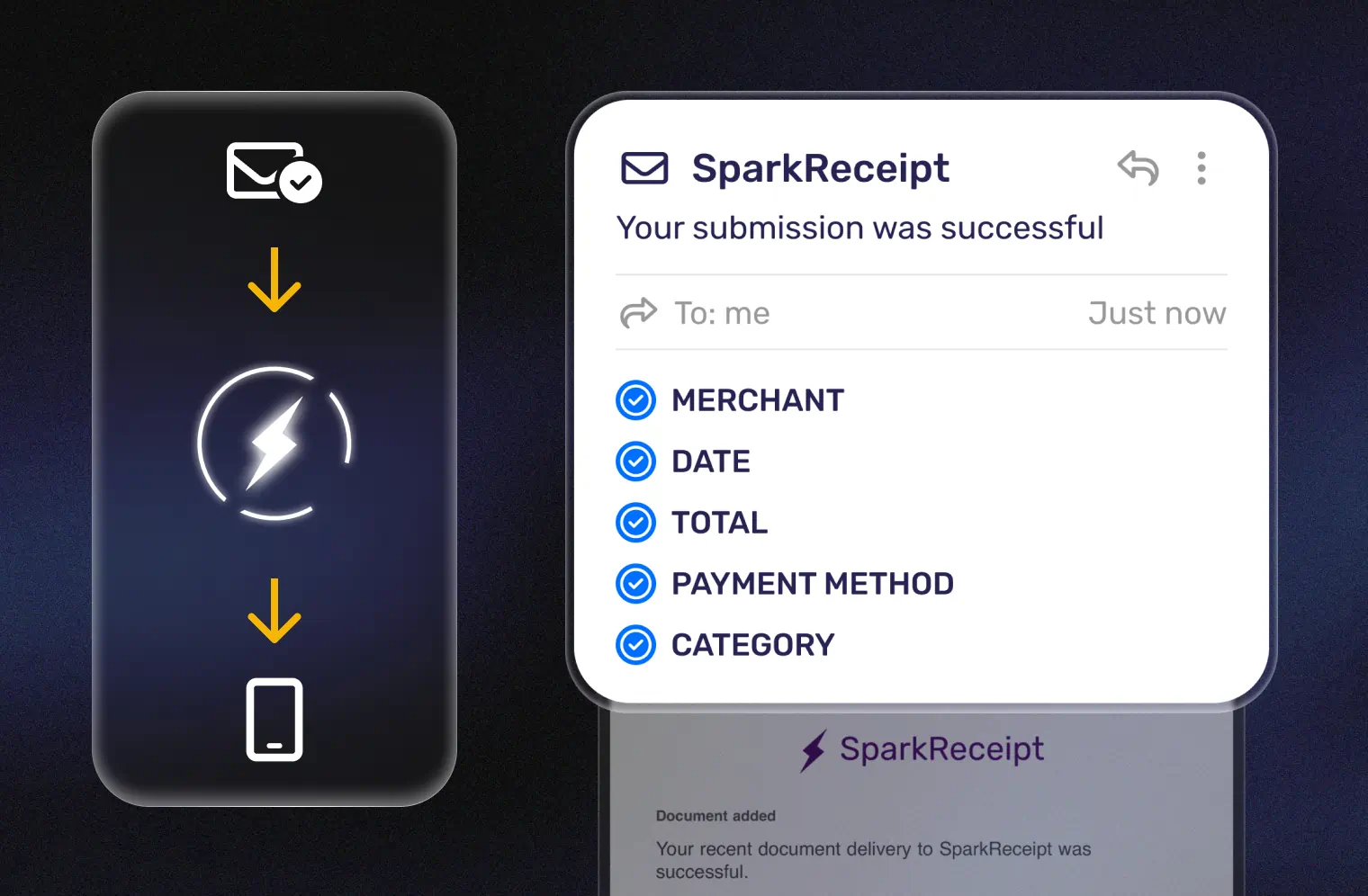
Once captured, SparkReceipt organizes your expenses instantly. Each expense is automatically sorted by type, vendor, project, client, or user. You can also add tags for billable work, side hustles, or rental properties—keeping everything neat, structured, and easy to filter.
Instead of spending hours manually updating spreadsheets, SparkReceipt’s AI makes sure your financial records are organized the moment they enter the system. That means you can quickly pull up any expense, create project-based reports, or ensure nothing gets missed when billing clients.
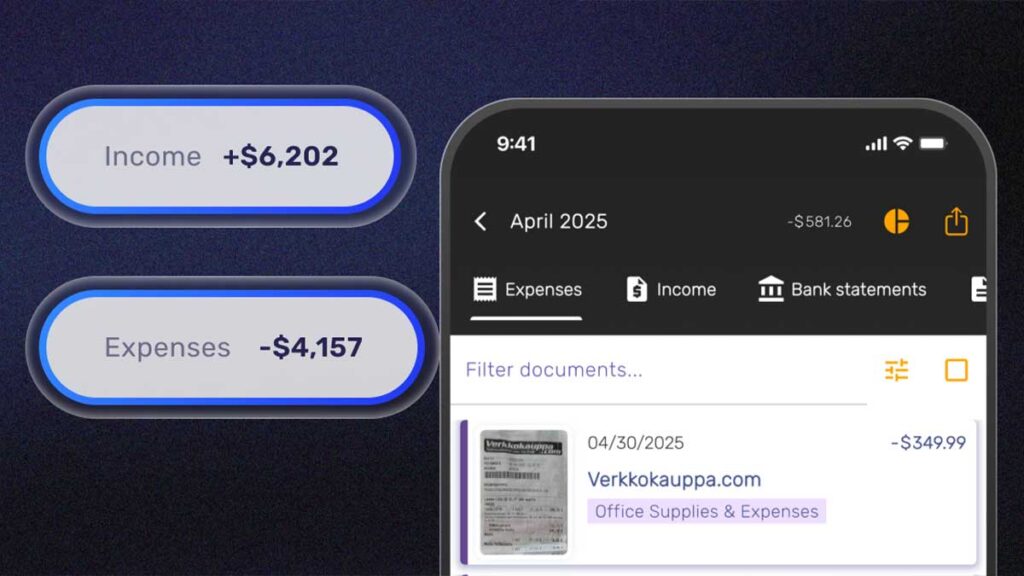
Expense management isn’t just about record-keeping—it’s about having a clear picture of your business finances. SparkReceipt gives you real-time overviews of your expenses and income, broken down by category, project, or team member.
You’ll spot trends instantly, see how much you’re really spending (and earning), and catch issues before they turn into problems.
For freelancers, consultants, and small business owners, this means no more flying blind with your cash flow. You always know where your money goes—and what’s coming in—so you can make smarter, data-driven decisions to keep your business on track.
When it’s time for taxes, audits, or client billing, SparkReceipt turns your organized expenses into polished, professional reports in seconds. Export to PDF or Excel with totals, categories, and tax details already filled in.
Need to collaborate? Share reports with your accountant, your team, or a client with just one click. What used to take hours of manual compiling is now automated—so you can look like an Excel guru without ever touching a spreadsheet.
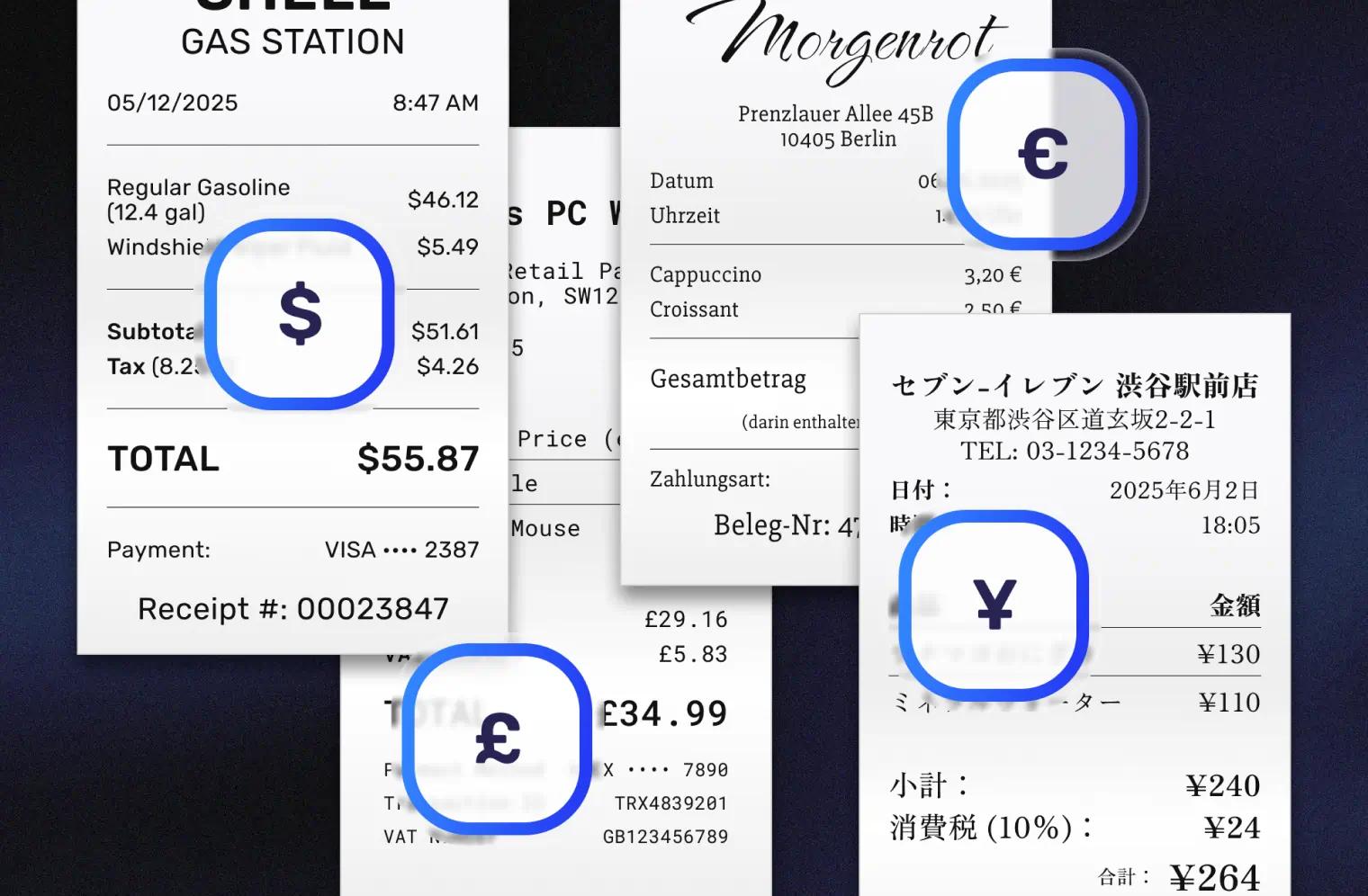
An AI scan in SparkReceipt means the system reads your document – receipt, invoice, or anything similar – and instantly extracts all key details for you. Instead of just taking a picture, SparkReceipt understands the content and pulls out the important information like dates, amounts, and merchant names automatically.
You can buy extra credits anytime – 1,000 credits for $12 USD. Every credit equals one scanned document, so you stay flexible without upgrading your plan.
Credits are used for AI-powered features like document scanning (when quota is depleted) and bank statement transaction extraction. They are renewed monthly (for Pro and Elite users) and can be purchased separately.
With the free plan, you receive 50 credits (not renewable), allowing you to extract up to 50 transaction rows from your bank statements. Upgrading to the Pro subscription provides 100 credits monthly, enabling the extraction of 100 transaction rows. Each credit corresponds to one transaction.
If you need more credits, additional credits can be purchased directly through the web application at $12 per 1,000 credits.
For high-volume needs – thousands or even hundreds of thousands of credits per month – please contact us.
AI Automations allow you to customize how you want to extract your data and add details. Instruct the AI via custom instructions to extract specific details from scanned expenses and documents.
SparkAgent is your intelligent AI accounting agent. It can search, summarize, and supercharge your financial workflow. Think of it as an analyst, assistant, and detective, all rolled into one clean interface.
Yes. If you join now, your Pro or Elite pricing stays the same for life – as long as you remain subscribed. It’s our early-believer thank-you.
We store your receipts for a minimum of 10 years, ensuring you always have access to your financial records when you need them. Even if you cancel your subscription, your data remains available for viewing and export.
Don’t worry—your receipts and documents remain accessible even after you cancel your subscription. You’ll still be able to log in and view your past records. Plus, SparkReceipt allows you to export your data anytime, so you always have full control over your information.
Yes – you can add employees, co-founders, or your entire team to SparkReceipt.
Each added member gets their own seat, and all plan limits apply per seat. So if the Pro plan includes 50 AI scans per month and you add two seats, your team gets 100 AI scans per month in total. The same applies to credits and SparkAgent messages.
We also offer special multi-user discounts for teams of more than three, which you’ll see automatically when you upgrade.
The SparkReceipt application is translated to English, French and Finnish. However, the receipt scanning and AI features work with basically any language, since it relies on the very advanced ChatGPT large language AI to read the document’s contents, which means that you can upload documents in almost any language. The OCR (optical character recognition) used to read contents of paper receipts works best with latin-variant* languages.
SparkReceipt also has daily and historical currency conversion rates available between 150 currencies, so you can freely work with multiple currencies with this application.
*latin-variant languages use characters a-z with some variations like ä. ö, å and others.
Yes, you can separate business and personal expenses in SparkReceipt. You can create multiple linked subaccounts (workspaces) under your main account to completely separate expenses between your different businesses or personal accounts.
You have multiple options to choose from, and you can pick the best that works best for your collaboration workflow.
1. You can export your receipts and documents from SparkReceipt as CSV, Excel, or PDF files.
2. You can invite your accountant as a read-only user to your account, so they have immediate access to your expenses.
3. You can generate a live link and share it with your accountant, eliminating the need for a dedicated user account for them. The live link allows limited access to your account to view e.g. receipts, documents and expense data from one month.
Absolutely. We ensure good data security with using best practices in encryption and storage. Your scanned receipts and documents are backed up, versioned and encrypted both in transit and in rest (= over the internet and while stored on disk).
However, as with any software system, we also recommend taking monthly exports of your data for added safety. Data exports are always available even on our free tier.
We are also based in the EU, are GDPR compliant and have signed data protection agreements with our 3rd party partners like OpenAI.