From Receipt to Expense Report in Seconds
AI-Powered Expense Reports for Freelancers & Small Businesses
Stop building expense reports by hand. SparkReceipt's AI scans your receipts, extracts every detail, categorizes each expense, and generates clean, professional reports — all in one click. Export as PDF or Excel. Reports include category totals, tax summaries, and links to original receipt images.





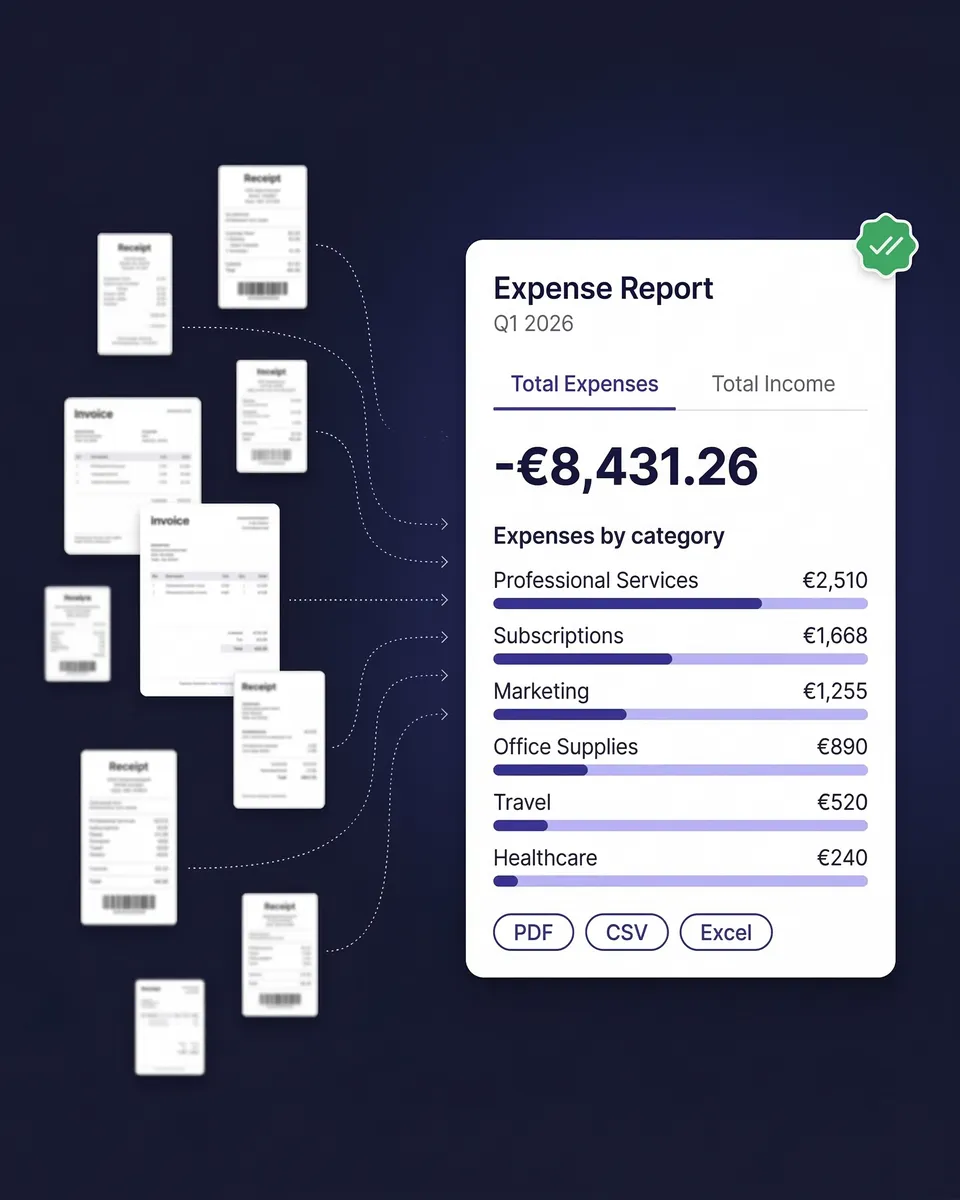
Expense Reports Before and After SparkReceipt
See what happens when AI builds your reports for you

Without SparkReceipt
- Manually typing every vendor, amount, and date into a spreadsheet
- Searching email for receipts you forgot to save
- Spending hours formatting a report that still looks unprofessional
- Missing tax deductions because receipts are lost or uncategorized
- Paying $17–$50/month for enterprise software you don't need

With SparkReceipt
- AI scans every receipt and extracts vendor, amount, date, tax, and currency
- Expenses categorized automatically — office, travel, meals, software etc.
- One-click report generation in PDF or Excel, ready to share
- Every deduction captured with original receipt images attached
- Simple, transparent pricing — $16.65/month, billed annually
How AI Expense Reports Work
Three steps. One click. A complete expense report.
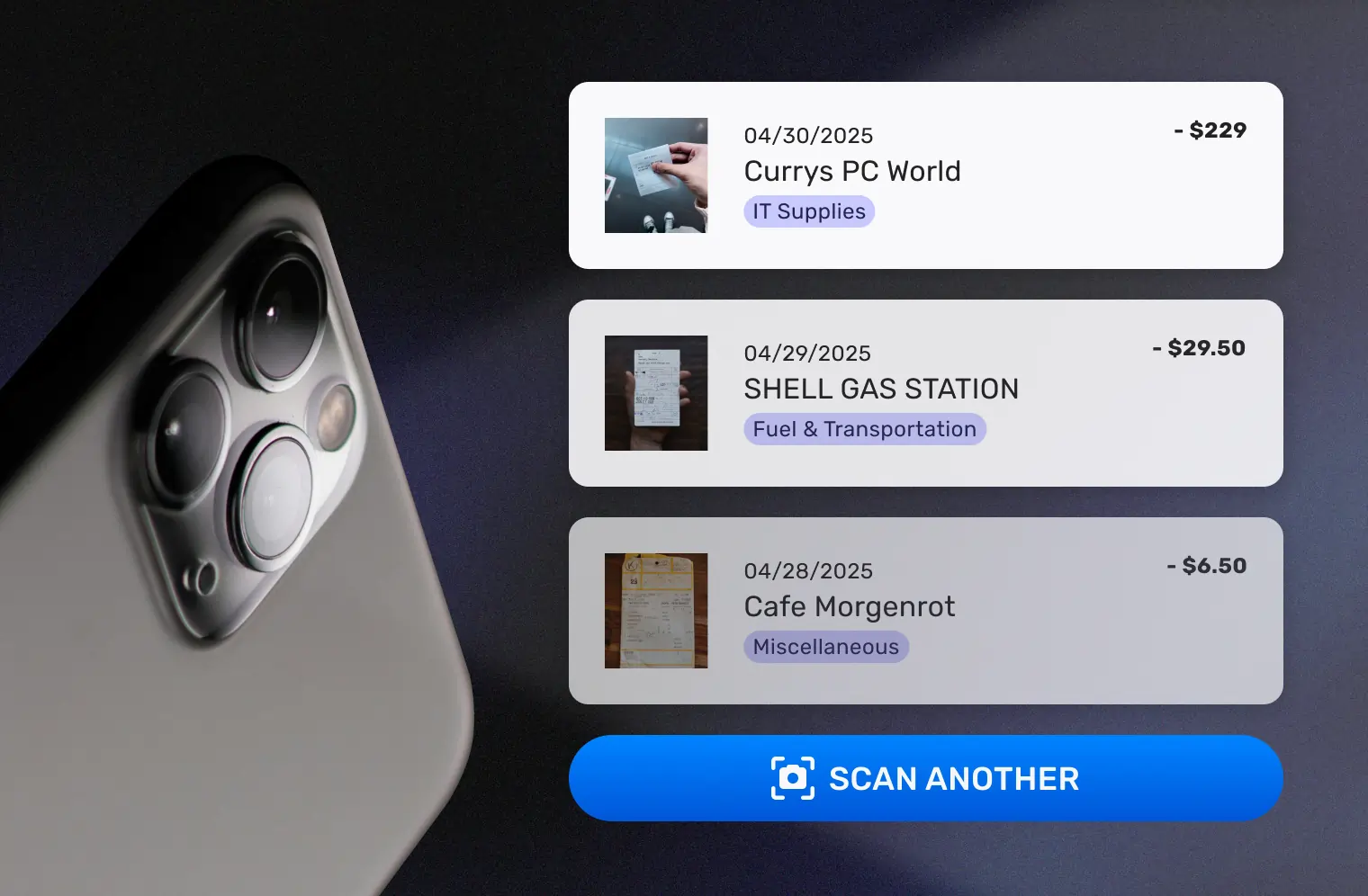
Scan or Forward Your Receipts
Snap a photo of paper receipts with your phone. Forward email receipts to your dedicated SparkReceipt address. Or connect your Gmail or IMAP inbox and SparkReceipt captures email receipts automatically.
SparkReceipt’s AI receipt scanner extracts the vendor name, amount, date, tax breakdown, currency, and line items from every receipt — in seconds. It reads receipts in any language and handles 150+ currencies.
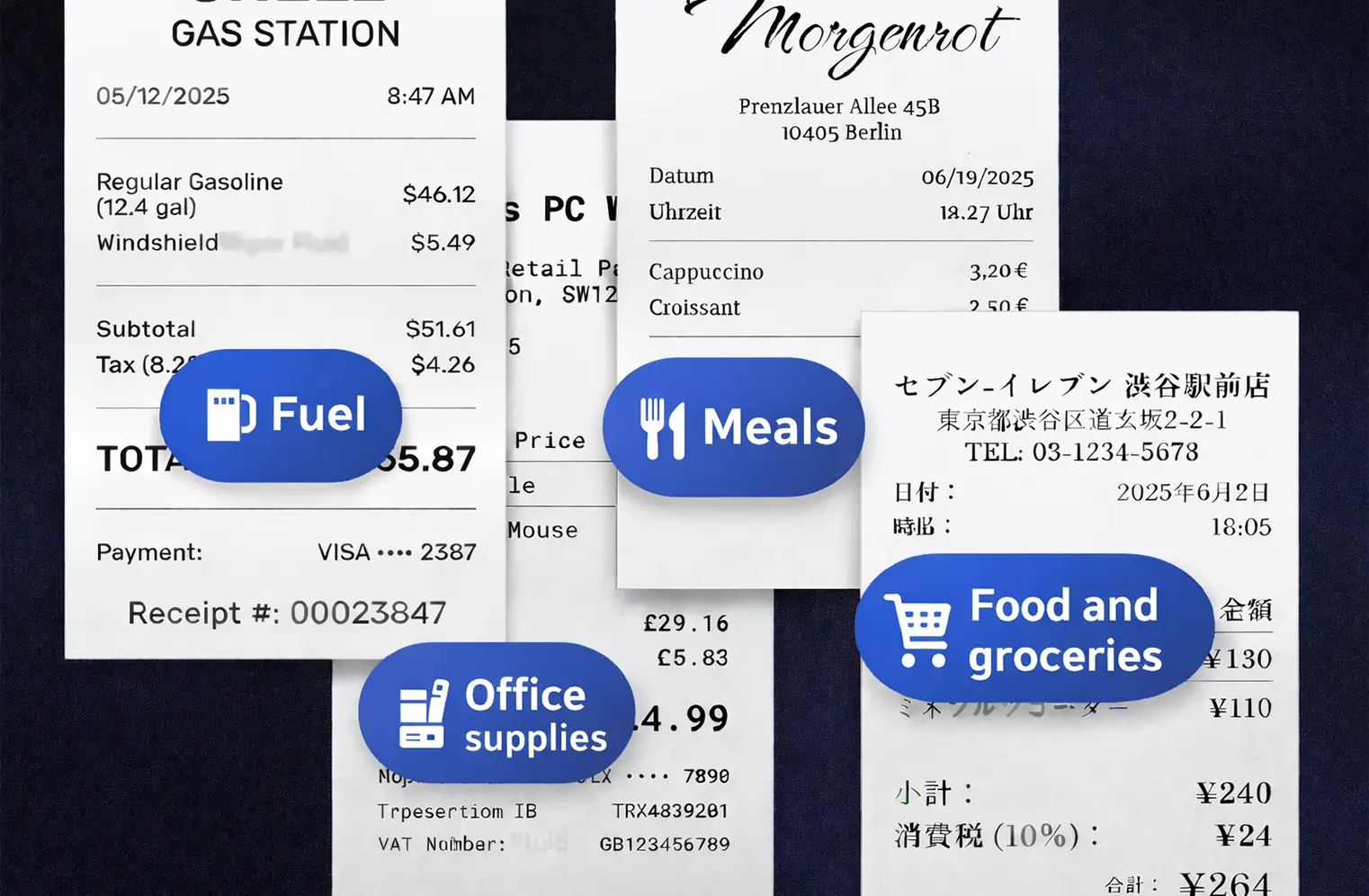
AI Categorizes Every Expense
Each receipt is assigned to the right expense category automatically — office supplies, travel, meals and entertainment, software subscriptions, professional services, and more. The AI applies local tax rules including VAT, GST, and PST based on the receipt’s country of origin.
Wrong category? Tap to change it. The AI learns your preferences and gets smarter over time. You can also create custom categories that match your accountant’s chart of accounts.
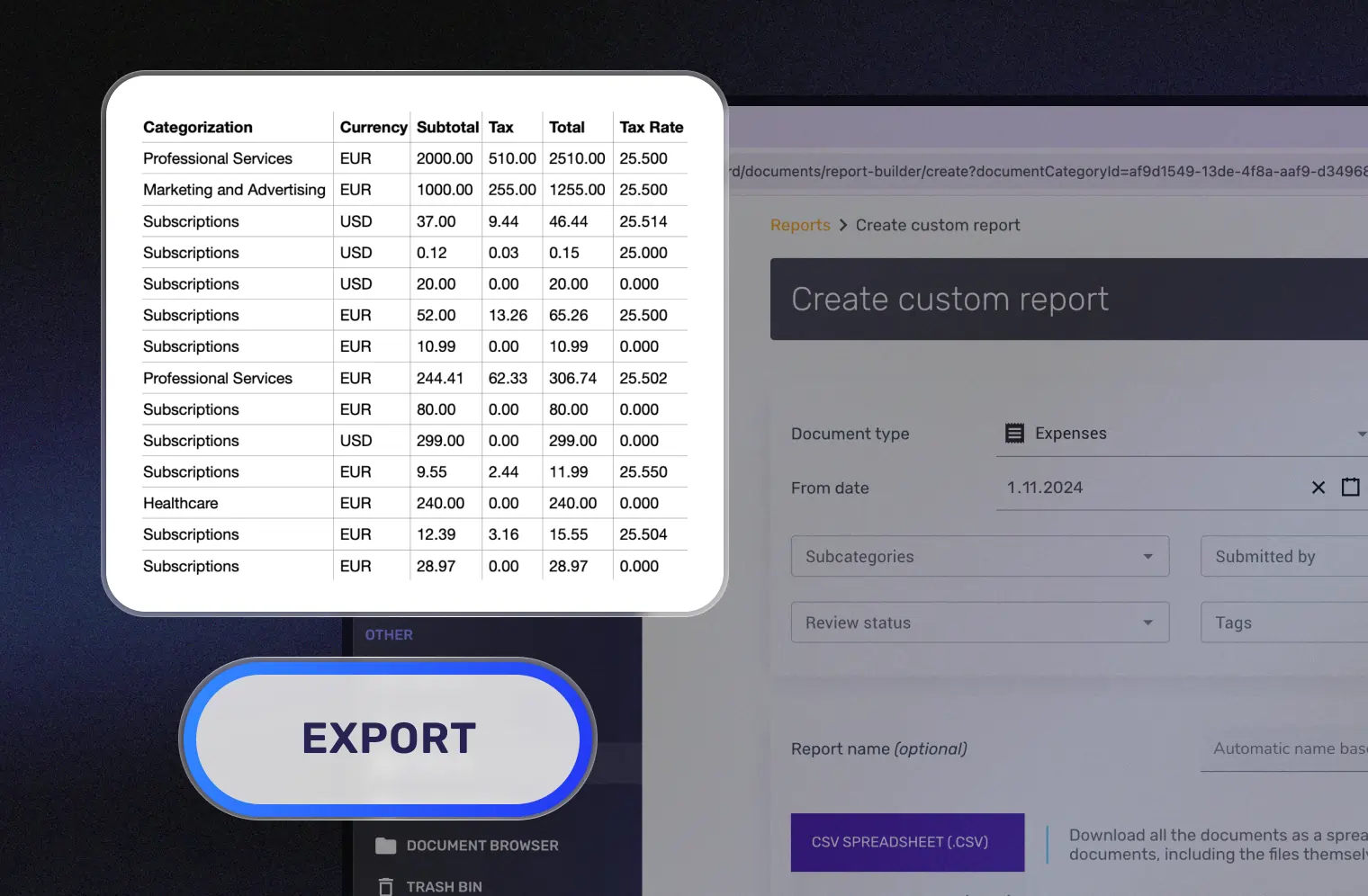
Generate Your Expense Report in One Click
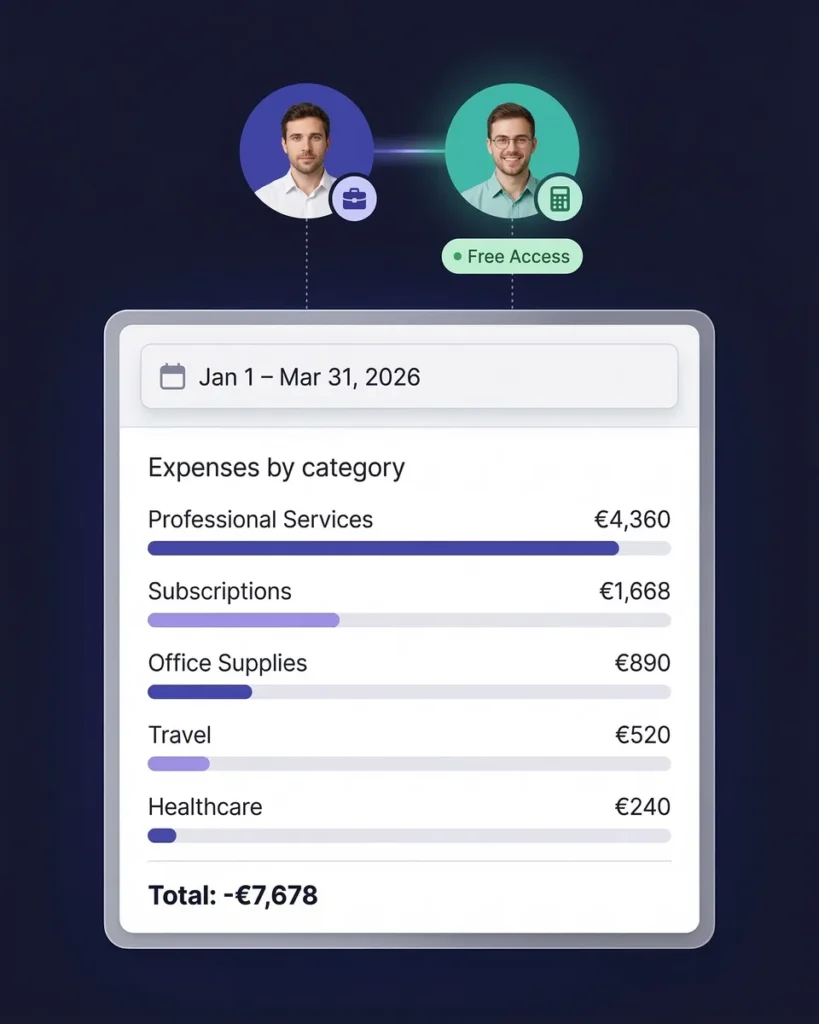
Select a date range — monthly, quarterly, annually, or any custom period — and generate a complete expense report instantly. Every report includes itemized expenses, category totals, tax summaries, grand totals, and links to original receipt images.
Export as PDF or Excel. Sync to QuickBooks Online. Or invite your accountant or bookkeeper to your account at any time so they can download and manage everything directly.
There's no risk in trying it
Try it for free for 7 days
Elite
For you, your accountant, and your partner.
$199.98/year
- Unlimited documents
- Automatic email receipt fetching (Gmail, Outlook, IMAP)
- Mass upload (up to 100 documents at once)
- Upload documents from anywhere
- Bank statement extraction
- Line-item categorization
- Expense reports (PDF, Excel, CSV)
- AI Automations
- Integrations (QuickBooks Online, Zapier, Make)
- Invite your accountant and partner
- Unlimited linked sub-accounts
7-Day Free Trial
- You Included
- Your accountant Included
- Your partner / co-founder / team member Included
Each additional user: $58/year
Everything You Need in an Expense Report
Professional reports, zero manual work
Every SparkReceipt expense report includes:
- Itemized expenses — vendor name, date, amount, tax, and category for every transaction
- Category totals — see spending by category at a glance
- Tax summaries — VAT, GST, PST, and other tax amounts calculated automatically
- Receipt images — links to original scanned receipts for verification
- Custom date ranges — monthly, quarterly, annual, or any period you choose
- Multiple export formats — PDF, Excel, and CSV for any use case
No formatting, no formulas, no wasted time. Just scan your receipts throughout the month and generate a report whenever you need one.

Expense Reports in 150+ Currencies
Built for businesses that work internationally
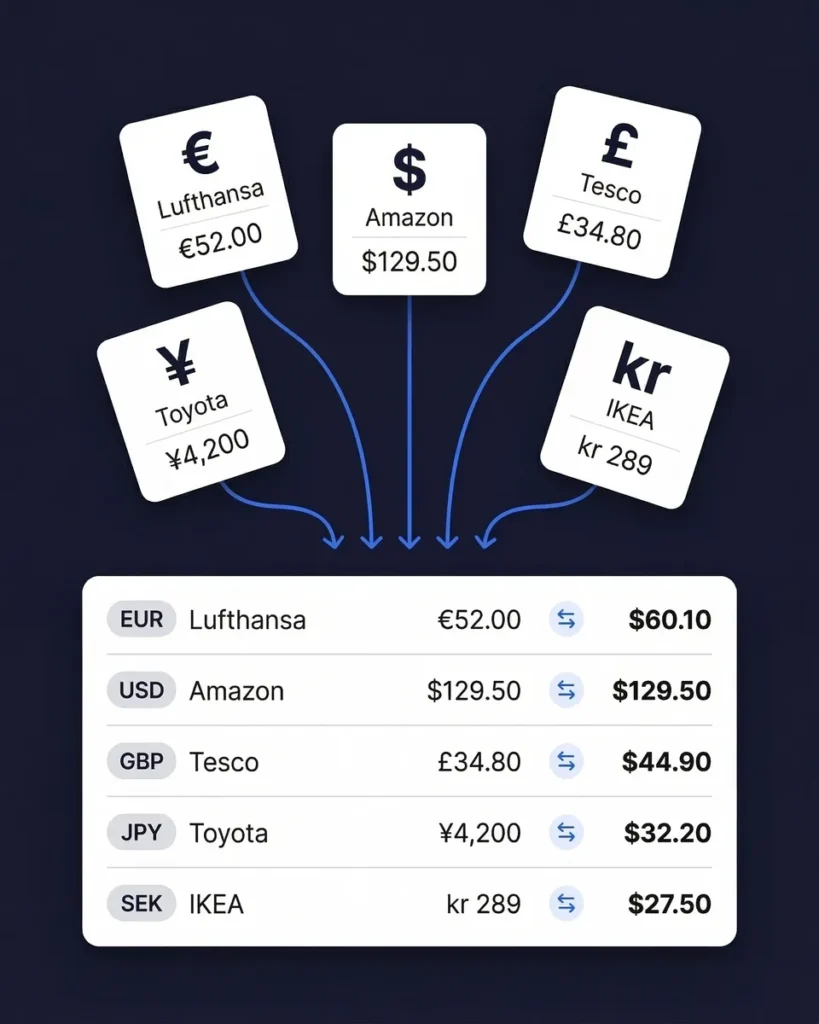
If your business involves international travel, foreign suppliers, or SaaS tools billed in other currencies, SparkReceipt handles it automatically.
The AI detects the currency on every receipt and converts amounts using the purchase-date exchange rate. Your expense report shows everything in your home currency with the original amounts preserved for reference. Local tax rules — including VAT, GST, and PST — are applied based on the receipt’s country of origin.
The AI reads receipts in six languages: English, French, German, Spanish, Japanese, and Finnish. No manual conversion. No currency lookup tables. Just accurate, multi-currency expense reports.
Find Missing Receipts Before You File
Match bank statements to receipts automatically
Think your expense report is complete? Upload your bank statement and find out for sure.
SparkReceipt’s bank statement extractor pulls every transaction from your bank or credit card statement (PDF, Excel, or CSV). It matches transactions to your existing scanned receipts and flags anything that’s missing.
This means your expense report accounts for every business transaction — not just the receipts you remembered to scan. It’s the completeness check that ensures you never miss a tax deduction.

Reports Your Accountant Will Love
Invite your accountant or bookkeeper at any time
At tax time, most freelancers scramble to organize receipts and email messy spreadsheets to their accountant. With SparkReceipt, your accountant gets exactly what they need — organized, categorized expense data with every receipt image attached.
Invite your accountant or bookkeeper to your account at any time. They can view all your expense reports, download receipt images, export data in their preferred format, and access everything directly from their own login.
It’s the pre-accounting workflow that saves both of you hours every month. Clean data in, clean reports out.
Professional Expense Reports From $199/Year
A fraction of what enterprise tools charge
Enterprise expense report tools charge $17–$50 per month. Zoho Expense starts at $24/month minimum. FreshBooks starts at $17/month.
SparkReceipt gives you AI receipt scanning, automatic categorization, one-click expense reports, email receipt capture, bank statement extraction, QuickBooks integration, and invite-anyone team access — for $16.65/month, billed annually.
Simple, transparent pricing. No hidden fees, no surprise charges. Try the Elite plan with a 7-day free trial.

What Freelancers and Business Owners Say
Join thousands who've ditched spreadsheets for AI-powered expense reports

Thanks to you, I’m actually looking forward to my year end FOR THE FIRST TIME EVER, when I can surprise my accountant with my completed accounts with a week or so off the end of the year!
SparkReceipt is an excellent alternative to full-fledged accounting software, saving you time and money!
SparkReceipt is one of the very few software purchased that I have made that exceeded my expectations. It does much more than keeps copies of your business receipts, it provides great reports, with easy edit options - it is going to save me a lot of work when I do my annual tax returns - a great product.
Expense Report FAQ
What is an expense report?
An expense report is a document that records business-related spending over a specific period. It typically includes the date, vendor, category, amount, and tax for each expense. Freelancers and small businesses use expense reports for tax preparation, accountant handoffs, client billing, and financial planning. SparkReceipt generates expense reports automatically from your AI-scanned receipts — no manual data entry required.
How do I create an expense report with SparkReceipt?
Scan your receipts by snapping a photo, uploading a file, or forwarding email receipts. SparkReceipt’s AI extracts the vendor, amount, date, tax, and category automatically. When you’re ready, generate a complete expense report in PDF or Excel format with one click. Reports include totals, category breakdowns, tax summaries, and links to original receipt images.
Do freelancers need expense reports?
Yes. Expense reports help freelancers track tax-deductible expenses, prepare for quarterly tax payments, and provide documentation if audited. Most freelancers miss $2,000–$5,000 in deductions per year simply because expenses are disorganized. A clean expense report ensures you claim every deduction you’re entitled to.
What format can I export expense reports in?
SparkReceipt generates expense reports in PDF and Excel formats. Both formats include itemized expenses with vendor, amount, date, category, and tax details. PDF reports also include links to original receipt images for verification. You can also export raw data in CSV format for custom analysis.
Can I generate expense reports for specific date ranges?
Yes. SparkReceipt lets you generate expense reports for any custom date range — monthly, quarterly, annually, or any period you choose. This is especially useful for quarterly tax payments, year-end tax preparation, or project-based client billing.
How does SparkReceipt handle international expenses and currencies?
SparkReceipt supports 150+ currencies with automatic exchange rate conversion using the purchase-date rate. The AI reads receipts in six languages (English, French, German, Spanish, Japanese, Finnish) and applies local tax rules including GST, PST, VAT, and multi-rate tax systems. Your expense report shows amounts in your home currency.
Can my accountant access my expense reports?
Yes. Invite your accountant or bookkeeper to your account at any time so they can view your categorized expenses, download reports, and access original receipt images directly.
How much does SparkReceipt cost for expense reports?
SparkReceipt’s Elite plan is $16.65/month, billed annually ($199/year), with unlimited document scanning included. Try it with a 7-day free trial.
What's included in a SparkReceipt expense report?
Every expense report includes: itemized expenses with vendor name, date, amount, tax breakdown, and category. Reports also show category totals, tax summaries, grand totals, and links to original receipt images. You get a clean, professional document ready for your accountant, tax filing, or client billing.
Can SparkReceipt find missing receipts for my expense report?
Yes. Upload your bank statement (PDF, Excel, or CSV) and SparkReceipt’s AI matches transactions to existing receipts, flagging any missing documentation. This ensures your expense report is complete before you hand it off to your accountant or file taxes.
Stop Building Expense Reports by Hand
One click. AI does the rest. 7-day free trial.
Every hour you spend manually typing expenses into a spreadsheet is an hour you could spend on your business. SparkReceipt’s AI scans your receipts, categorizes every expense, and generates professional reports in one click — with every receipt image attached.
Join thousands of freelancers and small business owners who’ve replaced spreadsheets with AI-powered expense reports. Simple, transparent pricing with no hidden fees.