What bookkeeping software should do for an Australian small business
Bookkeeping has two halves. The first is capture: getting every receipt, tax invoice and bank line into one place with the right date, amount, GST and category. The second is the books: a double-entry ledger where every transaction lands on two accounts, a trial balance that proves they agree, and the reports your accountant, your bank and the ATO ask for.
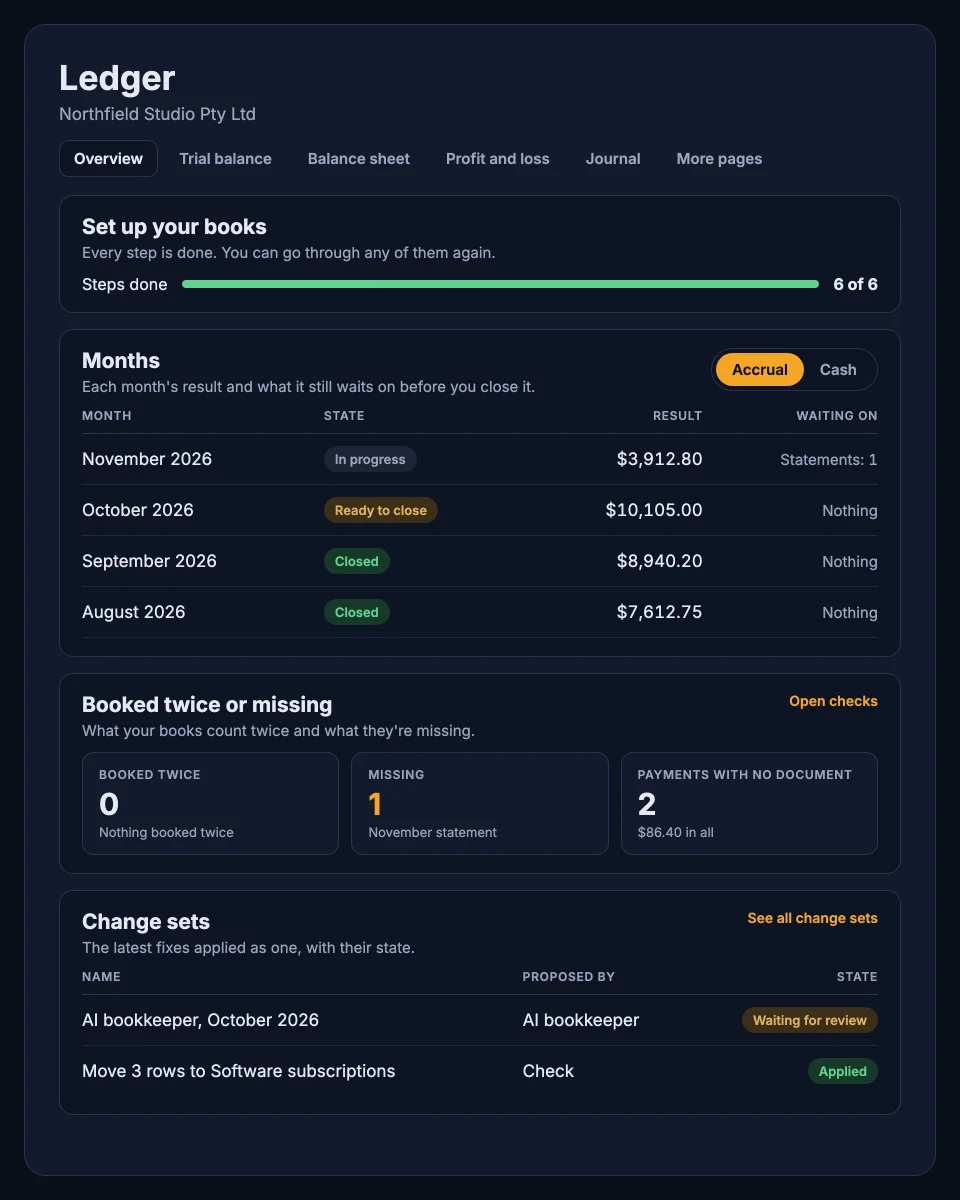
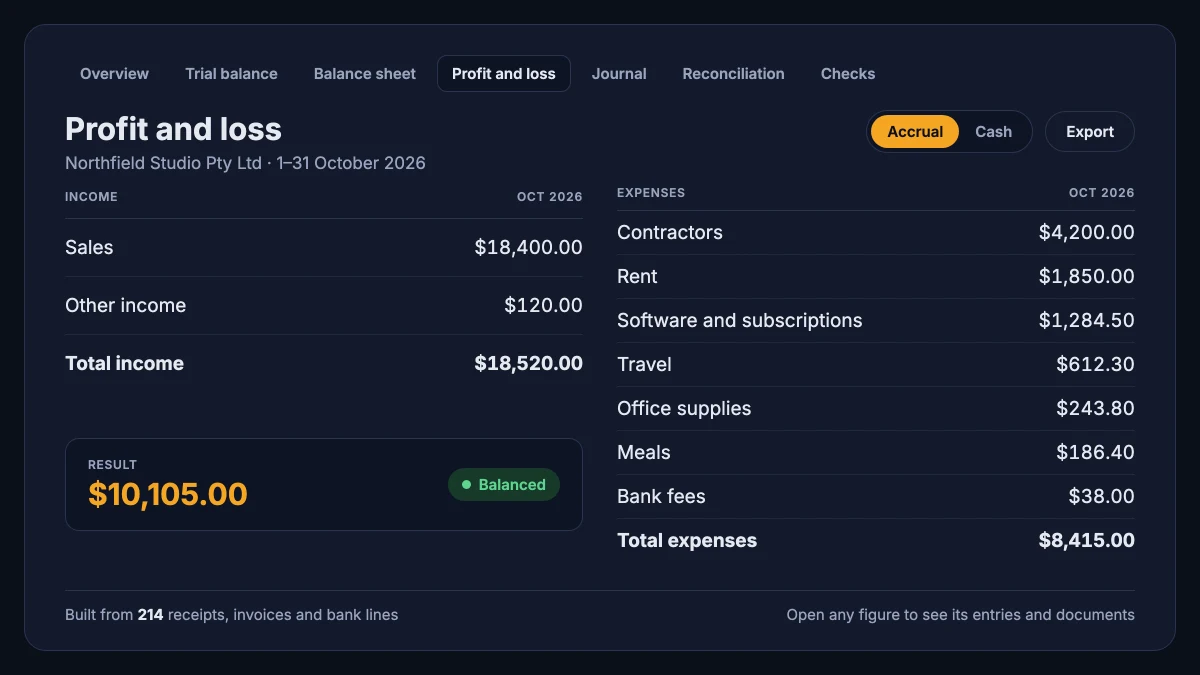
Most bookkeeping software makes you do the first half by hand so it can do the second. SparkReceipt started with the first half: receipt scanning, email receipts and the bank statement extractor. The Ledger adds the second half on top, so a receipt you scanned this morning is in your profit and loss and your next BAS this afternoon.
When you compare bookkeeping software in Australia, five things decide whether it saves you time:
- The books come from the documents. Each document and bank line becomes its journal entries on its own, and the tax invoice stays attached to the entry.
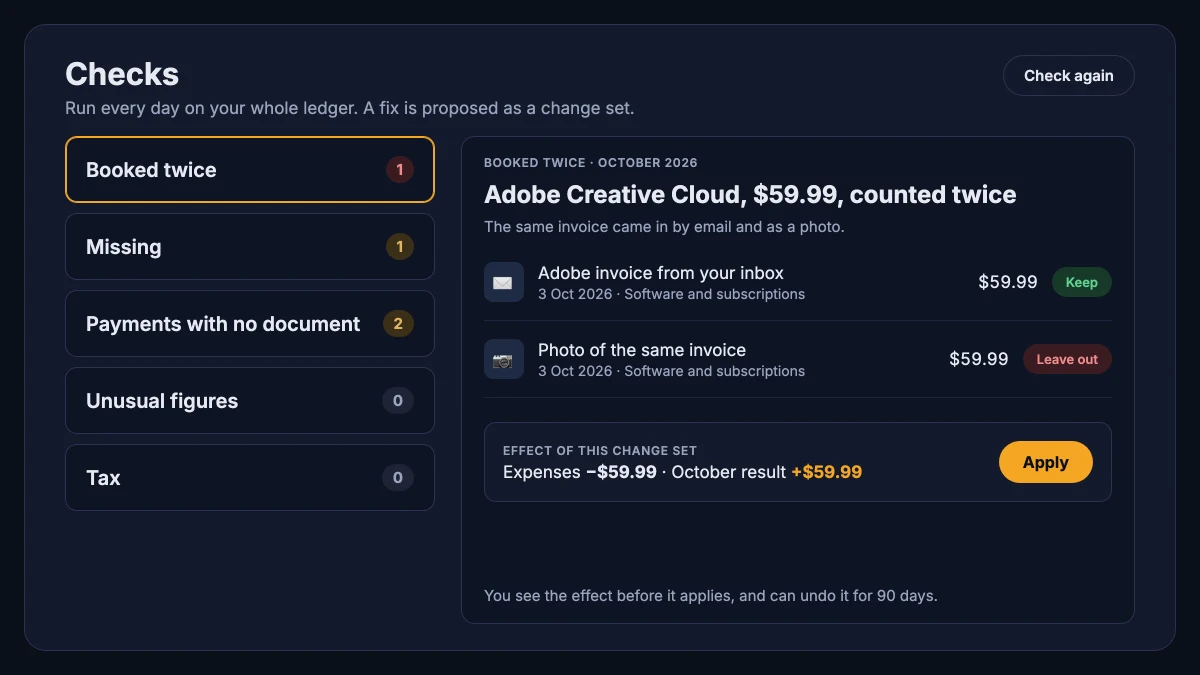
- It catches mistakes before the ATO does. A duplicate bill overstates the GST credits you claim at 1B. The Ledger's checks look for duplicates and missing statements every day.
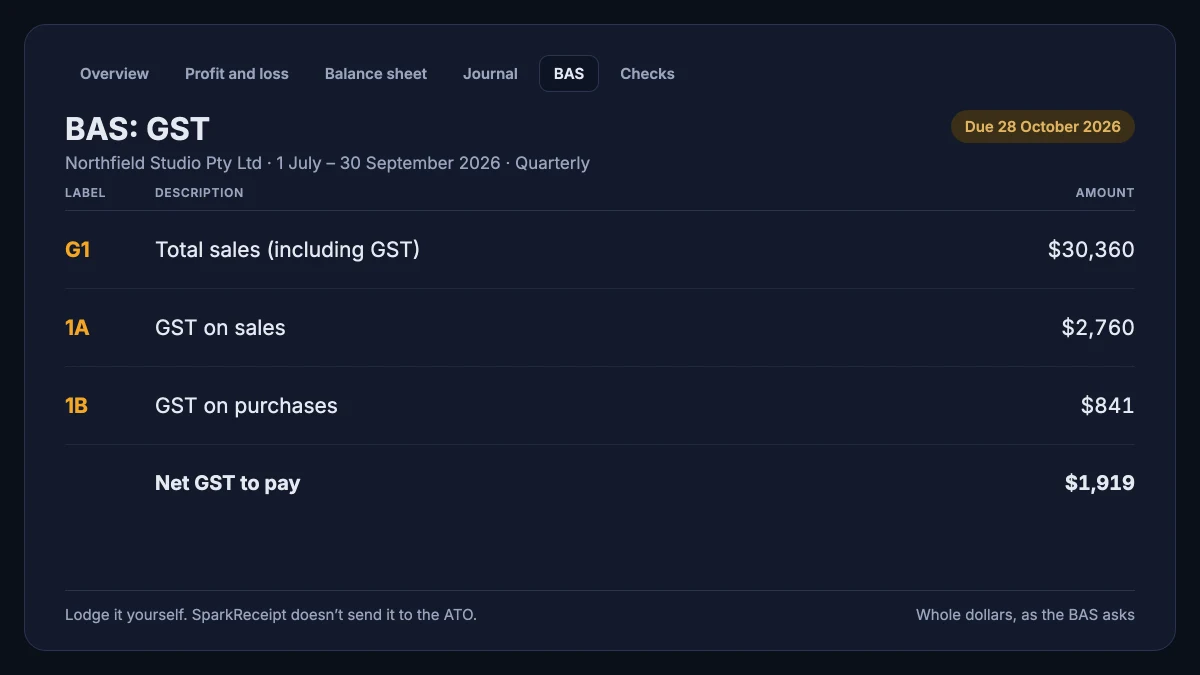
- It works out the GST for your BAS. G1, 1A and 1B for each period, on a cash or accruals basis, with the due date shown.
- It keeps both bases. The Ledger keeps cash and accrual books side by side, so a change of basis is a click, not a rebuild.
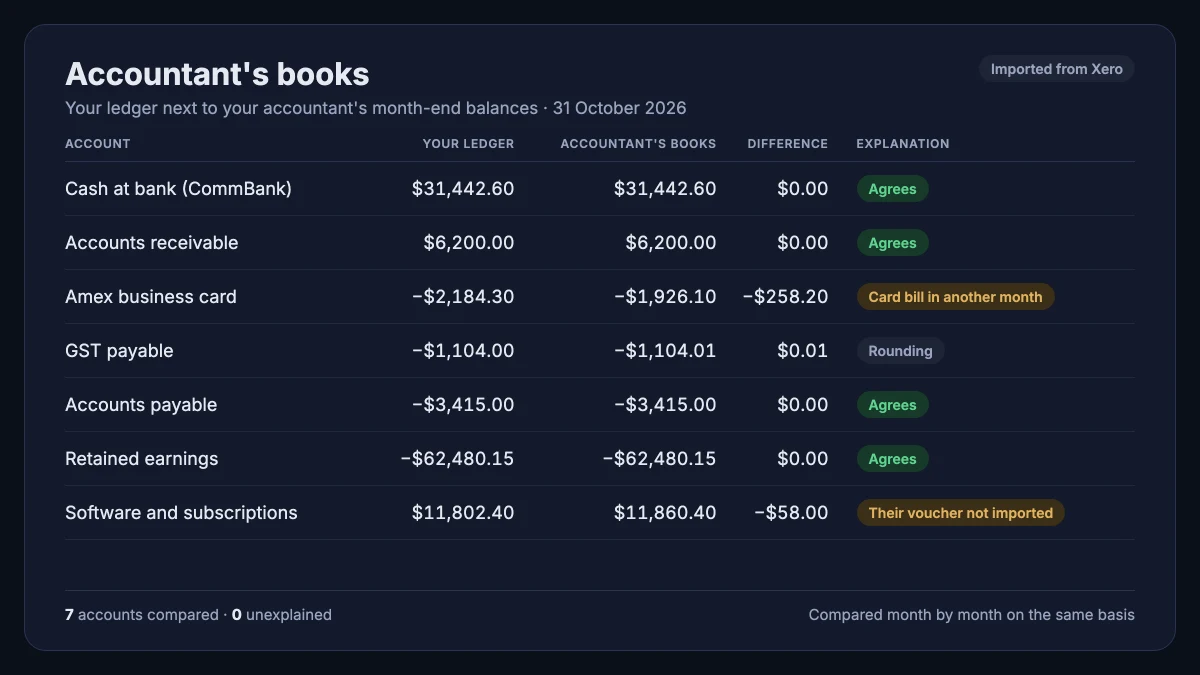
- It works with your accountant. Your accountant or bookkeeper joins free, sees the same Ledger and compares it with their own books.
Who the Ledger is for
Sole traders get a profit figure they can trust all year, not only at tax time, and a balance sheet when the bank asks for one.
GST-registered businesses have the GST side of the BAS worked out from the same records they keep anyway, with every label traceable to its documents. Not registered yet? Check the GST registration threshold.
Companies with an accountant keep the books current between year ends, see the same figures as the accountant and hand over months that are already checked and closed.
If you keep your books in Xero or QuickBooks Online and want to stay there, keep doing so: SparkReceipt still publishes each receipt there with the image attached, and the Ledger can compare its balances with theirs.
More in the Ledger
- Bank lines booked for you. A tax payment, a loan repayment or money to or from the owner goes to its balance sheet account, and the booking waits for your yes.
- Loans. Add a business loan on the Loans page, and the Ledger books its interest every month and splits each payment into principal and interest.
- Fixed assets. Turn on Depreciate this purchase on an Expense, and the Ledger books its depreciation for each financial year of its useful life.
- The AI bookkeeper. Every night it goes through your open months and proposes its fixes as a change set for each month. Nothing changes until you apply it.
- Financial statements. At year end the Ledger makes the profit and loss and balance sheet in your country's layout, as a PDF or an Excel file.
- The mobile app. The reports, checks, change sets and month close work in the iOS and Android app too.
How to start
Open the Ledger in the web app or the mobile app and a short setup asks a few questions once, such as your BAS period, when your financial year starts and how you handle the GST you charge, and every Ledger page works while you answer them.