Skip to content

Bookkeeping Software That Keeps the Books for You

Your receipts, invoices and bank lines already sit in SparkReceipt. The Ledger turns them into double-entry books, checks them every day and closes the month with you.

Trial balance, balance sheet, profit and loss and the journal, on the accrual and the cash basis, built from the documents you already capture. No second program to type them into.

7-day free trial. Cancel any time.

Business Owners in 175 Countries Trust SparkReceipt

Tracy DugganRobert ConnollyRafael RoaFrédéric ThériaultPierce Mooney
4.8on the App Store · 4.6 on Google Play · 2,700+ ratings
4,620,044Receipts Processed
38,283Businesses Worldwide
190Currencies Handled
175Countries

Bookkeeping in Two Programs vs. in the Ledger

Same receipts, same bank, one place for the books

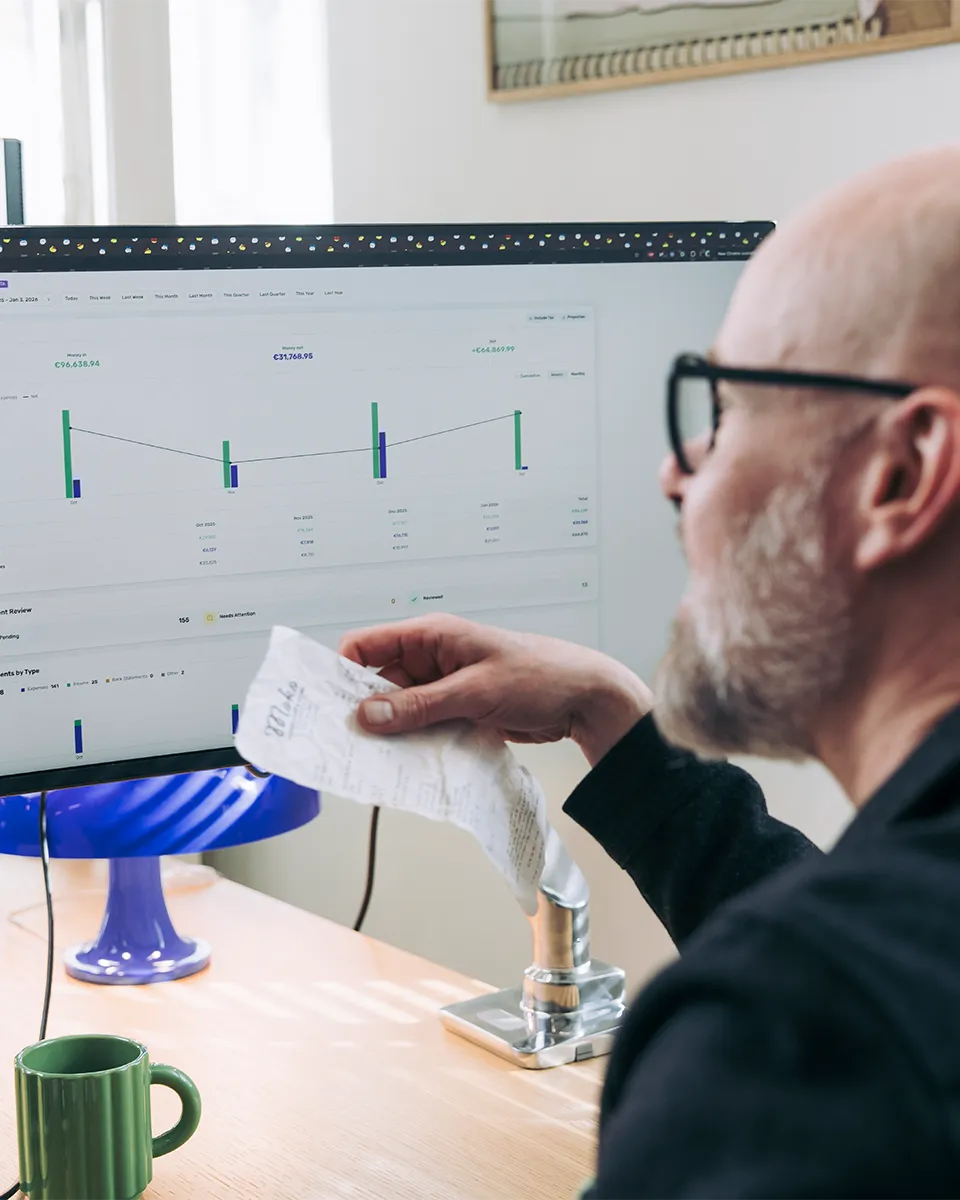
Business owner copying receipts into a separate bookkeeping program

Receipts here, books somewhere else

  • Every receipt typed or synced into a second program before it counts
  • A double-counted bill found at year end, after the return is drafted
  • No idea whether the month is finished or still missing a statement
  • Reports that disagree with what the accountant has
  • Closing the year means a week of emails and spreadsheets
Business owner checking a balanced ledger in SparkReceipt

The Ledger

  • Each receipt, invoice and bank line becomes journal entries on its own
  • Daily checks flag anything booked twice or missing and point to the fix
  • Each month shows what it still waits on before you close it
  • Your balances compared with the accountant's, month by month
  • Year-end close moves the result to equity in one step

How the Ledger Keeps Your Books

1

Capture As You Do Now

Scan receipts, forward invoices, connect your inbox and upload bank statements, or connect your bank in the United States and Canada. Nothing about how you capture documents changes.

2

The Ledger Records Each One

Every expense, income document, bank line and expense claim becomes a balanced journal entry on the right ledger account, with its tax split out. Your Categories become the income and expense accounts of your chart of accounts.

3

Check, Close, Report

Checks run every day and propose fixes you can preview and undo. Each month shows what it still waits on, you close it when it is ready, and the reports are there whenever you or your accountant need them.

Profit and loss, balance sheet and trial balance, up to date

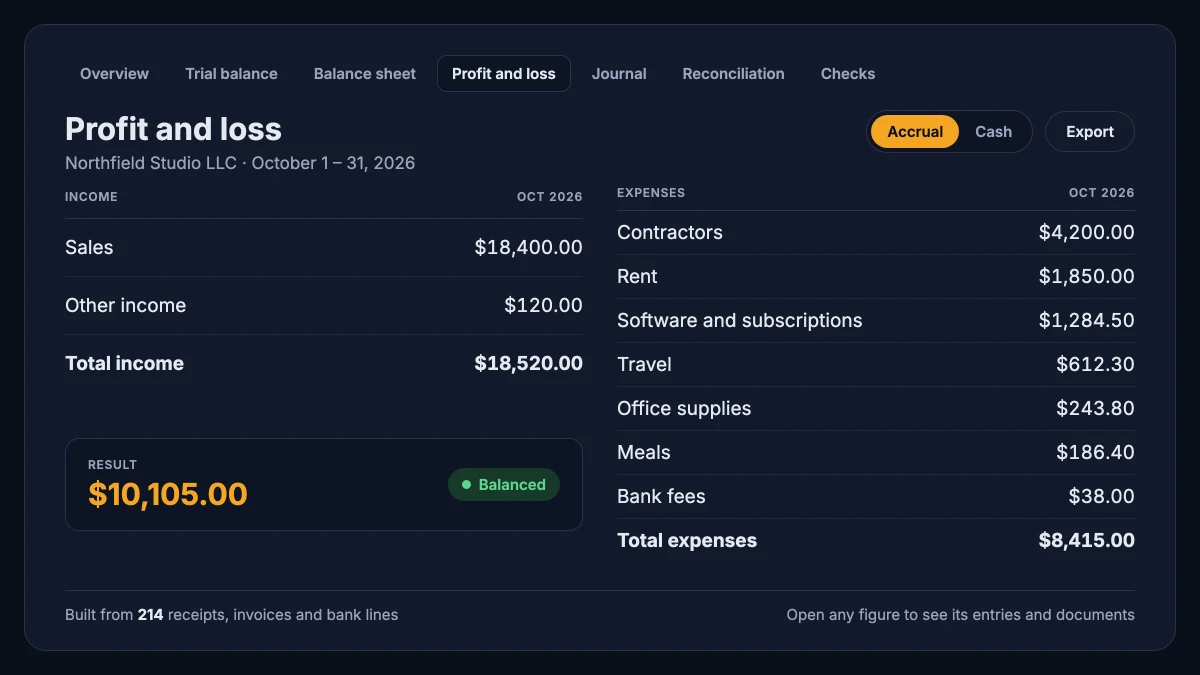
The Ledger keeps a double-entry journal of everything in your account and builds the reports from it: a trial balance, a balance sheet, a profit and loss statement, the journal itself and your chart of accounts. Pick any period and open any figure to see the entries and the receipts behind it.

Your books are kept on both the accrual and the cash basis at once, so you switch between them with one click instead of rebuilding anything. Bank, card and payment accounts each get their own ledger account, and the Reconciliation page puts each one's ledger balance next to its latest statement's closing balance, so you see straight away whether they agree.

Profit and loss report in the SparkReceipt Ledger with an accrual and cash switch and income and expense accounts by month

Checks that find the mistakes, and fixes you can undo

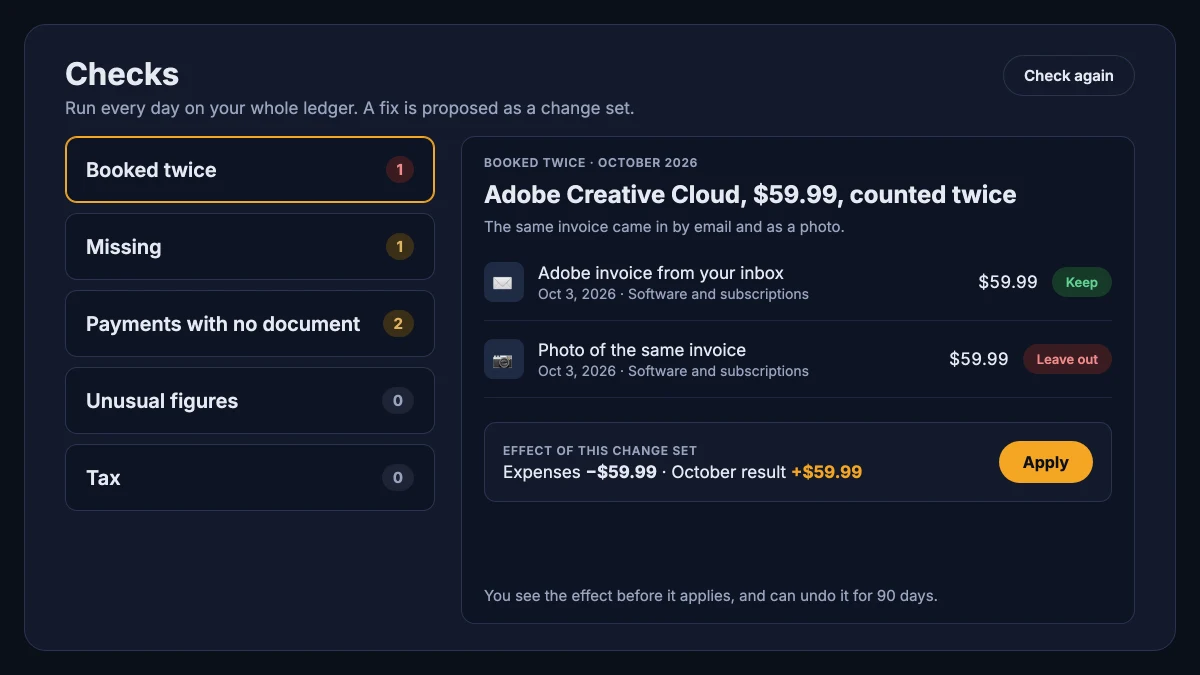
Most bookkeeping errors are not arithmetic. They are a bill counted twice because it arrived by email and as a photo, a bank statement left out, or a payment with no document behind it. The Ledger runs its Checks every day and sorts what it finds into lists: booked twice, missing, payments with no document, unusual figures and tax lines that need a look.

When a check knows the fix, it proposes it as a change set. You see what it does to your result before it applies, apply it in one click, and undo it for 90 days if you change your mind. A change set never applies without you seeing it first.

Ledger checks listing a cost booked twice, with a proposed change set showing its effect on the result before it is applied

Month-end close with a checklist, and a year-end close in one step

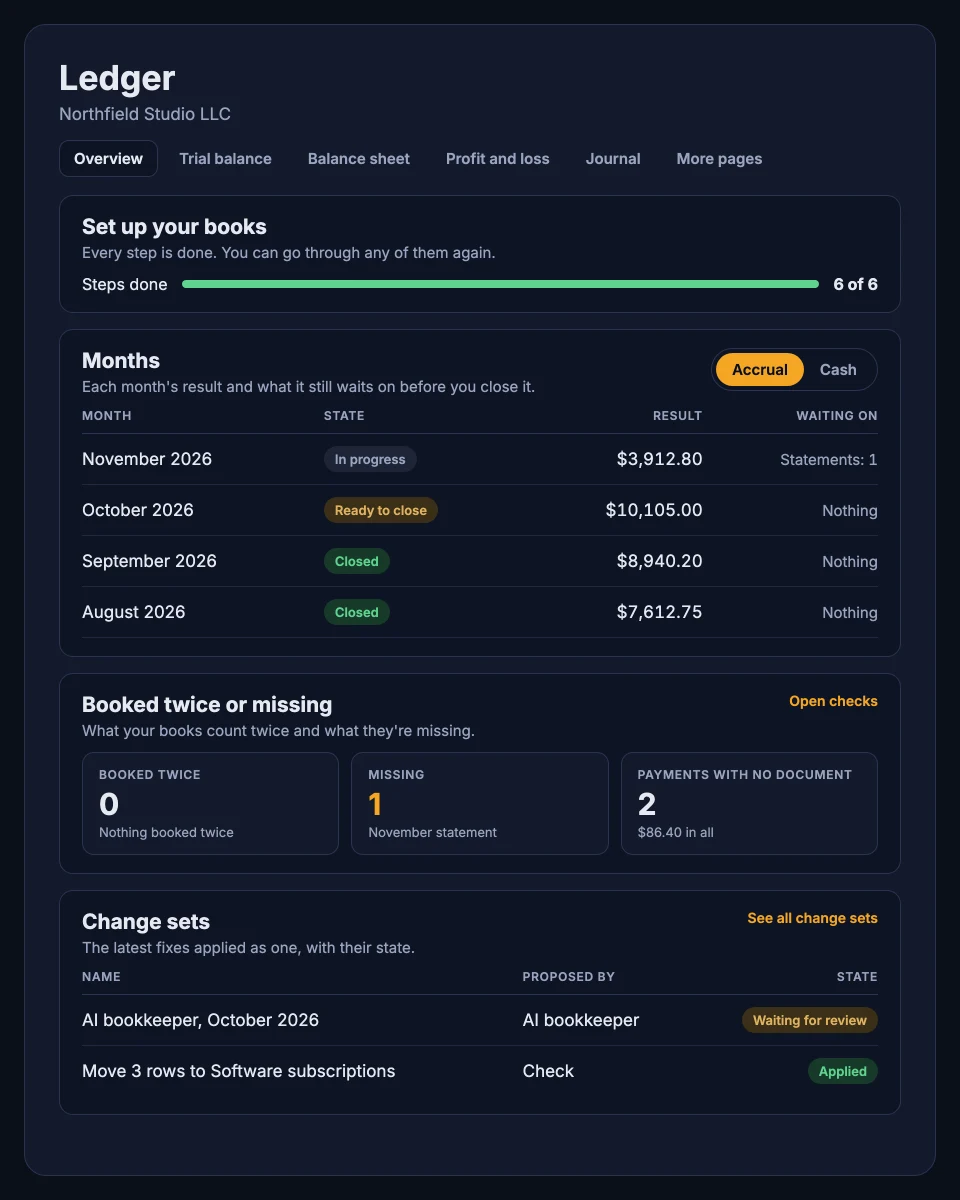
The Months list shows each month's result and what it still waits on: missing data, items to review, or nothing at all. When a month reads Ready to close, close it. A reminder email tells you when last month is waiting.

Period locks keep a closed period fixed. If a receipt for a locked month turns up later, the change is booked as an adjustment on the first open day instead of rewriting what you already reported. At the end of the financial year, Year-end close takes income and expenses to zero and moves the year's result into equity: retained earnings for a company, or the owner's or partners' capital for a sole proprietor or partnership. That year's profit and loss stays as it was.

Business owner closing the month in SparkReceipt

Your books next to your accountant's, month by month

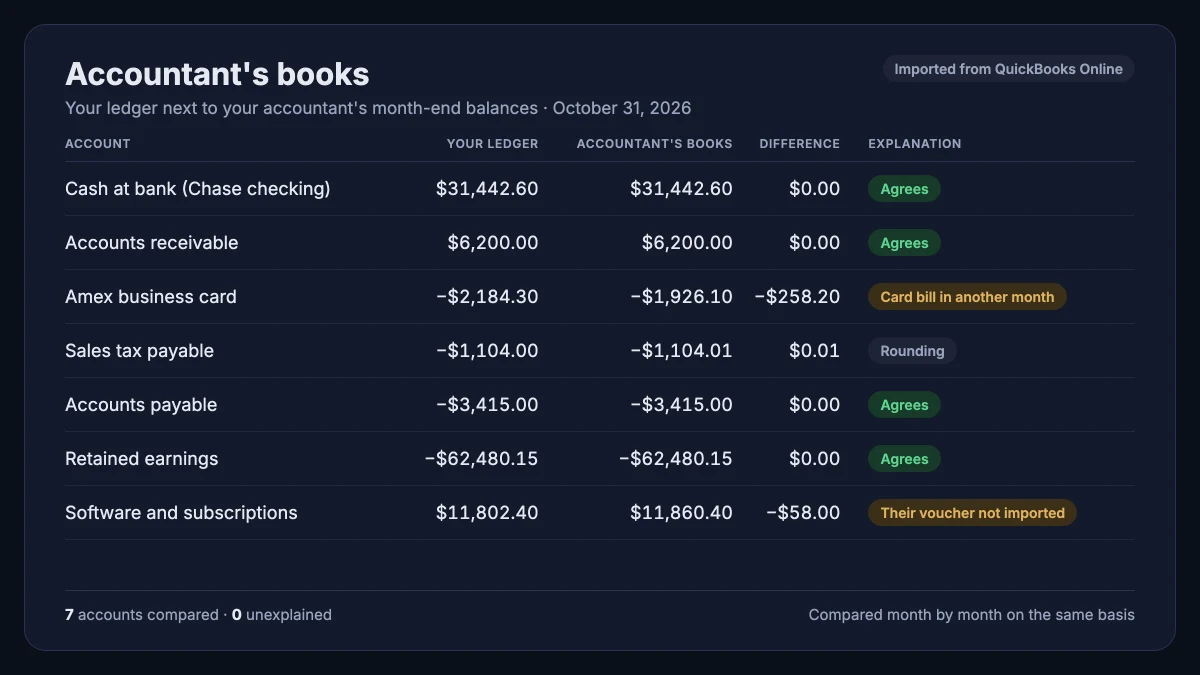
Many businesses already have an accountant keeping the official books. The Accountant's books page imports their month-end balances, from a file out of any accounting program or straight from a connected Procountor, Xero or QuickBooks Online account, and compares them with your Ledger month by month. Each difference gets an explanation: rounding, a card bill in another month, VAT settled in another month, or a note you write yourself. The differences go to your accountant as a memo, a PDF or a CSV file.

That is how we run our own company. SparkReceipt keeps its books in the Ledger and checks them every month against our accountant's books in Procountor. Your accountant joins your account free with the Accountant role and sees the same Ledger you do.

Accountant's books page comparing the SparkReceipt Ledger's month-end balances with the accountant's, with each difference explained

Tax return figures and journal exports for your accountant's software

The Ledger adds up the tax on every document for the period you pick and lays it out the way your return asks for it: the VAT return boxes in the United Kingdom (with the Flat Rate Scheme), Finland, Sweden, Germany and Austria, the BAS in Australia, the GST/HST return in Canada (with the Quick Method), and a sales tax summary in the United States. You or your accountant file the return. SparkReceipt does not send it for you.

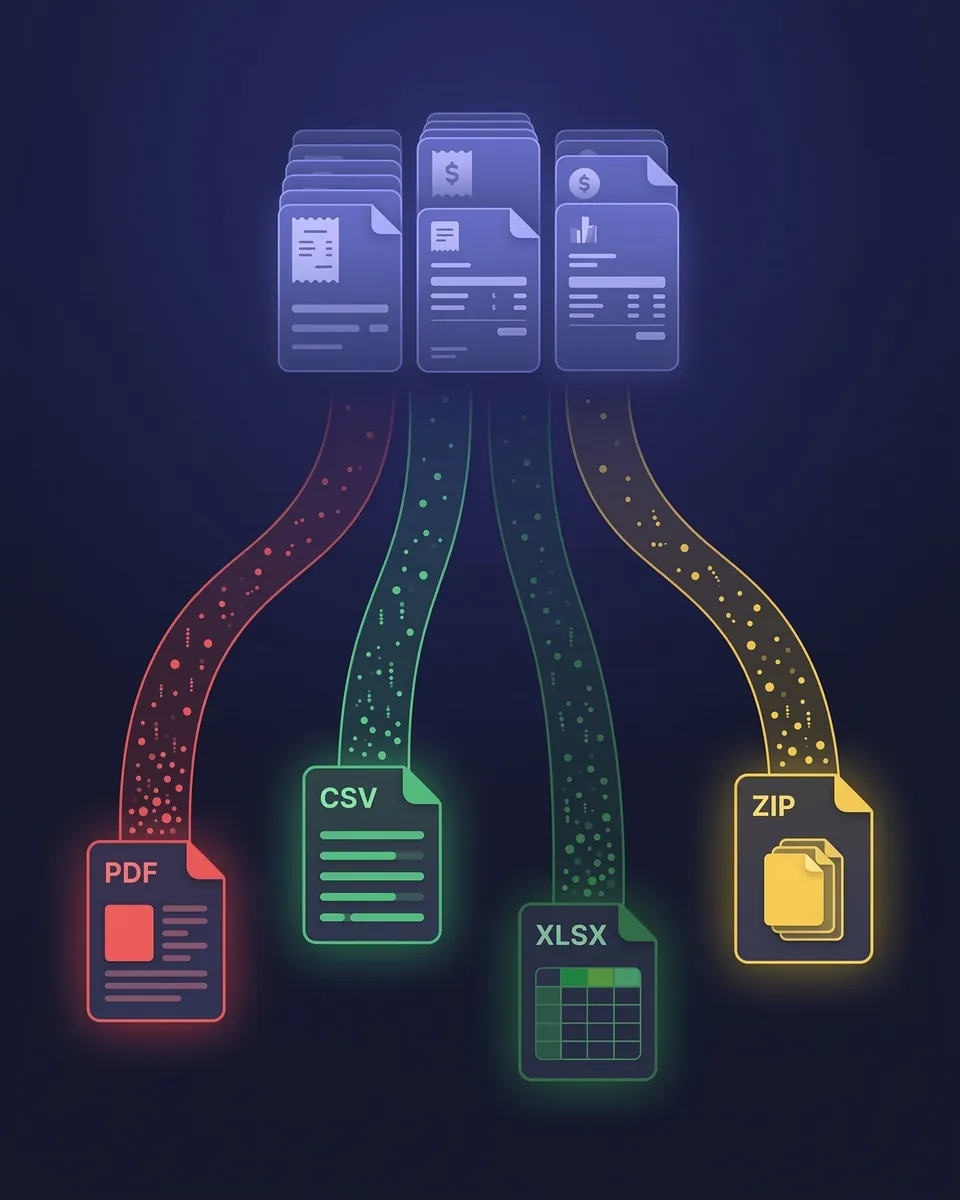
When your accountant works in another program, export the journal as a CSV for any program, a DATEV batch, an SIE 4 file, a Xero manual journal, a QuickBooks Online journal import or an IIF file for QuickBooks Desktop. At year end, the Ledger makes the financial statements in your country's layout as a PDF or an Excel file. Starting mid-year? Import opening balances from Procountor, Xero, QuickBooks Online or a trial balance file, and journal entries from your start date on from CSV or Excel.

Exporting the Ledger journal as a file for another accounting program

Bookkeeping software for small business: what it should do

Bookkeeping has two halves. The first is capture: getting every receipt, invoice and bank line into one place with the right date, amount, tax and category. The second is the books themselves: a double-entry general ledger where every transaction lands on two accounts, a trial balance that proves the debits and credits agree, and the reports a lender, an investor or a tax office asks for.

Most small business bookkeeping software makes you do the first half by hand so it can do the second. You photograph a receipt in one app and then match, categorize and record it again in another. SparkReceipt started with the first half: receipt scanning, email receipts, the bank statement extractor and the Transaction Manager. The Ledger adds the second half on top of what is already there, so a receipt you scanned this morning is in your profit and loss this afternoon.

When you compare bookkeeping software, five things decide whether it saves you time or only moves the typing:

  • The books come from the documents. If each entry has to be typed or approved twice, the software is a second job. In the Ledger, each document and bank line becomes its journal entries on its own, and the receipt stays attached to the entry.
  • It catches mistakes before your accountant does. A duplicate bill or a missing statement changes your result and your tax. The Ledger's checks look for both every day and propose the fix.
  • It tells you when a month is done. A month is finished when every statement is in and nothing waits for review. The Months list says so, month by month.
  • It keeps both bases. Cash and accrual answer different questions. Read the difference in cash vs. accrual accounting; the Ledger keeps both, so picking one is not a decision you live with for years.
  • It works with your accountant, not around them. Your accountant joins free, sees the same Ledger, compares it with their own books and gets the journal in the format their software reads.

Who the Ledger is for

Freelancers and sole proprietors get a profit and loss they can trust at any time of the year, not just in April, and the balance sheet a bank asks for when you apply for a loan.

Small businesses with an accountant keep the books current between the accountant's visits, see the same figures, and hand over a month that is already checked and closed.

Online sellers and software businesses have their Stripe, Paddle, Square, App Store and Google Play payouts kept in their own clearing accounts once the platform is connected, so fees and payouts stop showing up as unexplained bank lines.

Businesses in several currencies have every document recorded in their home currency at the rate of its date, with the exchange gain or loss recorded when a payment settles it.

If you already keep your books in QuickBooks Online or Xero and want to stay there, keep doing so: SparkReceipt still publishes each receipt there with the image attached, and the Ledger can compare its balances with theirs. If you want one place for receipts and books, the Ledger is that place.

More in the Ledger

  • Bank lines booked for you. A tax payment, a loan repayment or money to or from the owner goes to its balance sheet account, and the booking waits for your yes.
  • Loans. Add a business loan on the Loans page, and the Ledger books its interest every month and splits each payment into principal and interest.
  • Fixed assets. Turn on Depreciate this purchase on an Expense, and the Ledger books its depreciation for each financial year of its useful life.
  • The AI bookkeeper. Every night it goes through your open months and proposes its fixes as a change set for each month. Nothing changes until you apply it.
  • Financial statements. At year end the Ledger makes the profit and loss and balance sheet in your country's layout, as a PDF or an Excel file.
  • The mobile app. The reports, checks, change sets and month close work in the iOS and Android app too.

How to start

Open the Ledger in the web app or the mobile app and a short setup asks a few questions once, such as your country and home currency, when your financial year starts and how you handle the tax you collect on sales, and every Ledger page works while you answer them. Then ask SparkAgent about your books: AI bookkeeping shows how it explains balances, prepares fixes and drafts journal entries. The bookkeeping for small business guide covers the habits that keep the books easy once they are running.

Receipts and Bookkeeping in One Subscription

Capture, reconciliation and the Ledger in one account.

Your accountant joins free

Your first user is included. Each extra user: $1.00/month, billed $12 annually.

Your accountant joins free

Pro

For side hustles.

$5.75/mo

Total for 1 user · $69.00 billed annually

+ VAT/GST where applicable

Get Started

7-day free trial

50 documents / month

For receipts and invoices

  • AI scanning and categorization
  • One connected email inbox
  • One live bank feed connection
  • Bank statement extraction and matching
  • Mileage tracking and expense reports
  • QuickBooks Online, Xero and more
Recommended

Elite

For small businesses with 1 to 40 people.

$10.75/mo

Total for 1 user · $129.00 billed annually

+ VAT/GST where applicable

Get Started

7-day free trial

Unlimited documents*

Everything in Pro, plus:

  • Line-item extraction on every receipt
  • Several connected email inboxes
  • Several live bank feed connections
  • AI Fields for the details you need
  • AI rules for categorizing and filing
  • Schedule C and accounting templates
  • Trips start when your phone connects to your car

Founder-led setup

Joel Ojala

Joel Ojala, co-founder, sets up SparkReceipt with you, tailored to how you work.

$400one-time setup

+ Elite for 1 user: $10.75/mo, billed annually

$529.00 today, then $129.00 a year

+ VAT/GST where applicable

Get set up with Joel

Annual plan only · No free trial

Everything in Elite

Plus a 60-minute session with Joel and one follow-up. In the session:

  • Your process, mapped at a high level
  • Logins for your team, and any extra users you need
  • Set up inbox scanning for receipts and invoices
  • Connect bank / upload your first statement
  • The phone app for paper receipts
  • Expense categories and your accounting integration
  • Anything else you'd like to go through

Unlimited linked accounts on every plan.

Compare all features

Pro

  • 1 user included. Add teammates any time for a flat fee per user, your accountant joins free on top, unlimited linked accounts
  • 50 documents per month (receipts and invoices, mass upload up to 100 at once)
  • AI scanning and categorization
  • Automatic email receipt scanning from one connected inbox (Gmail, Outlook, IMAP)
  • Bank statement extraction and receipt matching (PDF, CSV, Excel)
  • The Ledger: double-entry books with profit and loss, balance sheet, month close and a sales tax summary
  • 100 credits a month per user. Bank statements use 1 credit per transaction
  • One live bank feed connection
  • Mileage tracker: GPS or manual trips, with per diem
  • Expense claims: submit receipts and trips, approve, mark paid
  • SparkAgent AI assistant, or connect your own AI over MCP
  • Integrations: QuickBooks Online, Xero, Zapier, Make, Pabbly, plus webhooks and API
  • Expense reports and exports: PDF, Excel, CSV, ZIP; 190 currencies

Elite

  • Everything in Pro, plus:
  • Unlimited documents: receipts and invoices, mass upload up to 100 at once
  • 200 credits a month per user. Bank statements use 1 credit per transaction
  • Line-item extraction on every receipt
  • Several connected email inboxes with automatic scanning
  • Several live bank feed connections
  • AI Fields: tell the AI exactly what to pull from every document
  • Plain-English AI rules: tell the AI how to categorize and file automatically
  • Schedule C export for US tax filing
  • Trips start when your phone connects to your car
  • Export templates for Sage 50, DATEV, Wave, and Sage 200

Founder-led setup

  • A 60-minute setup session with Joel, co-founder, plus one follow-up session
  • Together we set up your process, team logins, inboxes, bank statements, categories and integrations
  • Everything in Elite, billed annually
  • 1 user included. Add teammates any time for a flat fee per user

Unlimited document scanning on Elite is subject to fair use. Bank statement extraction uses monthly renewable credits. Historical email imports include a free allowance; larger imports use credits, with the cost shown before you start.

Frequently Asked Questions

Bookkeeping software records a business's income and expenses as accounting entries and turns them into reports: a general ledger, a trial balance, a profit and loss statement and a balance sheet. In SparkReceipt, the Ledger builds those entries from the receipts, invoices, bank lines and expense claims already in your account, so you do not type them into a second program.

Pro and Elite. Both start with a 7-day free trial, and your accountant joins free with the Accountant role.

The account owner, admins and your accountant, in the web app and the mobile app. Members, Supervisors and Contributors do not see it.

Yes. Every document and bank line becomes a balanced journal entry with a debit and a credit side, on ledger accounts from your chart of accounts. The trial balance shows that the two sides agree, and the Checks flag anything that would throw them off.

You can keep them. SparkReceipt still publishes each receipt to QuickBooks Online or Xero with the image attached, and the Ledger can import your month-end balances from them to compare. If you would rather keep receipts and books in one place, the Ledger gives you the reports, the month and year-end close and a journal export for your accountant.

Yes. Your subscription includes 1 user, and your accountant joins free with the Accountant role. They see the same Ledger, can import their own month-end balances to compare, and can export the journal as CSV, DATEV, SIE 4, a Xero manual journal, a QuickBooks Online journal import or an IIF file.

Both. The Ledger keeps every entry on the accrual and the cash basis at the same time. Your setting picks which one the reports open on, and one click switches between them.

No. The Ledger works out the figures and lays them out the way the return asks for them: VAT return boxes in the UK, Finland, Sweden, Germany and Austria, the BAS in Australia, the GST/HST return in Canada and a sales tax summary in the United States. You or your accountant file the return with the tax office.

A closed period is locked, so its entries stay as you reported them. Fix the document as usual, and the change is booked as an adjustment on the first open day after the period. Checks that find a mistake propose a change set you can preview, apply and undo for 90 days.

Yes. Pick the date your books start, then import opening balances from Procountor, Xero, QuickBooks Online or a trial balance file, or enter them by hand with suggestions from your bank statements. Journal entries dated from your start date on can be imported from a CSV or Excel file.

Yes. Write manual journal entries from a template or from scratch, reverse them, or set them to reverse on their own. Recurring entries such as accruals, depreciation or a fixed salary are written each period on schedule.

Yes. SparkReceipt keeps its own company books in the Ledger and compares them every month with its accountant's books in Procountor, using the same Accountant's books page you get.

Keep the Receipts. Get the Books.

Get Started
Get Started