
Free Expense Report Template
Download it, list what you spent, and hand in a clean report in minutes without building a spreadsheet from scratch.
An expense report template is a simple spreadsheet for listing what you spent, what it was for, and how much to reimburse. Download the free template below in Excel or Google Sheets format, complete with a filled-in example, or skip the spreadsheet entirely and let SparkReceipt build the report from your scanned receipts.
Download the free template
Free, no sign-up needed. The Excel file (.xlsx) totals your expenses automatically. The CSV imports straight into Google Sheets or Apple Numbers.
What a completed expense report looks like
Here is the filled-in example that ships on the second tab of the template. It shows a short business trip: a few travel and meal expenses, one software charge, and a mileage line. Every row names the date, the category, the merchant, a short description, how it was paid, and the amount.
| Date | Category | Merchant / Vendor | Description | Payment method | Amount |
|---|---|---|---|---|---|
| 2026-03-02 | Travel: Airfare | British Airways | Flight LHR to EDI, client kickoff | Amex ••1009 | 168.40 |
| 2026-03-02 | Travel: Lodging | Premier Inn Edinburgh | 2 nights, client kickoff | Amex ••1009 | 214.00 |
| 2026-03-03 | Meals | Pret a Manger | Breakfast with client | Personal card | 9.75 |
| 2026-03-03 | Ground transport | Uber | Airport to client office | Amex ••1009 | 28.50 |
| 2026-03-04 | Supplies | Ryman | Presentation materials | Amex ••1009 | 42.30 |
| 2026-03-11 | Software | Figma | Team seat, March | Amex ••1009 | 12.00 |
| 2026-03-18 | Meals | Nando's | Team lunch, 3 people | Personal card | 39.60 |
| 2026-03-22 | Mileage | Personal vehicle | 96 miles at the HMRC mileage rate, site visit | Reimbursable | 43.20 |
| Total reimbursable | 557.75 |
Keep one currency per report so the total means something. If a trip mixed currencies, convert each line to your reporting currency before you add it, or run a separate report per currency.
What is in the expense report template
The blank template has two parts: a short header for the person and the period, and the expense table itself.
- Who and when. Name, department, manager, the period the report covers, and the business purpose. This is what an approver looks at first.
- The expense table. One row per expense, with columns for date, category, merchant or vendor, description, payment method, and amount.
- The totals. A subtotal that adds up every amount, a line for any advance or company-card spend already covered, and the total reimbursable amount owed back to the person.
- Sign-off. Space for the employee and the approver, since most finance teams need a name against the numbers.
The Excel version does the arithmetic for you: the subtotal and the total reimbursable are live formulas, so the figure updates as you type. The CSV is a plain version of the same layout for Google Sheets, Numbers, or any tool that imports a spreadsheet.
How to fill out an expense report
- Add your details. Fill in your name, the period, and the business purpose at the top.
- List each expense on its own row. Work from your receipts. Put the date, pick a category, name the merchant, and add a one-line description of what it was for.
- Record how you paid. Note whether it went on a personal card, a company card, or is a mileage or per diem line. This tells the approver what actually needs reimbursing.
- Enter the amount. Keep every amount in the same currency.
- Check the total. In the Excel file the total updates itself. In the CSV, sum the amount column.
- Attach the receipts. Most employers and accountants want the receipt behind each line, and HMRC expects you to keep the records behind your business expenses. Keep the images with the report. HMRC's guidance on business records if you're self-employed sets out how long to hold them.
A template does not decide what is tax deductible or guarantee an expense is approved. Whether a cost is reimbursable or deductible depends on your employer's policy and your accountant, not on the form.
Expense report template vs. automated reports
A blank template is fine for an occasional report. If you file one every month, or you are chasing a team for receipts, retyping a spreadsheet gets old fast. SparkReceipt captures the receipts as they happen and builds the report for you.
| Blank template | SparkReceipt | |
|---|---|---|
| Getting the data in | You type every row from your receipts | Scan, forward, or import receipts; the fields fill in |
| The maths | Excel totals; you check the rest | Totals, categories, and tax handled for you |
| Receipts | Stored and attached by hand | Attached to every line automatically |
| A recurring report | Rebuild it each period | Generate it in seconds, or have it emailed on a schedule |
| Handing off | Email the file | Export to PDF, Excel, or CSV, or invite your accountant |
From receipts to report
Skip the spreadsheet
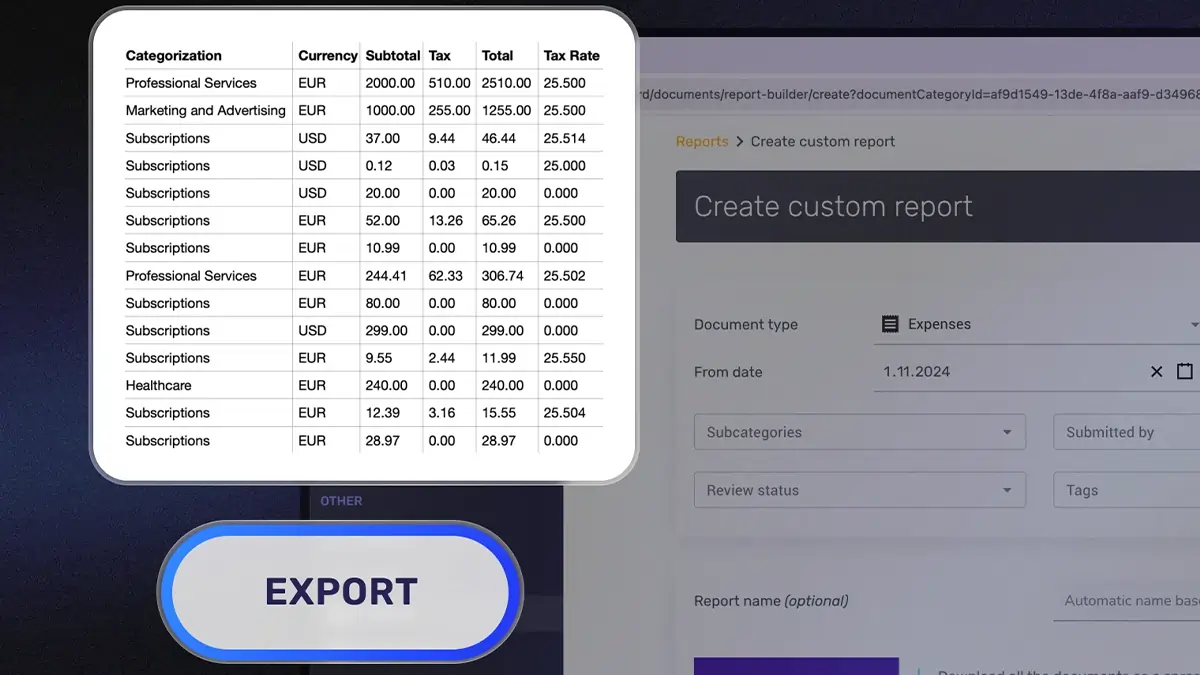
Scan a receipt with your phone, forward one from your inbox, or import a bank statement, and SparkReceipt reads the merchant, date, amount, and tax, then sorts it into categories. When the period ends, it turns that into a finished expense report you can export to PDF, Excel, or CSV, or hand to your accountant with the receipt images attached to every line.
Frequently Asked Questions
Yes. Download the Excel or CSV template above at no cost, with no sign-up. Use it for as many reports as you like.
Yes. The .xlsx file opens in Excel, Google Sheets, and Apple Numbers. The CSV imports into Google Sheets (File then Import) or any spreadsheet app, which is handy if you want a plain expense sheet template to start from.
Add your name and the period at the top, then list each expense on its own row with the date, category, merchant, description, payment method, and amount. Keep every amount in one currency, total the amounts, and attach the receipt behind each line. An approver signs off on the total reimbursable figure.
Usually, yes. Most employers and accountants want the receipt behind each expense, and HMRC expects you to keep the records that support your business expenses. Keep the receipt images with the report so nothing is questioned later.
Yes. The same layout works as a travel expense report template or an expense reimbursement form: list the trip's expenses, note which were paid personally, and the total reimbursable line shows what you are owed back.
Yes. If you would rather not keep a spreadsheet, SparkReceipt scans your receipts, categorises them, and generates the expense report for you, exportable to PDF, Excel, or CSV. It is the fastest way to go from receipts to a finished report without an expense report template at all.
More tools and guides
Expense Reports
Turn scanned receipts into a finished expense report you can export or hand to your accountant.
Self-Employed Tax Calculator
Work out your Income Tax and National Insurance as a sole trader for 2026/27.
Mileage Allowance Calculator
Work out your HMRC simplified mileage deduction using the current per-mile rates.
Home Office Calculator
Work out your HMRC simplified working-from-home flat-rate deduction by the hours you work at home.