
Track Every Business Expense Without Lifting a Finger
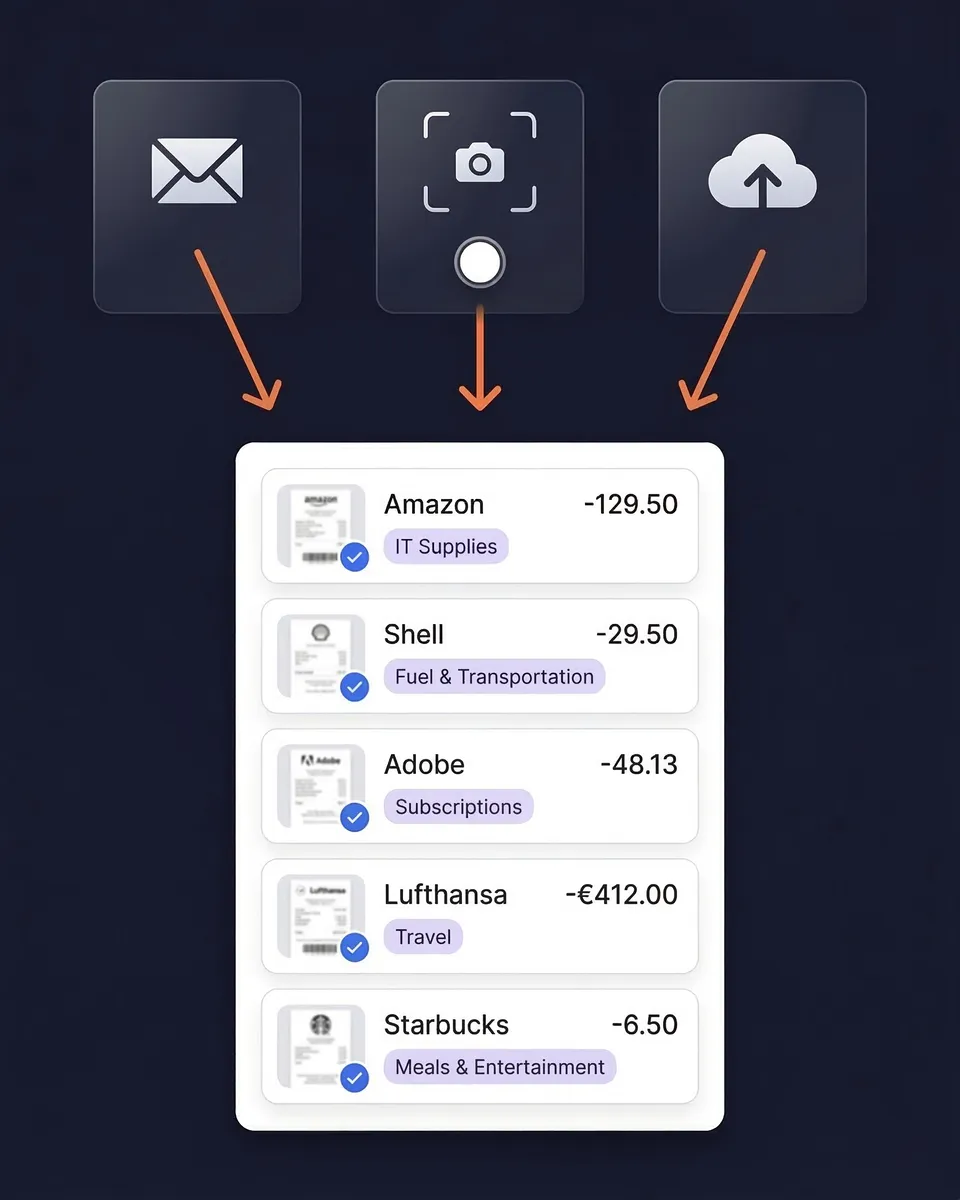
AI turns receipts into organized, tax-ready expense data automatically. Snap a photo, forward an email, or connect your inbox.
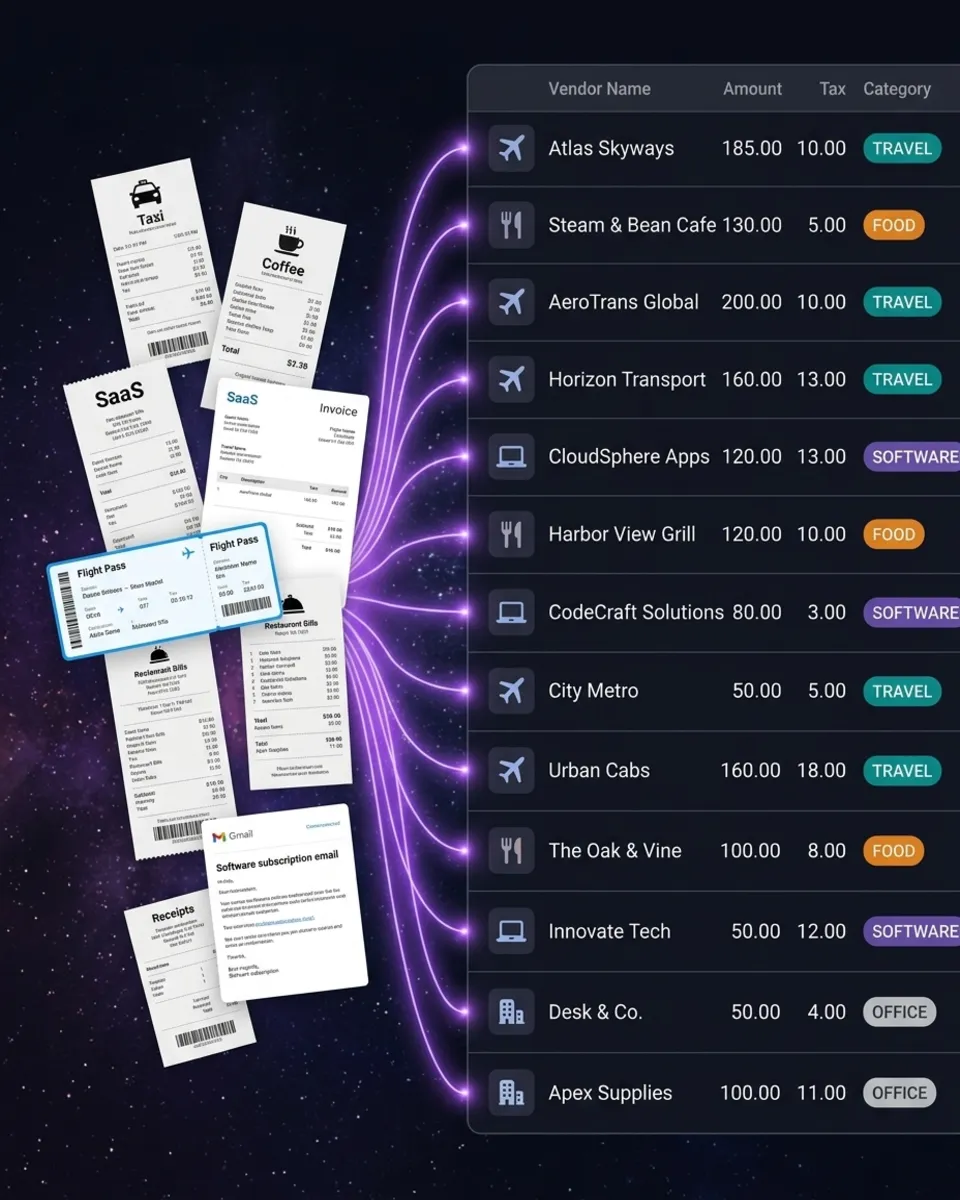
SparkReceipt turns receipts into organized, tax-ready expense data automatically. Snap a photo, forward an email, or connect your inbox — AI extracts the vendor, amount, date, tax, and currency from every receipt. Expenses are categorized, reports are generated, and your records are always tax-ready.
Business Owners in 175 Countries Trust SparkReceipt


Business Expense Tracking Before and After
See what happens when AI handles your expense tracking

Without SparkReceipt
- Receipts pile up in drawers, wallets, and email inboxes
- Hours spent manually entering expenses into spreadsheets
- Tax deductions missed because receipts are lost or forgotten
- Accountant receives a disorganized box of papers at year-end
- Paying $17–$50/month for accounting software you barely use

With SparkReceipt
- Every receipt scanned, extracted, and stored
- AI categorizes expenses automatically — no manual entry
- Every deduction captured and ready for tax season
- Invite your accountant or bookkeeper to your account at any time
- Simple, transparent pricing — $16.65/month, billed annually
How AI Expense Tracking Works
Capture Every Business Receipt
Snap a photo of paper receipts with your phone. Forward email receipts to your dedicated SparkReceipt address. Or connect your Google (Gmail), Microsoft (Outlook, Hotmail, Live), or any IMAP provider (Yahoo, iCloud, ProtonMail, and more) and let SparkReceipt find receipts automatically — both new and historical emails.
AI Categorizes Every Expense
SparkReceipt's AI reads every receipt and extracts the vendor name, amount, date, tax, and currency. Then it assigns the right expense category automatically — office supplies, travel, meals, software, and more.
Generate Tax-Ready Expense Reports
Select a date range and generate a complete expense report in one click. Every receipt image is attached. Every expense is categorized. Every total is calculated.
AI Receipt Scanner
Point your camera at any receipt — paper, thermal, or handwritten. The AI extracts vendor name, line items, amounts, tax breakdowns, currency, and date in seconds. It reads receipts in any language.
Email Receipts
Connect your Google (Gmail), Microsoft (Outlook, Hotmail, Live), or any IMAP provider (Yahoo, iCloud, ProtonMail, and more), and SparkReceipt scans every incoming email automatically.

Track Expenses in 190 Currencies
The AI detects the currency on every receipt and converts amounts using real-time exchange rates. Local tax rules — including VAT, GST, and PST — are applied automatically based on the receipt's country of origin.

Invite Your Accountant or Bookkeeper
Invite your accountant or bookkeeper to your account at any time. They can view all your categorized expenses, download receipt images, generate reports, and export data directly to their accounting software.

Loved by Small Business Owners
“Thanks to SparkReceipt I have a quick look to my business accounts status in a glance. It is really impressive.”

Rafael Roa
System Arquitectura · Spain
“Excellent software to manage income and expenses, and have the relevant info at your fingertips at any given time.”

Melvin Hoods
MJD Brokers · South Africa
“SparkReceipt takes care of the busy work, allowing me to quickly save receipts and create expense reports.”

Tim Heller
HellerWeather · United States
Frequently Asked Questions
A business expense tracker is software that records, categorizes, and monitors your company's spending. The best business expense trackers use AI to scan receipts, automatically categorize expenses by type (office supplies, travel, meals, software), and generate tax-ready reports — eliminating manual spreadsheet entry and reducing the risk of missed deductions.
Track business expenses by scanning every receipt with SparkReceipt's AI, which extracts the vendor, amount, date, tax, and currency automatically. You can snap a photo with your phone, forward email receipts, connect your inbox for automatic capture, or upload bank statements. Every expense is categorized and stored with the original receipt image attached.
The best expense tracker for small business combines AI receipt scanning, automatic categorization, and affordable pricing without the complexity of full accounting software. SparkReceipt offers all three — with AI-powered expense tracking for $16.65/month, billed annually, 190 currencies, and simple, transparent pricing.
QuickBooks ($17.50–$49.50/month) and FreshBooks ($17/month) are full accounting suites with invoicing, payroll, and bookkeeping features. SparkReceipt ($16.65/month, billed annually) focuses specifically on the expense tracking workflow: scan receipts with AI, categorize automatically, and export clean reports.
Yes. Tracking business expenses throughout the year ensures you claim every tax deduction you're entitled to. Most small businesses and freelancers miss $2,000–$5,000 in deductions annually because receipts are lost, forgotten, or disorganized. A business expense tracker creates the organized records your accountant needs — and the records the IRS, CRA, HMRC, or ATO may request in an audit.
Yes. SparkReceipt supports 190 currencies with automatic exchange rate conversion. The AI reads receipts in any language and applies local tax rules including VAT, GST, and PST automatically. This makes it the ideal expense tracker for businesses with international suppliers or travel.
Yes. Invite your accountant or bookkeeper to your account at any time so they can view, download, and manage your categorized expense data.
SparkReceipt's Elite plan is $16.65/month, billed annually ($199.98/year), and includes a 7-day free trial — try every feature before you commit.
Yes. SparkReceipt integrates directly with QuickBooks Online. Your categorized expenses and receipt images sync automatically, eliminating double entry between your expense tracker and accounting software. SparkReceipt handles the receipt scanning and categorization — QuickBooks handles the accounting.
SparkReceipt offers simple, transparent pricing with no hidden fees. Try the Elite plan with a 7-day free trial.
Stop Losing Business Expenses. Start Saving on Taxes.
Get StartedExplore More Features
Receipt Scanner
Scan any receipt with AI in seconds
Email Receipts
Auto-import receipts from your inbox
Expense Reports
Generate reports in PDF, Excel, or CSV
Bank Statement Extractor
Extract and match bank transactions
Receipt Organizer
AI-powered receipt organization
Income Tracker
Track every dollar of business income