
Receipt Scanner & Expense Tracker for Nonprofits
Track grant expenses, program costs, and donor-funded spending — organized for boards and auditors.
Nonprofits must account for every dollar — especially grant-funded expenses. But most organizations still rely on spreadsheets, shoeboxes of receipts, and manual data entry. SparkReceipt's AI scans receipts in seconds, categorizes expenses by program or fund, and generates audit-ready reports.





Document Every Grant Dollar with Receipt Images
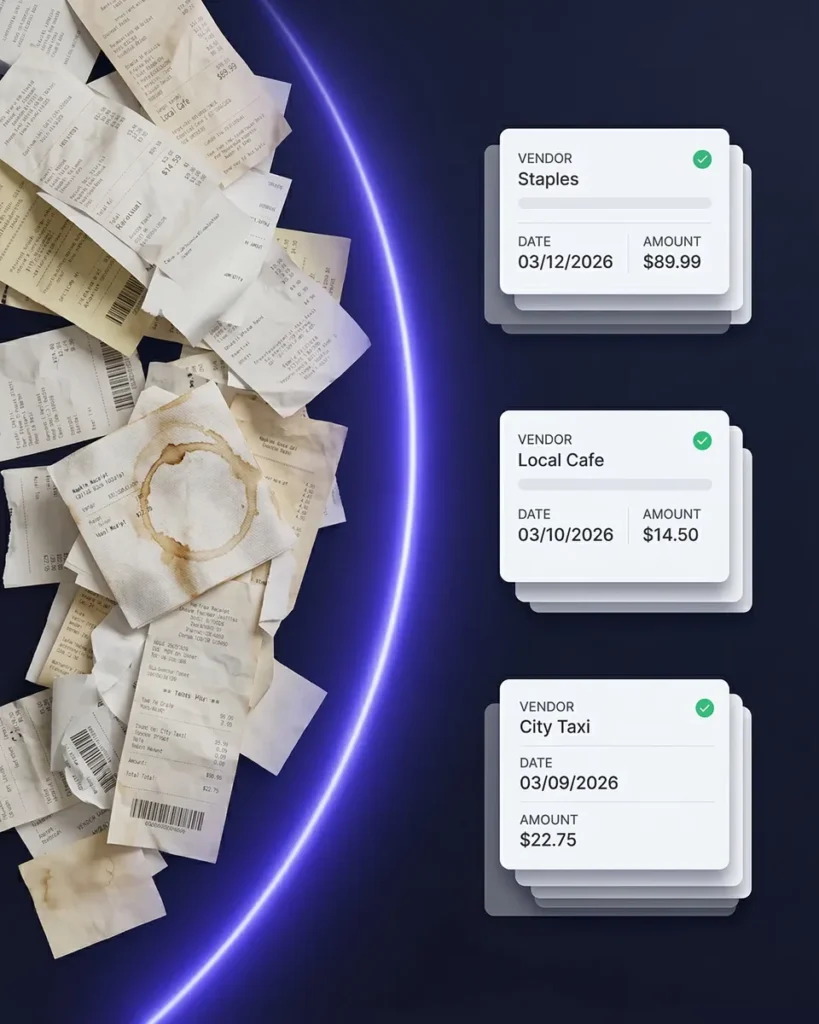
Audit-ready documentation for every expense — captured in seconds
Grant compliance requires receipts and documentation for every expense. SparkReceipt’s AI receipt scanner captures vendor, amount, date, and category from any receipt — snap a photo with your phone or upload invoices from your computer.
Every receipt image is stored alongside the extracted data, creating a complete audit trail. When funders or auditors ask for documentation, everything is organized and searchable.
Track Spending by Program, Grant, or Fund
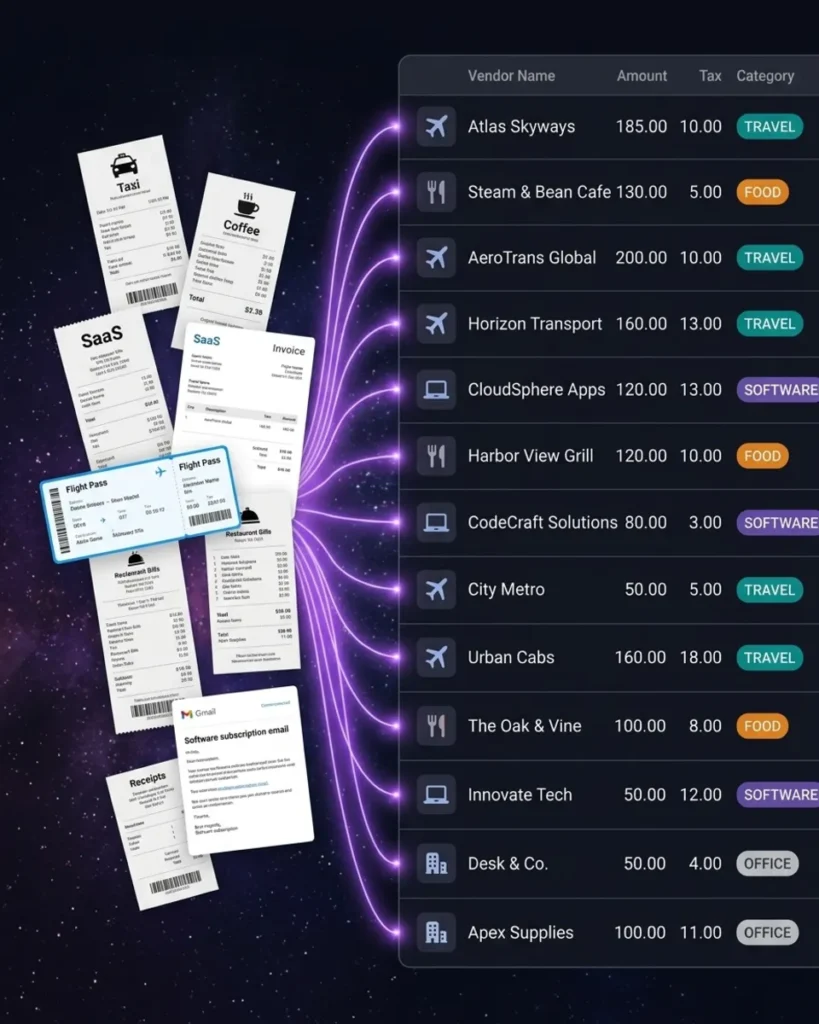
Know exactly how every dollar is spent — by fund source and category
SparkReceipt’s expense tracker lets you organize expenses by program, grant, or funding source using sub-accounts and tags. AI automatically categorizes expenses into the right categories — supplies, travel, events, office, professional services, and more.
Generate expense reports by fund, program, or time period — exactly what your board treasurer, grant administrators, and auditors need. No more manually reconciling spreadsheets.
International Missions and Aid Work? No Problem.
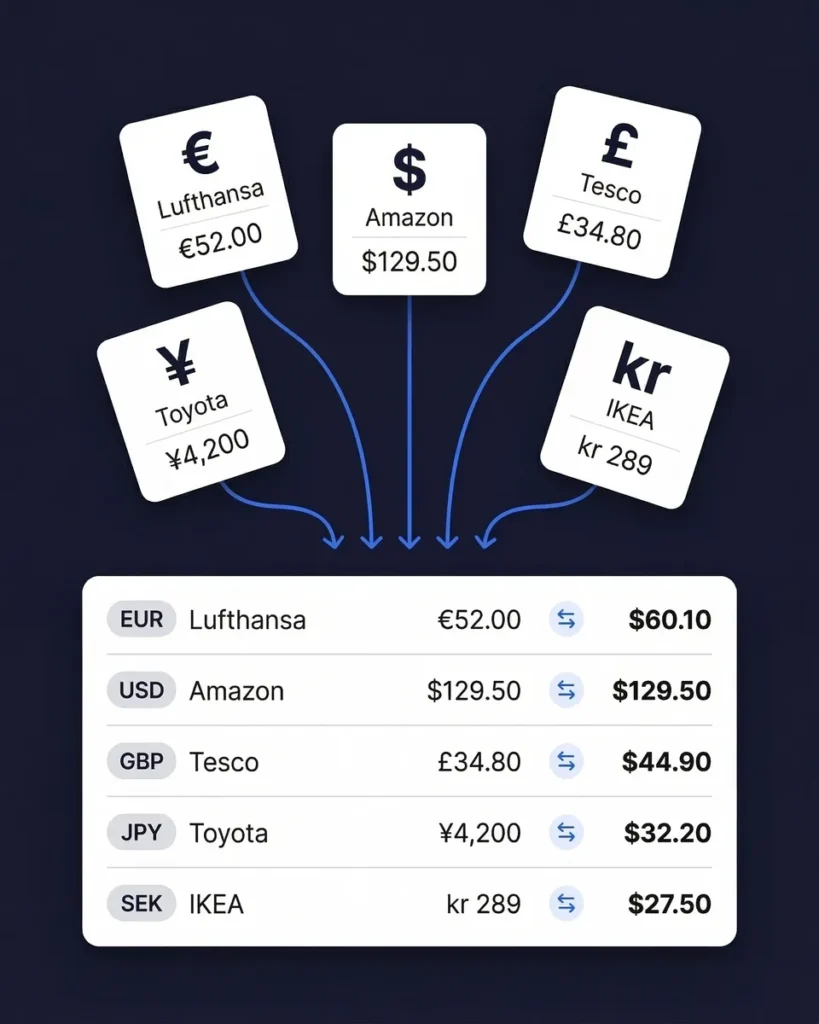
Receipts in 150+ currencies — converted and organized automatically
If your nonprofit operates internationally — mission trips, overseas aid, international programs — SparkReceipt handles receipts in 150+ currencies. Scan a receipt in Kenyan shillings, Haitian gourdes, or Philippine pesos, and the AI converts it to your home currency automatically.
Every expense is documented with the original receipt image, original currency, and converted amount — exactly what international grant reporting requires.
How It Works for Nonprofits
From receipts to board reports in three steps
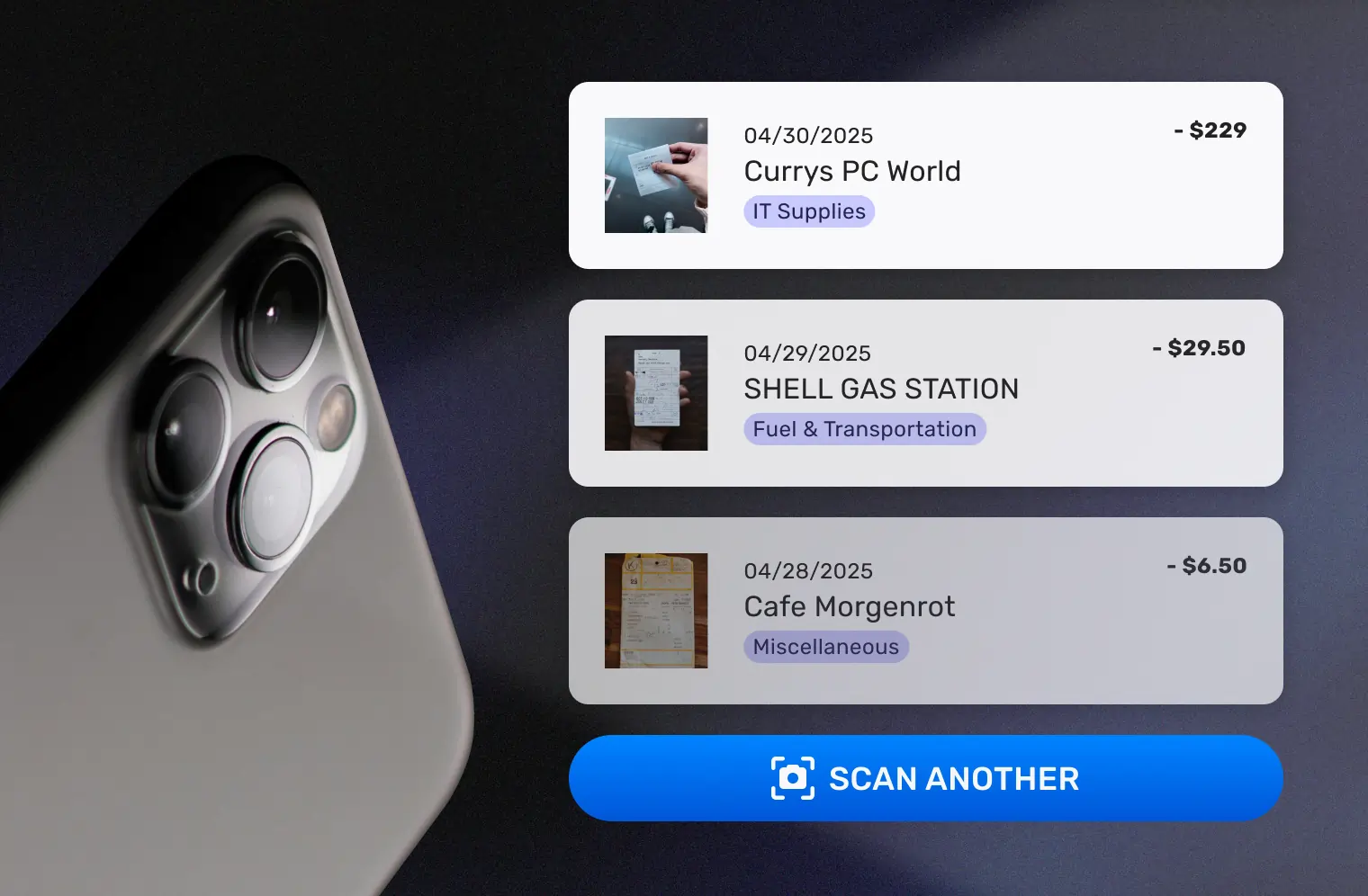
Capture Every Receipt and Invoice
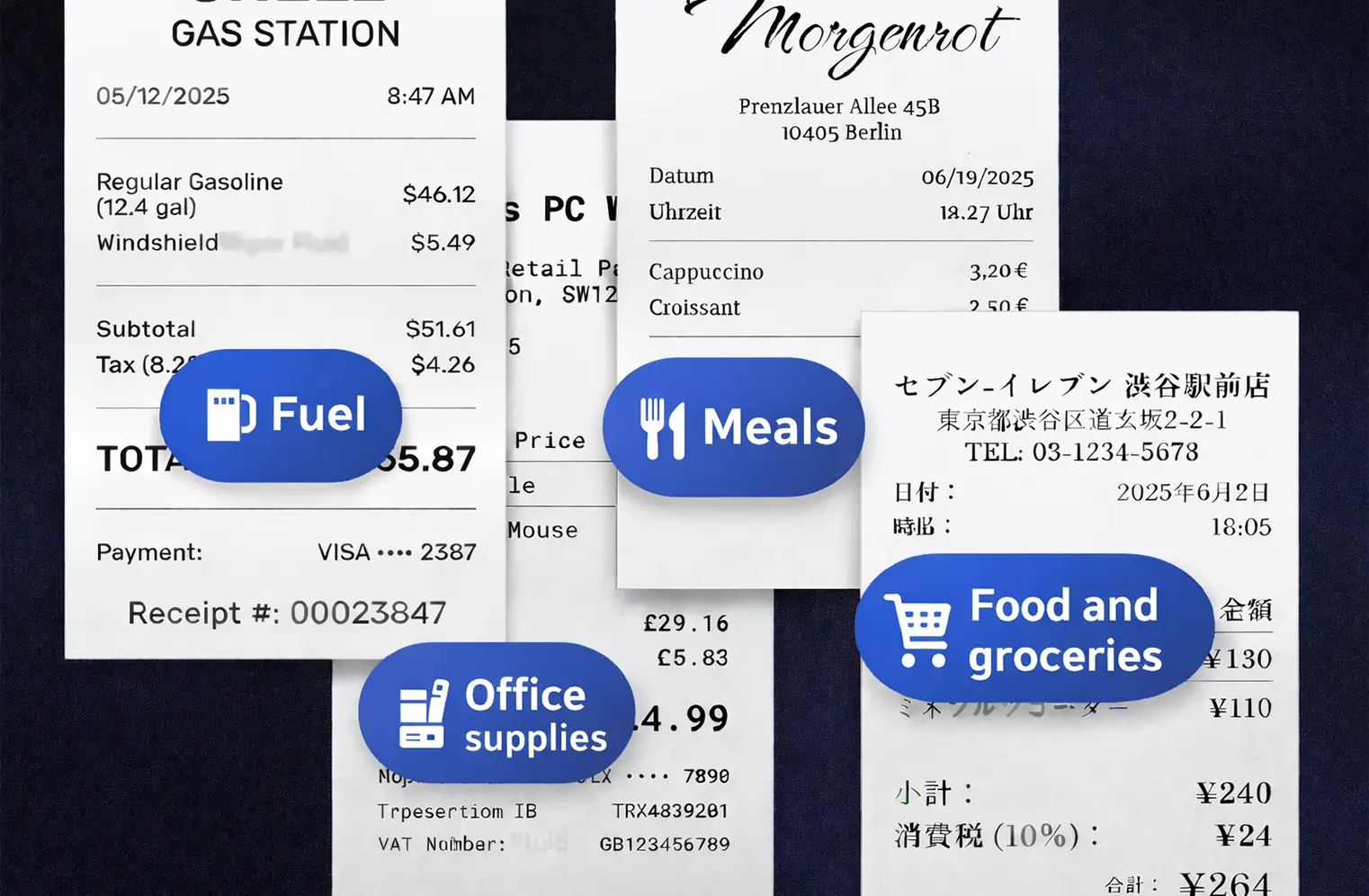
Staff and volunteers snap photos of receipts with their phones. Upload vendor invoices and forward email receipts automatically. SparkReceipt’s AI reads any format — printed, handwritten, or digital — and extracts the data in seconds.
AI Categorizes by Program and Expense Type
Every receipt is sorted into the right category — supplies, travel, events, professional services, and more. Tag expenses to specific grants, programs, or funds. SparkReceipt learns your vendors and spending patterns, getting smarter with every receipt.
Generate Reports for Boards and Auditors
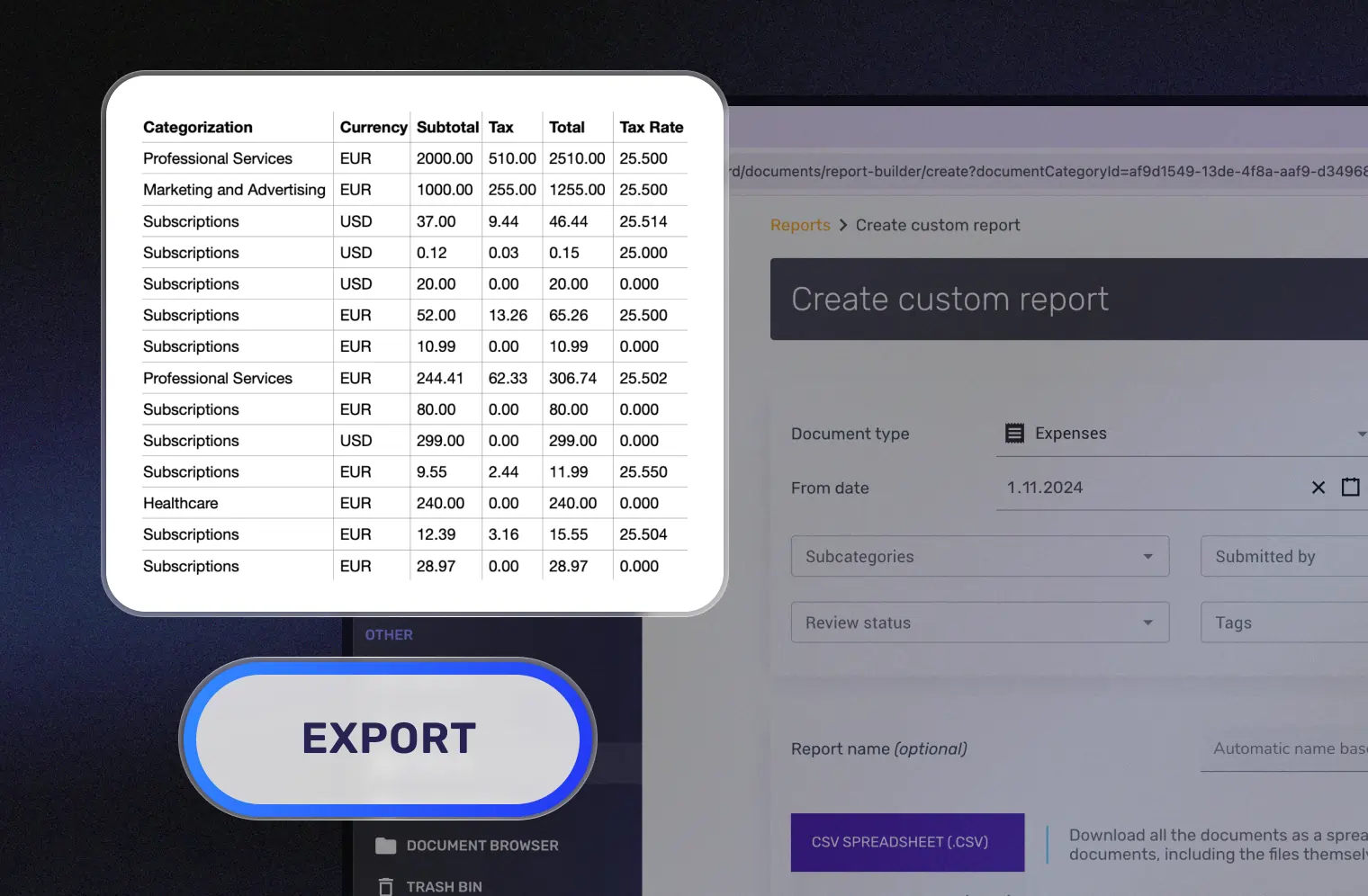
Create expense reports by grant, program, or time period. Reports include category breakdowns, receipt images, and fund attribution. Share with board members, treasurers, and auditors through free guest access. Export in PDF, Excel, or CSV.
Trusted by Nonprofits and Charities
See why nonprofit organizations choose SparkReceipt

The scan accuracy is the most precise out there. Just try it!

SparkReceipt takes care of the busy work, allowing me to quickly save receipts and create expense reports.
SparkReceipt has been a game-changer for me! It’s made organising my expenses and accounts effortless, saving me loads of time.
Still Tracking Grant Expenses in Spreadsheets?
See what changes when AI handles your nonprofit expenses

Without SparkReceipt
- Receipts in envelopes, folders, and desk drawers
- Manual spreadsheets tracking expenses by grant and program
- Hours preparing expense documentation for auditors
- Staff and volunteers with no easy way to submit receipts
- Board treasurers creating reports from incomplete data

With SparkReceipt
- Every receipt scanned and stored with searchable data
- Expenses automatically categorized by program, grant, and type
- Audit-ready reports generated in one click with receipt images
- Staff and volunteers scan receipts from their phones in seconds
- Free board and auditor access — they see clean, organized data
Nonprofit Expense Tracking FAQ
Can I track expenses by grant or funding source?
Yes. SparkReceipt’s sub-accounts and tagging system lets you organize expenses by grant, program, fund, or any other category. Generate expense reports filtered by specific funding sources — exactly what grant administrators and auditors require.
How does SparkReceipt help with grant compliance and audits?
SparkReceipt stores the original receipt image alongside extracted data (vendor, amount, date, category) for every expense. When auditors request documentation, you can generate reports with receipt images attached — organized by grant, program, and time period. No more digging through filing cabinets.
Can board members and auditors access expense reports?
Yes. SparkReceipt includes free guest access. Your board treasurer, executive director, auditors, and grant administrators can all view organized receipts and reports — no extra subscription or software needed.
Is SparkReceipt affordable for small nonprofits?
Yes. SparkReceipt offers a free plan to get started. Paid plans start from $6.58/month with a lifetime price lock — far less than hiring additional bookkeeping hours or purchasing enterprise fund accounting software. One flat price with no per-user fees.
Can I track volunteer expense reimbursements?
Yes. Volunteers can scan their receipts directly into your SparkReceipt workspace using their phone. You review and approve the expenses, then generate a report for reimbursement processing. Every receipt is documented for your records.
Does SparkReceipt work for churches and religious organizations?
Yes. Churches, synagogues, mosques, and other religious organizations use SparkReceipt to track ministry expenses, event costs, maintenance receipts, and administrative spending. Organize expenses by ministry or department, and generate reports for church boards and finance committees.
Can I generate reports for specific programs or funds?
Yes. Filter expense reports by any combination of program, fund, category, vendor, or date range. Export in PDF, Excel, or CSV — or give your board and auditors direct access to view reports online.
How much does SparkReceipt cost?
SparkReceipt offers a free plan to get started. Paid plans start from $6.58/month with a lifetime price lock — your price never increases. One flat price covers unlimited scanning with no per-user fees. See pricing
Early Bird Deal
Lock in our best deal ever – only $6.58 USD per month (*billed annually at $79 USD/year). Stay subscribed, and your price will never go up, even as SparkReceipt gets better. This lifetime pricing is limited to the first 15,000 users. With our 30-day money-back guarantee, there’s no risk in trying.
Do Not Miss Out on Our Limited-Time Offer