
Receipt Scanner for Construction Companies
Track every material purchase, fuel receipt, and subcontractor invoice — organized by project.
Construction businesses lose thousands in tax deductions every year to misplaced receipts and manual data entry. SparkReceipt's AI scans receipts on the job site, categorizes expenses by project, and generates tax-ready reports in one click. Free to start. No credit card required.





Scan Receipts Right on the Job Site
From lumber yards to hardware stores — capture every purchase instantly
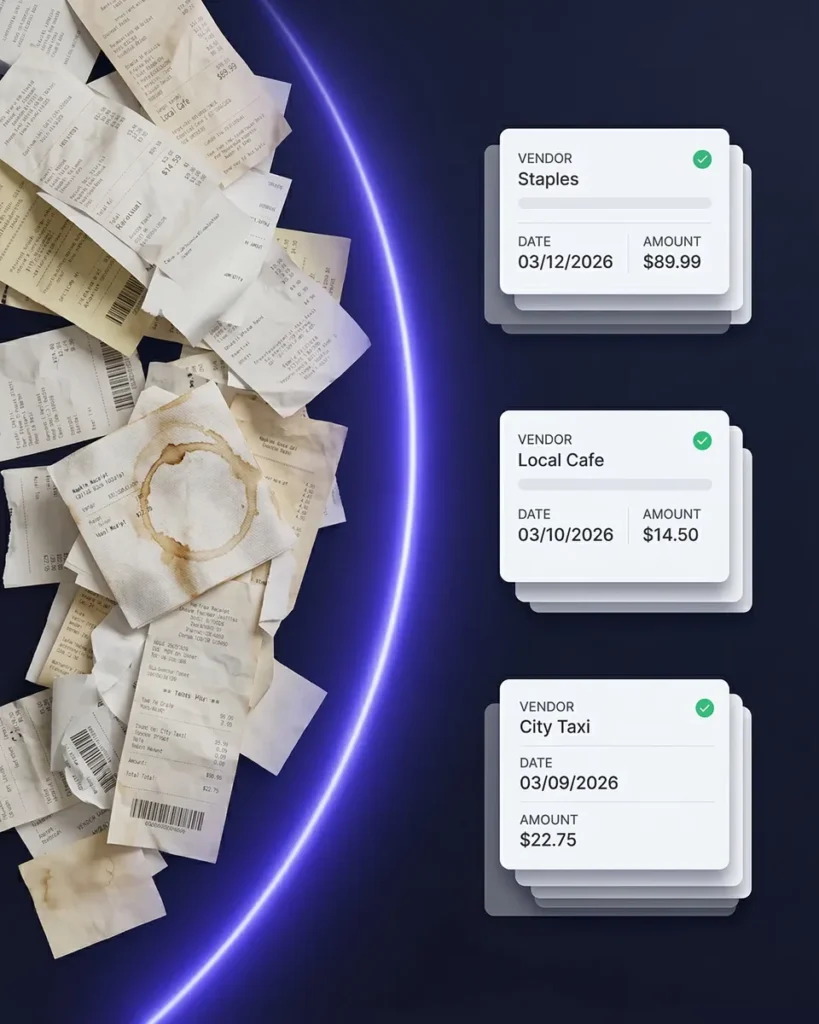
Construction receipts don’t stay clean. They get crumpled in tool belts, faded by the sun, and lost in truck cabs. SparkReceipt’s AI receipt scanner handles all of it — snap a photo with your phone and the data is extracted in seconds.
Every material purchase, fuel stop, and equipment rental is captured digitally before the paper receipt disappears. Works on iPhone and Android, even with poor cell signal — receipts sync when you’re back online.
Track Expenses by Project, Not Just by Date
Know exactly how much each job costs — down to the last nail
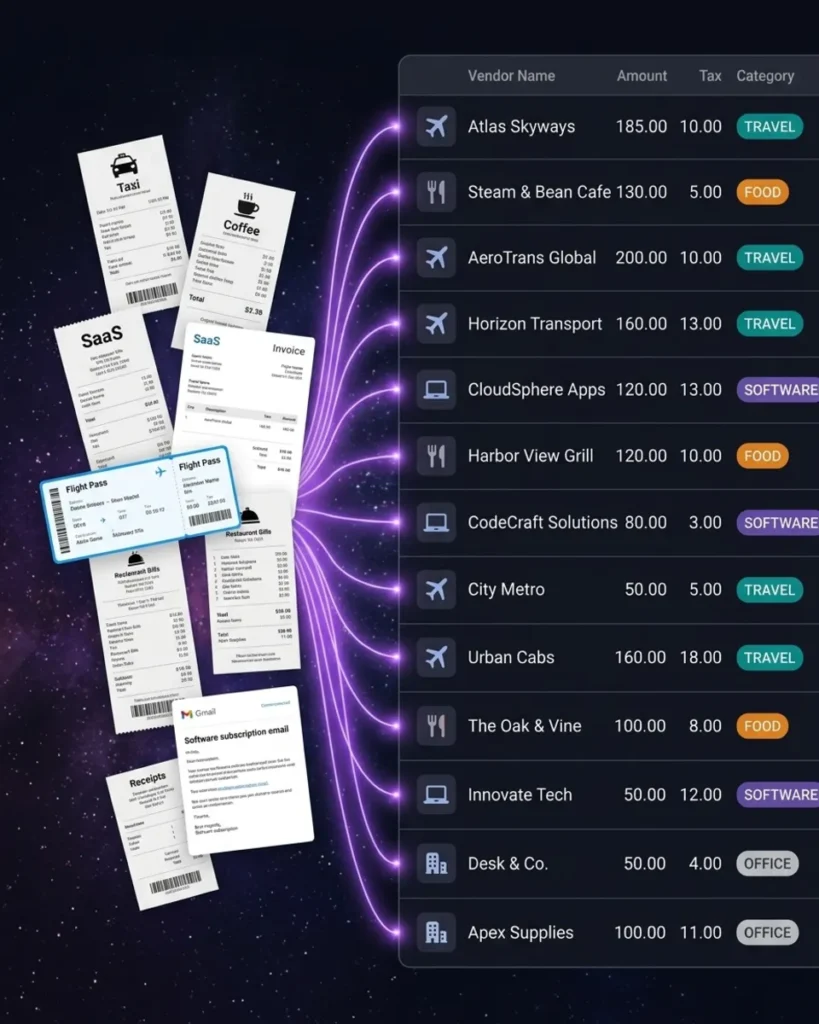
SparkReceipt’s expense tracker lets you organize receipts by project, job site, or client. AI automatically categorizes materials, labor, fuel, equipment rentals, and subcontractor payments.
Need to know how much you spent on lumber for the Henderson project? Or total fuel costs across all jobs this quarter? Generate per-project expense reports in one click — with receipt images attached.
How It Works for Construction
From job site to tax filing in three steps
Capture Receipts on the Job Site
Snap a photo of any receipt with your phone — lumber, concrete, fuel, rentals, meals. SparkReceipt’s AI reads even crumpled, faded, or handwritten receipts. Upload supplier invoices and subcontractor bills from your computer, or forward email receipts from vendors automatically.
AI Categorizes by Project and Expense Type
Every receipt is automatically sorted into construction-relevant categories: materials, labor, equipment, fuel, permits, insurance, and more. Tag expenses to specific projects or job sites. SparkReceipt learns your vendors and spending patterns, getting smarter with every receipt.
Generate Per-Project Expense Reports
Create clean expense reports for each project in PDF, Excel, or CSV. Reports include category breakdowns, tax summaries, and links to original receipt images. Share with your accountant through free guest access, or sync to QuickBooks Online.
Trusted by Construction Professionals
See why builders choose SparkReceipt

Thanks to you, I’m actually looking forward to my year end FOR THE FIRST TIME EVER, when I can surprise my accountant with my completed accounts with a week or so off the end of the year!
SparkReceipt is an excellent alternative to full-fledged accounting software, saving you time and money!

Excellent software to manage income and expenses, and have the relevant info at your fingertips at any given time.
Still Tracking Job Site Receipts Manually?
See what changes when AI handles your construction expenses
Without SparkReceipt
- Receipts lost in truck cabs, tool boxes, and pockets
- Hours entering material costs into spreadsheets each week
- No idea how much each project actually costs until it's done
- Missed tax deductions on fuel, materials, and equipment
- Paying your accountant to sort through bags of receipts
With SparkReceipt
- Every receipt scanned on site and stored digitally in seconds
- AI extracts vendor, amount, date, and category automatically
- Per-project expense tracking gives you real-time cost visibility
- Never miss a construction tax deduction again
- Free accountant access — they see organized, categorized data
Construction Expense Tracking FAQ
Can I track expenses per construction project?
Yes. SparkReceipt lets you organize receipts by project, job site, or client using sub-accounts and tags. Generate per-project expense reports with category breakdowns and receipt images — perfect for job costing and client billing.
Does it work on job sites with poor cell signal?
Yes. SparkReceipt works on both iPhone and Android. You can scan receipts even without an internet connection — they’ll sync and process automatically when you’re back online.
Can SparkReceipt scan handwritten or faded receipts?
Yes. SparkReceipt’s AI is designed to read receipts in any condition — crumpled, faded, water-damaged, or handwritten. It extracts vendor, amount, date, and tax details even from poor-quality receipts.
What construction expenses are tax deductible?
Common deductible construction expenses include materials, labor, equipment purchases and rentals, fuel, vehicle expenses, insurance, permits, licensing fees, and subcontractor payments. SparkReceipt automatically categorizes these into tax-relevant categories so you don’t miss any deductions.
Consult a qualified tax professional for advice specific to your situation.
Can my accountant access my receipts and reports?
Yes. SparkReceipt includes free guest access for your accountant or bookkeeper. They can view all your organized receipts, expense categories, and reports — no extra subscription needed.
Does SparkReceipt integrate with QuickBooks?
Yes. SparkReceipt integrates directly with QuickBooks Online. Your categorized expenses and receipt images sync automatically, eliminating double entry between your receipt scanner and accounting software.
How much does SparkReceipt cost?
SparkReceipt offers a free plan to get started. Paid plans start from $6.58/month with a lifetime price lock — your price never increases. One flat price covers unlimited scanning with no per-user fees. See pricing
Early Bird Deal
Lock in our best deal ever – only $6.58 USD per month (*billed annually at $79 USD/year). Stay subscribed, and your price will never go up, even as SparkReceipt gets better. This lifetime pricing is limited to the first 15,000 users. With our 30-day money-back guarantee, there’s no risk in trying.
Do Not Miss Out on Our Limited-Time Offer