
Receipt Scanner for Consultants & Agencies
Track client expenses, travel receipts, and billable costs — organized by project.
Consultants and agencies juggle expenses across multiple clients, projects, and trips. SparkReceipt's AI scans every receipt, categorizes it by client or project, and generates professional expense reports you can bill back or file with your taxes. Free to start. No credit card required.





Client-Ready Expense Reports in One Click
Stop spending billable hours on expense paperwork
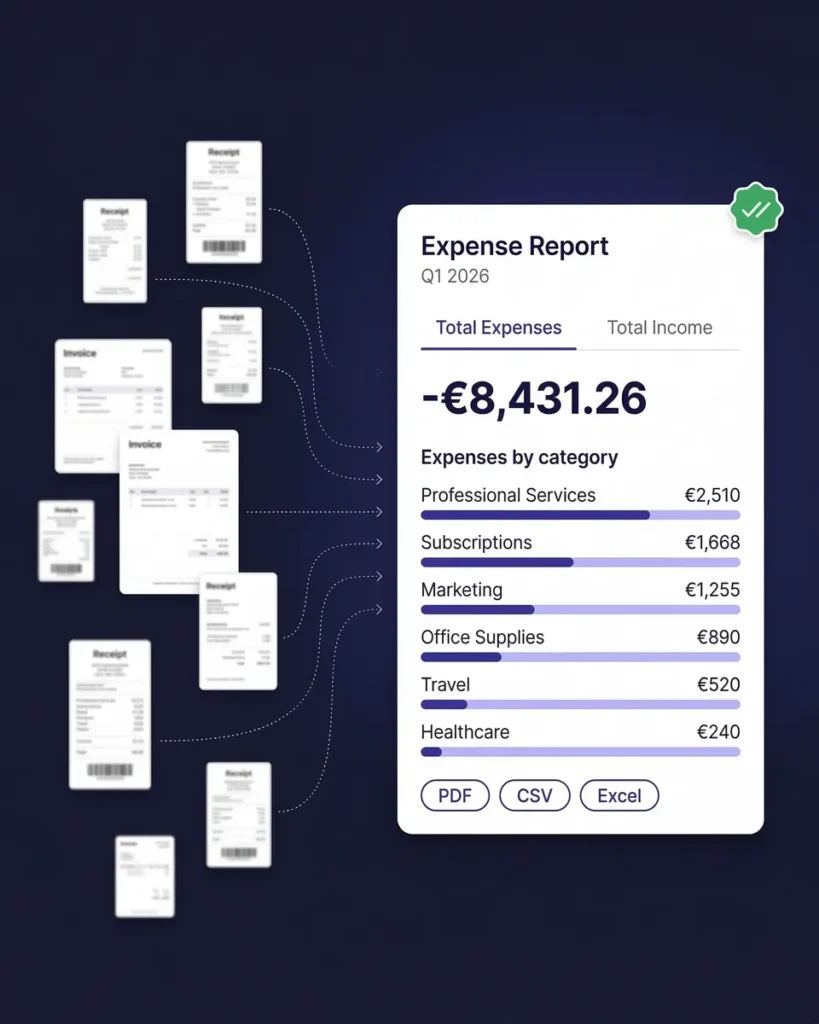
Every client dinner, conference ticket, and cab ride generates a receipt you need to track. SparkReceipt’s expense report generator creates clean, professional reports in PDF, Excel, or CSV — complete with receipt images, category breakdowns, and tax summaries.
Bill clients for project expenses with documentation they can trust. Or hand your accountant a year of perfectly organized receipts instead of a shoebox. Reports are ready in seconds, not hours.
Share With Your Accountant — Free
No extra seats. No per-user fees. Just seamless collaboration.
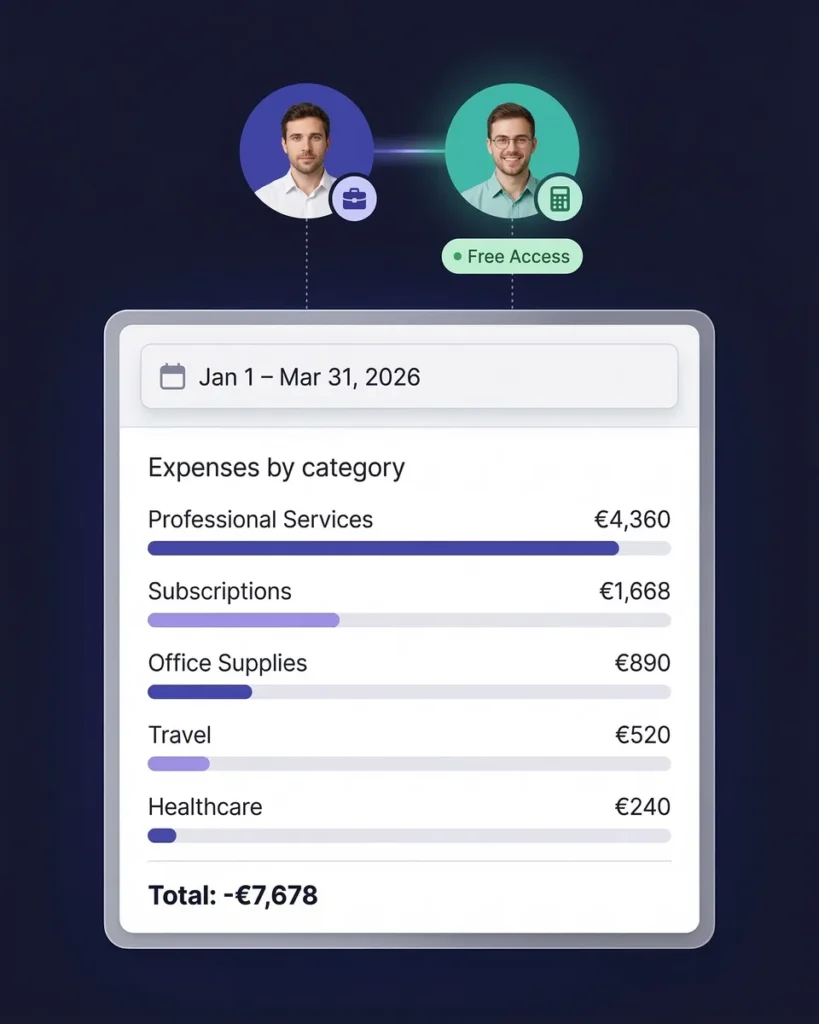
SparkReceipt includes free guest access for your accountant, bookkeeper, or business partner. They see exactly what they need — organized receipts, categorized expenses, and tax-ready reports — without paying for an additional subscription.
Sync directly with QuickBooks Online to eliminate double entry between your receipt scanner and accounting software. Your data flows automatically, keeping everything in sync.
How It Works for Consultants
From client meeting to expense report in three steps
Scan Client Meeting and Travel Receipts
Snap a photo of restaurant bills, taxi receipts, conference tickets, and hotel invoices. Upload PDF invoices from software vendors, or connect your inbox to capture SaaS subscription receipts automatically. SparkReceipt handles receipts in 6 languages and 150+ currencies — perfect for international consulting.
AI Sorts by Client, Project, and Category
Every receipt is automatically categorized: meals and entertainment, travel, software, professional services, office expenses, and more. Use sub-accounts and tags to separate expenses by client or project. SparkReceipt learns your spending patterns and gets smarter over time.
Generate Reports for Clients or Tax Filing
Create per-client expense reports for billing, or generate tax-ready reports with Schedule C categories. Export in PDF, Excel, or CSV. Share with your accountant through free guest access, or sync to QuickBooks Online.
Trusted by Consultants and Agency Owners
See why professional services firms choose SparkReceipt
SparkReceipt is one of the very few software purchased that I have made that exceeded my expectations. It does much more than keeps copies of your business receipts, it provides great reports, with easy edit options - it is going to save me a lot of work when I do my annual tax returns - a great product.

With SparkReceipt, organizing and tracking expenses has never been easier. The detailed categorization and expense tracking features make financial management a breeze. Plus, the ability to easily share receipts and collaborate with others adds an extra level of convenience.
SparkReceipt is an excellent alternative to full-fledged accounting software, saving you time and money!
Still Tracking Client Expenses Manually?
See what changes when AI handles your business receipts
Without SparkReceipt
- Client receipts mixed with personal expenses in your wallet
- Forgetting to bill clients for project-related expenses
- Hours reconstructing expenses at month-end or tax time
- Missed deductions on meals, travel, and software subscriptions
- Paying your accountant to sort through unorganized receipts
With SparkReceipt
- Every receipt scanned and tagged to the right client instantly
- AI extracts vendor, amount, date, and category automatically
- Per-client expense reports ready to bill in one click
- Every deductible expense tracked — meals, travel, software, and more
- Free accountant access — tax data organized year-round
Consultant Expense Tracking FAQ
Can I track expenses per client or project?
Yes. SparkReceipt lets you create sub-accounts for each client or project. Tag expenses as you scan them, and generate per-client expense reports for billing or internal tracking.
Does it separate personal and business expenses?
Yes. Use separate sub-accounts for personal and business expenses, or tag receipts accordingly. SparkReceipt makes it easy to keep business deductions clean and audit-ready without needing a separate bank account.
Can I bill clients for expenses using SparkReceipt reports?
Absolutely. Generate clean expense reports in PDF or Excel format with receipt images, vendor details, and category totals. These reports are professional enough to attach to client invoices as supporting documentation.
Does it handle international travel receipts?
Yes. SparkReceipt processes receipts in 6 languages (English, French, German, Spanish, Japanese, Finnish) and handles 150+ currencies with automatic exchange rate conversion. Perfect for consultants who travel internationally.
Does SparkReceipt integrate with QuickBooks?
Yes. SparkReceipt integrates directly with QuickBooks Online. Your categorized expenses and receipt images sync automatically, eliminating double entry.
What business expenses can consultants deduct?
Common deductible expenses for consultants include client meals and entertainment, business travel, home office costs, software subscriptions, professional development, marketing, insurance, and subcontractor payments. SparkReceipt automatically categorizes these into tax-relevant categories.
Consult a qualified tax professional for advice specific to your situation.
Early Bird Deal
Lock in our best deal ever – only $6.58 USD per month (*billed annually at $79 USD/year). Stay subscribed, and your price will never go up, even as SparkReceipt gets better. This lifetime pricing is limited to the first 15,000 users. With our 30-day money-back guarantee, there’s no risk in trying.
Do Not Miss Out on Our Limited-Time Offer