
Track expenses for rental properties, short-term rentals, and real estate investments without spreadsheets or paper folders. SparkReceipt scans receipts and invoices, organizes expenses by property, and keeps everything ready for accounting and tax time.
Lock in our best deal ever – only $6.58 USD per month (*billed annually at $79 USD/year). Stay subscribed, and your price will never go up, even as SparkReceipt gets better. This lifetime pricing is limited to the first 15,000 users. With our 60-day money-back guarantee, there’s no risk in trying.



Separate expenses by property, unit, or rental without juggling spreadsheets. SparkReceipt lets you organize receipts and invoices by property, so you can clearly see maintenance costs, utilities, repairs, and other expenses tied to each location.
Whether you manage a single rental or multiple properties, you’ll always know where your money is going and which properties are actually profitable.
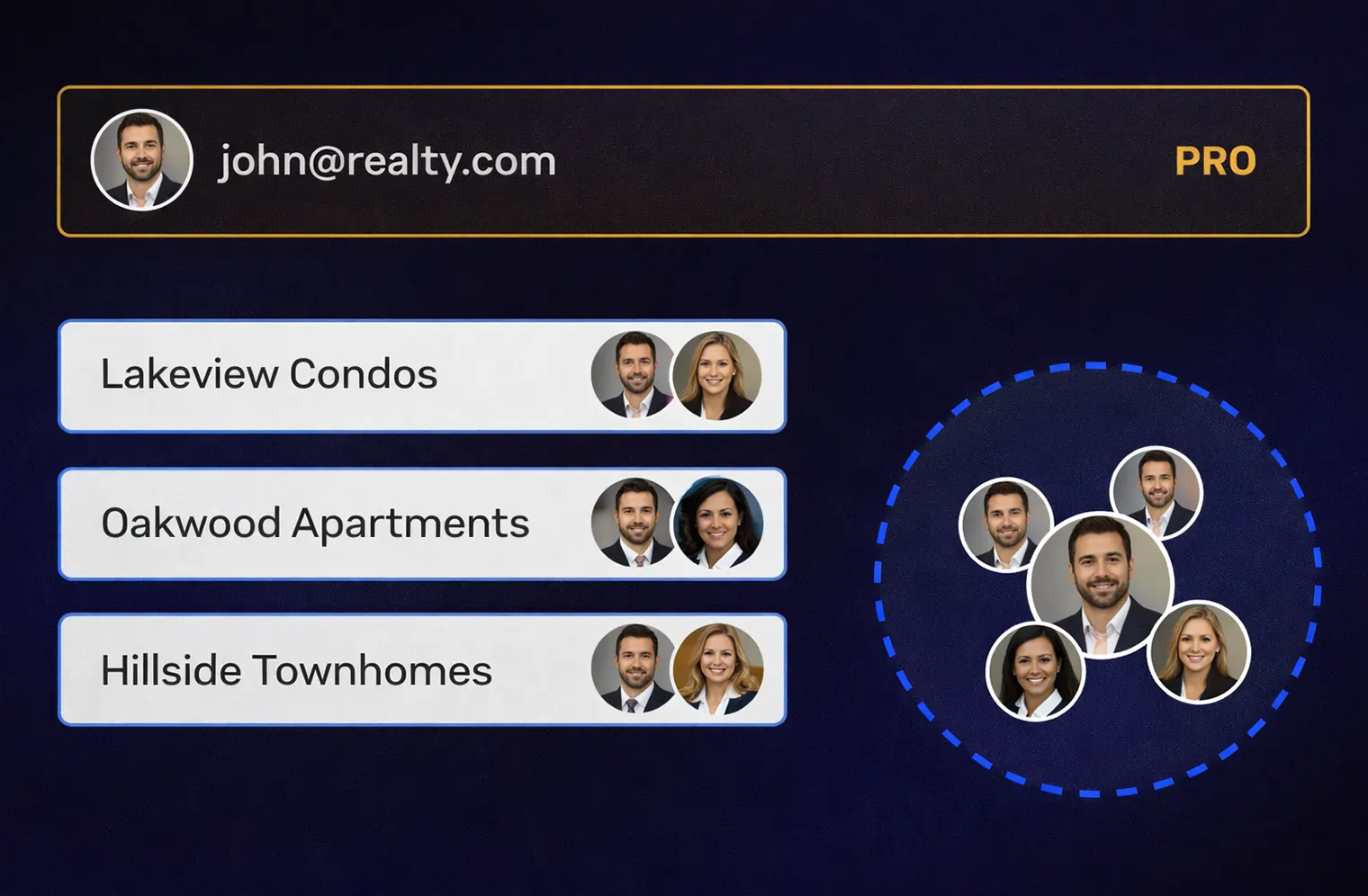
Create unlimited workspaces for different properties or portfolios at no additional cost. Invite partners, property managers, or assistants to the right workspace so expenses are uploaded to the correct property from the start.
You can also use tags to label expenses by unit, tenant, or purpose, keeping everything organized even as your portfolio grows.
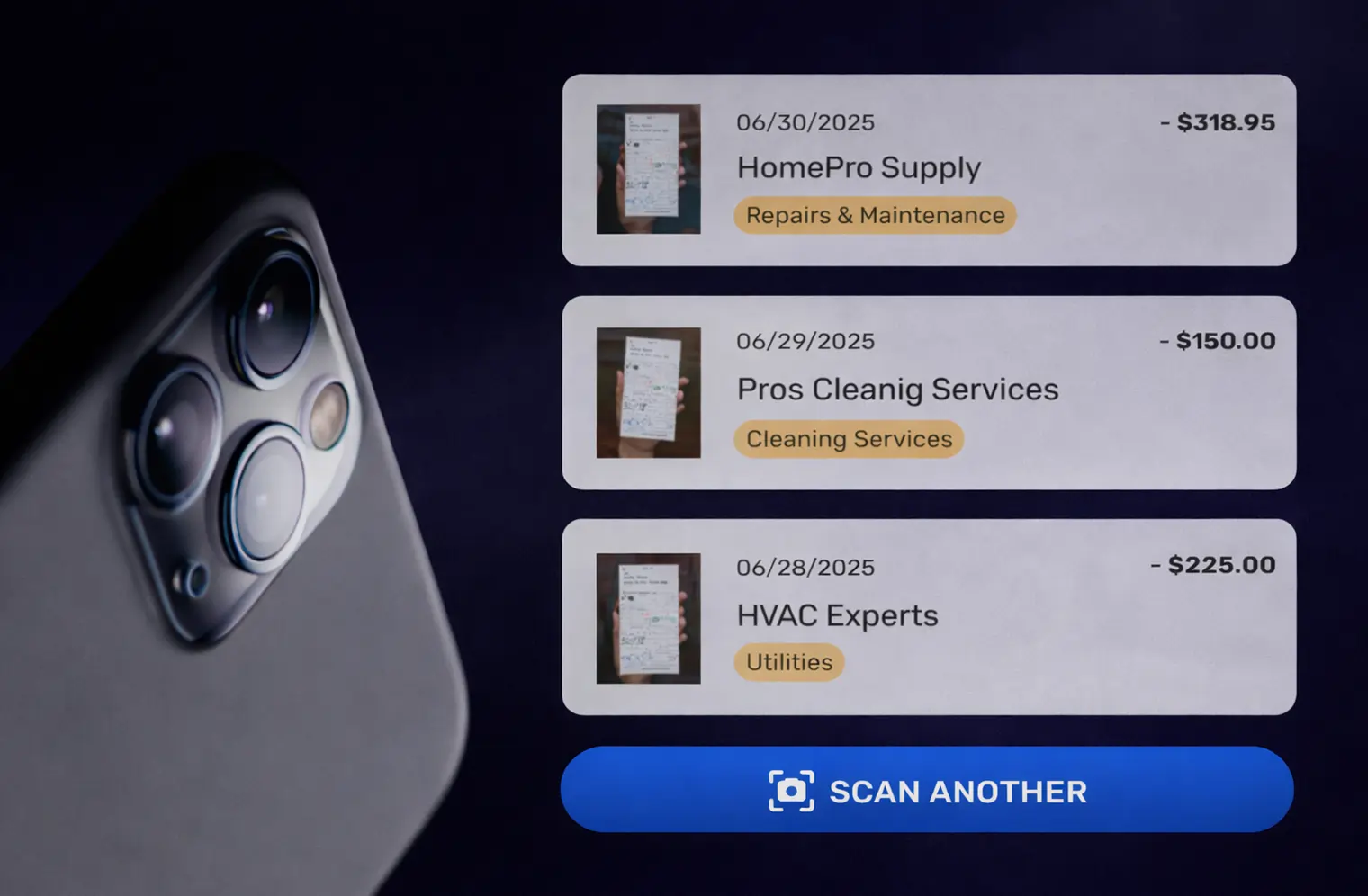
SparkReceipt automatically categorizes expenses like repairs, maintenance, utilities, insurance, and professional services. You can customize categories to match how you manage your properties or create rules like always categorizing plumbing invoices as repairs.
On the Elite plan, line-item categorization lets you split a single invoice across multiple categories or properties for more accurate reporting.
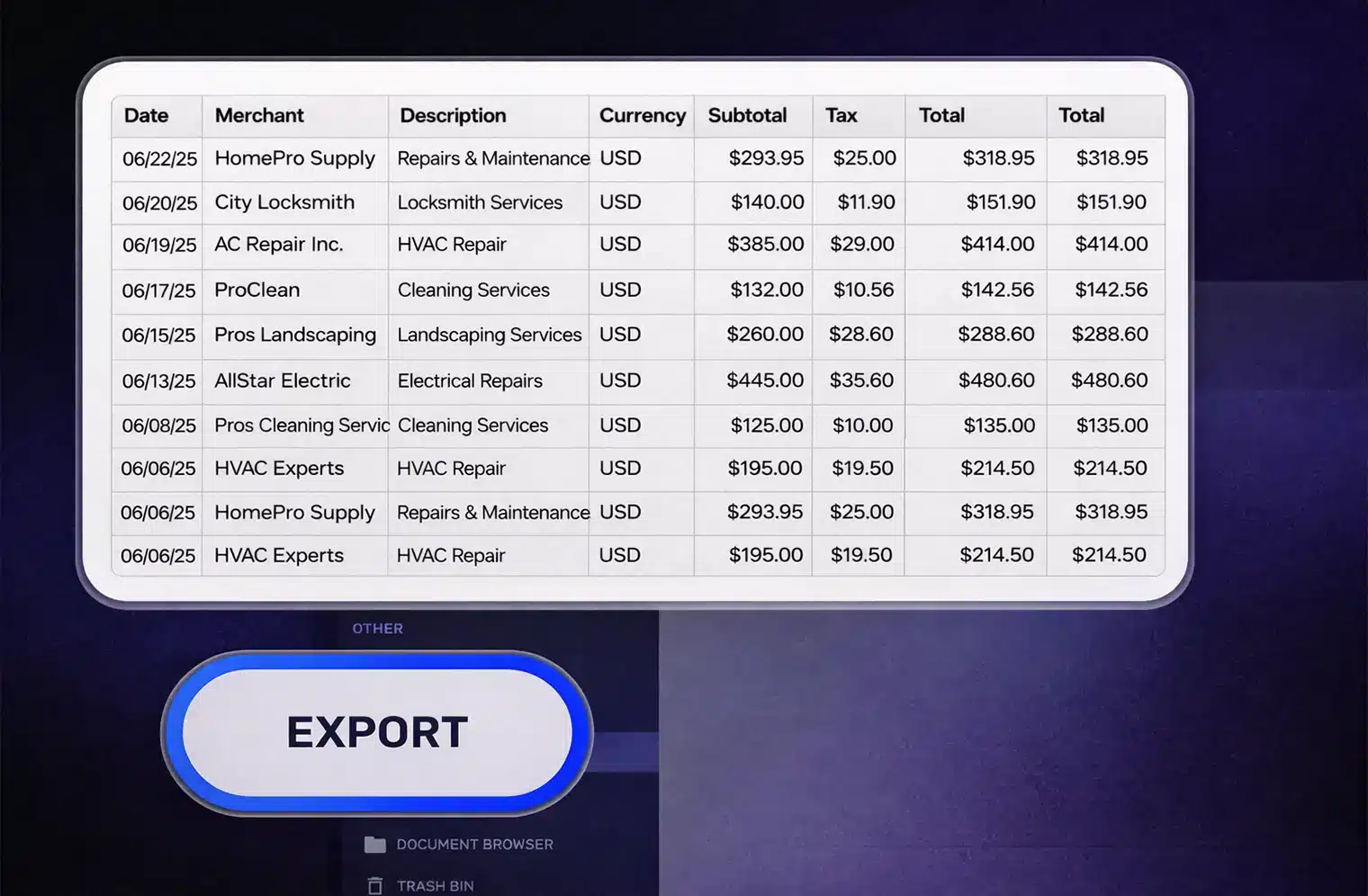
Generate clean expense reports for accounting or tax filing with all details and direct links to the original receipts and invoices. Reports can be created per property, time period, or expense type, making year-end reporting far less stressful.
You can also upload bank and credit card statements, and SparkReceipt automatically matches transactions with receipts. Missing expenses and duplicate receipts are flagged so your records stay accurate and complete.

Share access with your accountant or financial advisor so they can review expenses directly, without emails or file transfers. Every receipt stays linked to its property and expense details, reducing back-and-forth and saving time on both sides.
This makes tax preparation, audits, and financial reviews faster and far less painful.
You can organize expenses by property using workspaces and tags. This makes it easy to keep receipts, invoices, and costs clearly separated for each rental, unit, or investment, without spreadsheets or manual sorting.
Yes. You can create unlimited workspaces for different properties or portfolios at no additional cost. Whether you manage one rental or many, everything stays organized as you grow.
You can track all common property expenses like repairs, maintenance, utilities, insurance, professional services, and supplies. SparkReceipt scans receipts and invoices and keeps all details attached to each expense.
Yes. You can share access with your accountant so they can review receipts and expense reports directly. This avoids emailing files back and forth and makes tax preparation much faster.
You can upload bank or credit card statements, and SparkReceipt automatically matches transactions with your receipts and invoices. Missing receipts and duplicate expenses are flagged automatically, so your records stay complete.
Yes. SparkReceipt works well for short-term rentals and Airbnb hosts. You can organize expenses by property or rental and keep everything ready for reporting and tax time.
Yes. SparkReceipt works globally and supports over 150 currencies and multiple tax systems.
The app is available in English, French, Finnish, German, and Japanese, and it can read and extract data from receipts in any language, even if the app interface is not localized to that language.


