
QuickBooks Charges $38/Month Just to Scan Receipts
SparkReceipt does receipt scanning better, cheaper, and integrates directly with QuickBooks Online.
QuickBooks Online starts at $38/month for Simple Start — and that price has increased 64% since 2020. You're paying for a full accounting suite when all you need is receipt scanning. SparkReceipt is a purpose-built AI receipt scanner starting at $6.58/month per user that integrates directly with QuickBooks Online. Better scanning accuracy, automatic email receipt fetching, and a price that never goes up. Free to start.





QuickBooks Receipt Scanning vs SparkReceipt
A full accounting suite vs a purpose-built receipt scanner
QuickBooks Online
- $38-275/month for accounting software with receipt scanning as a side feature
- Annual price increases of 10-17% — prices up 64-83% since 2020
- Receipt scanning accuracy around 93% with frequent manual corrections needed
- Poor mobile camera edge detection — users report 'lousy photos' from the app
- Email receipts require manually forwarding to a @qbodocs.com address
- Cannot import PDF bank statements natively — requires third-party conversion tools
- Multi-currency requires Essentials plan at $75/month or higher
- No free plan — only a 30-day trial, then $38/month minimum
- Trustpilot rating of 1.1 out of 5 stars with reports of 90-minute support hold times
- Oct 2025 redesign widely called 'horrendous and glitchy' by users
SparkReceipt
- $6.58/month per user — purpose-built for receipt scanning with per-user volume discounts
- Lifetime price lock — your price never increases, guaranteed
- AI-first scanning processes receipts in 5-10 seconds with superior accuracy
- Smart mobile scanner with automatic edge detection and instant processing
- Automatic email receipt fetching from Gmail and IMAP inboxes — no forwarding needed
- Upload any PDF bank statement and get extracted, matched transactions in minutes
- 150+ currencies supported on all plans with live exchange rates
- Free plan with 15 documents/month — no credit card required
- Direct human support from our founder plus SparkAgent AI assistant built in
- Integrates directly with QuickBooks Online for the best of both worlds
The Receipt Scanner QuickBooks Should Have Built
SparkReceipt does what QuickBooks' built-in scanner can't — then syncs it all to QBO
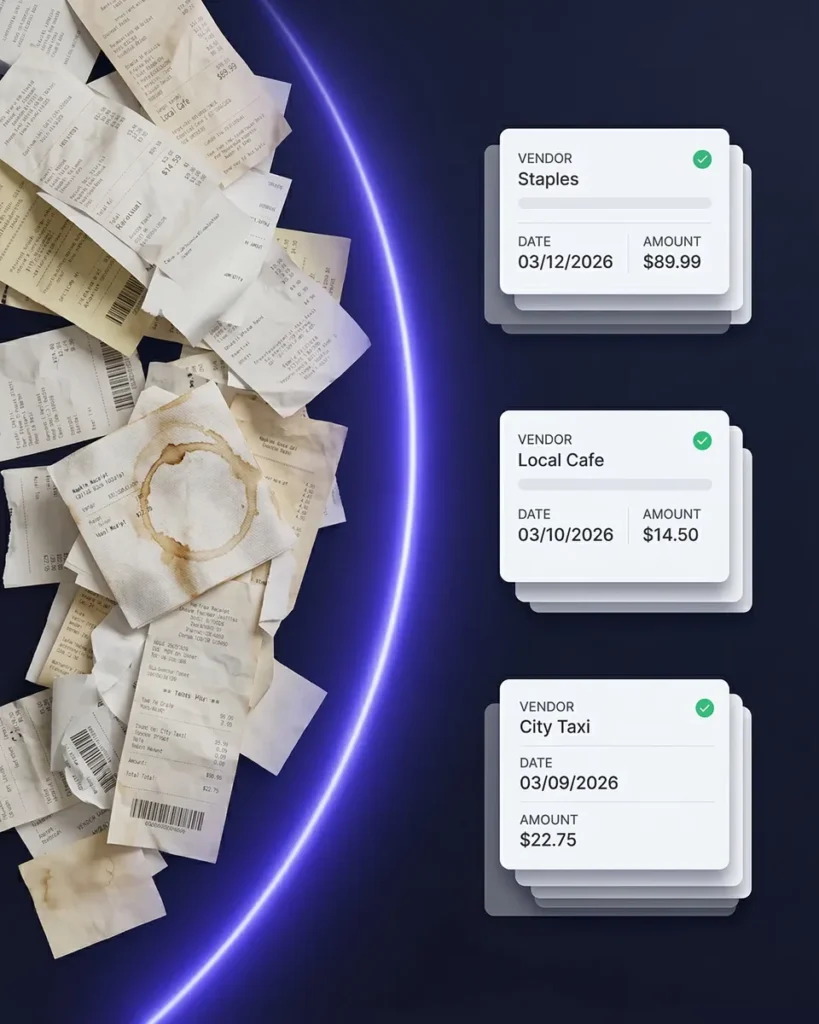
QuickBooks is an accounting platform that added receipt scanning as an afterthought. The result? Around 93% accuracy that Intuit themselves say works best for fewer than 20 receipts per month. SparkReceipt is built from the ground up as an AI receipt scanner — every receipt is processed in 5-10 seconds with accurate extraction of vendor, amount, date, tax, and category. Upload up to 100 documents at once. Fetch email receipts automatically from Gmail and IMAP inboxes.
The key difference: SparkReceipt integrates directly with QuickBooks Online. You get SparkReceipt’s superior scanning feeding clean, AI-categorized data into QuickBooks’ accounting engine. It’s not about replacing QuickBooks for accounting — it’s about giving QuickBooks better data to work with. One tool captures receipts perfectly; the other handles your books. Together, they eliminate the manual corrections that QuickBooks’ built-in scanner creates.
Feature Comparison
QuickBooks receipt scanning vs SparkReceipt side by side
| Feature | QuickBooks | SparkReceipt |
|---|---|---|
| Starting price | $38/month for Simple Start (1 user). Essentials $75/month (3 users). Plus $115/month (5 users). Advanced $275/month (25 users). | $6.58/month per user billed annually. Per-user pricing with volume discounts — price goes down the more users you add. |
| Price stability | Annual increases of 10-17%. Plus plan went from $70 (2020) to $115 (2025). ToS allows price changes 'at any time at Intuit's sole discretion.' | Lifetime price lock. Your rate never increases for as long as you remain a customer. |
| Receipt scanning speed | Scanning is available but accuracy is limited — Intuit recommends it for fewer than 20 receipts per month. | AI processes every receipt in 5-10 seconds with automatic vendor, amount, date, tax, and category extraction. |
| Scanning accuracy | Approximately 93% accuracy. Users frequently report needing manual corrections after scanning. | AI-first scanning handles crumpled, faded, handwritten, and angled receipts with high accuracy. |
| Mobile scanning | Poor edge detection on mobile. Users describe captured images as 'lousy photos' requiring retakes. | Smart mobile scanner with automatic edge detection, instant processing, and real-time sync. |
| Email receipt capture | Manual only — users must forward emails to a @qbodocs.com address. No automatic fetching. | Automatic email receipt fetching from Gmail and IMAP inboxes. No forwarding required. |
| Bank statement import | Cannot import PDF bank statements natively. Requires third-party CSV conversion tools. | Upload any PDF bank statement and get extracted, categorized transactions in minutes with automatic receipt matching. |
| Mass upload | Limited bulk upload capabilities. Designed for individual receipt capture. | Upload up to 100 documents at once, each automatically detected and categorized in seconds. |
| Multi-currency | Not available on Simple Start ($38/month). Requires Essentials ($75/month) or higher. | 150+ currencies supported on all plans with live and historical exchange rates. |
| Free plan | No free plan. 30-day free trial only, then $38/month minimum commitment. | Free plan with 15 documents per month. No credit card required, no time limit. |
| Document limits | Receipt scanning included but practical limits on accuracy make it unsuitable for high volume. | Unlimited documents on Elite plan ($9.08/month per user). No caps, no overages. |
| Expense reports | Built-in reporting focused on accounting — not optimized for receipt-level expense reports. | One-click expense reports with totals, taxes, and receipt images. Export as PDF, Excel, or CSV. |
| Accountant access | Free accountant access included, but limited to QuickBooks' own interface and workflows. | Invite your accountant for free. They get full access to view, edit, and download without using a paid seat. |
| AI assistant | Intuit Assist exists but users report it 'always gets it wrong.' Limited to basic tasks. | SparkAgent is built in — search, summarize, tag, and update documents using natural language prompts. |
| Integrations | Extensive accounting integrations, but receipt scanning feeds only into QBO's own system. | Direct QuickBooks Online sync plus Zapier, Make, Google Drive, and more. Best-in-class scanning feeding into your existing tools. |
| Customer support | Users report hold times up to 90 minutes. Oct 2025 redesign caused widespread complaints. | Instant in-app help via SparkAgent plus direct human support from our founder Joel. |
| Trustpilot rating | 1.1 out of 5 stars on Trustpilot with thousands of negative reviews. | Highly rated by freelancers and small businesses for speed, accuracy, and value. |
| Contract and refunds | Annual plans auto-renew. Cancellation and refund policies vary. Feature removals force plan upgrades. | Cancel anytime. 60-day money-back guarantee on all paid plans. No forced upgrades. |
| Multiple workspaces | Each business requires a separate QuickBooks subscription at full price. | Create unlimited subaccounts for different businesses or projects under one login. |
| Automations | Rule-based automations for categorization. Limited to predefined templates. | AI Automations understand natural language. Write 'Tag Uber as Transport' and it happens automatically. |
This comparison is based on information publicly available from Intuit's QuickBooks website and other online sources as of March 2026. Features, pricing, and details may change over time. SparkReceipt is not affiliated with or endorsed by Intuit or QuickBooks.
Lock in Your Price for Life
QuickBooks has raised prices 64-83% since 2020. SparkReceipt never raises prices on existing customers.
Pro
For small businesses and freelancers
$0 / user / year · billed at $0/yr
- 50 Document Scans / mo
- 100 Consumable Credits / mo
- 20 Spark Messages / mo
- Multiple Users (pay per seat)
- Mass Upload Documents
- Unlimited Linked Sub-Accounts
- Automatic Email Receipt Fetching
- Line-item Categorization for Expenses
- AI Automations
No Credit Card Required
Elite
For growing teams and power users
$0 / user / year · billed at $0/yr
- ∞ Document Scans / mo
- 200 Consumable Credits / mo
- 100 Spark Messages / mo
- Multiple Users (pay per seat)
- Mass Upload Documents
- Unlimited Linked Sub-Accounts
- Automatic Email Receipt Fetching
- Line-item Categorization for Expenses
- AI Automations
No Credit Card Required
Why Users Pair SparkReceipt with QuickBooks
Better receipt scanning that feeds clean data into your accounting software
I needed a solution to organize and process my personal and business receipts. I'm thrilled I found SparkReceipt. It saves me a lot of time!

With SparkReceipt, organizing and tracking expenses has never been easier. The detailed categorization and expense tracking features make financial management a breeze. Plus, the ability to easily share receipts and collaborate with others adds an extra level of convenience.
SparkReceipt is an excellent alternative to full-fledged accounting software, saving you time and money!
Frequently Asked Questions
Is QuickBooks good for receipt scanning?
QuickBooks Online includes receipt scanning, but it’s a secondary feature inside a full accounting suite — not a dedicated scanner. Intuit says it works best for fewer than 20 receipts per month, accuracy sits around 93%, and users frequently report needing manual corrections. The mobile camera has poor edge detection, and email receipts require manual forwarding to a special address. For businesses that scan more than a handful of receipts, a purpose-built tool like SparkReceipt delivers significantly better results.
Can I use SparkReceipt and QuickBooks Online together?
Yes, and it’s the recommended setup for many businesses. SparkReceipt integrates directly with QuickBooks Online, syncing your AI-categorized expenses and receipt images automatically. You get SparkReceipt’s superior scanning accuracy feeding clean, organized data into QuickBooks’ accounting engine. SparkReceipt handles the receipt capture and categorization; QuickBooks handles the accounting. Together, they eliminate the manual corrections that QuickBooks’ built-in scanner creates.
How much does QuickBooks Online cost compared to SparkReceipt?
QuickBooks Online starts at $38/month for Simple Start (1 user), $75/month for Essentials (3 users), $115/month for Plus (5 users), and $275/month for Advanced (25 users) — and these prices have increased 64-83% since 2020. SparkReceipt starts with a free plan (15 documents/month) and paid plans from $6.58/month per user with volume discounts and a lifetime price lock. See SparkReceipt pricing.
Does SparkReceipt replace QuickBooks?
SparkReceipt is not a replacement for QuickBooks’ accounting features like invoicing, payroll, or tax filing. It replaces QuickBooks’ built-in receipt scanner with a far more capable one. If you need full accounting software, use both together — SparkReceipt for receipt scanning and expense tracking, QuickBooks for accounting. If you don’t need accounting software and just need to track receipts and expenses, SparkReceipt handles that independently with one-click expense reports you can share with your accountant for free.
Why do QuickBooks prices keep going up?
Intuit’s Terms of Service state that prices can change ‘at any time at Intuit’s sole discretion.’ Since 2020, QuickBooks Plus has gone from $70 to $115/month (64% increase) and Advanced from $150 to $275/month (83% increase). SparkReceipt offers a lifetime price lock — once you subscribe, your rate never increases for as long as you remain a customer.
Does SparkReceipt fetch email receipts automatically?
Yes. SparkReceipt’s automatic email receipt fetching connects directly to your Gmail or IMAP inbox and pulls in digital receipts from online purchases, software subscriptions, and vendor invoices — automatically scanned, categorized, and stored. QuickBooks requires you to manually forward each email to a @qbodocs.com address, which most users forget to do consistently.
Is there a free version of SparkReceipt?
Yes. SparkReceipt has a free plan that includes 15 documents per month with no time limit and no credit card required. QuickBooks has no free plan — only a 30-day trial that converts to $38/month minimum. Paid SparkReceipt plans start at $6.58/month per user (billed annually) with a 60-day money-back guarantee and the Elite plan at $9.08/month per user includes unlimited documents. See pricing.
What makes SparkReceipt's scanning better than QuickBooks?
SparkReceipt is built from the ground up as an AI receipt scanner — it’s the core product, not an add-on feature inside accounting software. It processes receipts in 5-10 seconds, handles crumpled, faded, and handwritten receipts, supports 150+ currencies on all plans, and lets you upload up to 100 documents at once. QuickBooks’ scanner is designed for fewer than 20 receipts per month with approximately 93% accuracy. SparkReceipt also includes automatic email receipt fetching and PDF bank statement import — features QuickBooks lacks natively.
Early Bird Deal
Lock in our best deal ever – only $6.58 USD per month (*billed annually at $79 USD/year). Stay subscribed, and your price will never go up, even as SparkReceipt gets better. This lifetime pricing is limited to the first 15,000 users. With our 30-day money-back guarantee, there’s no risk in trying.
Do Not Miss Out on Our Limited-Time Offer