Stop Overpaying for Client Receipt Management
Collect, organize, and manage client documents — at a fraction of what Dext or AutoEntry charges.
SparkReceipt helps accountants and bookkeepers automate client receipt collection, document organization, and expense categorization with AI. Add yourself to any client account, or resell SparkReceipt at a 50% discount and turn document management into a profit center. Pricing starts at $2.78/user/month.






Why Accountants Switch to SparkReceipt
The document management tool that pays for itself
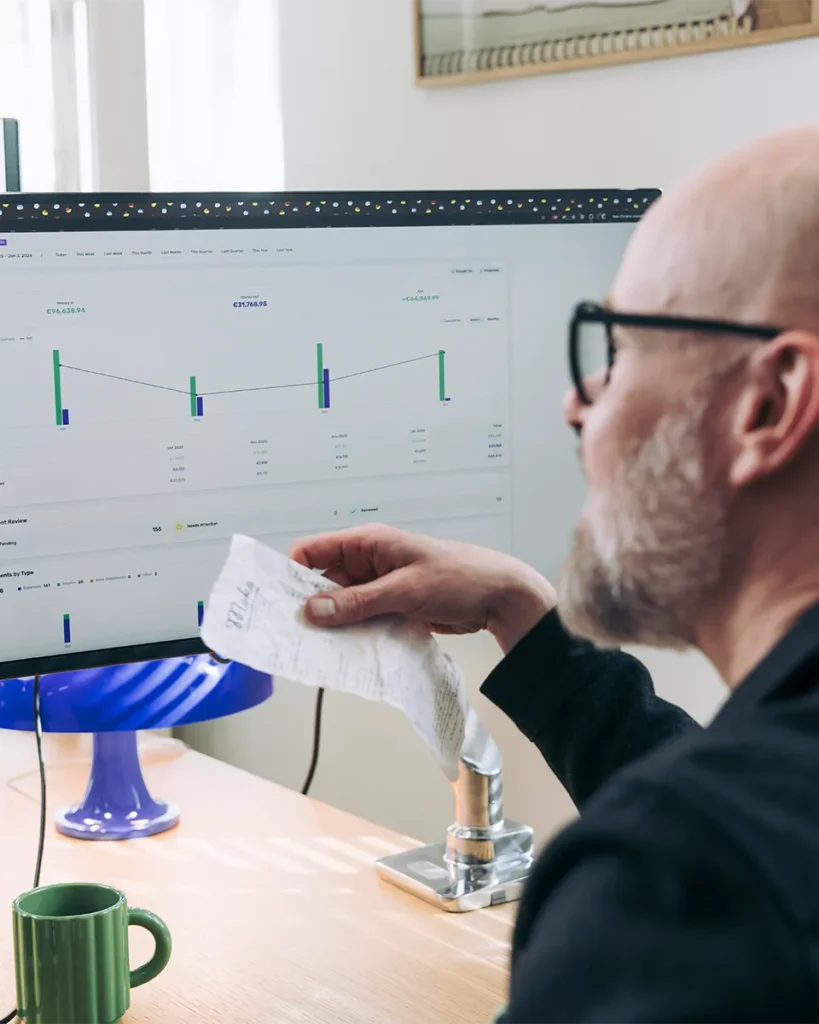
You became an accountant to advise clients — not to chase receipts, sort shoeboxes, and fight with overpriced software.
The problem: Tools like Dext start at $239/month for 10 clients. AutoEntry uses a confusing credit system. Hubdoc only works well with Xero. And every year, prices go up.
SparkReceipt is different. It’s built for accountants and bookkeepers who serve freelancers, solopreneurs, and small businesses — not Fortune 500 companies. AI handles the receipt scanning, data extraction, and expense categorization. You get clean, organized client data ready for your accounting software.
The best part? You can resell SparkReceipt to clients at a markup and profit from every account. No other receipt management tool offers this.
How It Works for Your Practice
From client chaos to organized data in three steps
Clients Scan Receipts — Or SparkReceipt Does It Automatically
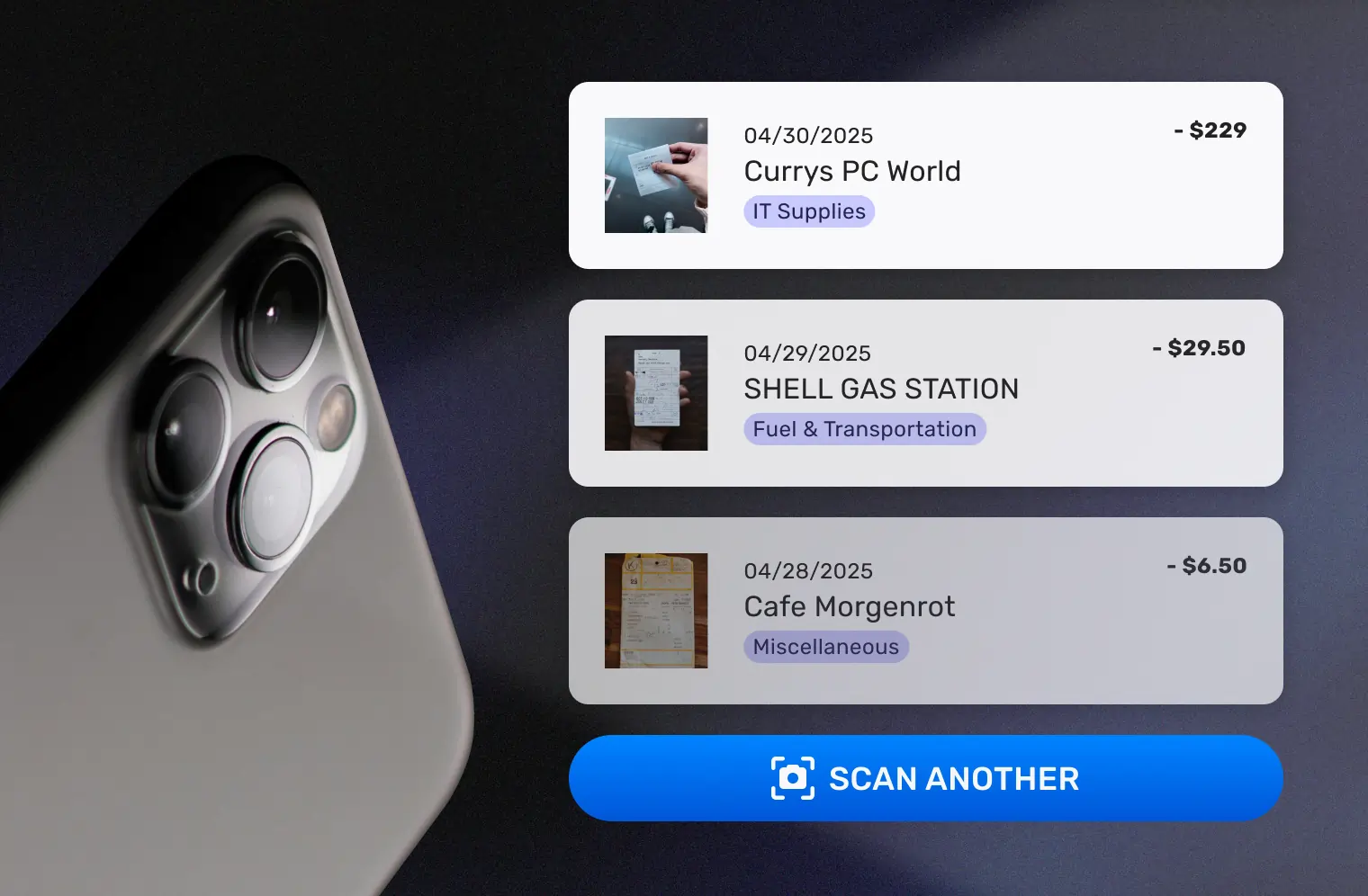
Your clients snap photos of receipts with the SparkReceipt mobile app, upload documents in bulk, or do nothing at all — automatic email receipt scanning fetches invoices and digital receipts from their Google (Gmail), Microsoft (Outlook, Hotmail, Live), or any IMAP provider (Yahoo, iCloud, ProtonMail, and more) without any manual effort. Historical emails can also be scanned using date filters.
Every receipt is processed by AI in seconds: vendor name, date, amount, tax breakdown, currency, and line items are extracted automatically. No manual data entry. No 20-minute wait times. No chasing clients for missing receipts.
AI Categorizes, Matches, and Prepares Everything
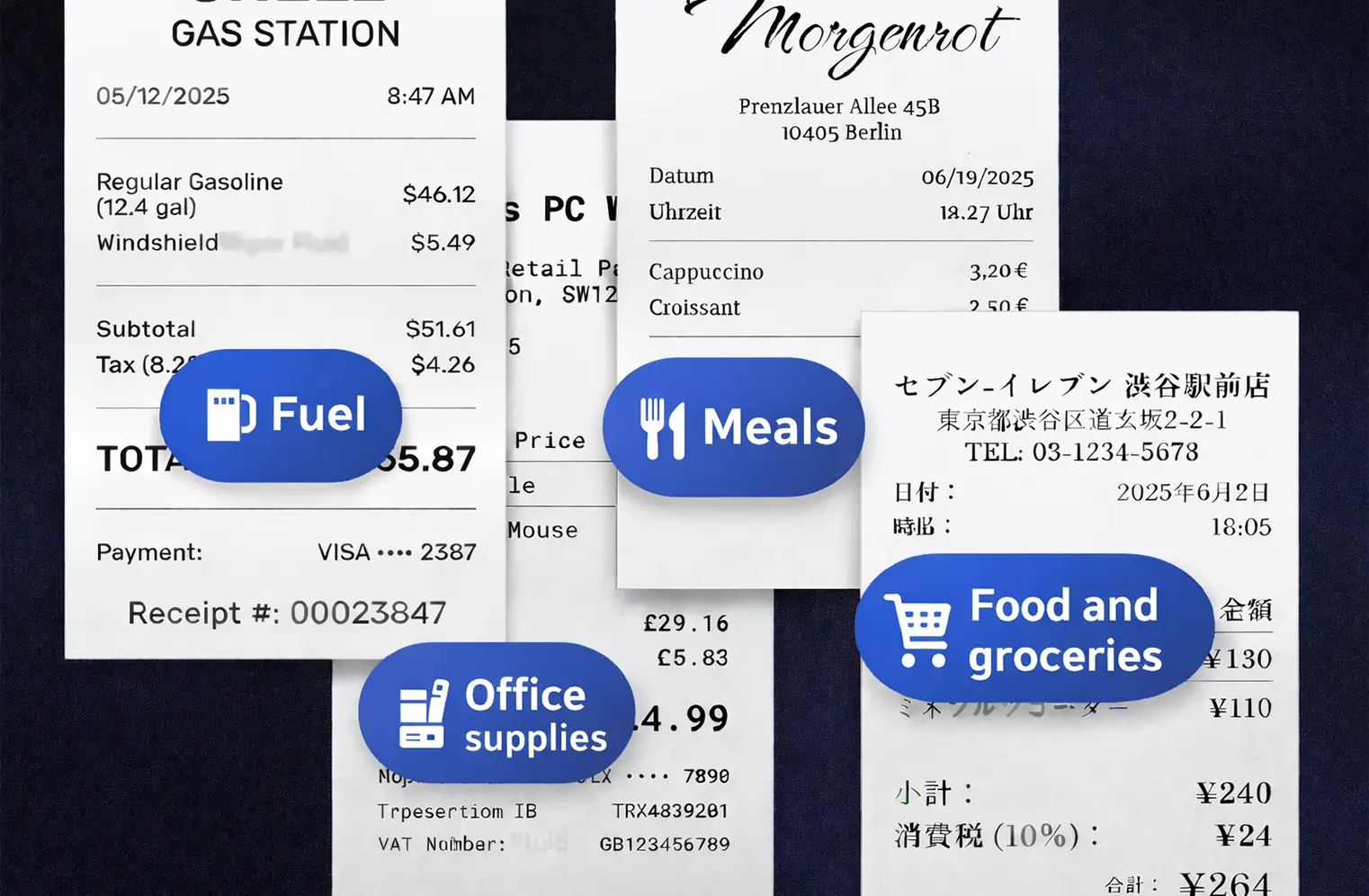
SparkReceipt’s AI automatically categorizes every expense into tax-relevant categories — office supplies, travel, meals, software, professional services, and more. AI Automations let you write rules in plain English: “Tag all Amazon charges as Office Supplies” or “Flag any expense over $500 for review.”
Upload client bank statements and AI matches transactions to scanned receipts, flagging any charges missing documentation. What used to take hours of reconciliation now takes minutes.
Export Clean Data to Your Accounting Software
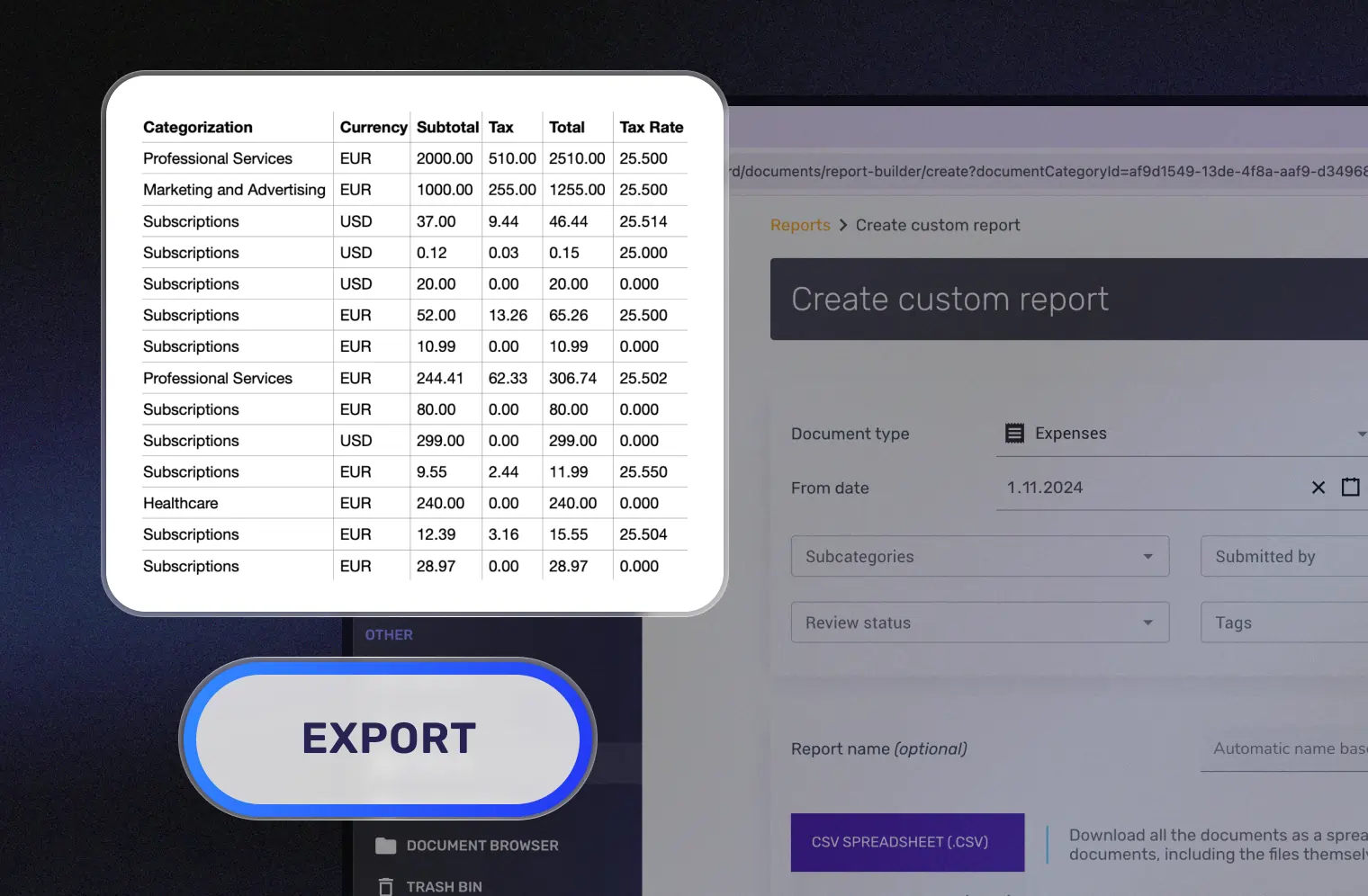
Generate expense reports in PDF, Excel, or CSV with one click — complete with category totals, tax summaries, and links to original receipt images. Sync directly with QuickBooks Online for zero double entry.
Access all your client accounts from one dashboard. View, download, and manage expense data across every client without juggling logins.
SparkReceipt vs. What You're Paying Now
See why accountants are switching from expensive alternatives

Dext / AutoEntry / Hubdoc
- Dext starts at $239/month for practice plans
- AutoEntry uses a confusing credit system — you pay per extraction
- Hubdoc is free only if you already pay for Xero subscriptions
- Per-client costs of $10–$25/month eat into your margins
- Complex onboarding — hours of setup per client
- Locked into one accounting ecosystem
- Clients need training to use the tools properly
- No reseller margin — pure cost for your practice

SparkReceipt
- $2.78/user/month with the accountant discount
- Simple per-seat pricing — no hidden fees
- Works with QuickBooks, Excel, CSV, PDF — not locked to one platform
- Up to 90% cost savings vs. Dext on per-client document management
- Clients set up in 2 minutes — scan a receipt and they're live
- Export to any accounting software you already use
- Automatic email receipt scanning — clients barely need to do anything
- 50% reseller discount — mark up and profit from every client
Turn Receipt Management Into a Revenue Stream
The only receipt tool with a built-in reseller model for accountants
Most accountants treat document management software as a cost. SparkReceipt turns it into revenue.
Here’s how it works:
- You buy SparkReceipt at the accountant price: $2.78/user/month ($33.33/year)
- You resell to clients at $8–$12/month (common market rate for receipt management)
- You keep the margin — $5+ profit per client per month
Example: An accountant with 30 clients reselling at $10/month earns $2,600+/year in recurring revenue — while giving clients a better tool at a lower price than Dext or AutoEntry.
Alternatively, include SparkReceipt in your monthly service package at no visible cost to clients — and reduce your own document collection overhead to near zero.

Your Clients Don't Need to Change How They Work
Automatic email receipt scanning does the heavy lifting
The biggest challenge with any document collection tool is getting clients to actually use it. Most accountants have tried sending clients a scanning app — only to get shoeboxes of receipts at year-end anyway.
SparkReceipt solves this with automatic email receipt scanning. Connect a client’s Google (Gmail), Microsoft (Outlook, Hotmail, Live), or any IMAP inbox, and SparkReceipt automatically finds and processes digital receipts — software subscriptions, online orders, travel bookings, and more. Historical emails can also be scanned with date filters to capture past receipts.
For paper receipts, the mobile app makes scanning as simple as taking a photo. AI extracts everything in seconds. No manual data entry from clients. No training required.
The result: receipts are collected continuously throughout the year instead of dumped on your desk at tax time.

Feature & Pricing Comparison
How SparkReceipt compares to popular document management tools
| Feature | Competitors | SparkReceipt |
|---|---|---|
| Per-client cost (accountant plan) | Dext: ~$24/client/mo (practice plan). AutoEntry: varies by credits. Hubdoc: free only with Xero. | $2.78/user/month — fixed, transparent pricing. |
| Accountant access | Requires separate accountant account setup. Often charged per seat. | Add yourself to any client account as a paid seat at the discounted accountant rate. |
| Reseller program | No reseller margin. Some offer referral credits only. | 50% accountant discount. Buy at $2.78, resell at your own price. |
| Transparent pricing | No guarantee. Dext and others raise prices regularly. | Transparent pricing with no hidden fees or surprise charges. |
| Receipt scanning speed | Dext: up to 20 minutes. AutoEntry: varies by queue. | AI extraction in seconds. Instant results. |
| Email receipt scanning | Manual forwarding or fetch from limited providers. | Automatic scanning from Gmail, Outlook, Microsoft, and IMAP. Includes historical email scanning. No forwarding needed. |
| Bank statement extraction | Dext: hours processing, frequent rejections. AutoEntry: 3 credits per page. | Upload any statement PDF. Results in minutes with receipt matching. |
| Contracts | Annual plans with auto-renewal. Cancellation notice required. | No contracts. Cancel anytime. 7-day free trial. |
| Accounting integrations | Dext: 30+ integrations. AutoEntry: Sage, Xero, QBO. Hubdoc: Xero/QBO only. | QuickBooks Online sync. Plus Excel, CSV, PDF exports for any software. |
| Languages and currencies | Limited language OCR. Varying currency support. | OCR in virtually any language. 150+ currencies with live exchange rates. |
| AI Automations | Fixed rules and supplier matching. No natural language. | Write rules in plain English. AI understands and executes automatically. |
| Client onboarding | Complex setup with permissions, user accounts, and configuration. | Client set up in 2 minutes. Download app, start scanning. |
| Document storage | Dext vault is a paid add-on. Others have storage limits. | Secure 10+ year storage included. EU-hosted. GDPR compliant. |
This comparison is based on publicly available information from competitor websites as of March 2026. Features, pricing, and details may change over time. SparkReceipt is not affiliated with or endorsed by any listed competitor.
Secure, Compliant, and Built for Financial Data
Your clients' financial documents deserve enterprise-grade security
As an accountant handling sensitive client financial data, security isn’t optional. SparkReceipt is built with professional-grade security from the ground up:
- Encryption in transit and at rest — all documents and data are encrypted using industry-standard protocols
- GDPR compliant — SparkReceipt is an EU-based company (Finland) with full GDPR compliance
- EU data hosting — client data stored in European data centers with regular backups
- 10+ year document retention — receipts and records remain accessible for the full IRS retention period and beyond
- Access controls — accountant and client permissions are separated with role-based access
Your clients’ financial records are protected by the same security standards used by financial institutions.

Simple Pricing for Accountants
Accountants get a 50% discount when reselling SparkReceipt to clients
Elite
For you, your accountant, and your partner.
$199.98/year
- Unlimited documents
- Automatic email receipt fetching (Gmail, Outlook, IMAP)
- Mass upload (up to 100 documents at once)
- Upload documents from anywhere
- Bank statement extraction
- Line-item categorization
- Expense reports (PDF, Excel, CSV)
- AI Automations
- Integrations (QuickBooks Online, Zapier, Make)
- Invite your accountant and partner
- Unlimited linked sub-accounts
7-Day Free Trial
- You Included
- Your accountant Included
- Your partner / co-founder / team member Included
Each additional user: $58/year
Trusted by Accountants and Bookkeepers
Hear from accounting professionals who made the switch
I needed a solution to organize and process my personal and business receipts. I'm thrilled I found SparkReceipt. It saves me a lot of time!
Thanks to SparkReceipt I have a quick look to my business accounts status in a glance. It is really impressive.
SparkReceipt is an excellent alternative to full-fledged accounting software, saving you time and money!
Frequently Asked Questions for Accountants
How does SparkReceipt work for accountants?
SparkReceipt lets you manage client document collection and expense organization from a single dashboard. Clients scan receipts via the mobile app or connect their email for automatic receipt capture. AI extracts, categorizes, and organizes all documents. You can be added to client accounts as a user to access clean, export-ready data — or sync directly with QuickBooks Online.
Can I manage multiple client accounts?
Yes. Each client gets their own SparkReceipt account with separate data, categories, and reports. As an accountant, you can be invited as a user to as many client accounts as you need. Unlimited sub-accounts are included on all paid plans.
How much does SparkReceipt cost for accountants?
Accountants get a 50% discount on our plan. The Elite plan costs $2.78/user/month (billed annually at $33.33). SparkReceipt offers simple, transparent pricing with no hidden fees.
Can I resell SparkReceipt to my clients?
Yes. Buy at the accountant rate ($2.78/user/month) and resell at whatever price works for your practice. Many accountants include SparkReceipt in their monthly service package at $8–$12/client, creating $5+ in recurring profit per client. You can handle billing yourself or let clients pay directly.
Does SparkReceipt integrate with QuickBooks?
Yes. SparkReceipt integrates directly with QuickBooks Online, syncing categorized expenses and receipt images automatically. You can also export to Excel, CSV, or PDF for use with any other accounting software including Xero, Sage, and FreshBooks.
Is SparkReceipt secure enough for client financial data?
Yes. SparkReceipt uses encryption in transit and at rest, is fully GDPR compliant as an EU-based company (Finland), stores data in European data centers with regular backups, and retains documents for 10+ years. Access controls separate accountant and client permissions with role-based access.
How does SparkReceipt compare to Dext for accountants?
SparkReceipt costs up to 90% less than Dext practice plans ($2.78/user/mo vs ~$24/client/mo). SparkReceipt scans receipts in seconds (Dext can take up to 20 minutes), includes automatic email receipt scanning, offers a reseller model with 50% discount, and has straightforward transparent pricing. Dext has more accounting integrations (30+ vs QuickBooks + exports), which may matter if you use niche platforms. See full comparison →
Do my clients need to install anything?
For paper receipts, clients download the free SparkReceipt app (iOS/Android) and snap photos. For digital receipts, automatic email scanning fetches receipts from their inbox without any client action. Clients can also upload documents via the web app or forward emails to their SparkReceipt address. Setup takes 2 minutes.
What if my clients don't use the app consistently?
This is the most common challenge with document collection tools. SparkReceipt addresses it with automatic email receipt scanning — connect a client’s inbox once and digital receipts are captured continuously without any client effort. For paper receipts, the 5-second scan experience has the highest adoption rate because it requires minimal behavior change.
Can I try SparkReceipt before rolling it out to clients?
Yes. Start with a 7-day free trial to test the features yourself. When you’re ready to onboard clients, continue with our plan at the discounted accountant rate. You can cancel anytime with no contract.
Ready to Simplify Client Document Management?
Get started in 2 minutes. Your first client onboarded in 5.
Every hour you spend chasing client receipts is an hour you’re not billing for advisory work. Every dollar you spend on overpriced document management software is a dollar off your bottom line.
SparkReceipt gives you AI-powered receipt collection and organization at a fraction of what you’re paying now — with a reseller model that turns a cost center into revenue.
$2.78/user/month with the accountant discount. 7-day free trial.