expense tracking freelancer taxes IRS Schedule C self-employment tax small business taxes tax deductions tax guide
Updated April 2, 2026 11 min read

Business Expense Categories: The Complete IRS List for Self-Employed (2026)

Sampsa Vainio
Sampsa Vainio
Business Expense Categories: The Complete IRS List for Self-Employed (2026)
In this article

Your tax software shows 30 category options. You’re staring at a $47 receipt from Staples. Is that Office Supplies? Equipment? Other Expenses? You pick one, move on, and hope it’s right.

Here’s the problem: most freelancers get business expense categories wrong, and it costs them money. Miscategorized expenses lead to missed deductions, messy tax returns, and the kind of Schedule C that makes accountants sigh. The IRS doesn’t care whether you call something “supplies” or “office expenses” in your head. They care which line of Schedule C it lands on.

This guide maps every common business expense to its correct IRS category, organized by the actual Schedule C line numbers you’ll file on your tax return. No guessing. No generic lists of 40 categories that include “employee pension plans” you’ll never use. Just the expense categories that matter for self-employed workers in 2026.

Consult a qualified tax professional for advice specific to your situation.

Why Business Expense Categories Matter

Categorizing expenses isn’t busywork. It directly affects how much tax you pay.

Every business expense you claim on Schedule C reduces your taxable income. But the IRS expects expenses to land in specific categories on Lines 8 through 27 of the form (see the official Schedule C instructions for the full breakdown). When you dump everything into “Other Expenses” (Line 27), two things happen. First, you lose visibility into where your money actually goes. Second, the IRS notices. A Schedule C with $500 in categorized expenses and $15,000 in “Other” is a red flag.

Correct categorization also prevents you from accidentally double-counting or missing deductions entirely. When Dani, a freelance UX designer, filed her first Schedule C, she put $8,400 in expenses under “Other.” Her accountant split them into proper categories and found $2,100 in additional deductions she’d missed, including home office costs and professional development expenses that qualify for their own lines.

The bottom line: putting each expense in the right category isn’t optional. It’s how you claim every deduction you’re entitled to. For the full picture on filing, see our independent contractor taxes guide.

The IRS Business Expense Categories (Schedule C, Lines 8-27)

Below is the complete business expense categories list, organized by Schedule C line number. These are the same schedule c expense categories your tax software uses, and the same lines your accountant fills in. Here’s what goes in each one, with real examples for freelancers and self-employed workers.

Line 8: Advertising and Marketing

Any expense related to promoting your business. This includes website hosting, domain registration, Google Ads, social media advertising, business cards, logo design, SEO tools, and email marketing software.

Example: A $29/month email marketing subscription ($348/year) goes here. So does the $200 you spent on Facebook ads to promote your freelance services.

Line 9: Car and Truck Expenses

Vehicle costs for business travel. You can choose the standard mileage rate (72.5 cents per mile in 2026) or track actual expenses like gas, insurance, repairs, and depreciation. You can’t claim both methods in the same year.

Commuting from home to a regular office doesn’t count. But driving from your home office to a client meeting does. Read our mileage deduction guide for the full breakdown.

Example: You drove 8,000 business miles this year. At 72.5 cents per mile, that’s a $5,800 deduction on Line 9.

Line 10: Commissions and Fees

Payments to agents, referral fees, and platform commissions. If you pay a freelance marketplace their 20% cut, that goes here. Payment processing fees from Stripe, PayPal, or Square also belong on this line.

Example: A graphic designer pays Fiverr $1,200 in annual platform fees. Line 10.

Line 11: Contract Labor

Payments to other independent contractors you hire for your business. If you’re a web developer who hires a copywriter for client projects, their fee goes here. This is only for contractors you paid $600 or more (you’ll need to send them a 1099-NEC).

Example: You paid a virtual assistant $4,800 for the year. Line 11.

Line 13: Depreciation and Section 179

Large business assets that lose value over time, like computers, cameras, furniture, or vehicles. Instead of deducting the full cost in year one, you spread it across the asset’s useful life. Or, under Section 179, you can deduct the full cost immediately, up to $2.5 million in 2026 under the updated OBBBA rules.

Example: You bought a $2,400 MacBook Pro for your freelance business. You can either depreciate it over five years ($480/year) or deduct the full $2,400 immediately under Section 179.

Line 15: Insurance

Business insurance premiums only. This includes professional liability insurance, errors and omissions (E&O) insurance, and general business insurance. Health insurance premiums for self-employed individuals are deducted separately on Form 1040, not here.

Example: Your $600/year professional liability policy goes on Line 15.

Line 17: Legal and Professional Services

Fees paid to accountants, attorneys, tax preparers, and business consultants. Your CPA’s $1,500 tax prep fee? Line 17. A lawyer reviewing your freelance contract? Line 17.

Example: Accountant fee ($1,500) plus a one-time legal review ($500) = $2,000 on Line 17.

SparkReceipt automatically categorizes receipts from accounting and law firms into this category. Scan a receipt and the AI assigns it to the right expense category, no manual sorting needed.

Line 18: Office Expenses

General office costs: printer ink, paper, postage, pens, and small office items. Many freelancers also put software subscriptions here, though some accountants prefer Line 27 (Other) for software. Either works, as long as you’re consistent.

Example: Adobe Creative Cloud ($55/month = $660/year), printer supplies ($120), and postage ($85) total $865 on Line 18.

Line 20a-b: Rent or Lease

Rent for office space, coworking memberships, or leased equipment. If you rent a coworking desk for $300/month, that’s $3,600 on Line 20a (vehicles, machinery, equipment) or 20b (other business property).

Note: Your home office deduction goes on Line 30, not here. See our home office deduction guide for the simplified vs. actual expense method.

Line 21: Repairs and Maintenance

Costs to fix or maintain business property. This covers computer repairs, equipment servicing, and office maintenance. The expense must keep something in working condition, not improve or upgrade it. Upgrades typically fall under depreciation (Line 13).

Example: A $250 laptop screen repair goes on Line 21. A $2,400 laptop replacement goes on Line 13.

Line 22: Supplies

Materials and supplies consumed in the course of your work. For a photographer, that’s memory cards and printing paper. For a consultant, it might be presentation materials. Supplies differ from office expenses (Line 18) in that they’re directly used in delivering your service. For more, see our freelance photographer page.

Example: A freelance baker spends $3,200/year on ingredients and packaging. Line 22.

Line 23: Taxes and Licenses

State and local business taxes, business license fees, and professional license renewals. This also covers any regulatory fees required to operate your business. It does not include federal income tax or self-employment tax.

Example: A $150 city business license plus a $200 state professional license renewal = $350 on Line 23.

Line 24a: Travel

Business travel costs when you’re away from your tax home overnight. This includes airfare, hotel rooms, rental cars, parking, tolls, and taxi or rideshare fares during business trips. Meals during travel go on Line 24b, not here.

According to IRS Publication 463, travel expenses must be “ordinary and necessary” for your business.

Example: A conference trip with a $400 flight, $600 hotel (three nights), and $85 in rideshare fares = $1,085 on Line 24a.

Line 24b: Meals (50% Deductible)

Business meals with clients, prospects, or business associates where business is discussed. You can deduct 50% of the meal cost, including tax and tip. The IRS requires you to document who attended, the business purpose, and the amount.

Example: A $120 client dinner is 50% deductible. You claim $60 on Line 24b. Keep the receipt and note the client’s name and what you discussed.

Line 25: Utilities

Electricity, gas, water, trash removal, and telephone for a business location (not your home). If you rent an office, those utility bills go here. Home utilities tied to a home office are claimed through the home office deduction instead.

Line 27: Other Expenses

The catch-all category for legitimate business expenses that don’t fit Lines 8-26. Common items freelancers put here:

  • Cell phone bill (business-use percentage)
  • Home internet (business-use percentage)
  • Software subscriptions that aren’t purely office expenses
  • Professional development: courses, certifications, books, conferences
  • Bank fees on business accounts
  • Continuing education related to your field

The IRS requires you to itemize Line 27 expenses on a separate statement. Don’t throw everything here. If an expense fits a numbered line, use it.

Quick Reference: Business Expense Categories List

Not sure which tax expense category a receipt belongs to? This table maps the most common small business expense categories to their Schedule C lines:

Expense Category Schedule C Line Deductible %
Domain registration Advertising Line 8 100%
Google Ads Advertising Line 8 100%
Business mileage Car & Truck Line 9 100%
Uber to client meeting Car & Truck Line 9 100%
Stripe/PayPal fees Commissions & Fees Line 10 100%
Subcontractor payments Contract Labor Line 11 100%
New laptop Depreciation/Sec 179 Line 13 100%
Camera equipment Depreciation/Sec 179 Line 13 100%
Liability insurance Insurance Line 15 100%
Accountant fees Legal & Professional Line 17 100%
Adobe Creative Cloud Office Expenses Line 18 100%
Printer ink and paper Office Expenses Line 18 100%
Coworking space Rent or Lease Line 20b 100%
Computer repair Repairs Line 21 100%
Raw materials Supplies Line 22 100%
Business license Taxes & Licenses Line 23 100%
Conference airfare Travel Line 24a 100%
Client dinner Meals Line 24b 50%
Office electricity Utilities Line 25 100%
Cell phone bill Other Expenses Line 27 Business %
Home internet Other Expenses Line 27 Business %
Online courses Other Expenses Line 27 100%
Bank fees Other Expenses Line 27 100%

How to Handle Tricky Expense Categories

Some expenses don’t fit neatly into one category. Here’s how to handle the most common edge cases.

Cell Phone Bill

If you use one phone for business and personal, deduct only the business-use percentage. If 70% of your usage is business-related, deduct 70% of the bill under Other Expenses (Line 27). Keep a log for the first month or two to establish your percentage, then apply it consistently.

Home Internet

Same rule as your phone. Calculate your business-use percentage and deduct that portion. If you also claim the home office deduction, your accountant may allocate internet costs there instead. Pick one method and stick with it.

Laptop or Computer

A computer used 100% for business can be fully deducted under Section 179 (Line 13) or depreciated over five years. If it’s used for both personal and business purposes, deduct only the business-use percentage.

Alex, a freelance video editor, bought a $3,200 iMac and uses it 80% for client work. He can deduct $2,560 (80% of $3,200) under Section 179 in the first year, rather than depreciating it over five years.

Coworking Space

A coworking membership goes on Line 20b (Rent, Other Business Property). Day passes at a coworking space are also deductible. This is separate from your home office deduction, and you can claim both if you use both spaces.

Coffee While Working

Buying yourself a coffee at Starbucks while you work? Not deductible. Buying coffee for yourself and a client while discussing a project? The client’s portion is 50% deductible as a business meal (Line 24b). The IRS doesn’t consider your personal meals a business expense just because you were working at the time.

Professional Clothing

Generally not deductible unless the clothing is required for your work and not suitable for everyday wear. A photographer’s all-black uniform? Probably not deductible. Safety equipment for a construction contractor? That’s Supplies (Line 22).

Common Categorization Mistakes to Avoid

These errors cost freelancers real money or invite IRS attention:

    1. Dumping everything into “Other Expenses.” Use the numbered lines whenever an expense fits. A Schedule C with $20,000 in “Other” and nothing in the standard categories is a red flag.
    2. Deducting meals at 100% instead of 50%. In 2026, business meals are back to 50% deductible. The brief 100% deduction during 2021-2022 is over.
    3. Claiming personal expenses as business. Your Netflix subscription isn’t deductible because you “watch it for inspiration.” The IRS defines deductible expenses as ordinary and necessary for your business.
    4. Skipping the home office deduction entirely. Many freelancers leave this money on the table because they think the home office deduction triggers audits. It doesn’t. If you use a dedicated space regularly and exclusively for business, claim it.
    5. Not splitting mixed-use expenses. If you use your car, phone, and internet for both personal and business, you must calculate and deduct only the business percentage. Claiming 100% on a mixed-use asset is indefensible in an audit.
    6. Inconsistent categorization. If you put “Zoom” under Office Expenses in January and under Other Expenses in June, your records are inconsistent. Pick a category for each recurring expense and use it every time.

How to Automate Expense Categorization

Manual categorization is slow and error-prone. You’re reviewing receipts weeks or months after the purchase, trying to remember whether that Amazon order was supplies or office expenses. This is where most mistakes happen.

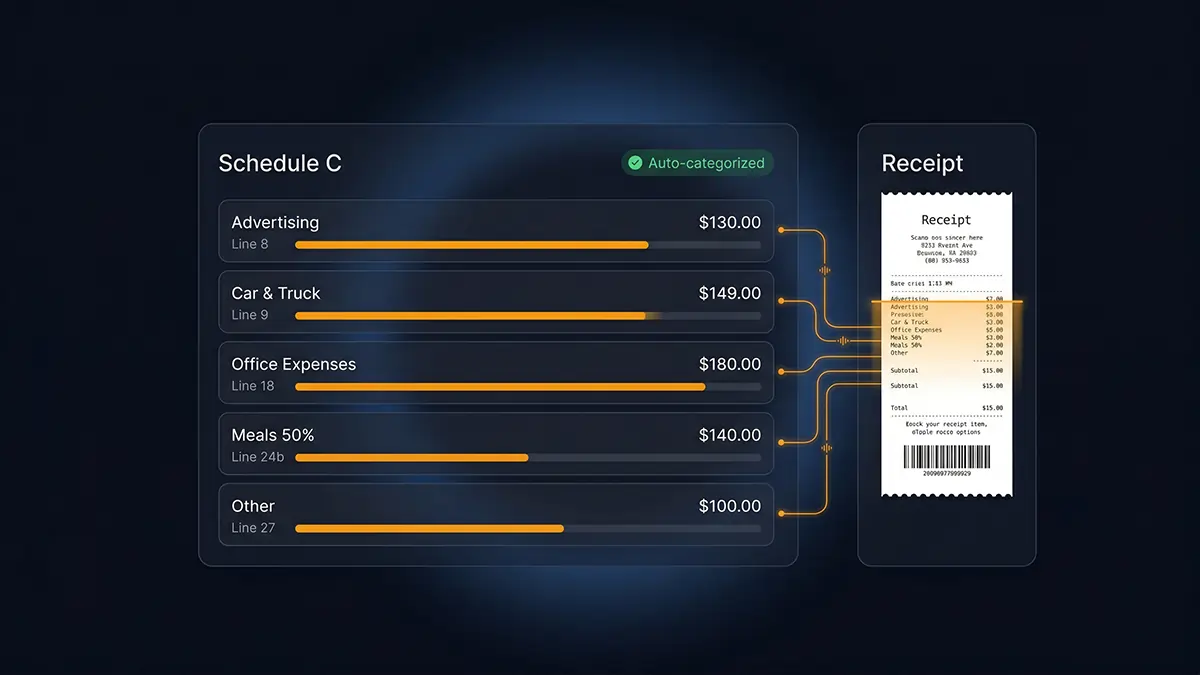
SparkReceipt’s AI eliminates this problem. When you scan a receipt or forward an email receipt, the AI reads the vendor name, amount, and line items, then automatically categorizes the expense. Categories are customizable, so you can map them to match your Schedule C structure exactly.

Here’s what the workflow looks like:

  1. Snap a photo of a receipt from Home Depot
  2. SparkReceipt extracts vendor, amount, date, and tax
  3. AI categorizes it as Supplies (Line 22)
  4. At tax time, export a report sorted by category

No spreadsheets. No end-of-year scramble. Every receipt lands in the right category the moment you scan it.

Frequently Asked Questions

What are the main business expense categories?

The IRS organizes business expenses into 20 categories on Schedule C, Lines 8 through 27. The most commonly used categories for freelancers are Advertising (Line 8), Car and Truck Expenses (Line 9), Office Expenses (Line 18), Legal and Professional Services (Line 17), Travel (Line 24a), Meals (Line 24b), and Other Expenses (Line 27).

How many expense categories does the IRS have?

Schedule C has 20 numbered expense lines (8 through 27), though some lines have sub-categories (like Line 20a and 20b for different types of rent). Line 27 (Other Expenses) serves as a catch-all for legitimate deductions that don’t fit elsewhere.

Where do software subscriptions go on Schedule C?

Most freelancers categorize software subscriptions under Office Expenses (Line 18). Some accountants prefer Other Expenses (Line 27). Either is acceptable. The important thing is to be consistent.

Is a cell phone bill a business expense?

Yes, but only the business-use portion. If you use your personal phone 60% for business, you can deduct 60% of the monthly bill. Categorize it under Other Expenses (Line 27).

Can I create my own expense categories?

For internal tracking, yes. But when you file Schedule C, expenses must map to the IRS categories on Lines 8 through 27. Your tracking tool can use any labels you want, as long as they translate to the correct Schedule C lines at tax time.

What’s the difference between Supplies and Office Expenses?

Supplies (Line 22) are materials consumed in delivering your service, like raw materials, ingredients, or project-specific items. Office Expenses (Line 18) cover general office operations like printer ink, postage, and small office items. In practice, the distinction matters less than being consistent.

Start Using the Right Business Expense Categories

Every receipt tells the IRS something about your business. Filed in the correct business expense category, it’s a deduction that lowers your tax bill. Categorized wrong, or not tracked at all, it’s money you’ll never get back.

Here’s what to do next:

  • Use this Schedule C map as your reference for where each expense goes
  • Track expenses as they happen, not at year-end when you’ve forgotten the details
  • Be consistent in how you categorize recurring expenses
  • Claim the QBI deduction on top of your expense deductions (23% in 2026)

The fastest way to get this right is to automate it. SparkReceipt’s expense tracker categorizes receipts the moment you scan them, so every expense lands in the correct bucket from day one. No spreadsheets, no guesswork, no tax-time panic.

This article provides general tax information for educational purposes. Consult a qualified tax professional for advice specific to your situation.

Try SparkReceipt free

AI-powered receipt scanner and expense tracker for small business.

Get started

Related articles

Independent Contractor Taxes: How They Work and What You Owe in 2026

Independent Contractor Taxes: How They Work and What You Owe in 2026

Last year, a freelance graphic designer named Priya earned $68,000 from five different clients. Tax season hit, and she realized…