


The Expensify Alternative That Won't Surprise You With Hidden Fees
Expensify advertises $5/user/month, but most users pay $10-$18. SparkReceipt is transparent from day one.
Expensify's advertised pricing requires using the Expensify Card. Without it, Collect jumps to $10/user/month and Control to $18/user/month. Add in non-refundable fees, reports of 80-400% price increases, and rigid corporate workflows built for enterprise teams - and freelancers end up overpaying for features they never use. SparkReceipt is $16.65/month, billed annually, with simple, transparent pricing.





Expensify vs SparkReceipt
See the real differences side by side
Expensify
- Advertised $5/user/month requires Expensify Card — without it, $10-$18/user/month
- All fees are non-refundable per Expensify's Terms of Service
- Users report price increases of 80% to 400% with minimal notice
- Free plan limited to 25 SmartScans/month, $0.20 per additional scan
- No native Gmail/IMAP auto-fetch — requires manual forwarding to receipts@expensify.com
- Batch upload limited to 10 documents at a time
- No bank statement extraction feature
- Single-currency workspaces — cannot mix currencies in one workspace
- Accountants billed as active users on your plan
- No phone support — chat only, widely criticized in user reviews
SparkReceipt
- $16.65/month, billed annually — no corporate card required
- 7-day free trial included
- Simple, transparent pricing — no surprise charges
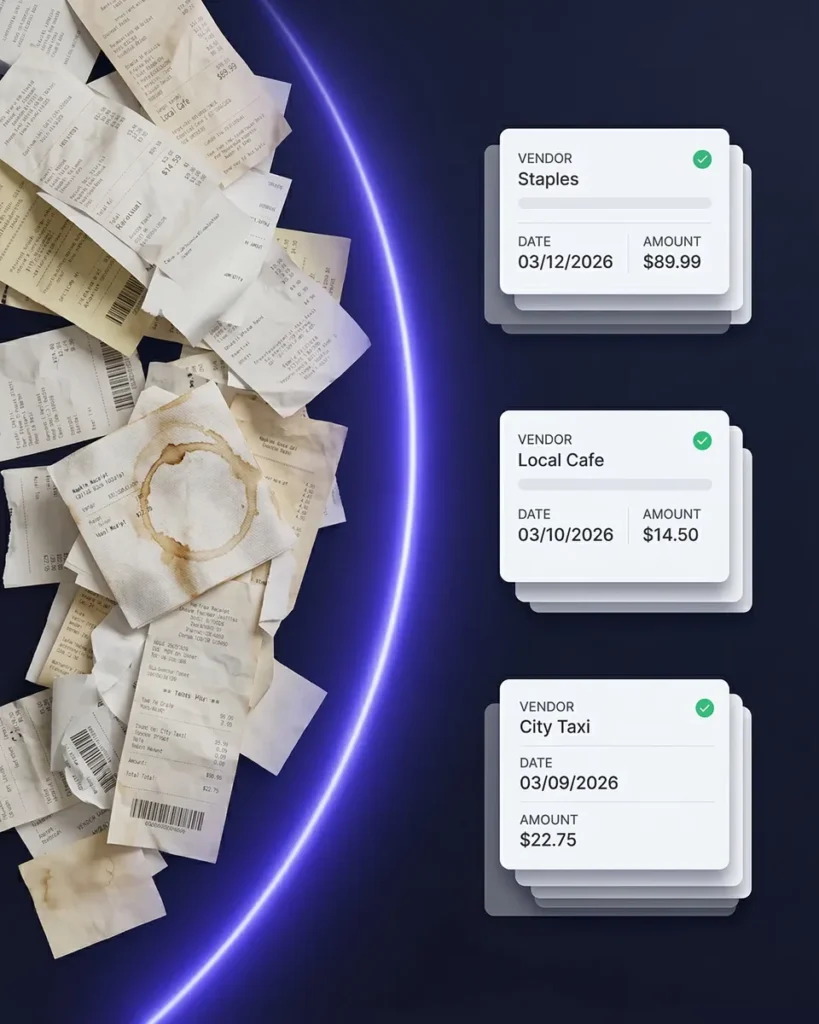
- Unlimited documents with full AI scanning
- Automatic email receipt fetching from Gmail and IMAP inboxes
- Upload up to 100 documents at once with instant AI processing
- Bank statement extraction with automatic receipt matching
- 150+ currencies with live exchange rates in any workspace
- Invite your accountant or bookkeeper to your account at any time
- In-app SparkAgent plus direct human support from our founder
What Makes SparkReceipt Different?
Expensify is built for corporate expense reports. SparkReceipt is built for people who actually pay their own bills.
Transparent pricing — no bait-and-switch. SparkReceipt is $16.65/month, billed annually. No corporate card requirement to unlock lower rates. Smarter automations — write “Tag Uber as Transport” in plain English and it happens automatically from then on. All-in-one — storage, AI receipt scanning, bank statement extraction, and expense reports included.
Truly global — reads receipts in almost any language and supports 150+ currencies with live exchange rates (Expensify locks workspaces to a single currency). Built-in security — every document encrypted, backed up, and searchable for 10+ years. Real support — SparkAgent helps instantly, and when needed, Joel (our founder) responds personally. Simple pricing — $16.65/month, billed annually, with a 7-day free trial.
Feature Comparison
A detailed look at what each platform offers
| Feature | Expensify | SparkReceipt |
|---|---|---|
| Receipt scanning | SmartScan uses OCR and AI. Free plan allows 25 scans/month, then $0.20 per additional scan. | Scan receipts in seconds with instant AI extraction. Unlimited documents included. |
| Expense categorization | Auto-categorization available on paid plans. Free plan cannot customize categories. | Lightning-fast AI categorization that gets it right the first time. Fully customizable. |
| Line-item categorization | Basic line-item data available on some receipt types. | Break down each receipt by line automatically with AI. |
| Pricing transparency | Advertised $5/user/month (Collect) and $9/user/month (Control) require Expensify Card. Without card: $10 and $18/user/month. | $16.65/month, billed annually. No card requirement. Price is what you see. |
| Refund policy | All fees are non-refundable per Expensify's Terms of Service. | 7-day free trial — cancel anytime before you're charged. |
| Price stability | Users report price increases of 80% to 400% with minimal advance notice. | Simple, transparent pricing with no surprise charges. No hidden fees, no card requirement to unlock the rate. |
| Email receipts | No native Gmail/IMAP auto-fetch. Requires manual forwarding to receipts@expensify.com. | Automatic email receipt fetching from Gmail and IMAP inboxes. No forwarding needed. |
| Bank statement extraction | Not available. Expensify focuses on receipt scanning and corporate card feeds. | Upload any bank statement (PDF, Excel, or CSV). AI extracts transactions and matches them to receipts in minutes. |
| Mass upload | Batch upload limited to 10 documents at a time. | Upload up to 100 documents at once, automatically detected and categorized in seconds. |
| Multi-currency support | Supports 159 currencies but workspaces are locked to a single currency. Cannot mix currencies in one workspace. | 150+ currencies with live exchange rates. Mix any currencies freely within a single workspace. |
| Expense reports | Full expense report workflow with approval chains, manager review, and corporate policy enforcement. | One-click, audit-ready reports with totals, taxes, and receipts ready to export instantly. |
| Data exports | Export to CSV or PDF with corporate formatting and approval data included. | Instant exports in Excel, CSV, PDF, or ZIP with full control over categories, taxes, and receipt links. |
| Accountant access | Accountants are billed as active users on your workspace plan. | Invite your accountant or bookkeeper to your account at any time. |
| Integrations | Integrates with QuickBooks, Xero, NetSuite, SAP, and other enterprise accounting tools. | Direct QuickBooks sync plus real-time automation with Zapier, Make, and Pabbly. |
| Mobile app | iOS rated 4.7/5, but Google Play rated 3.5/5. Complex interface with corporate workflow features. | Fast, intuitive app (iOS and Android) with instant AI scanning, offline support, and real-time sync. |
| AI agent | Concierge AI launched November 2025 for expense guidance and support. | SparkAgent is built in. Search, summarize, tag, and update documents using natural language prompts. |
| Customer support | Chat only, no phone support. User reviews frequently describe support as slow and unresponsive. | Instant in-app help with SparkAgent plus direct human support from our founder Joel. |
| Document limits | Free plan: 25 SmartScans/month, $0.20 per additional. Paid plans have higher limits. | Unlimited documents with full AI automation. |
| Automations | Rules-based automations for corporate expense policies, approval routing, and compliance workflows. | AI Automations understand natural language. Write your rule once and SparkReceipt handles it forever. |
| Free trial | Free plan with 25 SmartScans/month. No custom categories. $0.20 per additional scan. | 7-day free trial — try every feature with no limits before you pay. |
| Multiple workspaces | Supports multiple workspaces but each is locked to a single currency and requires separate policy setup. | Create unlimited subaccounts for different businesses or projects under one login with mixed currencies. |
This comparison is based on information publicly available from Expensify's website and other online sources as of March 2026. Features, pricing, and details may change over time. SparkReceipt is not affiliated with or endorsed by Expensify.
Simple Pricing That Scales With You
No hidden fees, no surprise charges. $16.65/month, billed annually with a 7-day free trial.
Elite
For freelancers, solopreneurs, and small teams.
$199.98/year
- Unlimited documents
- Upload documents from anywhere
- Multiple users (3 included, then pay per seat)
- Mass upload
- Automatic email receipt fetching
- Bank statement extraction
- Line-item categorization
- Expense reports
- Accountant access & sharing
- AI automations
- Integrations
- Unlimited linked sub-accounts
7-Day Free Trial
Add more users below. The per-user price drops as you grow.
3 users × $66.66/user/year = $199.98/year
Why Thousands Chose SparkReceipt Over Expensify
Hear from freelancers and business owners who made the switch

Excellent start and amazing team. Looking forward to making SparkReceipt my default expense management and accounting platform.

SparkReceipt takes care of the busy work, allowing me to quickly save receipts and create expense reports.
I needed a solution to organize and process my personal and business receipts. I'm thrilled I found SparkReceipt. It saves me a lot of time!
Frequently Asked Questions
How much does Expensify actually cost without the Expensify Card?
Expensify advertises $5/user/month (Collect) and $9/user/month (Control), but those prices require using the Expensify Card for all purchases. Without the card, Collect costs $10/user/month and Control costs $18/user/month. All fees are non-refundable per their Terms of Service. SparkReceipt is $16.65/month, billed annually, with no card requirement, no hidden conditions, and a 7-day free trial.
Is Expensify good for freelancers and solopreneurs?
Expensify is designed for corporate teams with approval workflows, expense policies, and manager reviews. Freelancers end up paying for features they will never use — like multi-level approvals, corporate card reconciliation, and domain control. SparkReceipt is purpose-built for small businesses with fast AI receipt scanning, automatic categorization, and one-click expense reports at a fraction of the cost.
Can SparkReceipt automatically capture email receipts like Expensify?
SparkReceipt goes further than Expensify for email receipts. Expensify requires you to manually forward emails to receipts@expensify.com, while SparkReceipt offers automatic email receipt fetching from Gmail and IMAP inboxes. Connect your inbox once and SparkReceipt automatically finds, imports, and categorizes email receipts from online purchases, SaaS subscriptions, and digital vendors.
Does SparkReceipt support multiple currencies?
Yes. SparkReceipt supports 150+ currencies with live exchange rates and lets you mix currencies freely within a single workspace. Expensify supports 159 currencies but locks each workspace to a single currency, which means you cannot mix different currencies in one workspace. For international small businesses, SparkReceipt’s flexible multi-currency handling is a significant advantage.
How does SparkReceipt's pricing compare to Expensify?
SparkReceipt offers simple, transparent pricing with no hidden fees or surprise charges at $16.65/month, billed annually ($199/year). Expensify users have reported price increases ranging from 80% to 400% with minimal advance notice, and Expensify fees are non-refundable. SparkReceipt also includes a 7-day free trial so you can try everything before you pay. See pricing details.
Can I invite my accountant to SparkReceipt?
Yes. You can invite your accountant or bookkeeper to your SparkReceipt account at any time. Accountants count toward your seat count, just like any other team member. In Expensify, accountants are billed as active users on your workspace at full per-user rates, which can dramatically increase your monthly cost.
Does SparkReceipt integrate with QuickBooks?
Yes. SparkReceipt integrates directly with QuickBooks Online. Your categorized expenses and receipt images sync automatically, eliminating double entry. SparkReceipt also connects with Zapier, Make, and Pabbly for additional automation workflows.
How does SparkReceipt's customer support compare to Expensify?
Expensify offers chat-only support with no phone option. User reviews frequently describe their support as slow and unresponsive. SparkReceipt provides instant in-app help through SparkAgent (our built-in AI assistant) and direct human support from Joel, our founder. For expense tracking questions or technical issues, you get real answers from real people.