Hubdoc Pricing: The Short Answer
- You use Xero. Start with what you already pay for. Every Xero US plan includes document capture, which Xero's US pages now call Smart Document Capture. Xero's US pricing page doesn't say whether a plan also covers a separate Hubdoc account, so ask Xero before you count on it.
- You use QuickBooks Online. Hubdoc on its own is $12 a month and publishes bills and receipts into QuickBooks Online. SparkReceipt publishes to QuickBooks Online too, with the receipt image attached, and also reads your bank statements.
- Five or more people submit paperwork, or you run a bookkeeping practice. Dext's business plan is built around 5 users and 250 documents a month, with supplier statement extraction included.
- You need to see which bank lines have no receipt, or pull old receipts out of your inbox. That is the job SparkReceipt does.
| Hubdoc | Dext (Business) | AutoEntry | SparkReceipt |
|---|
| US price | $12/month on its own; included with Xero US plans | $25.21/month billed annually ($302.50/year) | From $13/month for 50 credits | Pro from $5.75/month; Elite $10.75/month, billed annually |
| Users | Multiple collaborators | 5 | Unlimited | 1 included, more per user; your accountant joins free |
| Monthly volume | Unlimited usage | 250 documents | 50 credits; a receipt or invoice uses 1 | Pro: 50 documents. Elite: unlimited (fair use) |
| Line items | Not listed; Hubdoc names supplier, amount, invoice number and due date | 5 documents included, then $20.50/month for 50 or $0.50 each | 2 credits per invoice | Every line on Elite |
| Bank statements | A few direct connections remain; general bank fetching ended in 2022 | 10 sheets included, then $13/month for 50 or $0.32 each | 3 credits per page | Upload PDF, CSV or Excel; each line matched to a receipt |
| Documents come in by | App, email forwarding, upload, Box | App, email, upload | App, email, upload | App, connected email inboxes (including past emails), upload, bank statements |
| Publishes to | Xero, QuickBooks Online, Bill.com | QuickBooks Online, Xero, Sage and more | QuickBooks, Xero, Sage and more | QuickBooks Online, Xero, or PDF, Excel and CSV reports |
| Free trial | 30 days | 14 days | 25 free credits | 7 days |
Hubdoc Pricing and What Xero Now Includes
Hubdoc on its own costs $12 a month. Hubdoc's pricing page lists unlimited usage, multiple collaborators and a 30-day free trial with no credit card. It reads supplier names, amounts, invoice numbers and due dates from bills and receipts, and publishes them to Xero or QuickBooks Online. Documents arrive by phone, email forwarding, desktop upload or Box.
Xero's US plans include capture at no extra cost. Xero Early is $27 a month, Growing $59 and Established $97. Since July 2026, Xero's US pages describe the capture on every plan as Smart Document Capture, Xero's own built-in feature, and its launch post mentions multi-line, itemized extraction. Hubdoc hasn't been retired: it is still sold, at $12 a month on its own, and still syncs to Xero. Xero's US pricing page lists Smart Document Capture on every plan and doesn't mention Hubdoc. If you're on Xero, try what you already pay for first.
Bank statement fetching mostly ended in 2022. Xero stopped new Hubdoc fetch connections in January 2022 and retired the existing ones that April, keeping only a few direct connections such as Bank of America, Wells Fargo and Stripe. For most banks, statements come into Hubdoc the same way receipts do: you download and upload them.
Hubdoc With QuickBooks Online
The "Hubdoc QuickBooks" question is the one most US small businesses actually have. If your books are in QuickBooks Online, Hubdoc isn't included anywhere; it's $12 a month on its own, and it publishes bills and receipts into QuickBooks with the document attached.
SparkReceipt publishes to QuickBooks Online too, with the receipt image attached to the expense, and adds the parts Hubdoc leaves to you:
- Receipts from your inbox, not only forwarded ones. Connect Gmail, Outlook or any IMAP inbox and SparkReceipt picks up new receipts and invoices as they arrive, and can go back through past emails.
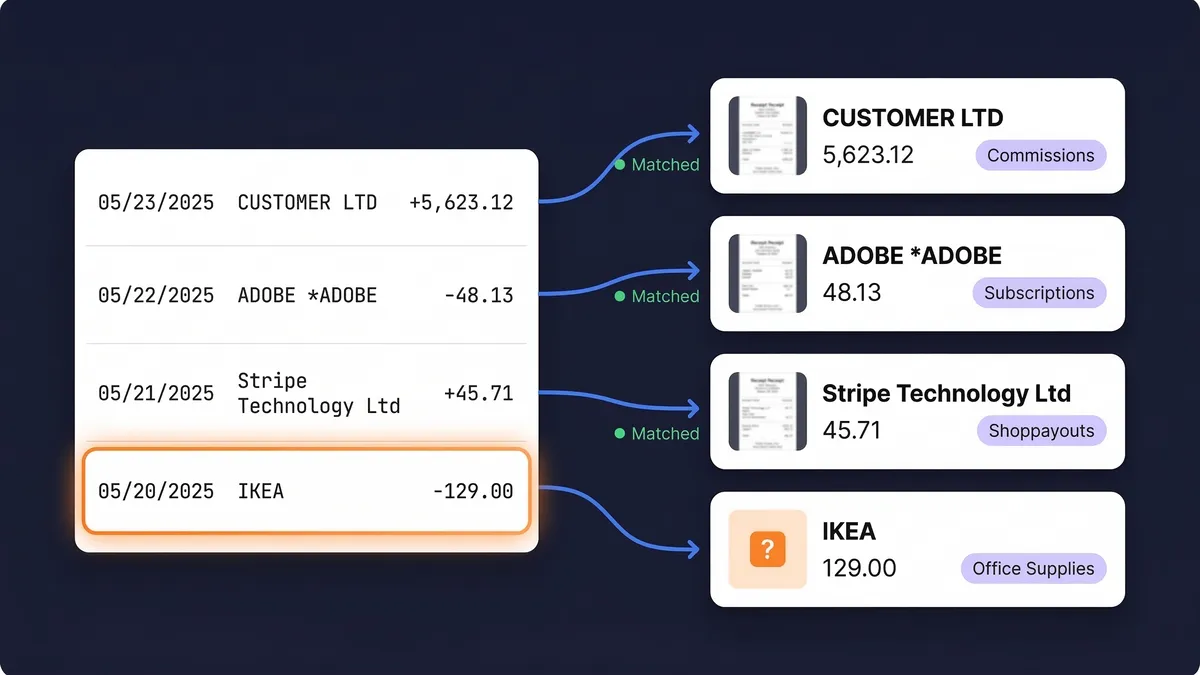
- Every bank line matched. Upload your bank or card statement as PDF, CSV or Excel, and each line is matched to its receipt. The lines with nothing behind them are listed, so you can chase them before your accountant asks. In the US you can also connect a live bank feed.
- Line items on Elite. Every line of a receipt is read, so a mixed purchase can be split across categories before it reaches QuickBooks.
Hubdoc Pricing vs Dext and SparkReceipt: A Worked Example
Take a US sole proprietor on QuickBooks Online with 60 receipts and bills a month. Ten of them are supplier invoices worth reading line by line, and the bank sends a 3-page statement.
| What the month uses | List price |
|---|
| Hubdoc | Unlimited documents; line items not listed; statement uploaded by hand | $12 a month |
| Dext (Business) | 60 of 250 documents; 10 line-item invoices, 5 above the allowance; 3 of 10 statement sheets | About $27.71 a month: $25.21 billed annually plus 5 line items at $0.50 |
| AutoEntry | 50 × 1 credit + 10 × 2 credits + 3 pages × 3 credits = 79 credits | $24 a month (the 100-credit plan) |
| SparkReceipt Elite | Unlimited documents and line items; each statement line matched to its receipt, using the plan's monthly credits | $10.75 a month billed annually |
Hubdoc is the cheapest way to get bills into QuickBooks if that's all you need. The others earn their price on different jobs: Dext on teams and supplier statements, AutoEntry on occasional volume, and SparkReceipt on proving each bank line. If you have under 50 documents a month, SparkReceipt Pro starts at $5.75 a month billed annually.
Dext vs Hubdoc: How They Differ
Hubdoc is capture for Xero and QuickBooks Online users. It is flat-priced, has no document cap, and keeps the extracted fields simple: supplier, amount, invoice number and due date.
Dext is priced for teams and practices. The business plan is $25.21 a month billed annually for 5 users and 250 documents. Each month it includes 10 bank statement sheets, 5 documents with line items and 5 supplier statements. Beyond that, line items cost $20.50 a month for 50 documents (or $0.50 each), bank statements $13 a month for 50 (or $0.32 each) and supplier statements $20.50 a month for 50 (or $0.50 each). Each extra user adds 50 documents to the allowance. Annual plans need 30 days' notice before renewal to cancel.
AutoEntry charges by the document. Its pricing page lists plans from $13 a month for 50 credits up to $469 a month for 2,500. A receipt or invoice uses 1 credit, an invoice with line items 2, and a bank or credit card statement 3 per page. Users are unlimited, and unused credits roll over for 90 days.
For a sole proprietor with a few dozen receipts a month, Dext vs Hubdoc usually ends with Hubdoc, or with Xero's included capture if you're on Xero. Dext earns its price when several people submit paperwork or a practice collects documents for many clients.
Hubdoc Review: When Hubdoc Is Enough
Hubdoc does one job well: it gets bills and receipts into Xero or QuickBooks Online with the document attached, for a flat $12 a month or nothing extra on Xero. If your receipts are mostly paper, your bank charges mostly have obvious receipts, and your accountant only needs the documents in the ledger, it may be all you need.
It's less of a fit when the question is the other way round: which of this month's bank charges have no receipt yet, what's sitting in your inbox that never got forwarded, or how a mixed purchase splits across categories. SparkReceipt starts from those questions.
Moving From Hubdoc Without Losing Records
The IRS generally expects you to keep the records that support a tax return for at least 3 years after you file it, and longer in some cases (see how long to keep receipts). Changing capture tools doesn't change that.
- Leave what's already published. Bills and receipts Hubdoc sent to Xero or QuickBooks Online stay attached there.
- Connect SparkReceipt to the same ledger. Link QuickBooks Online or Xero, connect your inbox, and upload your next bank statement.
- Run both for a month if you like. Hubdoc's monthly plan and SparkReceipt's trial both let you compare on the same receipts before you decide.
Prices, plans and features come from Hubdoc's pricing page, Xero's US pricing page and its July 2026 Smart Document Capture announcement, Xero's notice on Hubdoc fetch connections, Dext's US business pricing and extraction pricing, and AutoEntry's pricing page, read on 5 October 2026 (USD). AutoEntry's page is a multi-currency page and may lag behind its current US prices. Prices and features change, so check before you buy. SparkReceipt is not affiliated with or endorsed by Hubdoc, Xero, Dext or AutoEntry.