
Receipt Scanner App for iPhone
Scan any receipt with your iPhone camera. AI extracts every detail in seconds.
Turn your iPhone into a powerful receipt scanner. SparkReceipt's AI reads any receipt you photograph — extracting vendor, amount, date, tax, and category automatically. Works with crumpled receipts, faded thermal paper, and handwritten notes. Supports 150+ currencies. Free to start.





Why iPhone Users Choose SparkReceipt
More than Apple's built-in scanner — purpose-built for expenses
Your iPhone camera can scan documents, but it doesn’t know what a receipt is. SparkReceipt is different — it’s an AI receipt scanner built specifically for expense tracking.
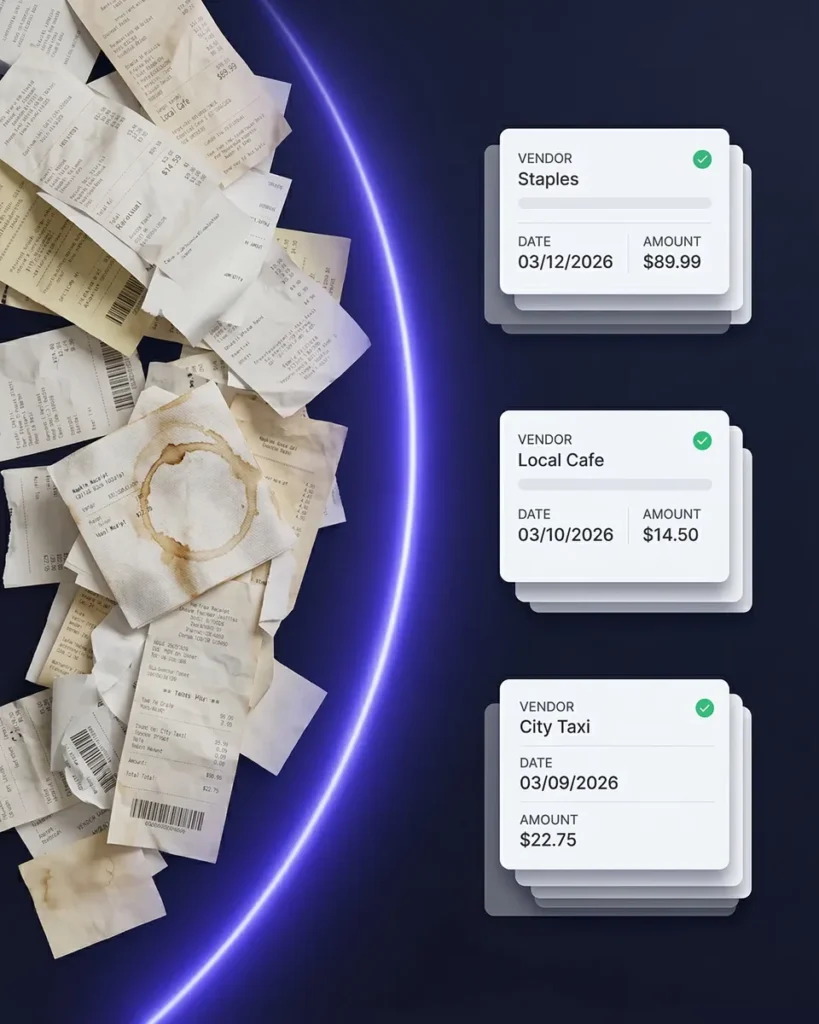
When you scan a receipt with SparkReceipt on your iPhone, the AI doesn’t just save an image. It reads the receipt — extracting the vendor name, total amount, date, tax, currency, and individual line items. Then it categorizes the expense automatically. No typing. No manual entry.
Scan Receipts Anywhere — Even Offline
No internet? No problem. Receipts sync when you reconnect.
SparkReceipt works on your iPhone even without cell signal or Wi-Fi. Snap a photo of your receipt on a job site, at a restaurant, or on the road — the receipt is stored locally and processed automatically when you’re back online.
Every receipt is backed up to the cloud, so switching phones or losing your device never means losing your expense records.
Beyond Scanning: A Complete Expense System
Receipt scanning is just the start
SparkReceipt on iPhone does more than scan receipts:
- Email receipt capture — connect your inbox and digital receipts are imported automatically
- Expense tracking — every receipt is categorized and tracked in real-time
- Expense reports — generate PDF or Excel reports in one tap
- QuickBooks sync — categorized expenses flow into your accounting software
- Free accountant access — your accountant views your data without an extra subscription
How It Works on iPhone
From receipt to organized expense in three taps
Open the App and Snap a Photo
Open SparkReceipt on your iPhone and point your camera at any receipt. The app captures a clear image automatically — no need to align edges or adjust lighting. Works with any receipt type: store receipts, restaurant bills, gas station slips, invoices, and handwritten notes.
AI Reads and Categorizes Instantly
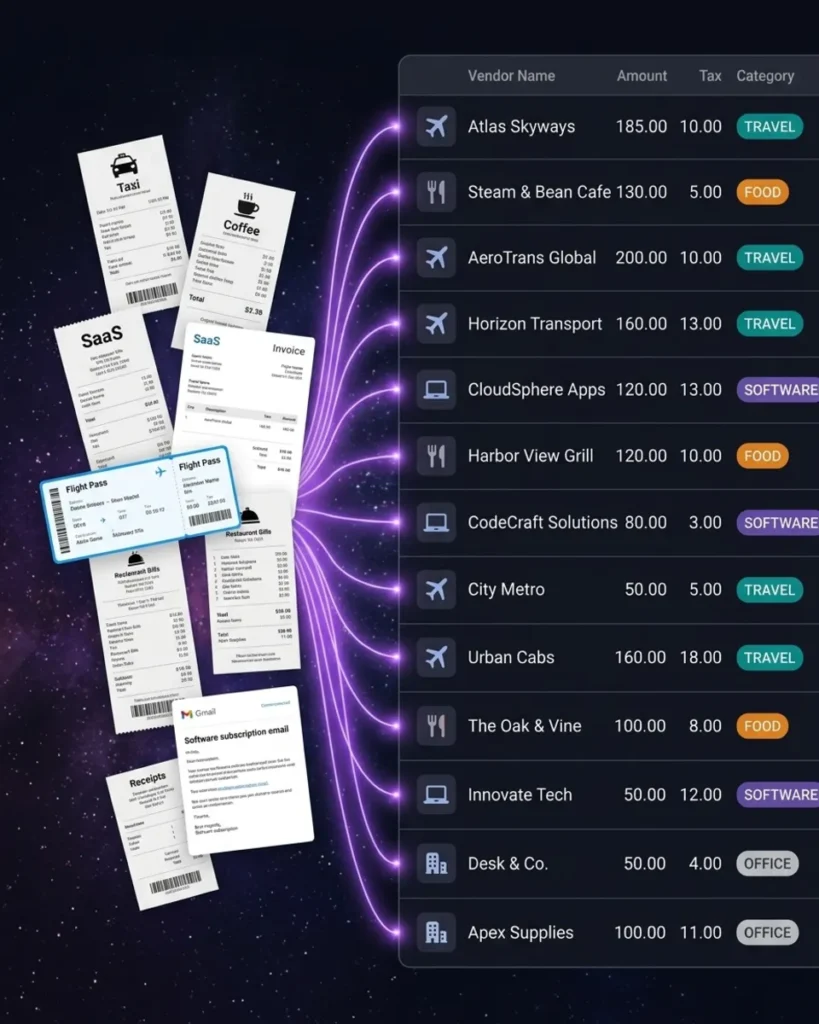
In 2-3 seconds, SparkReceipt’s AI extracts the vendor name, total amount, date, tax, currency, and line items. The expense is automatically categorized — meals, transportation, office supplies, or whatever it is. No typing required.
Everything Searchable and Tax-Ready
Your scanned receipts are stored in a searchable cloud archive. Find any receipt by vendor, date, or amount. When tax time comes, generate a complete expense report in one tap — categorized, totaled, and ready for your accountant.
Loved by iPhone Users
See what small business owners say about SparkReceipt

The scan accuracy is the most precise out there. Just try it!
SparkReceipt has been a game-changer for me! It’s made organising my expenses and accounts effortless, saving me loads of time.
SparkReceipt is an excellent alternative to full-fledged accounting software, saving you time and money!
iPhone Receipt Scanner FAQ
Is SparkReceipt available on the App Store?
Yes. SparkReceipt is available as a free download on the App Store. It works on iPhone and iPad running iOS 15 or later.
How is SparkReceipt different from the iPhone's built-in scanner?
Apple’s Notes app can scan documents, but it just saves an image. SparkReceipt’s AI actually reads the receipt — extracting vendor, amount, date, tax, and category automatically. It also categorizes expenses, generates reports, and syncs with accounting software like QuickBooks.
Does it work offline?
Yes. You can scan receipts without an internet connection. SparkReceipt stores them locally on your iPhone and processes them automatically when you reconnect to Wi-Fi or cellular data.
Can I scan receipts in other languages and currencies?
Yes. SparkReceipt reads receipts in multiple languages and supports 150+ currencies with automatic conversion. Scan a receipt in euros, yen, or pounds — the AI handles the rest.
How much does it cost?
SparkReceipt offers a free plan with no credit card required. Paid plans start from $6.58/month with a lifetime price lock. See pricing.
Early Bird Deal
Lock in our best deal ever – only $6.58 USD per month (*billed annually at $79 USD/year). Stay subscribed, and your price will never go up, even as SparkReceipt gets better. This lifetime pricing is limited to the first 15,000 users. With our 30-day money-back guarantee, there’s no risk in trying.
Do Not Miss Out on Our Limited-Time Offer