


Receipt Scanner for QuickBooks Online
Scan receipts with AI — sync to QuickBooks automatically.
Stop typing receipt data into QuickBooks manually. SparkReceipt's AI scans every receipt, invoice, and expense document — then syncs the extracted data directly to QuickBooks Online through a native integration. No CSV exports, no copy-pasting, no missed transactions. Just scan receipts and watch them flow into your books.





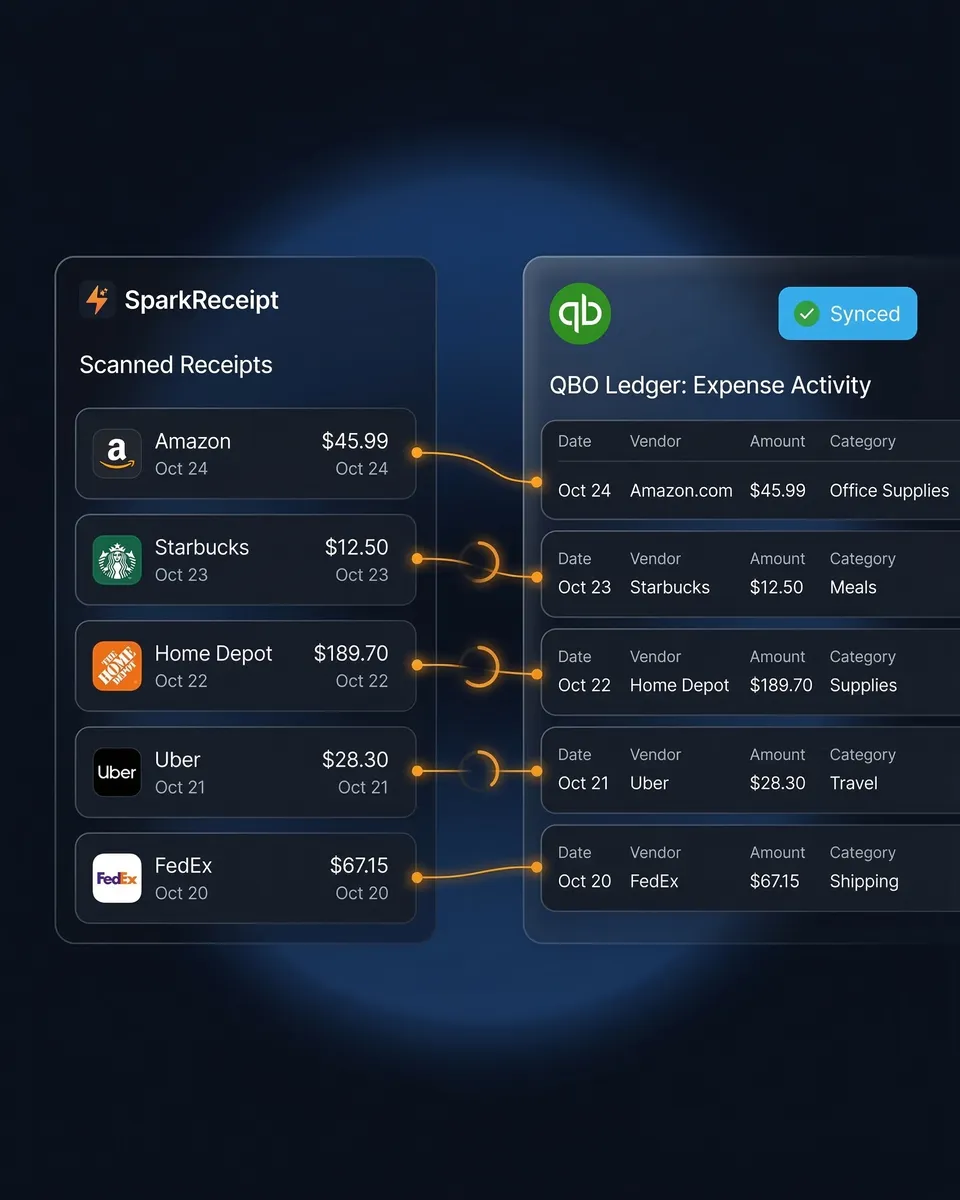
The Best Receipt Scanner App for QuickBooks
AI captures every detail — vendor, amount, date, tax, category
Most QuickBooks receipt scanning apps make you do the work — manual uploads, manual categorization, manual matching. SparkReceipt is different. Our AI receipt scanner reads every receipt in seconds, extracting the vendor name, amount, date, tax, and line items automatically.
Snap a photo with your phone, upload a PDF from your computer, or forward receipts from email — SparkReceipt processes any format. The extracted data syncs to QuickBooks Online through a direct API connection, categorized and ready for reconciliation.
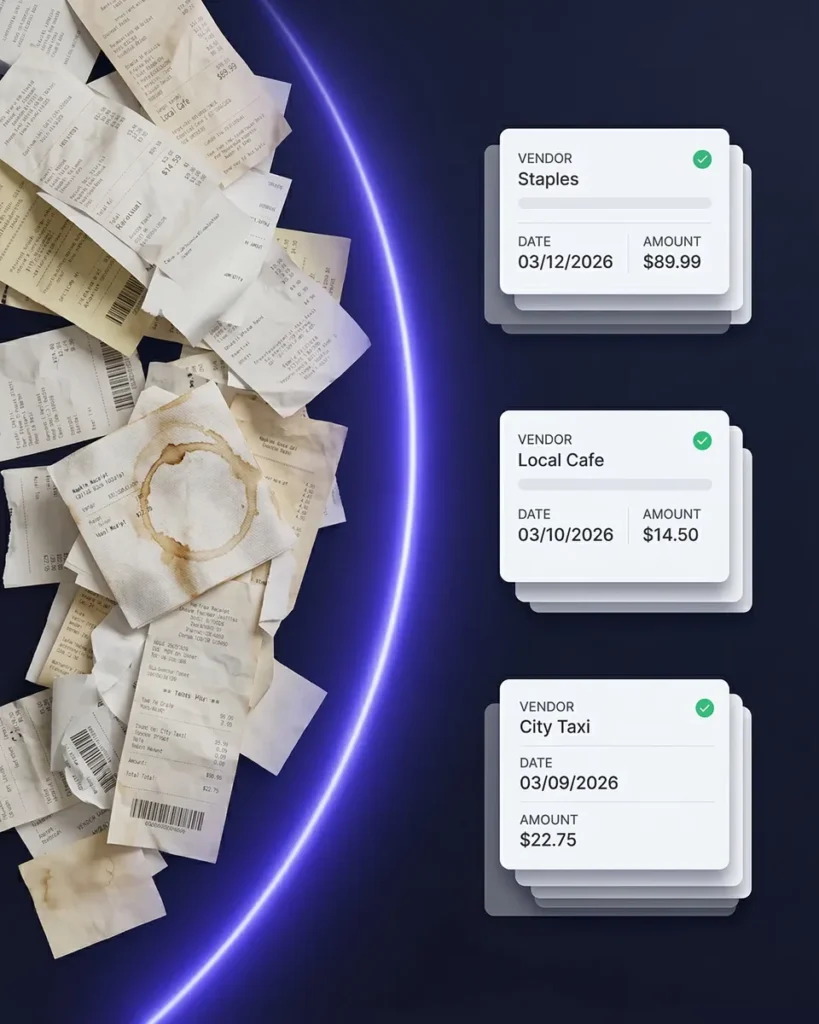
Scan Receipts to QuickBooks — No Manual Entry
Every receipt captured, categorized, and synced automatically
Here’s what happens when you scan a receipt with SparkReceipt’s QuickBooks integration:
- Scan — snap a photo, upload a file, or forward an email receipt
- AI extracts — vendor, amount, date, tax, and category are read automatically
- Auto-categorize — AI maps to your QuickBooks chart of accounts
- Sync — the transaction appears in QuickBooks Online, ready to match with bank feeds
No typing. No CSV exports. No switching between apps. Your receipts go from paper (or email) to your books in seconds — with the original receipt image attached for your records.
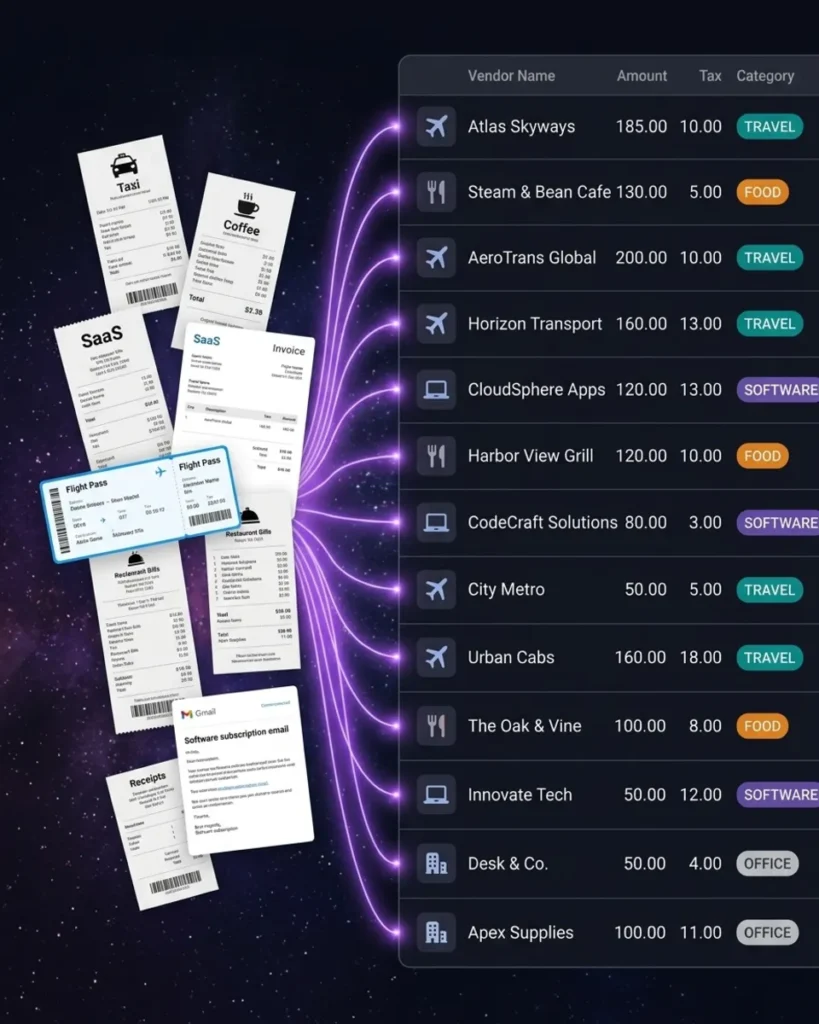
Expense Tracker That Works With QuickBooks
Track every business expense — receipts, invoices, and bank statements
SparkReceipt isn’t just a receipt scanner — it’s a full expense tracker that feeds into QuickBooks. Capture receipts from your phone, import email receipts automatically, and upload bank statements to catch anything you missed.
AI categorizes every expense and learns your spending patterns over time. Generate expense reports by category, vendor, or time period — then sync everything to QuickBooks in one click. Your accountant gets clean books without chasing you for receipts.
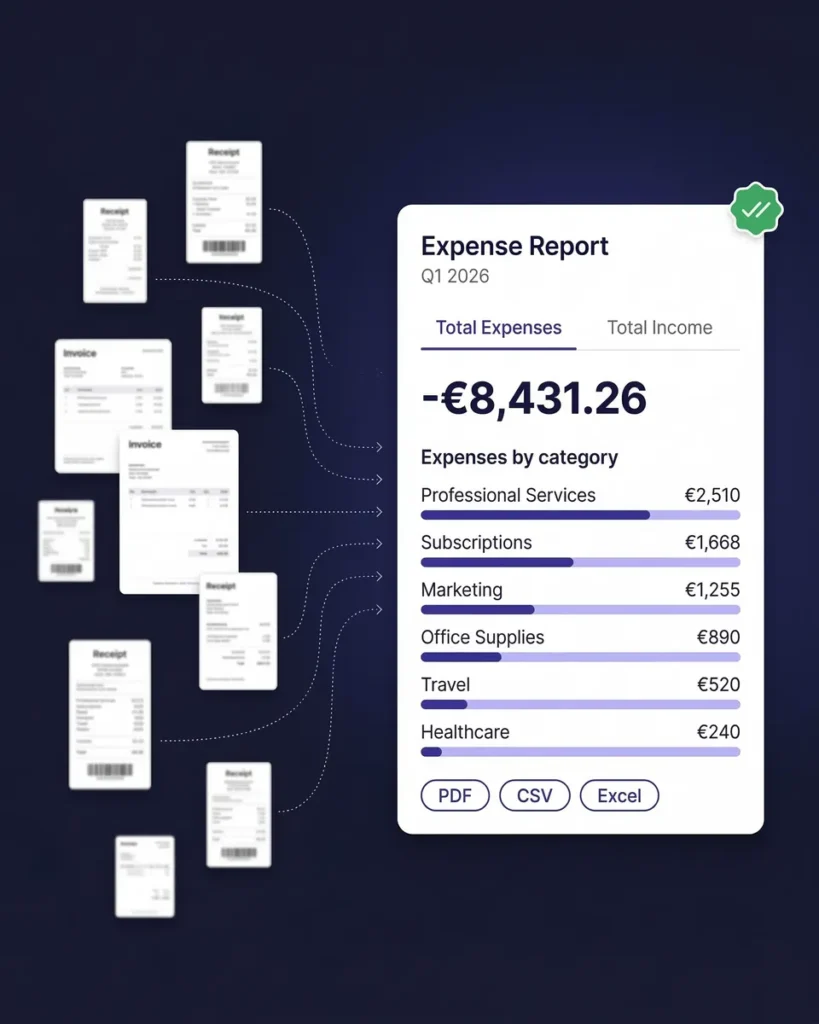
How Receipt Scanning to QuickBooks Works
From paper receipt to QuickBooks entry in three steps
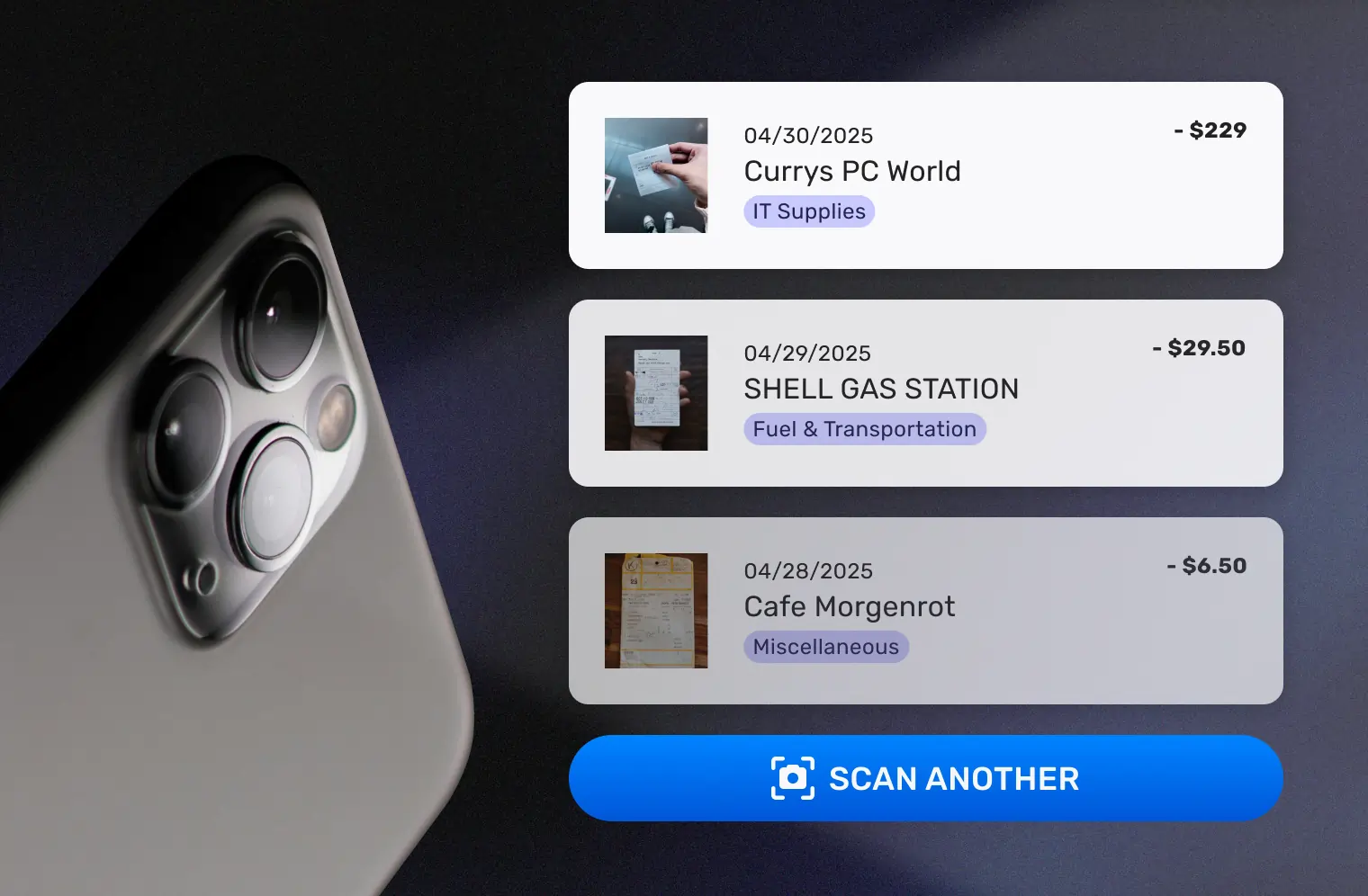
Capture Any Receipt or Invoice
Snap a photo with your iPhone or Android. Upload PDFs, images, or documents from your computer. Forward email receipts from vendors and suppliers automatically. SparkReceipt’s AI reads any format — printed, handwritten, crumpled, or faded.
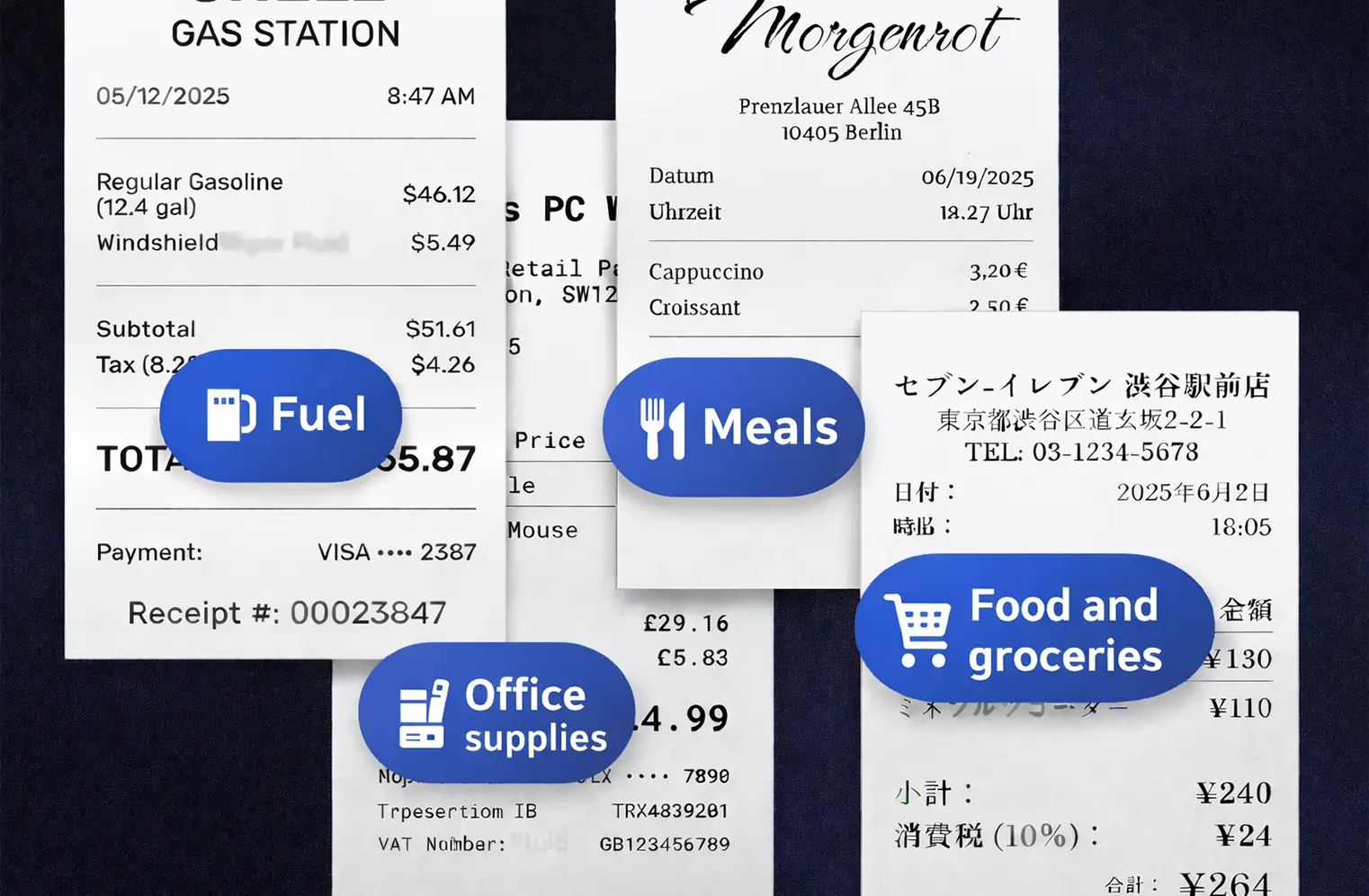
AI Extracts and Categorizes Automatically
The AI reads every receipt and extracts vendor name, total amount, date, tax, and line items. Expenses are automatically categorized using your QuickBooks chart of accounts — office supplies, travel, meals, utilities, and every other category. SparkReceipt learns your vendors and gets smarter with every receipt.
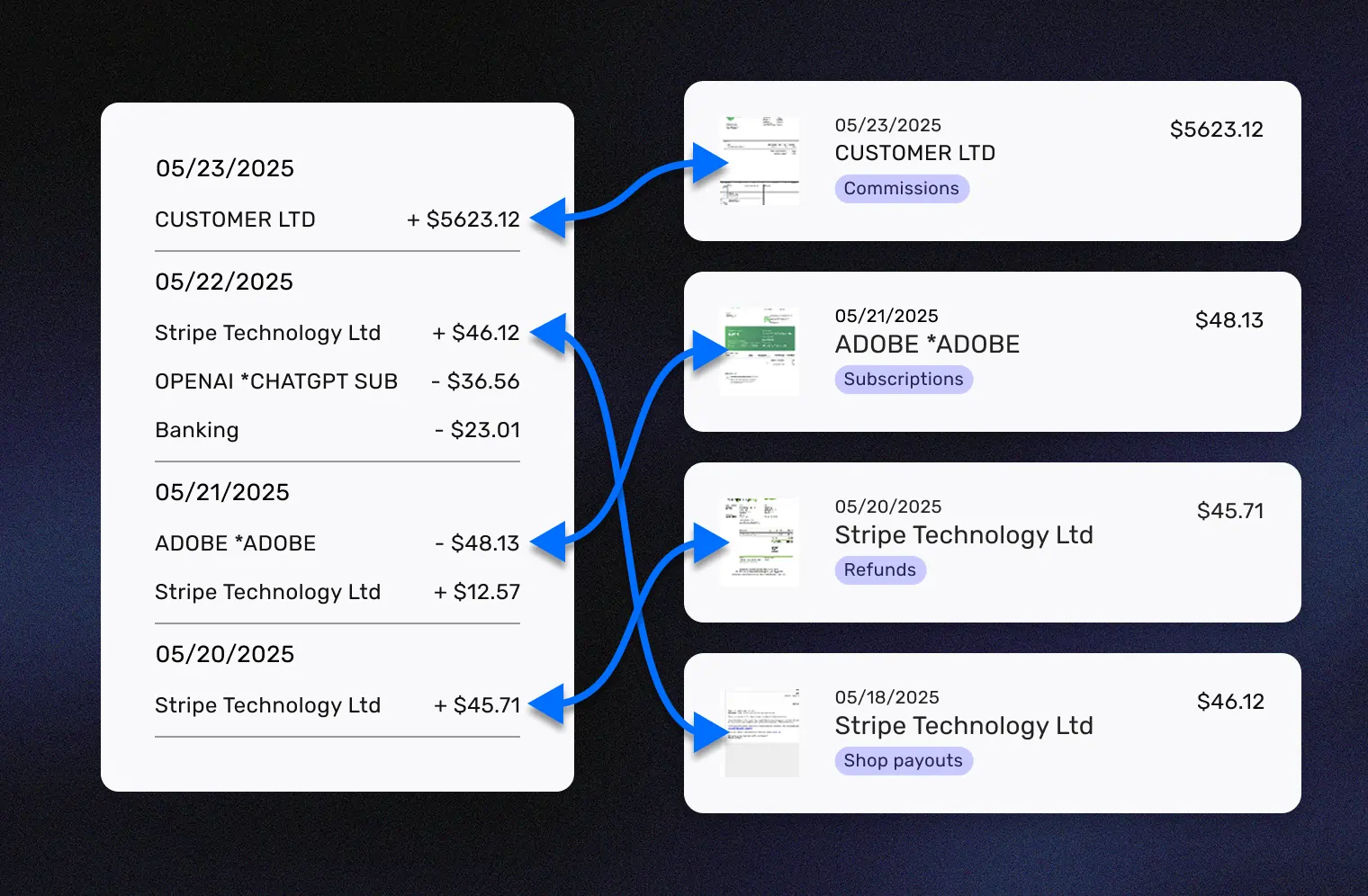
Push to QuickBooks Online Automatically
Categorized expenses sync to QuickBooks Online through a direct API connection. Transactions appear in your books ready to match with bank feeds. Receipt images are attached to each transaction — so your accountant can verify any expense without asking you for the original receipt.
Trusted by QuickBooks Users
See why small businesses choose SparkReceipt for QuickBooks
SparkReceipt is one of the very few software purchased that I have made that exceeded my expectations. It does much more than keeps copies of your business receipts, it provides great reports, with easy edit options - it is going to save me a lot of work when I do my annual tax returns - a great product.
Thanks to SparkReceipt I have a quick look to my business accounts status in a glance. It is really impressive.

I used to send my accountant a bag of slips every month hoping they capture everything in order for me to be refunded for business expenses. With Sparkreceipt I now have a realtime view of how much the business owes me and I have a clear picture for what business expenses I pay for.
Still Entering Receipts Into QuickBooks Manually?
See what changes when AI handles your receipt capture

Without SparkReceipt
- Typing receipt data into QuickBooks one transaction at a time
- Receipts piling up because manual entry takes too long
- Errors from mistyped amounts, wrong dates, or missed transactions
- No receipt images attached — just numbers in QuickBooks
- Accountant asking you to find receipts at tax time

With SparkReceipt
- AI scans receipts and syncs to QuickBooks in seconds — no typing
- Every receipt captured the moment you get it — phone, email, or upload
- AI extracts data accurately — vendor, amount, date, tax, category
- Original receipt images attached to every QuickBooks transaction
- Free accountant access — they see organized data, not shoeboxes
QuickBooks Receipt Scanner FAQ
What is the best receipt scanner for QuickBooks?
SparkReceipt is designed to be the best receipt scanner for QuickBooks Online. Unlike QuickBooks’ built-in receipt capture, SparkReceipt uses advanced AI to read any receipt format — printed, handwritten, crumpled, or faded — and extracts vendor, amount, date, tax, and line items automatically. Data syncs directly to QuickBooks through a native API integration with receipt images attached.
Can I scan receipts directly to QuickBooks?
Yes. With SparkReceipt’s QuickBooks integration, you scan a receipt (phone photo, PDF upload, or email forward) and the extracted data syncs directly to QuickBooks Online. No CSV exports, no manual entry, no copy-pasting. The transaction appears in your QuickBooks books automatically, categorized and ready for reconciliation.
Does SparkReceipt work as an expense tracker for QuickBooks?
Yes. SparkReceipt is a full expense tracker that integrates with QuickBooks Online. It captures receipts from photos, email, and bank statements — categorizes everything with AI — and syncs to your QuickBooks chart of accounts. It handles the receipt capture and categorization side, while QuickBooks handles your accounting and reporting.
How does receipt capture work with QuickBooks?
SparkReceipt connects to QuickBooks Online through a direct API integration. When you scan a receipt, the AI extracts all the data and maps it to your QuickBooks categories. You can sync individual transactions or batch-sync multiple receipts at once. Receipt images are attached to each QuickBooks transaction for audit trail purposes.
Is SparkReceipt better than QuickBooks' built-in receipt scanning?
SparkReceipt’s AI is purpose-built for receipt scanning — it handles poor quality photos, crumpled receipts, handwritten receipts, multi-currency documents, and complex invoices more accurately than QuickBooks’ native receipt capture. SparkReceipt also adds automatic email receipt capture, bank statement extraction, and supports 150+ currencies.
Can my accountant access the receipt data?
Yes. SparkReceipt includes free guest access for your accountant or bookkeeper. They can view all your scanned receipts, expense categories, and reports directly in SparkReceipt — in addition to the data that syncs to QuickBooks. No extra subscription needed.
How much does the QuickBooks integration cost?
The QuickBooks Online integration is included in all SparkReceipt plans at no extra cost. SparkReceipt offers a free plan to get started. Paid plans start from $6.58/month with simple, transparent pricing and no hidden fees.
Early Bird Deal
Get our best deal ever – only $6.58 USD per month (*billed annually at $79 USD/year). This pricing is limited to the first 15,000 users. With our 30-day money-back guarantee, there’s no risk in trying.
30-day money-back guarantee