QuickBooks Solopreneur Pricing in 2026
Intuit's Solopreneur page shows three plans side by side. Prices are per month with monthly billing:
| Plan | Price | Receipts | Mileage | Invoices | Accountant access | Contractors |
|---|
| Free | $0 | 2 a month | 5 trips a month | 2 a month, unlimited with QuickBooks Payments | No | 1 |
| Lite | $20/month ($10 for the first 3 months) | Unlimited | Unlimited | Unlimited | No | 3 |
| Simple Start | $38/month ($19 for the first 3 months) | Unlimited | Unlimited | Unlimited | Yes | Unlimited |
A few details decide which plan a one-person business ends up on:
- The Free plan runs out fast. Two receipts and five trips a month cover a very quiet month. The plan connects one bank account and sends two invoices, or unlimited invoices once QuickBooks Payments is turned on.
- Lite is the working plan. It lifts the receipt, mileage and invoice limits, adds the mobile app, automated bill pay and sales tax, and includes Expert Assisted Tax powered by TurboTax, which you pay for when you file (with 20% off the base price of federal filing).
- Accountant access starts at Simple Start. If your accountant needs to see the books, the QuickBooks price roughly doubles from Lite.
- Promotional prices end. The 50% discount covers the first 3 months. The plan builder also offers a discount for annual billing, and there is no annual contract on monthly plans.
QuickBooks Self-Employed Pricing, and What Replaced It
Intuit no longer offers QuickBooks Self-Employed to new customers. People who already subscribe can keep it or upgrade to QuickBooks Solopreneur, and new customers choose from Intuit's other products, Solopreneur included. Because it can't be bought any more, Intuit's pages no longer list a QuickBooks Self-Employed price, so a search for one ends at Solopreneur's pricing.
QuickBooks Solopreneur vs Self-Employed
Intuit lists these differences between the two:
- Books to taxes. Self-Employed exported your numbers to TurboTax. Solopreneur connects to QuickBooks Live Tax for Schedule C filers, so the books and the return sit closer together.
- More ways to get paid. Solopreneur takes credit and debit cards, PayPal, Venmo, Apple Pay and ACH.
- Estimates as well as invoices. Solopreneur adds customized estimates.
- QuickBooks Checking. Solopreneur works with Intuit's business bank account.
- Business and personal sorting. Solopreneur sorts business and personal expenses on its own and learns from how you categorize.
If you are still on Self-Employed and wondering whether to move, the question is less about QuickBooks and more about where your receipts and mileage live. Both products are built around the bank feed. The receipts behind each line are still yours to collect.
QuickBooks Solopreneur Review: What It Does Well
Solopreneur is a good fit for a one-person business that bills clients. Invoices, estimates and online payments sit next to the bookkeeping, deposits typically arrive the next business day, and the Lite plan's tax help comes from TurboTax experts who review the return. It also handles 1099 contractors: Free manages one, Lite three. SparkReceipt does none of that. We don't create invoices, take payments or file returns.
What Solopreneur doesn't offer is a way to see which bank lines have no receipt behind them, read receipts out of your email inbox, or give your accountant a login on the Free and Lite plans. If those are the gaps you keep hitting, a QuickBooks Self-Employed alternative built around records makes more sense than a bigger QuickBooks plan.
Where SparkReceipt Fits
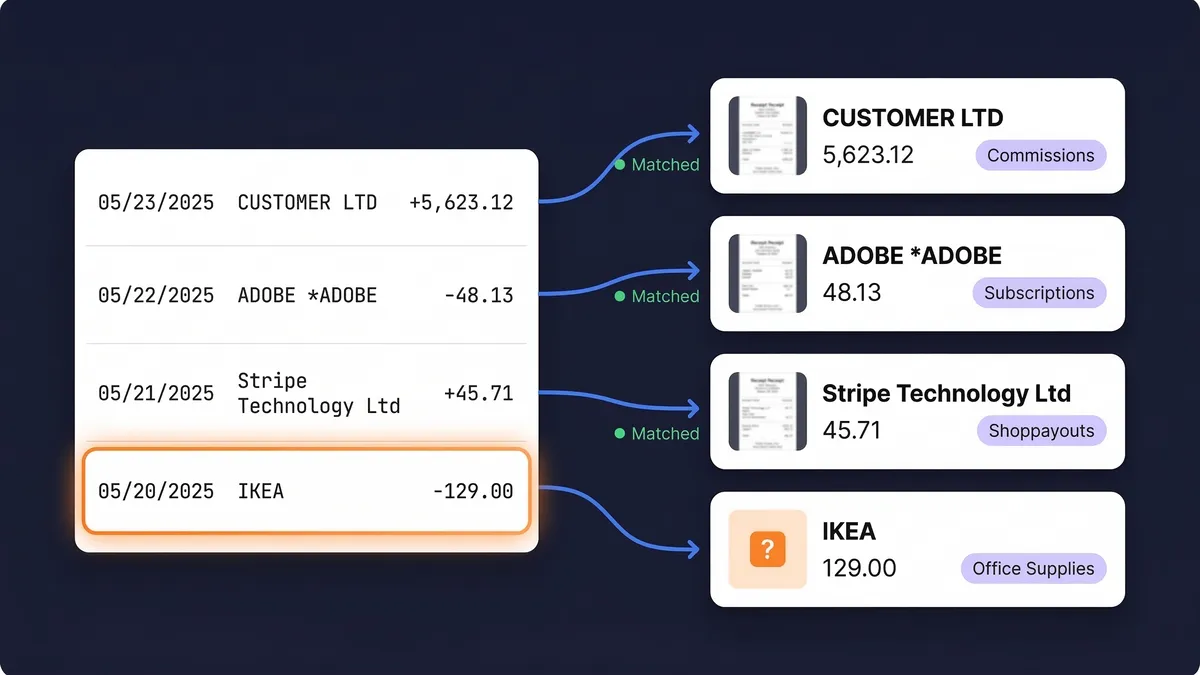
- Every bank line matched to a receipt. Upload a statement as PDF, CSV or Excel and the bank statement extractor matches each line to its receipt and flags the ones with nothing behind them. (How matching works)
- Receipts from your phone and your inbox. Snap paper receipts with the receipt scanner and connect Gmail, Outlook or any IMAP inbox so email receipts arrive on their own. Email history extraction goes back through past emails to a date you choose.
- Mileage on every plan. The mileage tracker logs trips by GPS or by hand, so the mileage log sits next to the fuel and parking receipts.
- A Schedule C package. Elite turns a year of expenses, income and business trips into a Schedule C worksheet (PDF and Excel) and the official Schedule C filled in from the same numbers, for you or your preparer to review and file. (Schedule C export)
- Your accountant joins free. Invite your accountant or bookkeeper at no cost on every plan, without taking a paid seat.
- Built for self-employed records. See how it works for self-employed expense tracking, including income as well as expenses and 190 currencies.
QuickBooks Solopreneur Pricing vs SparkReceipt: A Worked Example
Take a freelance designer who sends 6 invoices a month, collects 35 receipts (20 paper, 15 by email) and drives to clients 40 times.
| What the month needs | Monthly price |
|---|
| QuickBooks Solopreneur Free | 2 receipts, 5 trips and 2 invoices a month: not enough | $0 |
| QuickBooks Solopreneur Lite | Unlimited receipts, trips and invoices; no accountant access | $20 ($10 for the first 3 months) |
| QuickBooks Simple Start | The same, plus accountant access | $38 ($19 for the first 3 months) |
| SparkReceipt Pro | 35 of 50 documents, 40 trips, email receipts from one inbox, accountant free; no invoicing | $5.75 billed annually |
Most of the gap is invoicing. If you already send invoices from your bank, your payment provider or another tool, SparkReceipt covers the rest of the month for less. If you want QuickBooks for invoicing and payments, the Free plan's invoice limit lifts once QuickBooks Payments is on, and SparkReceipt can keep the receipts and mileage that the Free plan caps.
Using SparkReceipt With QuickBooks
SparkReceipt syncs with QuickBooks Online, which starts at the Simple Start plan, and publishes each expense with the receipt image attached. QuickBooks Solopreneur is not one of our integrations, so if you stay on Solopreneur, keep your records in SparkReceipt and hand over its reports or the Schedule C export at tax time. Exports come as PDF, Excel, CSV or ZIP.
Switching Without Losing Records
The IRS generally expects you to keep the records that support a return for at least 3 years after you file it, and longer in some cases (see how long to keep receipts). Before you cancel a QuickBooks plan, download the reports and receipt images you need for the years still open, then upload receipts to SparkReceipt in batches of up to 100 at once and let it read new ones from your inbox as they arrive.
QuickBooks plans, prices and features come from Intuit's QuickBooks Solopreneur page, its Solopreneur vs Self-Employed comparison and its introduction to QuickBooks Solopreneur, as of September 2026 (USD, before tax). Prices and promotions change, so check before you buy. SparkReceipt is not affiliated with or endorsed by Intuit. QuickBooks is a trademark of Intuit Inc.