
The Expense Report App for People Who Hate Expense Reports
Snap receipts as you get them, log drives as they happen, forward the hotel folio from your inbox. Save the Sunday evening: report day takes minutes, not hours.
SparkReceipt is an expense report app for the person holding the taxi receipt, not for the finance team. It captures your receipts and miles on the day, keeps them in your own account, and exports the receipts in the shape your company's expense system asks for: totals, dates, categories, converted currencies, and the images to attach.
Business Owners in 175 Countries Trust SparkReceipt



The Sunday-Night Pile vs. Captured as You Go
The trip is over, the work is done, and somewhere between the airport and Monday morning there is a pile.

Reconstructing the trip
- Two coffees, a client dinner, and a taxi paid in cash, somewhere in a jacket pocket
- The hotel bill buried in an inbox under three weeks of mail
- 340 kilometers you drove but cannot prove
- The same receipt photographed twice at 11 pm, claimed twice, bounced once
- An evening typing it all into a form built for an audit trail, not for you

With SparkReceipt
- Every receipt snapped at the counter and read in seconds
- Email receipts forwarded or picked up from your connected inbox
- Drives logged by GPS with the date, route, and distance
- Duplicates flagged before they reach your claim
- One receipt export in the format your company's system takes, plus a trip report
How the Expense Report App Works
Capture on the Spot
Photograph a receipt and the AI reads the merchant, date, amount, tax, and line items in seconds. Email receipts? Forward them to your private SparkReceipt address, or connect your inbox and let them arrive on their own. Add who the dinner was with and why in two taps.
Miles Logged as You Drive
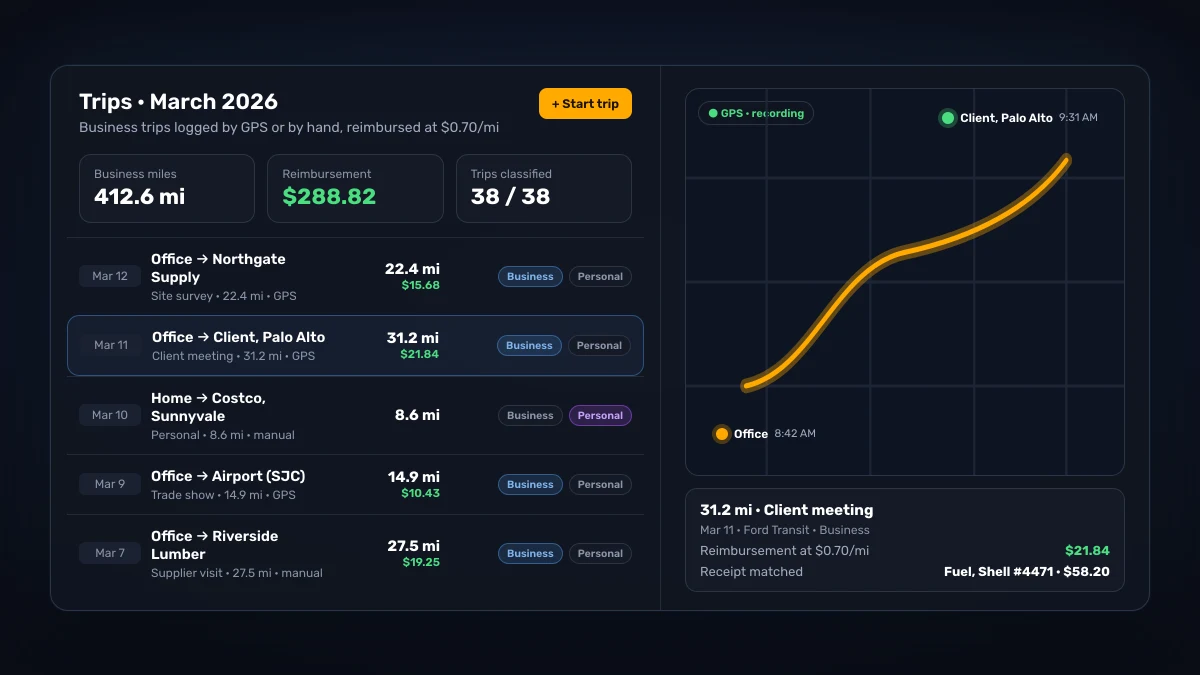
Track drives with GPS or add trips by hand. Each trip stores its date, route, and distance, and a trip report lists them for any date range. SparkReceipt does not calculate per diems. The meal and hotel receipts you capture keep their dates, which backs up the per diem claim you file.
Export What Finance Asks For
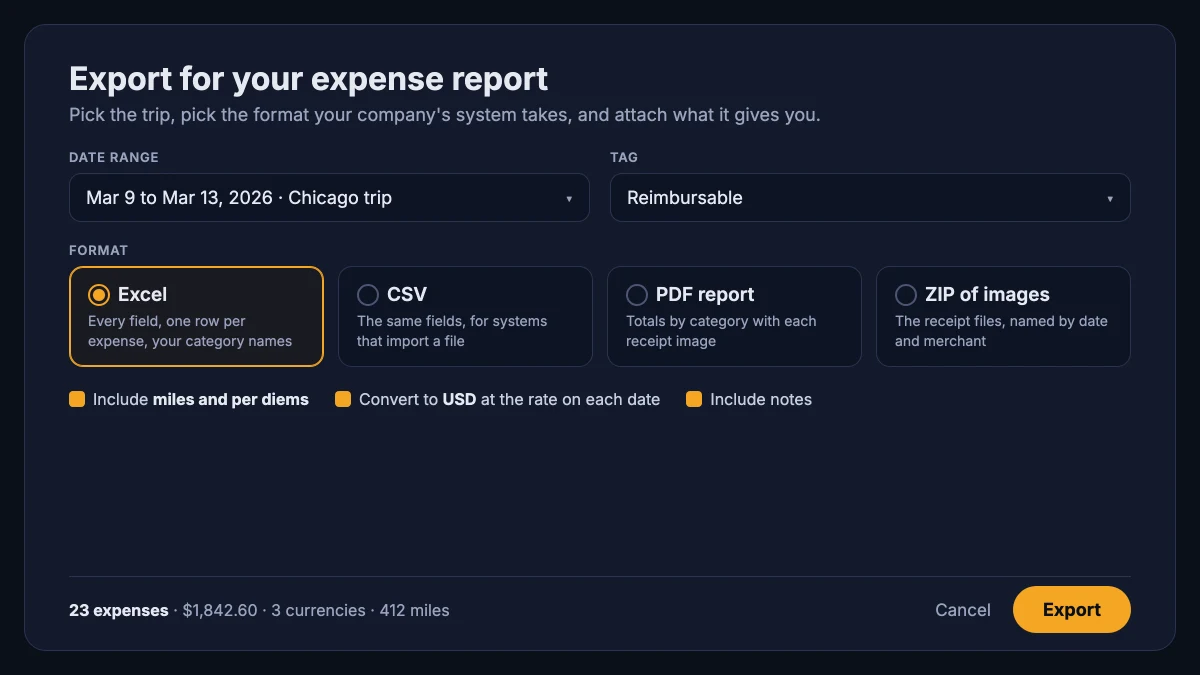
Pick a date range and get the report: Excel or CSV with the full fields, a PDF summary, and a ZIP of the receipt images to attach. Rename categories once to match your company's expense codes and they stick.
Works with whatever your company uses
Concur, SAP, Zoho, a shared spreadsheet from 2011: it does not matter. SparkReceipt needs no integration project and no sign-off from IT, and it does not try to replace the company system. It hands you what that system asks for: totals, dates, categories, converted currencies, and the receipt images to attach. Exports come as Excel, CSV, PDF, or a ZIP of the images, filtered by date, tag, or category; the help center shows how to export every document as PDF.
Straight talk: SparkReceipt does not submit the report into your employer's system for you. It walks you up to the submission with the numbers, dates, and images in hand, so you enter each expense once instead of reconstructing it from a pocket. If your employer runs its own books on SparkReceipt, you send an expense claim instead, and it goes straight to whoever approves it.
A mileage tracker for work trips, in the same app
Drives are the expense people forget most, because there is no receipt to remind you. The mileage tracker records each trip by GPS or by hand (how Trips work), classifies it as business or personal, and works out the reimbursement at the rate you set per vehicle. The miles live next to the fuel, parking, and toll receipts they belong with.
SparkReceipt does not calculate per diems. The meal and hotel receipts you capture keep their dates, so a per diem claim has its documentation behind it. The per diem rules and substantiation post covers what the IRS expects on the company side.
A travel expense tracker built for real trips
190 currencies. Pay in one currency, claim in another; SparkReceipt converts at the exchange rate of the transaction date, and the report shows both. On SparkReceipt, more than a third of the paying people who track work expenses logged two or more currencies in the past year (as of September 2026).
Duplicate detection. Photograph the same receipt twice at 11 pm and SparkReceipt flags the copy before it reaches your claim.
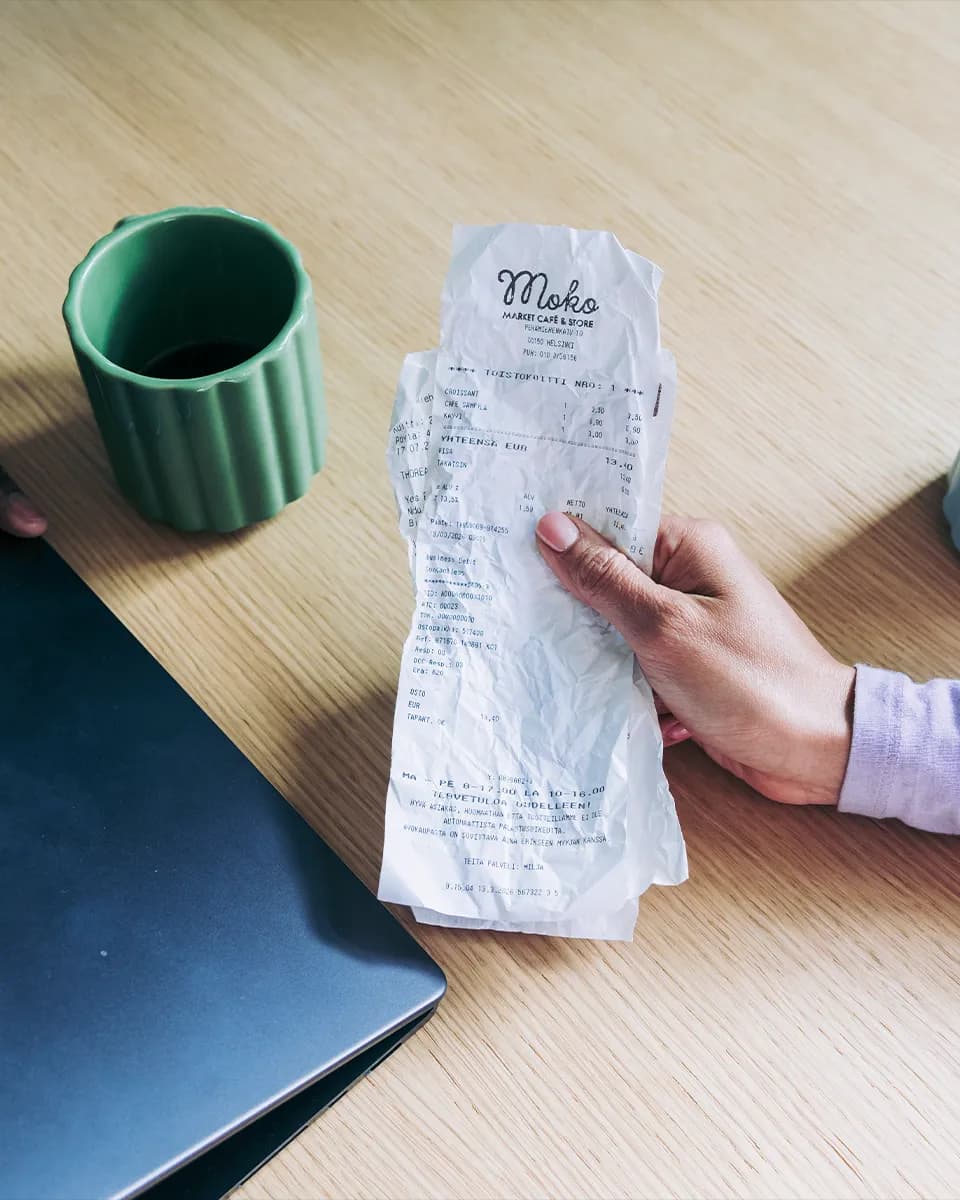
Notes where they matter. Add who the dinner was with and why in two taps. Future you, staring at the reimbursement form, will be grateful. The receipt scanner reads faded and crumpled paper in virtually any language.
Also run something of your own?
If some of your receipts belong to an employer and some belong to a business of your own (freelance work, a rental, a side company), SparkReceipt keeps both in one place. Tags hold job expenses apart from business expenses, or each business gets its own linked account under the same login. When tax season comes, your own deductions are already organized too.
Contractors and umbrella workers are the people this page fits best, because the work expenses and the business expenses are the same receipts. The expense tracker for the self-employed covers that side in full.
What an expense report app for work should do
Corporate expense systems are built for the finance team's audit trail. They are good at approving, paying, and archiving, and bad at the part that happens in the airport taxi queue. An expense report app for the person spending the money needs to do five things, and they are all on the capture side:
- Read the receipt in the moment. A travel expense app that needs the receipt typed in has already lost. Snap it and the merchant, date, amount, tax, and line items are read in seconds, with a category assigned.
- Catch what arrives by email. Hotel folios, flights, rental cars, and software all land in the inbox. Forward them, or connect the inbox and let SparkReceipt pick them up. Email history extraction can also go back through past mail and pull out the receipts from the trip you have not claimed yet.
- Log the drives. A mileage tracker for work trips records the date, route, and distance as they happen, and puts the miles next to the fuel and parking receipts.
- Handle more than one currency. A travel expense tracker that converts at the rate on the transaction date, and shows both figures, saves an argument with finance every time.
- Export in the shape the system wants. Excel or CSV with every field, a PDF summary, a ZIP of the images. Categories renamed once to match your company's expense codes.
Expense report app vs. the company's expense system
The two are not competitors, and it helps to be clear about the split. The company's system exists to approve, pay, and archive; it is chosen by finance and it is not going anywhere. An expense report app on your phone exists to make sure the expense is captured, categorized, and documented before it gets anywhere near that system. More than 7,000 users have signed up to SparkReceipt saying they track job expenses, as of September 2026, and the pattern is the same for most of them: capture on the road with SparkReceipt, enter once into whatever the employer runs, keep the history in an account that is theirs. The expense report app is the part of the process nobody at the company was ever going to build for you.
What it is not
SparkReceipt does not submit reports into Concur, SAP, Expensify, or any other corporate system, and does not pay reimbursements. It is the work expense tracker on your side of the process; the company system stays the company's. The exception is a company that keeps its own books on SparkReceipt: there, employees send their receipts and trips as an expense claim and a manager approves it in the same account. If your employer wants a tool that does all of it end to end, that is a spend-management purchase for the finance team, not an app you install yourself.
Your data stays yours
SparkReceipt is your personal tool, not your employer's software, so your expense history stays with you when you change jobs. Data is stored in EU data centers (Stockholm, with mirrored backup in Frankfurt), encrypted in transit and at rest, and handled under GDPR; the security page has the detail. Subscriptions are the only thing SparkReceipt sells. Your data is not the product.
For contractors, umbrella workers, and the side business
The people who get the most out of this page are the ones whose "work expenses" and "business expenses" overlap: contractors billing through an umbrella company, consultants with a side practice, drivers with a day job and a weekend business. The same receipts serve the expense claim and the tax return. Keep job expenses tagged for the claim, keep the business in its own linked account, and export each one to the place it belongs. The self-employed expense tracker is the page for the business half; if you have hired someone, SparkReceipt for small teams is where it goes next.
A Plan That Stays Yours
Receipts, email capture, mileage, exports, and 190 currencies in one subscription that stays with you when you change jobs. Your accountant joins free.
Doing it by hand
Shoebox + spreadsheet
60+ hours a year
Flattening, reading and typing each receipt into a spreadsheet, filing the paper, matching it to the bank statement, and hunting for the ones that went missing.
$1,000+ for the cleanup
What a bookkeeper charges to turn a year of shoebox records into books a return can be filed from, before the return itself.
Deductions you can't prove
A faded thermal receipt or a lost email is an expense you pay for twice: once at the counter, once at tax time.
Total per year
Your evenings, a cleanup bill, and the deductions you couldn't prove.
Basis: about 40 receipts a month at six minutes each by hand, plus a weekend reconstructing the year before the return. Bookkeeper rates and cleanup fees from NerdWallet's 2026 bookkeeping price guide (freelance average $43 per hour; cleanup from $1,000).
Loved by Small Business Owners
Join 38,283 businesses that chose SparkReceipt — 4,620,044 receipts processed and counting.
Get StartedFrequently Asked Questions
Capture them the moment they happen instead of reconstructing them later. With SparkReceipt you photograph or forward each receipt as you get it, log drives as you make them, and export one clean receipt report (Excel, PDF, and receipt images) and a trip report when it is time to claim. The report day becomes ten minutes of checking rather than an evening of typing.
Yes, by export rather than integration. SparkReceipt produces Excel and CSV files, PDF reports, and ZIPs of your receipt images; you attach or upload those into the company system. It does not push reports into corporate software on its own, and it does not run your company's approvals.
Yes. Track drives with GPS on iPhone or Android, or add trips by hand. Meetings in your phone's calendar that have an address also show up as suggested trips for you to approve. Each trip stores its date, route, and distance, you set the reimbursement rate per vehicle, and a trip report lists your trips for any date range as a PDF, CSV, or Excel file. The miles sit next to the fuel, parking, and toll receipts they belong with.
Yes. Tags keep reimbursable job expenses apart from the rest, and you can filter any export down to just the expenses you are claiming. If you also run a business, give it its own linked account under the same login so the two never mix.
No. SparkReceipt is a personal app, closer to your camera roll than to company software, except organized. If your company restricts where expense data may live, point them to the security page: EU data centers, encryption in transit and at rest, GDPR.
Nothing changes. The account is yours, so the history comes along. Rename your categories to the new employer's expense codes and carry on.
The best expense report app is the one that captures the expense where it happens: a receipt snapped at the counter, a hotel folio picked up from the inbox, a drive logged by GPS, and receipts converted to your claim currency and exported in the format your company's system takes. SparkReceipt does that on your phone and the web, with 190 currencies and duplicate detection, and leaves the approving and paying to the company.