The Receipt App for Small Business Teams of 1 to 5
Every wallet's receipts in one account, without giving everyone your books. Save the month-end chase, and add your people when you are ready.
Your business has more wallets than people tracking them. SparkReceipt is the receipt app for small business teams where each person captures their own receipts, snapped, forwarded, or uploaded, and every one of them lands in one account that you and your accountant can see.
Business Owners in 175 Countries Trust SparkReceipt
Receipts From Three Wallets, by Hand vs. in SparkReceipt
The day someone who does not own the company buys something for it, the founder's system breaks.

Chasing everyone's receipts
- Your partner's receipts arrive as photos in a text thread, if they arrive at all
- One person retypes everyone's receipts into the spreadsheet
- "Who paid for this?" is a question you ask every month end
- Sharing your accounting login is the only way to get help
- Tax time means collecting a year of receipts from three people

With SparkReceipt
- Everyone snaps, forwards, or uploads their own receipts as they get them
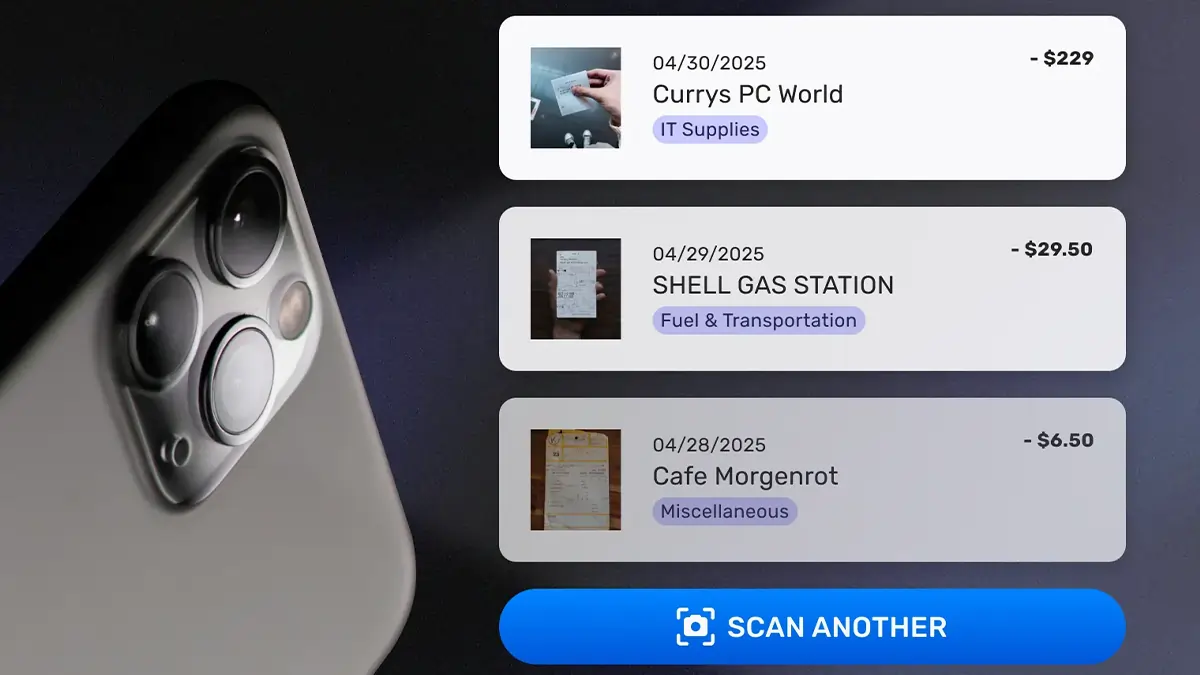
- AI reads the merchant, date, total, and tax, and files each receipt under the right category
- Every receipt shows who added it
- Contributors see only their own receipts. You see everything.
- One feed, one export, and your accountant works in the same account for free
How a Small Team Shares One Receipt App
Everyone Captures Their Own Way
Your partner snaps paper receipts on the phone at the counter. You forward email receipts, or connect your inbox so they arrive on their own. Your first hire uploads a folder of PDFs from the laptop. Each person uses the same account, in the app or on the web, with their own login.
AI Reads and Files Every Receipt
SparkReceipt extracts the merchant, date, total, tax, and line items from each receipt, assigns a category, and flags duplicates when the same receipt is captured twice. Nothing is retyped by anyone, and every document keeps a record of who added it.
You Review One Feed and Export Once
You and your accountant see every receipt in one list, filter by person, category, or date, and export a report as PDF, Excel, or CSV, or publish to QuickBooks Online or Xero with the receipt image attached. Team members who should not see the books simply do not.
Your team adds receipts. Only you see the books.
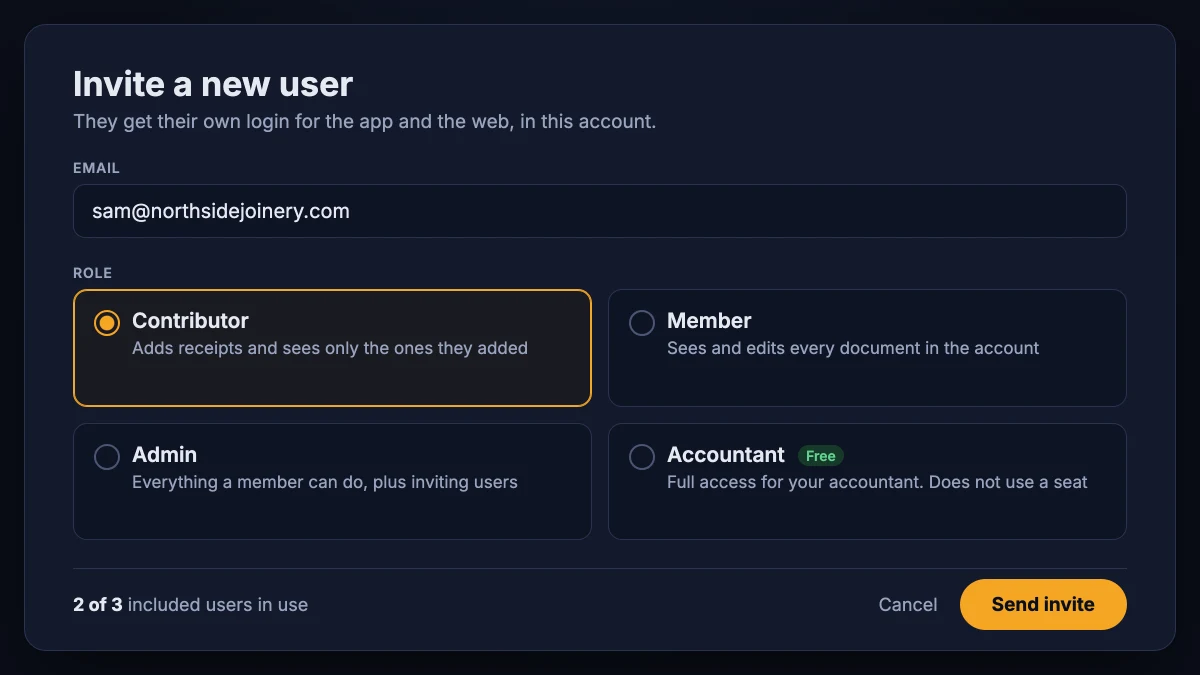
The fear with any shared receipt app is that sharing receipts means sharing everything. In SparkReceipt it does not. Invite someone as a Contributor and they can add receipts and manage the ones they added, and nothing else. They do not see your other documents, your income, your reports, or your bank statements.
Give a partner or a bookkeeper the Member role when they should see and edit every document, or Admin when they also invite people on your behalf. Roles can be changed at any time from the account settings. The help center explains what each role can see and do.

Start alone. Add your people when you are ready.
Most small teams on SparkReceipt did not arrive as teams. As of September 2026, most of them started with one person and invited the second user after subscribing, often a couple of months later, when a partner joined, a first employee started spending, or the accountant asked for access.
Your subscription includes 3 users, so a partner and a first hire fit in from day one, and your accountant joins free on top. When you hire, add a user for $58 a year. There are no user minimums, no per-user tiers, and no separate "team plan" to move to. It is the same account, with more people in it.

Every receipt, however it was paid for
On a team of two to five, every wallet has its own habits. One person keeps paper and snaps it with the receipt scanner. Another gets everything by email and forwards it or connects the inbox. A third downloads invoices and uploads them from the web, up to 100 at a time.
SparkReceipt treats every route the same. The receipt is read, categorized, and stored for at least ten years with the name of the person who added it. Upload a bank or credit card statement and the Transaction Manager matches each bank line to the receipt that proves it, whoever captured it, so the month reconciles from one screen.

Your accountant joins for free, and sees everything
Invite your accountant or bookkeeper with the Accountant role and they get full access to every receipt, report, and statement in the account. On every plan, the accountant does not use one of your 3 included users. On SparkReceipt, 1 in 5 small-team accounts already works with their accountant inside the account (as of September 2026), and a growing number of accountants ask their clients to invite them.
When the month is done, publish to QuickBooks Online or Xero with the receipt image attached, or send a PDF, Excel, or CSV expense report. No exports to chase, no bag of slips to hand over.

What changes in a receipt app for small business at two people
A solo owner can get by with a camera roll and a spreadsheet. The system breaks the day a second person spends money for the business: a co-founder who pays for the software, a spouse who buys the supplies, the first employee with a fuel card. Now receipts live in two wallets, two inboxes, and two phones, and the one person doing the books is chasing the other.
A receipt app for small business teams has to solve three things that a personal receipt app does not. Each person needs their own login, so receipts carry the name of whoever added them and nobody types for anyone else. The owner needs to see everything without the staff seeing everything. And the accountant needs a way in that does not cost a seat or a monthly export. SparkReceipt does all three inside one account, which is why it fits teams of 1 to 5 without an "expense management" project on top.
What to look for in a multi user expense tracker
Most small business receipt apps were built for one person, with a "share" button bolted on. A multi user expense tracker that works for a small team needs the following:
- Separate logins in one account. An expense tracker for multiple users has to let everyone sign in as themselves, on iPhone, Android, or the web, and every receipt records who captured it. SparkReceipt includes 3 users on the Elite plan and lets you add more one at a time.
- Roles that limit visibility. A contributor sees only the receipts they added. A member sees everything. That is the difference between "help me capture receipts" and "here is my bank login".
- Capture that fits every habit. Snap a paper receipt, forward an email, connect an inbox so receipts arrive on their own, or upload files from the desktop. A team of five has five ways of doing things, and the app has to accept all of them.
- AI that does the typing. Merchant, date, total, tax, currency, and line items extracted in seconds, a category assigned, and duplicates flagged when two people capture the same receipt.
- A free way in for the accountant. The Accountant role sees every document and every report and never uses one of your included users, on any plan.
- One export, or a direct publish. PDF, Excel, CSV, or ZIP with every receipt image, or a direct publish to QuickBooks Online or Xero with the categories mapped to your chart of accounts.
Approval workflows, reimbursement payouts, spend limits, and corporate cards are not on that list. At two to five people you know exactly who spent what, and adding an approval chain only slows down the person who already trusts the person who spent. If someone has told you that you need those, SparkReceipt compared with Expensify is worth ten minutes before you sign up for a tool built for a finance department.
Two partners, one small business receipt app
The most common small team using SparkReceipt as its receipt app for small business is two people who own the business together. Both spend. Both want to know what the other spent. Neither wants to be the bookkeeper. Give both the Member role and each sees every receipt the moment it is captured, whichever phone it came from. Filter the list by person to settle who is owed what, or by category to see where the money goes. When the business runs several entities, each one gets its own linked account under the same login, with its own receipts, statements, and reports.
Owner plus staff: a receipt app for small business crews
The other common shape is one owner and one or two people who buy things for the business: a technician with a van, a shop assistant who restocks, an assistant who books travel. Invite them as Contributors. Each snaps receipts on their own phone as they spend. Each sees their own receipts and nothing else. You see all of them, with the name of who added what, and your accountant sees the same list you do.
Because SparkReceipt runs on the phone, the receipt is captured at the counter, before it reaches a pocket or a glovebox. Because the AI reads it on arrival, the expense is categorized before you look at it. What is left for you is a monthly glance at one list and one export.
When the team grows past five
Nothing changes in the receipt app for small business you started with. Add users as you hire, keep the roles you set, and keep the same exports and integrations. Teams of five to twenty on SparkReceipt run the same way, with the crew capturing and the owner or bookkeeper reviewing one feed. If you are already there, SparkReceipt for growing teams covers the month-end chase at that size. If you are still on your own, the expense tracker for the self-employed is the place to start, and this page is what it grows into.

One Subscription for the Whole Team
3 users included. Add more when you hire. Your accountant never counts.
Loved by Small Business Owners
Join 38,283 businesses that chose SparkReceipt — 4,620,044 receipts processed and counting.
Start Free TrialFrequently Asked Questions
Yes. Invite them as a Contributor. A contributor can add receipts and manage the ones they added, and sees nothing else: no other documents, no income, no reports, no bank statements. You, and anyone you make a Member or Admin, see every receipt in the account with the name of the person who added it.
No. One account, one subscription, and a separate login for each person. The Elite plan includes 3 users, so an owner, a partner, and a first hire fit without adding anything, and your accountant joins on top of that for free. Everyone uses the same iPhone, Android, and web apps with their own credentials.
Yes, on every plan. Invite your accountant or bookkeeper with the Accountant role and they get full access to every document and report in the account without using one of your included users. They review, edit, and export in the same account, so nobody sends a monthly bag of receipts.
Not at two to five people. Approval chains exist so a finance team can control spending it cannot see. In a small team the owner sees every receipt the moment it is captured, with the name of who captured it. SparkReceipt gives you that one shared feed plus reports and exports, and leaves out the approval ceremony, reimbursement rails, and corporate cards that tools for larger companies charge for.
Yes, and it is the most common team expense tracker setup on SparkReceipt. Give both partners the Member role and each sees every receipt as soon as it is captured, on either phone. Filter by person to see who paid for what, or by category to see where the money goes. If you run more than one business together, each one gets its own linked account under the same login.
Add a user from the account settings. The first 3 users are included, and each additional user is $58 a year. There are no minimums and no plan change. Set the new person's role when you invite them, and change it later if their job changes.
The best receipt app for small business teams is the one every person on the team will actually use, which means capture from any phone or inbox, AI that reads and categorizes each receipt so nobody retypes it, roles that let staff add receipts without seeing the books, and a free seat for the accountant. SparkReceipt does all of that in one account with 3 users included, and grows one user at a time as you hire.