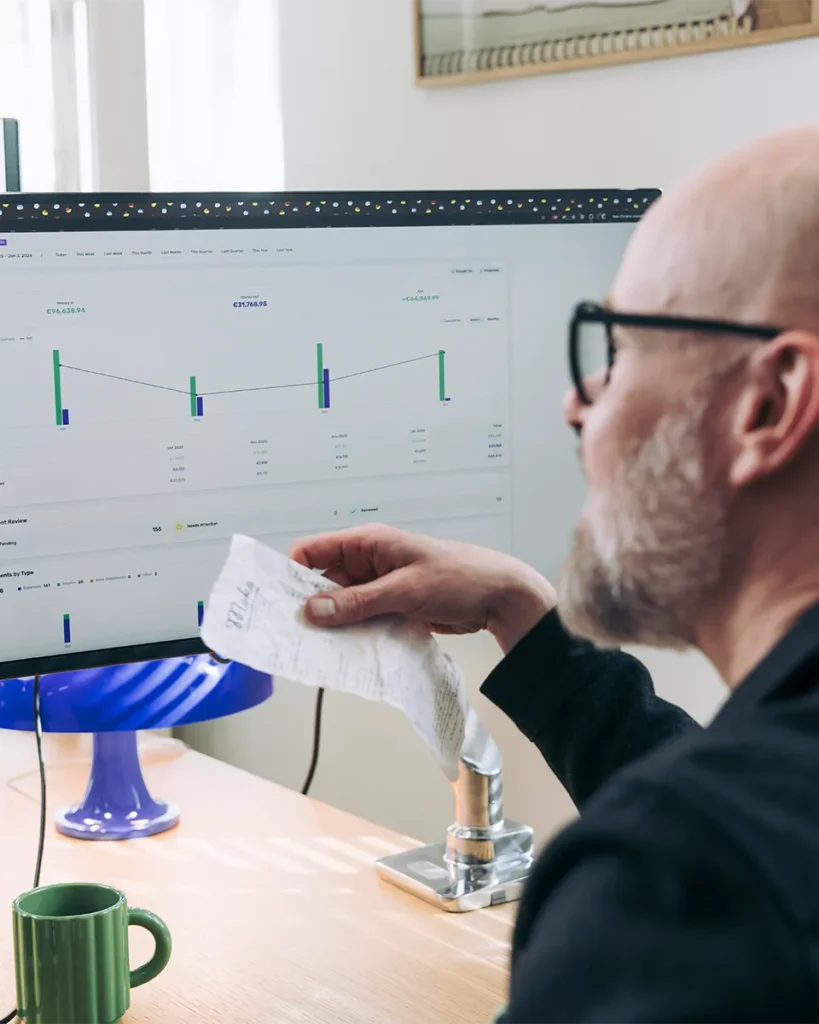
The Receipt Scanner App That Actually Saves You Money
Scan receipts in seconds. AI categorizes expenses automatically. Tax-ready reports in one click.
Stop losing receipts and missing tax deductions. SparkReceipt uses AI to scan, extract, and organize your receipts — so you spend less time on paperwork and more time on your business. Free to start. No credit card required.





Still Tracking Receipts Manually?
See what changes when AI handles your receipts

Without a Receipt Scanner
- Receipts stuffed in drawers, wallets, and glove boxes
- Hours spent entering data into spreadsheets
- Missed tax deductions because receipts got lost or faded
- Scrambling to find documentation at tax time
- Paying your accountant to sort through shoe boxes

With SparkReceipt
- Every receipt scanned and stored digitally in seconds
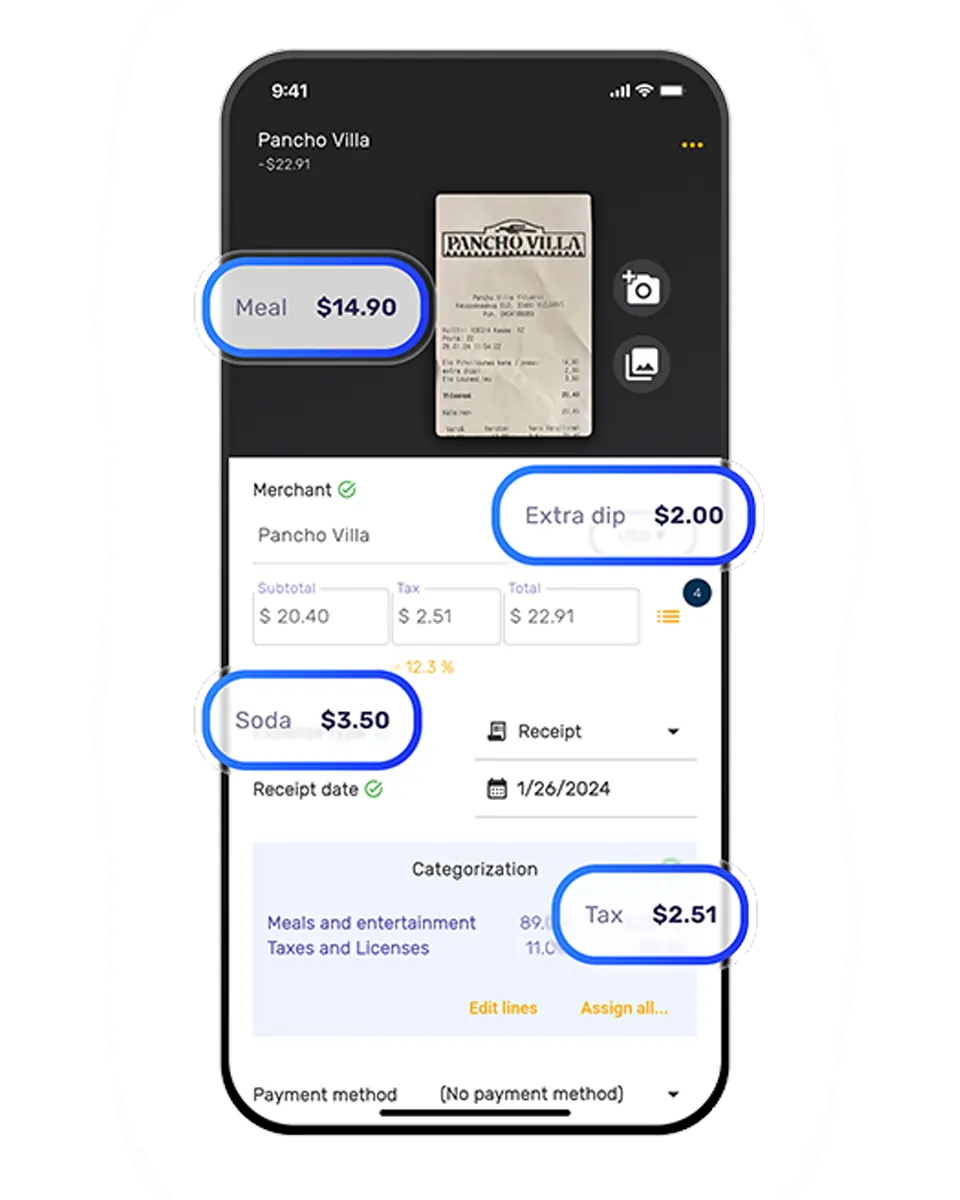
- AI extracts vendor, amount, date, tax, and category
- Never miss a deduction — every expense is tracked
- Tax-ready reports generated in one click
- Free accountant access — they get everything organized
How AI Receipt Scanning Works
Three steps. Under two minutes to set up.
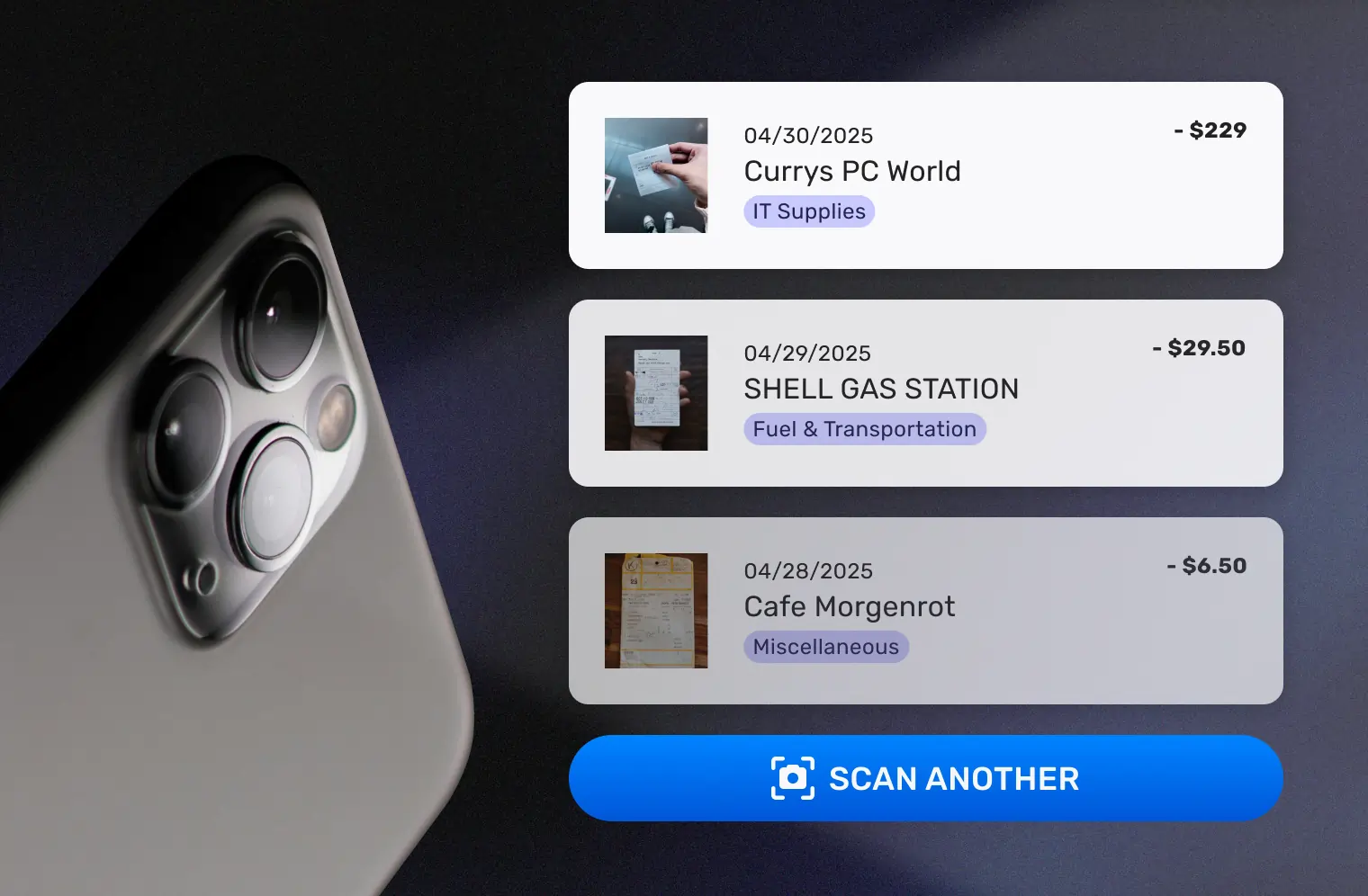
Snap a Photo or Upload Your Receipt
Use your phone camera to scan any paper receipt — even crumpled or faded ones. Upload PDFs, images, or screenshots from your computer. Forward email receipts to your dedicated SparkReceipt address, or connect your inbox for automatic capture.
SparkReceipt handles receipts in almost any language and 150+ currencies with automatic exchange rate conversion.
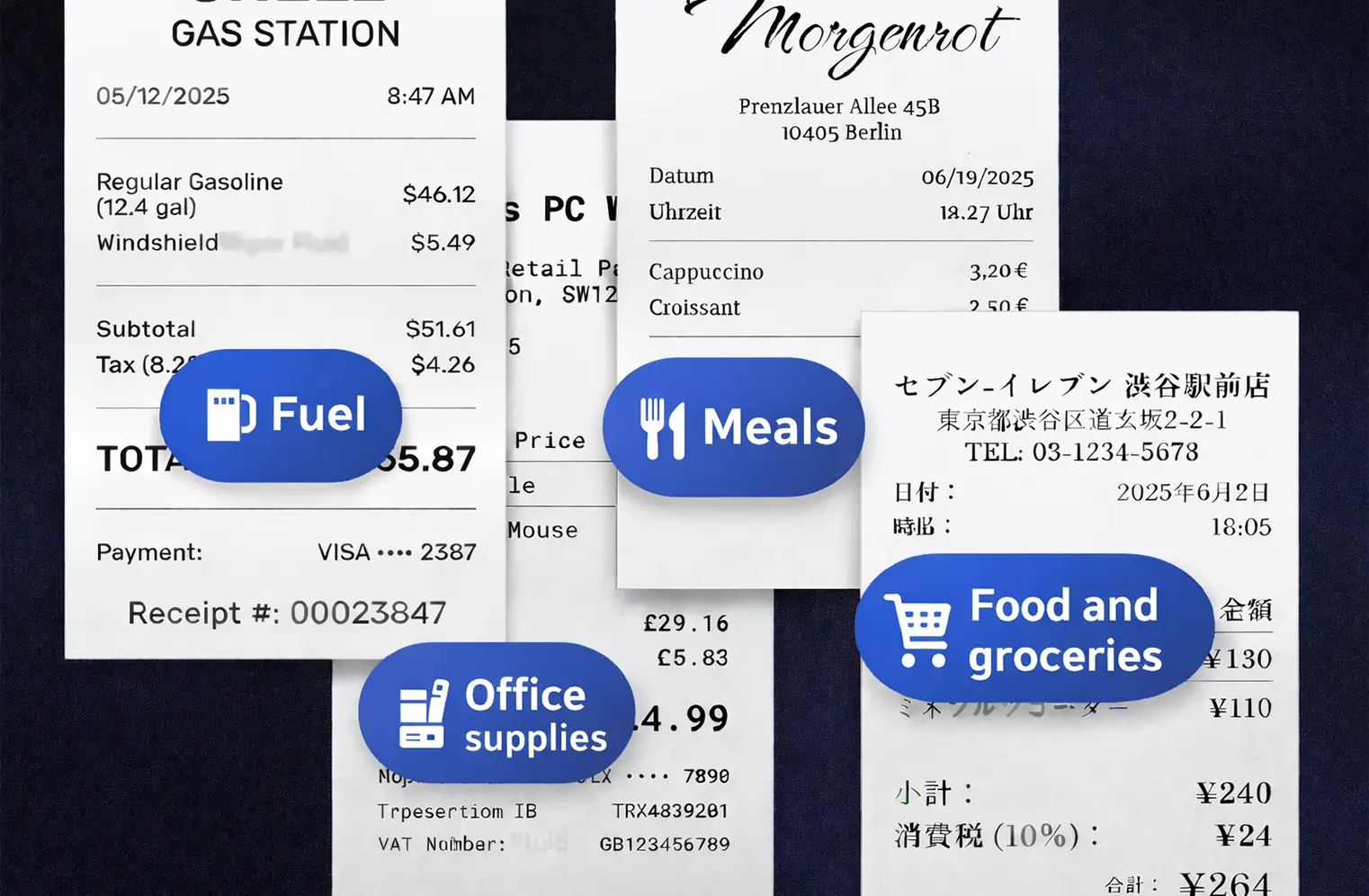
AI Reads and Categorizes Every Detail
SparkReceipt’s AI extracts the vendor name, amount, date, tax breakdown, payment method, and line items from your receipt. No manual data entry needed.
Expenses are automatically sorted into tax-relevant categories — meals, travel, office supplies, software subscriptions, and more. The AI learns your patterns and gets smarter over time.
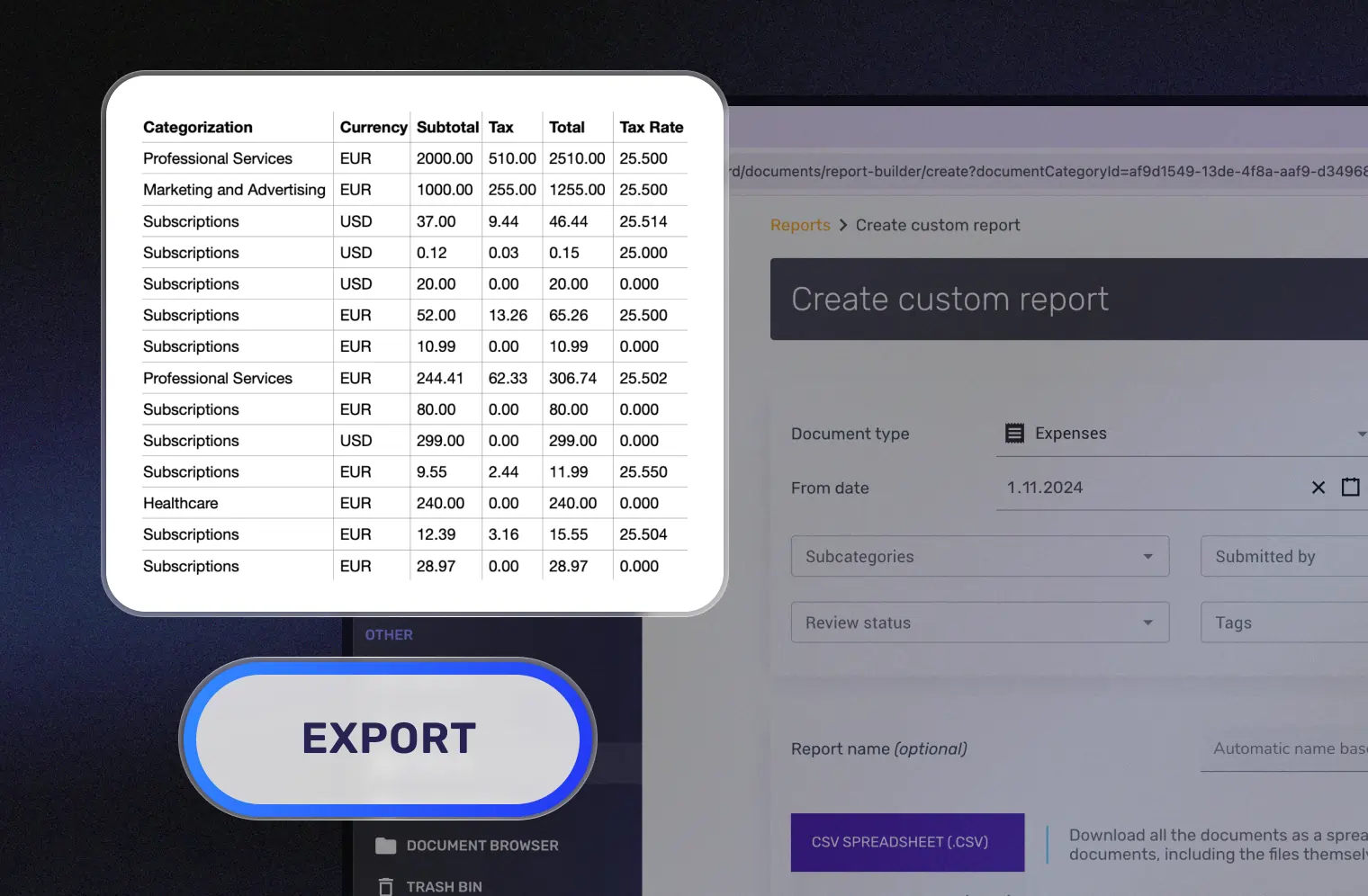
Generate Tax-Ready Reports Instantly
Create clean expense reports in PDF, Excel, or CSV format with one click. Reports include totals, category breakdowns, tax summaries, and links to original receipt images.
Sync directly with QuickBooks Online to eliminate double entry. Share reports with your accountant through free guest access — no extra subscription needed.
Scan Any Receipt, Anywhere
Phone camera, file upload, email — every method works
SparkReceipt works on iPhone and Android. Snap a photo of any paper receipt and AI extracts the data in seconds — even from crumpled, faded, or poorly printed receipts.
Prefer to work from your computer? Upload receipt images, PDFs, or screenshots directly. SparkReceipt processes receipts in 6 languages (English, French, German, Spanish, Japanese, Finnish) and handles 150+ currencies with automatic exchange rate conversion.
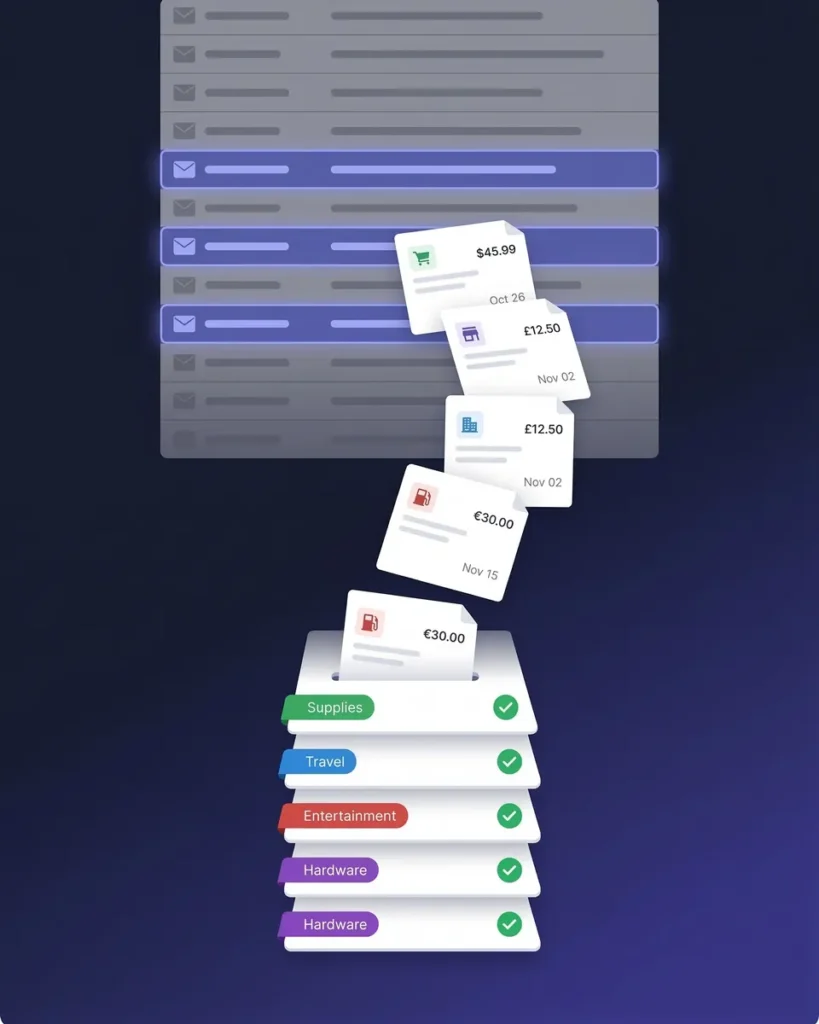
Got email receipts? Connect your Gmail, Outlook, Microsoft, or any IMAP inbox and SparkReceipt finds and imports receipts automatically — including historical emails. Or forward them to your dedicated SparkReceipt email address.
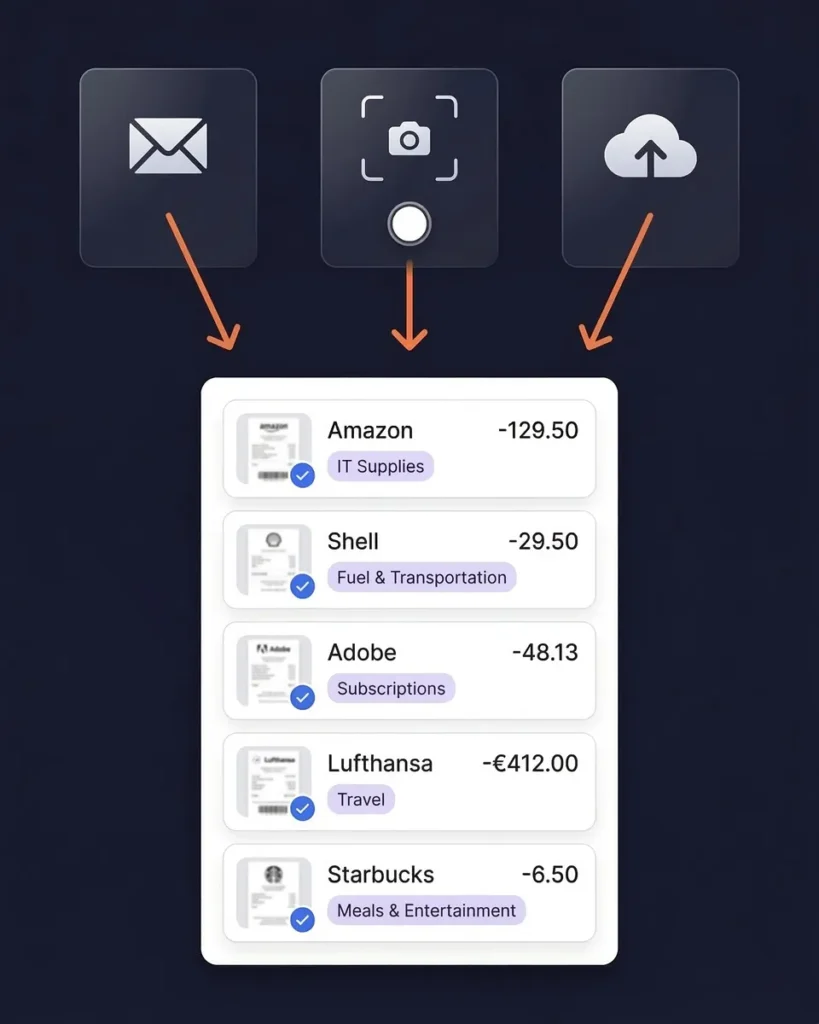
AI That Actually Understands Your Receipts
Automatic extraction and smart categorization
SparkReceipt’s AI doesn’t just scan — it reads. Every receipt is analyzed to extract the vendor name, total amount, date, tax breakdown, payment method, and individual line items.
Expenses are automatically categorized into tax-relevant groups: meals and entertainment, travel, office supplies, software, professional services, and more. The AI applies local tax rules based on your country and adapts to your spending patterns.
No templates. No manual tagging. Just accurate, organized data from every receipt you scan.
Beyond Receipts: Bank Statement Extraction
Import months of expenses in minutes
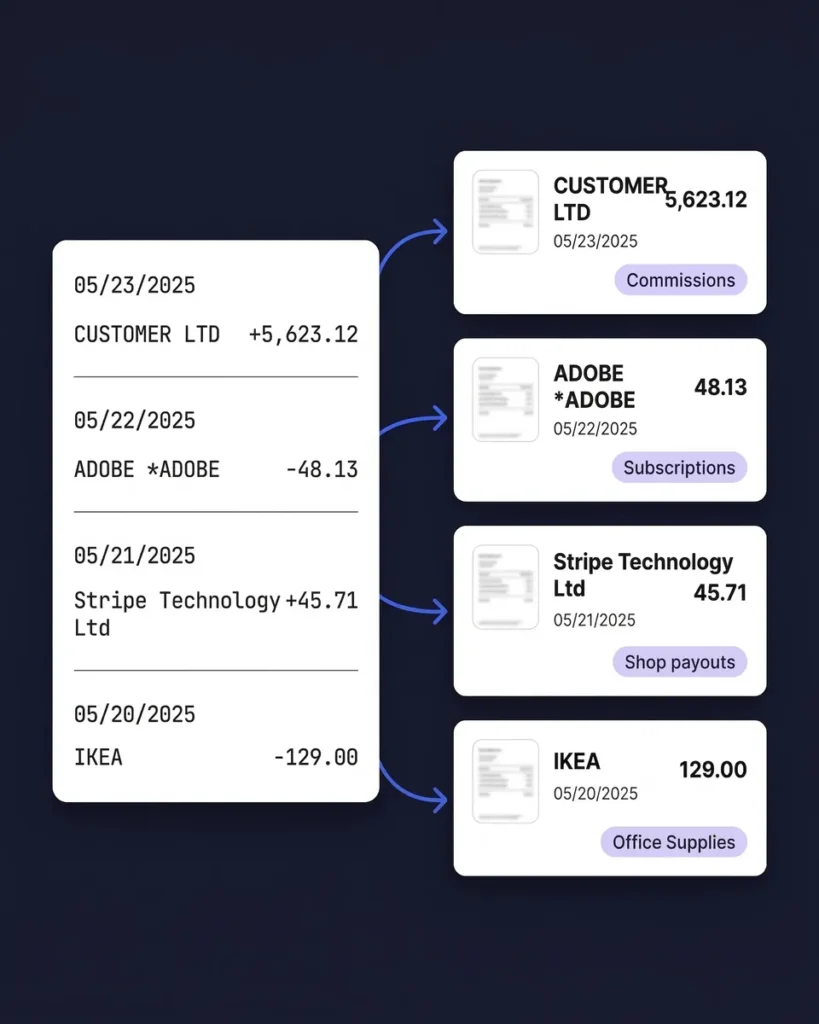
Receipts are just the beginning. SparkReceipt’s bank statement extractor lets you upload PDF bank statements and automatically extract every transaction.
AI categorizes each transaction and matches it against your scanned receipts — giving you a complete picture of your expenses without entering a single line of data manually.
Perfect for catching up on months of bookkeeping or reconciling expenses your accountant needs.
Built for Freelancers, Not Corporations
Powerful features without the enterprise price tag
Most receipt scanner apps are designed for large teams with complex approval workflows and per-user pricing. SparkReceipt is built for freelancers, solopreneurs, and small businesses who need powerful tools without the complexity.
How SparkReceipt compares:
- SparkReceipt: $6.58/month with simple, transparent pricing — see pricing
- Dext: $30+/month, designed for accountants
- Shoeboxed: $18+/month, limited to 15 tax categories
- Expensify: $5/user/month, enterprise-focused complexity
One flat price. Unlimited sub-accounts. No per-user fees. No hidden fees — guaranteed.

Lock in Your Price for Life
We never raise prices for existing customers
Pro
For small businesses and freelancers
$79 / user / year · billed at $79/yr
- 50 Document Scans / mo
- Multiple Users (pay per seat)
- Mass Upload Documents
- Unlimited Linked Sub-Accounts
- Automatic Email Receipt Fetching
- Line-item Categorization for Expenses
- AI Automations
No Credit Card Required
Elite
For growing teams and power users
$109 / user / year · billed at $109/yr
- Unlimited Document Scans / mo
- Multiple Users (pay per seat)
- Mass Upload Documents
- Unlimited Linked Sub-Accounts
- Automatic Email Receipt Fetching
- Line-item Categorization for Expenses
- AI Automations
No Credit Card Required
How Much Are Lost Receipts Costing You?
Most freelancers miss $2,000–$5,000 in tax deductions every year. Calculate your potential savings.
Tip: Keep this conservative. Even a small loss adds up.
What Freelancers and Business Owners Say
Join thousands who've made receipt tracking effortless
SparkReceipt is one of the very few software purchased that I have made that exceeded my expectations. It does much more than keeps copies of your business receipts, it provides great reports, with easy edit options - it is going to save me a lot of work when I do my annual tax returns - a great product.

Excellent start and amazing team. Looking forward to making SparkReceipt my default expense management and accounting platform.
I needed a solution to organize and process my personal and business receipts. I'm thrilled I found SparkReceipt. It saves me a lot of time!
Receipt Scanner FAQ
What is a receipt scanner app?
A receipt scanner app uses your phone camera or file uploads to capture receipt images, then extracts key data like vendor name, amount, date, and tax using AI-powered OCR technology. The best receipt scanner apps — like SparkReceipt — automatically categorize expenses and generate tax-ready reports.
How accurate is AI receipt scanning?
SparkReceipt’s AI accurately extracts vendor names, amounts, dates, tax breakdowns, and currencies from receipts. It supports six languages (English, French, German, Spanish, Japanese, Finnish) and handles 150+ currencies with automatic exchange rate conversion.
Can I scan receipts for tax purposes?
Absolutely. SparkReceipt automatically categorizes your scanned receipts into tax-relevant categories. Generate clean expense reports in PDF or Excel format — ready for your accountant or tax filing. Digital receipts are accepted by tax authorities worldwide, including the IRS, CRA, ATO, and HMRC.
Consult a qualified tax professional for advice specific to your situation.
Does SparkReceipt work on iPhone and Android?
Yes. SparkReceipt works on both iPhone and Android devices. Snap a photo of any receipt with your phone camera, and AI extracts the details in seconds. You can also upload receipts from your computer or forward email receipts.
How is SparkReceipt different from Dext or Expensify?
SparkReceipt offers the same AI-powered receipt scanning at a fraction of the price ($6.58/month vs. $30+ for Dext). Unlike Expensify’s per-user pricing, SparkReceipt includes unlimited sub-accounts. SparkReceipt is built specifically for freelancers and small businesses — not enterprise teams. See how we compare →
Can SparkReceipt scan email receipts automatically?
Yes. Connect your Google (Gmail), Microsoft (Outlook, Hotmail, Live), or any IMAP provider (Yahoo, iCloud, ProtonMail, and more), and SparkReceipt automatically finds and processes email receipts — no forwarding required. You can also scan historical emails using date filters to capture past receipts. You can set up custom AI processing rules to define exactly what gets captured, and choose between automatic or manual approval. Email receipt scanning is included in the Elite plan.
What file formats can I export my expenses to?
SparkReceipt exports your expense data in PDF, Excel, CSV, or ZIP formats. Generate one-click expense reports complete with totals, categories, tax summaries, and links to original receipt images.
Does SparkReceipt integrate with QuickBooks?
Yes. SparkReceipt integrates directly with QuickBooks Online. Your categorized expenses and receipt images sync automatically, eliminating double entry between your receipt scanner and accounting software.
Will my SparkReceipt price increase over time?
SparkReceipt offers simple, transparent pricing with no hidden fees or surprise charges. Plus, there’s a 30-day money-back guarantee if you’re not satisfied. See pricing →
Stop Losing Receipts. Start Saving on Taxes.
Free to start. Set up in 2 minutes.
Every receipt you don’t track is a potential tax deduction you’ll never claim. SparkReceipt’s AI scans, extracts, and categorizes every receipt — so nothing falls through the cracks.
Join thousands of freelancers and small business owners who’ve made expense tracking effortless.
Simple, transparent pricing with no hidden fees.