Track Every Business Expense Without Lifting a Finger
AI-Powered Business Expense Tracker
SparkReceipt turns receipts into organized, tax-ready expense data automatically. Snap a photo, forward an email, or connect your inbox — AI extracts the vendor, amount, date, tax, and currency from every receipt. Expenses are categorized, reports are generated, and your accountant gets free access to everything.





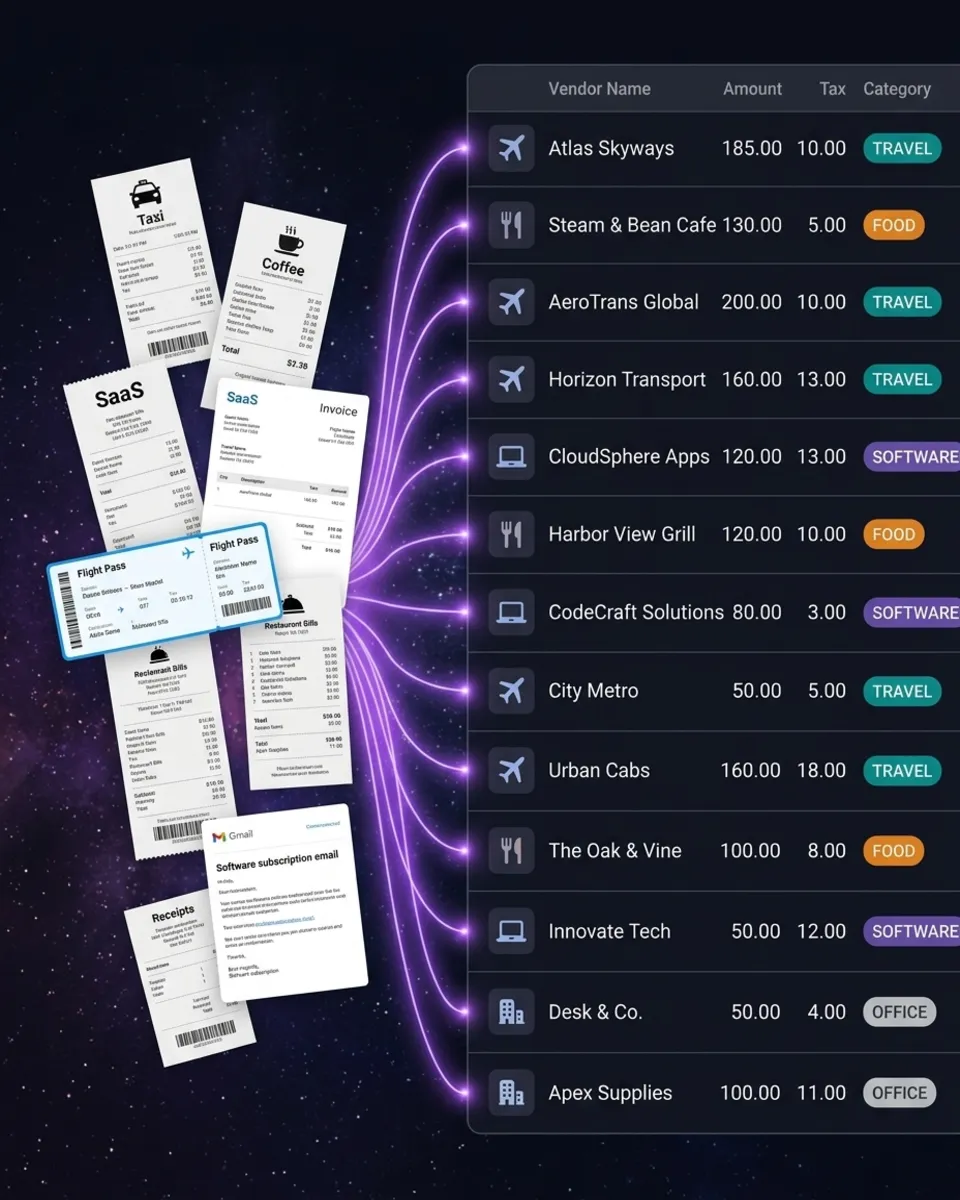
Business Expense Tracking Before and After
See what happens when AI handles your expense tracking

Without SparkReceipt
- Receipts pile up in drawers, wallets, and email inboxes
- Hours spent manually entering expenses into spreadsheets
- Tax deductions missed because receipts are lost or forgotten
- Accountant receives a disorganized box of papers at year-end
- Paying $17–$50/month for accounting software you barely use

With SparkReceipt
- Every receipt scanned, extracted, and stored
- AI categorizes expenses automatically — no manual entry
- Every deduction captured and ready for tax season
- Accountant gets free access to clean, organized expense data
- All of this from $6.58/month with simple, transparent pricing
How AI Expense Tracking Works
Three ways to capture expenses. One intelligent system to organize them all.
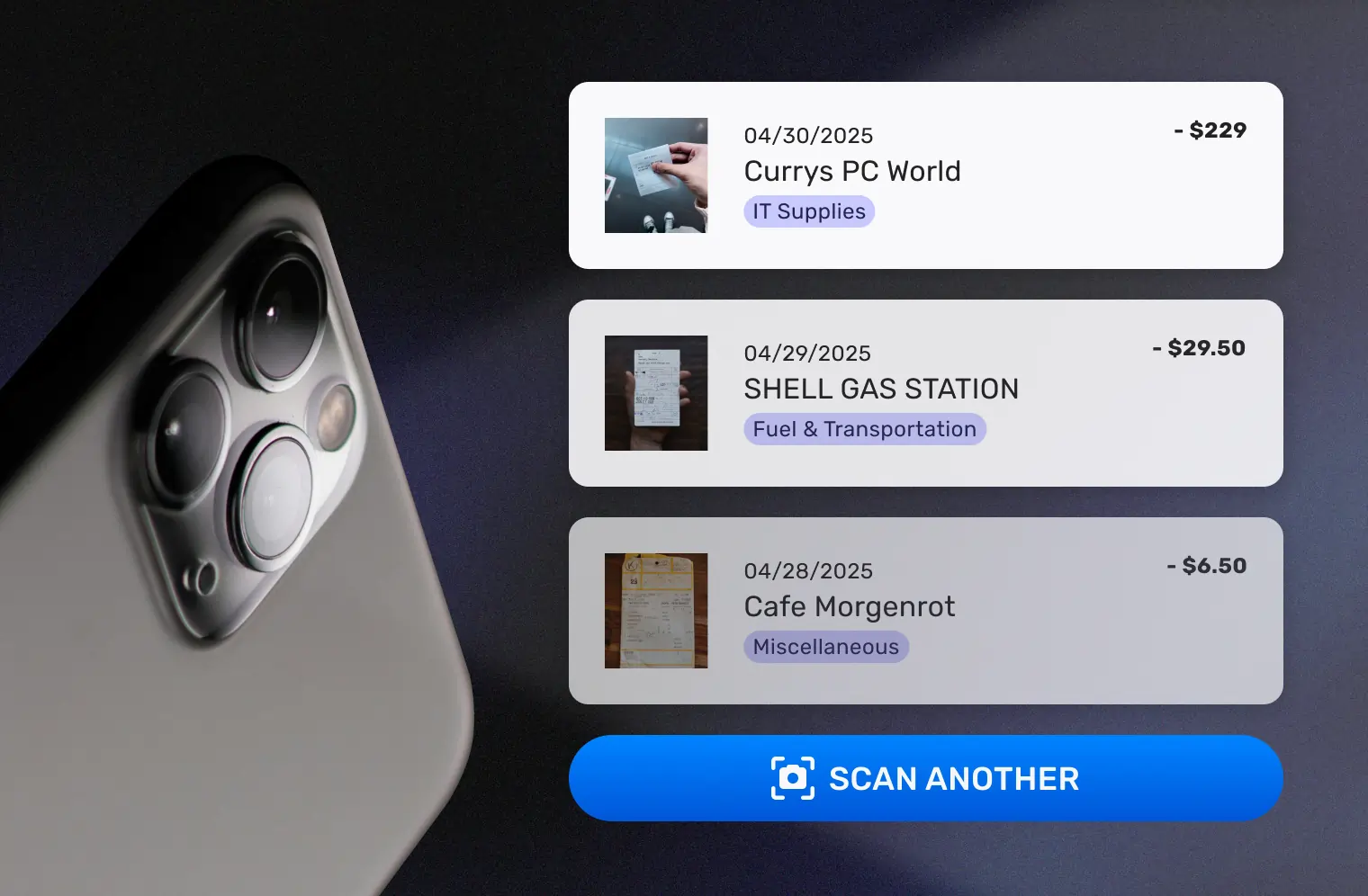
Capture Every Business Receipt
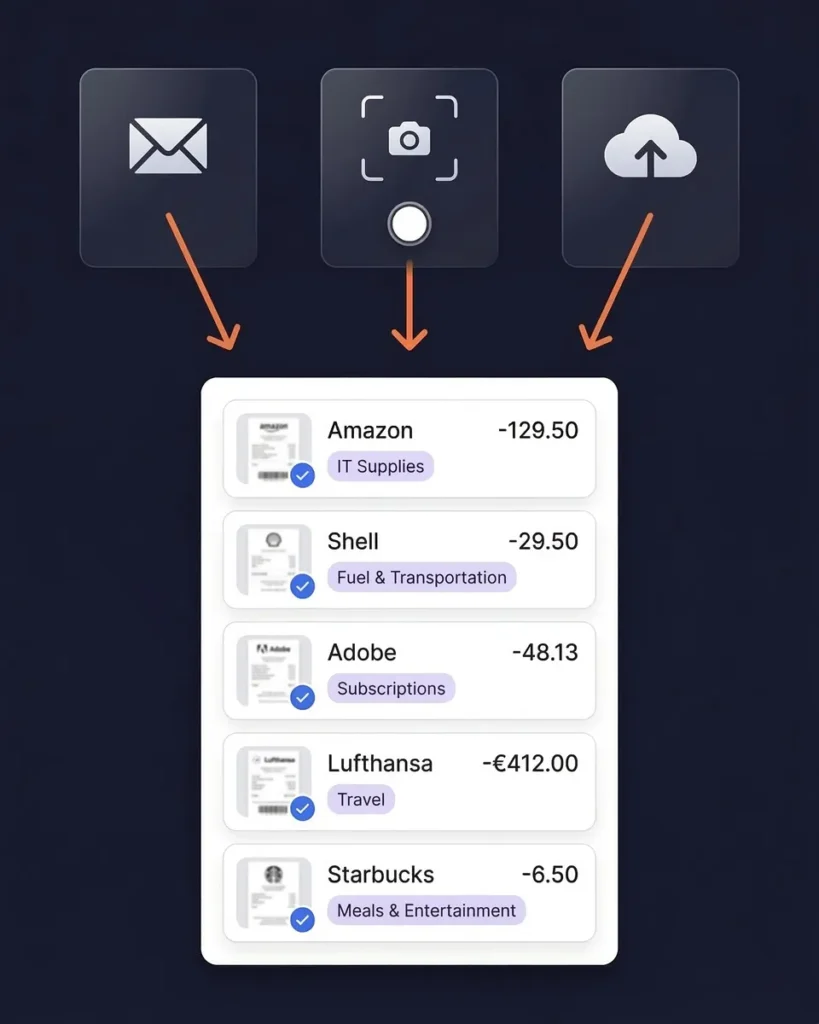
Snap a photo of paper receipts with your phone. Forward email receipts to your dedicated SparkReceipt address. Or connect your Google (Gmail), Microsoft (Outlook, Hotmail, Live), or any IMAP provider (Yahoo, iCloud, ProtonMail, and more) and let SparkReceipt find receipts automatically — both new and historical emails.
You can also upload bank statements as PDFs — SparkReceipt’s bank statement extractor pulls every transaction automatically. However you receive a receipt, SparkReceipt captures it.
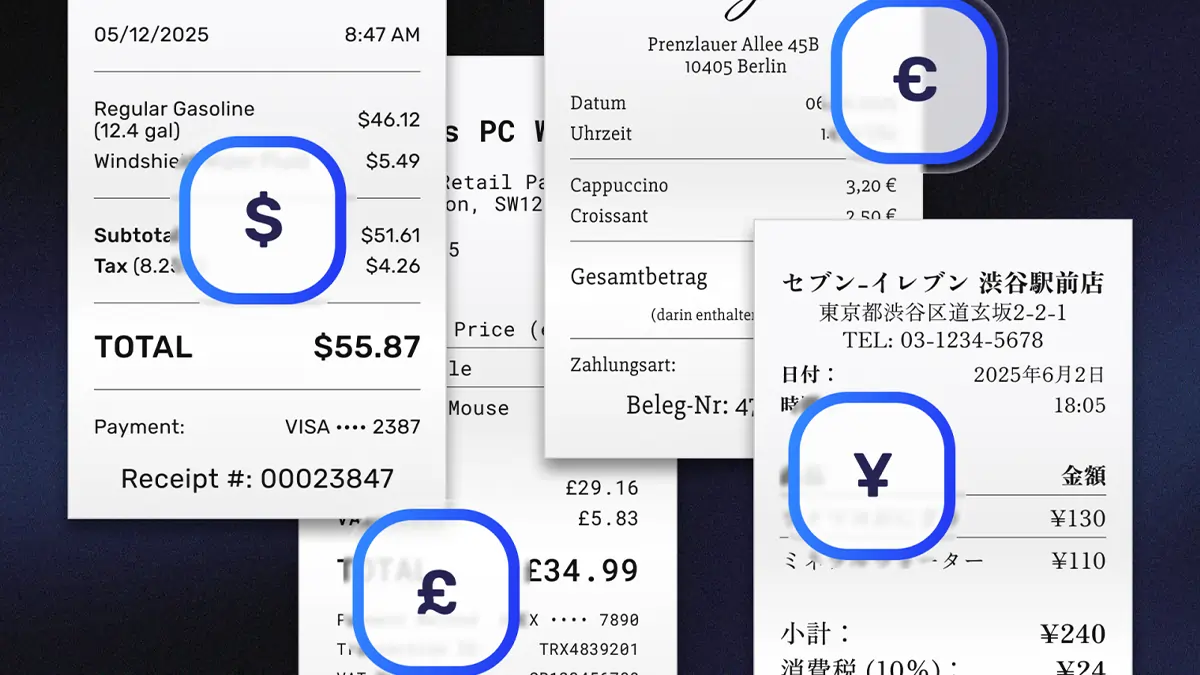
AI Categorizes Every Expense
SparkReceipt’s AI reads every receipt and extracts the vendor name, amount, date, tax, and currency. Then it assigns the right expense category automatically — office supplies, travel, meals, software, and more.
The AI handles 150+ currencies, reads receipts in six languages, and applies local tax rules including VAT, GST, and PST. Wrong category? Tap to change it and the AI learns your preferences over time.
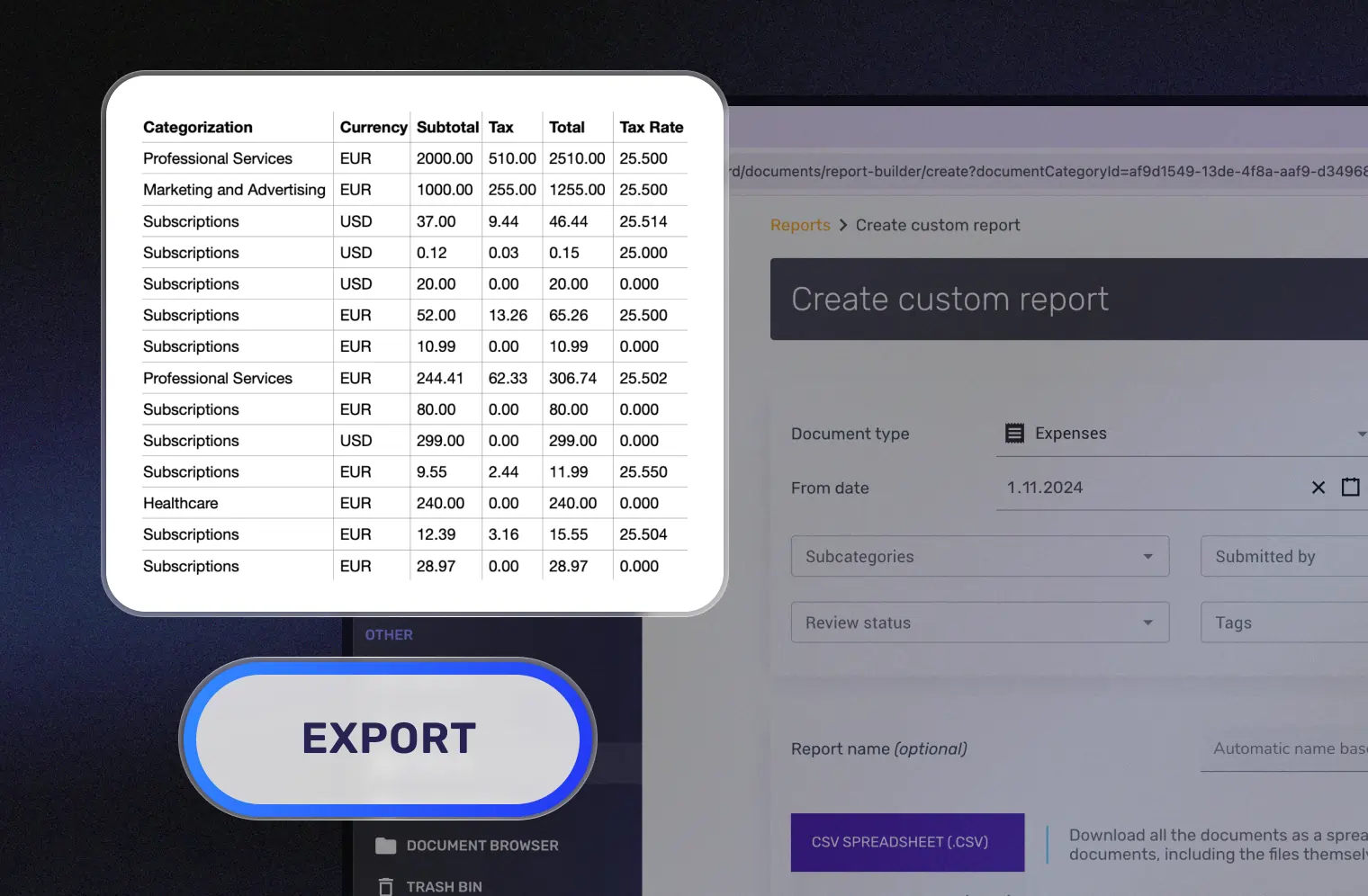
Generate Tax-Ready Expense Reports
Select a date range and generate a complete expense report in one click. Every receipt image is attached. Every expense is categorized. Every total is calculated.
Export as PDF or CSV. Sync directly to QuickBooks Online. Or invite your accountant for free — they get guest access to view, download, and manage your expense data without a paid subscription.
AI Receipt Scanner That Actually Works
The core of your expense tracker
Most expense trackers make you type in the details yourself. SparkReceipt’s AI receipt scanner does it for you.
Point your camera at any receipt — paper, thermal, or handwritten. The AI extracts vendor name, line items, amounts, tax breakdowns, currency, and date in seconds. It reads receipts in English, French, German, Spanish, Japanese, and Finnish.
Works with crumpled receipts, faded thermal paper, and even partial receipts. If a human can read it, SparkReceipt can scan it.
Email Receipts Captured Automatically
Your inbox is full of business expenses
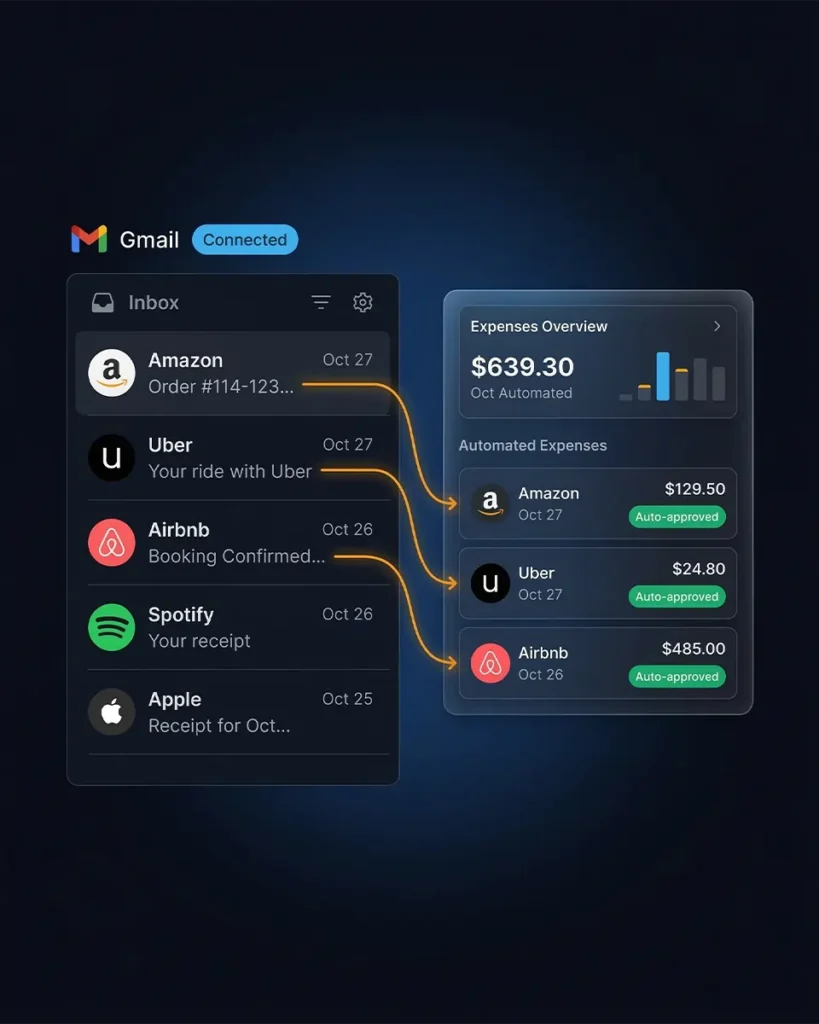
SaaS subscriptions, online purchases, travel bookings — most business expenses arrive as email receipts. SparkReceipt captures them without you lifting a finger.
Connect your Google (Gmail), Microsoft (Outlook, Hotmail, Live), or any IMAP provider (Yahoo, iCloud, ProtonMail, and more), and SparkReceipt scans every incoming email automatically. Receipts and invoices are imported and processed by AI. Everything else is ignored. You can also scan historical emails with date filters to capture receipts from specific periods, or forward receipts manually and set up auto-forwarding rules for specific senders.
No more searching your inbox at tax time. Every email receipt is already scanned, categorized, and waiting in your expense tracker.
Track Expenses in 150+ Currencies
Built for businesses that operate globally
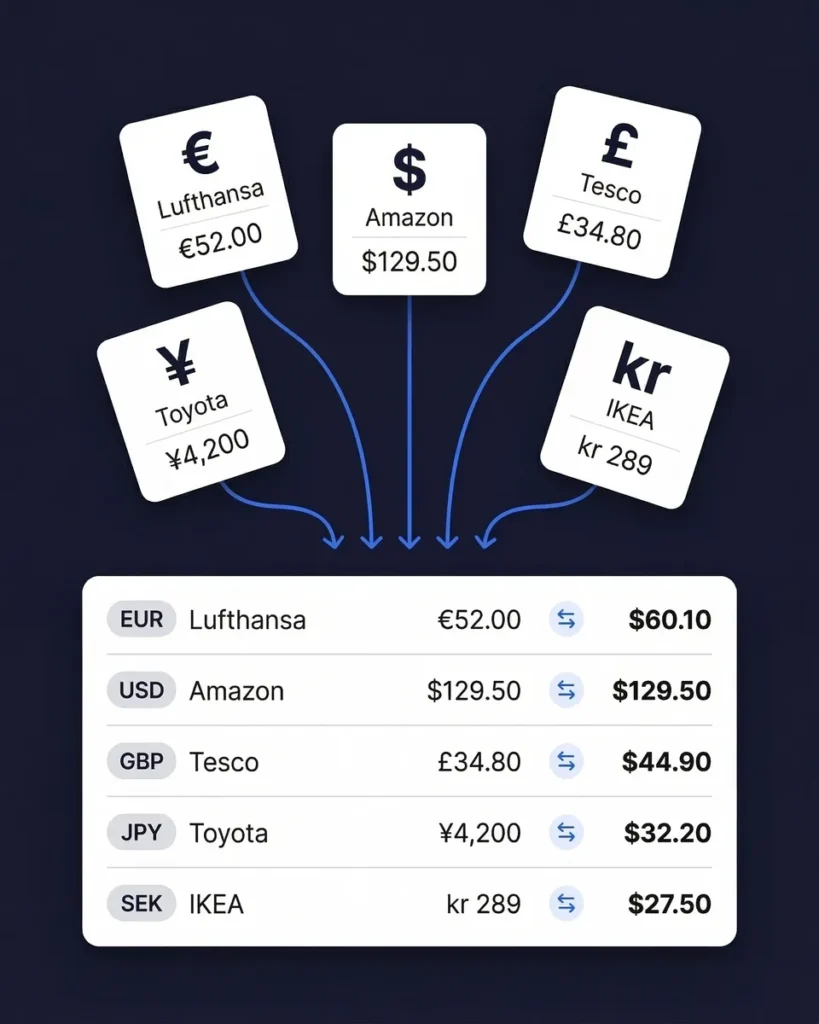
If your business deals with international suppliers, travels abroad, or pays for services in foreign currencies, SparkReceipt handles it automatically.
The AI detects the currency on every receipt and converts amounts using real-time exchange rates. Local tax rules — including VAT, GST, and PST — are applied automatically based on the receipt’s country of origin.
Whether you receive a receipt in euros from a German supplier, yen from a Japanese SaaS tool, or dollars from a US vendor, every expense is categorized and converted without manual entry.
Give Your Accountant Free Access
No more emailing spreadsheets
At tax time, most business owners scramble to gather receipts and send messy files to their accountant. SparkReceipt eliminates this entirely.
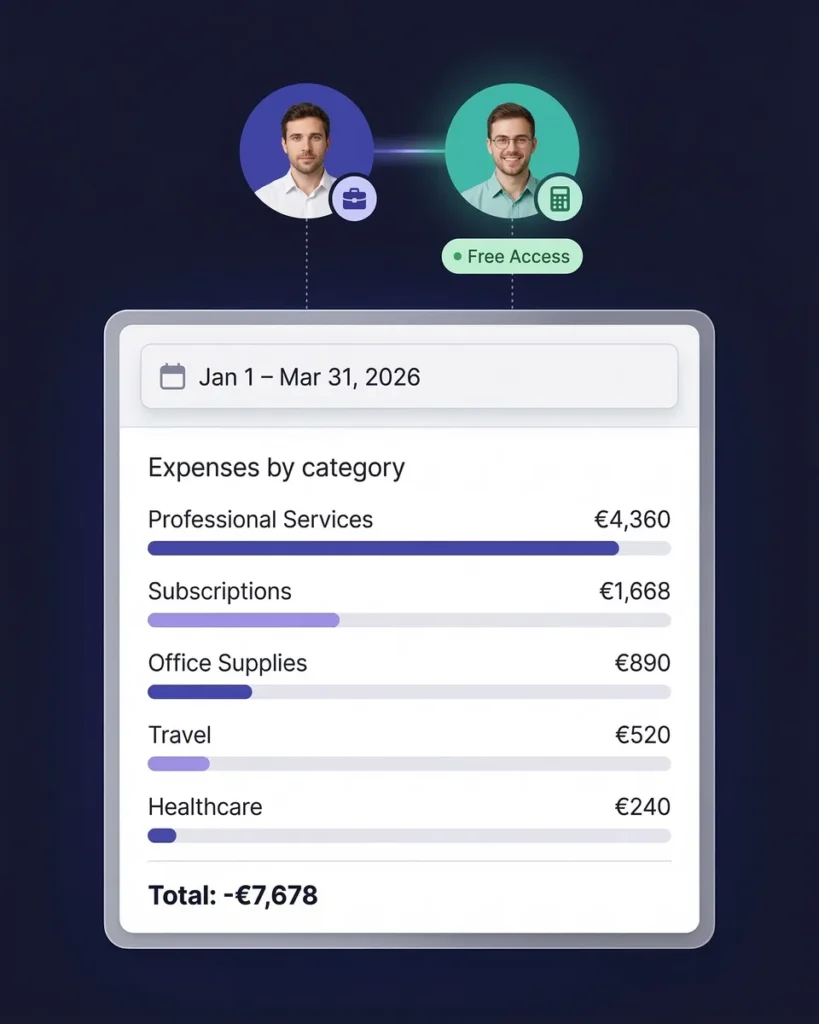
Invite your accountant or bookkeeper with free guest access — included with every plan. They can view all your categorized expenses, download receipt images, generate reports, and export data directly to their accounting software.
No paid seat required. No subscription for your accountant. Just clean, organized expense data they can work with immediately. It’s the part of pre-accounting that saves both of you hours every month.
Business Expense Tracking From $6.58/Month
3–8x less than QuickBooks, FreshBooks, or Expensify
Most business expense tracking software costs $17–$50 per month. QuickBooks starts at $17.50. FreshBooks starts at $17. YNAB costs $14.99 — and doesn’t even scan receipts.
SparkReceipt gives you AI receipt scanning, automatic categorization, email receipt capture, bank statement extraction, expense reports, QuickBooks integration, and free accountant access — starting from $6.58/month.
Every plan includes simple, transparent pricing. No hidden fees, no surprise charges. And if you’re not satisfied, there’s a 30-day money-back guarantee.

Lock in Your Price for Life
We never raise prices for existing customers
Pro
For small businesses and freelancers
$79 / user / year · billed at $79/yr
- 50 Document Scans / mo
- Multiple Users (pay per seat)
- Mass Upload Documents
- Unlimited Linked Sub-Accounts
- Automatic Email Receipt Fetching
- Line-item Categorization for Expenses
- AI Automations
No Credit Card Required
Elite
For growing teams and power users
$109 / user / year · billed at $109/yr
- Unlimited Document Scans / mo
- Multiple Users (pay per seat)
- Mass Upload Documents
- Unlimited Linked Sub-Accounts
- Automatic Email Receipt Fetching
- Line-item Categorization for Expenses
- AI Automations
No Credit Card Required
How Much Are Untracked Expenses Costing Your Business?
Most small businesses miss $2,000–$5,000 in tax deductions every year. Calculate your potential savings.
Tip: Keep this conservative. Even a small loss adds up.
What Business Owners Say
Join thousands who've automated their expense tracking

Excellent software to manage income and expenses, and have the relevant info at your fingertips at any given time.
Thanks to SparkReceipt I have a quick look to my business accounts status in a glance. It is really impressive.
SparkReceipt is one of the very few software purchased that I have made that exceeded my expectations. It does much more than keeps copies of your business receipts, it provides great reports, with easy edit options - it is going to save me a lot of work when I do my annual tax returns - a great product.
Business Expense Tracker FAQ
What is a business expense tracker?
A business expense tracker is software that records, categorizes, and monitors your company’s spending. The best business expense trackers use AI to scan receipts, automatically categorize expenses by type (office supplies, travel, meals, software), and generate tax-ready reports — eliminating manual spreadsheet entry and reducing the risk of missed deductions.
How do I track business expenses?
Track business expenses by scanning every receipt with SparkReceipt’s AI, which extracts the vendor, amount, date, tax, and currency automatically. You can snap a photo with your phone, forward email receipts, connect your inbox for automatic capture, or upload bank statements. Every expense is categorized and stored with the original receipt image attached.
What is the best expense tracker for small business?
The best expense tracker for small business combines AI receipt scanning, automatic categorization, and affordable pricing without the complexity of full accounting software. SparkReceipt offers all three — with AI-powered expense tracking from $6.58/month, 150+ currencies, free accountant access, and simple, transparent pricing. No need to pay $17–$50/month for QuickBooks or FreshBooks if you just need to track expenses.
How is SparkReceipt different from QuickBooks or FreshBooks?
QuickBooks ($17.50–$49.50/month) and FreshBooks ($17/month) are full accounting suites with invoicing, payroll, and bookkeeping features. SparkReceipt ($6.58/month) focuses specifically on the expense tracking workflow: scan receipts with AI, categorize automatically, and export clean reports. It’s simpler, 3–8x more affordable, and integrates with QuickBooks Online when you need full accounting.
Do I need an expense tracker for taxes?
Yes. Tracking business expenses throughout the year ensures you claim every tax deduction you’re entitled to. Most small businesses and freelancers miss $2,000–$5,000 in deductions annually because receipts are lost, forgotten, or disorganized. A business expense tracker creates the organized records your accountant needs — and the records the IRS, CRA, HMRC, or ATO may request in an audit.
Can SparkReceipt track expenses in multiple currencies?
Yes. SparkReceipt supports 150+ currencies with automatic exchange rate conversion. The AI reads receipts in six languages (English, French, German, Spanish, Japanese, and Finnish) and applies local tax rules including VAT, GST, and PST automatically. This makes it the ideal expense tracker for businesses with international suppliers or travel.
Can my accountant access my expense data?
Yes. Invite your accountant or bookkeeper with free guest access — included on every plan at no extra cost. They can view, download, and manage your categorized expense data without needing their own paid subscription. No more emailing spreadsheets or sharing messy folders at tax time.
Is SparkReceipt really free to start?
Yes. SparkReceipt offers a free plan with AI receipt scanning — no credit card required. Paid plans start from $6.58/month with simple, transparent pricing, giving you unlimited scanning, automatic email receipt importing, bank statement extraction, QuickBooks integration, and free accountant access.
Does SparkReceipt integrate with QuickBooks?
Yes. SparkReceipt integrates directly with QuickBooks Online. Your categorized expenses and receipt images sync automatically, eliminating double entry between your expense tracker and accounting software. SparkReceipt handles the receipt scanning and categorization — QuickBooks handles the accounting.
Will my SparkReceipt price increase over time?
SparkReceipt offers simple, transparent pricing with no hidden fees. Plus, there’s a 30-day money-back guarantee if you’re not satisfied. See pricing →
Stop Losing Business Expenses. Start Saving on Taxes.
Free to start. Set up in 2 minutes.
Every receipt you don’t track is a potential tax deduction your business will never claim. SparkReceipt’s AI captures, categorizes, and organizes every expense automatically — so nothing falls through the cracks.
Join thousands of small business owners and freelancers who’ve replaced spreadsheets with AI-powered expense tracking. Simple, transparent pricing with no hidden fees. Your accountant gets free access.