Never Lose a Credit Card Receipt Again
Scan, Organize, and Match Credit Card Receipts Automatically
Credit card receipts pile up fast — in wallets, email inboxes, and desk drawers. By tax time, half are lost and the rest have faded. SparkReceipt uses AI to scan, categorize, and match every credit card receipt to your bank statements — so you're always tax-ready and audit-proof.





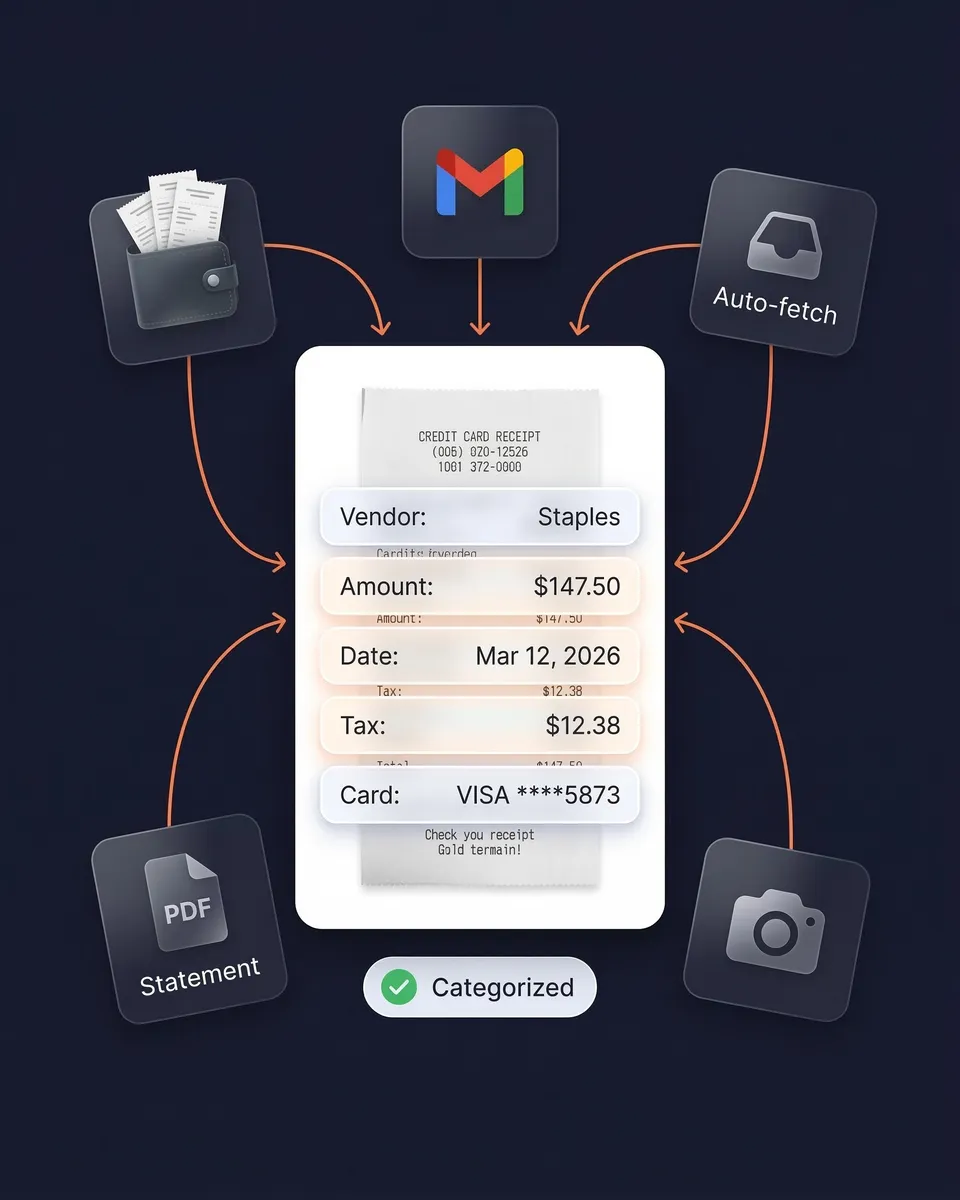
Credit Card Receipts Before and After SparkReceipt
See what changes when AI handles your credit card receipts

Without SparkReceipt
- Paper receipts crumpled in wallets, fading on thermal paper
- Email receipts buried across multiple inboxes
- Hours matching credit card charges to receipts at tax time
- Missing receipts = missed tax deductions and audit risk
- No idea which credit card charges have receipts and which don't

With SparkReceipt
- Every receipt scanned and stored digitally — never fades, never lost
- Email receipts fetched automatically from Gmail and IMAP inboxes
- AI matches receipts to credit card statement transactions instantly
- Every deduction captured and categorized for tax season
- Clear view of which charges have documentation and which need attention
Do You Need to Keep Credit Card Receipts?
Yes — and here's why credit card statements aren't enough
One of the most common tax myths is that a credit card statement is enough proof for the IRS. It’s not.
A credit card statement shows you paid $150 at Staples — but it doesn’t prove whether you bought office supplies (deductible) or gift cards (not deductible). The IRS requires both a record of payment AND proof of what was purchased, including the business purpose.
A valid receipt must include: the vendor name, transaction date, specific items or services purchased, the total amount, and the business purpose. Your credit card statement only covers two of those five requirements.
How long to keep credit card receipts: The IRS recommends 3 years for standard filings, but most tax professionals recommend 7 years to cover all audit scenarios. SparkReceipt stores your receipts securely for 10 years — exceeding even the strictest retention requirements. In Canada (CRA), the minimum is 6 years. In the UK (HMRC), 5-6 years. In Australia (ATO), 5 years.
The good news: the IRS accepts digital receipts — including scanned, photographed, and emailed copies — as long as they’re legible and complete.
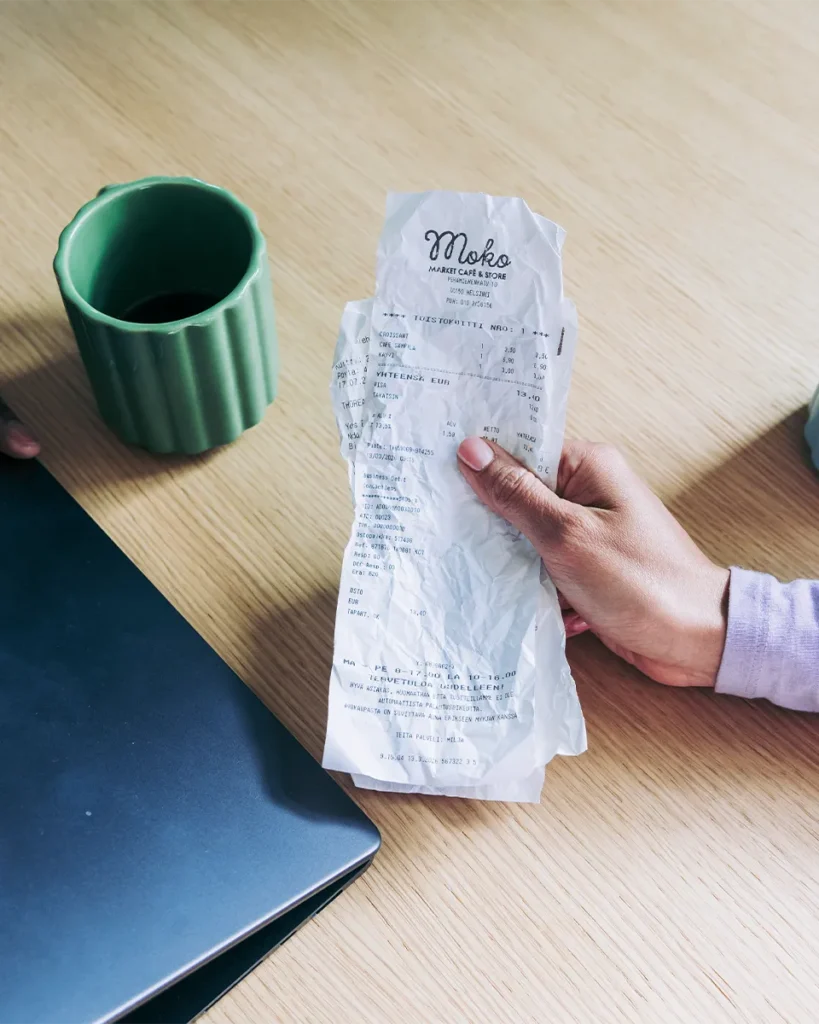
How Credit Card Receipt Scanning Works
Three ways to capture every credit card receipt. One AI to organize them all.
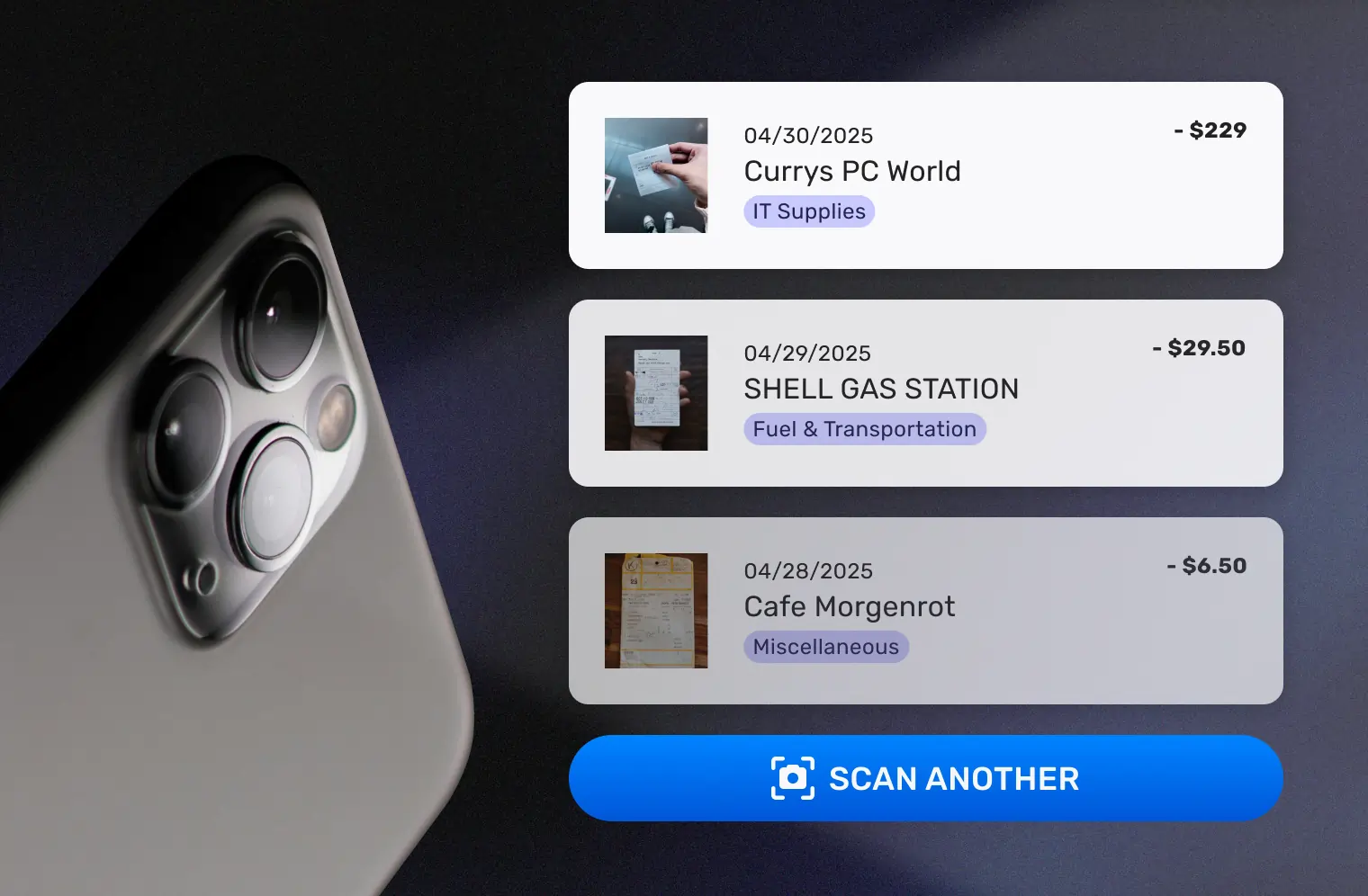
Scan Paper Credit Card Receipts Instantly
Open SparkReceipt on your phone and snap a photo of any credit card receipt — even crumpled, faded, or thermal paper receipts. AI extracts the vendor name, amount, date, tax breakdown, payment method, and individual line items in seconds.
Back at your desk? Upload receipt images, PDFs, or screenshots. Mass upload up to 100 credit card receipts at once and AI processes each one automatically.
SparkReceipt reads receipts in virtually any language and handles 150+ currencies — perfect for international credit card charges with automatic exchange rate conversion.
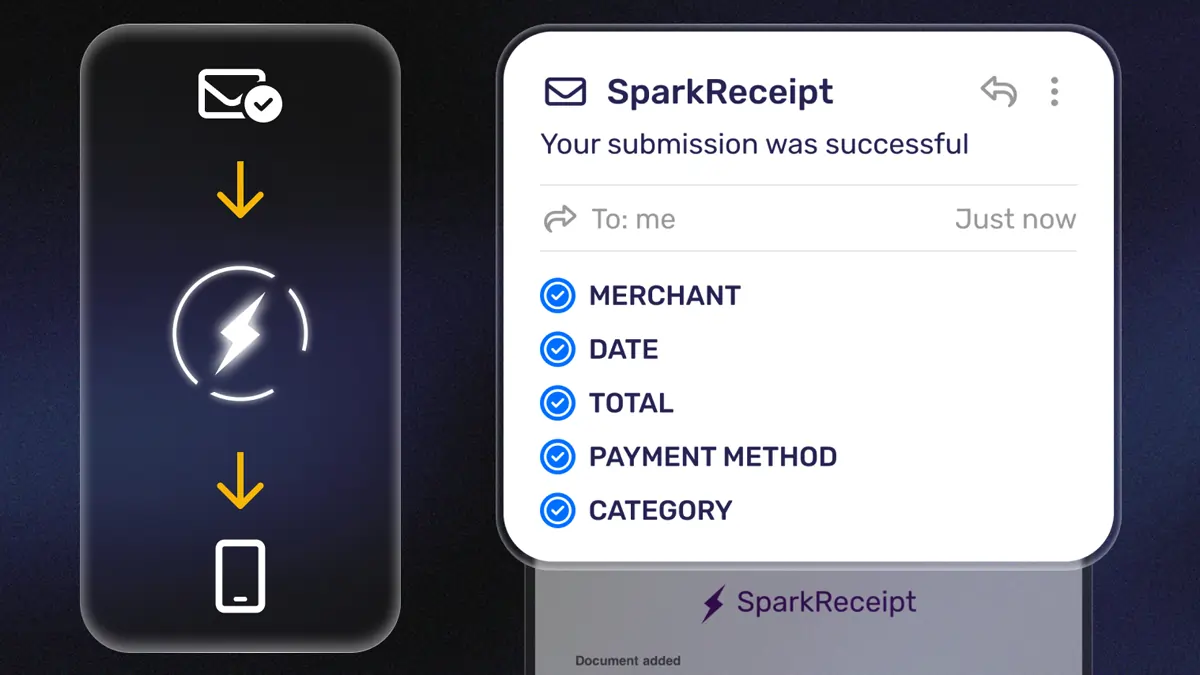
Capture Email Receipts Automatically
Most credit card purchases — online shopping, SaaS subscriptions, travel bookings, fuel purchases — generate email receipts. SparkReceipt captures them without you lifting a finger.
Connect your Gmail or any IMAP inbox and SparkReceipt automatically finds and processes email receipts. No forwarding required. Every receipt is scanned, data is extracted by AI, and expenses are categorized automatically.
No more searching through thousands of emails at tax time. Every digital credit card receipt is already organized and waiting.
Match Receipts to Credit Card Statements
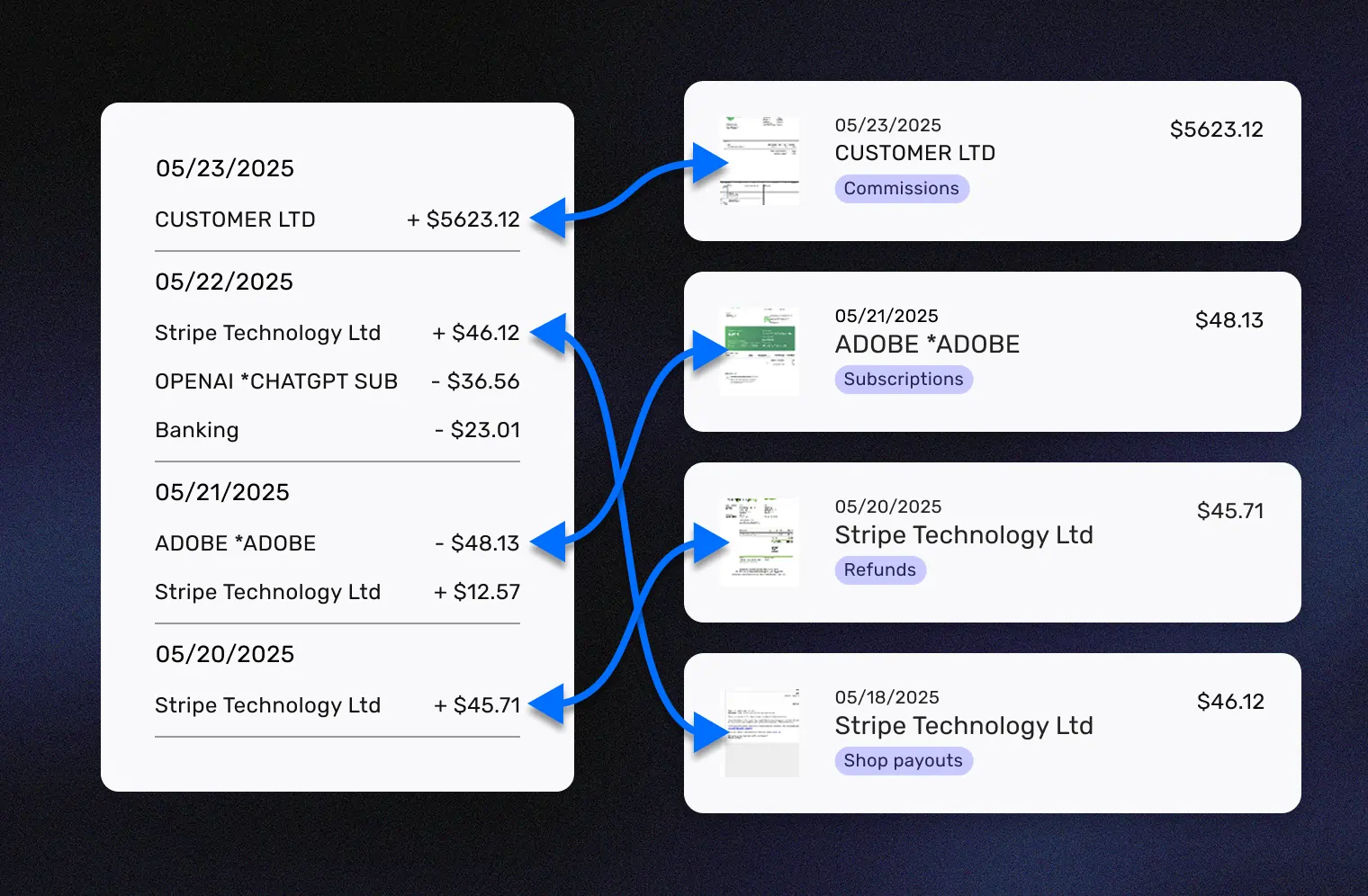
This is where SparkReceipt does something no other receipt app can. Upload your credit card statement as a PDF and SparkReceipt’s bank statement extractor pulls every transaction automatically.
AI then matches each transaction to its corresponding receipt — and flags any charges missing documentation. Instead of manually cross-referencing your statement line by line, you get an instant view of what’s documented and what needs attention.
Perfect for monthly reconciliation, tax preparation, or giving your accountant a complete, audit-proof expense record.
AI Categorizes Every Credit Card Expense
No manual data entry. No spreadsheets. No guesswork.
Every credit card receipt you scan or import is automatically categorized by AI into tax-relevant groups: office supplies, meals, travel, software subscriptions, fuel, professional services, and more.
The AI extracts the vendor name, total amount, date, tax breakdown, currency, and even individual line items from each receipt. It learns your spending patterns and gets smarter over time.
Need custom rules? AI Automations let you set instructions in plain English — like “Categorize all Amazon purchases as Office Supplies” or “Tag any charge over $500 as Equipment.” Set it once and it applies forever.
Looking for something specific? Ask SparkAgent: “Show me all credit card charges at restaurants in Q1” — and get instant answers.

Match Receipts to Your Credit Card Statement
The feature no other receipt app offers
At tax time, your accountant doesn’t just want receipts — they want receipts that match your credit card statements. That’s exactly what SparkReceipt’s bank statement extractor delivers.
Upload any credit card statement as a PDF. AI extracts every transaction and cross-references it against your scanned receipts. You instantly see which charges have matching documentation and which are missing receipts.
This turns hours of manual reconciliation into a 2-minute automated process. No spreadsheets. No stapling receipts to statements. No scrambling through emails to find a missing charge.

Email Receipts Captured Without Lifting a Finger
Your inbox is full of credit card receipts you're ignoring
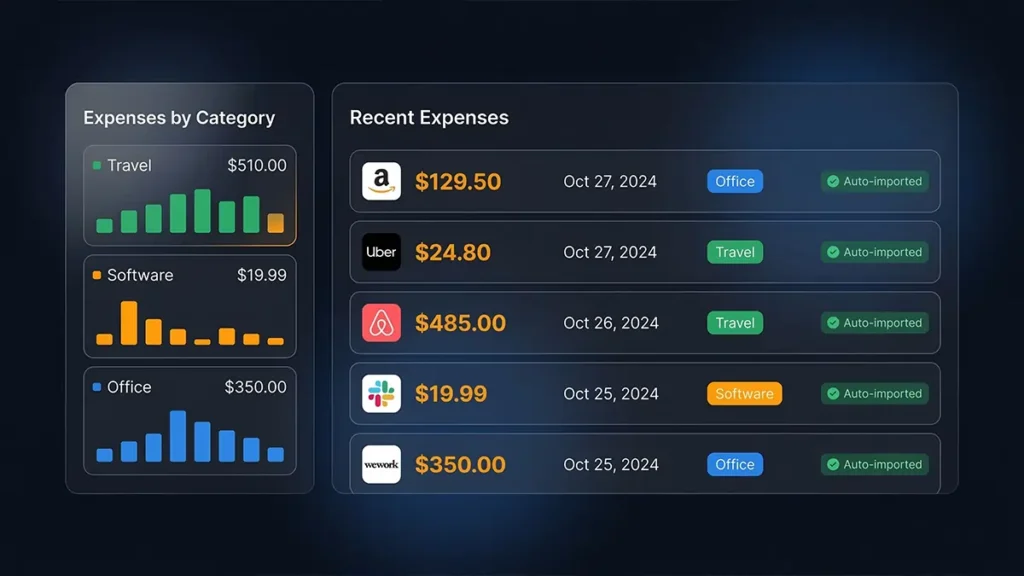
Think about your last 10 credit card purchases. How many generated an email receipt? SaaS subscriptions, Amazon orders, Uber rides, airline tickets, hotel bookings — most of your credit card spending already has a digital receipt sitting in your inbox.
SparkReceipt connects to your Gmail or any IMAP email inbox and automatically finds, imports, and processes these email receipts. No forwarding required. No manual downloads.
Combined with phone scanning for paper receipts and bank statement matching for reconciliation, you get complete credit card receipt coverage — digital and physical, automatic and manual.
International Credit Card Charges? Handled.
150+ currencies with automatic exchange rate conversion
If you travel for business, work with international suppliers, or pay for services in foreign currencies, your credit card receipts come in multiple languages and currencies. Most receipt apps can’t handle this.
SparkReceipt reads receipts in virtually any language and supports over 150 currencies with automatic live exchange rate conversion. Local tax rules — including VAT, GST, HST, and PST — are detected and applied automatically based on the receipt.
Whether it’s a dinner receipt in euros from Paris, a taxi receipt in yen from Tokyo, or a hotel bill in pounds from London — every credit card charge is captured, converted, and categorized without manual entry.

Tax-Ready Expense Reports in One Click
Give your accountant exactly what they need
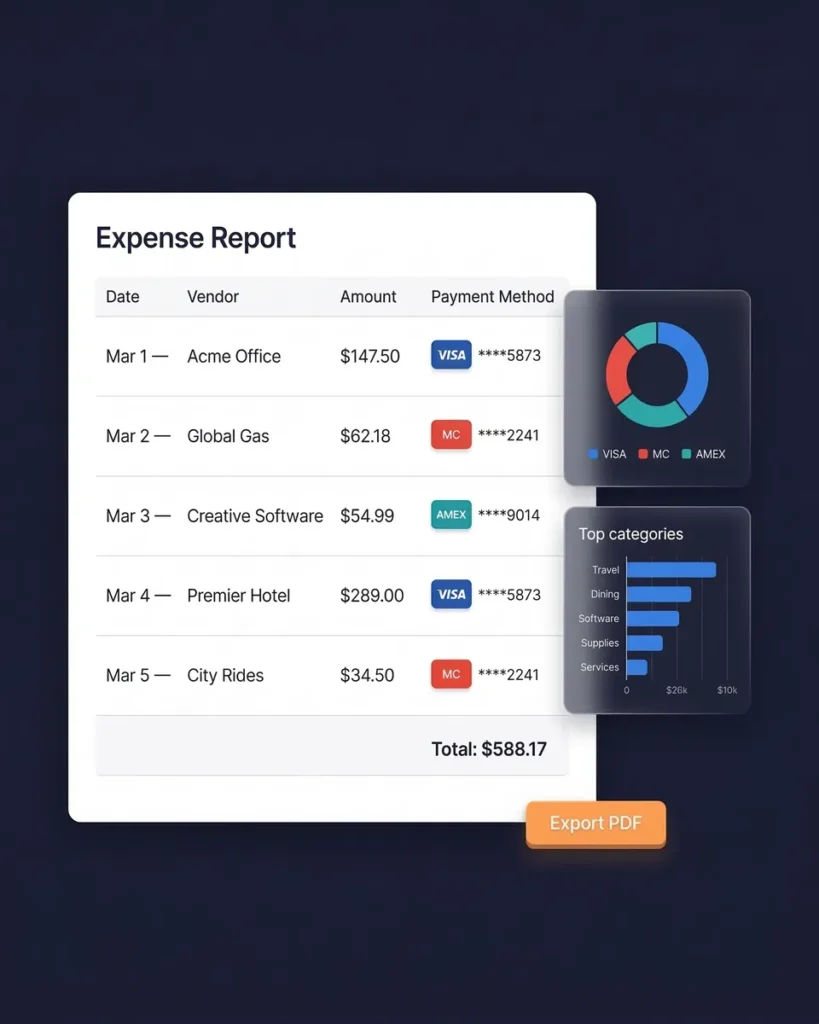
Select a date range and generate a complete expense report — totals by category, tax summaries, and links to every original receipt image. Export as PDF, Excel, or CSV.
Sync directly with QuickBooks Online to eliminate double entry. Or invite your accountant with free guest access — they can view, download, and manage your expense data without a paid subscription.
No more emailing ZIP files or sharing messy Google Drive folders at tax time. Your accountant gets clean, organized, categorized credit card expense data — ready to work with immediately.
Credit Card Receipt Management From $6.58/Month
5–15x less than Shoeboxed, Dext, or Expensify
Most receipt management tools charge $29–$89/month (Shoeboxed), $31.50/month (Dext), or per-user fees that add up fast (Expensify). SparkReceipt gives you everything you need from $6.58/month.
That includes AI receipt scanning, automatic categorization, email receipt auto-fetch, bank statement extraction, expense reports, QuickBooks integration, 150+ currencies, and free accountant access.
Every plan comes with simple, transparent pricing — no hidden fees, no surprise charges. And if you’re not satisfied, there’s a 60-day money-back guarantee.

Lock in Your Price for Life
We never raise prices for existing customers
Pro
For small businesses and freelancers
$79 / user / year · billed at $79/yr
- 50 Document Scans / mo
- Multiple Users (pay per seat)
- Mass Upload Documents
- Unlimited Linked Sub-Accounts
- Automatic Email Receipt Fetching
- Line-item Categorization for Expenses
- AI Automations
No Credit Card Required
Elite
For growing teams and power users
$109 / user / year · billed at $109/yr
- Unlimited Document Scans / mo
- Multiple Users (pay per seat)
- Mass Upload Documents
- Unlimited Linked Sub-Accounts
- Automatic Email Receipt Fetching
- Line-item Categorization for Expenses
- AI Automations
No Credit Card Required
What Freelancers and Business Owners Say
Join thousands who've automated their credit card receipt tracking

Excellent start and amazing team. Looking forward to making SparkReceipt my default expense management and accounting platform.

I used to send my accountant a bag of slips every month hoping they capture everything in order for me to be refunded for business expenses. With Sparkreceipt I now have a realtime view of how much the business owes me and I have a clear picture for what business expenses I pay for.
SparkReceipt is one of the very few software purchased that I have made that exceeded my expectations. It does much more than keeps copies of your business receipts, it provides great reports, with easy edit options - it is going to save me a lot of work when I do my annual tax returns - a great product.
How Much Are Lost Credit Card Receipts Costing You?
Most freelancers miss $2,000–$5,000 in tax deductions every year
Tip: Keep this conservative. Even a small loss adds up.
Credit Card Receipts FAQ
How long should I keep credit card receipts?
The IRS recommends keeping credit card receipts for at least 3 years from your filing date, but most tax professionals advise 7 years to cover all potential audit scenarios. If you claimed unreported income over 25% of gross income, keep records for 6 years. If you didn’t file or filed fraudulently, keep records indefinitely. SparkReceipt stores your receipts securely for 10 years — exceeding even the strictest requirements. In Canada, the minimum is 6 years. In the UK, 5-6 years. In Australia, 5 years.
Can I use a credit card statement instead of a receipt for taxes?
No — a credit card statement alone is not sufficient for the IRS. A credit card statement is a record of payment, but the IRS requires proof of what was purchased and its business purpose. A statement showing “$150 at Staples” doesn’t prove whether you bought deductible office supplies or non-deductible gift cards. You need the actual itemized receipt. Credit card statements can serve as supplementary evidence alongside receipts, calendar entries, and contracts — but they cannot replace receipts entirely.
What information is on a credit card receipt?
A credit card receipt typically includes: the merchant/vendor name, transaction date, items or services purchased (on itemized receipts), subtotal and total amounts, tax charged, last four digits of the card number, authorization code, and sometimes the cardholder name. For tax purposes, the IRS requires the vendor name, date, amount, specific items purchased, and the business purpose (which you can note yourself). SparkReceipt extracts all of this automatically using AI.
What is the IRS $75 receipt rule?
The $75 rule is often misunderstood. It applies only to certain travel-related expenses — not all business expenses. For qualifying travel expenses under $75, you don’t need a detailed receipt, but you still need a written record of the amount, date, location, and business purpose. Lodging always requires a receipt regardless of amount. For non-travel business expenses, there is no $75 threshold — you should keep receipts for all amounts. The safest approach is to scan and save every credit card receipt.
Are digital credit card receipts accepted by the IRS?
Yes. The IRS accepts digital receipts — including scanned photos, screenshots, and emailed copies — as long as they are legible, accurate, and easy to retrieve. This means scanning your paper credit card receipts with SparkReceipt creates an IRS-compliant digital record. The same applies in Canada (CRA), the UK (HMRC), and Australia (ATO). Digital receipts are actually more reliable than paper because thermal paper fades over time.
What is the best way to organize credit card receipts?
The best way is to digitize immediately and let AI organize for you. With SparkReceipt, you snap a photo of paper receipts (AI extracts all data), connect your email for automatic digital receipt capture, and upload credit card statements for transaction matching. Every receipt is automatically categorized by expense type, stored securely for 10 years, and instantly searchable. No filing cabinets, no spreadsheets, no shoeboxes. Start free →
How do I match credit card receipts to my bank statement?
Manually matching receipts to credit card statement lines is one of the most tedious bookkeeping tasks. SparkReceipt automates this entirely: upload your credit card statement as a PDF, and the bank statement extractor pulls every transaction. AI then cross-references each charge against your scanned receipts and flags any transactions missing documentation. What used to take hours now takes minutes.
Should I shred old credit card receipts?
Yes — but only after you’ve digitized them. Credit card receipts can contain the last four digits of your card number and sometimes more personal information, creating identity theft risk if disposed of carelessly. Scan your receipts with SparkReceipt first (creating a permanent, IRS-accepted digital copy), then shred the paper originals. SparkReceipt stores your digital receipts securely for 10 years, so you’ll always have access even after the paper is gone.
What is the best credit card receipt scanner app?
SparkReceipt is the best credit card receipt scanner for freelancers and small businesses. It combines AI-powered scanning with features no other app offers at this price: automatic email receipt fetching, credit card statement matching, 150+ currencies, AI categorization, and free accountant access — all from $6.58/month. Alternatives like Shoeboxed ($29-89/month) and Dext ($31.50/month) cost 5-15x more. SparkReceipt also includes a lifetime price lock and 60-day money-back guarantee. See pricing →
Can SparkReceipt handle credit card receipts in foreign currencies?
Yes. SparkReceipt supports over 150 currencies with automatic live exchange rate conversion. It reads receipts in virtually any language and detects local tax rules (VAT, GST, HST, PST) automatically. If you travel internationally or pay suppliers in foreign currencies, every credit card charge is captured, converted to your home currency, and categorized — without manual data entry.
Stop Losing Credit Card Receipts. Start Saving on Taxes.
Free to start. Set up in 2 minutes.
Every credit card receipt you don’t track is a potential tax deduction you’ll never claim. Most freelancers and small business owners miss $2,000–$5,000 in deductions every year because receipts are lost, faded, or buried in email.
SparkReceipt’s AI scans paper receipts, fetches email receipts, matches charges to your credit card statements, and categorizes everything automatically. Your accountant gets free access. No hidden fees.