Pre-Accounting Software for Freelancers & Small Businesses
Automate the Messy Part of Accounting — From Receipt to Accountant in Minutes
Pre-accounting is everything that happens before your accountant touches your books — collecting receipts, scanning documents, extracting data, and categorizing expenses. Most freelancers do this manually, wasting 8+ hours a month and paying their accountant to sort through shoeboxes. SparkReceipt automates your entire pre-accounting workflow with AI.





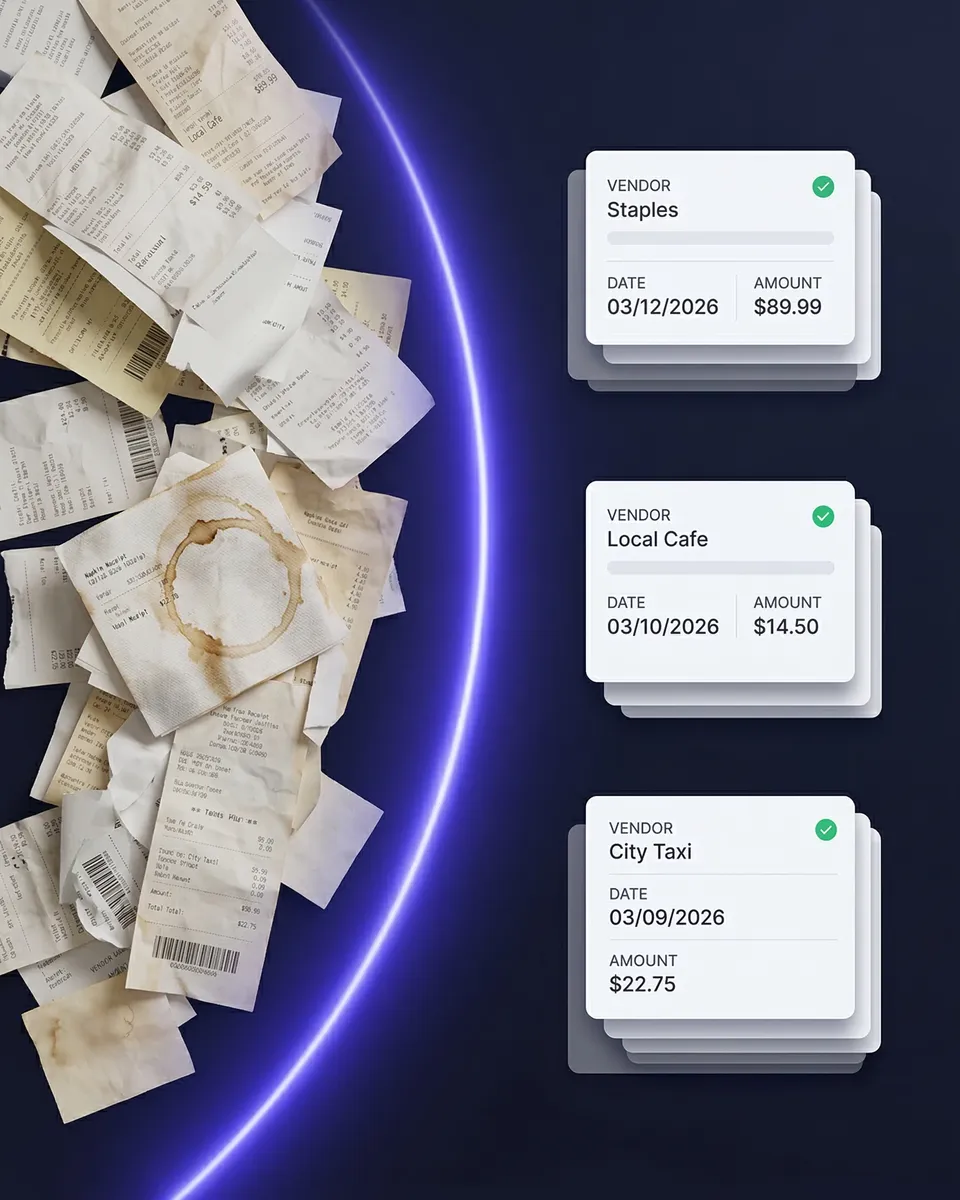
Pre-Accounting Before and After SparkReceipt
The difference between shoebox accounting and AI-powered pre-accounting

Manual Pre-Accounting
- Receipts stuffed in drawers, wallets, and email inboxes all year
- 23 minutes per expense report, with a 22% error rate
- Paying your accountant $100–$200/hour to sort your receipts
- Missing deductions because receipts are lost or faded by tax time
- Multiple back-and-forth emails with your accountant for missing documents
- 12+ hours a month on bookkeeping preparation

With SparkReceipt
- Every receipt scanned, extracted, and stored the moment you get it
- AI extracts and categorizes expenses in seconds — 90% fewer errors
- Your accountant gets free access to clean, organized data instantly
- Every deduction captured — digital receipts never fade, never get lost
- No handoff hassle — your accountant sees everything in real time
- Pre-accounting done in minutes, not hours
What Is Pre-Accounting?
The essential step most freelancers skip — until tax time
Pre-accounting is the preliminary phase of accounting — all the preparatory tasks that happen before financial data is officially recorded in your books. It’s the collecting, scanning, extracting, categorizing, and organizing of receipts, invoices, and bank statements so they’re clean and ready for your accountant or bookkeeping software.
Think of it this way: pre-accounting is the messy real-world data collection. Accounting is the formalized financial reporting. Your accountant doesn’t want a shoebox full of crumpled receipts — they want organized, categorized, verified expense data. That preparation is pre-accounting.
For freelancers and small businesses, pre-accounting typically includes: collecting receipts (paper and email), digitizing paper documents, extracting key data (vendor, date, amount, tax), categorizing transactions, matching receipts to bank statements, preparing expense reports, and handing off clean data to your accountant.
Most people do this manually — and it costs them 8+ hours per month and significantly higher accountant fees. SparkReceipt automates every step.

How SparkReceipt Automates Pre-Accounting
Every step of the pre-accounting workflow — handled by AI
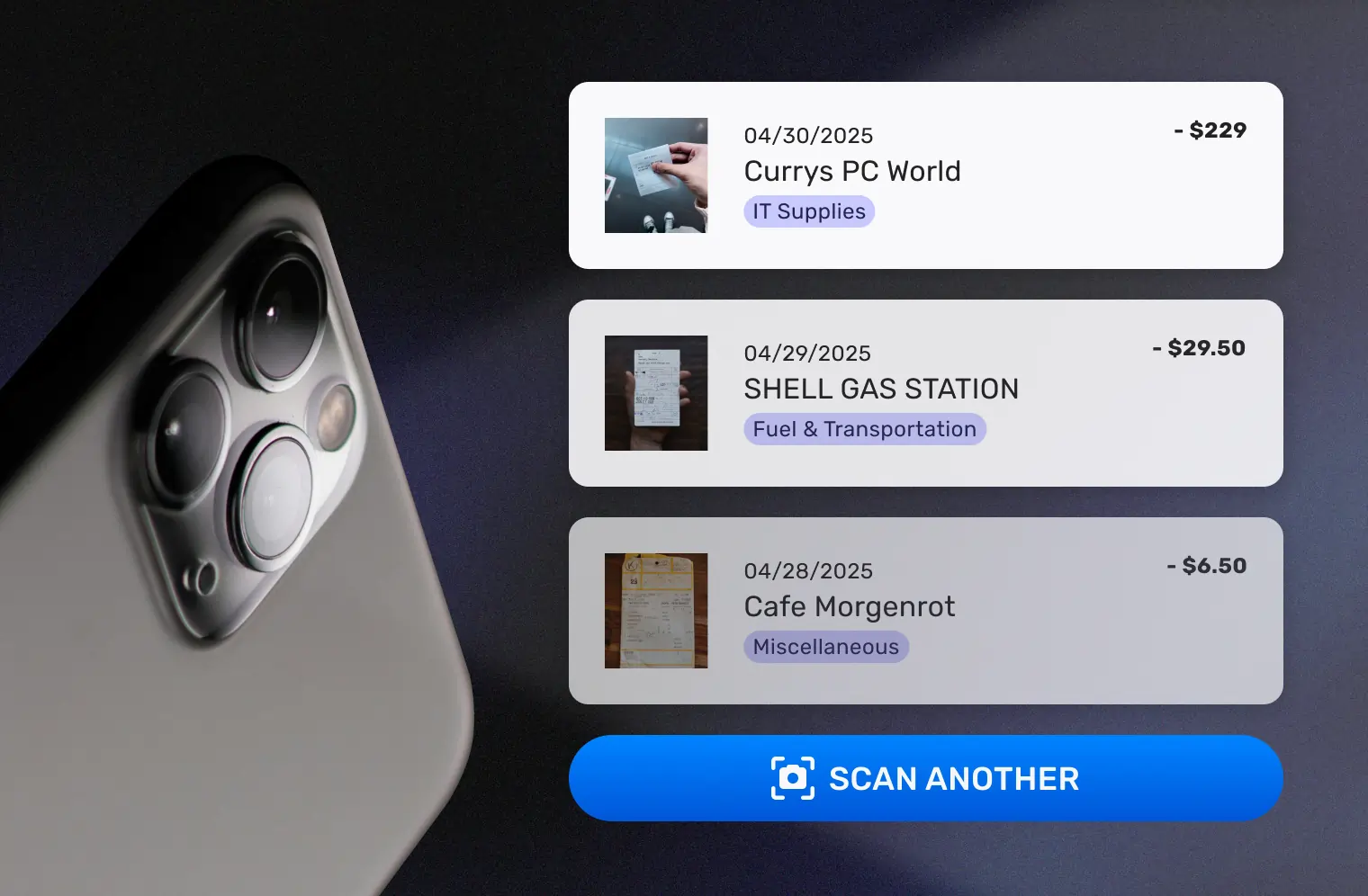
Collect Every Receipt Automatically
The first step of pre-accounting is collecting every financial document. SparkReceipt gives you three ways to capture receipts — so nothing slips through the cracks.
Scan paper receipts with your phone camera. AI extracts vendor, amount, date, tax, and line items in seconds — even from crumpled or faded thermal paper.
Auto-fetch email receipts from Gmail or any IMAP inbox. SaaS subscriptions, online orders, travel bookings — captured automatically without forwarding.
Mass upload up to 100 documents at once from your computer. AI detects, splits, and processes each one individually.
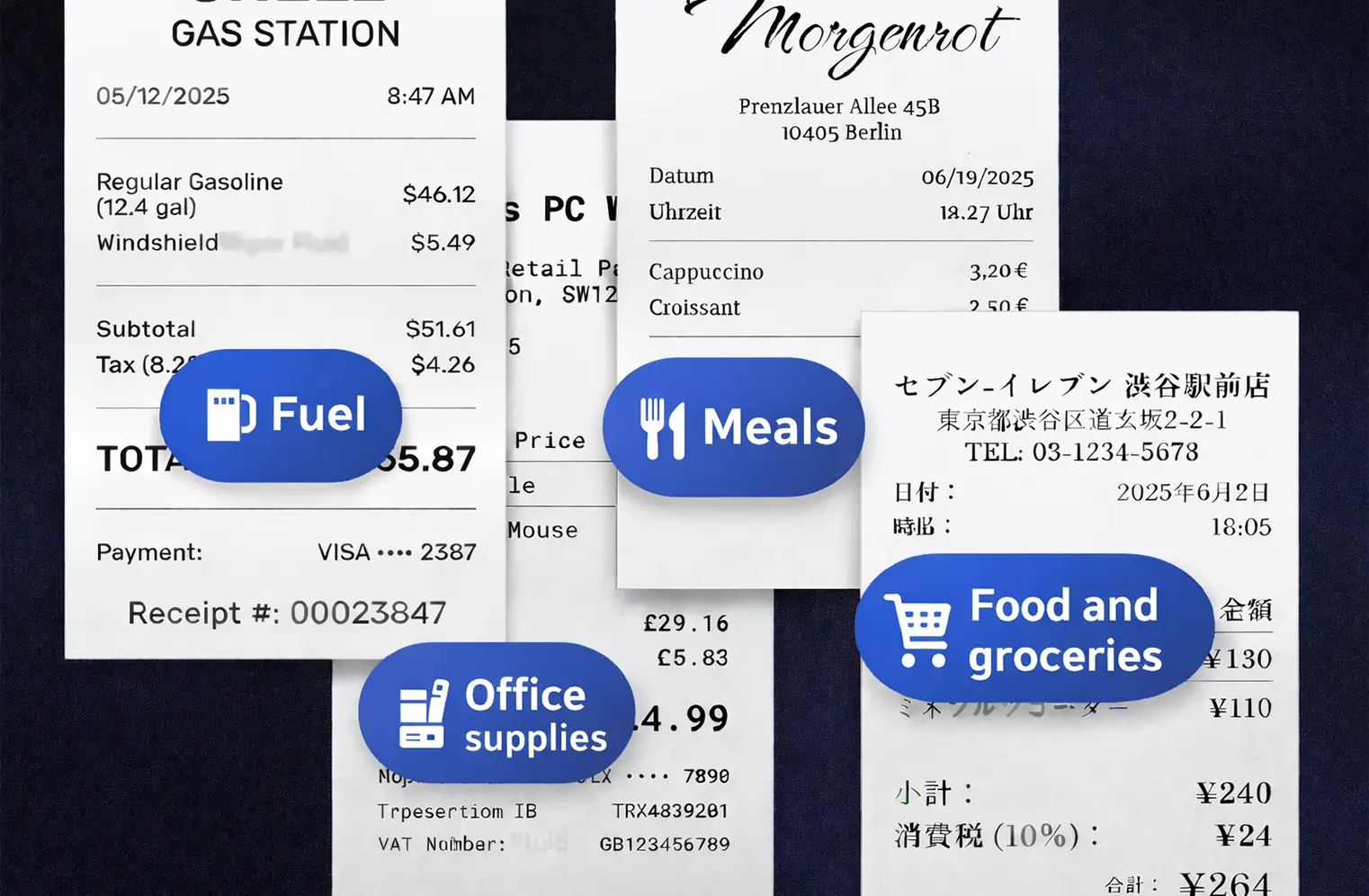
AI Categorizes Every Expense
Manual categorization is where most pre-accounting time gets wasted. SparkReceipt’s AI handles it automatically.
Every receipt is sorted into tax-relevant categories: office supplies, travel, meals, software, professional services, and more. The AI reads receipts in virtually any language, supports 150+ currencies with live exchange rates, and detects local tax rules (VAT, GST, HST, PST).
Need custom rules? AI Automations let you set instructions in plain English — like “Categorize all Amazon purchases as Office Supplies” or “Tag any Uber charge as Transportation.” Set it once, and it runs forever.
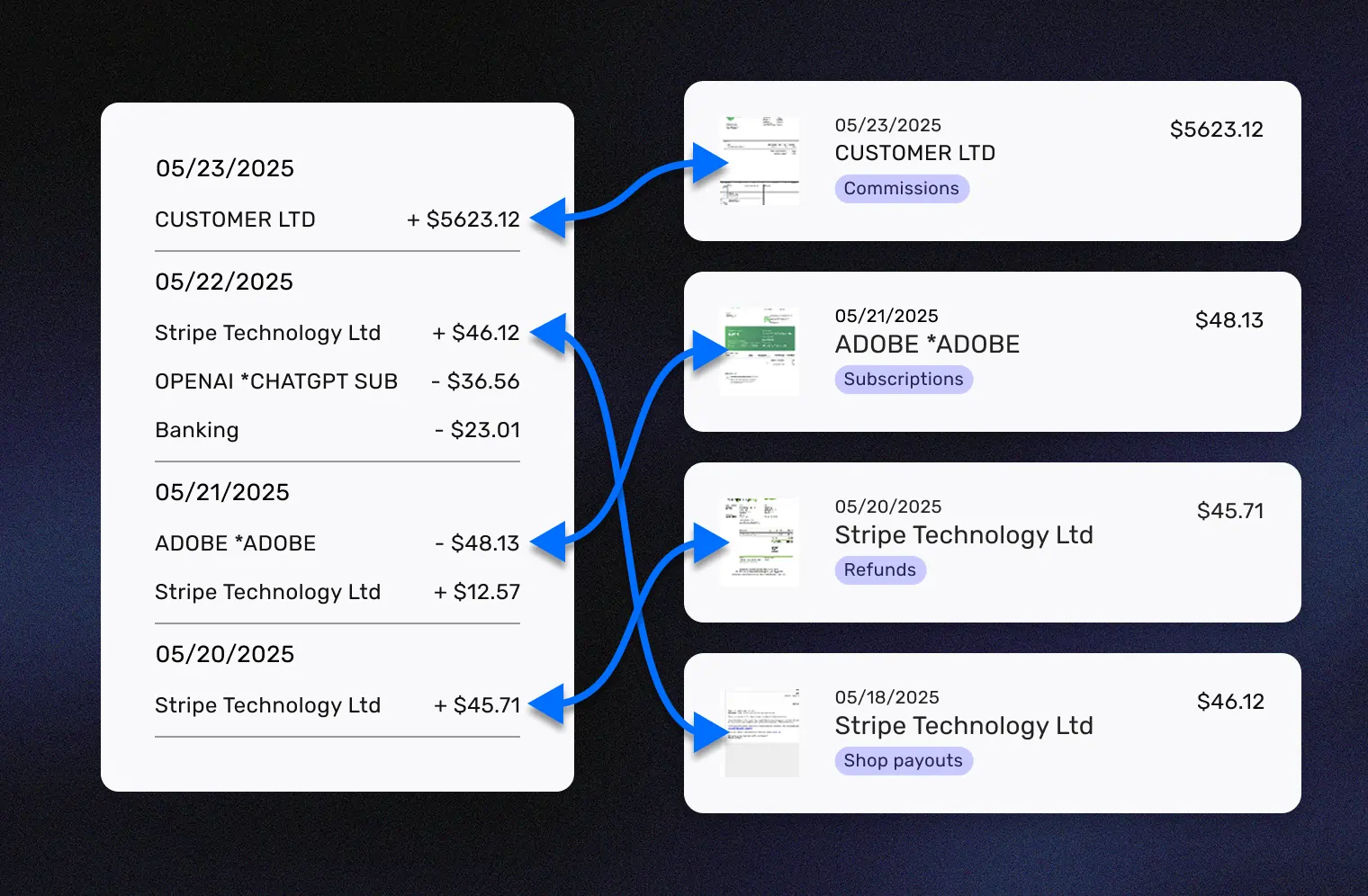
Match Receipts to Bank Statements
The most tedious pre-accounting task is matching receipts to bank and credit card statements. SparkReceipt automates this entirely.
Upload any bank or credit card statement as a PDF. The bank statement extractor pulls every transaction, then AI cross-references each one against your scanned receipts — flagging any charges that are missing documentation.
What used to take hours of manual reconciliation now takes minutes. Your accountant gets a complete, matched record — no follow-up questions needed.
Hand Off Clean Data to Your Accountant
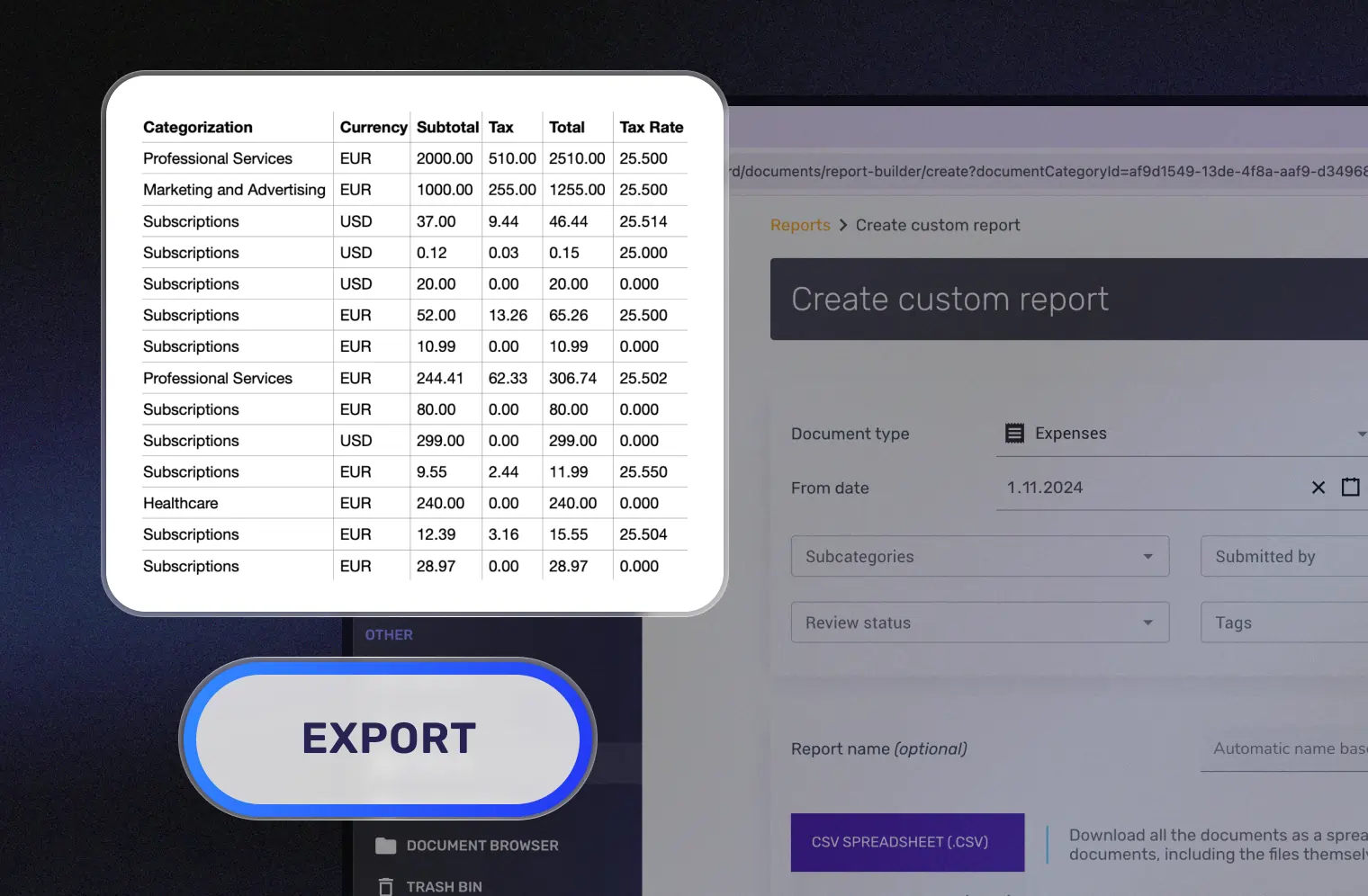
This is where pre-accounting pays off. Instead of dumping a shoebox on your accountant’s desk, you give them instant access to clean, organized, categorized expense data.
Invite your accountant with free guest access — included on every plan. They can view all expenses, download receipt images, generate expense reports, and export data to their accounting software.
Or sync directly with QuickBooks Online — your categorized expenses and receipt images flow automatically into your accounting system. Zero double entry.
Stop the Shoebox: The Real Cost of Manual Pre-Accounting
Your accountant charges $150–$400/hour. Don't pay them to sort receipts.
The “shoebox method” — dumping receipts, invoices, and statements into a drawer all year and handing the mess to your accountant at tax time — is the most expensive way to handle pre-accounting.
Here’s what it actually costs:
- Accountant time: Bookkeepers charge $100–$200/hour to sort disorganized receipts. If yours spends 5 extra hours on your shoebox, that’s $500–$1,000 wasted.
- Missed deductions: Faded receipts get discarded. Small expenses get excluded. Legitimate deductions slip through the cracks.
- Your time: Freelancers report spending 12 hours/month on bookkeeping without proper tools — time that should go toward billable work.
- Audit risk: 75.9% of businesses have experienced serious risk due to poor documentation. 40% of audited businesses faced issues with insufficient evidence.
SparkReceipt eliminates the shoebox for $6.58/month. Your accountant will thank you.

Pre-Accounting vs. Bookkeeping vs. Accounting
Three distinct stages — SparkReceipt handles the first one completely
These terms often get confused. Here’s the difference:
Pre-accounting is the preparation: collecting receipts, scanning documents, extracting data, categorizing expenses, and organizing everything so it’s ready for recording. This is what SparkReceipt automates.
Bookkeeping is the recording: entering categorized transactions into a general ledger, reconciling accounts, and maintaining accurate financial records. Tools like QuickBooks and Xero handle this.
Accounting is the analysis: preparing financial statements, filing taxes, auditing, and strategic financial planning. Your CPA or accountant handles this.
Most freelancers and small business owners either skip pre-accounting entirely (leading to the shoebox problem) or pay accountant rates for what should be an automated task. SparkReceipt handles the entire pre-accounting workflow — from receipt to organized data — so your bookkeeper or accountant can focus on what they’re actually trained for.
Your Accountant Gets Free Access
No more emailing ZIP files. No more follow-up requests.
The final step of pre-accounting is handing clean data to your accountant. Most tools make this painful — exporting CSVs, zipping receipt folders, emailing back and forth about missing documents.
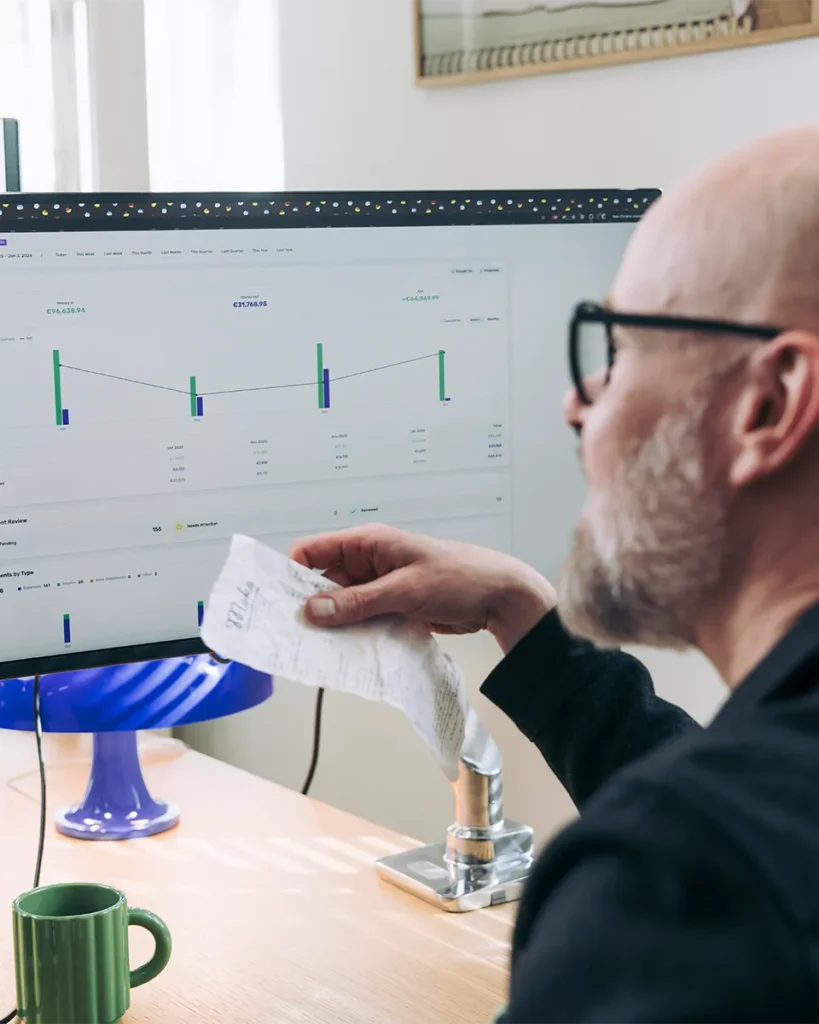
SparkReceipt eliminates all of it. Invite your accountant with free guest access — included on every plan at no extra cost. They get a live view of all your organized expense data: categorized receipts, matched bank transactions, expense reports, and original receipt images.
No paid seat required. No subscription for your accountant. No back-and-forth. They log in, see everything, and get to work.
The result: lower accountant fees (organized records reduce costs by 10–20%), fewer errors (AI extraction vs. manual data entry), and a better relationship with your accountant (they’ll actually enjoy working with you).

Pre-Accounting Software From $6.58/Month
Purpose-built for freelancers, not accounting firms
Most pre-accounting tools are designed for accountant practices and priced accordingly. Dext starts at $239+/month for practices. Tofu starts at $79/month. QuickBooks costs $30+/month — and pre-accounting is an afterthought within a full accounting suite.
SparkReceipt is purpose-built for the pre-accounting workflow — and priced for freelancers and small businesses:
- Pro plan: $6.58/month ($79/year) — AI scanning, categorization, email auto-fetch, expense reports
- Elite plan: $9.08/month ($109/year) — everything in Pro plus unlimited documents, line-item extraction, bank statement matching, AI Automations
Every plan includes simple, transparent pricing — no hidden fees, no surprise charges. Plus a 60-day money-back guarantee. See all plans →

Lock in Your Price for Life
We never raise prices for existing customers
Pro
For small businesses and freelancers
$79 / user / year · billed at $79/yr
- 50 Document Scans / mo
- Multiple Users (pay per seat)
- Mass Upload Documents
- Unlimited Linked Sub-Accounts
- Automatic Email Receipt Fetching
- Line-item Categorization for Expenses
- AI Automations
No Credit Card Required
Elite
For growing teams and power users
$109 / user / year · billed at $109/yr
- Unlimited Document Scans / mo
- Multiple Users (pay per seat)
- Mass Upload Documents
- Unlimited Linked Sub-Accounts
- Automatic Email Receipt Fetching
- Line-item Categorization for Expenses
- AI Automations
No Credit Card Required
What Freelancers and Business Owners Say
Join thousands who've automated their pre-accounting

Thanks to you, I’m actually looking forward to my year end FOR THE FIRST TIME EVER, when I can surprise my accountant with my completed accounts with a week or so off the end of the year!
SparkReceipt is one of the very few software purchased that I have made that exceeded my expectations. It does much more than keeps copies of your business receipts, it provides great reports, with easy edit options - it is going to save me a lot of work when I do my annual tax returns - a great product.
SparkReceipt has been a game-changer for me! It’s made organising my expenses and accounts effortless, saving me loads of time.
Pre-Accounting FAQ
What is pre-accounting?
Pre-accounting is the preliminary phase of the accounting process — all the preparatory tasks that happen before financial data is officially recorded in your books. This includes collecting receipts and invoices, scanning and digitizing paper documents, extracting key data (vendor, date, amount, tax), categorizing transactions, matching receipts to bank statements, and organizing everything for your accountant. Pre-accounting is the messy data collection; accounting is the formalized reporting. Read our complete guide →
What is the difference between pre-accounting and bookkeeping?
Pre-accounting is the preparation: collecting, scanning, and categorizing receipts and financial documents so they’re ready for recording. Bookkeeping is the recording: entering those categorized transactions into a ledger, reconciling accounts, and maintaining financial records. Accounting is the analysis: preparing financial statements, filing taxes, and strategic planning. SparkReceipt automates the pre-accounting step so your bookkeeper or accountant can focus on what they’re trained for.
What is pre-accounting software?
Pre-accounting software automates the collection, digitization, categorization, and organization of financial documents — replacing manual receipt sorting, data entry, and spreadsheet tracking. SparkReceipt is pre-accounting software designed for freelancers and small businesses, combining AI receipt scanning, automatic categorization, email receipt auto-fetching, bank statement extraction, and free accountant access from $6.58/month.
Why is pre-accounting important for small businesses?
Proper pre-accounting reduces accountant fees by 10–20% (organized records mean fewer billable hours), prevents missed tax deductions, provides real-time financial visibility for business decisions, and reduces audit risk. Without it, you’re paying CPA rates ($150–$400/hour) for receipt sorting — or missing deductions entirely because receipts are lost. 75.9% of businesses have experienced serious risk due to poor documentation.
How does pre-accounting save money on accountant fees?
When you hand your accountant clean, categorized, organized expense data instead of a shoebox of receipts, they spend less time on data entry and more time on strategic advice. Bookkeepers charge $100–$200/hour — if yours spends 5 fewer hours sorting your receipts, that’s $500–$1,000 saved. SparkReceipt costs $6.58/month ($79/year), meaning the software pays for itself many times over in reduced accountant fees.
What tasks are included in pre-accounting?
Pre-accounting typically includes: (1) collecting financial documents (receipts, invoices, bank statements), (2) digitizing paper documents, (3) extracting key data (vendor, date, amount, tax, category), (4) categorizing transactions by expense type, (5) verifying accuracy and completeness, (6) matching receipts to bank transactions, (7) preparing expense reports, and (8) handing off organized data to your accountant. SparkReceipt automates all eight steps with AI.
Can I do pre-accounting myself or do I need software?
You can do pre-accounting manually — but it typically takes 8–12 hours per month and has a 22% error rate. Manual expense reports take 23 minutes each. Spreadsheet tracking is error-prone and unsearchable. Pre-accounting software like SparkReceipt reduces this to minutes per month with 90% fewer errors, automatic categorization, and instant searchability. At $6.58/month, the time savings alone make software worth it.
What is the best pre-accounting software for freelancers?
SparkReceipt is the best pre-accounting software for freelancers and small businesses. It covers the entire pre-accounting workflow — receipt scanning, AI categorization, email auto-fetch, bank statement matching, expense reports, and accountant handoff — from $6.58/month. Alternatives like Dext ($239+/month for practices) target accountant firms, while QuickBooks ($30+/month) treats pre-accounting as an afterthought within full accounting software. See pricing →
How does pre-accounting work with my accountant?
With SparkReceipt, your accountant gets free guest access to view all your organized expense data — categorized receipts, matched bank transactions, expense reports, and original receipt images. No more emailing ZIP files or answering follow-up questions about missing documents. Your accountant logs in, sees clean data, and gets to work. You can also sync directly with QuickBooks Online for zero double entry.
What is the 'shoebox problem' in accounting?
The “shoebox problem” refers to the common practice of dumping receipts into a drawer, bag, or shoebox all year and bringing the mess to your accountant at tax time. Accountants universally dread shoebox clients — they charge premium rates to sort through disorganized receipts, legitimate deductions get missed because faded or illegible receipts are discarded, and the process is stressful for everyone involved. SparkReceipt eliminates the shoebox by digitizing receipts at the point of purchase.
Automate Your Pre-Accounting. Your Accountant Will Thank You.
Free to start. Set up in 2 minutes.
Every receipt you don’t capture is a deduction your accountant can’t claim. Every hour your accountant spends sorting receipts is an hour they’re not spending on tax strategy. Every year you wait to automate pre-accounting is another year of shoebox accounting.
SparkReceipt handles your entire pre-accounting workflow — from receipt to organized data — so you spend less time on paperwork and less money on accountant fees. Simple, transparent pricing with no hidden fees. Your accountant gets free access.